-
-
-
-
-
-
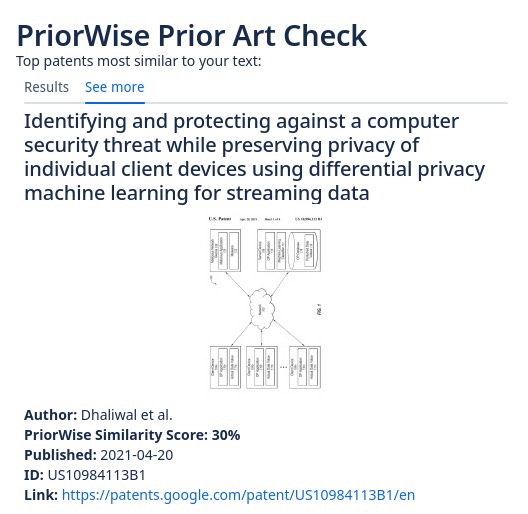
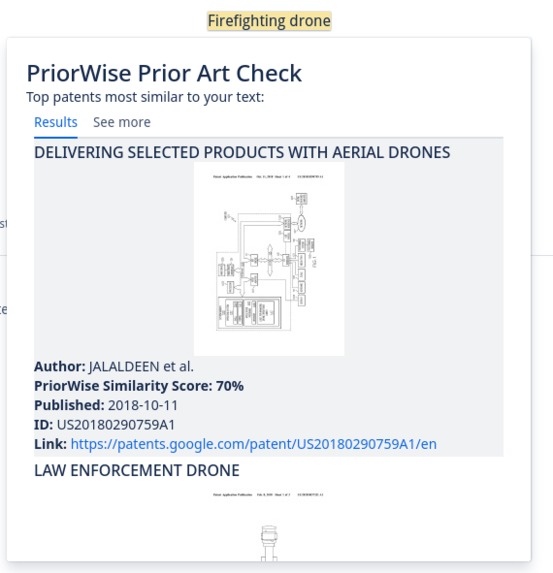
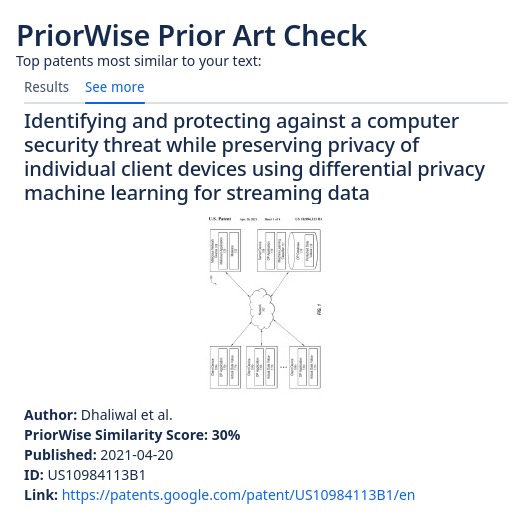
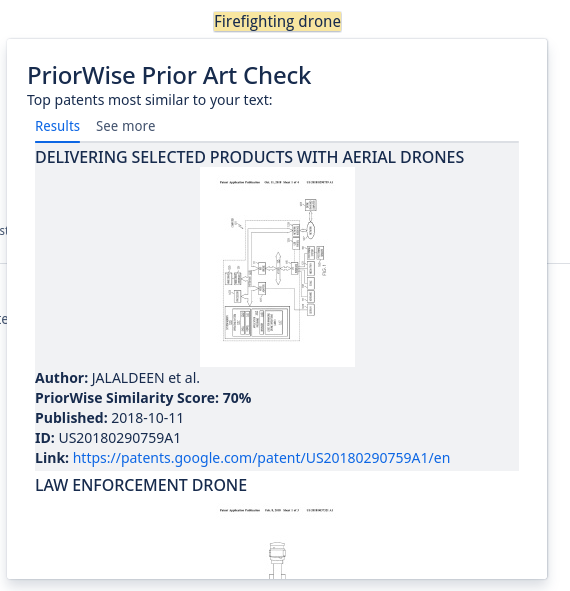
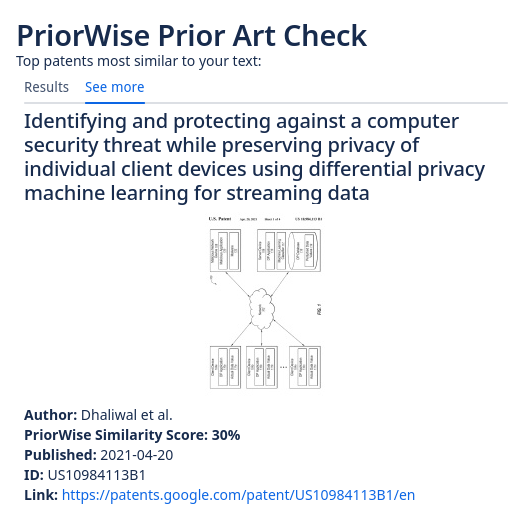
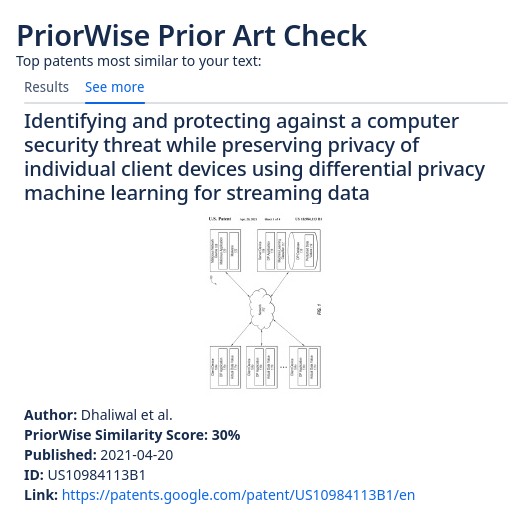
PriorWise returns representative images, authors, and direct links to similar patents to your ideas on Confluence
-
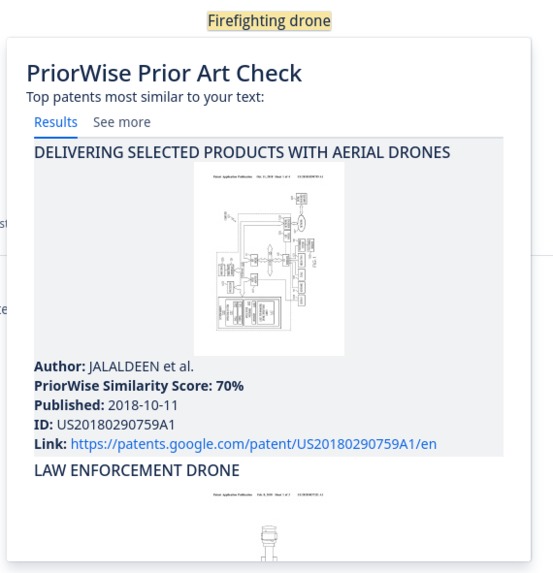
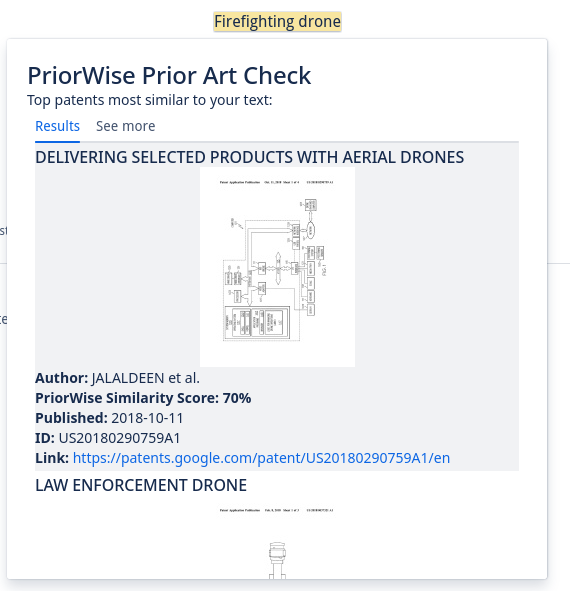
Highlight and search text using the context menu
-
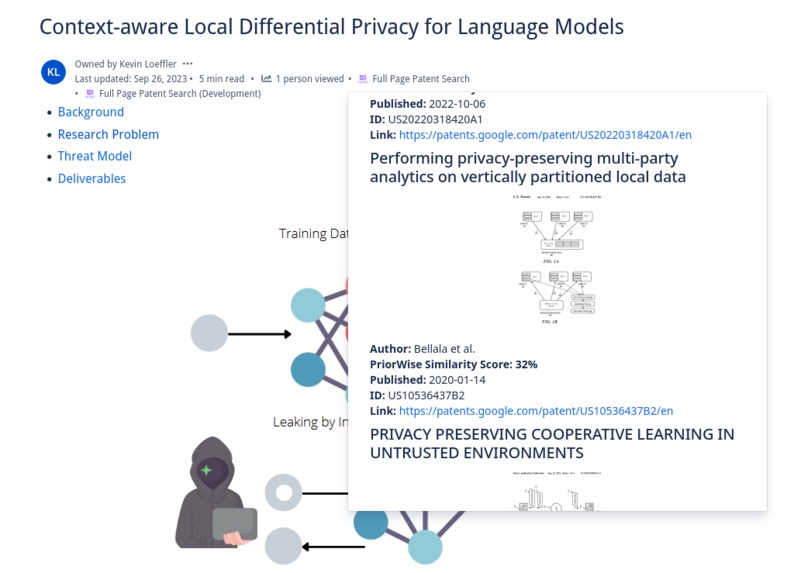
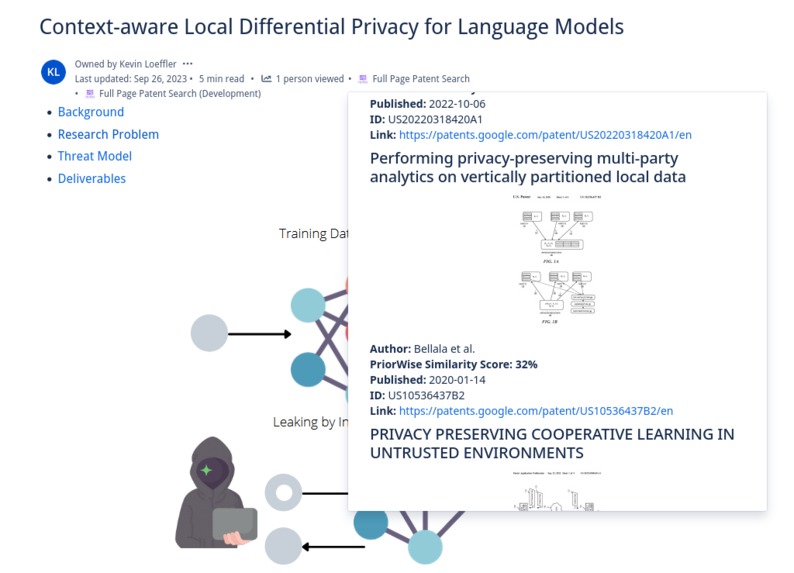
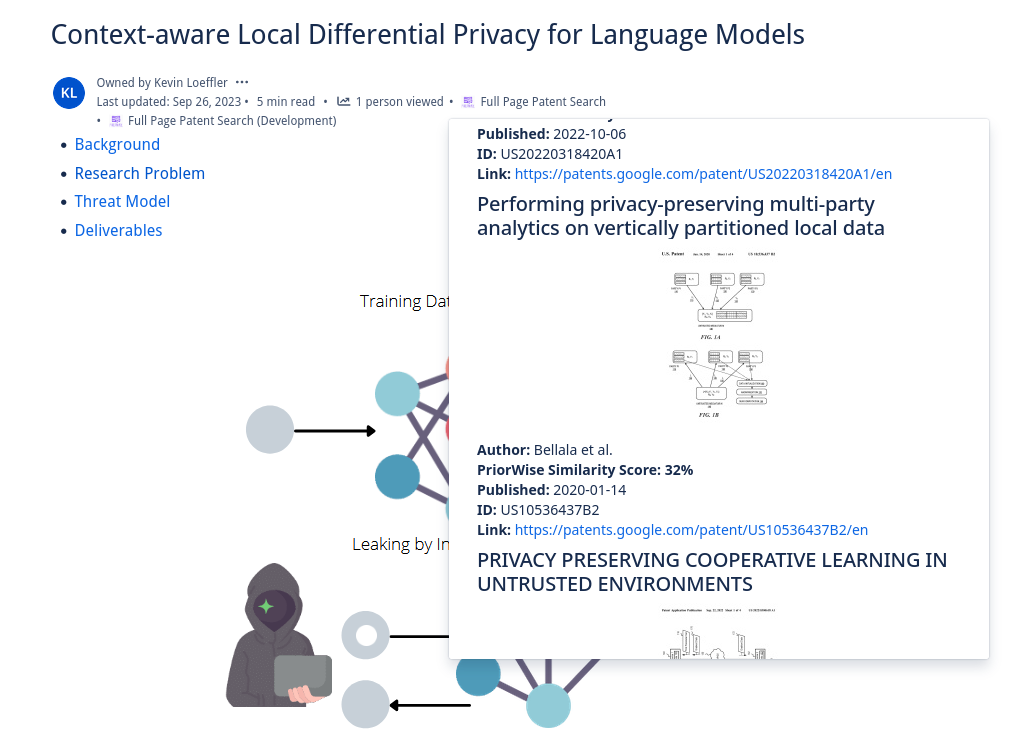
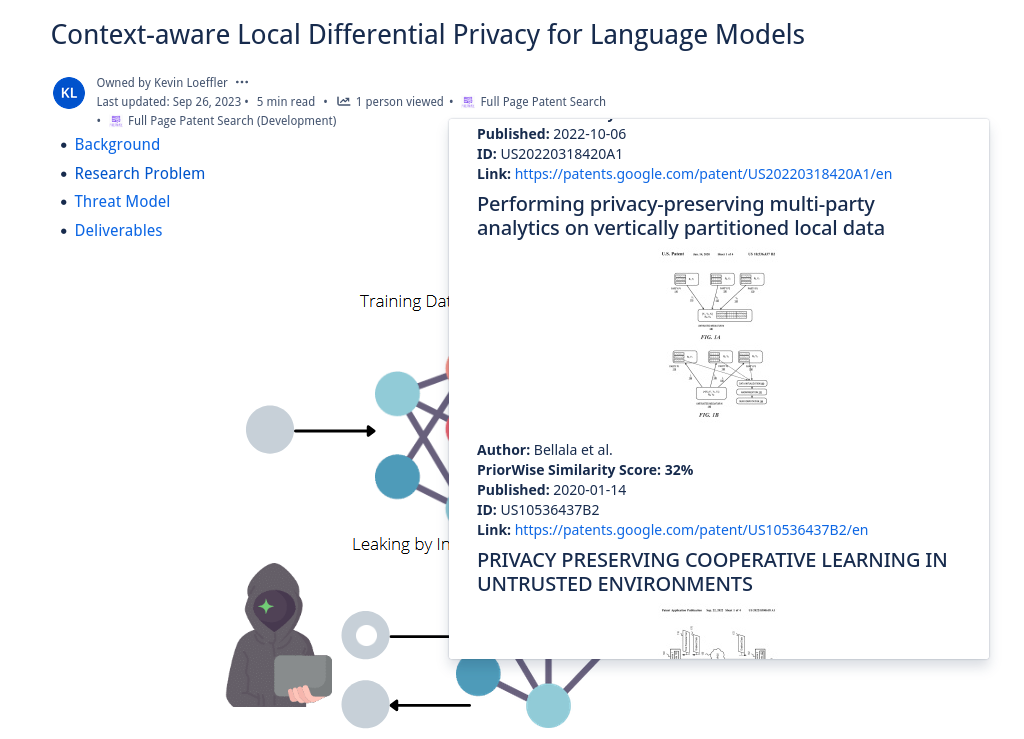
PriorWise lets you search entire pages for similar patents and papers from a content byline button
-
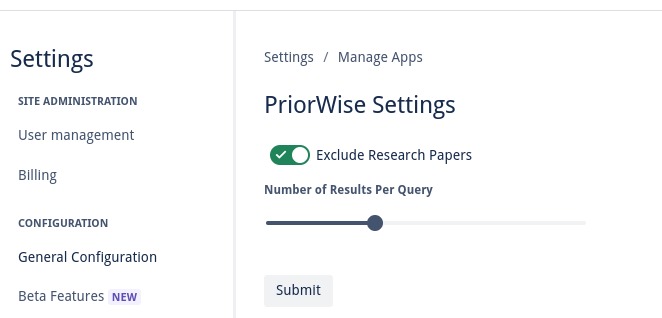
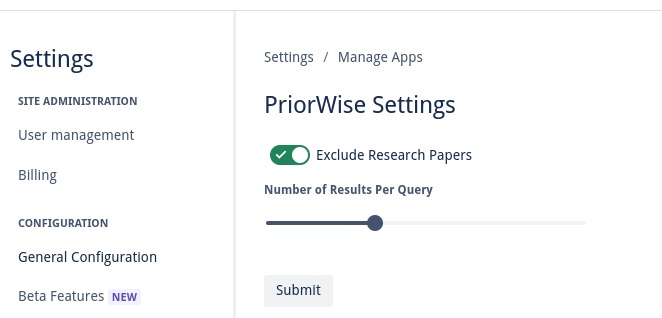
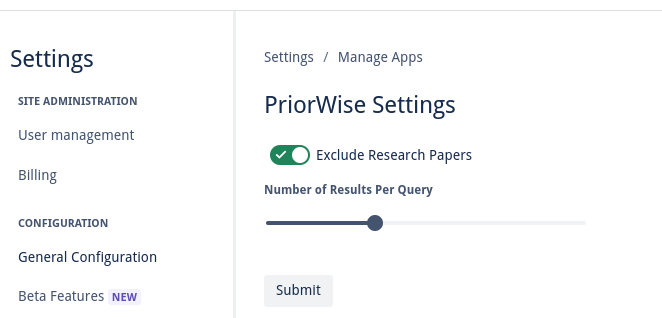
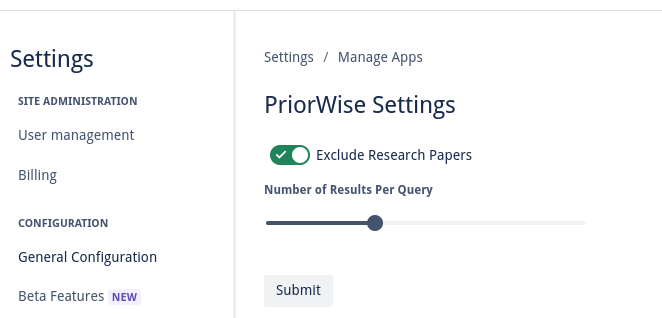
Tune if you want to see research papers in your results, as well as how many results you wish to see
Inspiration
Confluence is used by research and development teams around the world as a lab notebook, knowledge sharing, and documentation. It is an extremely valuable tool for complying with regulations, keeping a paper trail, and most importantly collaborating on ideas with one’s peers. One thing Confluence does not have, however, is a prior art and patent search- a critical phase in research for any novel idea. There are many reasons users will want to incorporate an AI prior art search in their workflows. Firstly, it helps to safeguard against potential legal issues. If your text inadvertently infringes on existing patents, you could face costly lawsuits and legal consequences. Secondly, it promotes innovation and ethical practices. By conducting thorough searches for prior art, you ensure that your work builds upon existing knowledge rather than replicating it, contributing positively to the progress of science and technology. Additionally, it enhances the credibility of your work. Demonstrating that you have conducted due diligence in searching for prior art and respecting intellectual property rights enhances your reputation as a responsible and ethical contributor to your field, fostering trust among peers and stakeholders. Ultimately, checking for patents and prior art is not only a legal requirement in many cases but also a responsible and ethical practice that benefits both creators and society at large. PriorWise lets you search any part of your Confluence text, or even the entire page, for both relevant patents and research papers. It uses artificial intelligence to find similar content and even compute a similarity score that allows you to determine at a glance how similar your idea is. It leverages the Patent Quality Artificial Intelligence (PQAI) collection of models, Atlassian’s Forge platform, and Atlassian’s UI kit to deliver a seamless and fast patent search experience right in Confluence.
How it Works
Users can select text on their Confluence pages to launch PriorWise from the content menu, or can have the entire text of the page searched by launching it via a content byline item. The text the user has chosen is compared to thousands of patents using PQAI’s pre-trained models. Roughly 11 million patents and 11 million research papers, respectively, are compared to the user’s text to find the most similar prior art. These patents and papers come from the USPTO Bulk Datasets and Semantic Scholar's Open Research Corpus. PQAI provides pre-trained models tuned to the patent/paper search task. At a high level, a BERT encoder creates a vector representation of the user text allowing us to catch semantic similarities, a bag of words classifier and BERT predictor help classify patent text and abstracts to give them searchable labels, and a MatchPyramid ranker ranks the patents by similarity to the user text. These pre-trained models are put behind a RESTful API which we can reach with Forge. Our Forge application retrieves the user text, sanitizes it and removes features like inline code, and makes an authenticated request for similar patents and papers. By default, PriorWise returns patents but can be set via a settings page to return papers intermixed with patents. A JSON object is returned containing similarity scores, abstracts, titles, and relevant images that can be displayed in an inline dialog to the user! Users can select how many patents they wish to view, and a paginated view of dozens of similar patents and papers listed by similarity is presented. This inline dialog includes links so it is simple to click through and read the content of similar work. PriorWise makes finding prior art simple!
How We Built It
Forge is written to use Forge’s special Node.js runtime. It makes authenticated requests with credentials stored encrypted using Forge’s environment variable feature. The PQAI models and Python Flask API were retrieved from their GitHub repo. The PriorWise UI uses Atlassian’s UI kit, and takes advantage of the ability to create a context menu invocation (for user selected text), a content byline invocation (for full page searches), and the ability to display an inline dialog for showing the results right next to the user’s content.
Challenges we ran into
I am a cybersecurity professional and as such was immediately concerned about how to handle sensitive credential such as my token to interact with the PQAI API. Fortunately, Forge’s encrypted environment variable feature made what is often a challenging problem on serverless platforms a breeze. I am used to more traditional key stores on platforms like Amazon Web Services and was pleasantly surprised. I also struggled at first to make dynamic content work with UI kit to display my search results. I was happy to discovery that it allowed me to use a map to define how each result returned should look and that I could define this map in the markdown I was returning! This resulted in a native-looking inline dialog with pagination, dynamic search results based on what the API has returned, and no ugly hard-coded slicing or placeholders.
Accomplishments that we're proud of
At the time of writing no other AI patent or prior art search tool exists for Atlassian Confluence. I feel that this project fills an important niche and that it will be valuable for researchers, inventors, and development teams working on the forefront of their fields.
What We Learned
Forge’s UI kit is excellent for rapidly prototyping experiences for Confluence and JIRA users. I was surprised at the number of widgets and inputs I could leverage out of the box. I learned to take advantage of the development/production staging feature so that I could test new ideas and edge cases for my application. I learned best practices for keeping my credentials safe on the Forge platform. I also learned the nuances of Forge’s Node.js runtime, such as how to best utilize its implementation of Fetch to craft complex authenticated search requests.
What's next for PriorWise – AI Prior Art Search for Confluence
I seek to publish PriorWise in the marketplace. I also plan on adding additional settings or toggles to its settings page to let users tune their results more easily. Since PQAI is open source, I plan on investigating the cost efficiency of retraining the models on an expanded dataset continuously collected via web scraping to produce the most up-to-date results possible.


Log in or sign up for Devpost to join the conversation.