What it does
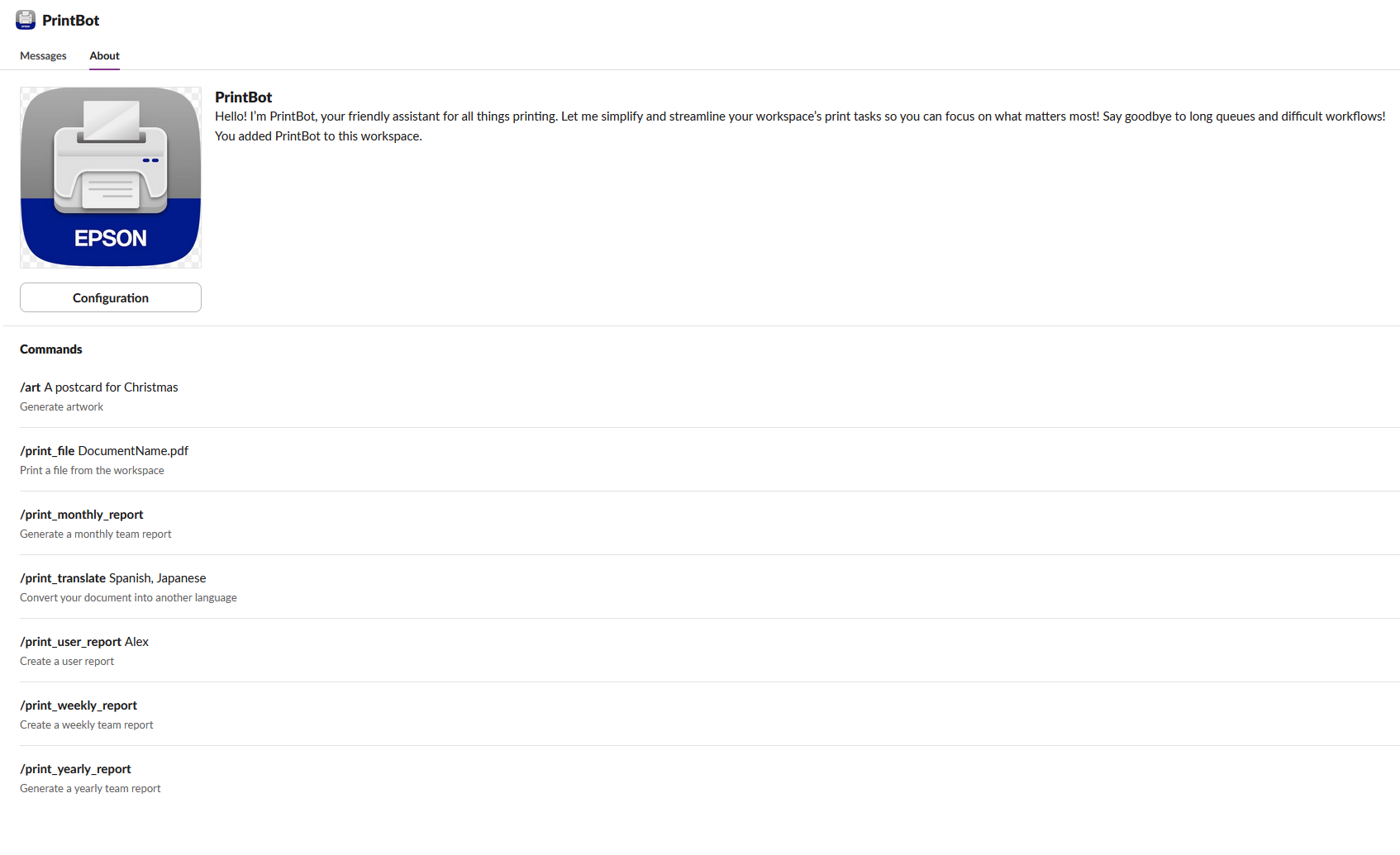
A slack bot that allows employees to print from their slack workspace directly to the office Epson printer.
/print_weekly_report Generates and prints a weekly report summarizing team activities and collaboration.
/print_monthly_report Generates and prints a monthly report summarizing team activities and collaboration.
/print_yearly_report Generates and prints a yearly report summarizing team activities and collaboration.
/print_user_report Produces a detailed report of what a user is currently working on
/print_translate Translates the contents of a file into multiple languages and prints it. Currently supporting Spanish, Japanese, Russian, and Chinese.
/print_file Searches for a specified file in Slack and prints it directly without downloading.
/art Generates custom AI artwork based on a user-provided prompt.
How we built it
I used the Slack, and Slack bot API combined with google cloud functions and the Epson connect API to build PrintBot. The cloud functions were written in python deployed using the firebase cli. I used the epson connect python SDK to print.
https://github.com/logston/epson-connect
The Epson printer in video: Epson EcoTank ET-3850
The /print_weekly_report (monthly and yearly) commands leverage the Slack API to retrieve messages from all public channels in the workspace over the past week.
These messages are processed through OpenAI's GPT-4 model to generate a comprehensive weekly report, summarizing key activities, highlighting notable contributions, and providing insights into team collaboration trends. This report is then routed through our serverless Google Cloud Function, which uses the Epson Connect API to print it directly to the office printer.
If the product manager needs a report focused on a specific user, they can use the /print_user_report command, which generates a detailed report on that individual’s recent activities. This is especially useful for cases like departed employees, where it eliminates the need to sift through thousands of messages to understand their last contributions. It also simplifies the on boarding process for new hires by providing a clear summary of the outgoing employee’s recent projects, ensuring a smooth transition and continuity in work.
/print_translate. I developed this feature after my experience mentoring ESL (English as a Second Language) coworkers at my previous job, where understanding complex legal documents was a challenge for them. Explaining these documents in a way they could fully grasp was difficult, and I often had to translate large portions of text to make the content accessible. This command now streamlines that process, providing translations quickly and accurately to help bridge language gaps in the workplace.
How /print_translate works: users can simply enter a filename, and PrintBot will search the entire Slack workspace for the document. Once located, it uses Optical Character Recognition (OCR) to extract all the text, which is then fed into the GPT-4 model to translate the document into multiple languages. Currently, the translation feature supports Spanish, Japanese, Russian, and Chinese, with plans to expand to more languages in the future. After translation, the document is recreated as a PDF and sent to the Epson printer.
How to use:
/art <enter prompt>
/print_file file_name:<enter file name including extension>
/print_translate file_name:<enter file name including extension> language:<enter language>
/print_user_report <slack name>
/print_weekly_report
/print_monthly_report
/print_yearly_report
Example:
/art A bear eating honey by the river
/print_file file_name:document.pdf
/print_translate file_name:document.pdf language:spanish
/print_user_report Evan
/print_weekly_report
/print_monthly_report
/print_yearly_report
Accomplishments that we're proud of
Building everything in less than 2 days
Built With
- epson-connect
- google-cloud-functions
- llm
- open-ai
- python
- slack-api

Log in or sign up for Devpost to join the conversation.