-
-
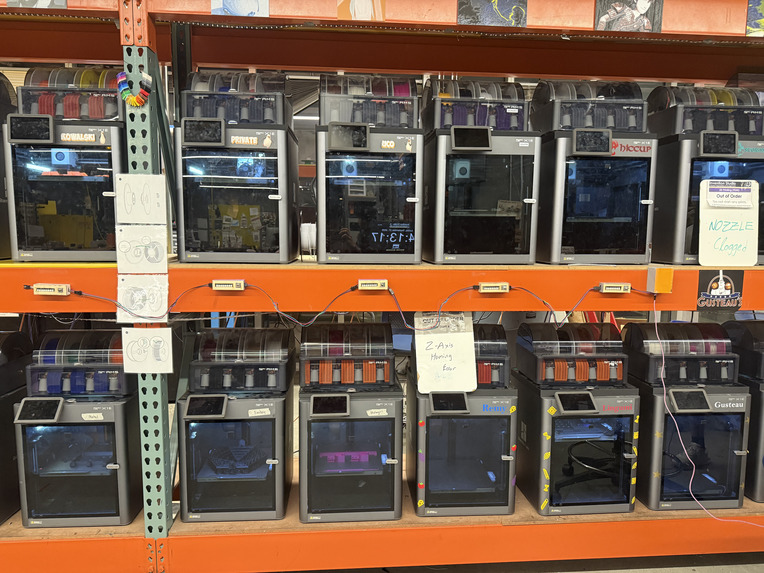
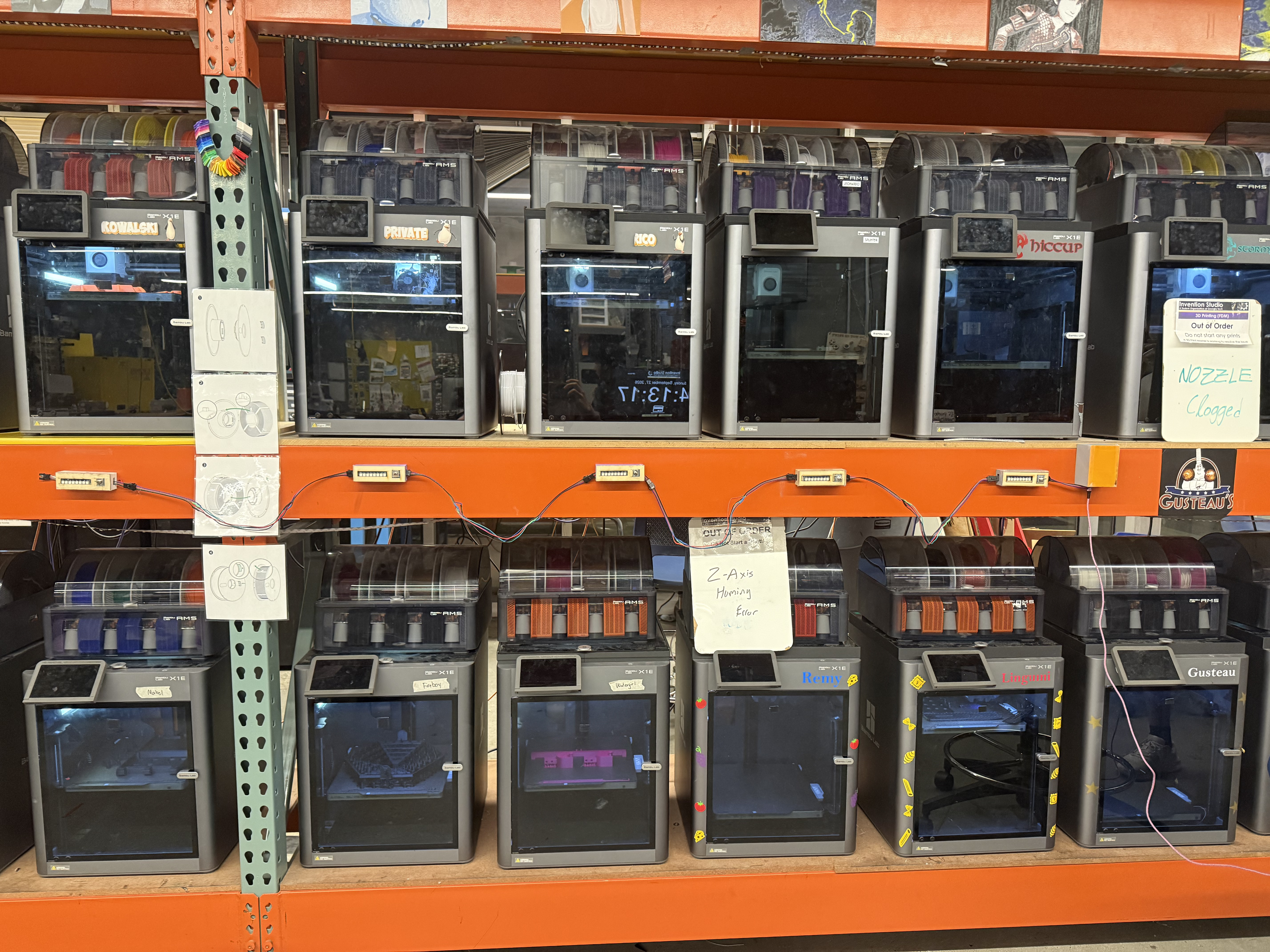
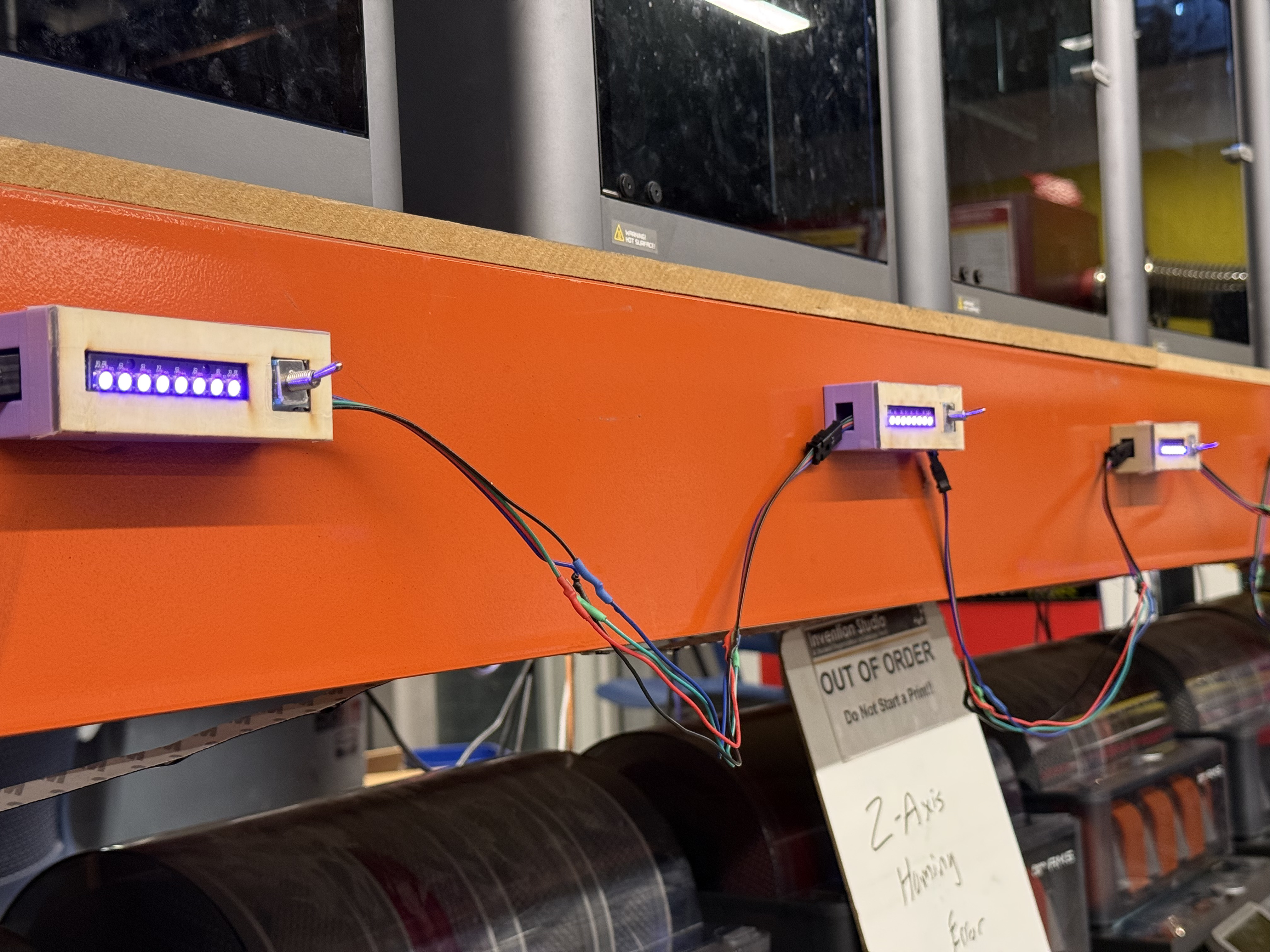
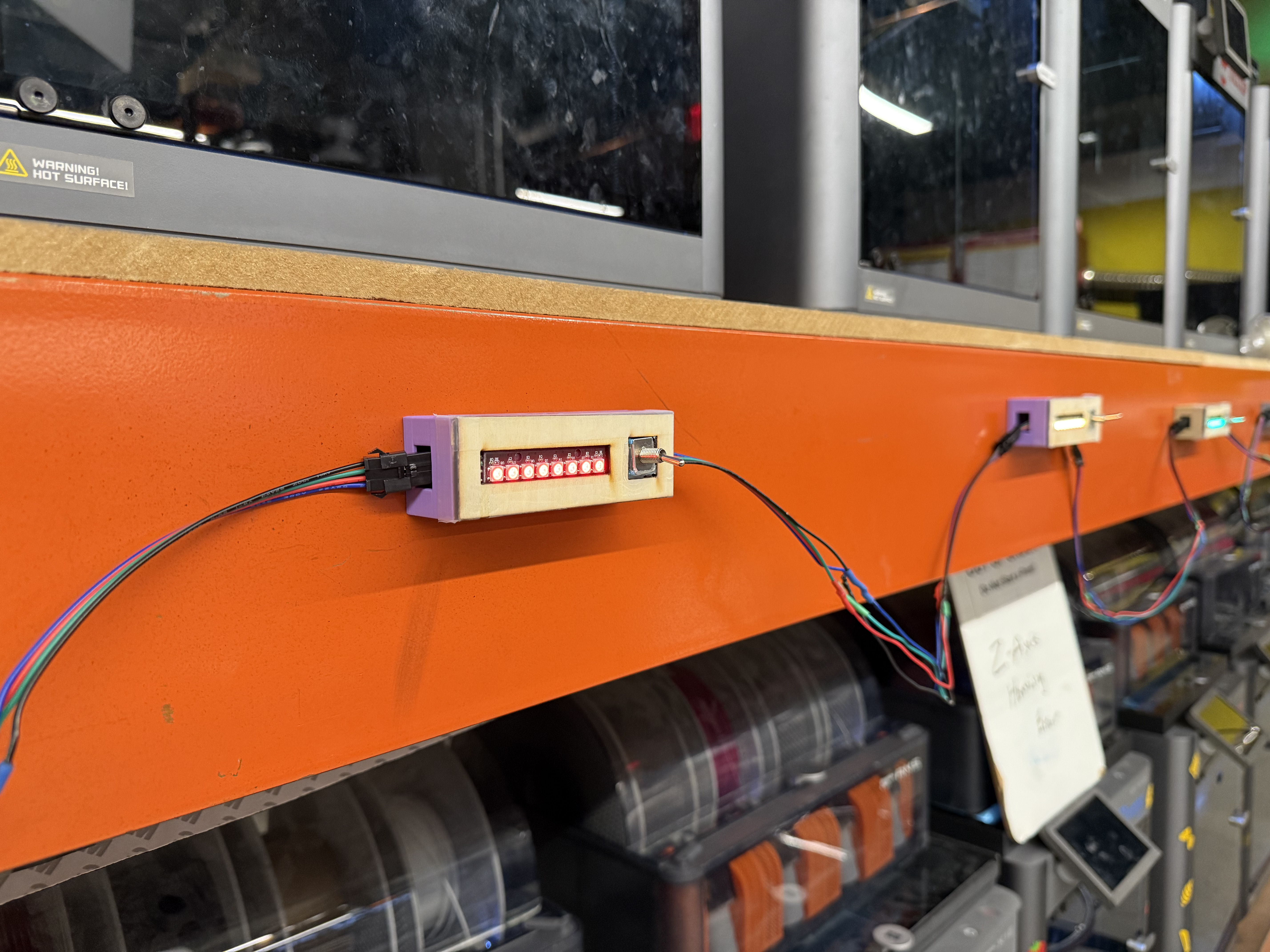
Printability on the Bambu Lab X1E farm at Georgia Tech's Invention Studio: one monitor module per printer with a controller.
-
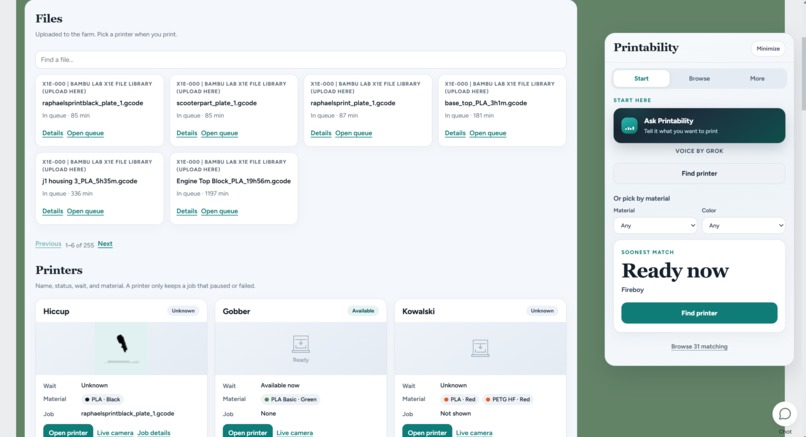
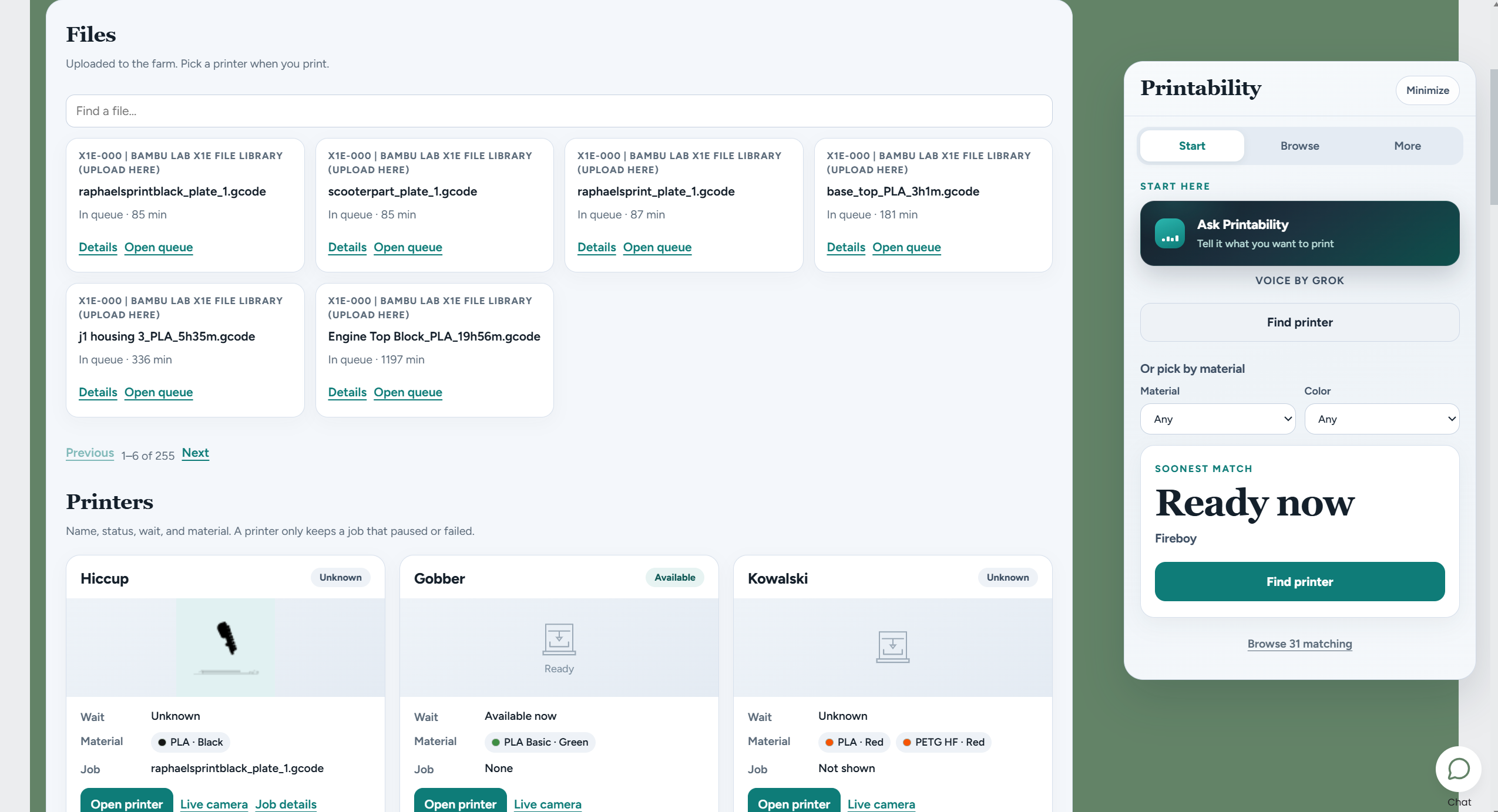
The Printability dashboard: live printer status, queue and materials, plus "Ask Printability" voice search powered by Grok.
-
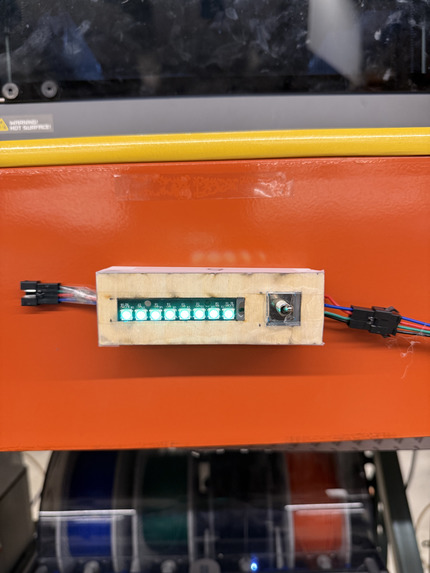
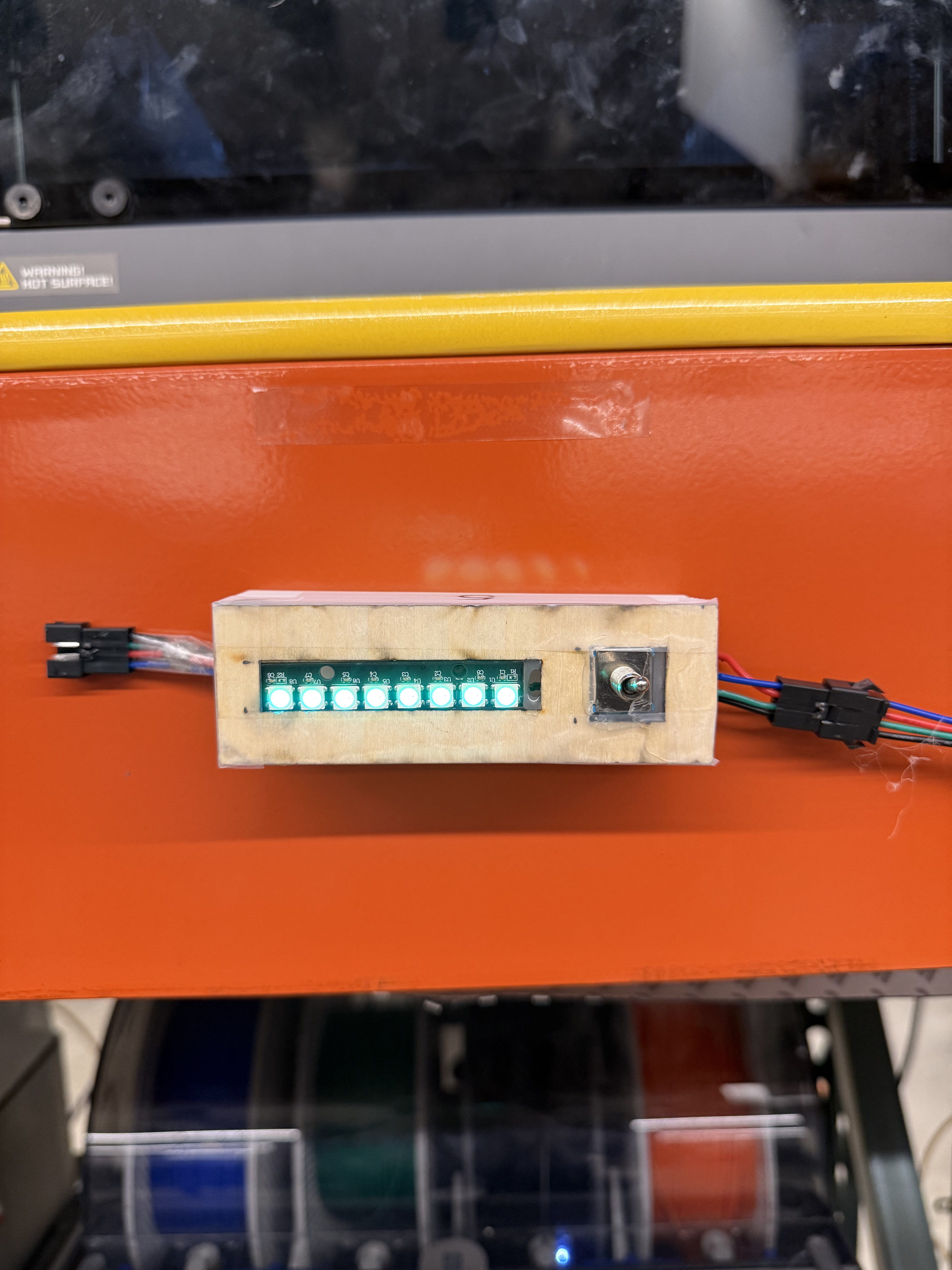
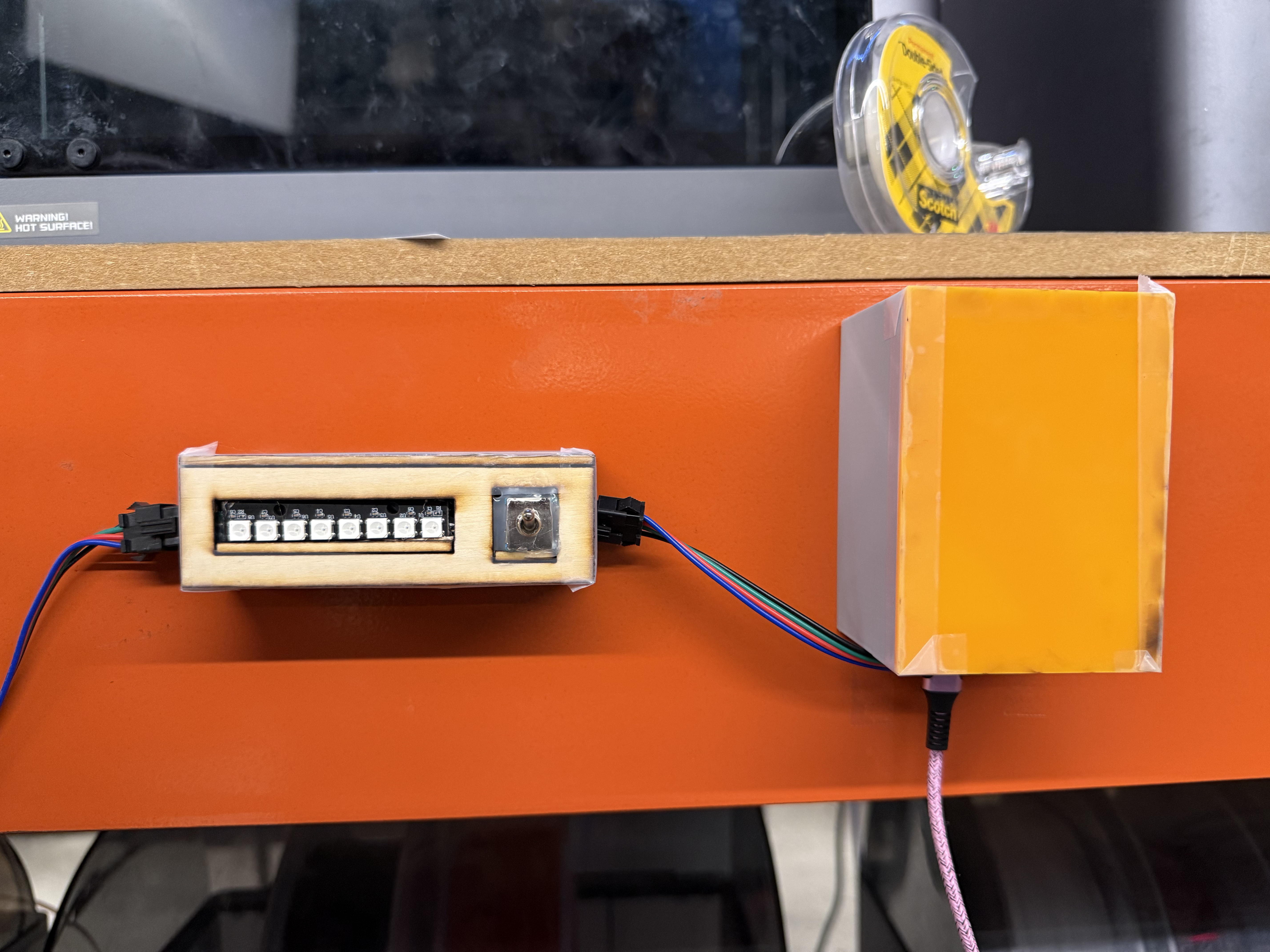
Close-up of a status module: 8 addressable RGB LEDs, a toggle switch for reporting problems, and a laser-cut wood enclosure.
-
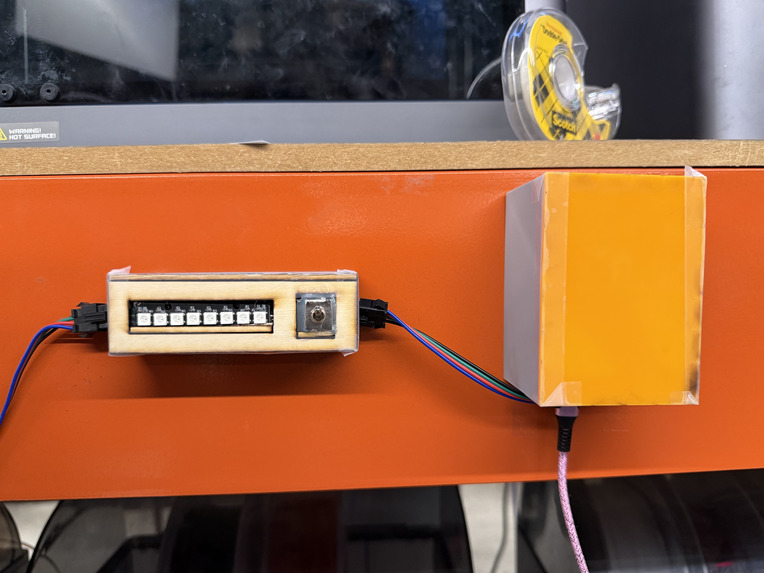
The hub (orange box) holds an ESP32-S3 linked to our backend. It talks to every module wirelessly over ESP-NOW.
-
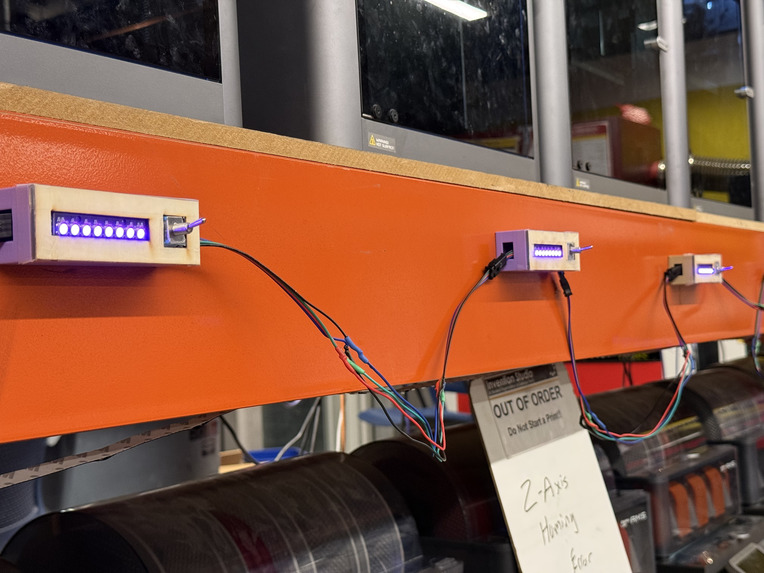
Purple means disconnected: the module is resetting or waiting to reconnect to the hub, so stale status is never shown.
-
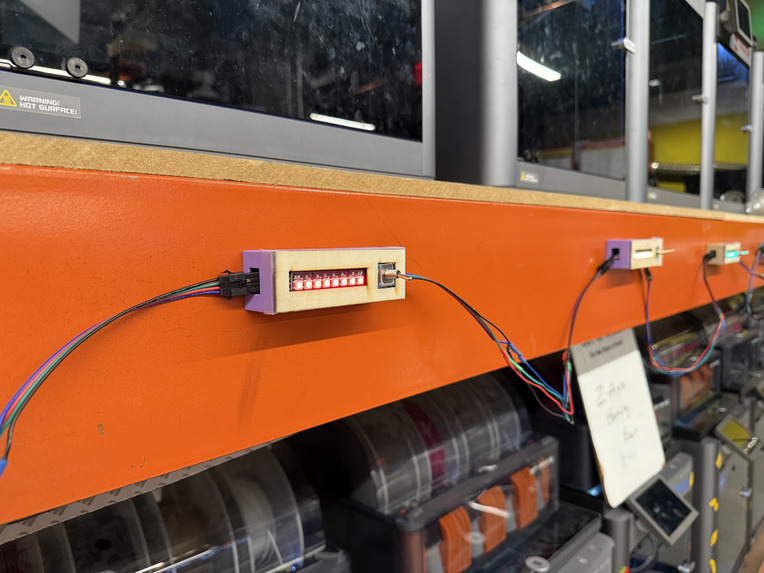
Flip the switch and the module turns red: the printer is reported broken to the dashboard instantly.
-
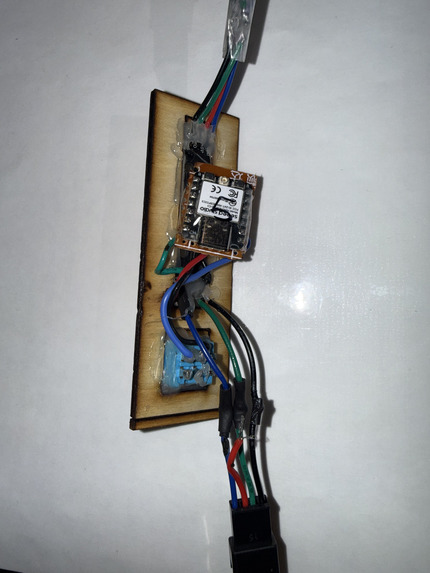
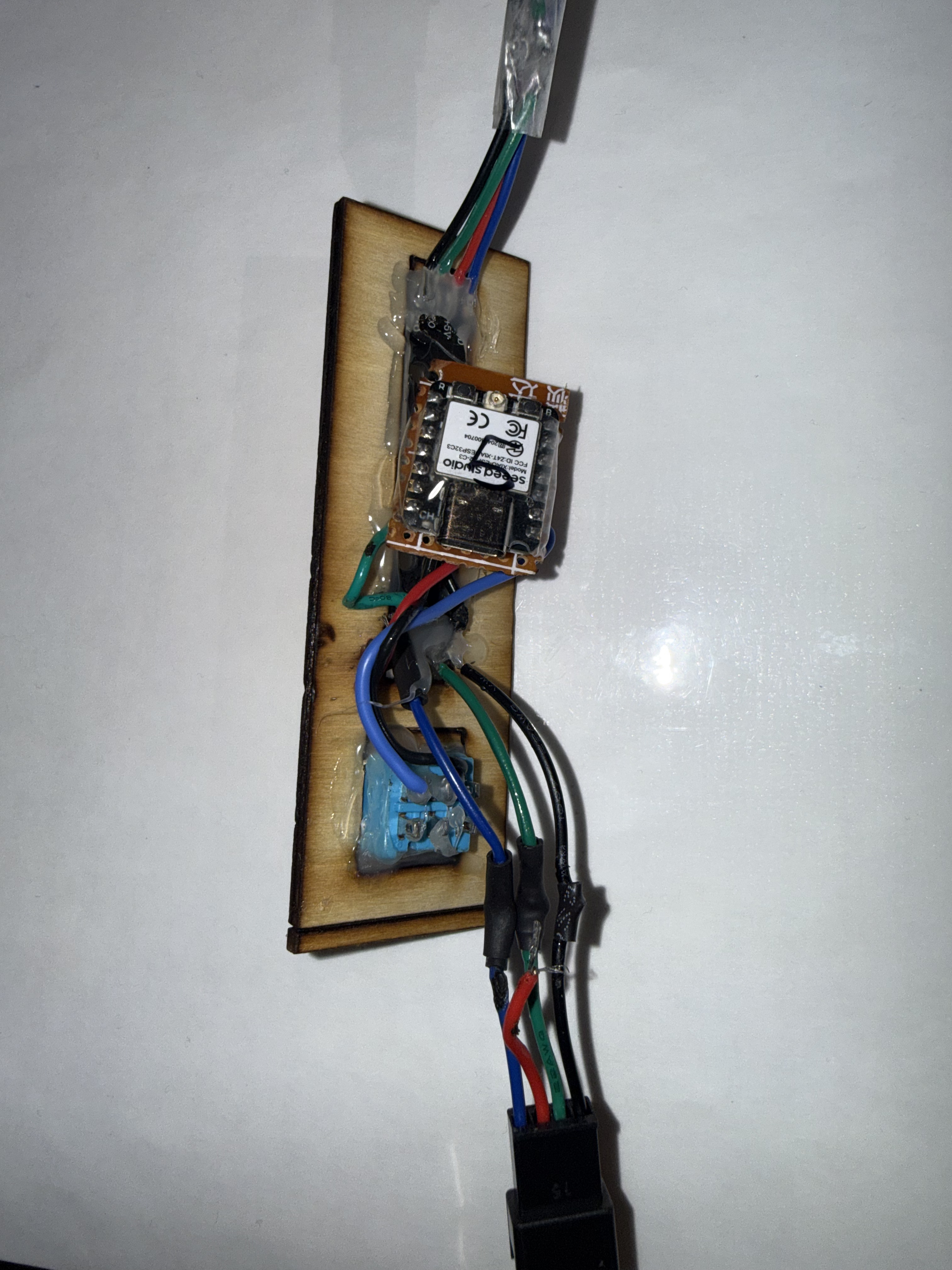
Inside a module: a Seeed XIAO ESP32-C3 reads the switch, drives the LED bar, and syncs with the hub over ESP-NOW.
-
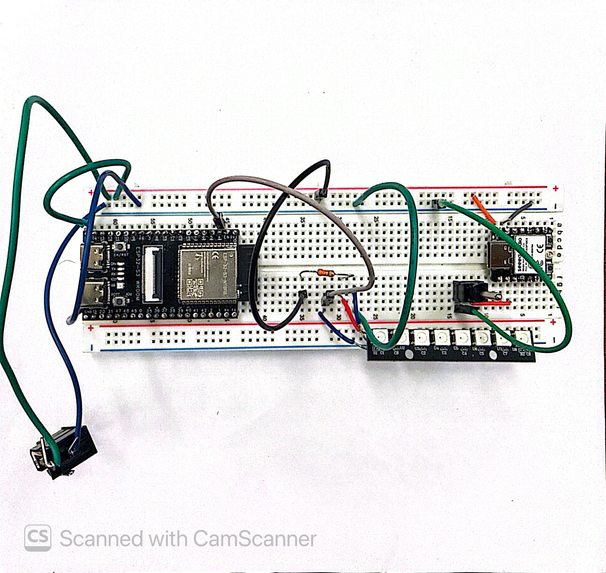
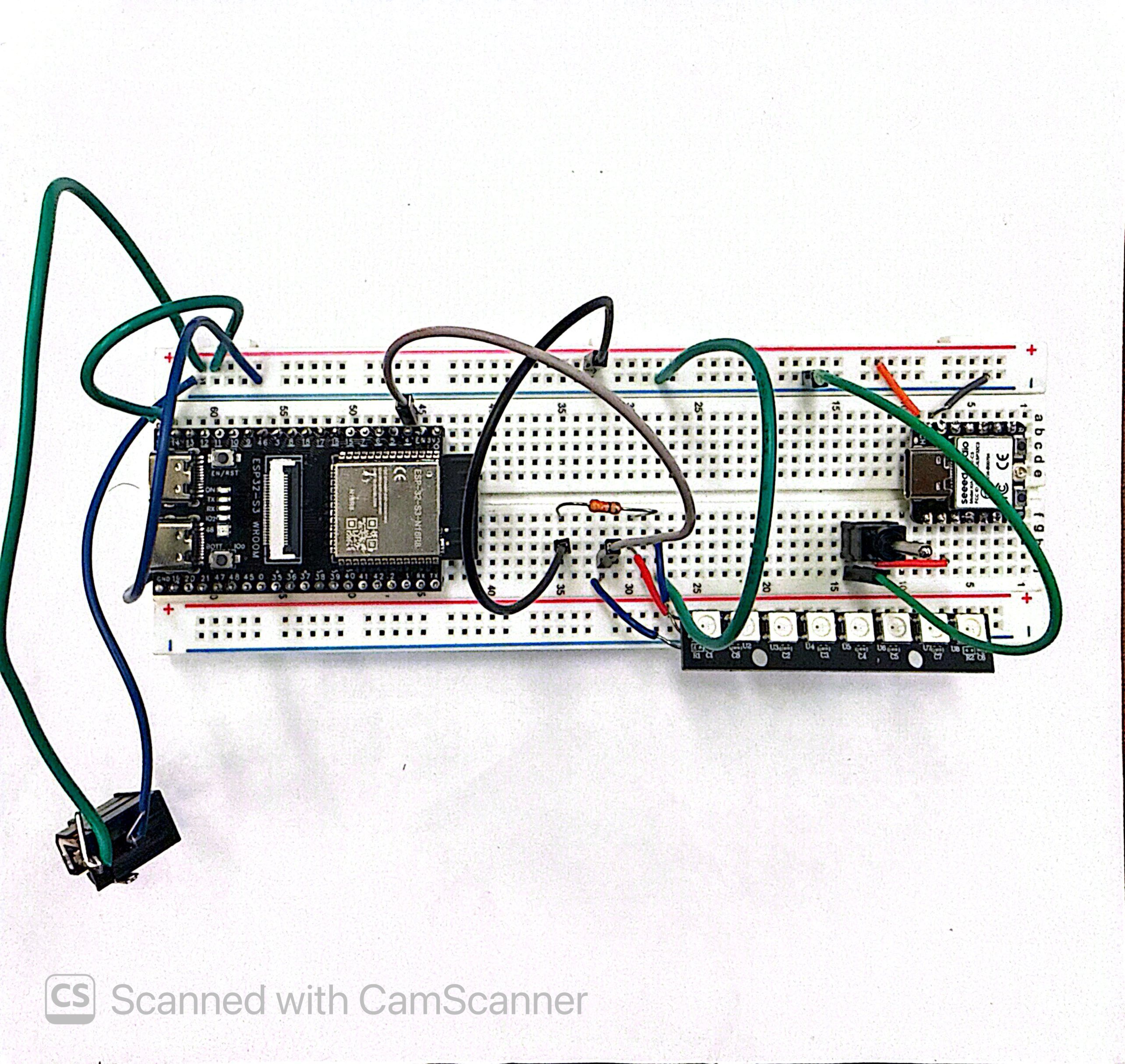
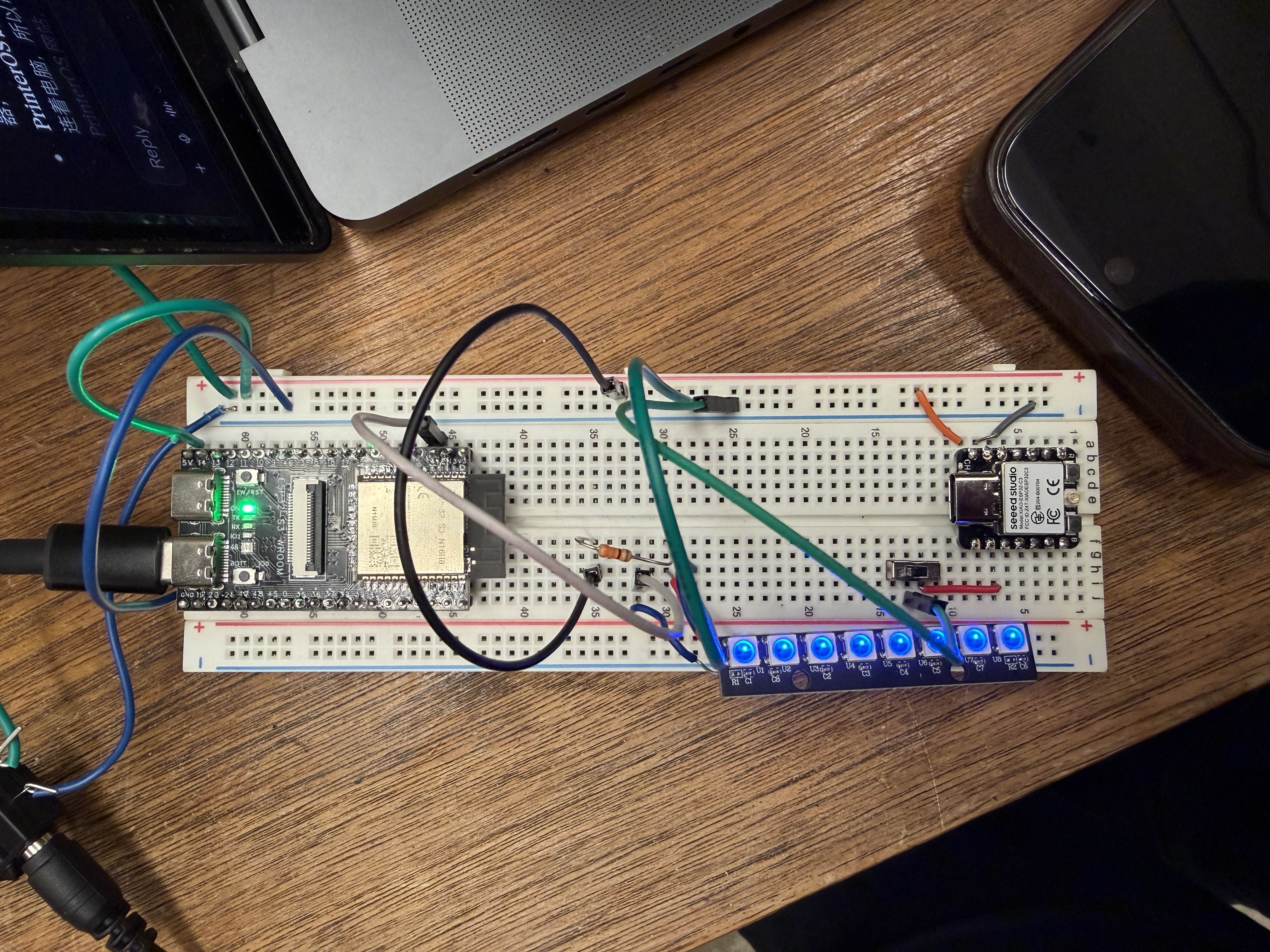
Early breadboard prototype: ESP32-S3 hub, LED stick and toggle switch, before we moved to wireless modules.
-
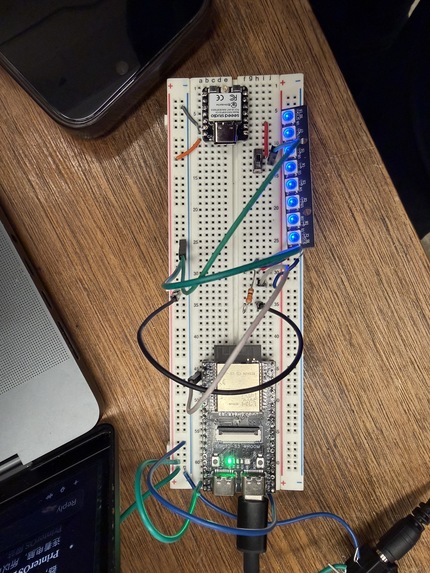
Bench-testing the module wiring on a breadboard before soldering it into the enclosure.
Inspiration
3D printing is moving from specialized engineering labs into everyday life. It is increasingly present in universities, makerspaces, libraries, schools, community labs, and workplaces. As more people gain access to printers, the challenge is no longer only building better printers—it is making shared printers easy to understand and manage.
At Georgia Tech’s makerspaces, especially the Invention Studio, students have access to many 3D printers. However, the experience can still feel intimidating, particularly for first-time users. It is not always clear which printer has the right material, whether a machine is working properly, how long a user will have to wait, or what to do after uploading a model. During busy opening hours, users may need staff assistance for routine decisions, while staff spend time answering repeated questions and checking machines.
This becomes more important as 3D printing becomes more common. A shared printer farm cannot be managed effectively if users cannot understand its availability, materials, progress, and problems. The equipment may be accessible, but the process can still feel exclusive or inefficient.
We built Printability to make shared 3D printing easier to navigate. Our goal is to help users confidently choose and monitor a print while helping makerspaces manage growing printer networks without making the experience more complicated.
What it does
Printability is a customer-facing 3D-printing assistant that connects printer data, AI guidance, and physical status lights.
It helps users find a printer with the requested material and color, avoid printers that are broken, disconnected, or reporting errors, and understand how long they may need to wait. It also shows what is happening after a print starts.
The physical lights communicate each printer’s state at a glance:
- Blue indicates that a printer is actively printing.
- Green indicates that a printer is ready or has successfully completed a print.
- Amber or teal indicates that a print is paused and may need attention.
- Red indicates an error or reported fault.
- Purple indicates a disconnected printer.
Grok Voice helps users navigate the rest of the process conversationally. Instead of interpreting technical dashboard labels, users can ask questions, understand why a printer was recommended, and get guidance about what to do next.
Our intended experience is simple: a user brings a model, describes the material and color they need, reviews the recommended printer and wait time, and confirms the choice with one click. As the workflow develops, users should be able to complete most of the process through their voice, their model, and a final confirmation.
Printability also helps staff manage the shared system more efficiently. Users can handle routine decisions independently, while staff gain better visibility into printer availability and can focus on safety, maintenance, training, and unusual problems.
How we built it
The browser extension runs alongside the authenticated 3DPrinterOS dashboard and reads visible printer, job, filament, and log information. It normalizes those readings into a consistent model of the printer farm.
Deterministic logic handles the decisions that need to be dependable: printer eligibility, material matching, BROKEN overrides, print-state classification, and unknown wait times. AI is used to explain those results and guide the user through the experience. Grok Voice provides a natural interface for asking questions and understanding recommendations.
A local Python helper connects the extension to the physical hardware. An ESP32-S3 gateway drives a chain of LED status sticks, while wireless ESP32-C3 switch modules allow individual printer stations to be marked BROKEN when necessary.
We designed the hardware as a modular system for shared printer environments. Each light segment is low-cost, can be extended with cables, and is intended to be simple to install as the printer farm grows.
Challenges we ran into
Most of our challenges were hardware-related. Connecting multiple physical light modules required reliable data relays through the chain, while powering the LEDs introduced voltage drops and amperage limitations. We also dealt with intermittent connections between the gateway and wireless switch modules, USB communication issues, and the need to keep physical BROKEN overrides synchronized with the software.
Making the hardware practical for a growing shared printer farm required careful attention to power distribution, signal integrity, connectors, cable extension, and recovery when a module temporarily disconnected. The system needed to remain low-cost and easy to set up while still communicating reliably across multiple printer stations.
On the software side, we worked with incomplete and inconsistent information from the printer dashboard. A missing estimate, stale status, historical error, or unloaded filament record cannot safely be treated as fact. We had to distinguish between what the system knew, what it could reasonably infer, and what remained unknown.
We also had to design a voice experience that could guide users naturally while still relying on dependable checks for printer eligibility, material matching, and error avoidance.
Accomplishments that we're proud of
We are proud to have built a working prototype during the hackathon that brings the software, AI guidance, printer data, and physical hardware together into one cohesive experience.
We designed the system around the needs of people using shared printers. Each light segment is low-cost and modular, can be extended with simple cables, and is easy to install without complicated setup. A makerspace can begin with a small number of printers and expand the system over time instead of replacing the entire setup.
We are also proud that the prototype is customer-focused rather than just a technical demonstration. The interface, voice guidance, printer-matching logic, wait-time information, and physical status lights work together around the user’s actual journey: choosing the right printer, avoiding unavailable equipment, understanding the wait, and following print progress.
There is still more to test and refine before a full deployment, but we finished with a functional prototype that shows how shared 3D-printing systems can become easier to use as the technology becomes more common.
What we learned
What we learned
We learned how much coordination is required to make software and physical hardware feel like one product. A printer status is only useful if the data is current, the hardware receives it reliably, and the light communicates it clearly. Small issues with power, connections, relays, or synchronization can affect the entire user experience.
We also learned that modularity needs to be designed from the beginning. Because makerspaces grow and change, the hardware needs to be low-cost, easy to install, simple to extend with cables, and straightforward for staff to maintain.
On the software side, we learned that user-facing recommendations require more than simply displaying available data. Material matching, printer availability, wait times, error states, and missing information all need to be handled carefully so users receive guidance they can trust.
We also learned that AI works best as a guide within a structured workflow. Grok Voice can make the process feel natural, but it still needs clear boundaries and dependable checks underneath it. The assistant should help users understand their options without making unsupported assumptions about a printer or a print.
Finally, we learned that designing for users and staff at the same time leads to a stronger system. Users need a simple path to a successful print, while staff need hardware and software that are reliable, maintainable, and easy to expand.
What's next for Printability
Our next step is to make Printability a more complete end-to-end printing system. The long-term workflow would begin with a user’s model and continue through material selection, printer recommendation, wait-time estimation, print submission, progress updates, completion, and pickup.
Users could upload or select a model, describe what they need through Grok Voice, receive a recommended printer, and send the job directly to that machine after confirmation. The system could then continue tracking the print and notify the user when it is complete and ready to collect.
We also want to explore automated print removal. Once a print has safely finished and cooled, a mechanical removal system could clear the build surface and prepare the printer for its next job. This could reduce downtime between prints and make shared printer farms more efficient, while still including safety checks and staff controls for failed or unusual prints.
On the hardware side, we want to test the modular light system in a real makerspace environment, improve connection reliability, and make the setup easier to reproduce and maintain across different printer farms. Staff should be able to expand the system as more printers are added without rebuilding the entire installation.
After validating the workflow at Georgia Tech, we hope to adapt Printability for other universities, libraries, community labs, and public print farms. 3D Printer OS is the most used industrial 3d printer manager, however Printability should be able to work all the types of print managers out there.
Built With
- 3dprinting
- chrome
- esp32
- grok
- iot
- javascript
- python


Log in or sign up for Devpost to join the conversation.