-
PrintStar
-
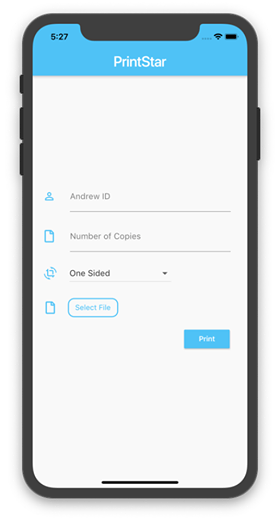
iOS
-
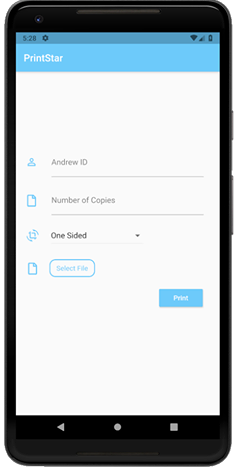
Android
Inspiration
Sometimes, it's too difficult to print at CMU. There are no drivers available for mobile devices and Linux users have to upload their files to Google Drive, go to a web-station, log into Google Drive, and then print out the document they want.
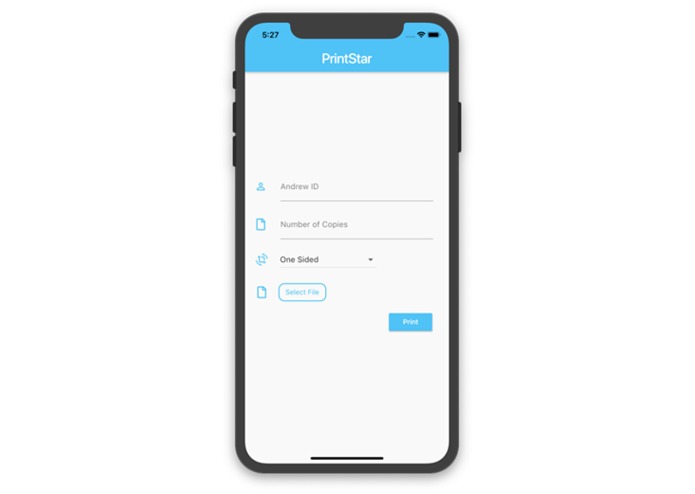
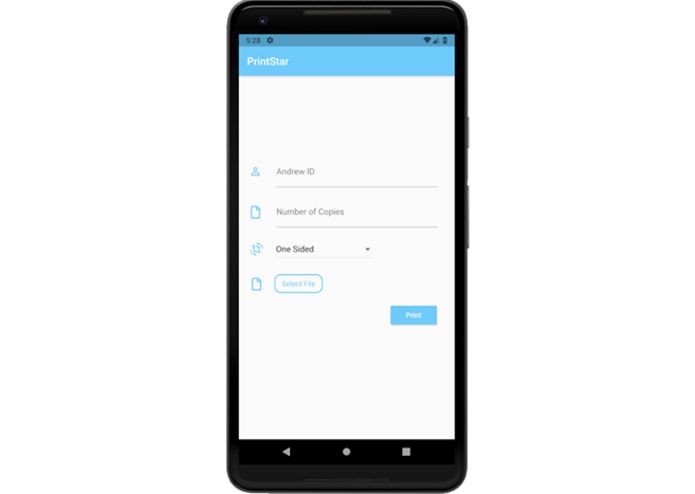
We offer a solution. Simply get out your phone or mobile device, open our app, and print in three steps!
1) Upload your file.
2) Send the request with your AndrewID.
3) See where you want to pick up the job!
What it does
Our cross-platform Flutter app utilizes the ScottyLabs Print API to streamline the printing process for Android and Apple mobile device users. We send POST requests via a REST API with your uploaded file, AndrewID, and associated print job properties to the CMU's campus printing system, where you can pick up your printed document from any of the CMU machines. We also provide you with a list of printing locations once you do print, just to make it a little easier to plan your route!
How we built it
We began by wireframing the purpose and UI of the app, as well as our approach to the problem we wished to solve. Specifically, we considered the issues or annoyances that students commonly have when printing (for example, determining the nearest printer), and added those to our approach as well. We then used a uniform software design pattern in Flutter to develop our project with a sleek, streamlined design matching our goal.
We determined the ScottyLabs REST API was best suited to our purpose, and developed the UI and API call system in parallel to manage our time.
Challenges we ran into
Understanding the ScottyLabs API was difficult, as the documentation was not fully fleshed out. Most of our team members also had no previous experience with Flutter, so designing a responsive template involved a time-consuming and difficult learning process.
Accomplishments that we're proud of
We are proud of our utilizations of new technologies, having little previous familiarity with the tools we used, and successfully integrating them in an elegant and manageable platform. We are also impressed with the simplistic design of the platform and structural basis that allowed us to build our applications.
What we learned
- Using Flutter and Dart to design a responsive web-app
- Using the ScottyLabs Print API to query our print jobs
- Developing a complete, presentable application within a short amount of time
What's next for PrintStar
We hope to expand our efforts by distributing our app among CMU students, and creating a stronger back-end system for our application. We also hope to make available our app to other university or industrial systems where printing access is limited for mobile devices.

Log in or sign up for Devpost to join the conversation.