Inspiration Every day a price changes and nobody's watching. Not because people don't care, because checking is tedious enough that you stop doing it after the first couple days. The inspiration behind this project was to remove the hastle of going back to the product link every day while waiting on a price drop and even risking missing the biggest deal of the year. This allows the user to online shop with the lowest prices and the best deals.
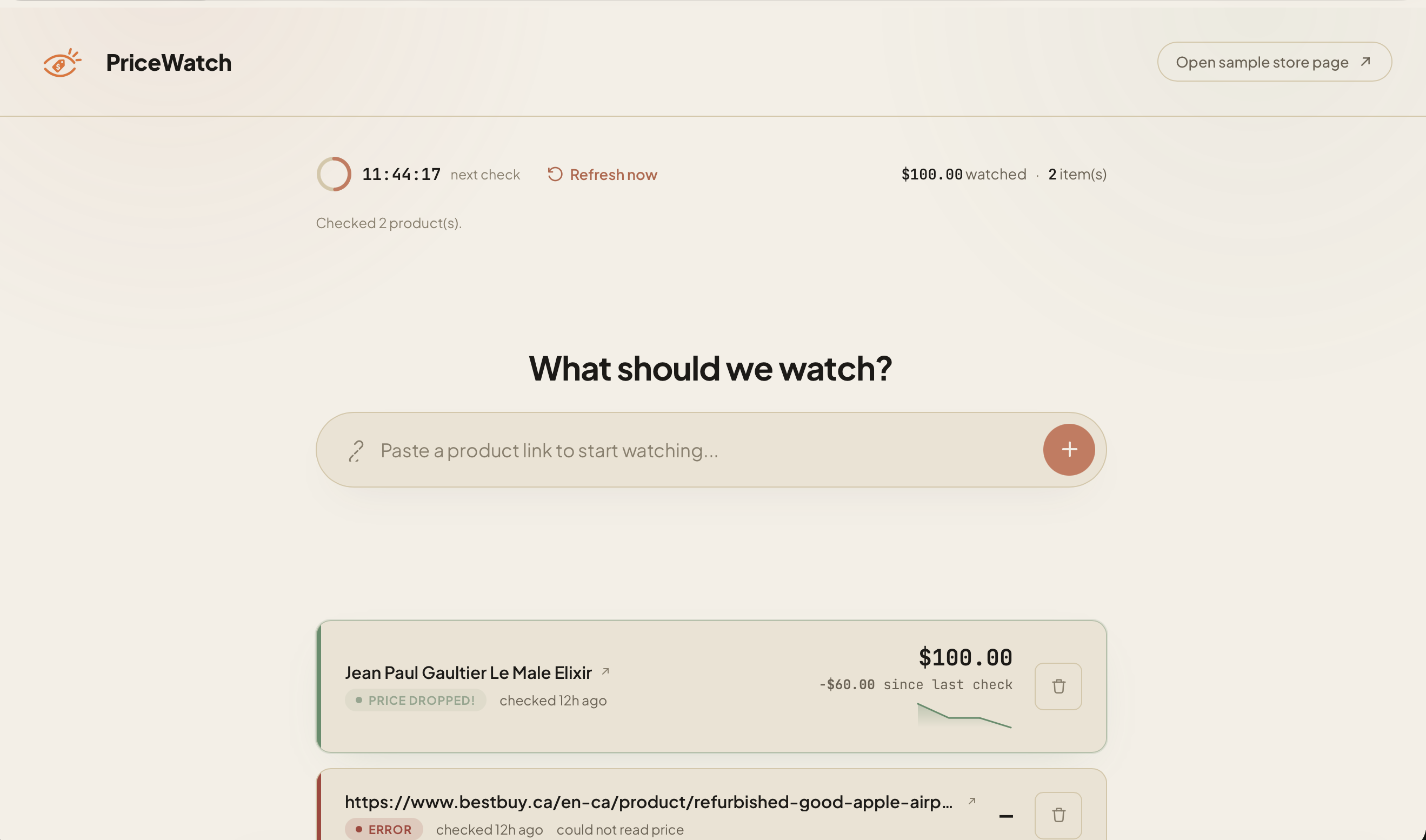
What it does You paste a product URL and create a watchlist of all products you are looking to buy. Every 24 hours, PriceWatch monitors the price for you automatically and notifies you if the price of any of the products on your list changes. This way, you never miss out on any deals and you always shop at the best prices.
How we built it The stack is deliberately small: Flask, Playwright driving Steel cloud browser sessions, Anthropic's Haiku 4.5 reading whatever text comes back, Resend for the one notification that matters, and a JSON file on disk as a database. Using Steel to run parallel sessions for all products on the watchlist allows the website to run more efficiently and quickly.
Challenges we ran into The one that took longest to diagnose, not fix: a real BestBuy listing would sometimes come back with a price and sometimes come back with nothing, and at first that looked like a model problem — like the LLM was missing information that was clearly there. It wasn't. Fetching the raw page text twice, back to back, showed the price line was genuinely absent on one load and present on the next — an async pricing widget that hadn't finished rendering yet. The fix wasn't a better prompt, it was giving the page's network activity room to go quiet before reading it. In a scraping pipeline, the LLM is rarely the unreliable part. The page is.
The one that was a real bug, not a timing quirk: clicking "Refresh now" was quietly running the entire watchlist check twice — once from the manual trigger, once again from the background scheduler loop waking up and not knowing the work was already done. It hid well because both runs succeeded, so nothing looked broken; it just cost twice the Steel sessions and twice the LLM calls for one click. Caught by noticing two identical "checking N products" log lines with no user action in between, fixed by having the scheduler distinguish why it woke up before deciding whether to act on it.
And one that had nothing to do with our code: Steel's browser runs somewhere else. It cannot see localhost. The self-hosted demo page — the one built specifically to make the "watch a price drop happen live" moment work — was unreachable by the exact agent meant to watch it, until a tunnel closed that gap. Which then surfaced a second, smaller trap: a free-tier tunnel shows first-time visitors an interstitial warning page, and a browser agent visiting for the first time is always a first-time visitor. Solved with one HTTP header, but only after nearly demoing a scrape of a warning screen instead of a product page.
Accomplishments that we're proud of We designed the sample page to be able to demo the product. Additionally, we used steel to run the browsing sessions in parallel, which reduces the running time of each refresh.
What we learned We learned to take a deeper look into how Parallel browsing on cloud can ease daily tasks for users. PriceWatch reduces what used to be a hassle into an automated task that ensures every purchase is done at the right price.
What's next for PriceWatch Next for PriceWatch is scaling to a deployable scale with auth. Similarly the notifying system has to expand from just emailing to other types of notification. Also, in the future PriceWatch won't just look at the link the user provides, but it will monitor other websites for that product. This way it eliminates the need for price comparison.


Log in or sign up for Devpost to join the conversation.