-
-
* Professional: * Creative:
Inspiration
The inspiration for PrestoGen comes from a universal and often tedious experience: the "cold start" of creating a presentation. We've all been there—staring at a blank slide, knowing we need to build a compelling narrative but feeling bogged down by the initial steps of structuring the content, writing bullet points, and finding relevant visuals. This process can consume hours before you even get to the core of your message.
We saw the incredible advancements in generative AI and had an "aha!" moment. Large language models are exceptionally good at brainstorming, structuring information, and generating high-quality text. Why not channel that power to solve this common productivity bottleneck?
Our inspiration was to create a tool that acts as an intelligent assistant. We wanted to build a bridge that takes a user from a single idea—a topic—directly to a tangible, well-structured presentation draft. The goal isn't to remove the human element but to enhance it. By automating the initial grunt work, PrestoGen frees up users to focus on what truly matters: refining the content, adding their unique insights, and preparing to deliver a great presentation. We were inspired to build a tool that transforms a time-consuming task into an instant, creative launchpad.
What it does
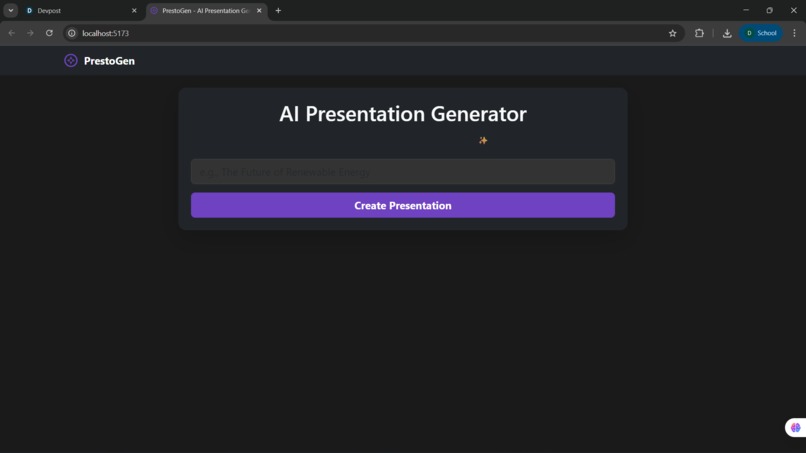
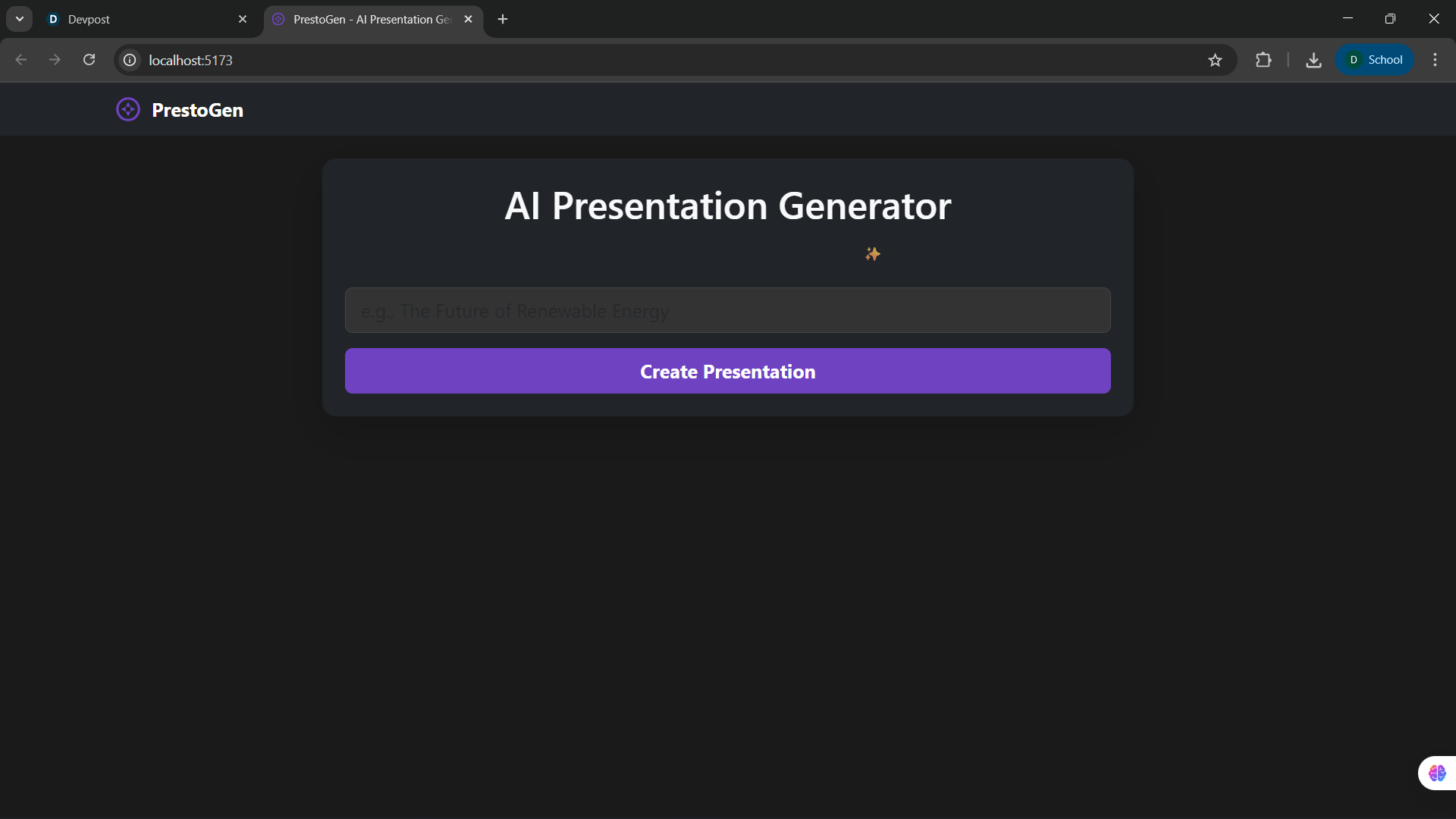
PrestoGen transforms the way presentations are created by turning a single topic into a fully-formed, downloadable PowerPoint file in a matter of seconds. It serves as an intelligent assistant that handles the entire initial drafting process for the user.
Here’s the user's journey:
- Simple Input: The user starts by entering any topic they can imagine into a clean, straightforward interface. For example, "The Impact of AI on Healthcare" or "A Beginner's Guide to Beekeeping."
- AI-Powered Generation: Upon clicking "Create Presentation," the application sends the topic to the Google Gemini AI. Our system prompts the AI to act as a presentation expert, instructing it to generate a comprehensive structure, including a main title and a series of 7-10 slides. Each slide is crafted with a specific title, several detailed bullet points, and a prompt for a relevant image.
- Instant Preview: The generated presentation is immediately displayed in the browser as an interactive carousel. The user can click through each slide to preview the titles, read the content, and see the placeholder images, giving them a complete overview of the generated draft.
- One-Click Download: With a single click on the "Download Presentation" button, PrestoGen takes the AI-generated content and dynamically builds a standard .pptx file directly in the user's browser. This file, complete with all the text and images, is saved to their computer, ready to be opened, customized, and presented using Microsoft PowerPoint, Google Slides, or any other compatible software. In essence, PrestoGen bridges the gap between idea and execution, providing a solid, well-structured foundation for any presentation, instantly.
How we built it
PrestoGen is a full-stack application built with a modern, decoupled architecture. We separated the core AI logic on the backend from the user interface and file assembly on the frontend. This allowed us to work efficiently and choose the best technology for each part of the job.
#### The Backend: The Brains of the Operation
The backend is responsible for interpreting the user's request and generating the presentation content.
- Technology: We chose Python for its strength in AI and data handling, combined with the FastAPI framework. FastAPI is incredibly high-performance and allowed us to build a robust, well-documented API endpoint very quickly.
- AI Integration: The core of the backend is its connection to the Google Gemini API. When a user submits a topic, our backend constructs a carefully engineered "system prompt." This prompt instructs the AI to act as a presentation expert and return a structured JSON object containing the entire presentation's content—from the main title down to the bullet points for each slide.
The Workflow: A single API endpoint, /generate-presentation, receives the topic, communicates with Gemini, and then simply passes the clean JSON response back to the frontend. The frontend is what the user sees and interacts with. It's responsible for displaying the data and, most importantly, building the final .pptx file.
Technology: We used React with TypeScript to create a dynamic and type-safe user interface. For the UI components and layout, we used React-Bootstrap*, which enabled us to build a polished, responsive design quickly.
Client-Side File Generation: This is a key part of our architecture. Instead of creating the PowerPoint file on the server, we generate it directly in the user's browser. We used the powerful JavaScript library
pptxgenjs. After the frontend fetches the presentation data from our backend, this library gets to work: This architecture allowed us to leverage the power of a Python backend for the AI-heavy lifting while creating a fast, interactive user experience and performing the final file assembly on the client side.
Challenges we ran into
Every project has its hurdles, and ours was no exception. We ran into three main challenges that tested our debugging skills and ultimately made the final product more robust.
- The Missing Core Feature
Our first challenge was a foundational one. The initial version of the application could generate presentation content and display it on the screen, but it was a dead end for the user. The most critical feature—the ability to actually download the presentation—was completely missing. The project's core promise was unfulfilled. Our first major task was to architect and implement this download functionality from the ground up, which led us to our next set of challenges.
- The Cross-Origin (CORS) Image Bug
This was by far our most significant technical obstacle. After we implemented the download button using the pptxgenjs library, we hit a wall. The .pptx file would download, but it was broken—all the images were missing.
- The Investigation: By digging into the browser's developer console, we discovered the culprit: CORS errors. The browser's strict security policy was blocking our code from fetching images from the external placeholder URL (https://via.placeholder.com). The library couldn't access the image data, so it simply left them out.
- The Solution: We had to engineer a more sophisticated solution. Instead of just passing a URL to the library, we rebuilt the download function to be asynchronous. For every slide, our code now: This approach effectively downloads the image data within our application and embeds it into the file, completely bypassing the cross-origin restrictions and ensuring the final presentation is always complete.
- Dependency and Type-Safety Hurdles
Along the way, we faced smaller but important issues in our development environment. The pptxgenjs library was not correctly installed at first, causing build failures. Furthermore, we discovered that a TypeScript type-definition package for it didn't exist, meaning we had to integrate it carefully without the full safety net of TypeScript's type-checking for that specific module. These challenges reinforced the importance of meticulous dependency management and being able to work with libraries that may not be fully type-supported.
Accomplishments that we're proud of
We're incredibly proud of what we were able to build and the challenges we overcame. Our accomplishments can be broken down into three key areas:
- Solving the Critical CORS Image Bug This is our proudest technical achievement. The downloaded presentations were initially broken—they were missing all their images due to browser security rules (CORS). We didn't give up; instead, we engineered a robust solution. We re-architected the download function to manually fetch each image, encode it into a base64 data string, and then embed it directly into the .pptx file.
Why it matters: This fix was the difference between a flawed demo and a fully functional product. It demonstrates a deep understanding of web security and asynchronous JavaScript, and it ensures that every presentation a user downloads is complete and professional. We successfully designed, built, and integrated a complete, end-to-end system. This wasn't just a frontend mockup; we orchestrated a seamless conversation between three distinct technologies: A React frontend* that captures user input. A Python/FastAPI backend* that processes the request. The Google Gemini API* that provides the core intelligence.
Why it matters: This demonstrates our ability to work across the full stack and integrate complex services. We managed the flow of data and logic from the user's browser to a remote AI and back, resulting in a cohesive and powerful application. We dynamically generated a .pptx file—a complex binary format—entirely on the client-side. Instead of putting this load on our server, we used the pptxgenjs library to build the presentation directly in the user's browser from the JSON data we received from the backend.
Why it matters: This architectural decision makes our application feel incredibly fast and responsive. The user gets their file instantly without waiting for a server-side process. It also makes our backend more efficient and scalable. We're proud of implementing this sophisticated, modern approach to file generation. Overall, we're proud that we didn't just build a tool that generates text, but a reliable and complete solution that delivers a finished, usable product right to the user's downloads folder.
What we learned
This project was a fantastic learning experience that went beyond just writing code. We gained practical insights into building modern, AI-powered web applications.
- A Masterclass in Solving CORS
Our most significant technical lesson came from the challenge of embedding images. We learned, in a very practical way, why Cross-Origin Resource Sharing (CORS) is one of the most common headaches in web development. We learned that a browser will block a script from accessing resources on a different domain for security reasons. More importantly, we learned the solution:
- You can't just pass a foreign URL to a client-side library and hope for the best.
- The robust solution is to have your own code fetch the resource, convert it into a self-contained format (like a base64 data URL), and then feed that data into the library. This is a powerful technique we'll carry with us to future projects.
- The Art of Prompt Engineering
We learned that using a generative AI is more than just asking a simple question. To get a reliable, structured response that our application could use, we had to learn the basics of prompt engineering. We learned how to write detailed instructions for the Gemini model, telling it not only what content to generate but also to format it in a strict JSON structure. This taught us to treat the AI less like a magic box and more like a highly-advanced, programmable engine that requires precise instructions to work effectively within an application.
- The Power of Client-Side File Generation
We learned firsthand the benefits and complexities of generating files directly in the browser. While it makes the application feel incredibly fast and reduces server load, it also means you have to work within the browser's security limitations. This project gave us practical experience with a powerful JavaScript library (pptxgenjs) and taught us how to dynamically create complex file formats from raw data on the client side.
- The Importance of Full-Stack Debugging
When the downloads were failing, the bug wasn't in one obvious place. We learned how to perform end-to-end debugging on a full-stack application. We had to trace the problem from the React frontend, through the network request to our Python API, and back into the JavaScript code that was executing in the browser. This taught us to use the browser's developer tools, check network tabs, and think about the system as a whole to find the root cause of an issue.
What's next for PrestoGen
We're incredibly excited about the future of PrestoGen. We've built a strong foundation, and now we have a clear roadmap to evolve it from a powerful utility into a comprehensive, intelligent presentation platform.
Our future plans are focused on three key areas:
- Enhancing the Core AI Capabilities
True AI Image Generation: This is our top priority. The backend already generates a unique "image prompt" for every slide. The next step is to integrate a text-to-image AI model (like Google's Imagen or DALL-E 3). This will replace the current placeholders with beautiful, contextually relevant, and completely unique images for every single slide, making each presentation truly one-of-a-kind.
- Increasing User Customization and Control
Customizable Templates: We want to give users more creative control over the final look and feel. We will introduce a template gallery where users can choose from different design themes (e.g., "Professional," "Creative," "Minimalist") that control the presentation's color scheme, fonts, and slide layouts.
- Expanding the Platform's Features
User Accounts & History: To make PrestoGen a tool users can rely on long-term, we will implement user authentication. This will allow users to save their generated presentations to a personal dashboard, view their history, and re-download or edit their creations at any time. Our vision is for PrestoGen to become the ultimate starting point for any presentation, combining the power of AI with the creative control of the user.
Built With
- ai
- api
- backend
- dataformat
- frontend
- python
- typescript


Log in or sign up for Devpost to join the conversation.