-
-
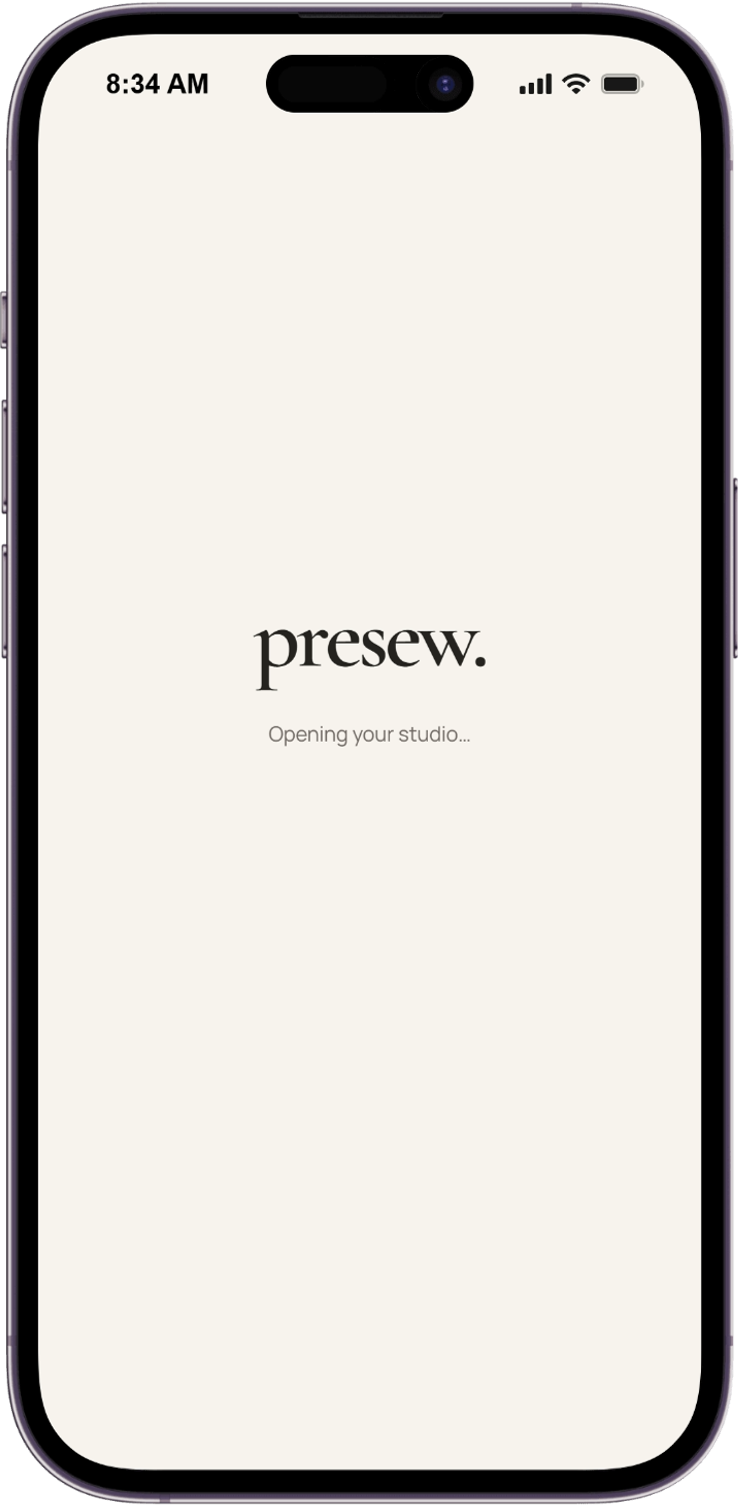
App Loading screen
-
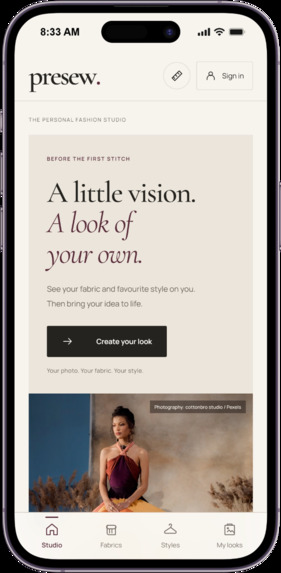
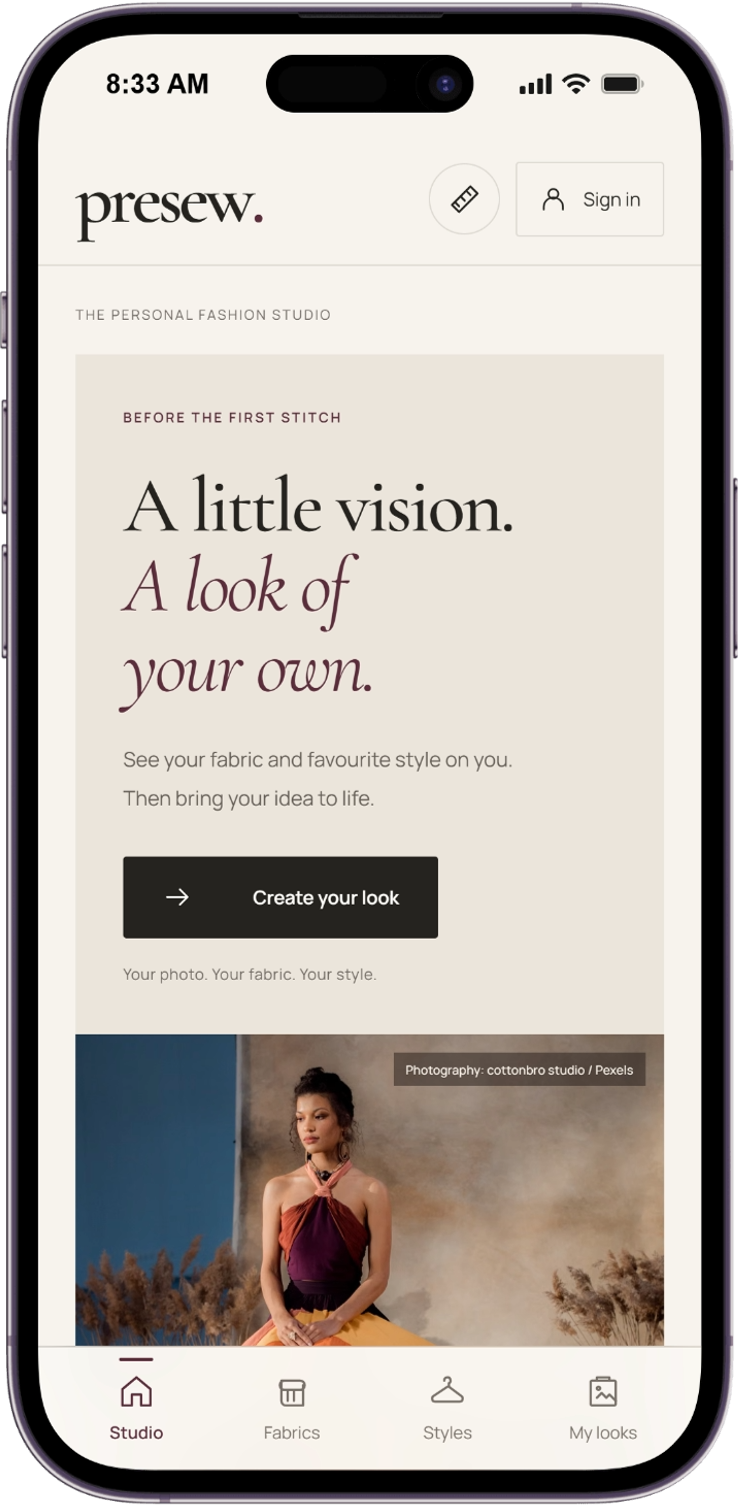
Home screen (studio)
-
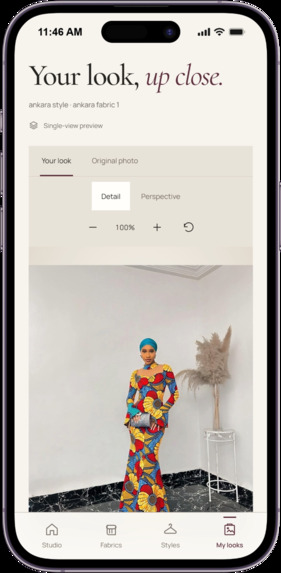
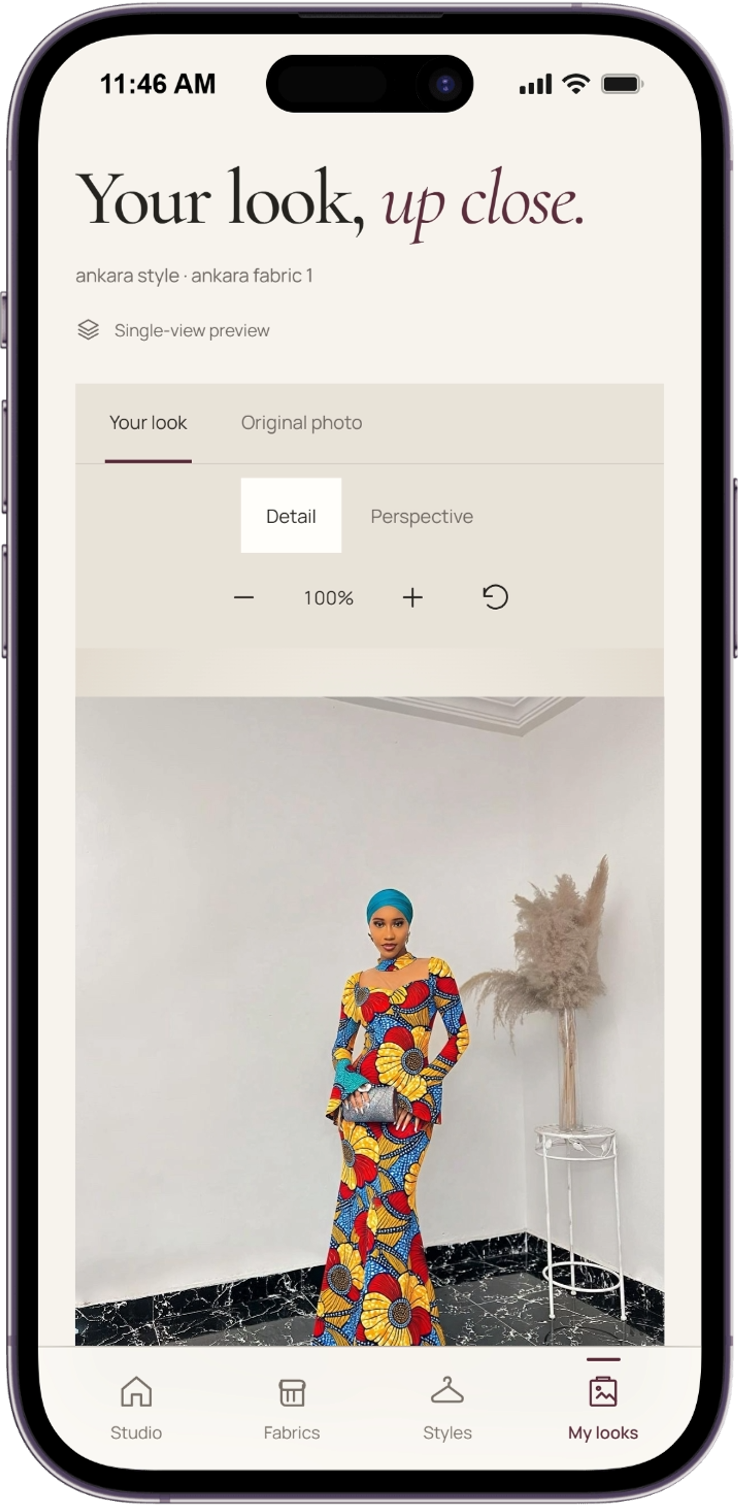
generated virtual try-on page
-
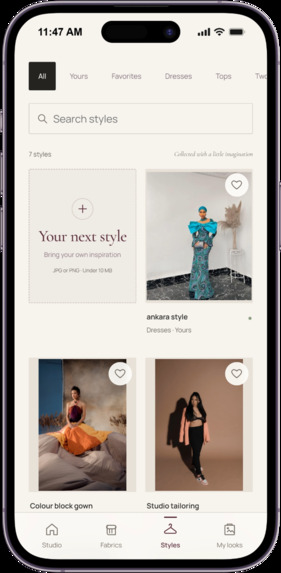
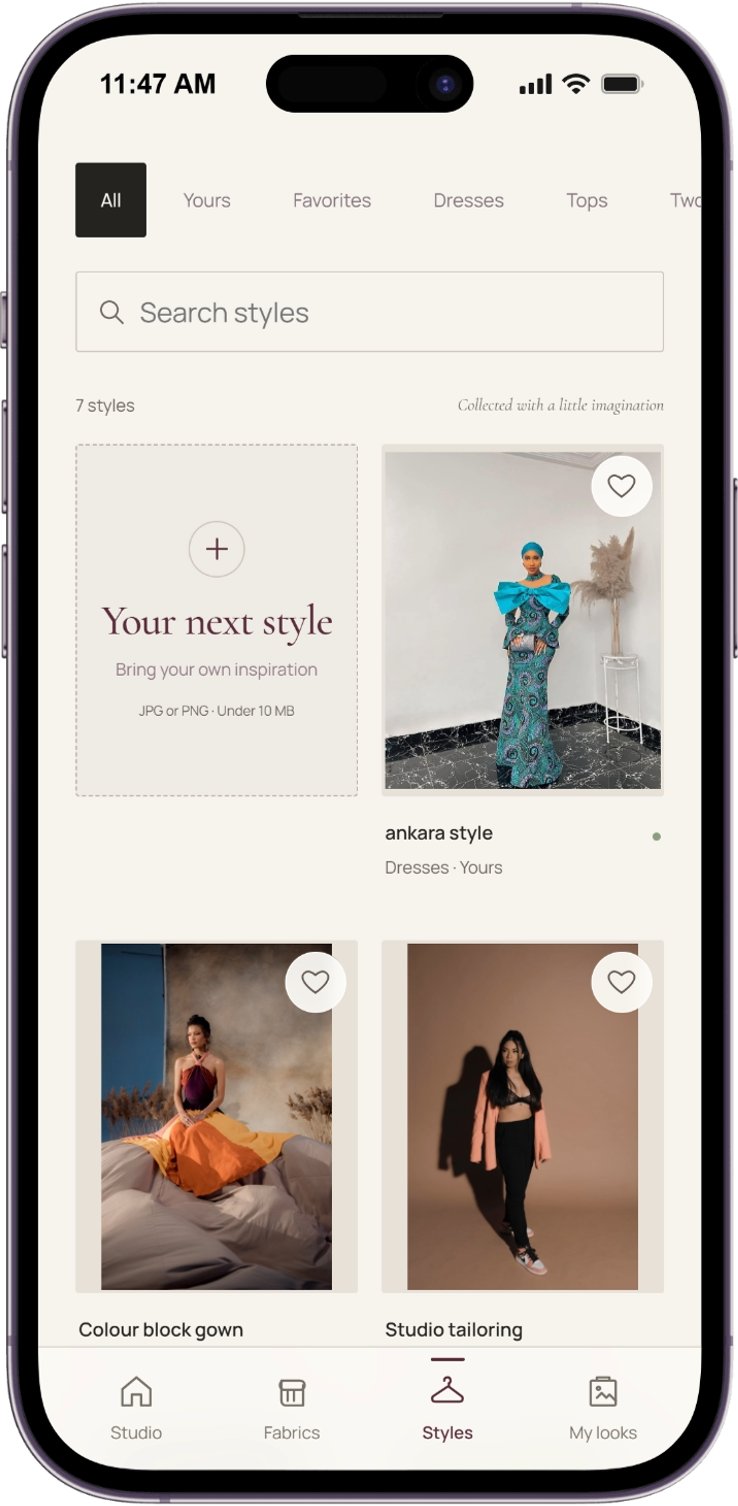
Styles page
-
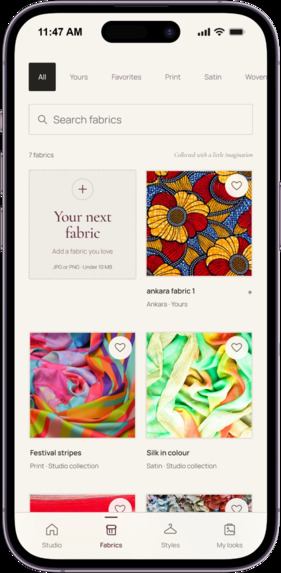
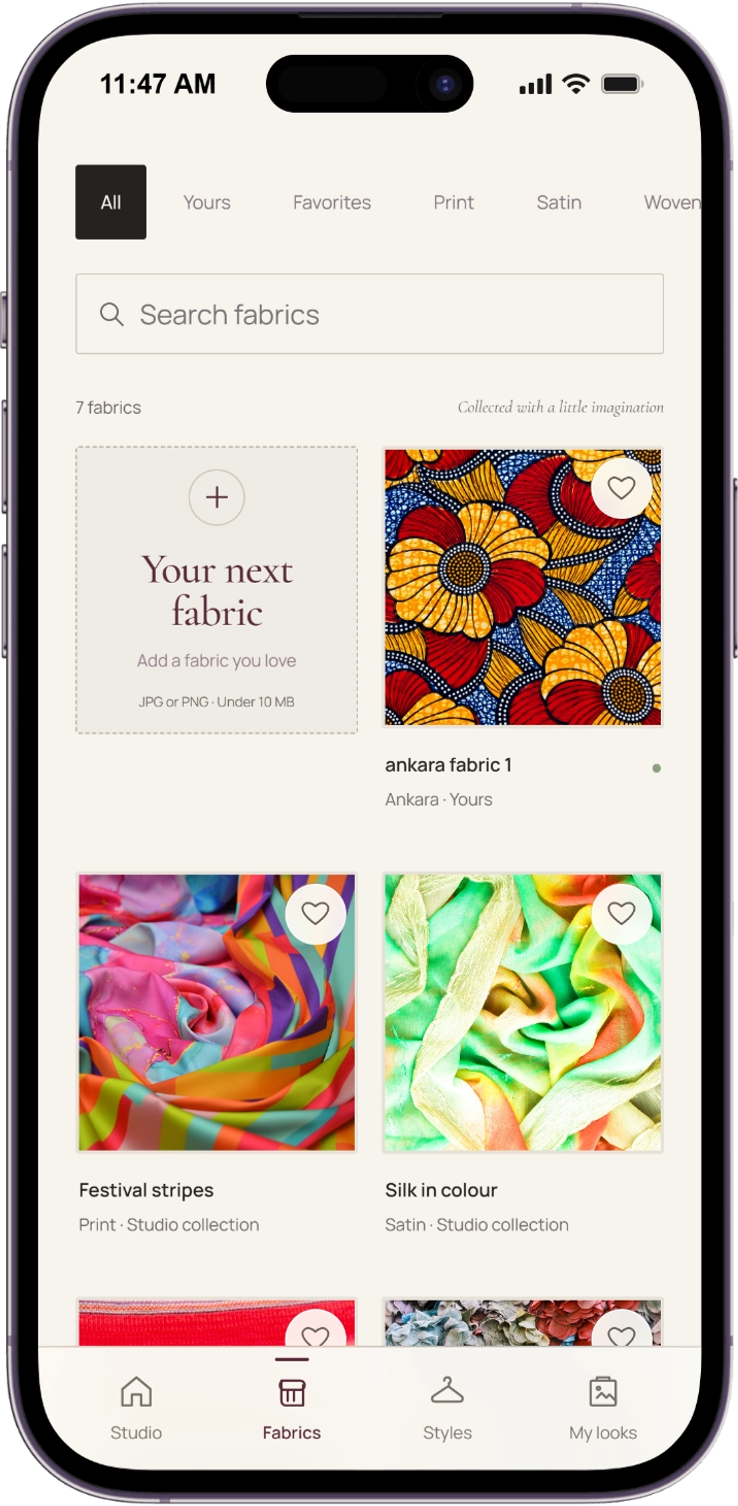
fabric page
PreSew — See It Before You Sew It
Your photo. Your fabric. Your style.
PreSew helps people visualize a custom outfit before the fabric is cut. Bring a person photo, choose a fabric and a style, and create a personalized preview powered by YouCam.
Try PreSew | Watch the three-minute demo | Explore the source code
Inspiration
A custom outfit often begins with three separate things: a piece of fabric, a saved style reference, and a conversation with a tailor. The person ordering it has to imagine how those choices will look together. By the time the result becomes visible, the fabric may already have been bought and cut.
This is especially familiar when planning an owambe outfit or another made-to-order look. A print can feel very different on a flowing dress than on a fitted garment, and someone else's reference photo cannot show your chosen fabric on you.
I built PreSew to move that visual conversation earlier. The goal is to give buyers and tailors a clearer starting point before sewing begins.
What it does
PreSew is a mobile-first Progressive Web App for custom-outfit planning and virtual try-on.
- Start with a person photo. Sign in with Google, upload a clear photo with the outfit area visible, and confirm permission to use it.
- Choose the fabric. Upload a well-lit fabric photograph or select a photographic preset from the studio collection.
- Choose the style. Select a silhouette reference or upload a photograph of a finished outfit.
- Add optional details. Enter design notes and attach a manually entered measurement profile. Measurements can be displayed in centimeters or inches and are stored internally in centimeters.
- Create a YouCam preview. Review the references, give processing consent, and request a try-on. The server saves progress so the user can return through My looks.
- Explore and keep the idea. Compare the generated result with the original, zoom and pan, and download the image. Save an outfit plan containing the references, notes, and optional measurements for discussion with a tailor.
The outfit plan downloads as HTML and can be printed to PDF from a browser. It is separate from the generated-image download. Measurements support planning; they do not control the AI image or establish physical fit. Yardage estimation is not implemented in this version.
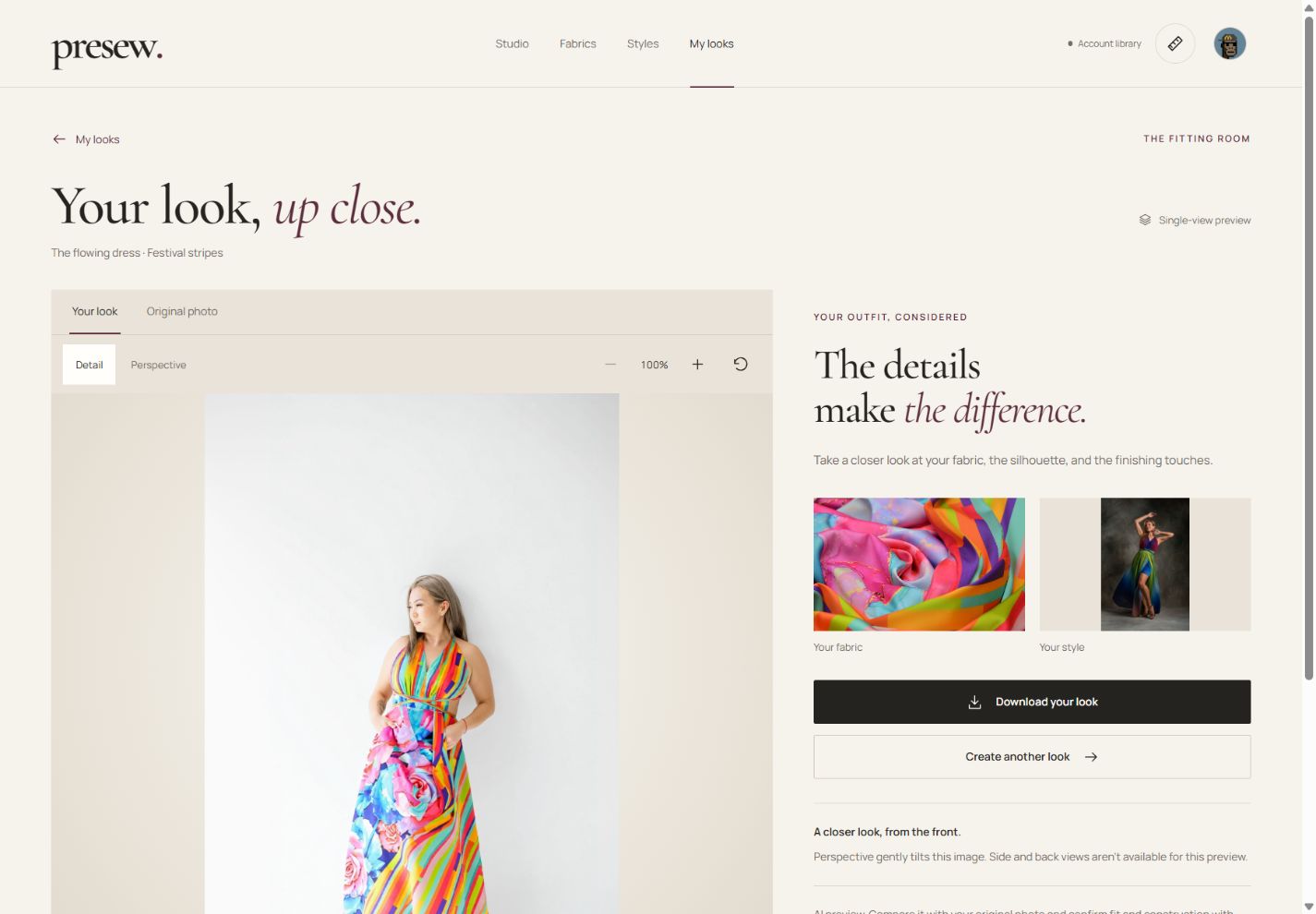
The demo uses a licensed stock model, the Festival stripes fabric preset, and The flowing dress style preset. The result shown was generated through the live app. Sample measurements were entered manually, and processing waits were shortened in the video edit.
How I built it
The frontend uses TypeScript, HTML, and responsive CSS, packaged as an installable PWA. A Bun HTTP server serves the application, authentication routes, private images, and render workflow on one origin.
The YouCam integration connects two stages:
- Garment preparation: YouCam Image Generator V2 receives the style and fabric references. The prompt asks it to preserve the garment's silhouette and construction details while applying the fabric's colors and motifs.
- Virtual try-on: YouCam Clothes V4 receives the prepared garment reference and the original person photo to generate the outfit preview.
The server uses YouCam's File API and returned signed upload requests to transfer inputs, saves provider task IDs, polls for progress, and downloads the completed result into private application storage. The provider API key stays on the server.
Better Auth handles Google sign-in. Supabase PostgreSQL stores account libraries, authentication data, and render-job state. IndexedDB supports device-local library state, with an explicit import into the signed-in account. Production runs on Fly.io, with a persistent volume for private images.
The service worker caches the public application shell, brand assets, and local fonts. Authentication, account APIs, private photos, and live AI generation require an internet connection.
Challenges I ran into
Keeping asynchronous generation reliable. A try-on can outlast the screen that started it. I implemented persisted job phases, saved provider task IDs, worker leases, idempotency, caching, and daily quotas. Polling can resume without starting another paid generation, while ambiguous submissions are held for review.
Moving private files from local development to production. Image records in the database did not automatically move the corresponding files from my computer to Fly.io. That caused missing-file failures. I transferred the required assets to persistent production storage and stopped a local worker from competing for production jobs. Development and production need separate databases and storage.
Protecting personal photos. Application image routes require authentication and check ownership. Processing requires explicit consent, and users have controls to delete try-ons and their cloud studio data. Provider-retained copies follow the provider's own retention terms.
Presenting AI results honestly. A convincing picture can still alter a motif, seam, face, or body detail. PreSew keeps the original available for comparison and presents the output as a visual planning aid. Perspective mode tilts one image; it does not reconstruct unseen sides or the back of a garment.
Accomplishments I'm proud of
- A working fabric-and-style preparation stage connected to a real Clothes V4 try-on, demonstrated in the deployed app.
- A complete mobile workflow covering photo upload, reference selection, optional measurements, consent, generation, comparison, and saved outfit plans.
- A coherent fashion-focused interface, with reusable libraries, custom app icons, and PWA installation support.
- Persistent jobs and private image handling around the generation workflow.
- A downloadable outfit plan that brings references, notes, and measurements together.
- A passing suite of 25 automated tests, a successful production frontend build, and validated PWA assets. Provider tests use mocks to conserve API units.
What I learned
Generative try-on needs more than an API call to become useful. The original photo, fabric reference, and garment reference each have a different role, and users need to understand what the result can tell them.
I also learned how closely database state, worker behavior, and image storage must stay aligned during deployment. A valid record is not enough if the worker cannot access its file.
Most importantly, PreSew's value comes from supporting a specific decision: helping someone picture their chosen fabric and style before sewing. That focus shaped the creation flow, comparison controls, measurement profiles, and outfit-plan export.
What's next for PreSew
- Test the workflow with custom-clothing buyers and tailors, and learn whether the previews lead to clearer consultations.
- Validate results across more person photos, fabrics, and garment styles, including physical-phone testing on slower connections.
- Explore a combined preview-and-measurement brief and deterministic yardage guidance as future features.
- Move private assets to shared object storage and add automatic expiry before expanding beyond the current single-Machine deployment.
- Investigate multi-view generation for a future viewer with actual front, side, and back evidence.
Credits
The demonstration photographs are credited to Dmitriy Steinke, YESICA CORONADO, Vika Glitter, and cottonbro studio via Pexels. The stock model is a demonstration subject, not an endorser. View the media sources and license notes.
PreSew's original source code is available under the MIT License. Third-party photographs, fonts, dependencies, and YouCam services retain their separate terms.
Built With
- better-auth
- betterauth
- bun
- clothes-v4
- css3
- docker
- fileapi
- fly.io
- googleoauth
- html5
- image-generator-v2
- postgresql
- pwa
- supabase
- typescript
- youcam-api


Log in or sign up for Devpost to join the conversation.