-

Creating A Timeline
-
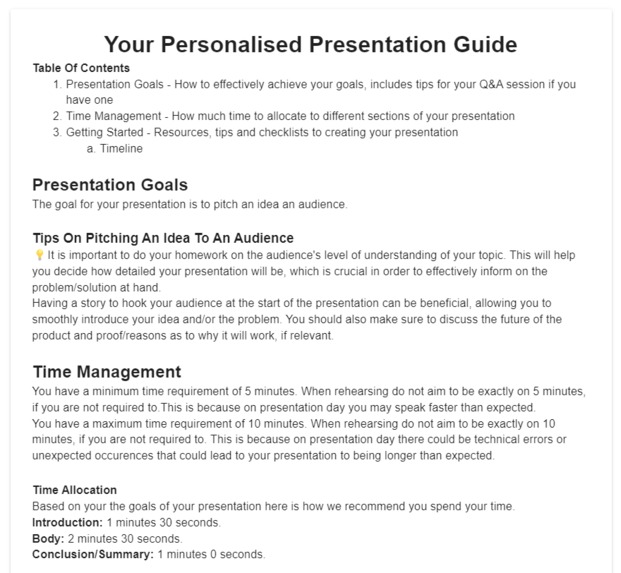
Example of generated guide

Inspiration
Have you ever needed to create a presentation but you just don't know how to begin? Presentation Aid is a tool to help you get started on creating a stellar presentation. Give Presentation Aid some inputs regarding your presentation and you will receive a personalised presentation guide to help you get started.
What it does
Presentation Aid generates a personalised presentation guide based on your inputs. The guide generated may include:
- An explanation on how to effectively achieve your goals.
- Based on your goals an explanation on how to answer any potential questions.
- How to distribute time among the various sections of a presentation.
- A checklist to track your progress as you prepare for your presentation, this will also help you see the next steps and you won't get stuck.
- How to write a script for your presentation based on the time allocated for your presentation.
- A checklist for creating presentation slides.
How I built it
It was built using Mecsimcalc and Python.
Challenges I ran into
Time allocation. Time allocation is based on goals and time constraints set by the user. One challenge was: What if the user sets multiple goals?
Another challenge was input validation. There are two inputs for maximum and minimum presentation time. I wanted to ensure that upon submission the minimum presentation time was always less than the maximum presentation time, unless the user has not set a maximum presentation time. In this case I had to handle that in the outputs which meant the user had to go wait until an output was generated.
What's next for Presentation Aid
- I would like to make use of the Google Slides API in order to generate presentation templates for users.
- I would like to create a downloadable PDF with the user's presentation guide.


Log in or sign up for Devpost to join the conversation.