-
-
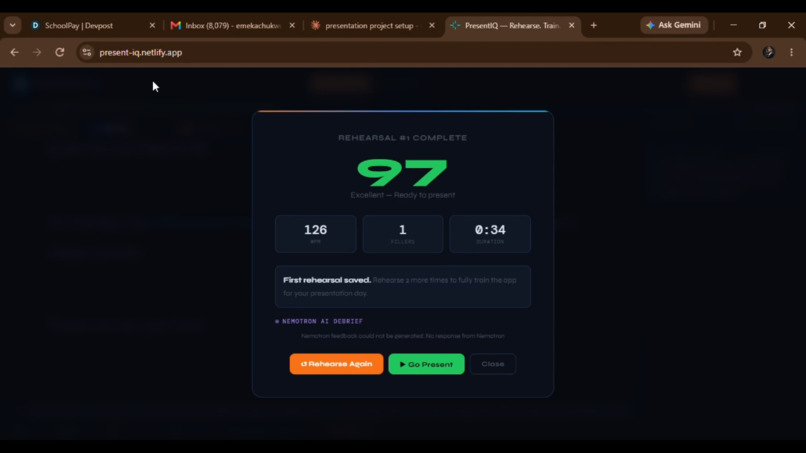
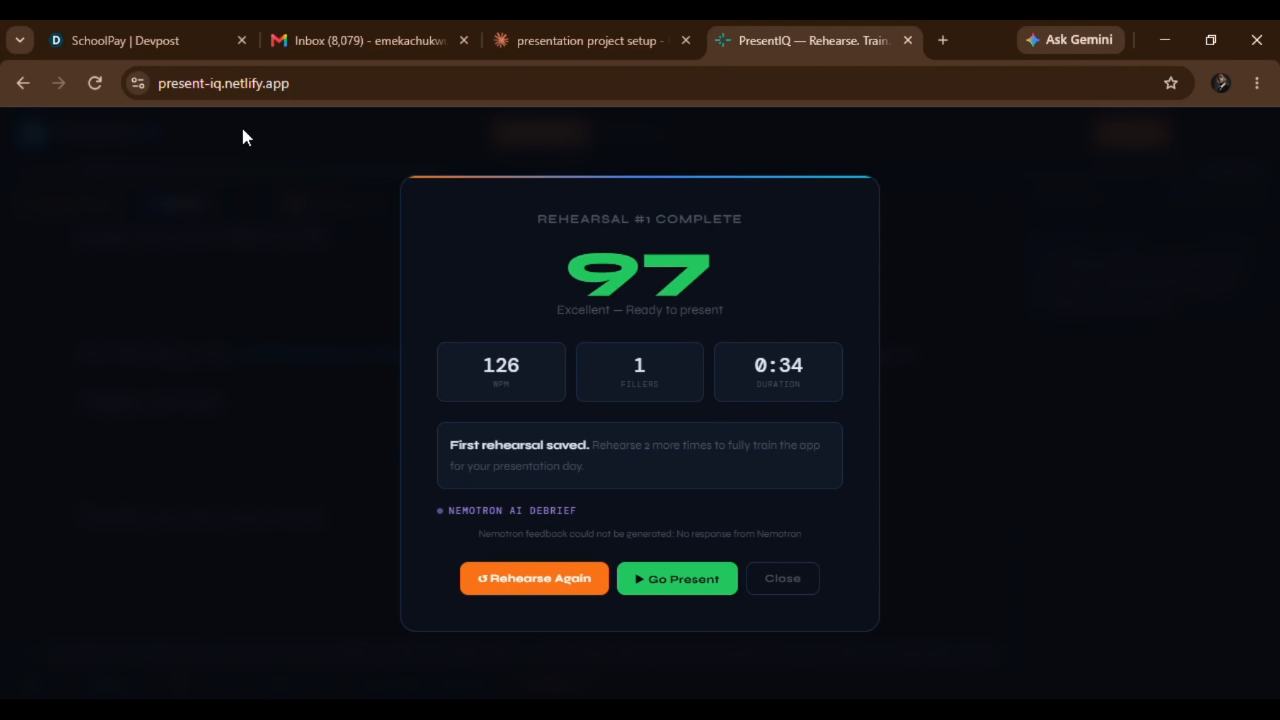
Nemotron debrief: displays scores and one thing to fix after every rehearsal.
-
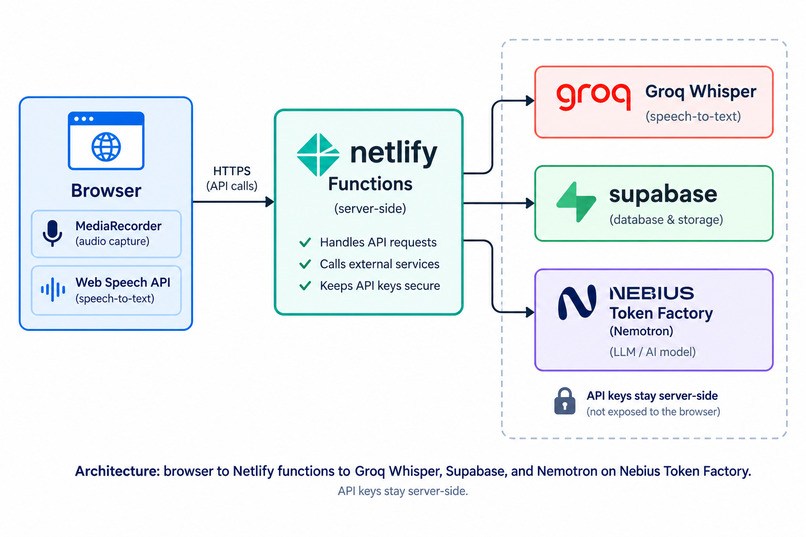
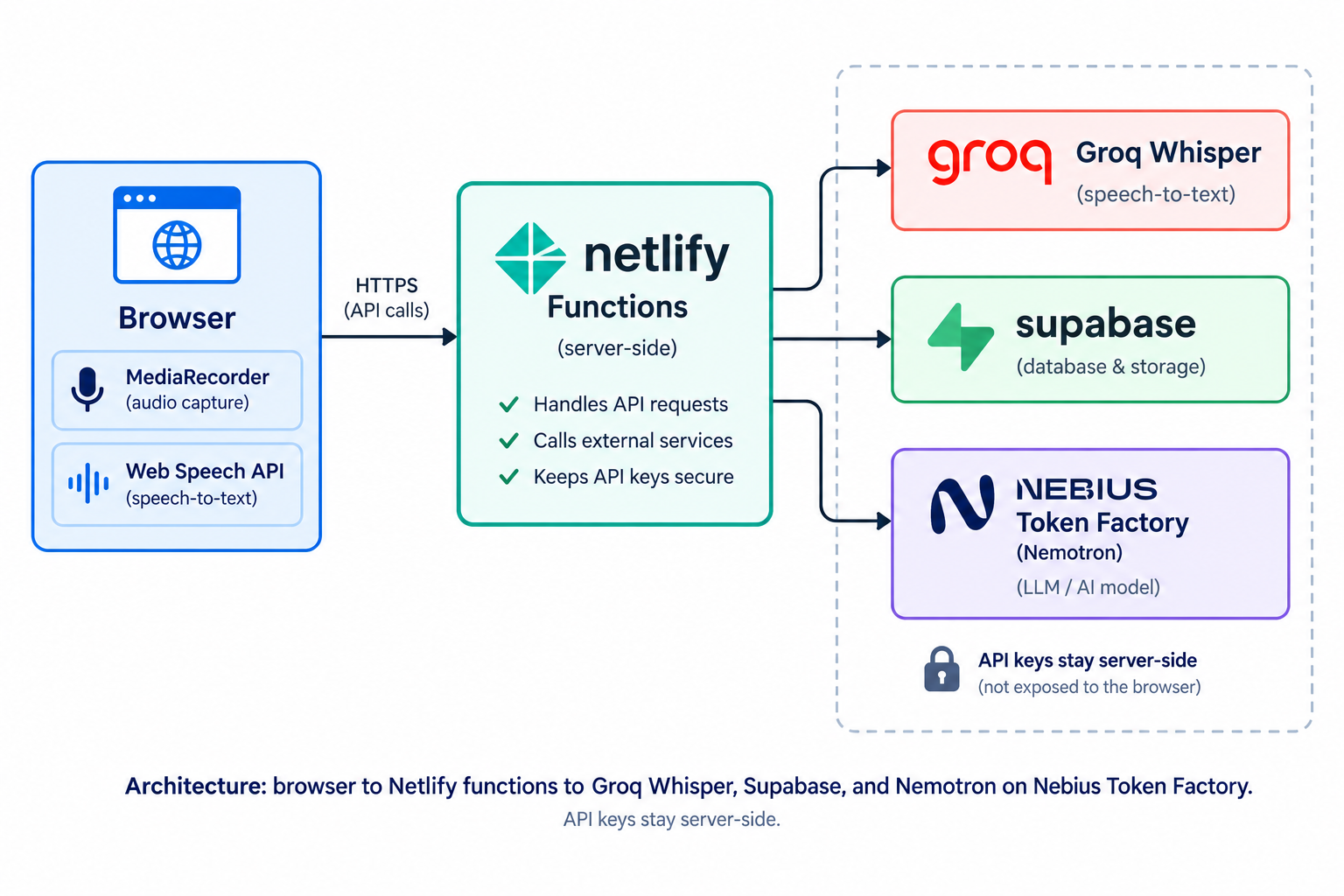
Architecture: browser to Netlify functions to Groq Whisper, Supabase, and Nemotron on Nebius Token Factory. API keys stay server-side.
-
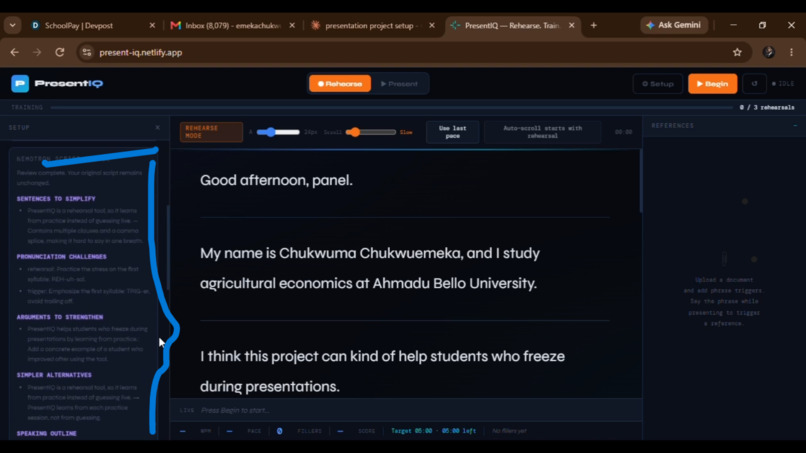
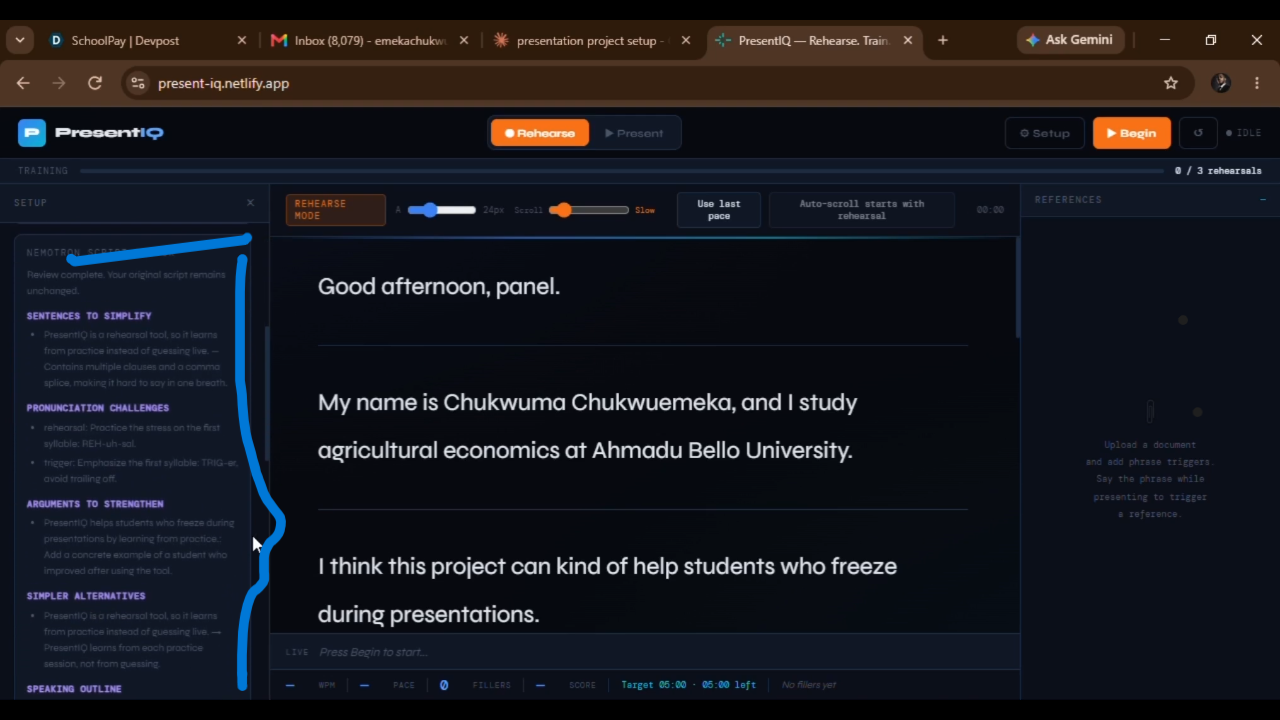
Nemotron reviews a rough draft before rehearsal and flags hedging words and sentences too long for one breath
-
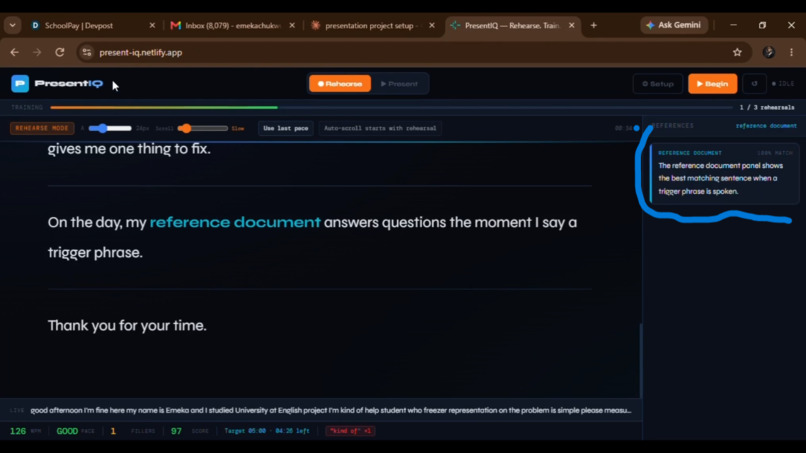
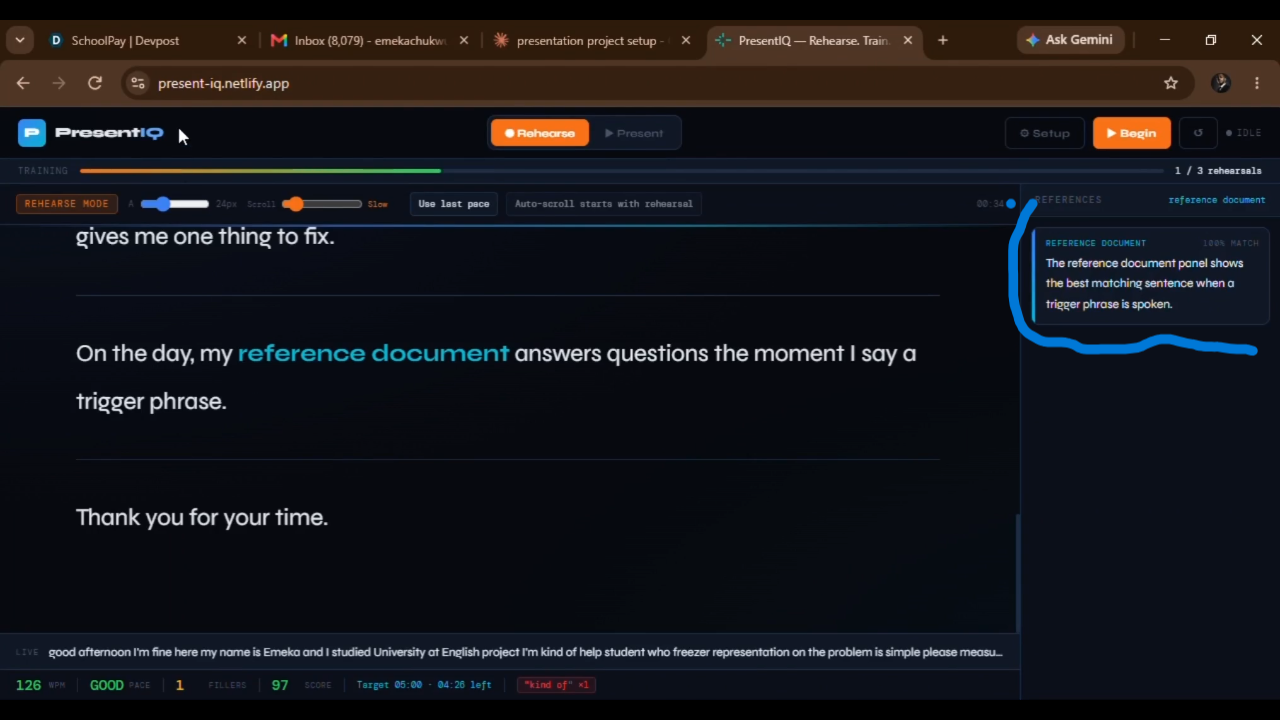
Trigger phrases: say a phrase and the matching sentence from your reference document streams into the side panel
-
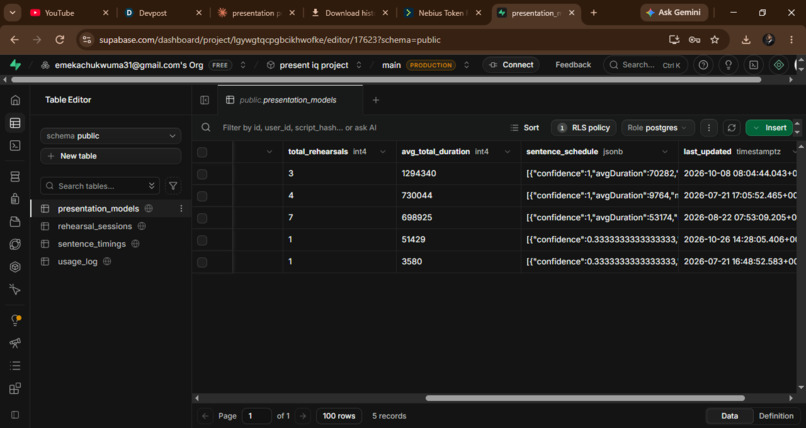
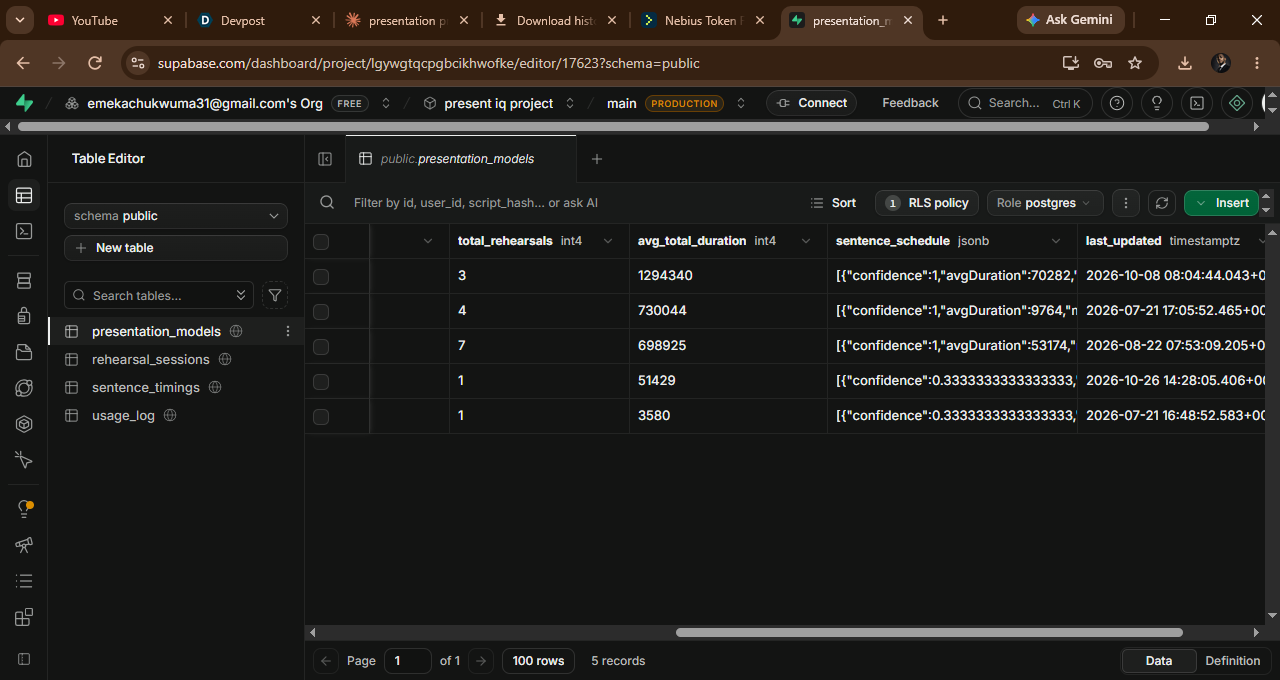
Sessions saved to Supabase with score, pace and fillers.
Inspiration
I was once called on to read aloud in class and my voice shook badly. Afterwards I noticed how many people share that fear. PresentIQ won't cure stage fright, but preparation helps, so I built a tool for the preparation.
My first idea was a teleprompter that follows your voice. It worked until I said the same word twice and it jumped to the wrong sentence. I tried several ways of matching speech to the script, and each failed the same way: browser speech recognition makes mistakes, and speakers repeat themselves. So I changed the question. Instead of chasing a voice live, learn the speaker beforehand.
What it does
PresentIQ is a rehearse-first presentation tool:
- Script Doctor. Paste a draft and Nemotron flags hedging words, sentences too long for one breath, and the one change worth making first.
- Rehearse. The script scrolls at a speed you set while the app tracks pace, filler words and a live score.
- Debrief. When you stop, Groq Whisper transcribes the recording with word-level timestamps. Nemotron then scores clarity, fillers, pacing and confidence, and names one thing to fix.
- Learned timing. The timestamps are aligned to your script to measure how long you spend on each sentence. Every rehearsal updates a weighted average, so recent runs count more.
- Present (experimental). Nemotron reads your rehearsal history and writes a three-point briefing. The script then advances on your own timing, with back and forward buttons for drift. Alignment is still being tuned.
- References. Upload a PDF or text file and set trigger phrases. When you say one, the matching sentence streams into a side panel.
How I built it
Browser (MediaRecorder, Web Speech API) → Netlify serverless functions → Groq Whisper for transcription, Supabase for sessions and sentence timings, and Nebius Token Factory for Nemotron.
- One function,
analyse-transcript, callsnvidia/Llama-3_1-Nemotron-Ultra-253B-v1through Token Factory's OpenAI-compatible API in three modes: script review, post-rehearsal debrief and day briefing. Each requests a fixed JSON schema at temperature 0.3. - API keys live in Netlify environment variables, so the browser never sees them.
- Token Factory meant no GPUs to provision: one key, one endpoint, one function.
PresentIQ existed before August 26 with rehearsal, Groq transcription, the Supabase timing model and references. During the submission period I added the Nemotron layer on Nebius (Script Doctor, the debrief, the briefing) and auto-scroll.
Challenges
- Live tracking failed. The voice-following teleprompter was the original product. Abandoning it hurt, but it gave the project its idea.
- Alignment. Matching Whisper's word timestamps back to script sentences is harder than it looks: repeated words pull sentence boundaries to the wrong place. This is the step I'm still tuning.
- Structured output. My first Nemotron calls came back empty, and getting consistent, parseable JSON took several rounds of debugging the request.
What I learned
Use the language model for judging and explaining, and use measured timing for the real-time job. Nemotron never has to keep up with a speaker; it reads what already happened. And the unglamorous step, alignment, decides whether the clever part works.
Results so far
Seven rehearsals of one script by one speaker (me): the app measured my pace rising from 61 to 114 words per minute, with 0 to 2 filler words per run. That is one person's practice. It shows the loop is usable.
What's next
- Use a smaller Nemotron for the fast calls and keep Ultra for the debrief.
- Highlight the sentences Nemotron flags in the next rehearsal, and set scroll speed from measured pace.
- Accounts and mobile.
Built With
- groq
- html5
- javascript
- nebius
- nemotron
- netlify
- supabase


Log in or sign up for Devpost to join the conversation.