Inspiration
A lot of students often struggle with procrastination or “doom scrolling” while they are supposed to be studying or doing their work. At the same time, a lot of students also tend to overwork themselves while they are studying or doing their work. What if there was a way to solve both of these problems with a balance? Being a part of this environment, we were inspired to create an extension that can help us out on both ends of this spectrum.
What it does
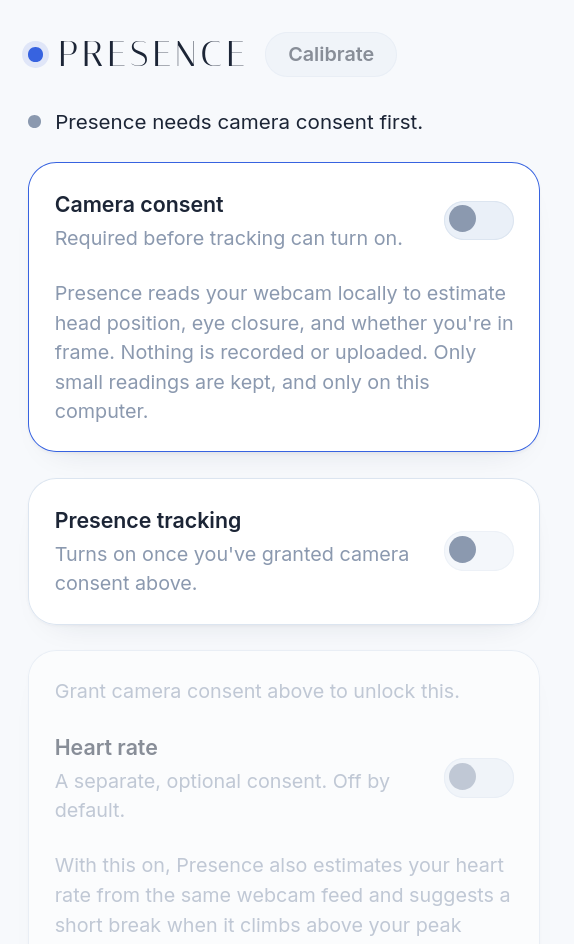
Presence is a Chrome extension that watches your webcam locally to tell whether you're actually at your desk, then layers a set of independent, opt-in features on top of that signal:
- Presence tracking: An on/off toggle, gated behind explicit camera consent, that's meant to notice when you've stepped away or drifted off.
- Heart rate & breathing: A separate consent, off by default, for estimating stress and anxiety from the same camera feed so Presence can suggest a real break instead of just another notification. Includes an optional resting heart rate baseline to compare against.
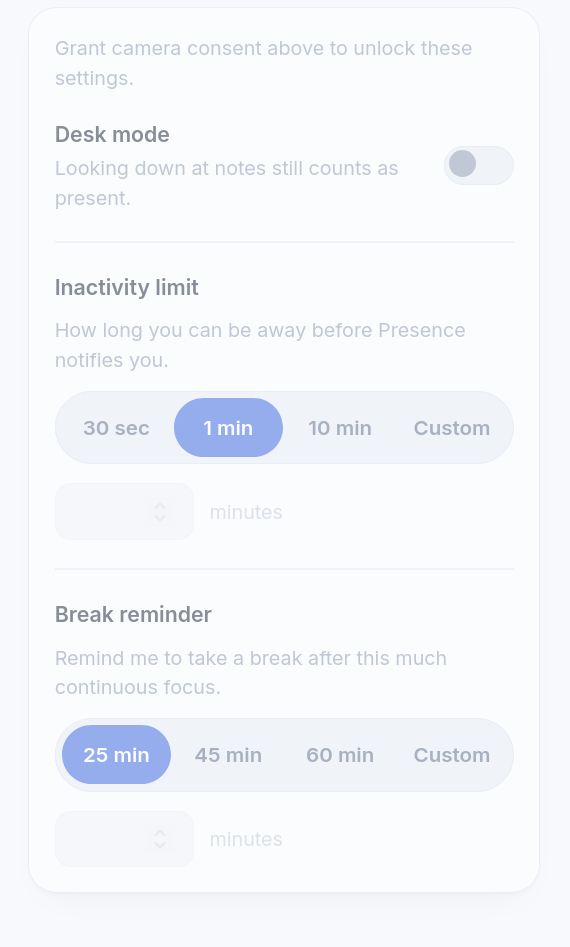
- Break reminders: A duration (25/45/60 min, or custom) for continuous focus before Presence nudges you to stop, distinct from the inactivity limit that fires when you're away too long.
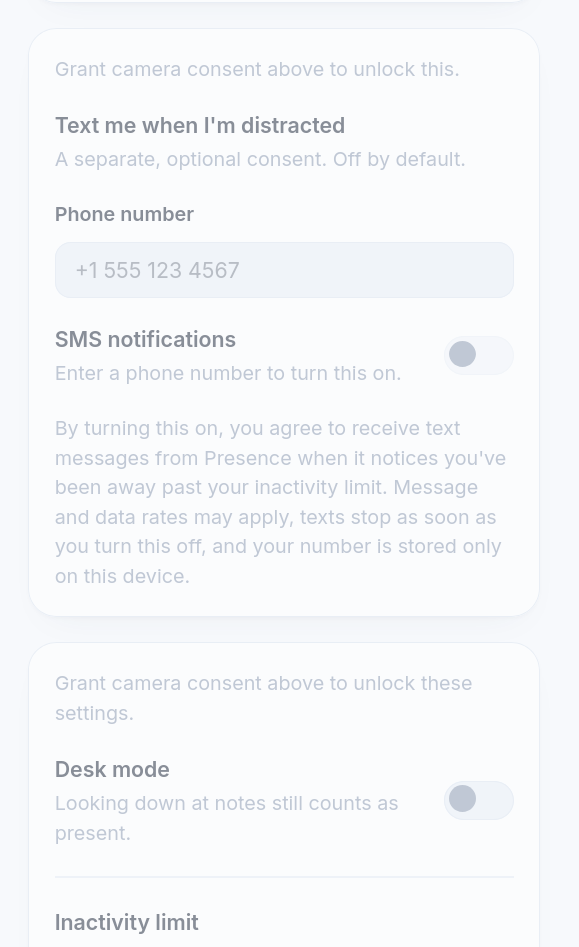
- SMS notifications: An opt-in, separately consented channel to text you when you've been away past your limit.
- Desk mode: Lets you tell Presence that looking down at notes still counts as "present," so it doesn't mistake studying on paper for a distraction.
Every one of these is its own toggle. Nothing turns on by default, and turning off camera consent turns everything downstream off with it.
How we built it
Front end: Built Presence as a Chrome extension using HTML, CSS, and JavaScript, with no outside servers or databases involved. Everything is saved right on your own computer.
- The toggles: Every switch (camera consent, presence tracking, heart rate consent, SMS consent, desk mode) is a custom on/off switch I designed to look and work the same way across the whole extension. Flipping one saves it immediately, so there's no save button anywhere.
- The consent flow: Camera consent comes first, and everything else stays locked and grayed out until you turn it on. If you turn camera consent back off, presence tracking, heart rate tracking, and SMS notifications all automatically turn off too, since none of them work without it.
- The duration pickers: The inactivity limit and break reminder settings are simple pill-shaped buttons you tap to choose, with a "Custom" option if you'd rather type in your own number of minutes.
- Turning it into a real Chrome extension: Once the code was ready, I went to chrome://extensions, turned on Developer mode, and clicked "Load unpacked" to point Chrome at my project folder. It installed instantly and the icon showed up in the toolbar, no app store or approval process needed. Any time I changed something, I'd just hit the reload button on the extension's card in chrome://extensions to see the update.
- The backend: We track the user’s BPM using Presage’s built in visual vitals scanner. Presage exposes the face map of the user, so we are able to calculate the viewer’s pitch and face with respect to the screen.
Challenges we ran into
- Making toggles that save instantly without a save button, but don't lose data if two things get changed at almost the same time.
- We first tried opening settings in their own separate window, but Chrome kept randomly failing to open it. We ended up simplifying everything into one single popup instead of fighting that.
- One of our buttons caused the whole popup to flash blank or scroll around randomly when clicked. It turned out to be one small CSS mistake that took a while to track down.
- Deciding how many consent toggles to include without making the popup feel like a wall of switches nobody wants to read.
- Detecting stress is a complex problem since different people’s readings can mean different things; the best course of action was to let users define their own baseline.
Accomplishments that we're proud of
- Every consent is separate and optional. Camera tracking, heart rate tracking, and texting are never bundled together.
- Turning off camera consent properly and automatically turns off everything else that depends on it.
- We caught and fixed real bugs by actually clicking through and testing the extension ourselves, not just writing code and hoping it worked.
- We designed our own icon, color palette, and fonts instead of using a generic template, so it actually looks and feels like our own product.
- On the backend, we were able to find a compromise with out detection method, finding balance between automation and manual settings.
What we learned
- Chrome extensions have quirks that only show up once you actually click around inside them, not just from reading the code or testing in the console.
- A tiny CSS mistake can cause a big, confusing bug that looks way worse than it actually is.
- Asking for consent clearly, and separately for each feature, matters just as much as building the feature itself.
What's next for Presence
- Connect the real webcam tracking and heart rate detection to the toggles that are already built and ready for them.
- Add real text message and notification sending once someone hits their inactivity limit or break reminder.
- Show a summary after each study session: how long you focused, how many breaks you took, and how stressed you seemed.
- Send weekly check-ins so students can notice patterns over time, like which days or times they tend to struggle most, instead of only seeing one session at a time.
Built With
- presage
- textbelt

Log in or sign up for Devpost to join the conversation.