-
-
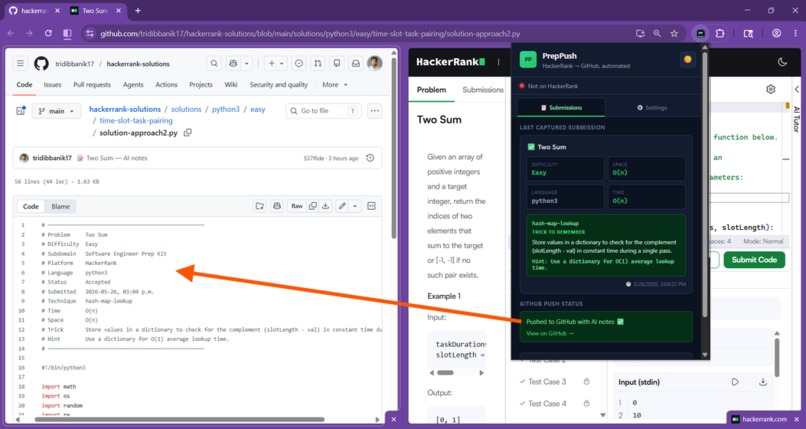
PrepPush Chrome extension auto-capture HackerRank submissions and push to GitHub repo with AI-generated study notes
-
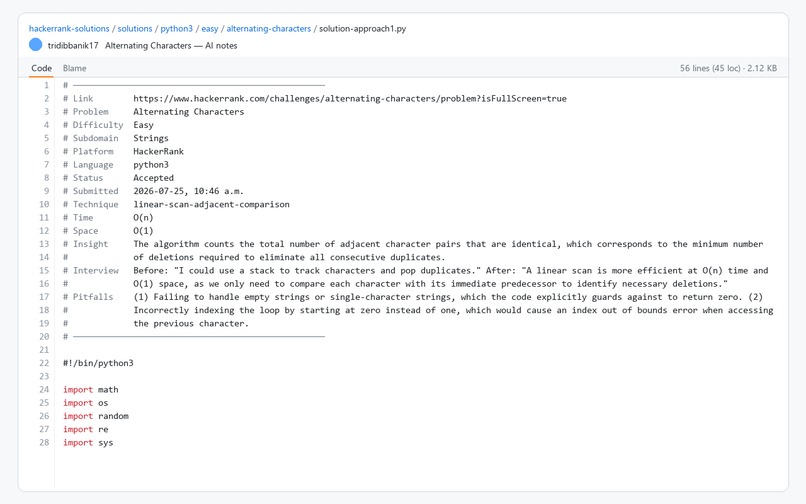
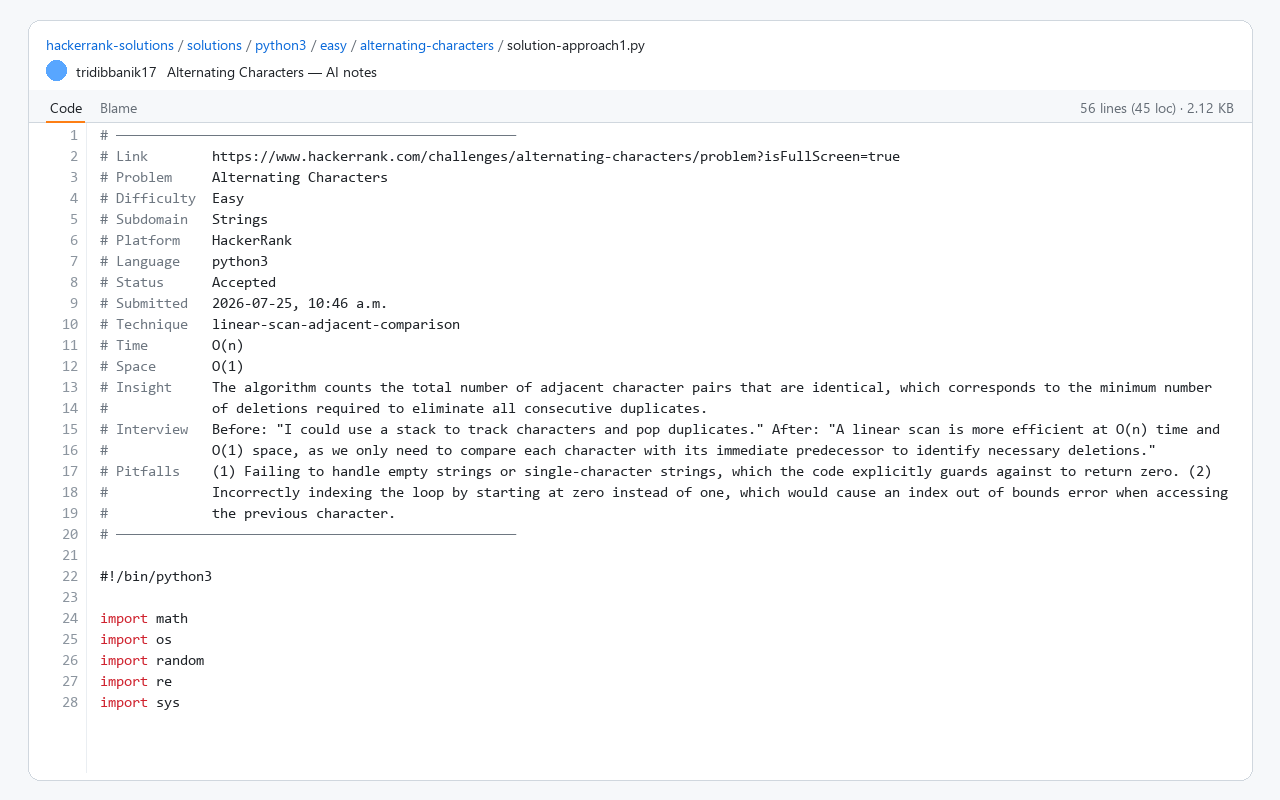
AI-generated interview notes (intuition to solve this problem, what to think before and after writing code, pitfalls) added as comments
-
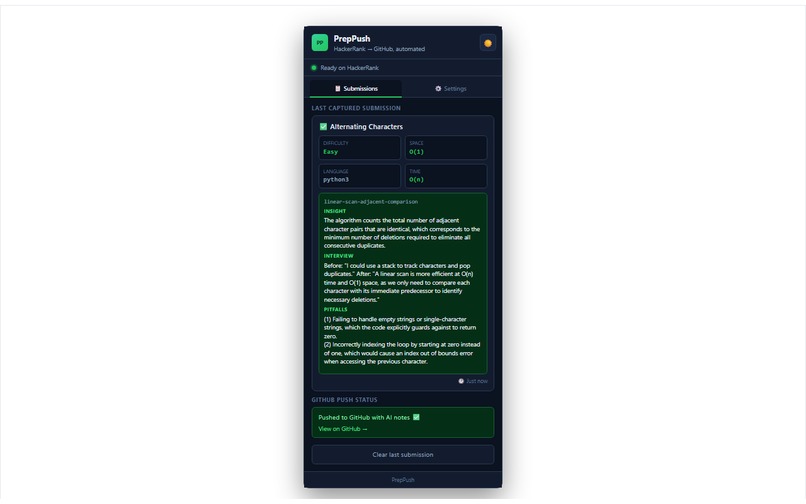
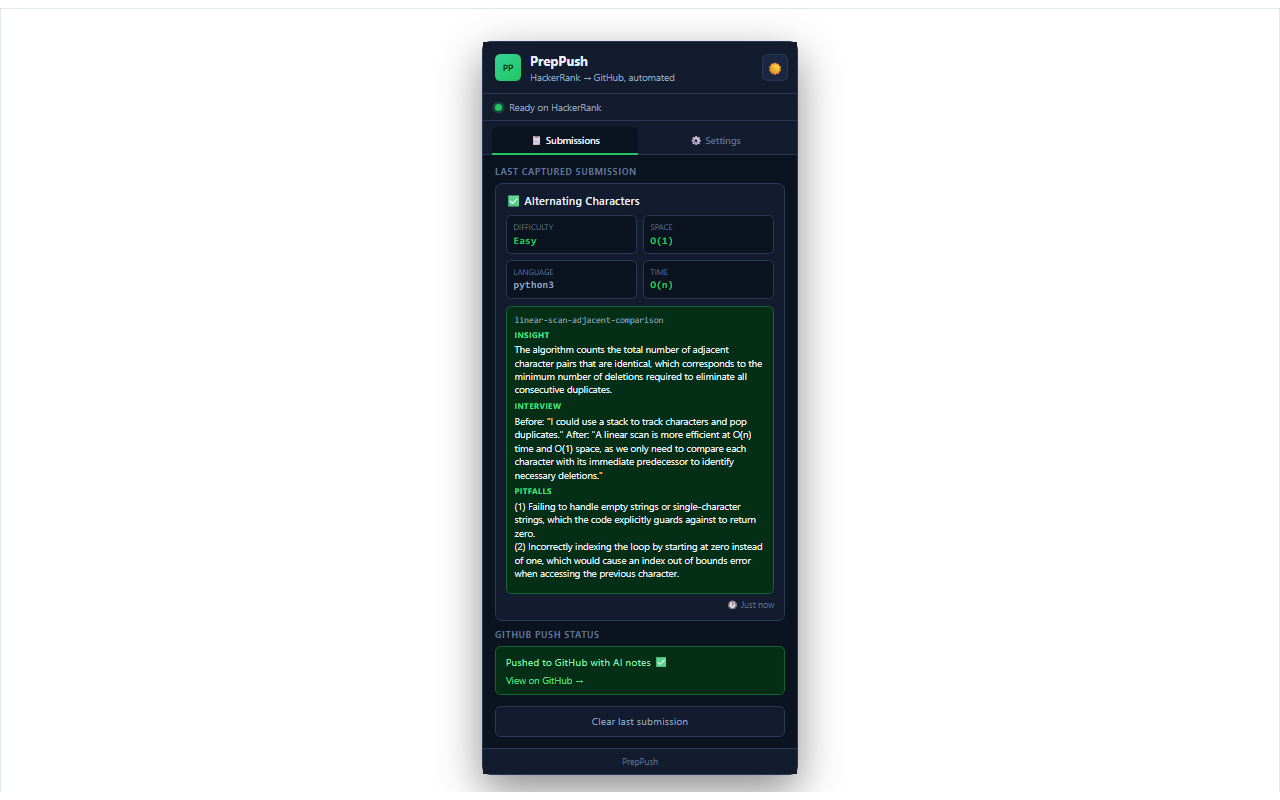
Chrome extension pop-up showing what interview notes are added, Big O notation of submitted code and a direct link to the file on GitHub.
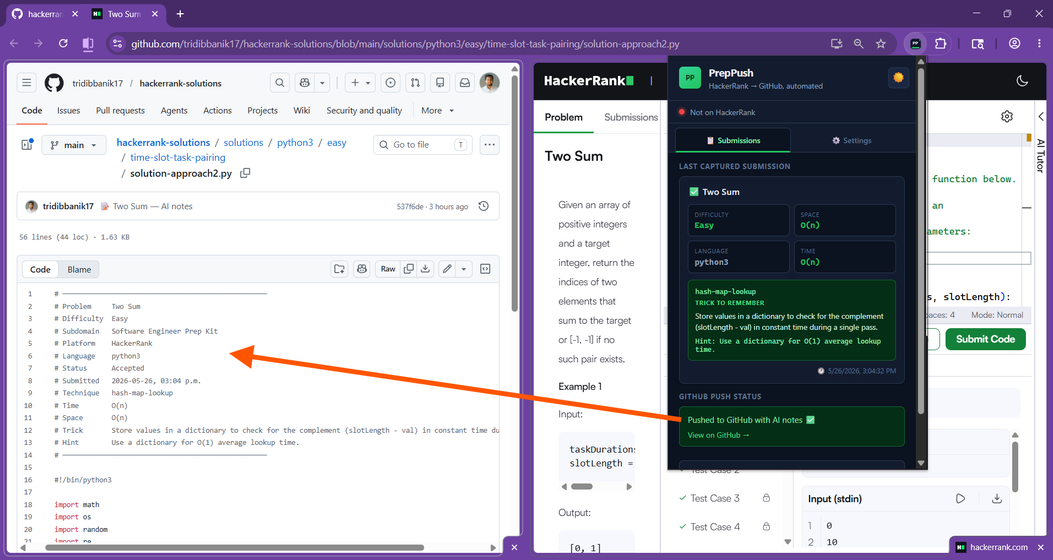
PrepPush
PrepPush is a Chrome extension that captures your accepted HackerRank submissions, adds interview-prep notes (time/space complexity, insight, interview talk-track, and pitfalls), and pushes everything to a GitHub repo you control.
What you get on GitHub
Each problem is saved under:
solutions/{language}/{difficulty}/{problem-slug}/solution-approach1.py
solutions/{language}/{difficulty}/{problem-slug}/solution-approach2.py
- First distinct solution on a problem →
solution-approach1.py - Second different algorithm (e.g.
ordvsisupper) →solution-approach2.py - Re-submitting the same logic (even with extra blank lines or PrepPush hints) → overwrites the same
solution-approachN.py - Same one-liner
return 1 + sum(c.isupper() …)= one approach, not approach7
Example header in the file:
# Problem     Two Sum
# Difficulty  Easy
# Technique   hash-map-complement
# Time        O(n)
# Space       O(1)
# Insight     Store seen values so the complement is an O(1) lookup in one pass.
# Interview   Before coding: "I'll scan once and check target-x in a set." After: "O(n) time, O(n) space."
# Pitfalls    (1) Forget self-pair when nums[i]*2==target  (2) Return indices not values
- Same code re-submitted → overwrites the same
solution-approachN.py. - Different code on the same problem → next number (
approach2,approach3, …).
Requirements
- Google Chrome (Manifest V3)
- A GitHub classic personal access token with the repo scope
- A free Google Gemini API key (no credit card for the free tier)
PrepPush does not provide hosted API keys. You bring your own; keys are stored only in Chrome sync/local storage on your machine.
Install (developer / unpacked)
- Clone or download this repo.
- Open
chrome://extensions. - Enable Developer mode.
- Click Load unpacked and select this folder.
- Open HackerRank, refresh the tab, and click the PrepPush icon.
One-time setup
- Settings tab → Generate token on GitHub → create a classic token (repo scope) → paste token. (PrepPush auto-saves the token; press Test GitHub to verify.)
- Get free Gemini API key → paste key.
(PrepPush auto-saves the key; press Test AI (should show
Gemini connected ✅.) ) - Leave Auto-analyze enabled (optional: turn off to push code only).
How to use
- Solve a problem on HackerRank and submit until status is Accepted.
- A toast appears on the page; open the popup to see capture status and AI analysis.
- Check your GitHub repo for the new or updated
solution.*file.
Limits and expectations
| Topic | Notes |
|---|---|
| Sites | HackerRank only (hackerrank.com) |
| AI | Google Gemini 3.1 Flash Lite free tier (~500 analyses/day; limits vary by Google) |
| GitHub | Extension can auto-create your repo on first push if the token allows it |
| Code captured | Full editor buffer (may include HackerRank boilerplate) |
| Privacy | See PRIVACY.md |
Troubleshooting
- No capture — Reload the extension; refresh the HackerRank tab if it was open before install. PrepPush v1.0.2+ injects into contest/full-screen pages and treats contest
status_code: 2as accepted. - Classic vs Prep Kit URLs —
/challenges/foo(master track) and/contests/software-engineer-prep-kit/challenges/foouse different HackerRank backends. v1.0.26+ uses a fetch trap only on classic challenges; prep-kit uses XHR poll observation only so Run/Compile is not broken. Locked hidden test cases are fine — capture uses your accepted submission JSON + editor code, not visible test inputs. - Software Engineer Prep Kit — Refresh the problem tab once after updating the extension (v1.0.27+ injects hooks on every navigation). Submit until All available test cases passed — capture should run within a few seconds with no manual wait. Locked hidden tests are fine.
- Server error while compiling — Usually HackerRank or a stale tab. Hard-refresh, retry Submit. If it only happens with PrepPush enabled, reload extension v1.0.26+ and refresh (older versions could interfere with contest compile).
- Debug API responses — On the HackerRank tab console run
localStorage.setItem('preppush_debug','1'), submit again, and check[PrepPush] API response:lines. - Extension context invalidated — Reload extension after code changes; refresh HackerRank.
- AI missing in file — Paste Gemini key, run Test AI, submit again.
MAX_TOKENS/ quota errors — Reload extension (v0.5.2+); wait if daily Gemini quota is exhausted.- Wrong approach number — Approach IDs are stored locally; clearing extension data resets numbering for new submissions.
Project layout
| File | Role |
|---|---|
manifest.json |
Extension config and permissions |
content.js |
Injects capture script on HackerRank |
interceptor.js |
Detects accepted submissions |
background.js |
AI analysis, GitHub push |
popup.html / popup.js |
UI |
Chrome Web Store
Before publishing: add store screenshots, link to PRIVACY.md as your privacy policy URL (host it on GitHub Pages or in the repo), and complete the listing’s single-purpose description.
License
See LICENSE.
Built With
- browser-extension
- chrome
- hackerrank
- html
- javascript


Log in or sign up for Devpost to join the conversation.