-
-
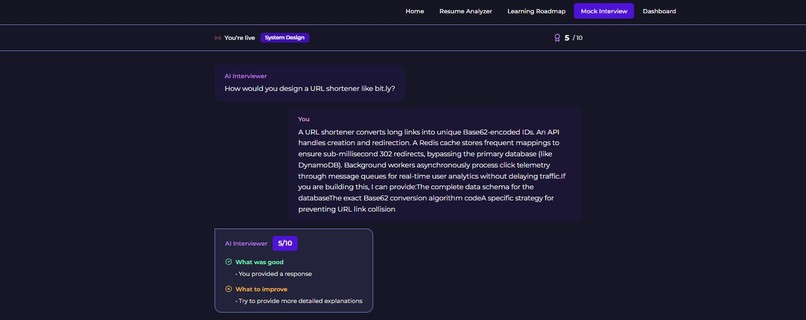
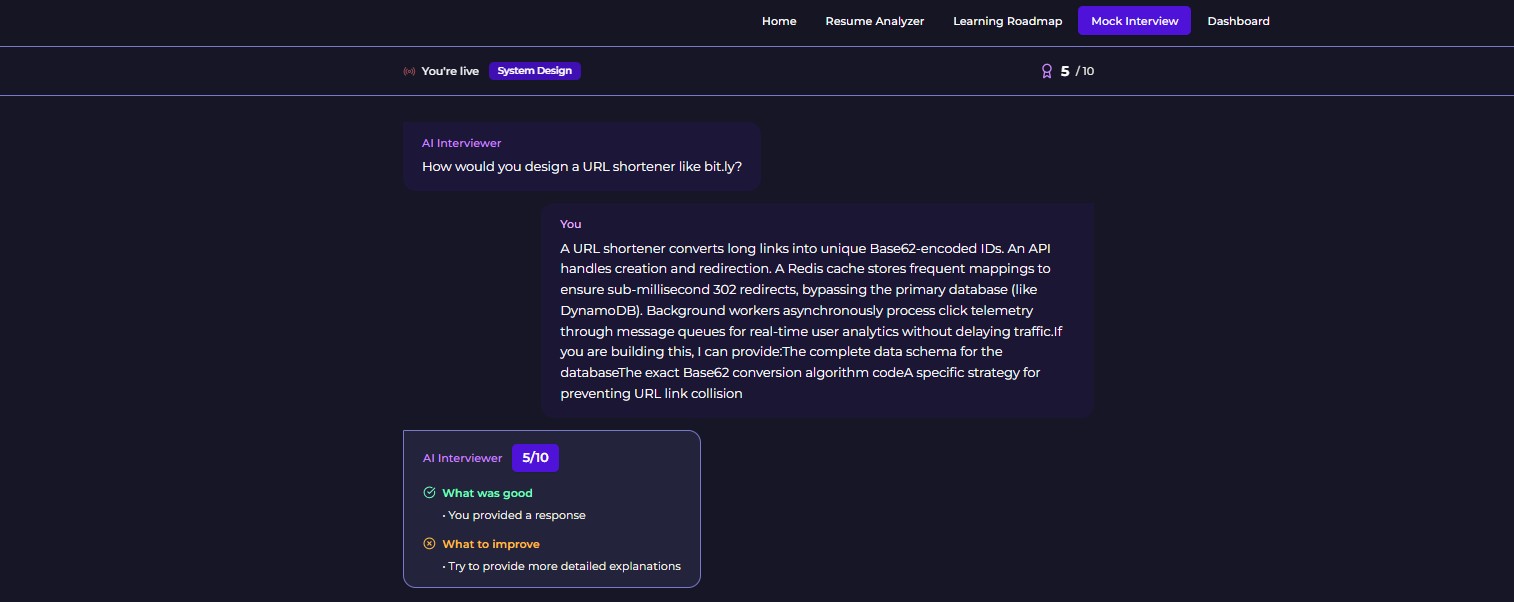
mock interview sample
-
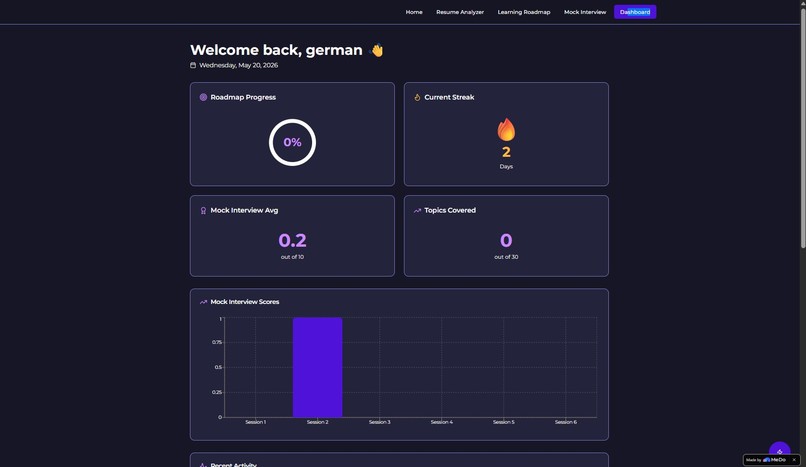
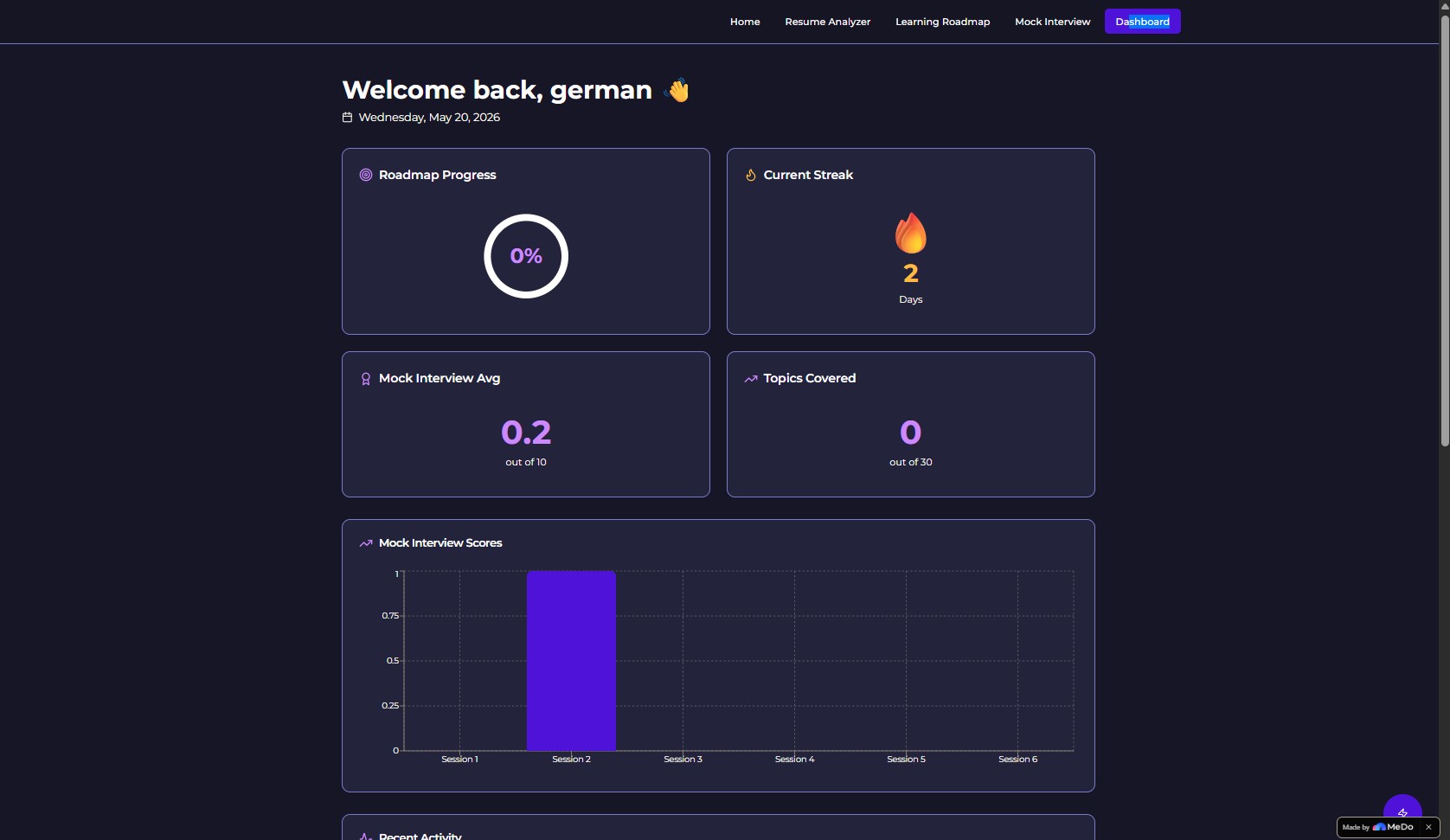
dashboard
-
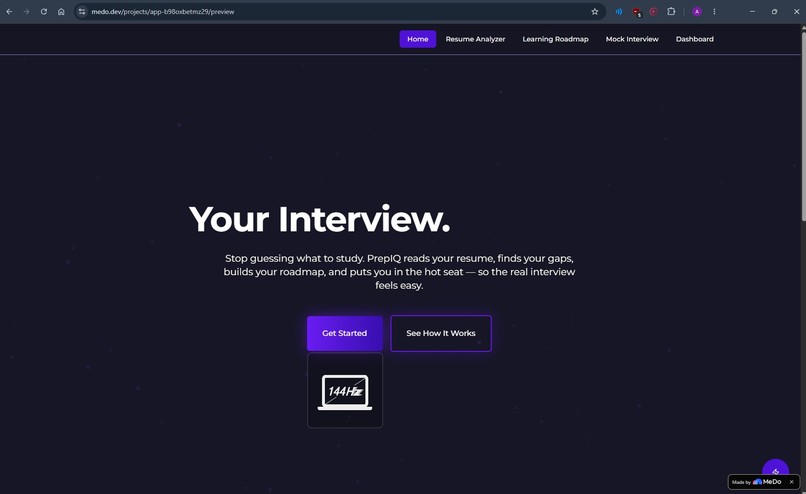
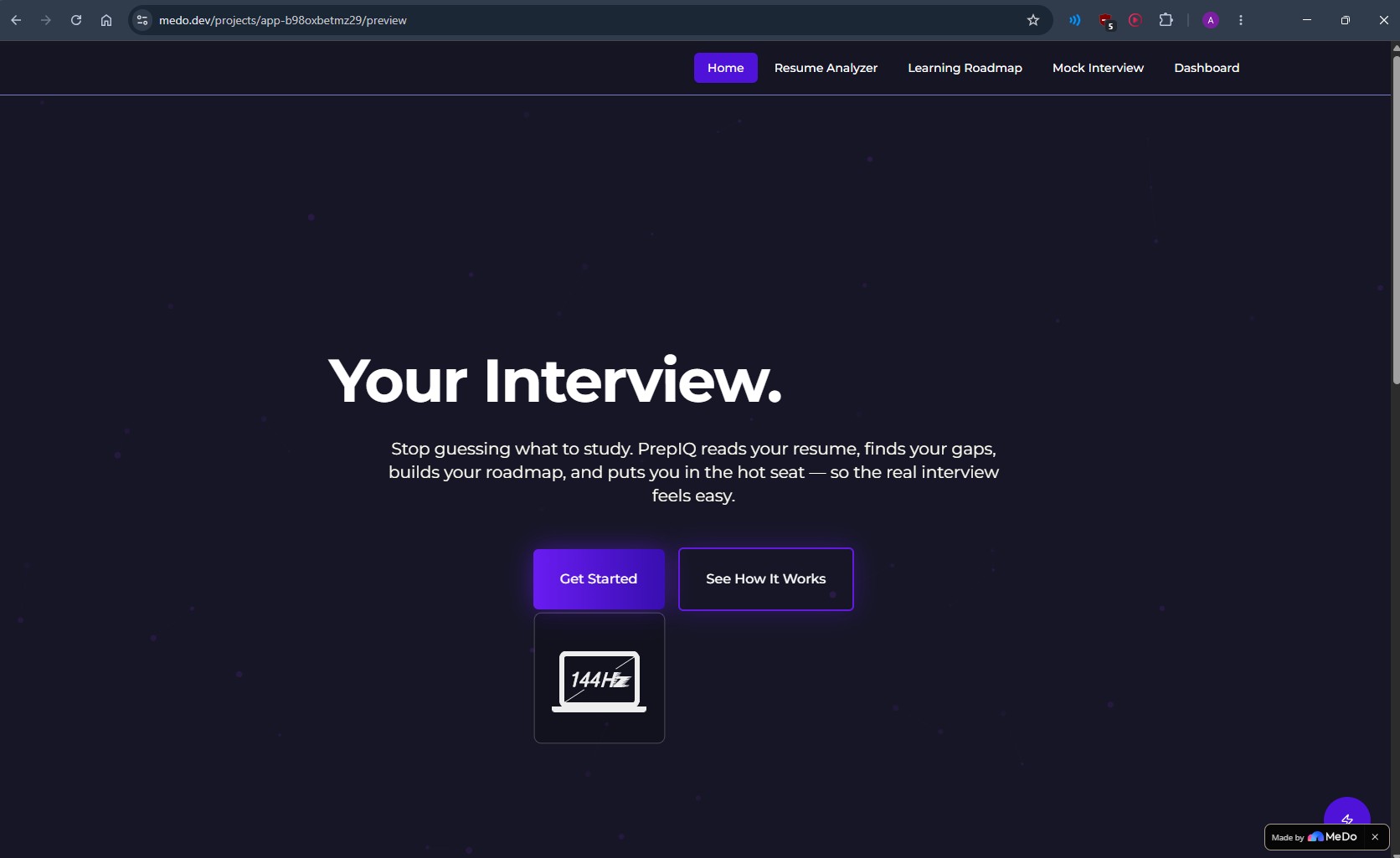
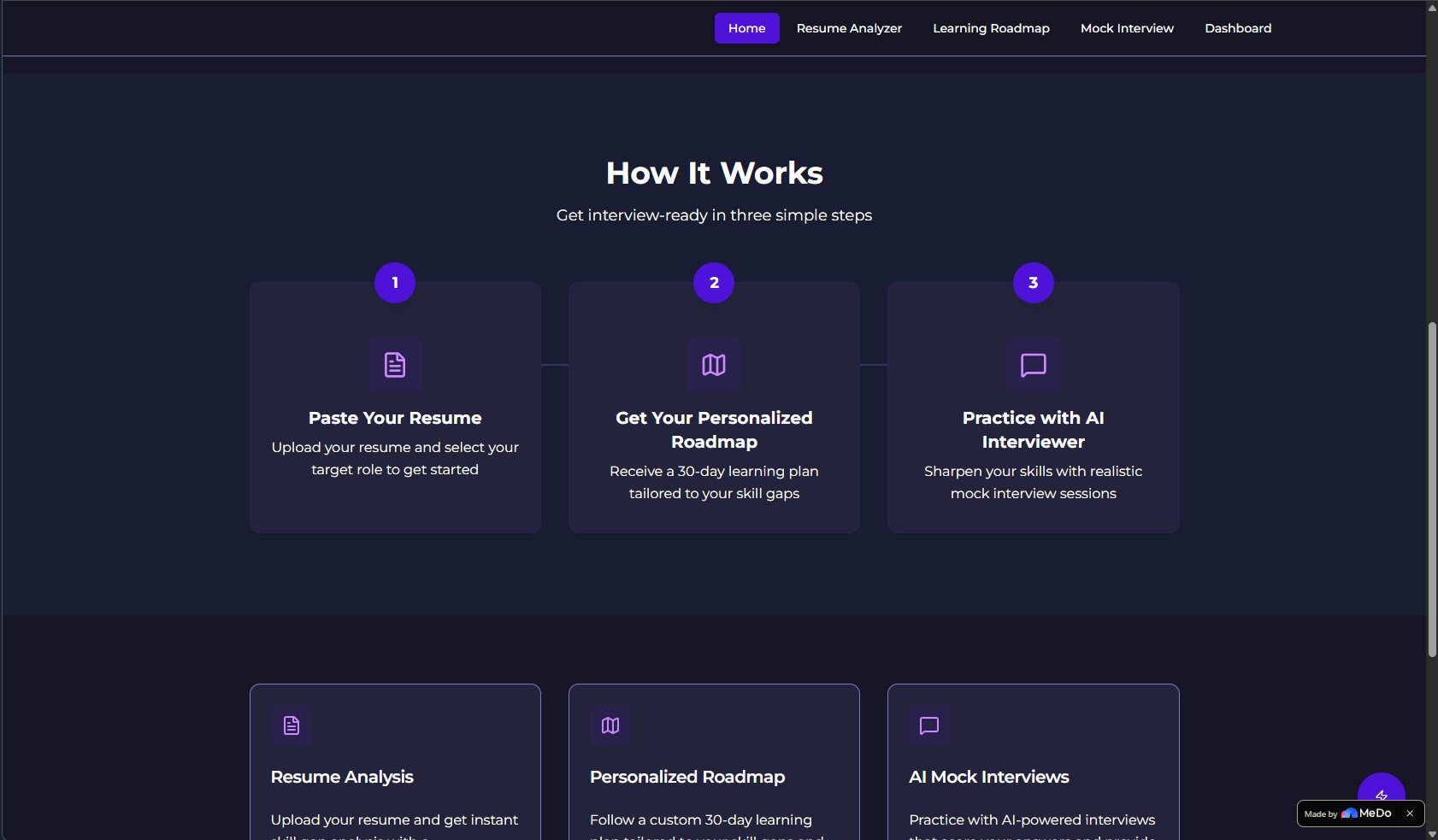
homepage
-
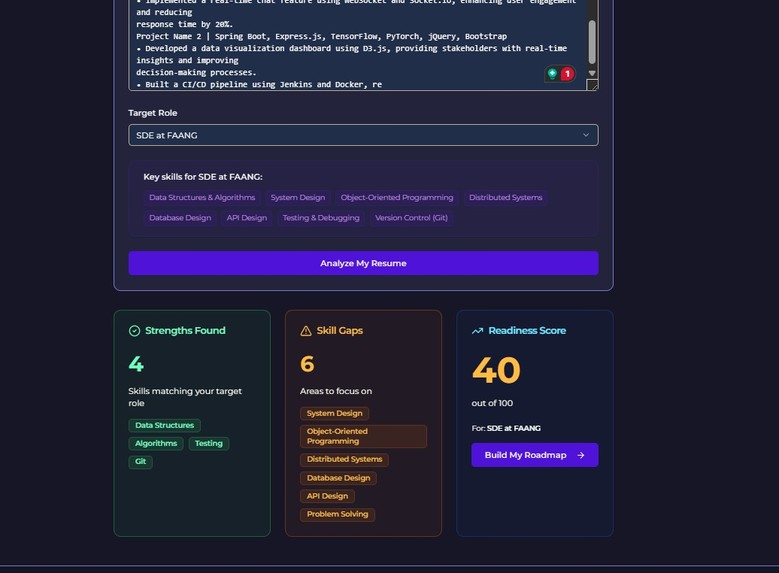
resume review
-
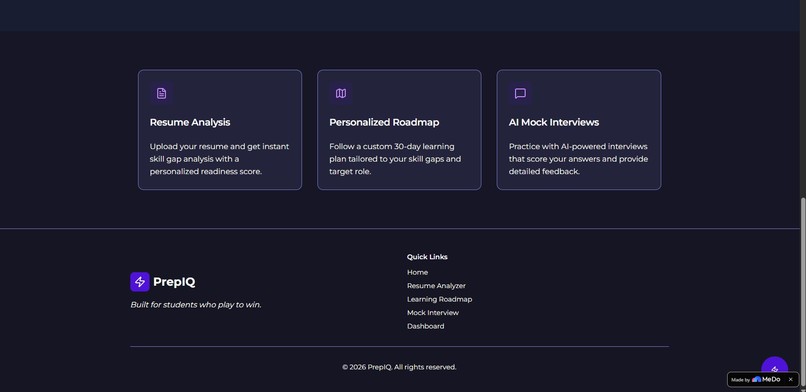
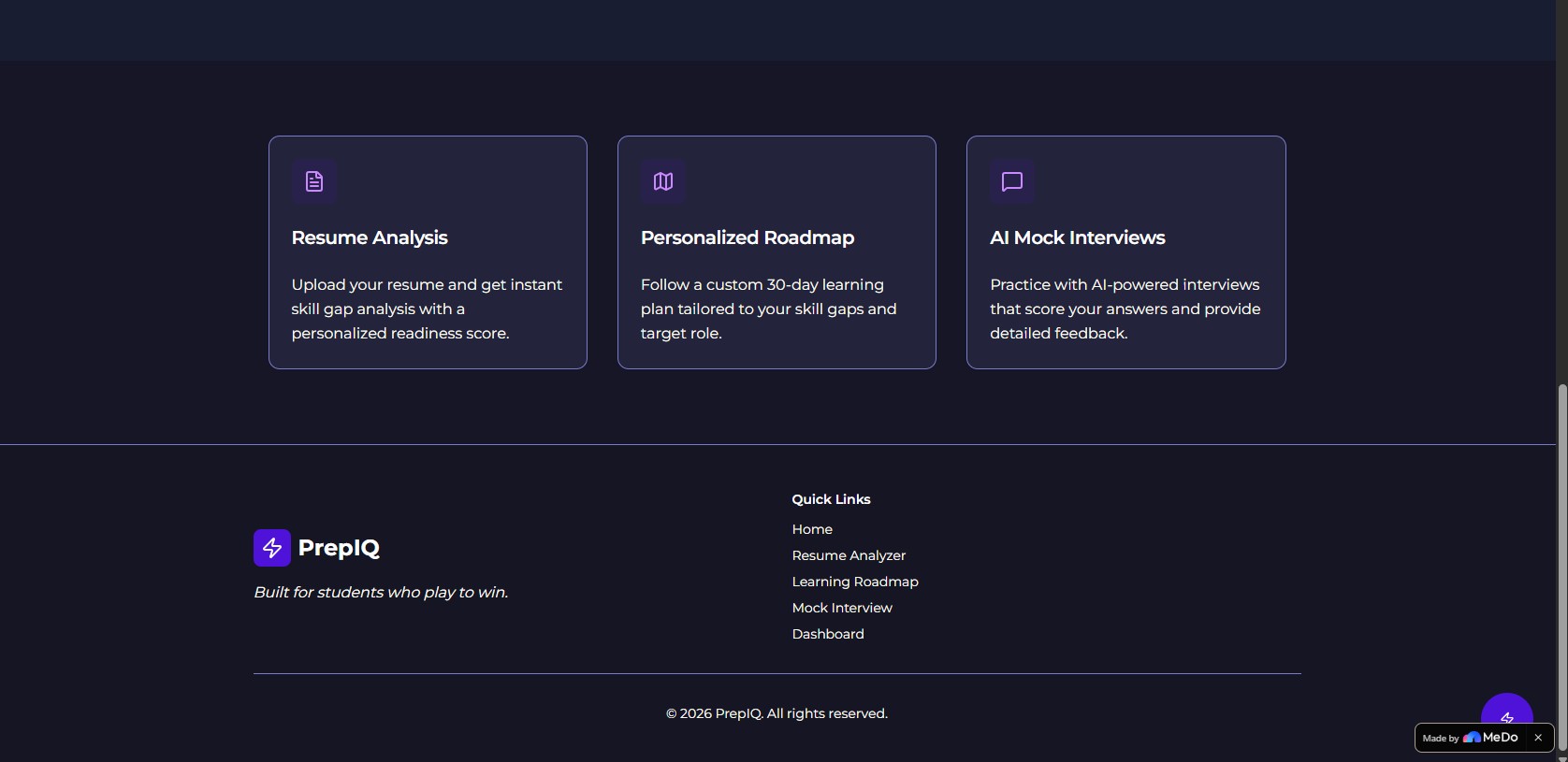
features
-
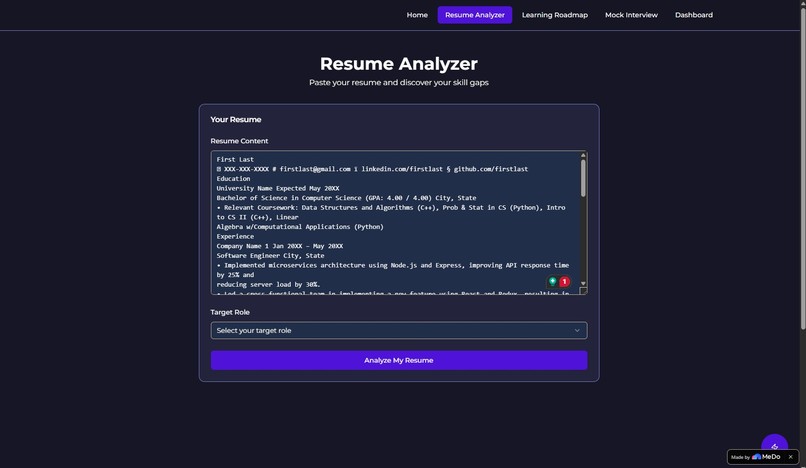
resume analyzer page
-
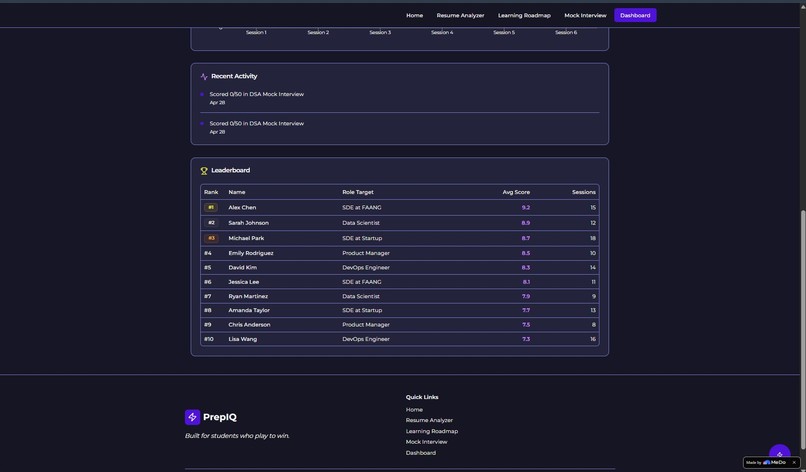
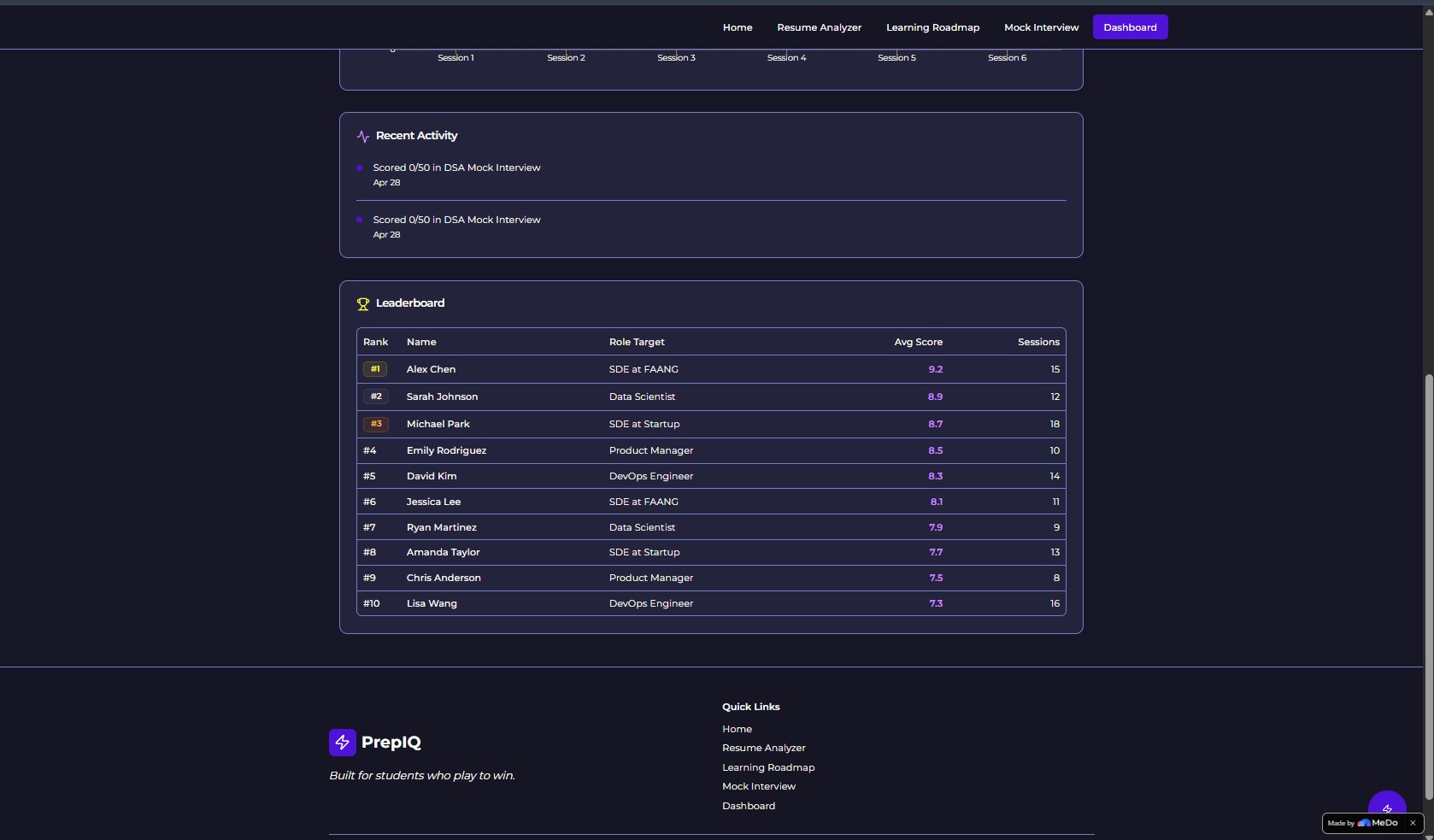
leaderboard (dummy values for now)
-
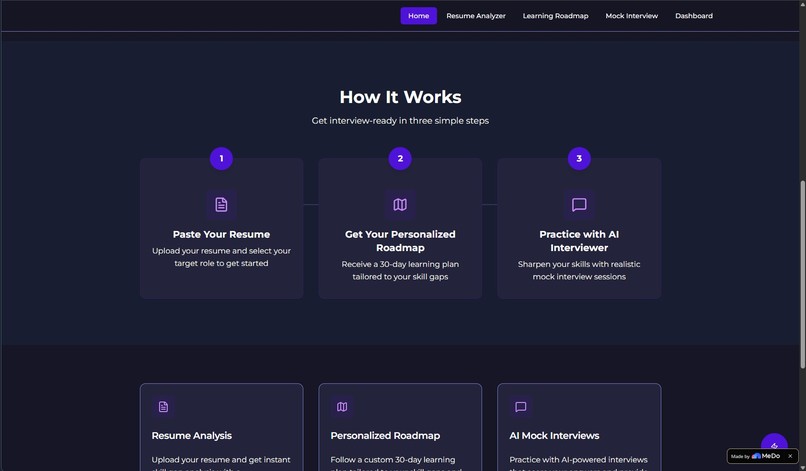
workflow
-
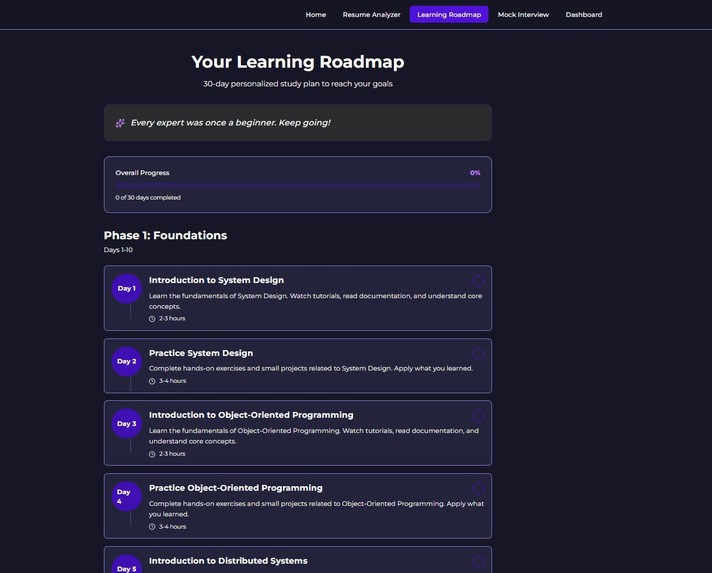
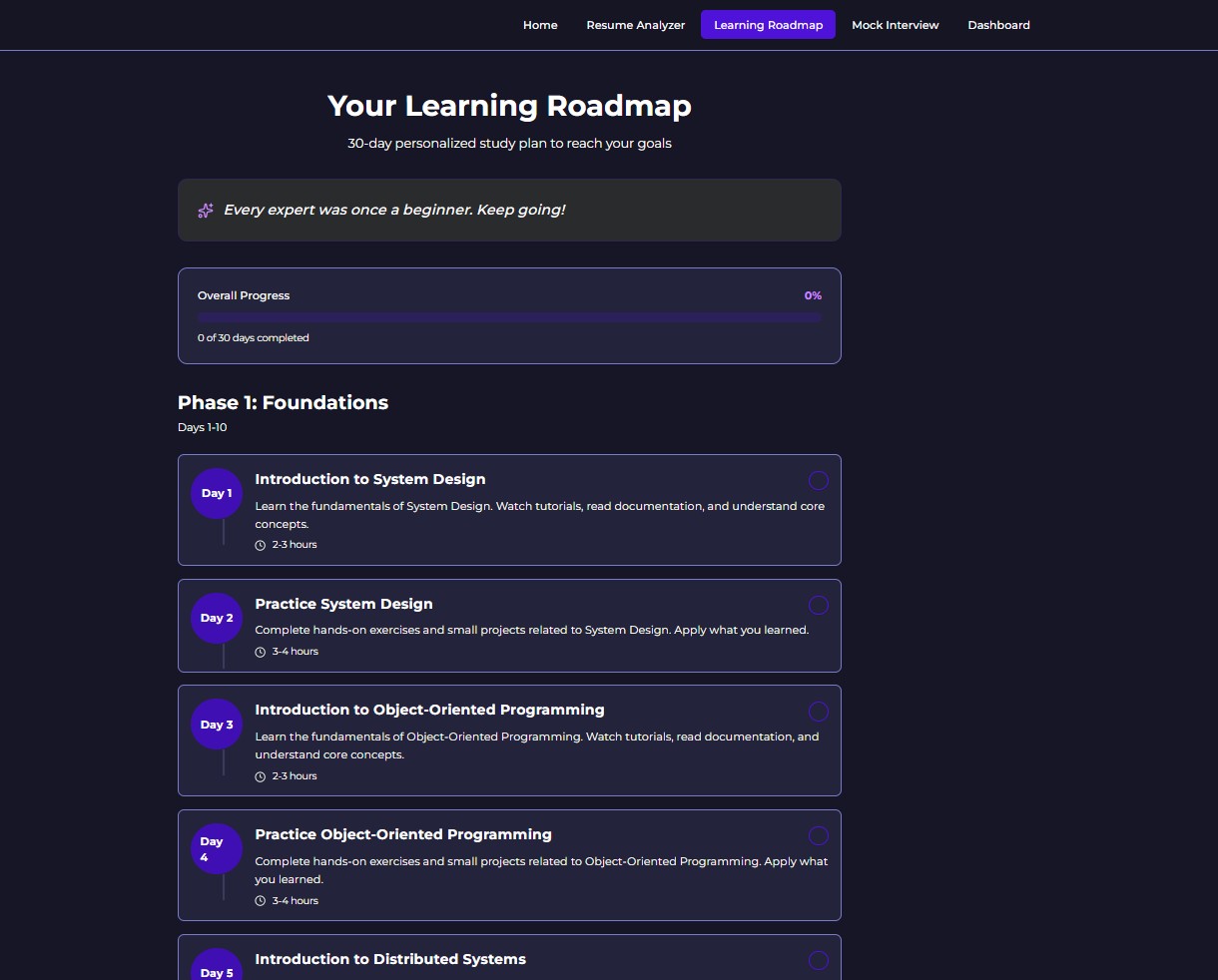
learning roadmap for weak areas
The Problem
Most CS students preparing for tech interviews are basically just guessing. They watch a few YouTube videos, grind some LeetCode, and hope for the best. There's no structure, no feedback, and no way to know if they're actually ready. I've been there, and so has pretty much every student I know.
PrepIQ is my attempt to fix that properly.
What It Actually Does
PrepIQ has five parts that work together.
Resume Analyzer
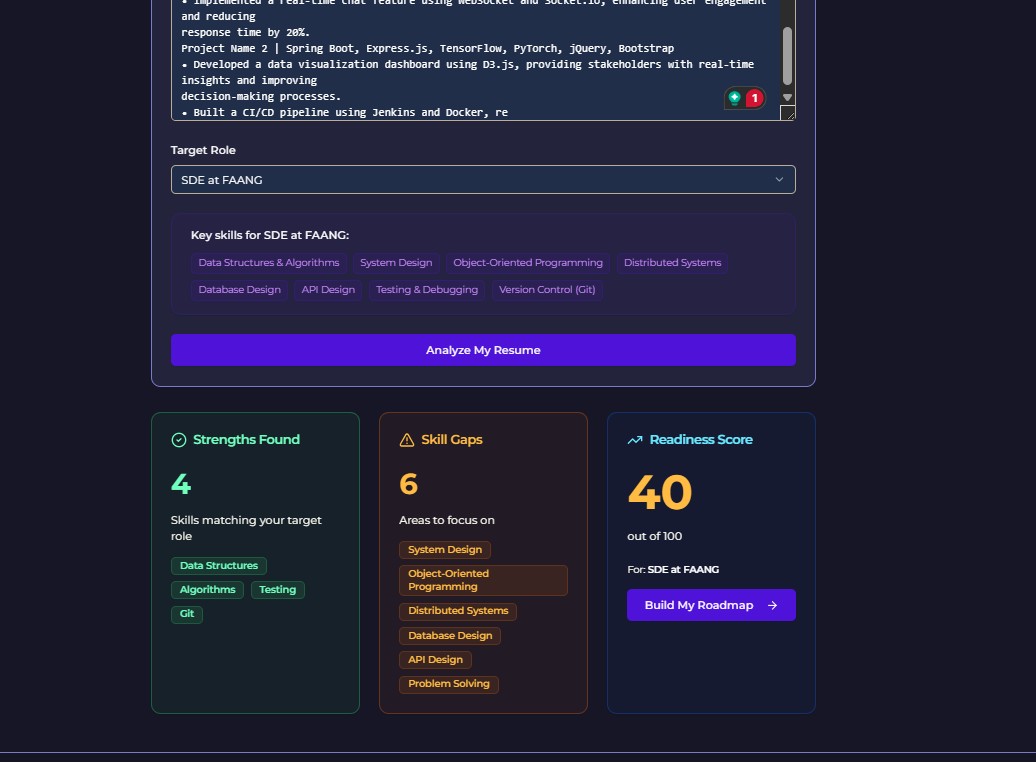
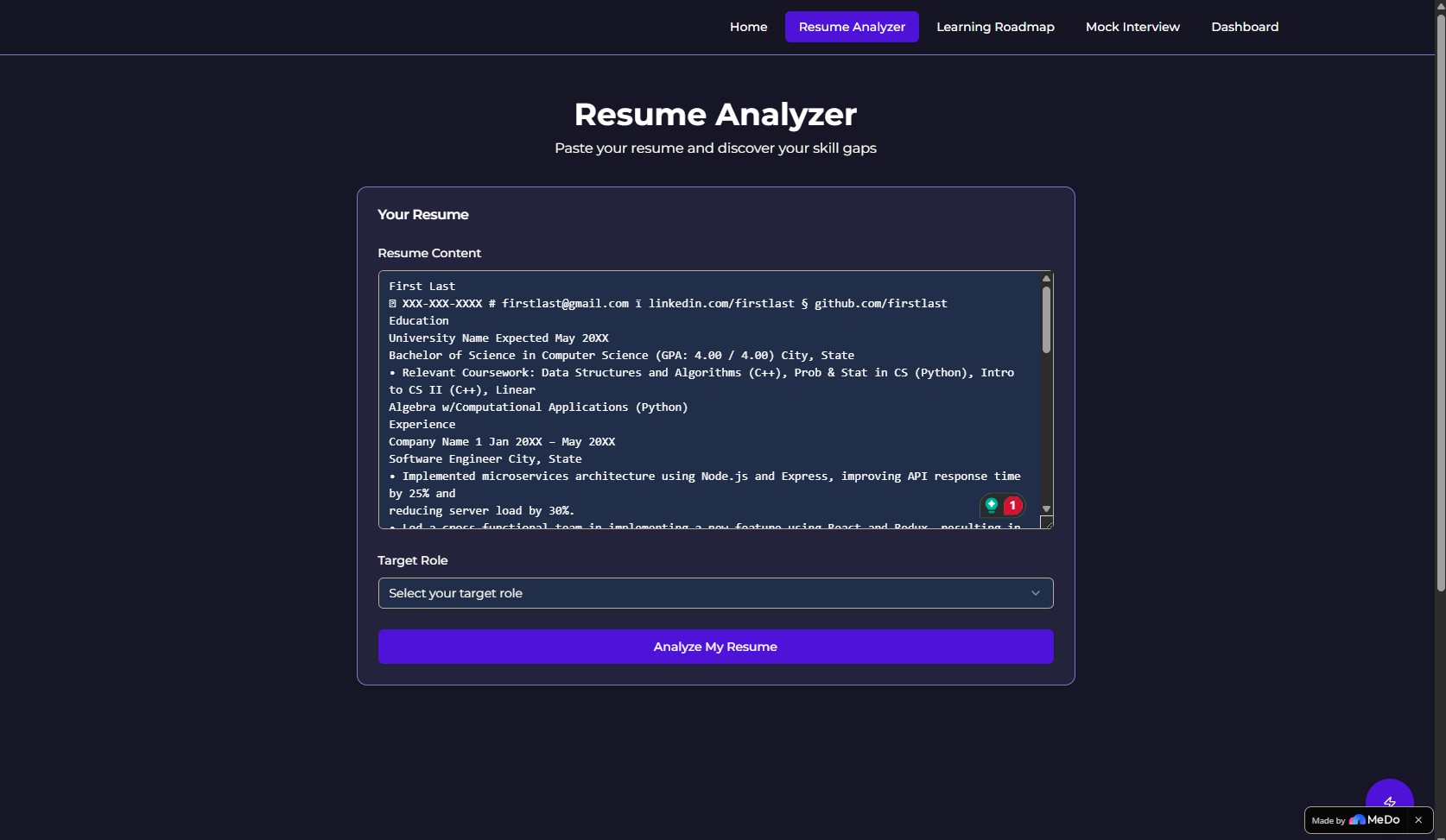
You paste in your resume and pick a target role, like SDE at a FAANG company or Data Scientist at a startup. The app looks at what you have and tells you what's missing for that specific role. It gives you a readiness score out of 100, broken into three cards: what you already know, what you're lacking, and where you sit overall. It's not generic advice — it changes based on what role you picked.
30-Day Study Roadmap
Once you see your gaps, the app builds a day-by-day plan to close them. It's split into three phases: basics first, then the harder stuff, then full interview practice. Every day has one topic, one task, and an estimated time. You check off days as you go and a progress bar at the top fills in. Small thing, but it genuinely makes you want to keep going.
Mock Interview
This is the main part. You pick a category (DSA, System Design, or Behavioral) and the AI starts interviewing you. It asks one question, you type your answer, and it scores you from 1 to 10. It tells you specifically what was good and what to fix, not just a vague "good job." Then the next question comes. After five questions it gives you a full session summary with your average score and the three things you most need to work on.
Code Editor
For DSA questions, a code editor opens right on the same page. You can actually write and test your solution instead of just describing it in text.
Dashboard
Tracks everything. Your roadmap completion percentage, how many days in a row you've studied, your interview scores over time shown as a bar chart, and a leaderboard of top scores so there's something to compete against.
How I Built It with MeDo
I did the whole thing through conversation in MeDo, one feature at a time. I'd describe what I wanted, see what it built, then tell it what to change. The process felt more like directing someone than programming.
The mock interview flow was the hardest thing to get right. Getting the AI to ask a question, wait for an answer, evaluate the actual content of what was written, give a real score with real feedback, and then move to the next question took a few rounds of back and forth. But once it clicked, it worked really well. That's the part I'm most proud of because it would have taken me days to build by hand.
I also used MeDo to plug in a live code editor for DSA rounds, set up role-specific skill data in the analyzer so the gaps actually match the job, and build the leaderboard with session tracking.
Who Would Actually Use This
CS students and recent graduates getting ready for tech interviews. You don't need to sign up for anything. It runs in the browser. The whole thing is free.
Built With
- medo

Log in or sign up for Devpost to join the conversation.