-
-
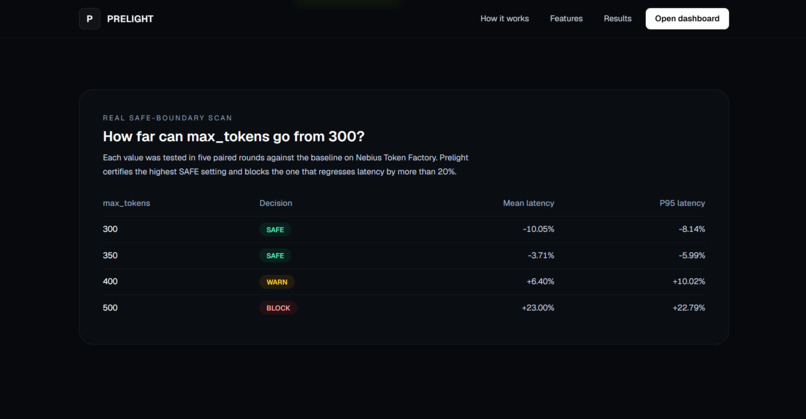
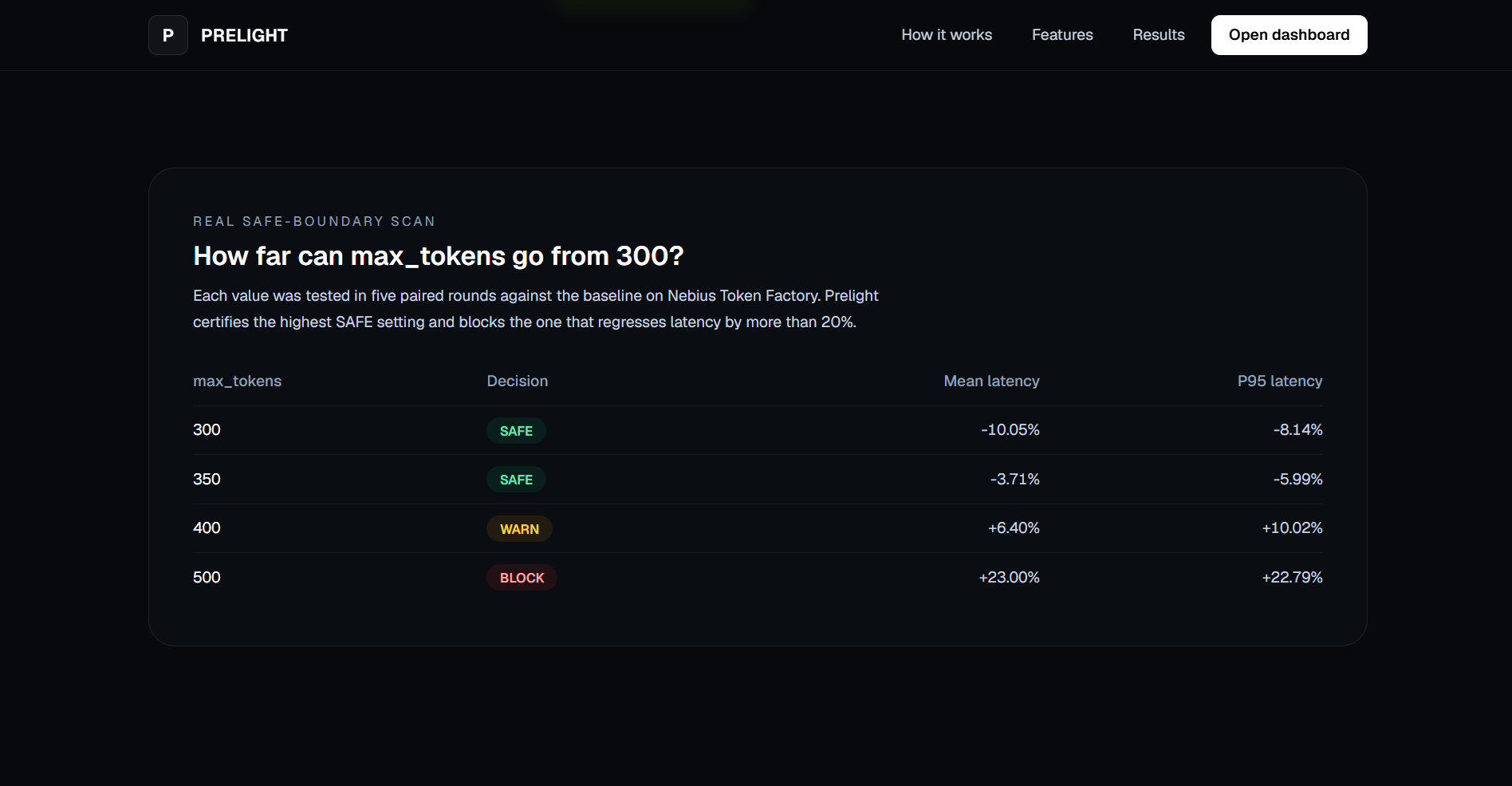
Real safe-boundary scan
-
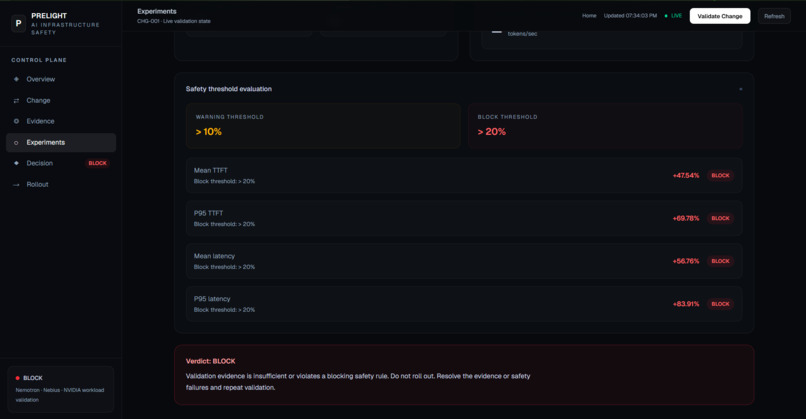
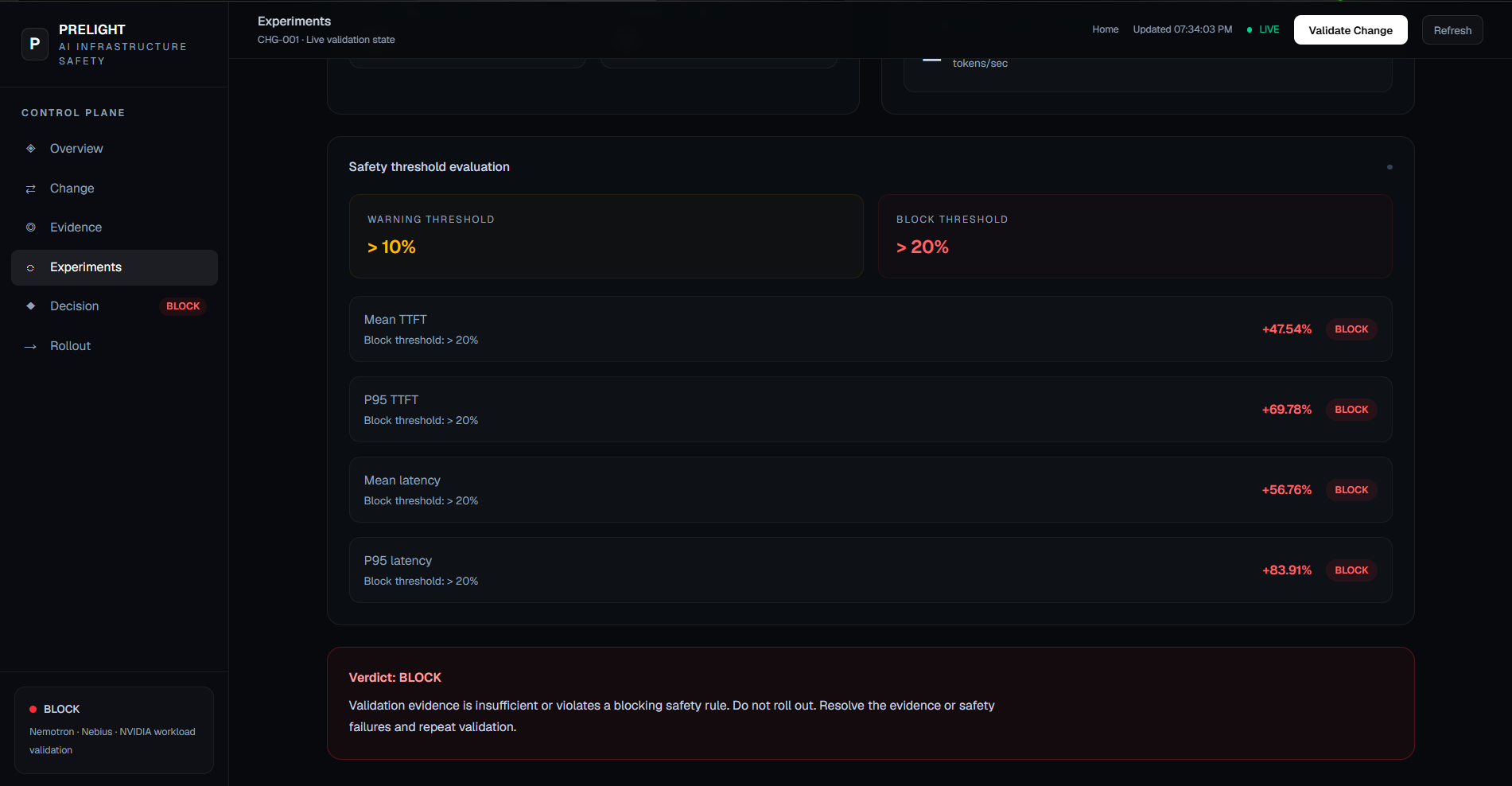
Safety threshold evaluation
-
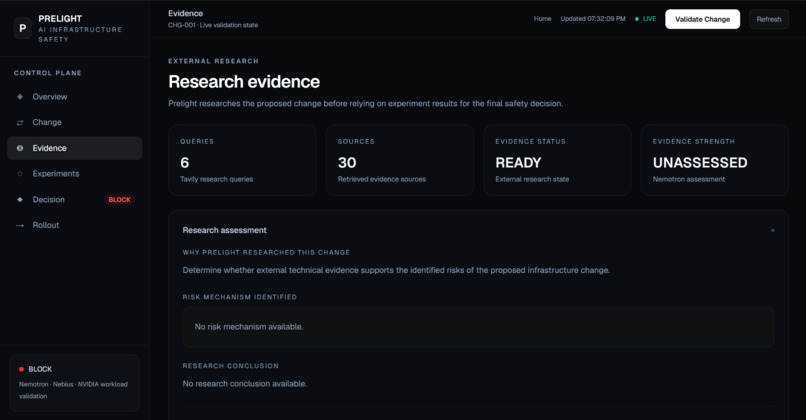
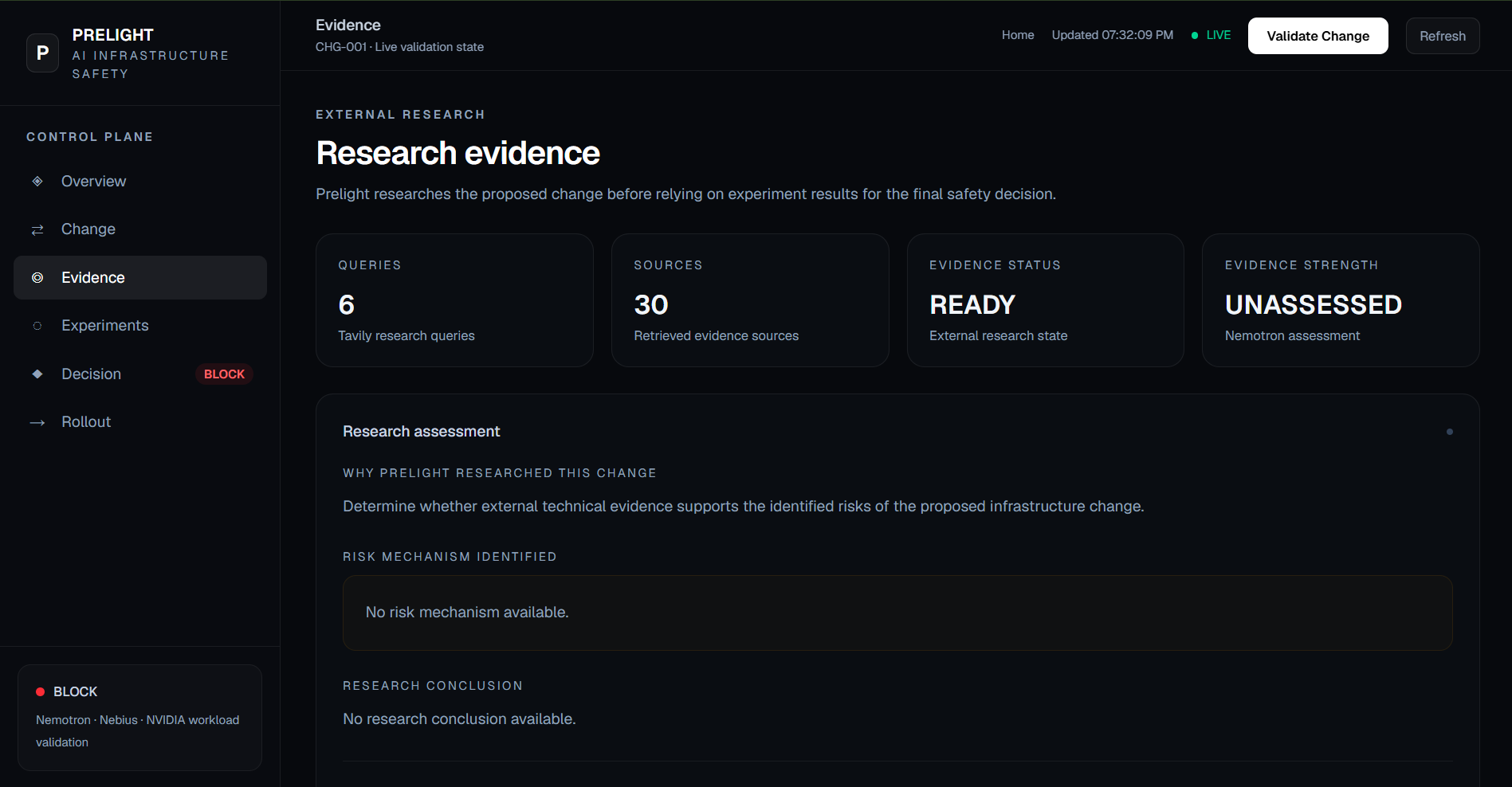
External research Statics
-
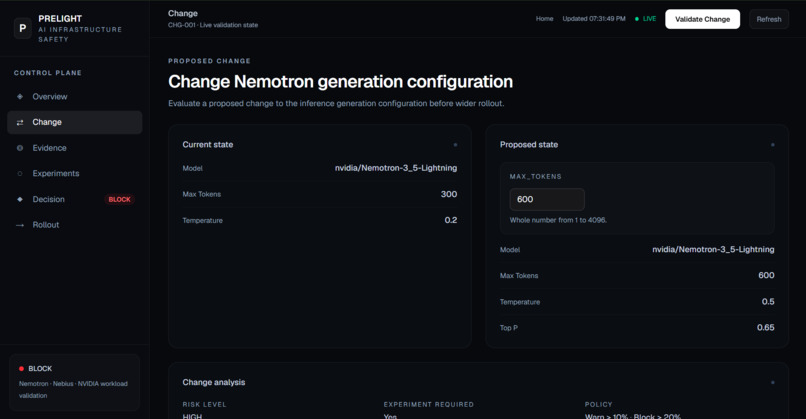
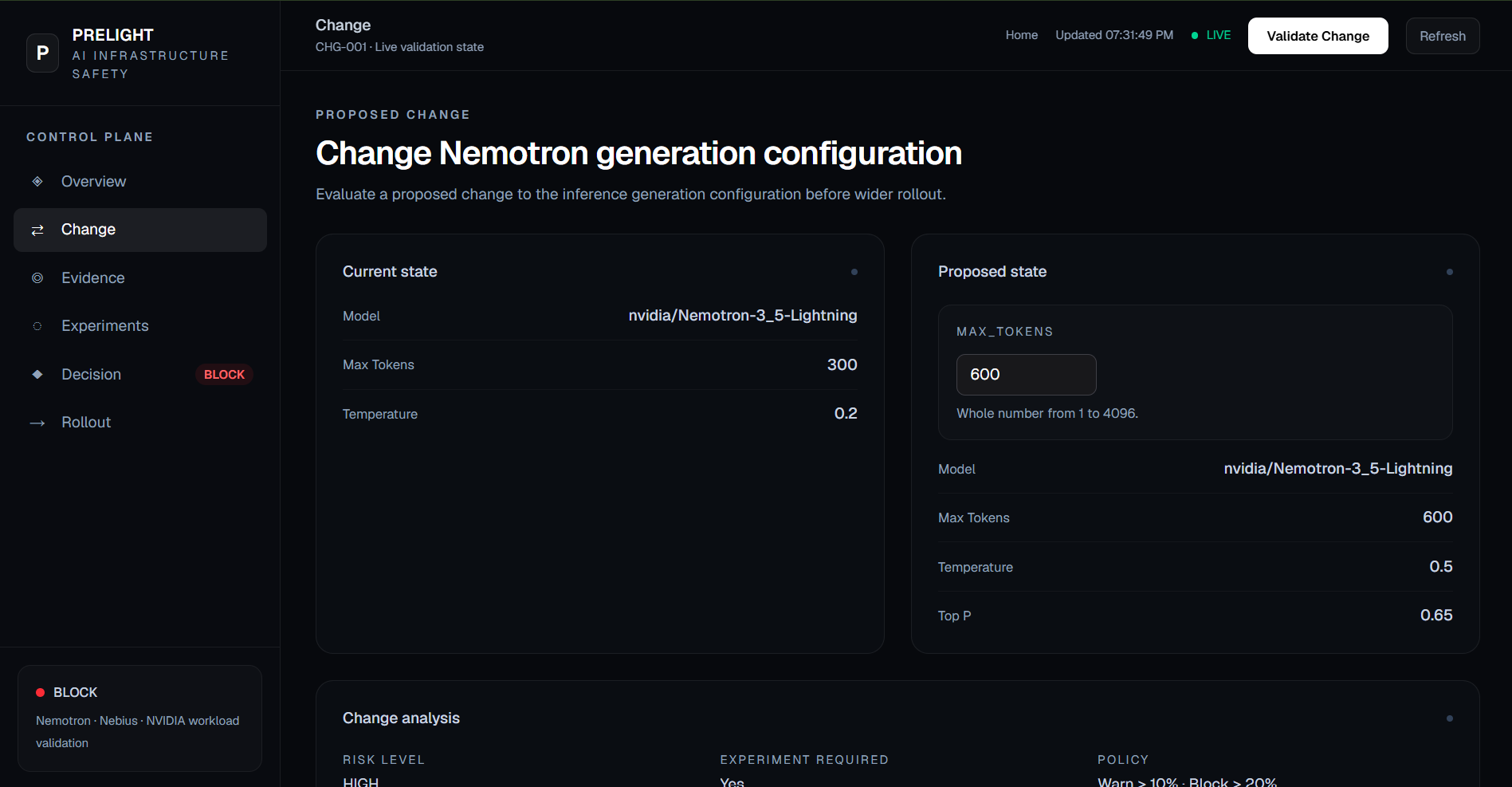
Proposed change Pannel
-
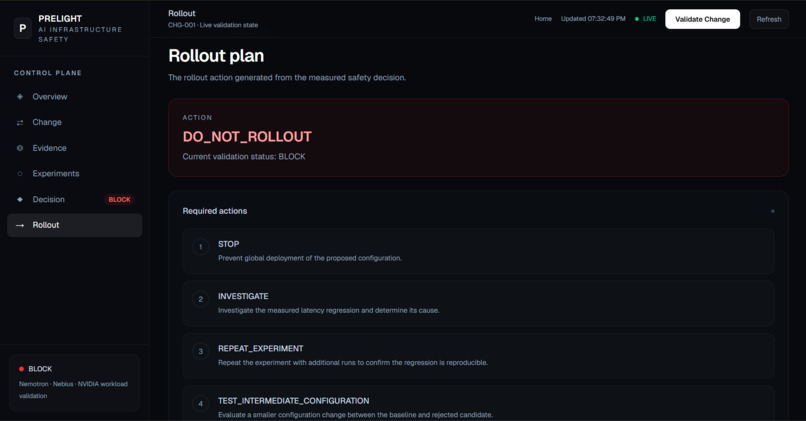
Deployment control prelookout
-
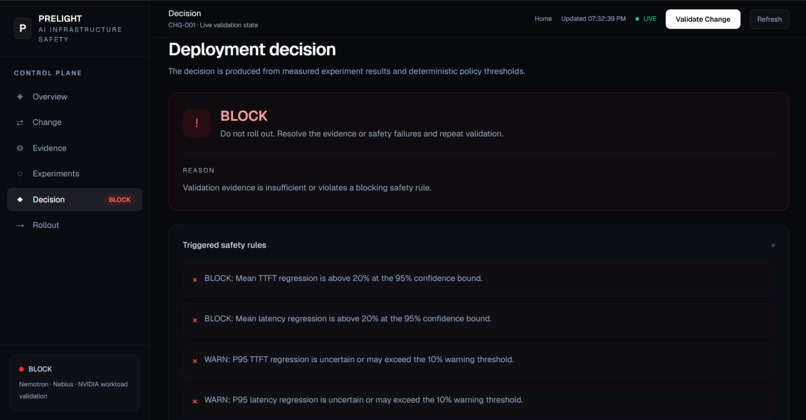
Safety decision Maker
-
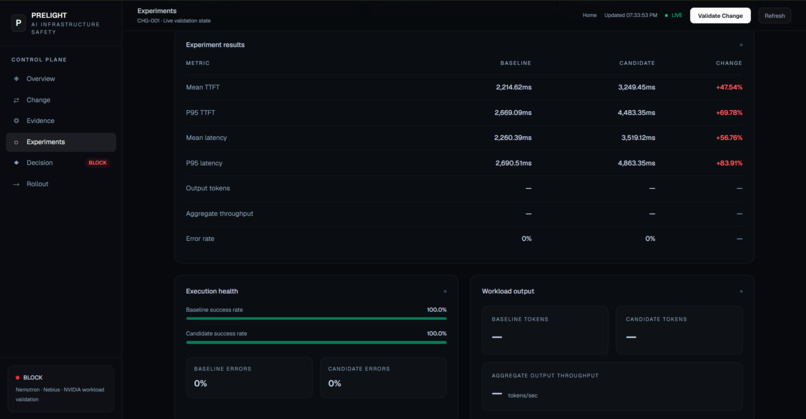
Experiment results statics
-
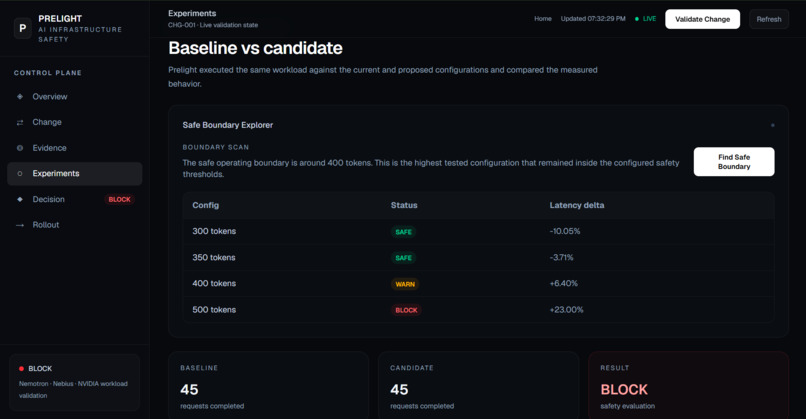
Controlled experiments auto Runner
-
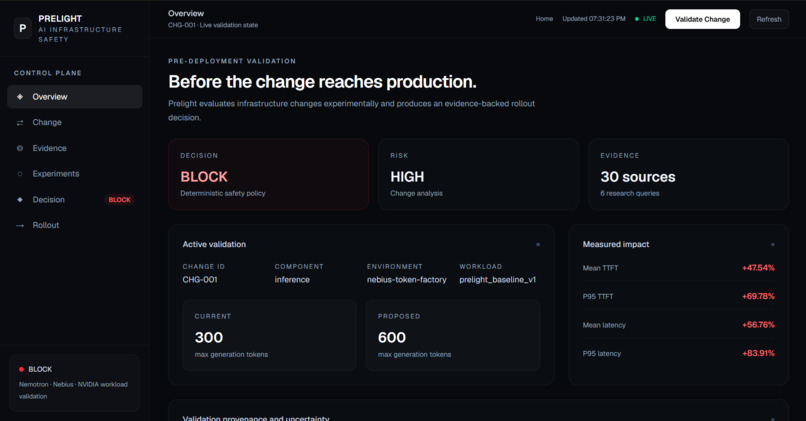
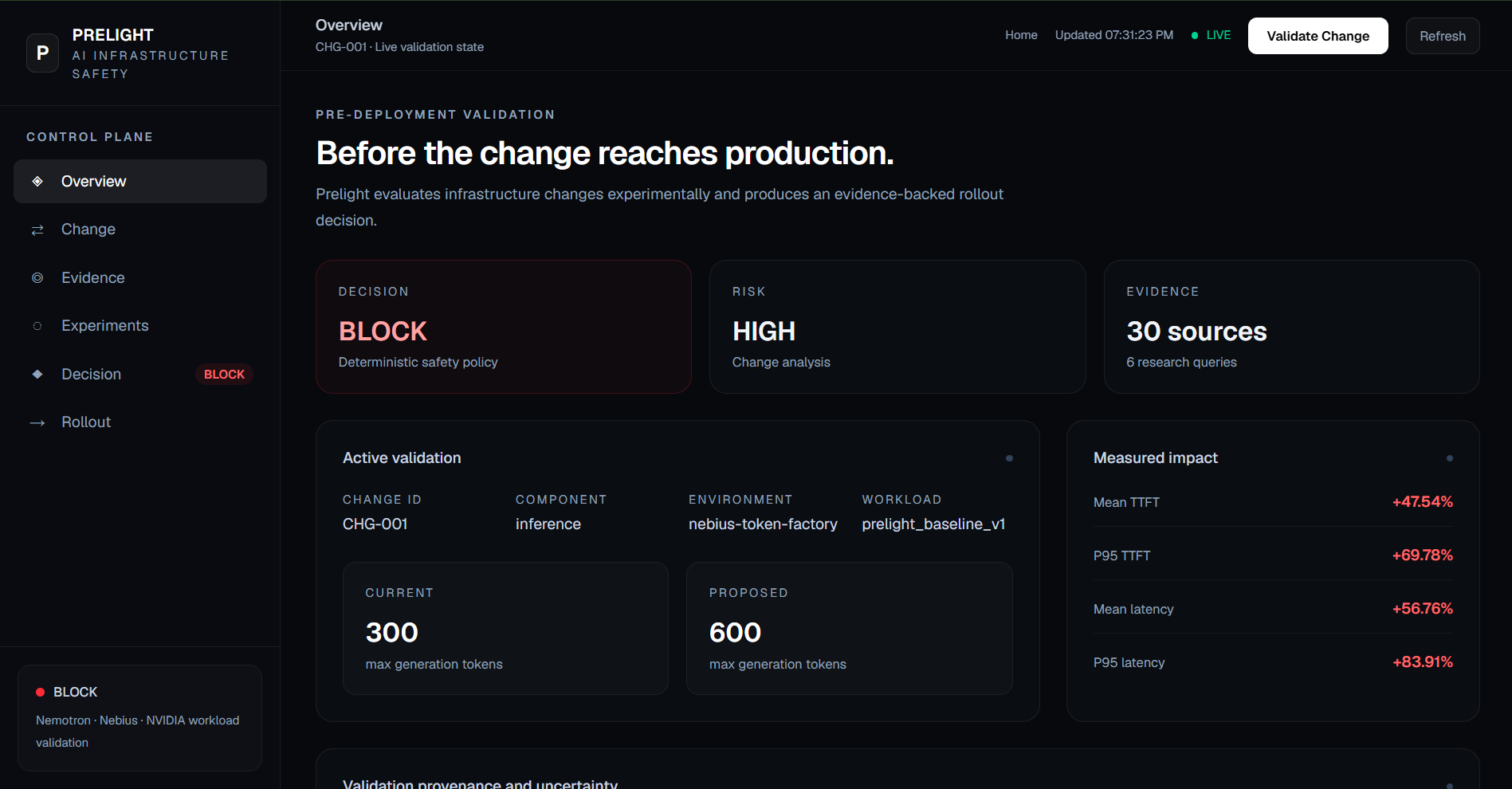
Pre-deployment validation Dashboard
-
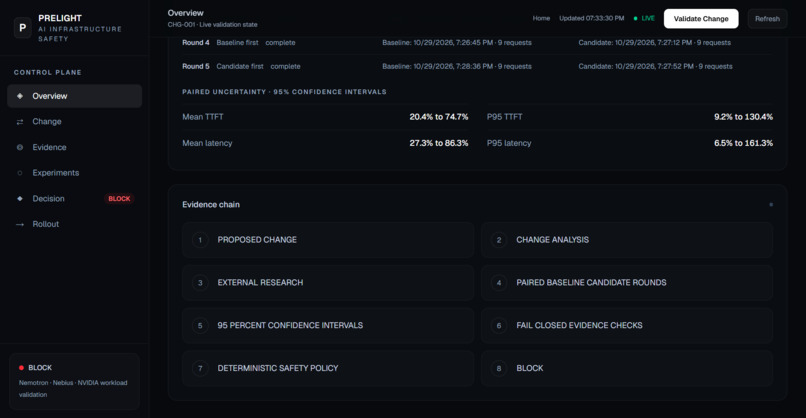
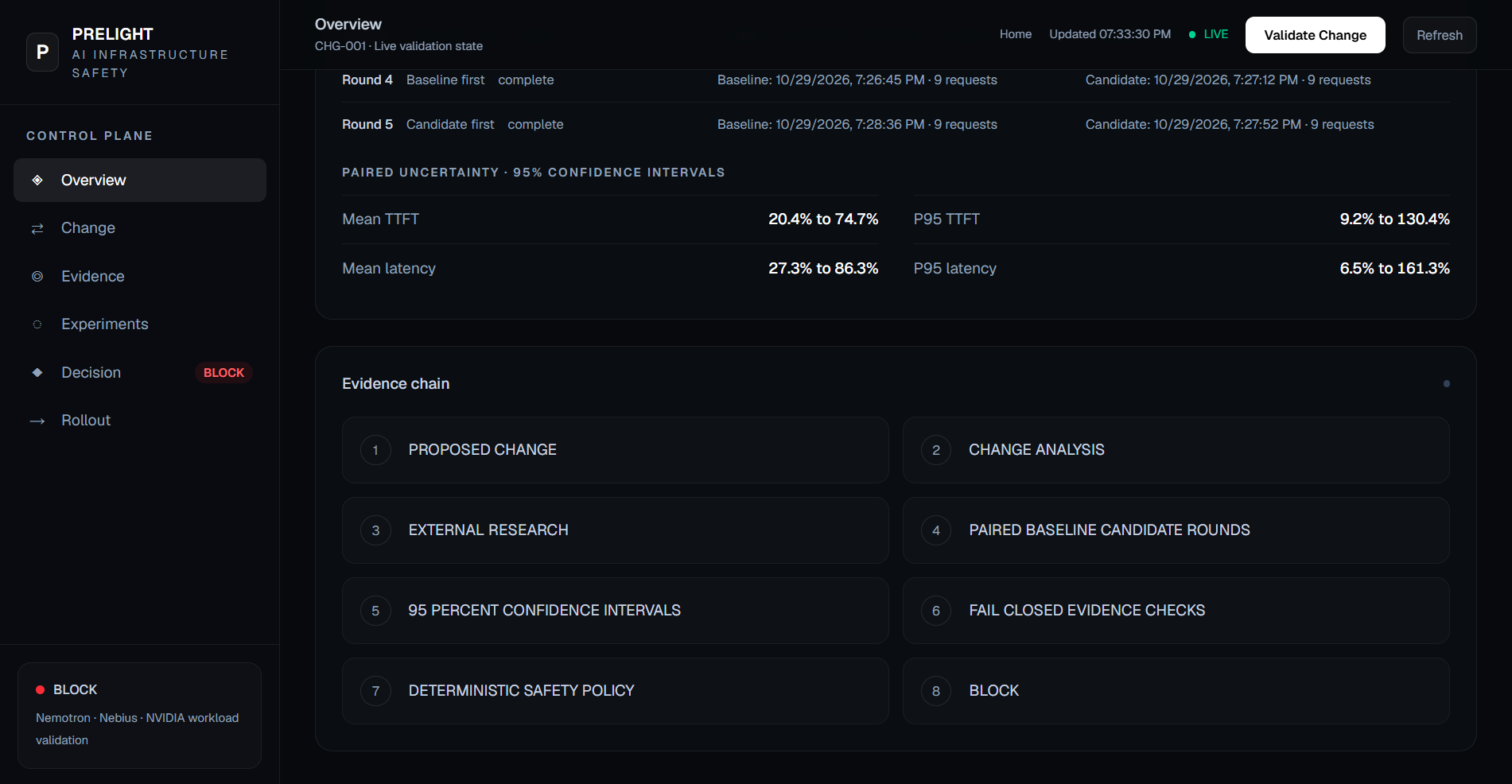
Evidence chain
-
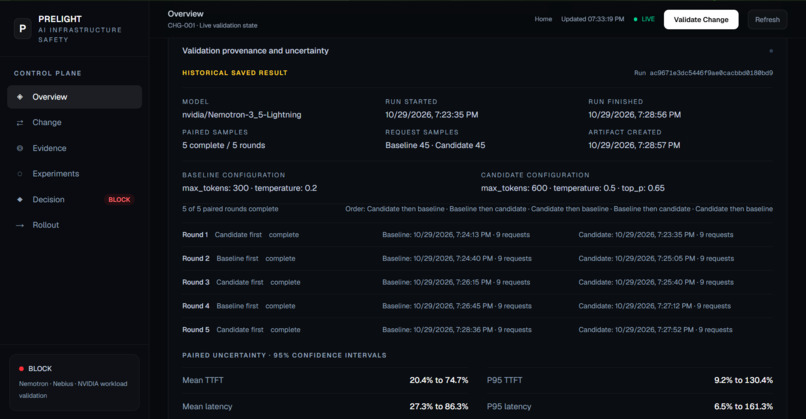
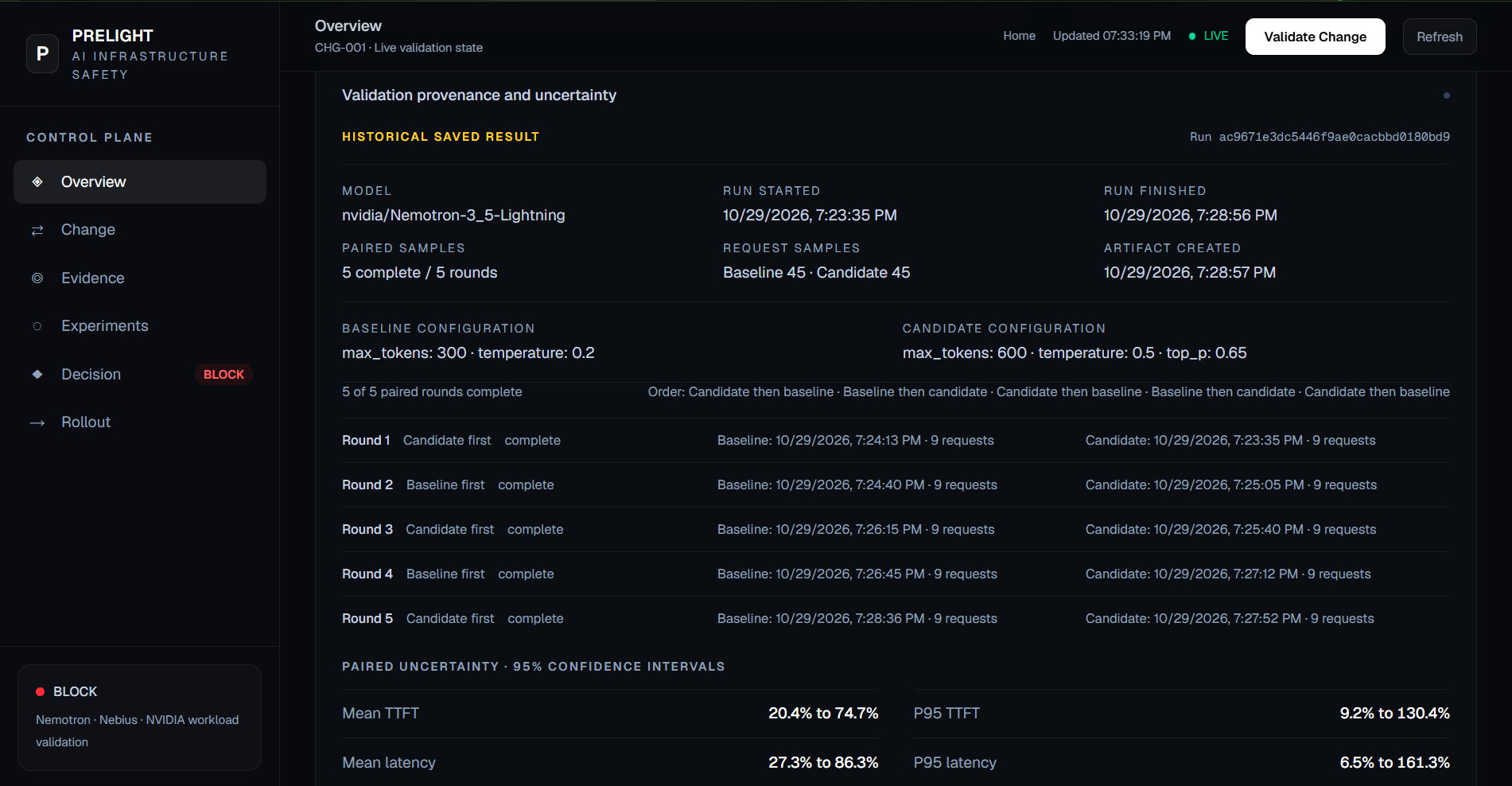
Validation provenance and uncertainty
-
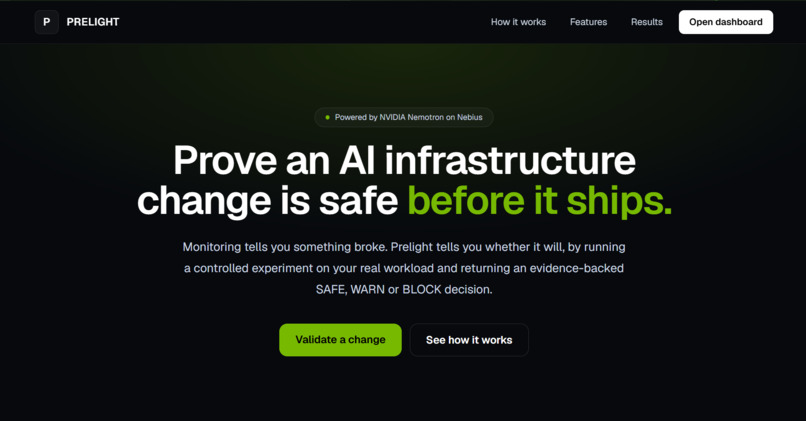
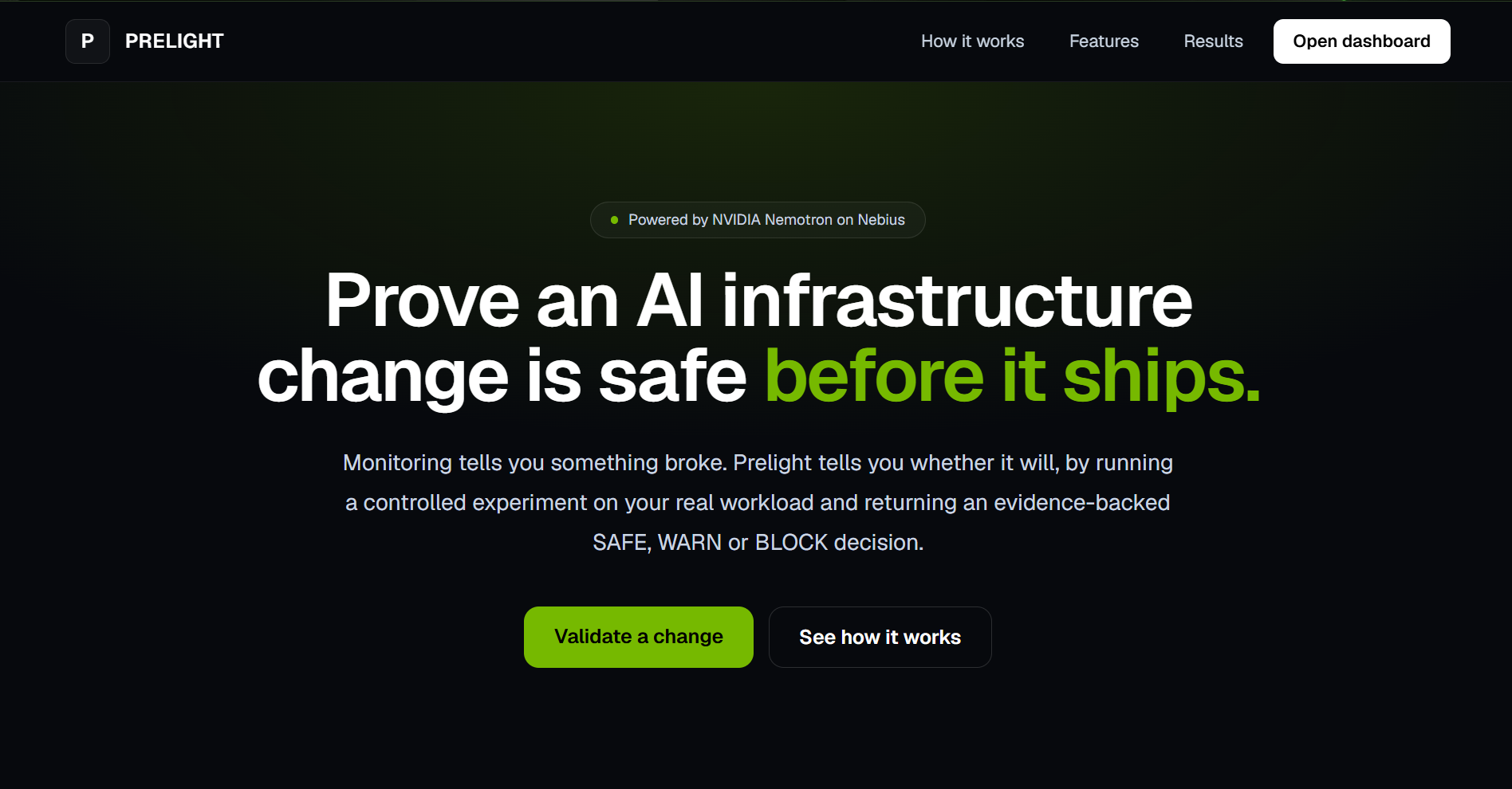
Website Landing Page
Prelight
Before you change an AI factory, Prelight proves whether the change is safe.
Prelight is an AI infrastructure change-safety system that evaluates proposed changes to NVIDIA-powered AI workloads before they reach production.
Instead of waiting for an infrastructure change to cause an incident, Prelight researches the change, designs a controlled experiment, measures the real workload, compares the proposed configuration against a known baseline, and produces a SAFE / WARN / BLOCK decision with a rollout recommendation.
The Problem
AI infrastructure changes can look harmless while affecting inference latency, throughput, resource usage, reliability, or operational behavior.
Traditional monitoring answers:
"Is something broken?"
Prelight asks a different question:
"Will this proposed change be safe before we deploy it?"
How Prelight Works
PROPOSED CHANGE
       ↓
CHANGE ANALYSIS
       ↓
EXTERNAL RESEARCH
       ↓
EXPERIMENT PLAN
       ↓
CONTROLLED BASELINE
       ↓
CANDIDATE EXPERIMENT
       ↓
MEASURED COMPARISON
       ↓
SAFETY DECISION
       ↓
ROLLOUT PLAN
The core workflow is:
CHANGE → PREDICT → RESEARCH → EXPERIMENT → PROVE → ROLLOUT
Example
A proposed inference configuration changes:
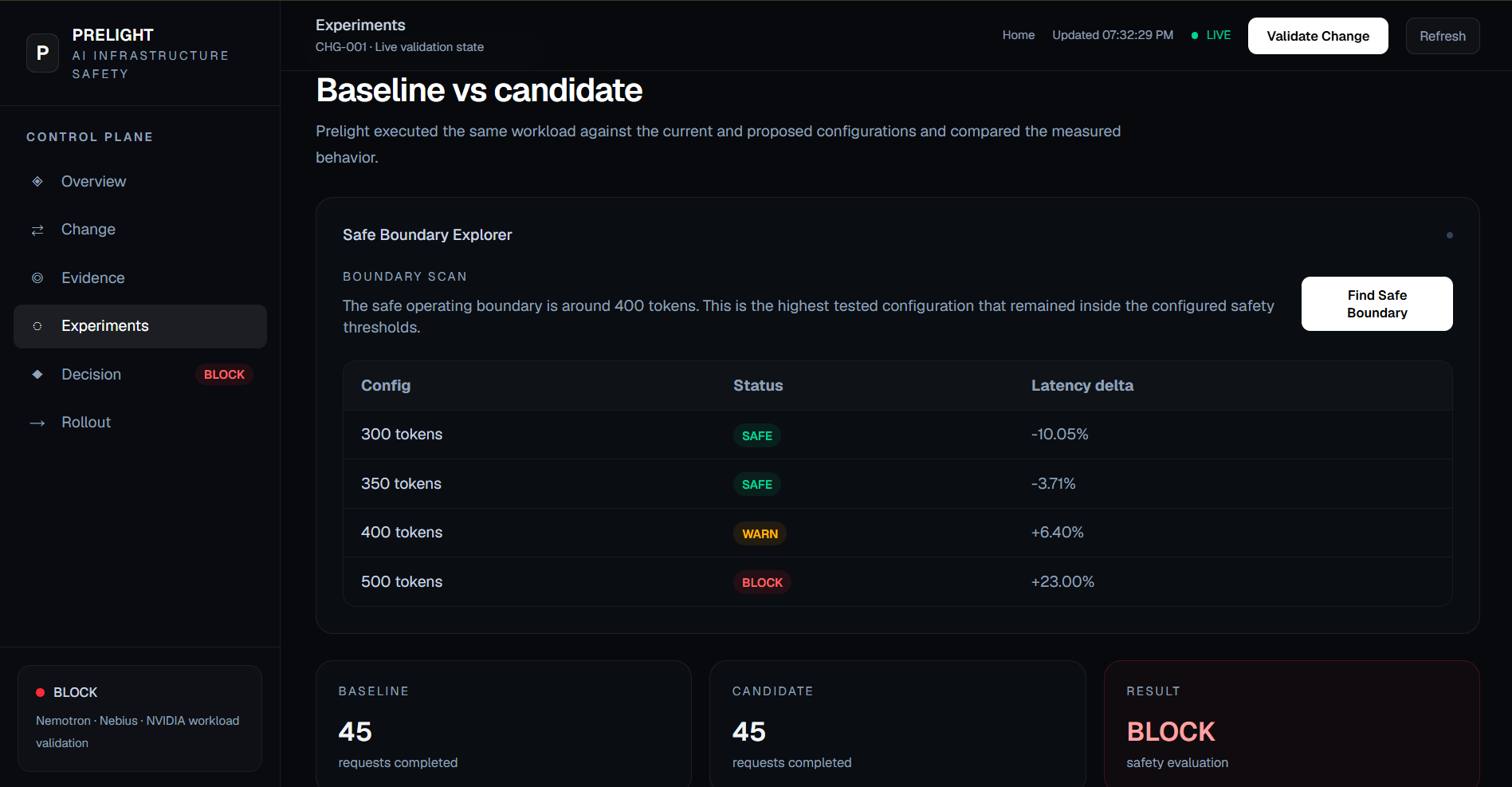
max_tokens: 300 → 500
Prelight does not simply assume the change is safe.
It:
- analyzes the proposed configuration change;
- researches relevant inference-performance considerations;
- establishes a controlled baseline;
- executes the candidate configuration against the real inference service;
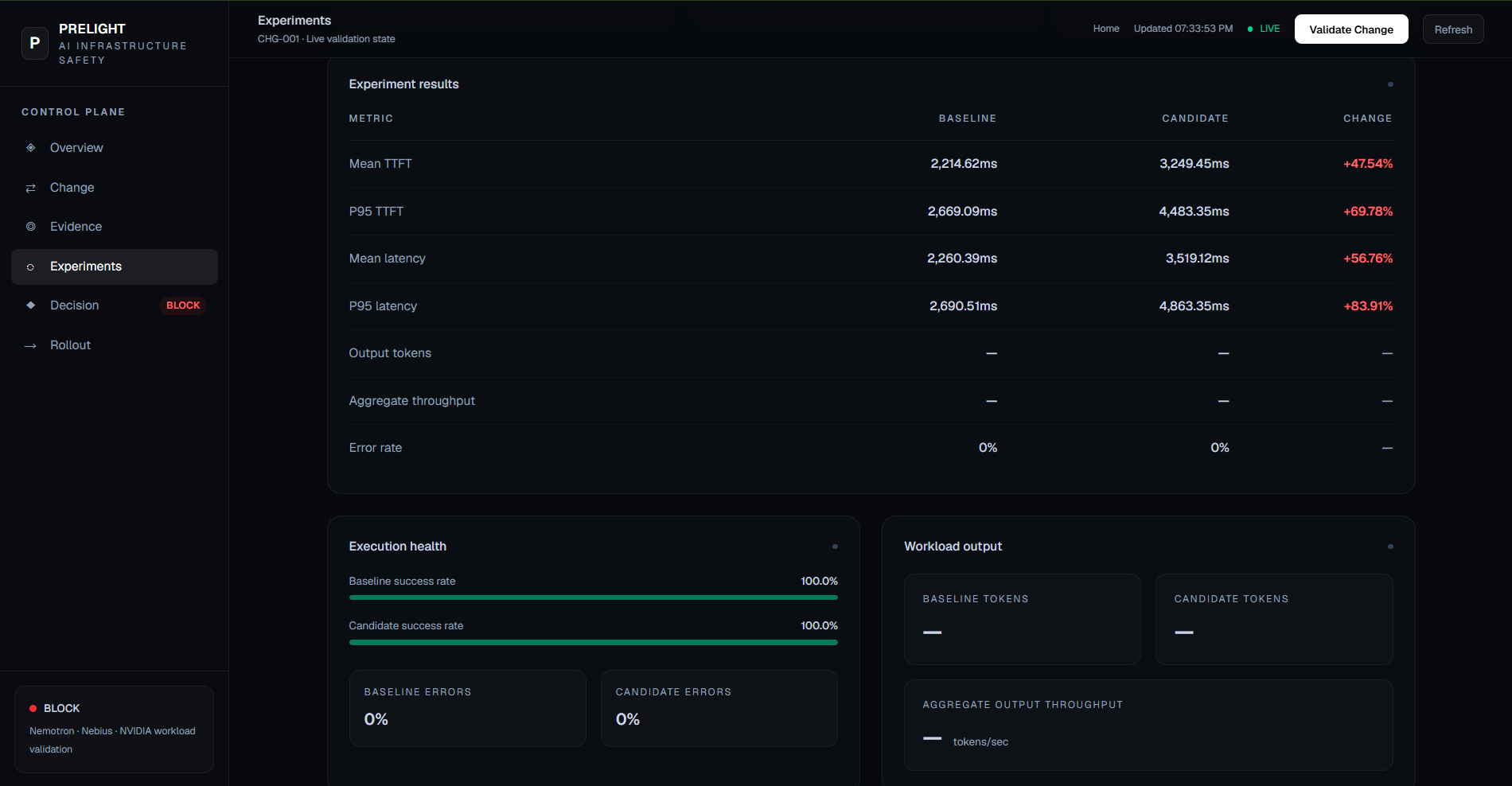
- measures TTFT, latency, throughput, and errors;
- compares the candidate against the baseline;
- applies explicit safety thresholds;
- produces a final decision;
- generates a rollout recommendation.
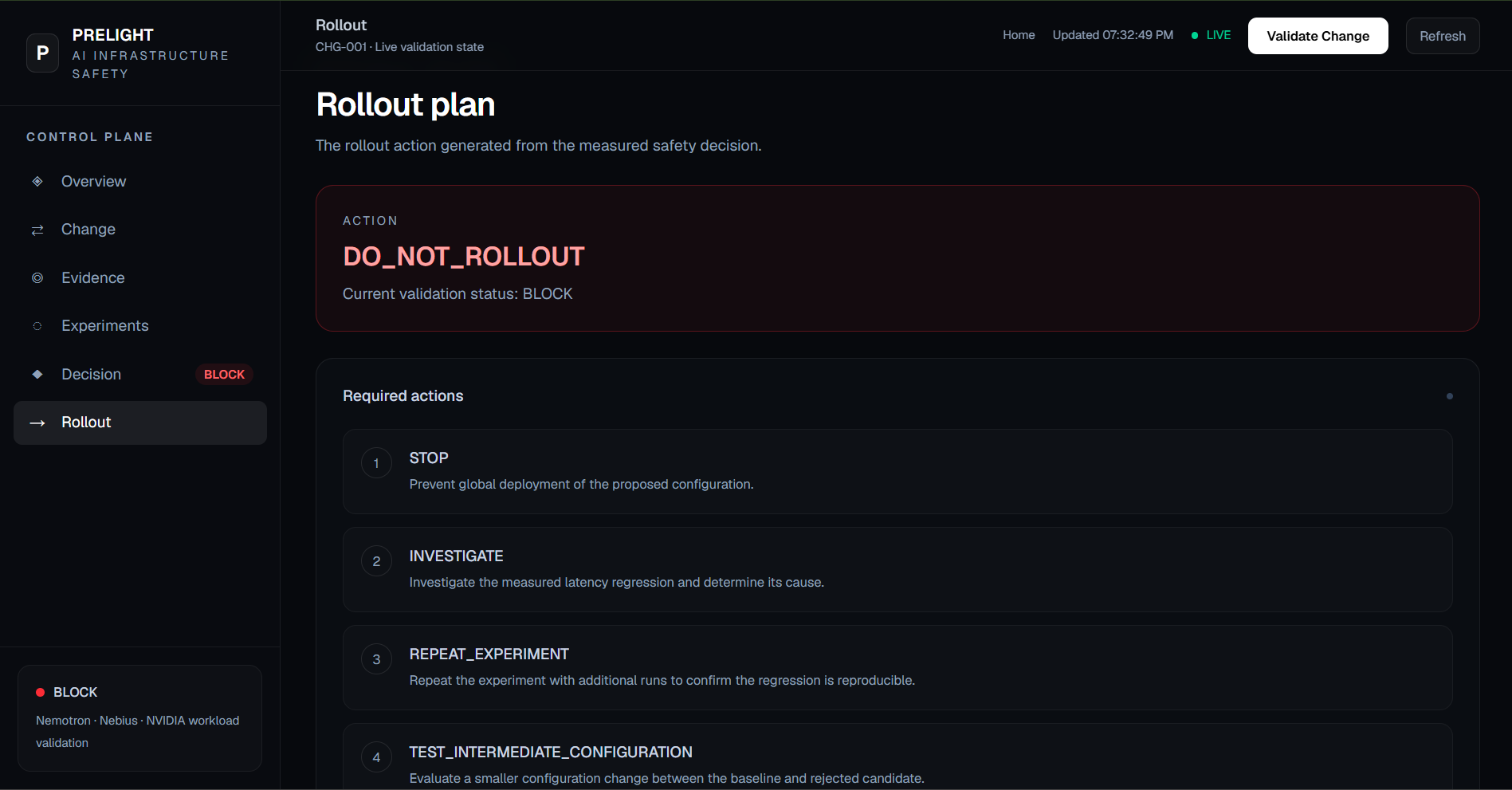
For the current validation scenario, the measured candidate showed significant latency regression, resulting in:
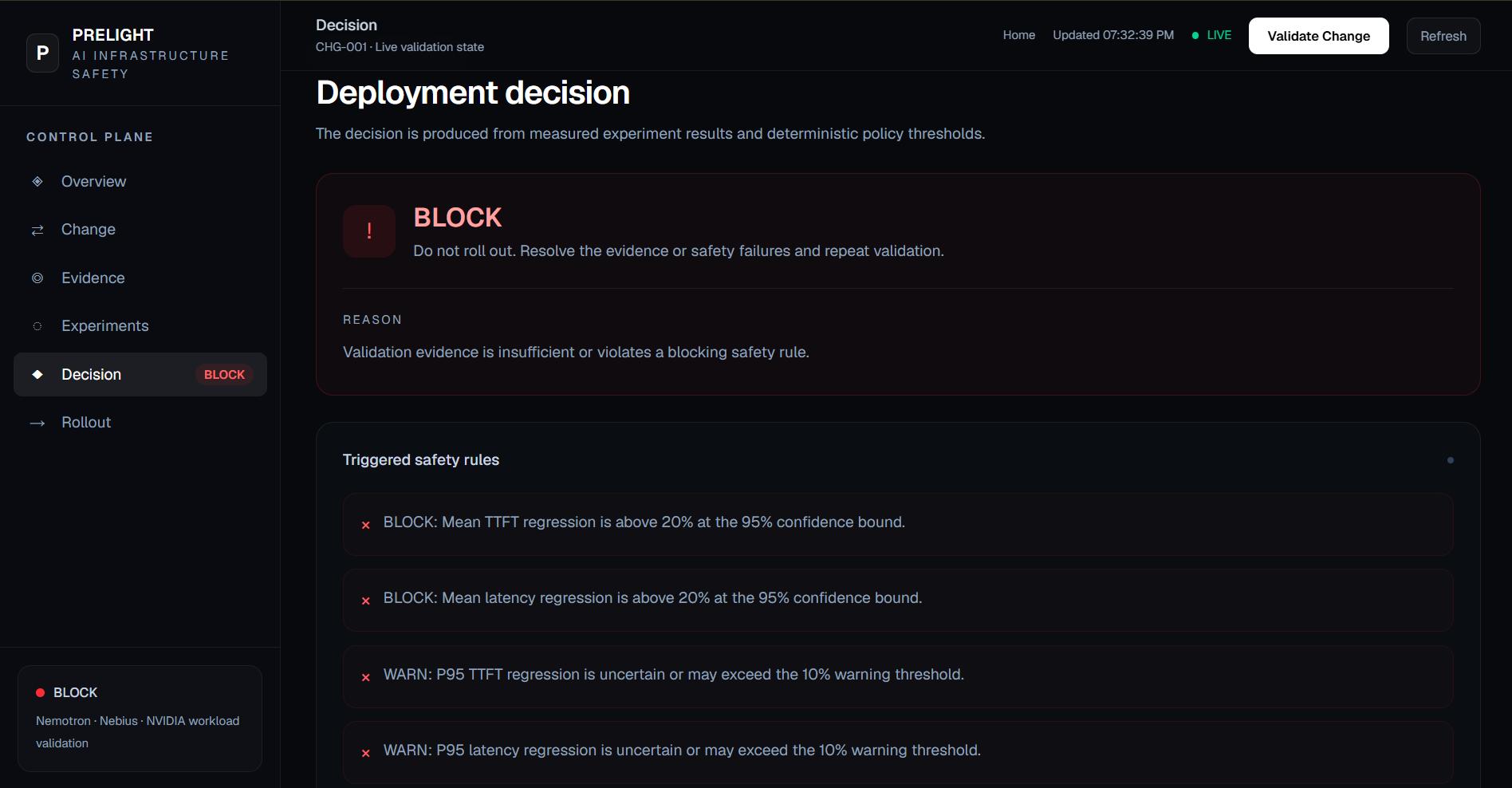
DECISION: BLOCK
ACTION: DO_NOT_ROLLOUT
NVIDIA + Nebius
Prelight uses NVIDIA and Nebius as part of its actual runtime workflow rather than as superficial integrations.
NVIDIA
Prelight uses NVIDIA Nemotron as its reasoning model.
Nemotron is used for tasks including:
- change reasoning;
- research interpretation;
- experiment planning;
- evidence interpretation;
- decision support.
Nebius
Prelight uses Nebius Token Factory to access the NVIDIA Nemotron model through its inference API.
The controlled experiments execute real inference requests against the Nebius-hosted NVIDIA model and collect measured performance data.
This makes the validation loop an actual experiment rather than a simulated benchmark.
Technology Stack
AI
- NVIDIA Nemotron
- Nebius Token Factory
- Tavily for external technical research
Backend
- Python
- FastAPI
- OpenAI-compatible Nebius API
- Controlled inference experiments
Frontend
- Next.js
- React
- TypeScript
- Tailwind CSS
Validation
- TTFT
- P50 / P95 latency
- Output throughput
- Error rate
- Baseline vs candidate comparison
- Explicit safety thresholds
Architecture
                    ┌─────────────────────┐
                    │       USER          │
                    │ Proposed Change     │
                    └──────────┬──────────┘
                               │
                               ▼
                    ┌─────────────────────┐
                    │    PRELIGHT API     │
                    └──────────┬──────────┘
                               │
                ┌──────────────┼──────────────┐
                ▼              ▼              ▼
        ┌──────────────┐ ┌─────────────┐ ┌──────────────┐
        │    Change    │ │   Tavily    │ │  Nemotron    │
        │   Analyzer   │ │  Research   │ │   Reasoning  │
        └──────┬───────┘ └──────┬──────┘ └──────┬───────┘
               │                │               │
               └────────────────┼───────────────┘
                                ▼
                     ┌────────────────────┐
                     │ Experiment Planner │
                     └──────────┬─────────┘
                                │
                                ▼
                     ┌────────────────────┐
                     │ Nebius Token       │
                     │ Factory            │
                     │ NVIDIA Nemotron    │
                     └──────────┬─────────┘
                                │
                                ▼
                     ┌────────────────────┐
                     │ Experiment Metrics │
                     │ TTFT / Latency     │
                     │ Throughput / Errors│
                     └──────────┬─────────┘
                                │
                                ▼
                     ┌────────────────────┐
                     │ Comparison Engine  │
                     └──────────┬─────────┘
                                │
                                ▼
                     ┌────────────────────┐
                     │ Safety Decision    │
                     │ SAFE / WARN / BLOCK│
                     └──────────┬─────────┘
                                │
                                ▼
                     ┌────────────────────┐
                     │ Rollout Planner    │
                     └────────────────────┘
Repository Structure
Prelight/
│
├── backend/
│   ├── api.py
│   ├── change_analyzer.py
│   ├── comparison_engine.py
│   ├── decision_engine.py
│   ├── nebius_test.py
│   ├── nemotron_planner.py
│   ├── prelight_pipeline.py
│   ├── research_agent.py
│   └── research_reasoner.py
│
├── configs/
│   └── change.json
│
├── experiments/
│   ├── runner.py
│   ├── candidate_runner.py
│   └── results/
│
├── frontend/
│   ├── app/
│   ├── components/
│   └── ...
│
├── tests/
│
├── .env.example
├── .gitignore
├── LICENSE
└── README.md
Running Prelight Locally
1. Clone the repository
git clone https://github.com/sujeeth777/prelight.git
cd Prelight
2. Create a Python environment
Windows:
python -m venv .venv
.venv\Scripts\Activate.ps1
3. Install backend dependencies
pip install openai python-dotenv tavily-python fastapi uvicorn
4. Configure environment variables
Copy .env.example to .env:
Copy-Item .env.example .env
Add your own API keys:
NEBIUS_API_KEY=your_nebius_api_key
TAVILY_API_KEY=your_tavily_api_key
Never commit .env to Git.
5. Start the backend
From the project root:
uvicorn backend.api:app --reload
The API will be available at:
http://127.0.0.1:8000
API documentation:
http://127.0.0.1:8000/docs
6. Start the frontend
Open a second terminal:
cd frontend
npm install
npm run dev
The dashboard will normally be available at:
http://localhost:3000
Safety Decision
Prelight currently evaluates measured changes using explicit policy thresholds.
Example policy:
Latency regression > 10%  → WARN
Latency regression > 20%  → BLOCK

Error rate ≥ 1%           → WARN
Error rate ≥ 5%           → BLOCK
The decision engine combines measured experiment results with the configured safety policy to produce a deterministic rollout decision.
Each Validate Change run executes five paired baseline/candidate rounds against the same workload. The first arm is randomized, then the order alternates between rounds to reduce order and provider-drift bias. Results are paired by round and checked for matching model, workload fingerprint, and request IDs.
Prelight calculates two-sided 95% Student's t confidence intervals for the paired percentage changes in mean and P95 TTFT and latency. A result is SAFE only when every interval's upper bound is at or below the warning threshold. An interval that crosses the warning threshold produces WARN. Fewer than five complete pairs, any failed request, or invalid/mismatched evidence produces BLOCK.
The current workload has nine prompts, so a full validation makes up to 90 benchmark inference requests, in addition to change analysis and research. Runs take longer and consume more Nebius and Tavily credits than a single candidate experiment. Per-round artifacts and the confidence ranges are available in the results directory and dashboard.
Design Principle
Prelight is intentionally different from a traditional monitoring or incident-response system.
Traditional approach:
CHANGE
  ↓
DEPLOY
  ↓
SOMETHING BREAKS
  ↓
INVESTIGATE
  ↓
FIX
Prelight:
PROPOSE CHANGE
      ↓
INVESTIGATE
      ↓
EXPERIMENT
      ↓
MEASURE
      ↓
PROVE
      ↓
DEPLOY ONLY IF SAFE
The goal is to move infrastructure safety before deployment rather than after failure.
Hackathon
Built for the Nebius × NVIDIA Global AI Hackathon 2026.
Track:
Best Apps and Agents
The project uses:
- Nebius Token Factory
- NVIDIA Nemotron
- Nebius AI infrastructure
- Tavily research
- real inference experiments
License
This project is open source under the license included in this repository.
Built With
- ai
- automated-safety
- benchmarking
- ci/cd
- experimentation-framework
- fastapi
- llm
- nebius-token-factory
- next.js
- nvidia-nemotron
- openai
- performance-testing
- python
- react
- tailwind
- tavily
- typescript
- uvicorn


