-
-
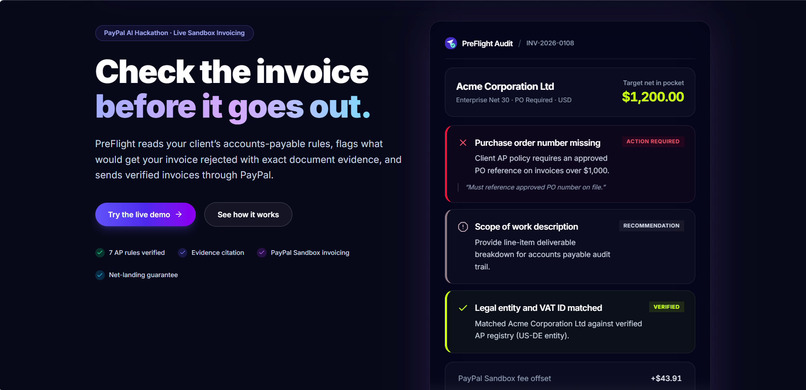
Landing page
-
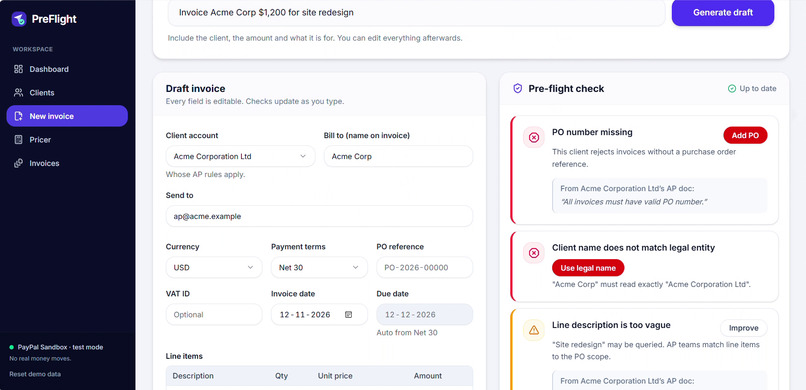
Preflight check
-
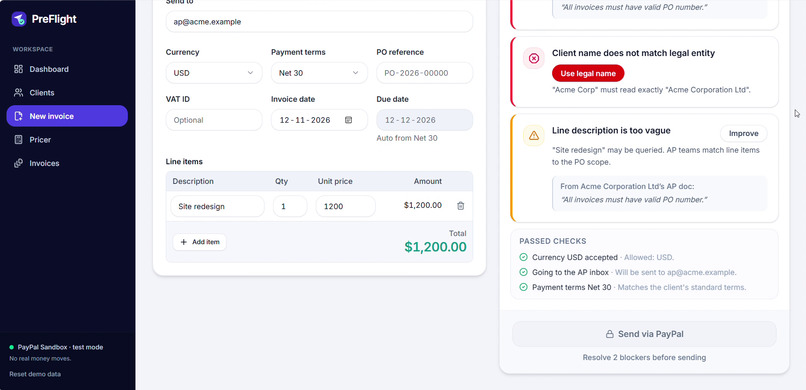
Blockers send locked
-
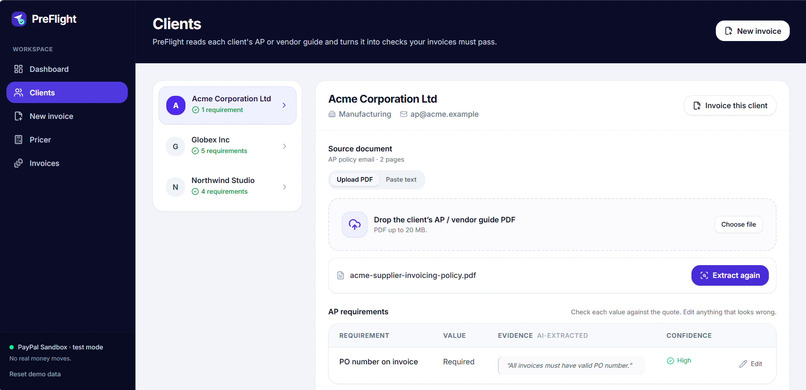
Client rules
-
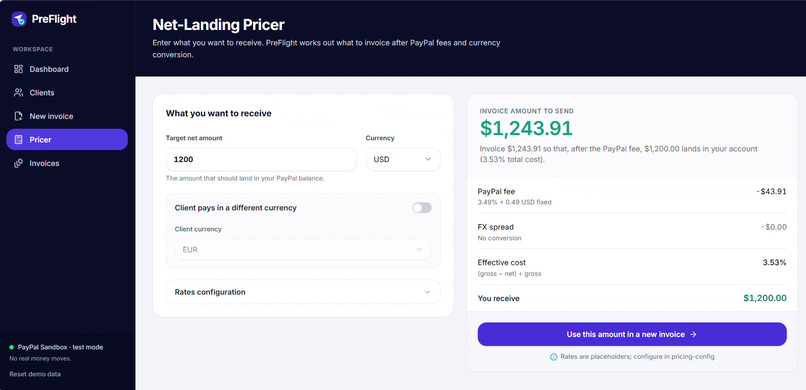
Net landing pricer
-
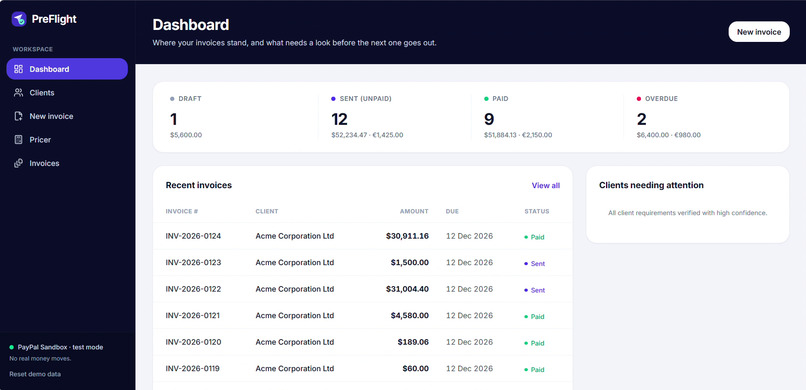
Dashboard
-
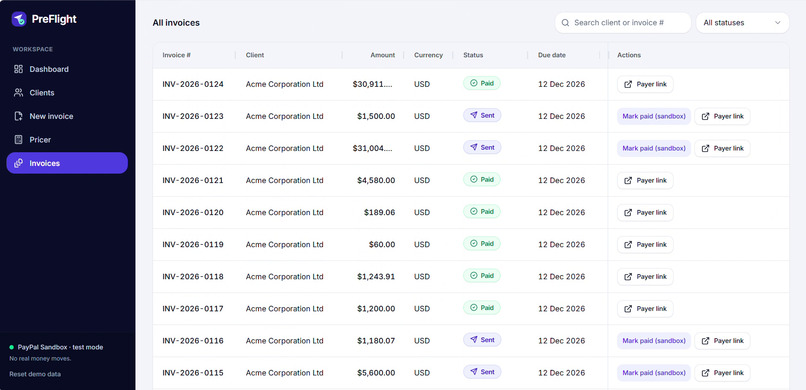
Invoices status
-
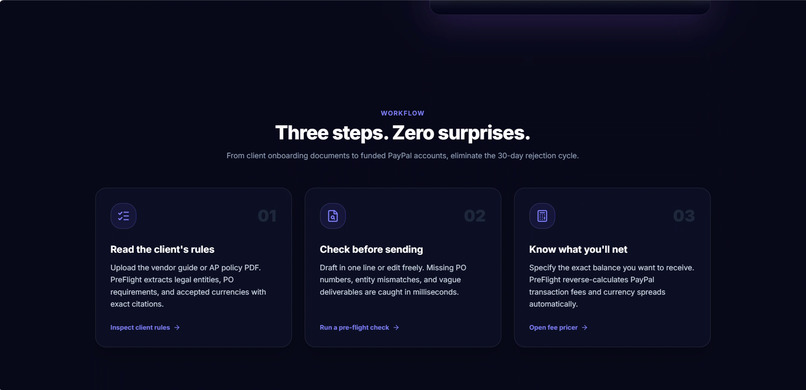
How it works
-
Catch blockers
Inspiration
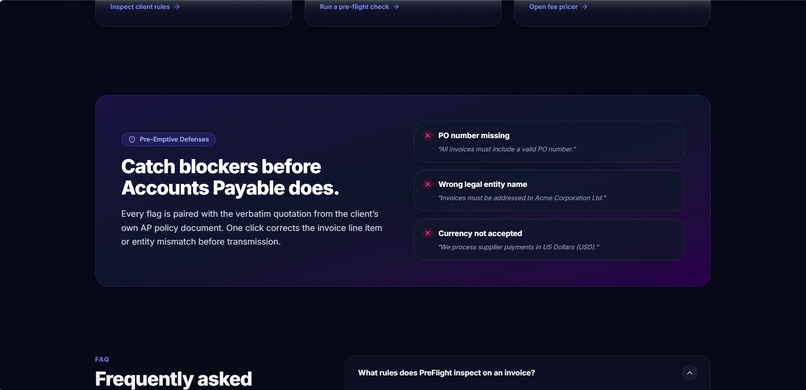
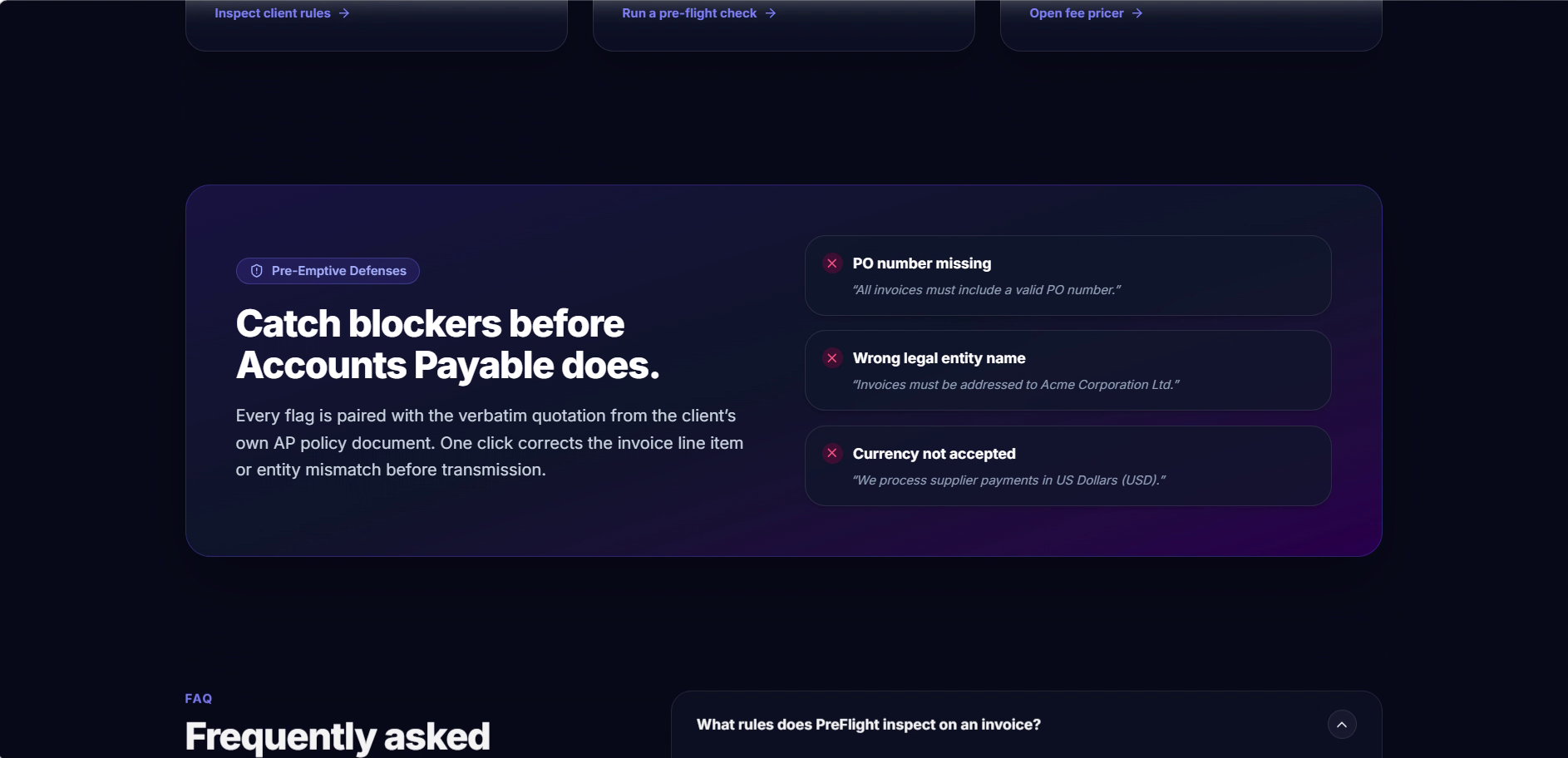
Most freelancers don't have an accounts team. They finish the work, send the invoice, and find out three weeks later that the client's accounts payable department bounced it. A missing PO number. "Acme Corp" instead of "Acme Corporation Ltd". The wrong currency. Each mistake is small, and each one means more weeks of waiting for money you already earned. On top of that, PayPal fees mean the amount that lands is lower than the number you typed. We wanted a check you can run before you hit send.
What it does
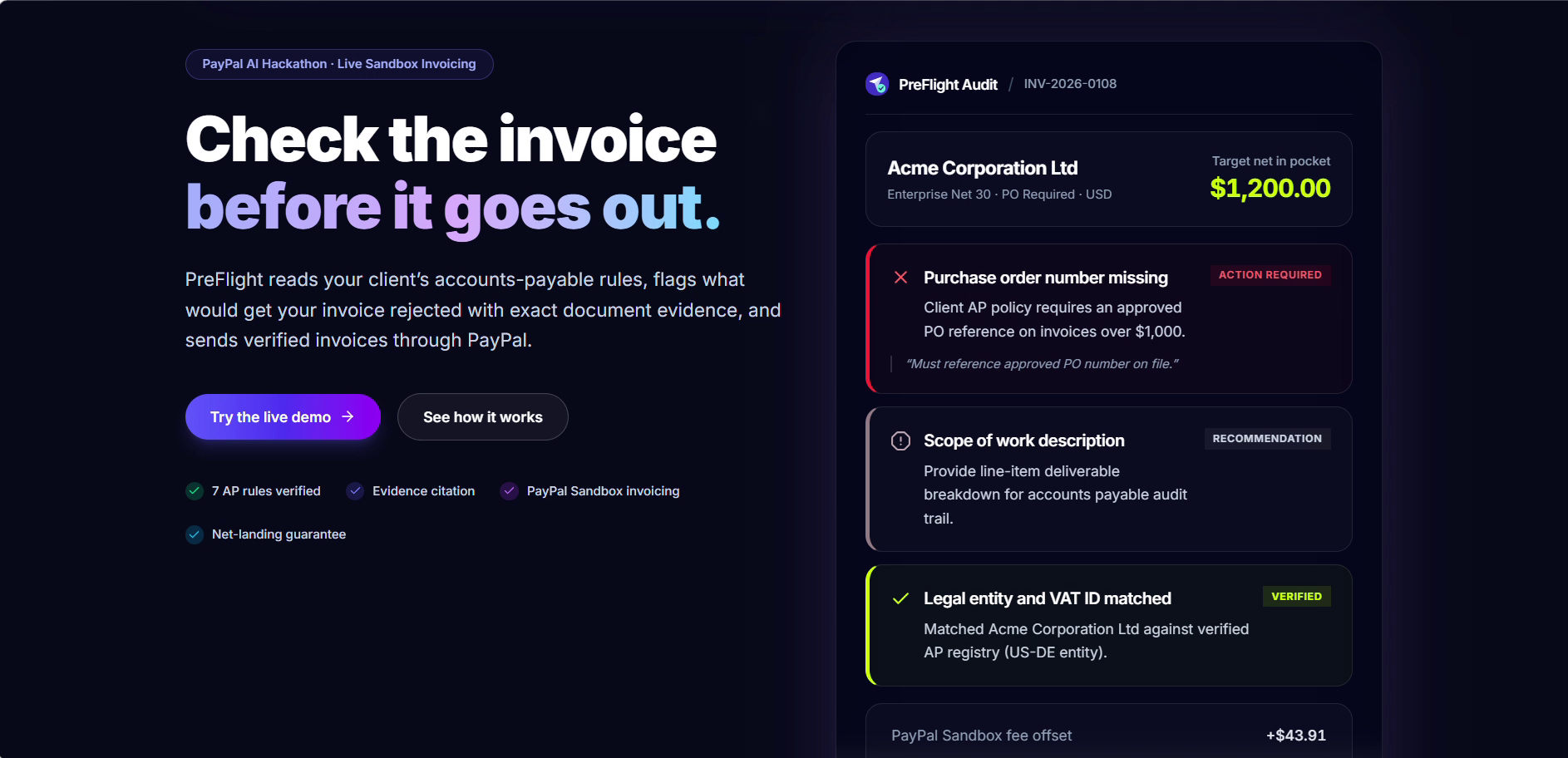
PreFlight checks an invoice against the client's own payment rules before it goes out.
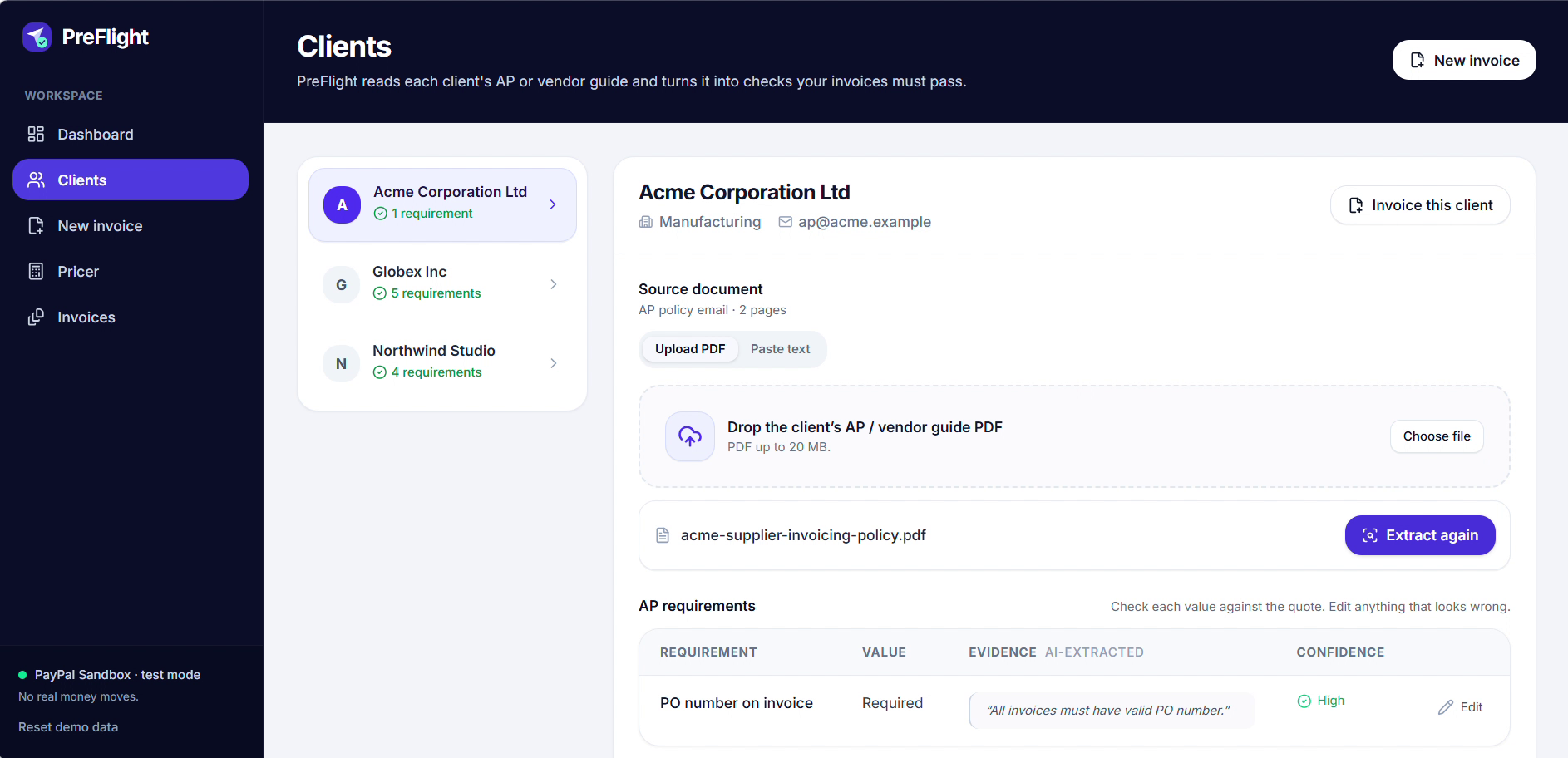
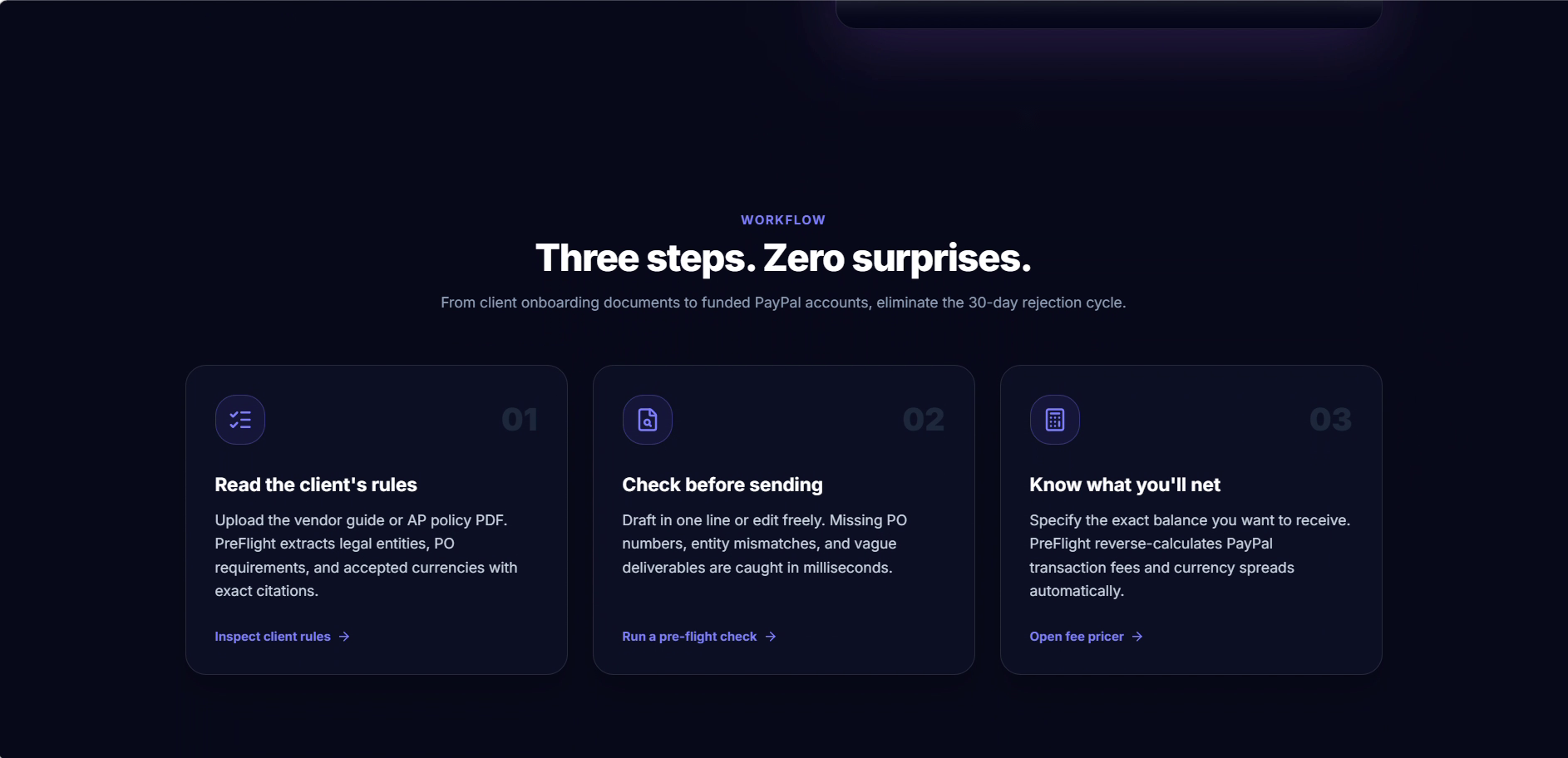
Clients: You add a client's vendor guide (a PDF or a pasted policy email). PreFlight turns it into a list of rules: PO required or not, exact legal entity name, accepted currencies, VAT ID, payment terms and the AP inbox. Every rule shows the exact quote it came from, so you can check it and edit it.
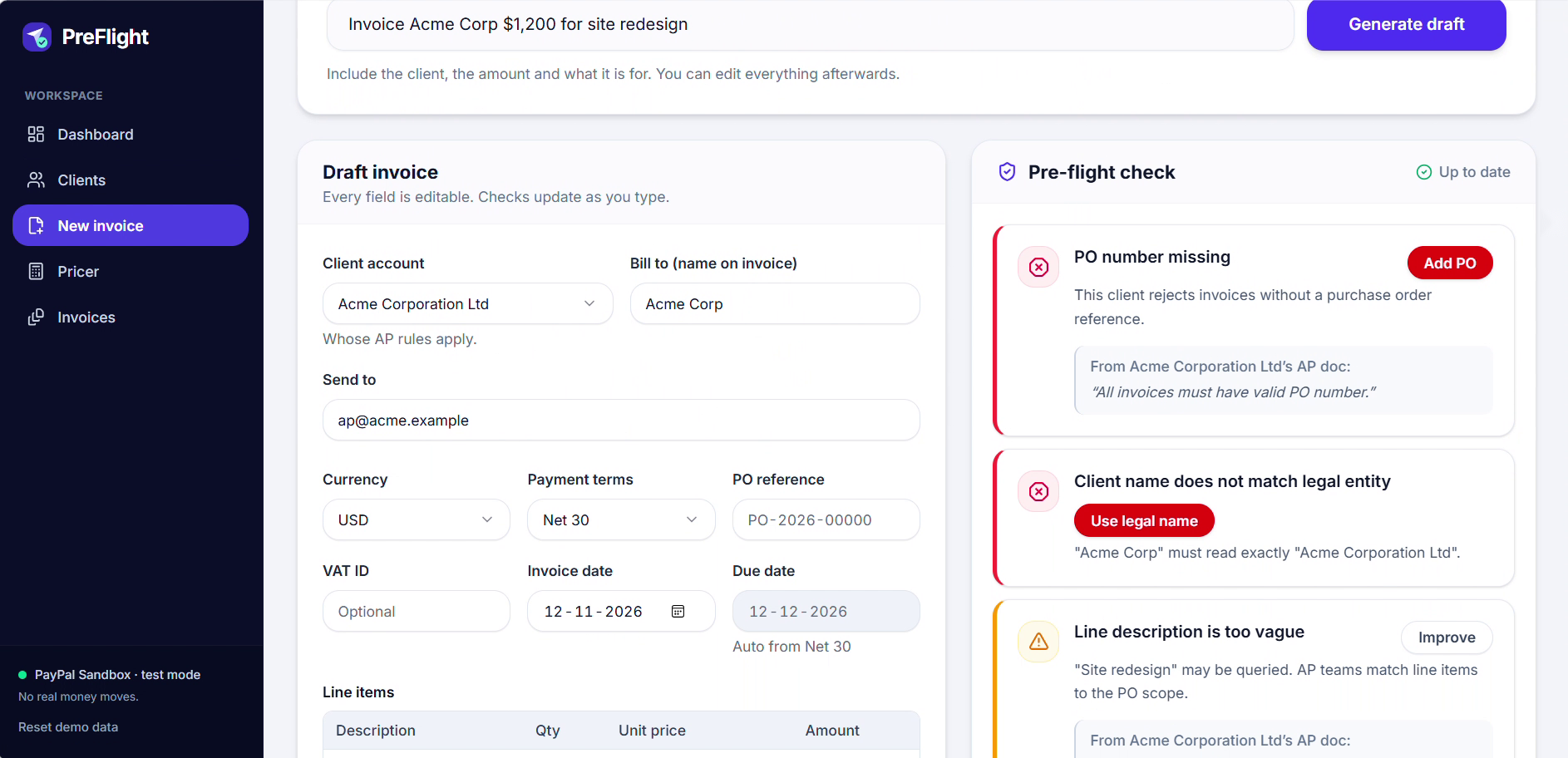
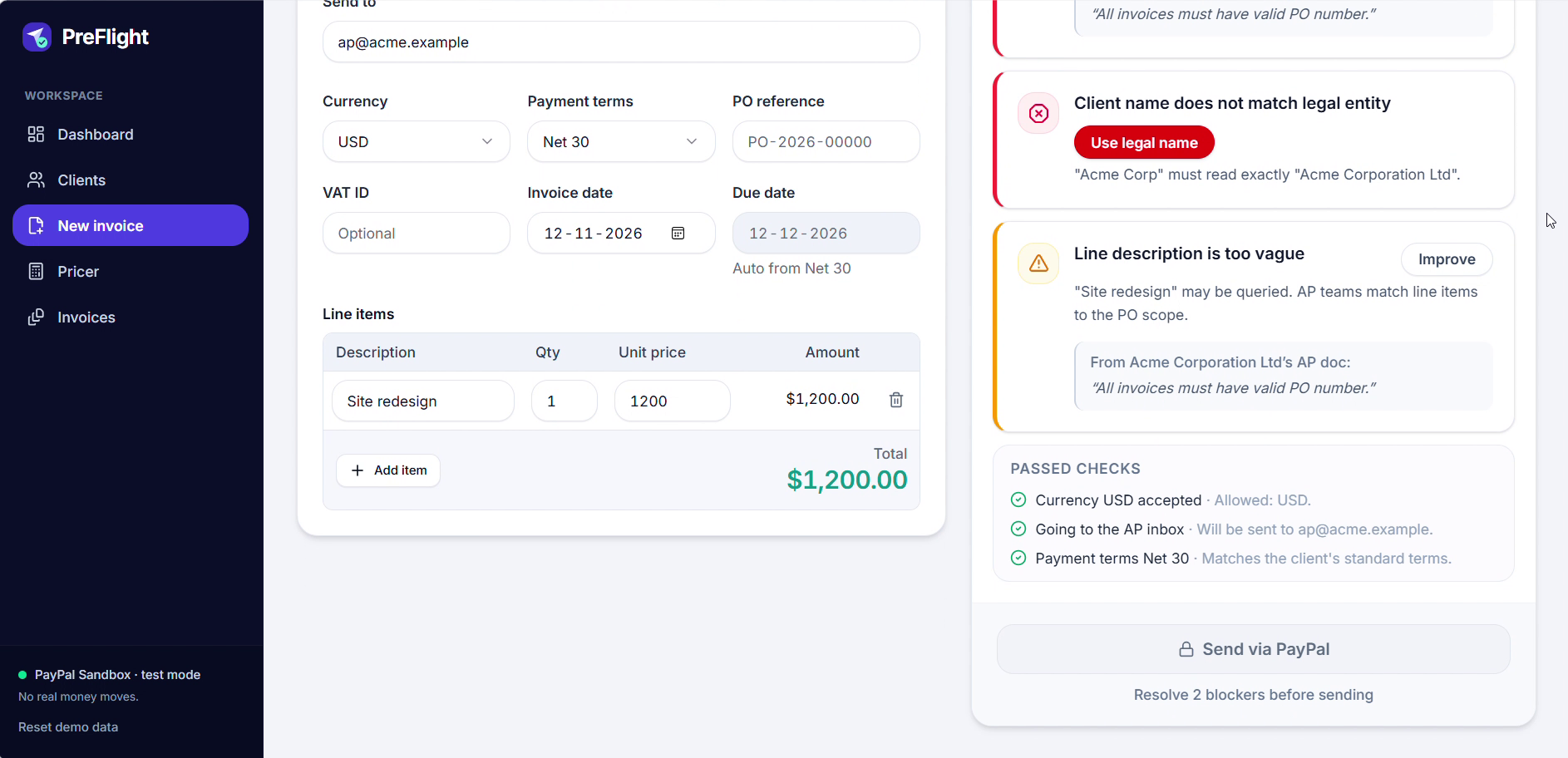
New invoice: Type "Invoice Acme Corp 1,200 USD for site redesign" or fill in the form. The pre-flight panel marks blockers (missing PO, wrong legal name, wrong currency, missing VAT ID, wrong recipient) and warnings (different payment terms, vague line description). Each one comes with the quote behind it and a one-click fix. Send stays locked until the blockers are gone.
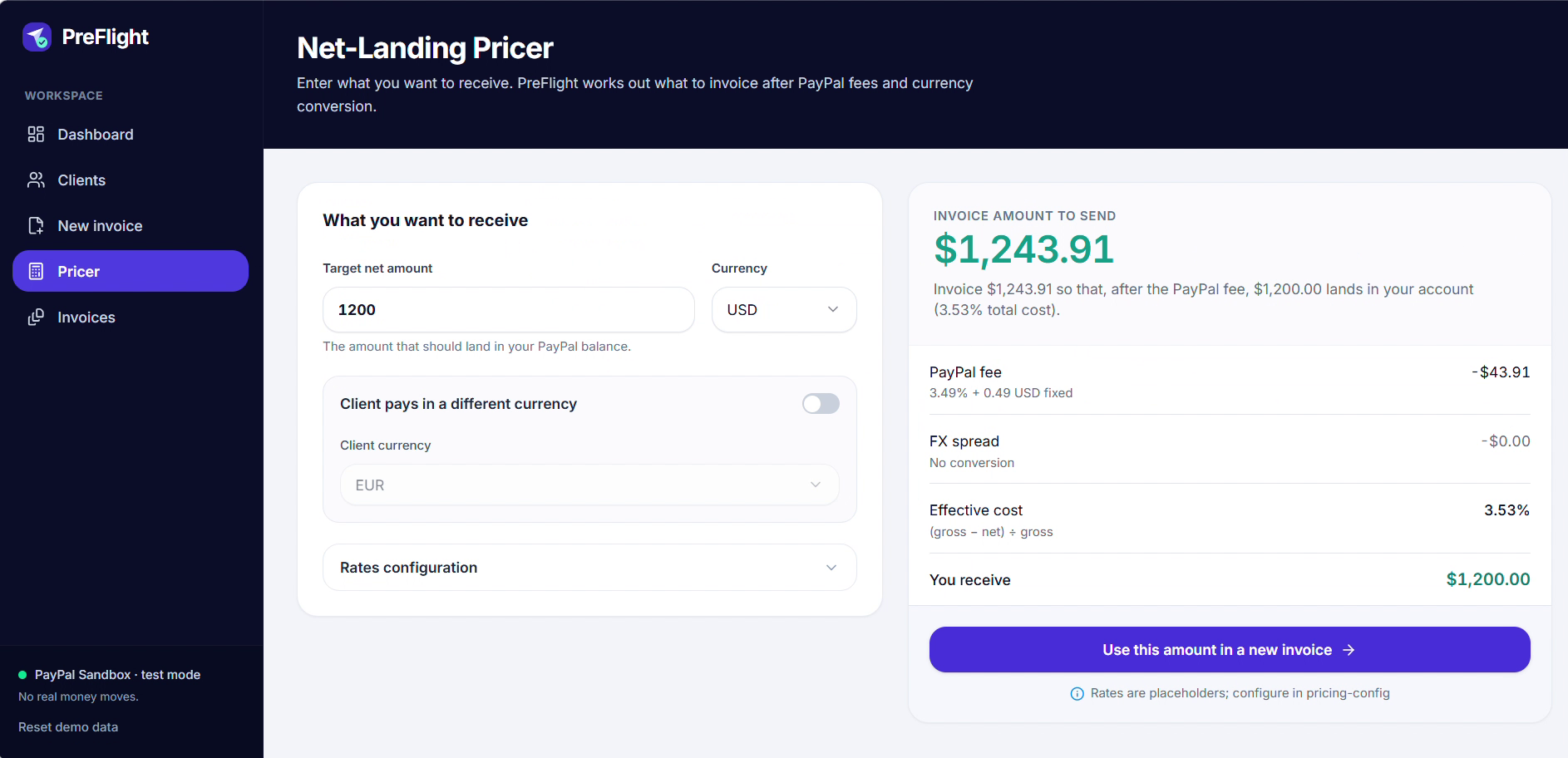
Net-Landing Pricer: Enter the amount you want to receive, and it works out what to invoice after PayPal's fee and any currency conversion.
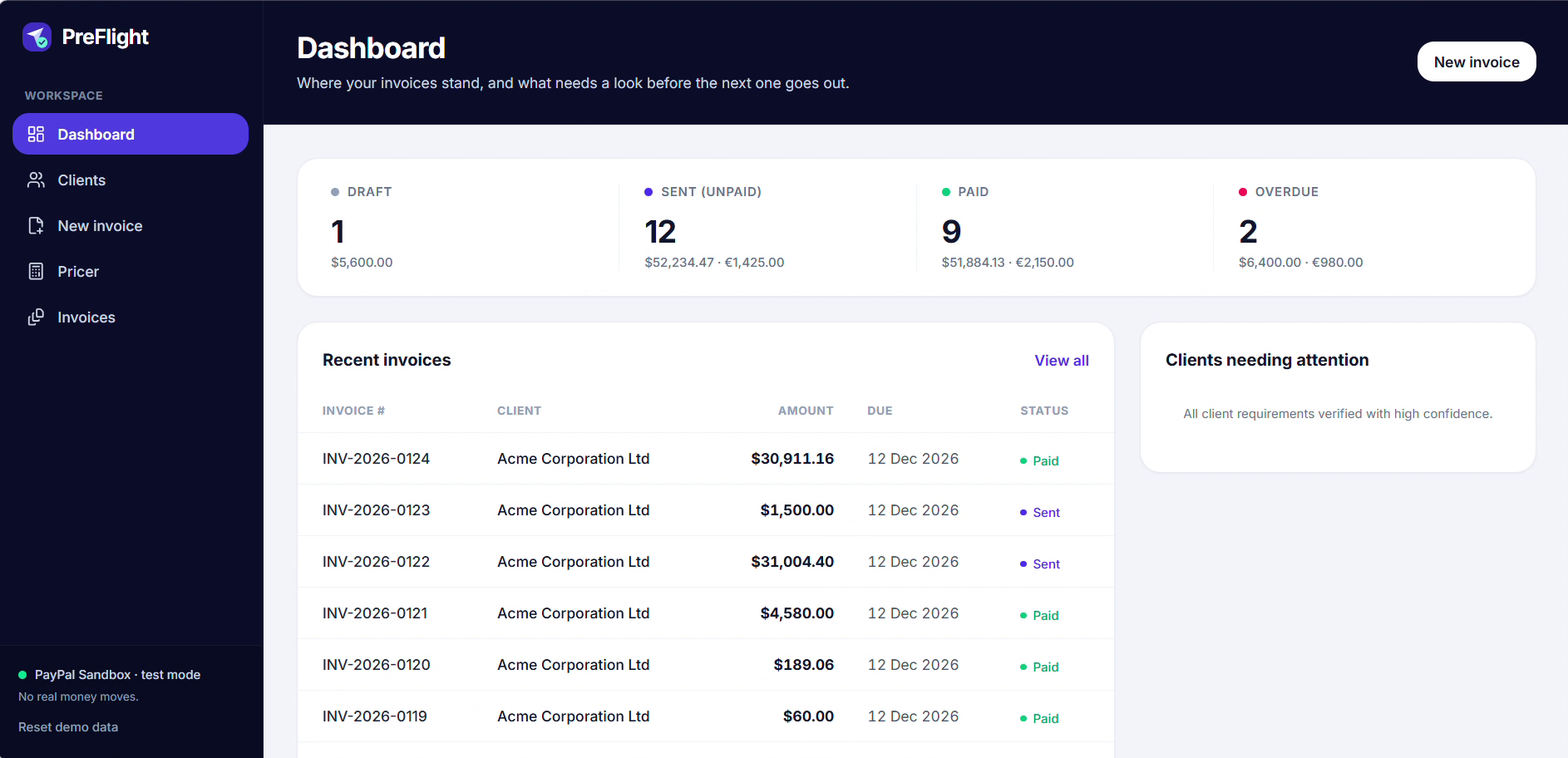
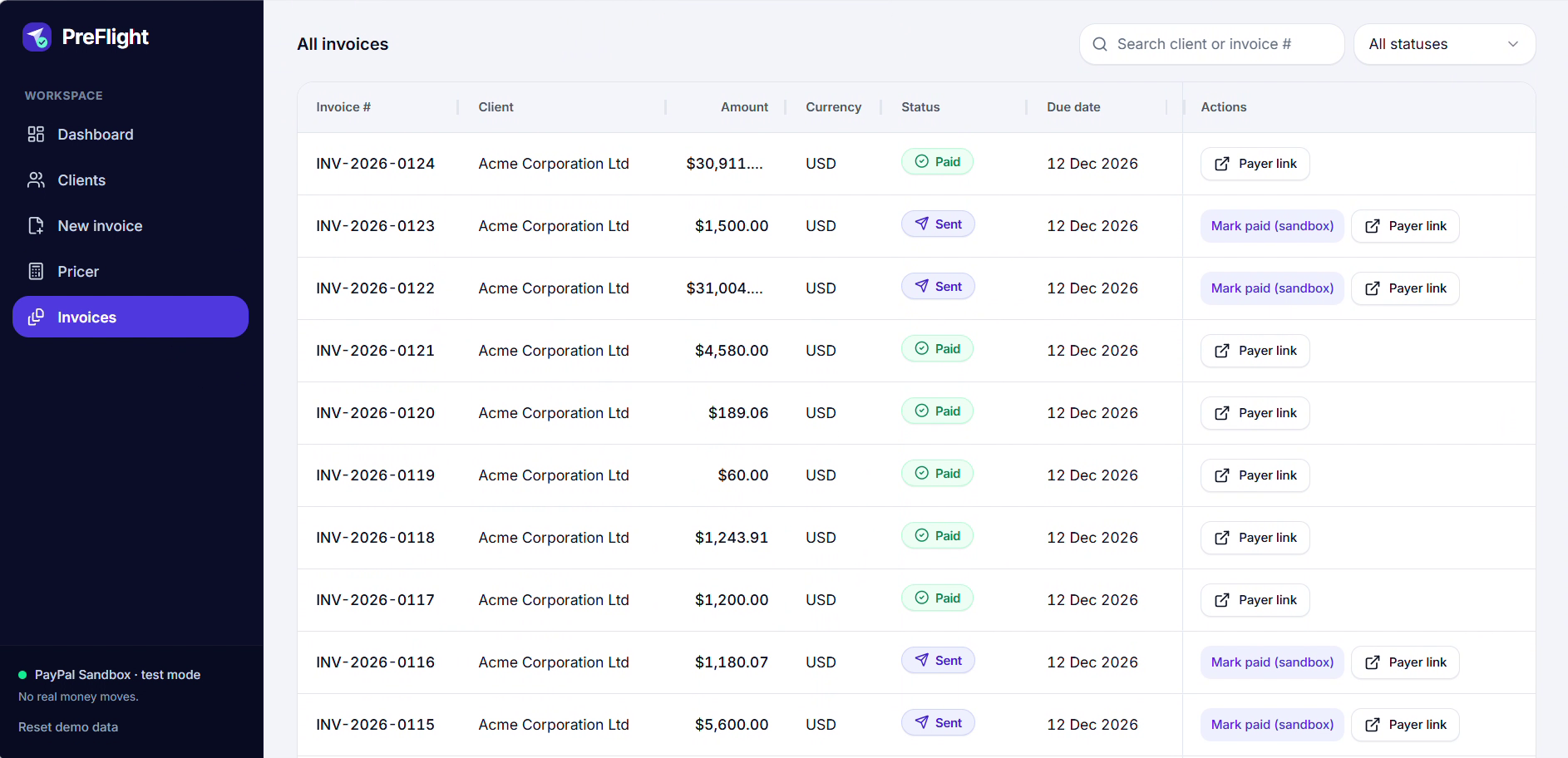
Send and track: The invoice is created and sent through the PayPal Invoicing API (sandbox). The Invoices page tracks Sent, Paid and Overdue, and updates when PayPal reports the payment.
PreFlight runs on PayPal Sandbox, so no real money moves. It's on free hosting, so the first load can take up to a minute.
Try it: live app | source code
How we built it
The frontend is React with TanStack Start and Tailwind. The backend is Express and TypeScript on Render, with Supabase (Postgres) for data. We call PayPal directly over REST: OAuth, create invoice, send, get invoice, record payment, and webhook signature verification for the invoice-paid event. Webhook events are stored by event ID, so a repeated delivery does nothing. Every send carries an idempotency key, so a double click can't create two invoices.
The decision we cared about most: the AI never decides whether an invoice can be sent. Gemini only reads documents and pulls out rules, and we check that every quote really appears in the source text. The blockers come from plain code in a shared TypeScript module, and the server runs them again before anything is sent to PayPal.
Challenges we ran into
Keeping the AI out of the send decision. It's tempting to ask a model "is this invoice okay?". We didn't want a confident wrong answer to send a bad invoice, so the model reads and the code decides.
Our own bug. While testing, we found the send check let an invoice through when a client had no rules saved. It now refuses with a clear error.
Webhooks. They arrive late, twice, or out of order. A "sent" event that shows up after "paid" must not move an invoice backwards.
Reading PDFs in the browser. Text PDFs work. Scanned ones don't, so the app says so instead of guessing.
Accomplishments that we're proud of
Every rule on screen shows the sentence it came from. A blocked invoice can't be sent, even by calling our API directly. And we have over 120 automated tests, including the "no rules saved" case and duplicate webhooks.
What we learned
Most of what gets an invoice rejected is checkable in advance. We also learned to treat webhooks as unreliable input: verify them, de-duplicate them, and never trust their order.
What's next for PreFlight
OCR for scanned PDFs. Adding clients from inside the app (right now three demo clients are seeded). Real PayPal fee rates from the user's account (the pricer uses placeholder rates today, and says so on screen). More currencies, and a check against the client's open PO list. And a ready-to-forward note for the client's AP team when something is flagged.
Built With
- express.js
- gemini
- node.js
- paypal-invoicing-api
- paypal-webhooks
- postgresql
- react
- render
- shadcn/ui
- supabase
- tailwind
- typescript
- vite
- vitest
- zod
