-
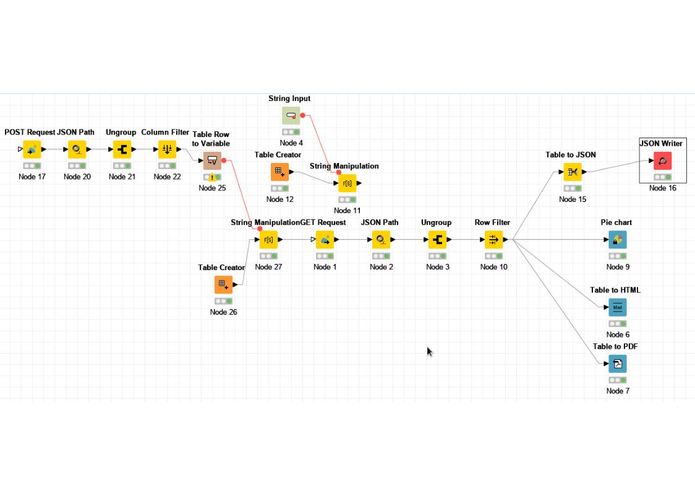
KNIME workflow for NGA Curation
-
-
-
-
Inspiration
Business Forms Management from the 1970's, when paper ( and fax) still dominated information flow in the enterprise.
What it does
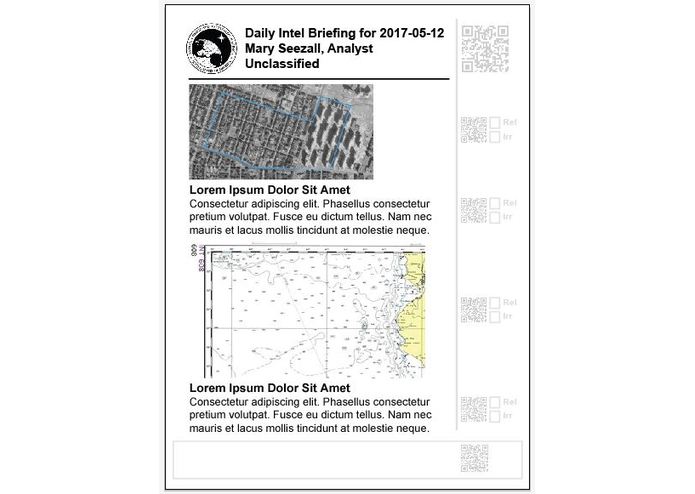
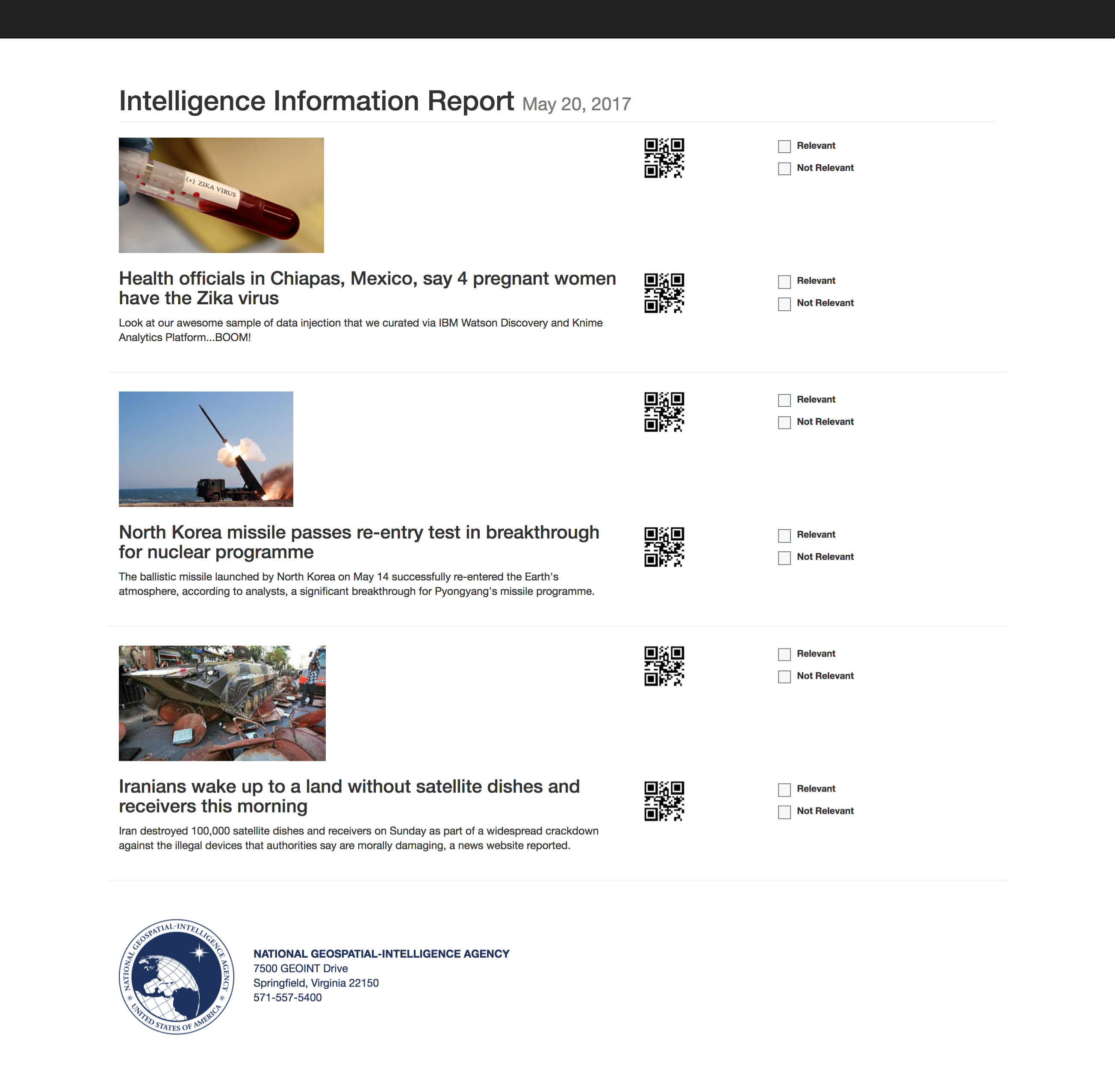
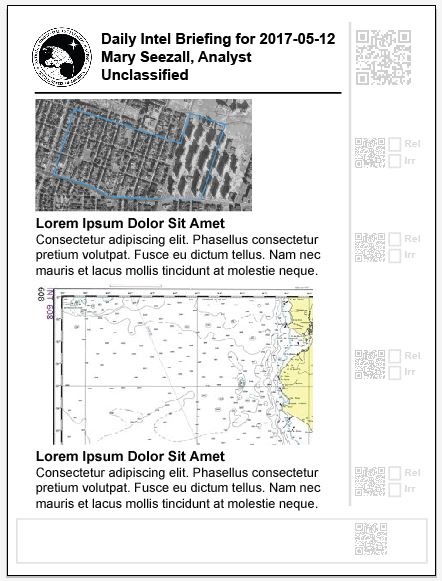
Précis Nouveaux ("A New Summary") delivers a paper briefing product that can be fed back into the digital workflow for knowledge capture and process refinement - it brings the policy maker into the loop, rather than just as an dead endpoint. It can if needed, provide an alternate digital version of the same product. The KNIME desktop and cloud open source workflow can be incrementally improved by a group of collaborators, capturing and formalizing institutional and role knowledge which would otherwise be lost because of employee turn-over.
How We Built it
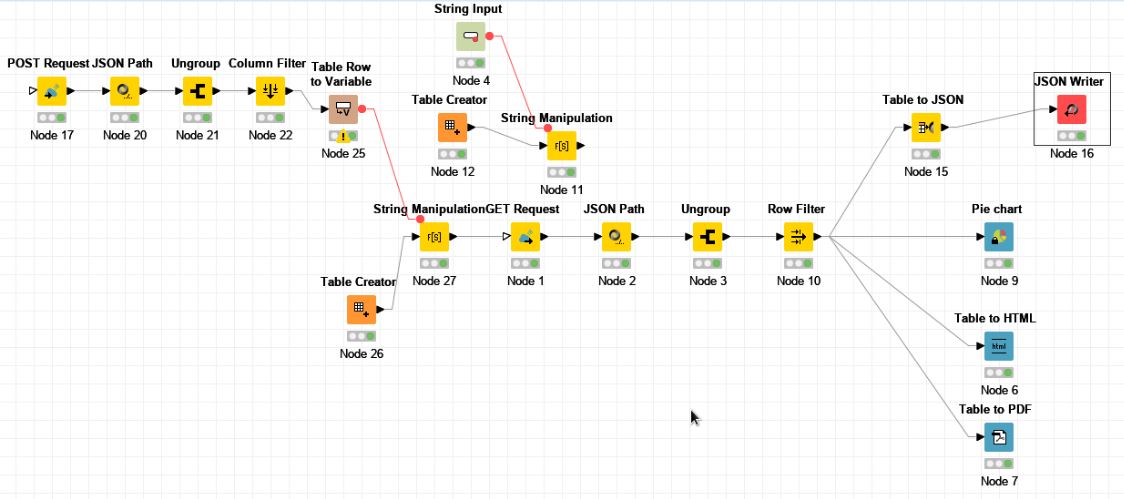
We used the open source KNIME Analytics Platform link to provide a backbone for our processing. KNIME nodes were created for text intake from news services, NLP tasks, and output for injection into a curator interface: ! [The KNIME visual interface] (http://bit.ly/2qIRTgi
KNIME nodes were defined to provide services to the Knime Analytics Platform Workflow - (KNIME integrates various components for machine learning and data mining)
1) String Input - This Knime node is a variable that holds our sample keyword string of "North Koreo Missile" that we want to search news on.
2) String Manipulation -This Knime node inserts that string to the template we need to query IBM Watson Discovery (IBM Watson Discovery is a service makes it possible to rapidly build cognitive, cloud-based exploration applications that unlock actionable insights hidden in unstructured data)
3) GET Request - This is the HTTP GET request to the IBM Watson Discovery API. This link includes a "Collection ID", "Environment ID" (one instance of a particular web server that is responding to this API), "search string", etc. It queries against a specific "Collection ID" you have created in IBM Watson Discovery. A "Collection ID" is a data set you have curated with specific RSS feeds or news sources you wish to search from. The response returns a json file.
4) JSON Path - This is where we specified what properties we wanted to keep from those JSON objects. In our example, we wanted 'Relevance', 'Keywords', 'Text' (summary)
5) Ungroup - This is where we convert that json file/objects into a table. Where each object is put a row and each property is put in a column. (This is so we can move things around and work with it in Knime.)
6) Row Filter - Here we can specify which rows we want to discard/keep. For our example, we kept 3 rows since we had an HTML template with just 3 articles that we are printing out as a sheet of people.
7) Table to JSON - This again turns that data into a JSON file again.
8) JSON Writer - This can write it to a file on your disk ( or FTP to remote )
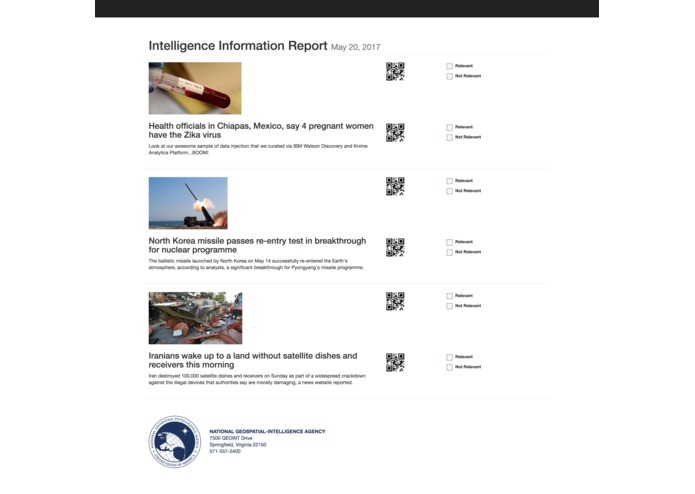
Once that json file was generated and saved onto our disk, we needed to be able to parse that json file using nodeJS and inject it into our HTML template w/ EJS. (EJS is a templating language that lets you generate HTML markup with JavaScript.)
1) The front-end UI part of the web page was made w/ HTML5/CSS3.
2) Then we had to inject the data we'd curated from the json files into the HTML markup done for the web page. We had to figure out how to parse the json file and inject it into our HTML w/ EJS.
3) We then created a single file app with EXPRESS and Node.js
4) Once we'd injected the data from PART I into our markup, we were able to showcase it as the first article summary in our page.
This output, including the QR codes, can then be printed out for deliver. Later, the marked up paper sheets can be fed into a fax, scanner, or other imaging device to capture the audience reaction.
The Challenges
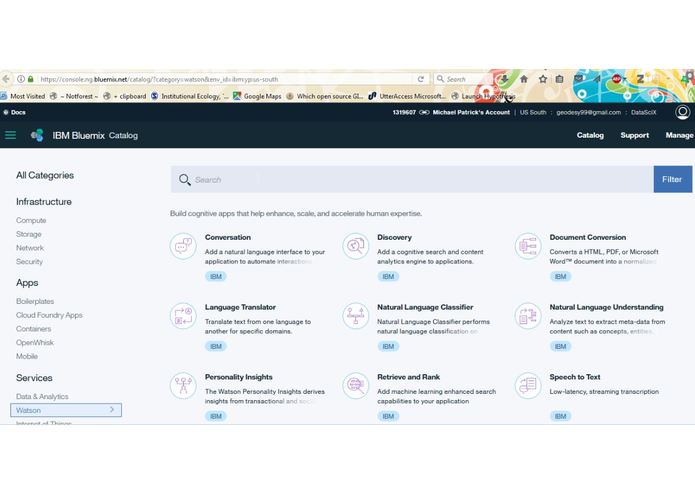
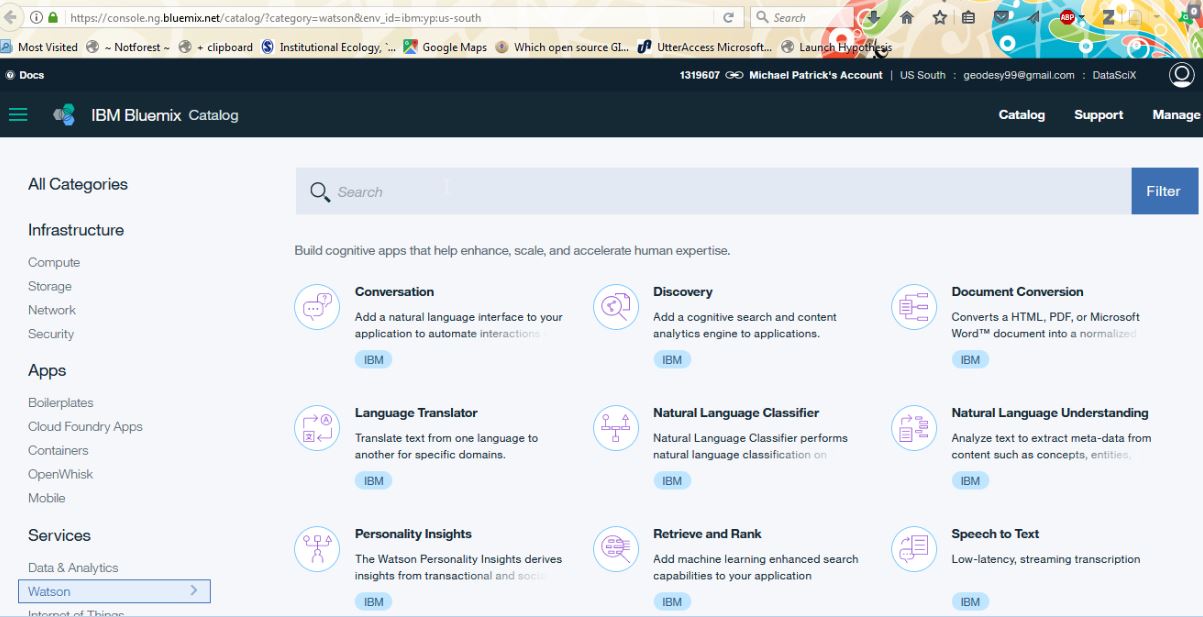
The KNIME download was HUGE. Also, the example KNIME / Watson example did not have the proper URL and other parameters. Figuring out how to parse local JSON file and read into a JS file. The IBM Watson Bluemind Catalog has a bewildering variety of NLP tools, and those tools have possibly hundreds of outputs - deciding which tags we needed in the output from each node took some experimenting.
Accomplishments
Bridging paper and digital. Providing a means to capture the customer reaction to overall and individual content items ( images and text ) and trace ability from the printed briefing article to the digital representation via the QR-code. This can be completed in literally seconds by the person reading or the briefer immediately on collection of the materials from the customer.
Being able to build _ any _ working KNIME workflow from scratch, but building a complex functioning NLP workflow in a weekend is amazing. Gaining an in depth knowledge of the IBM Cognitive Toolkit.
What I learned
We learned about Natural Language Processing, Workflows, and that paper is not dead.
What's next for PrécisNouveaux
If using the IBM Bluemind services is a show stopper, the particular individual nodes can all be replaces by open source capabilities from open source projects like NLTK. Widening the number of news sources, and a refinement capability using the taxonomy and concept capabilities of Watson. Image Processing to automatically process the feedback portions of the paper briefing forms for delivery back to the analyst.


Log in or sign up for Devpost to join the conversation.