-
-
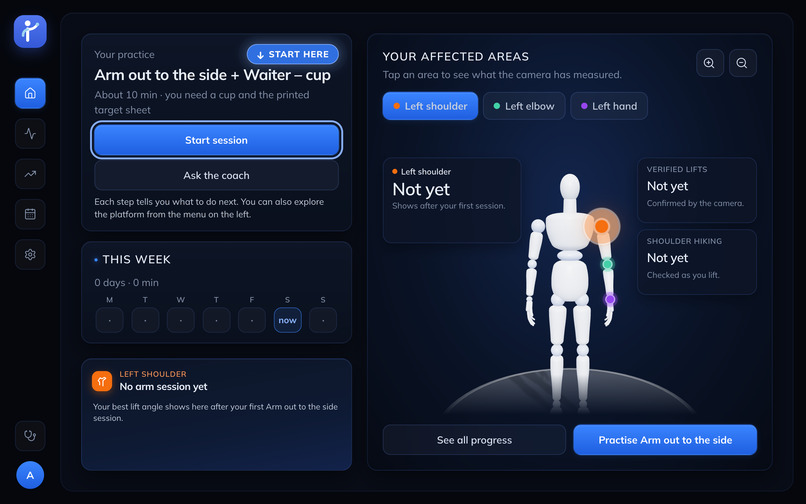
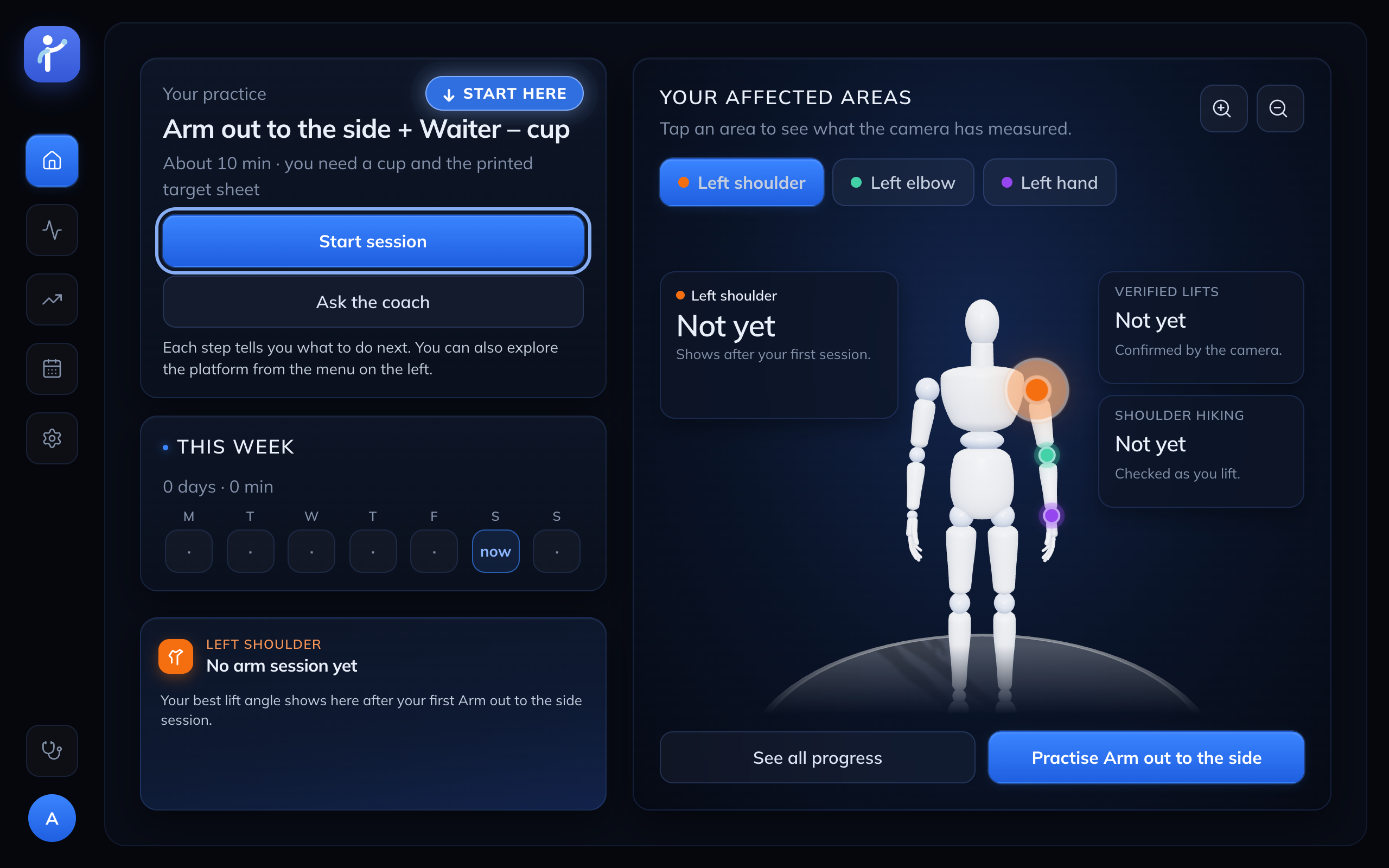
Home: your plan for today and a body map on the 3-D mannequin we built in Blender
-
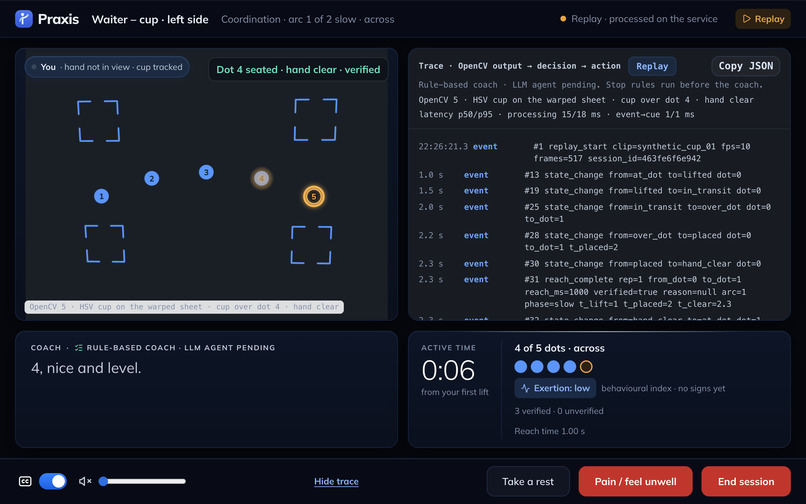
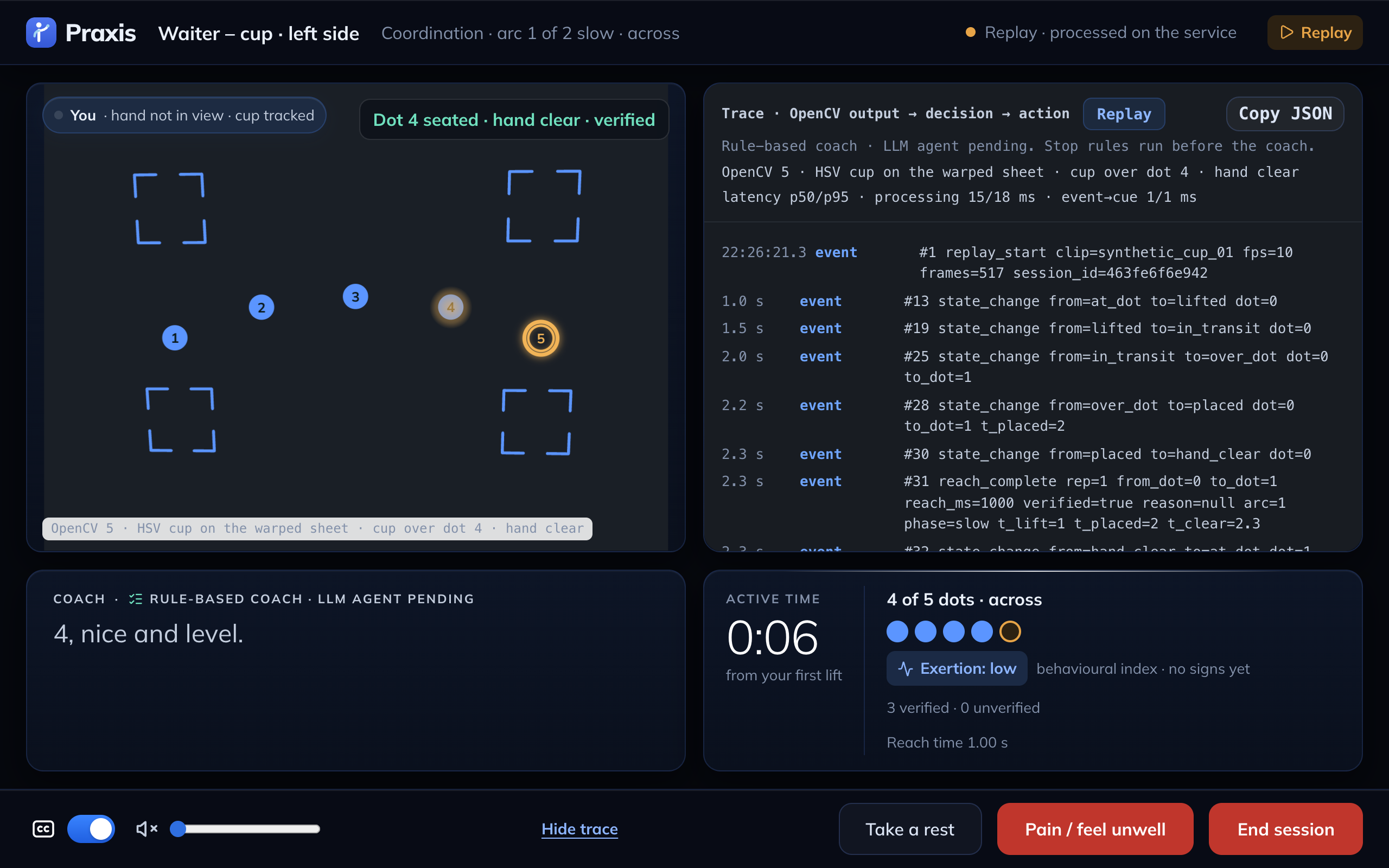
Waiter – cup in Replay with the trace open: OpenCV event → decision → action, verified vs unverified counts
-
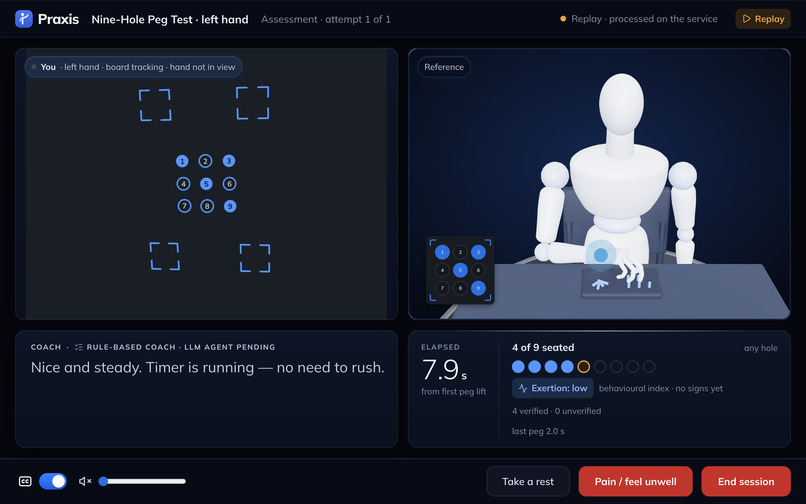
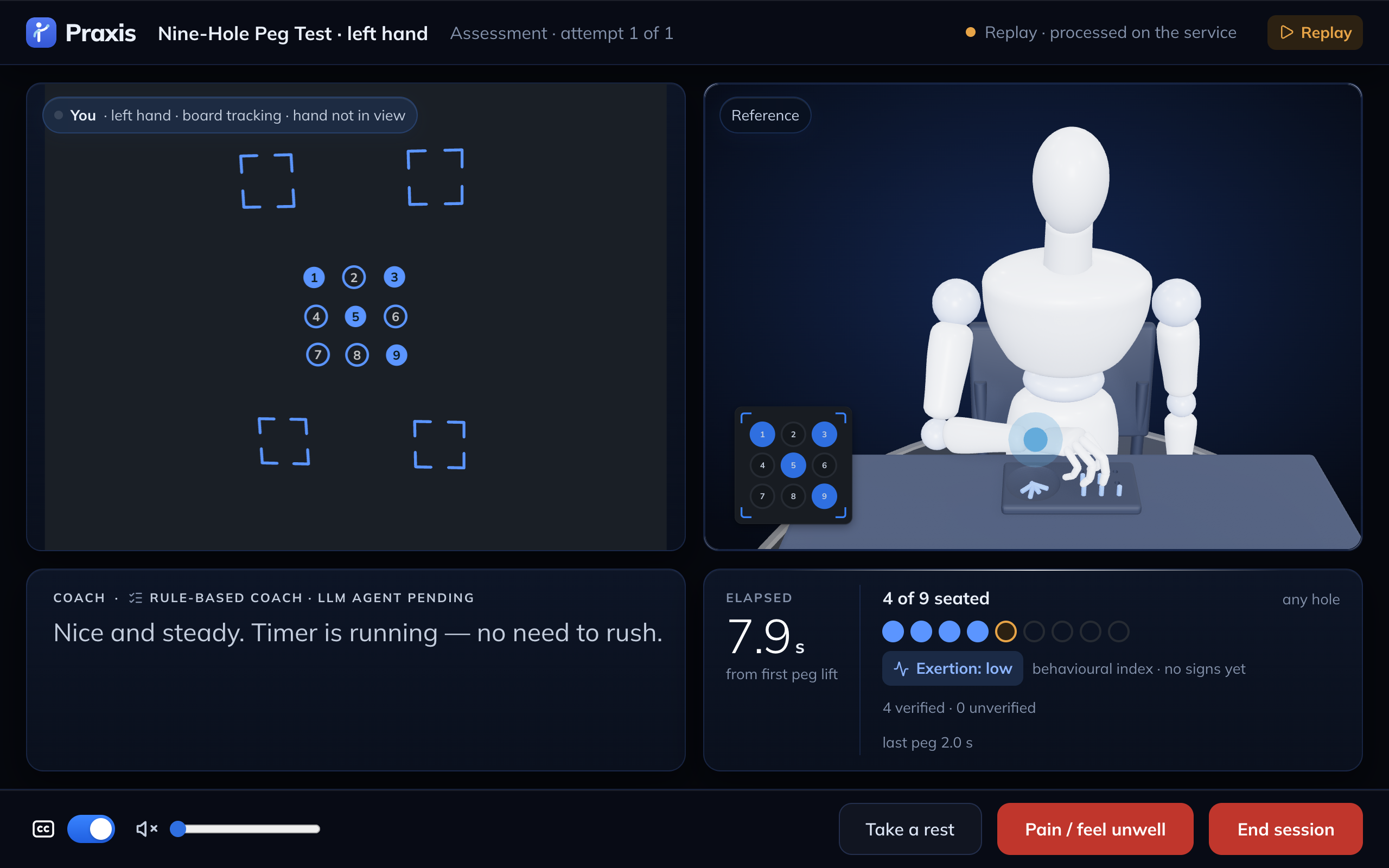
Nine-Hole Peg Test in Replay: holes found on the printed sheet, pegs seated, timer and split per peg
-
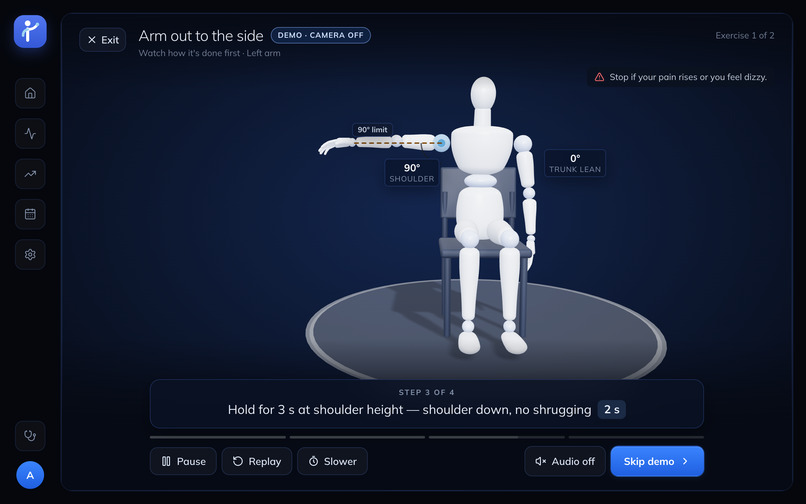
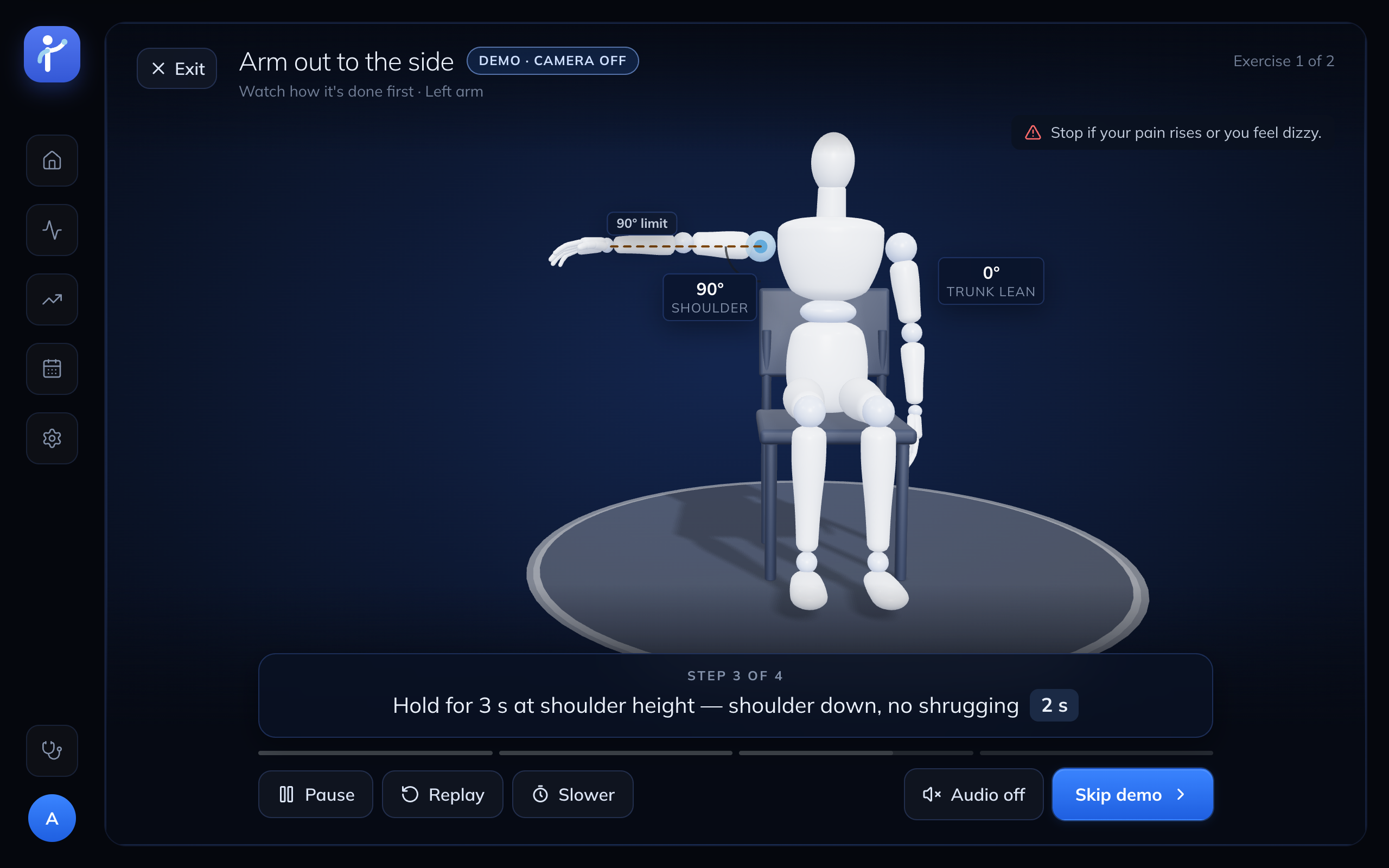
Demonstration: Arm out to the side, with the 90° limit drawn on the arm
-
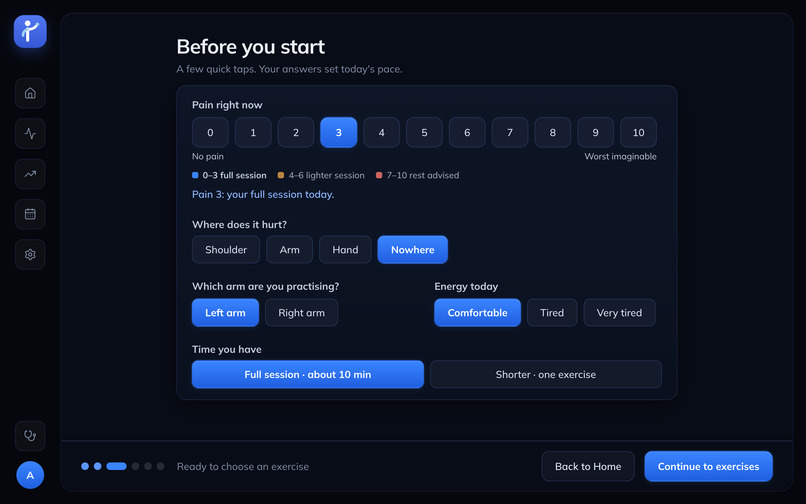
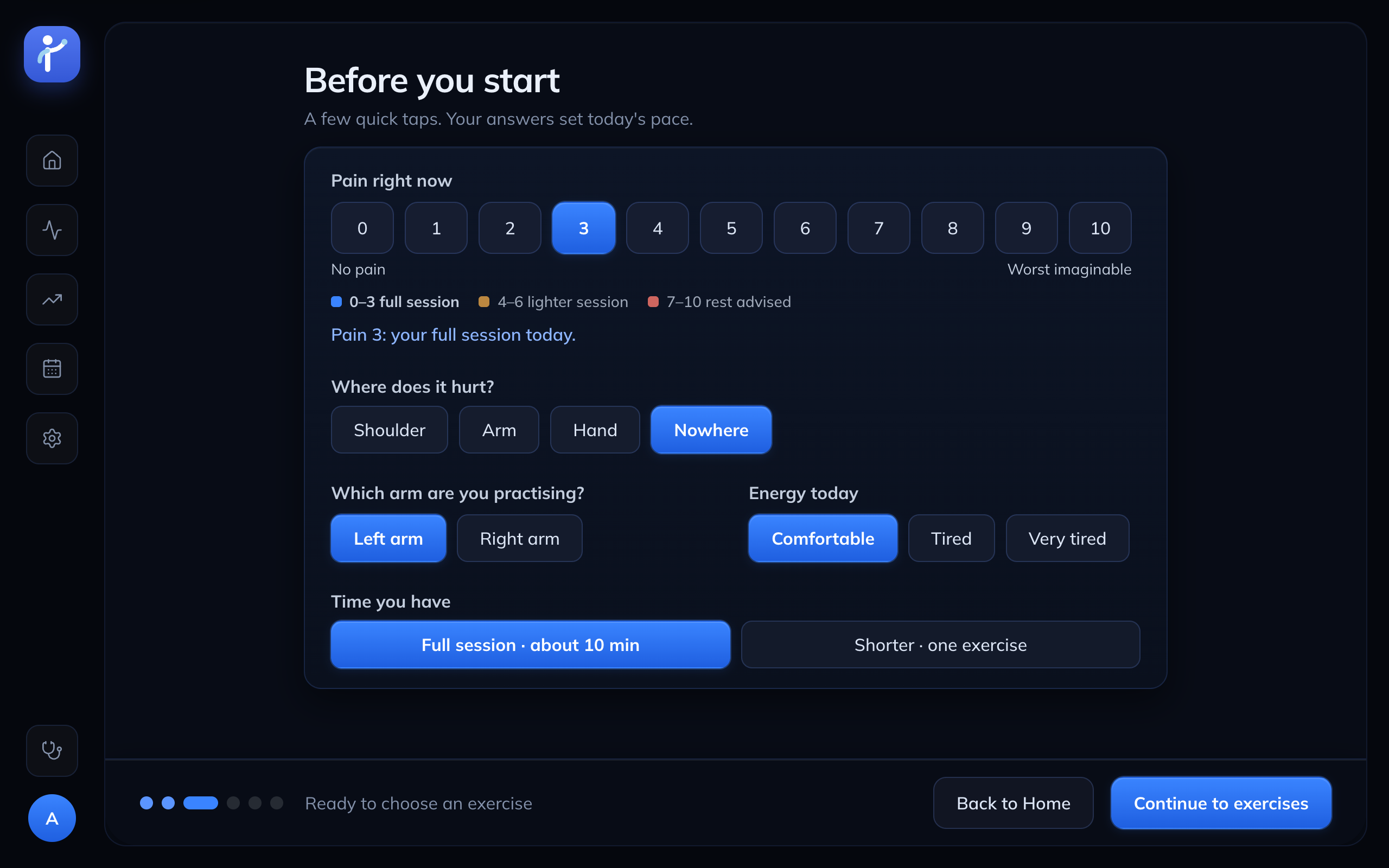
Before you start: pain 0–3 full session, 4–6 lighter, 7+ rest advised
-
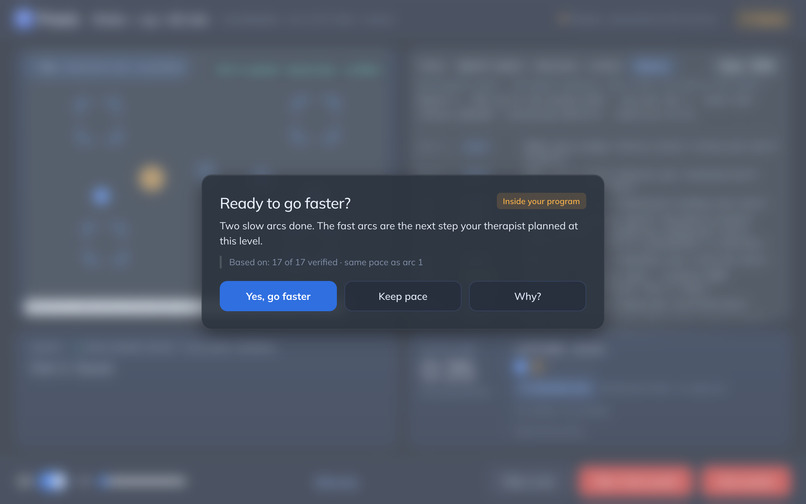
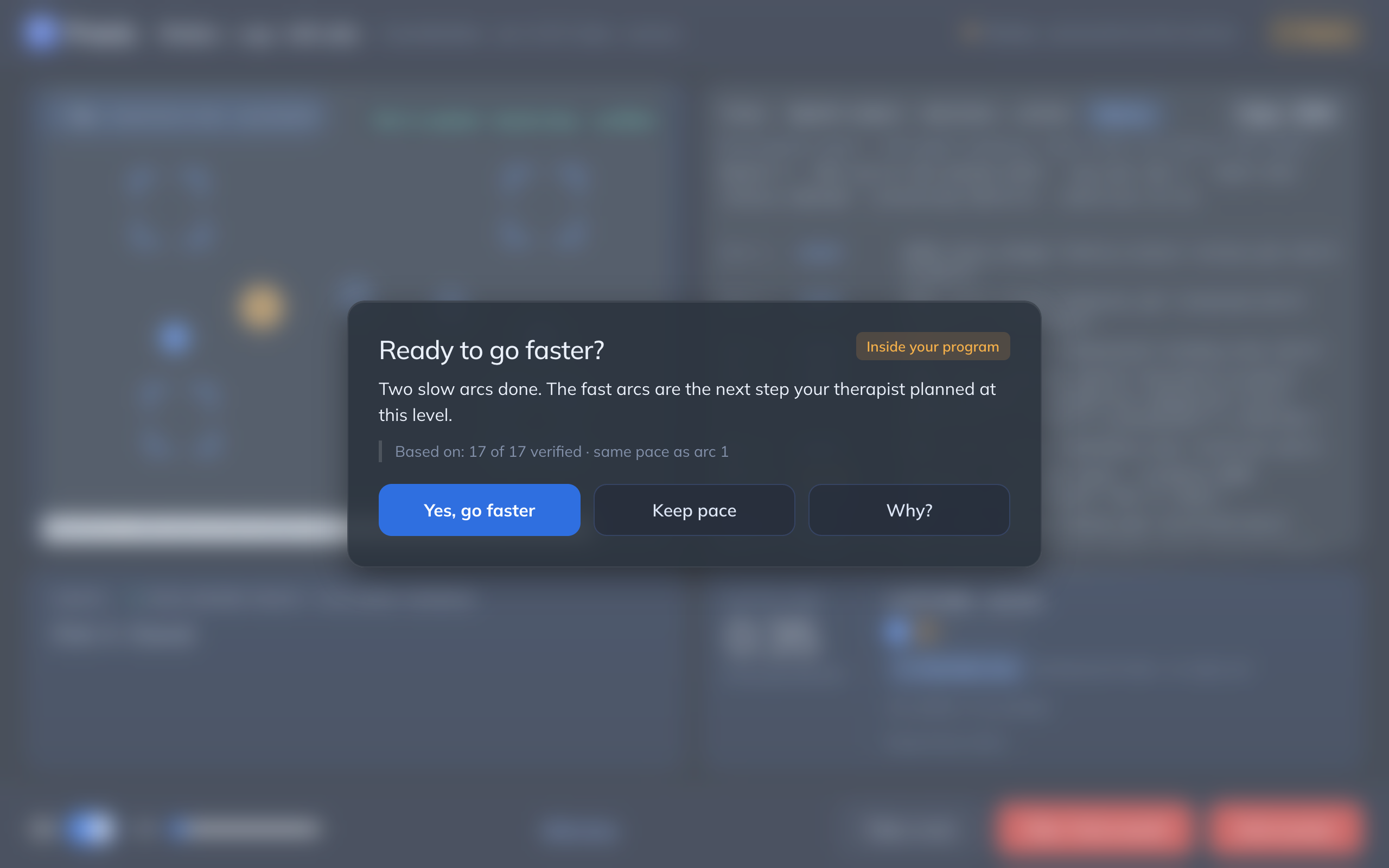
The coach offers the faster arcs, but only inside the therapist's plan, and the patient decides
-
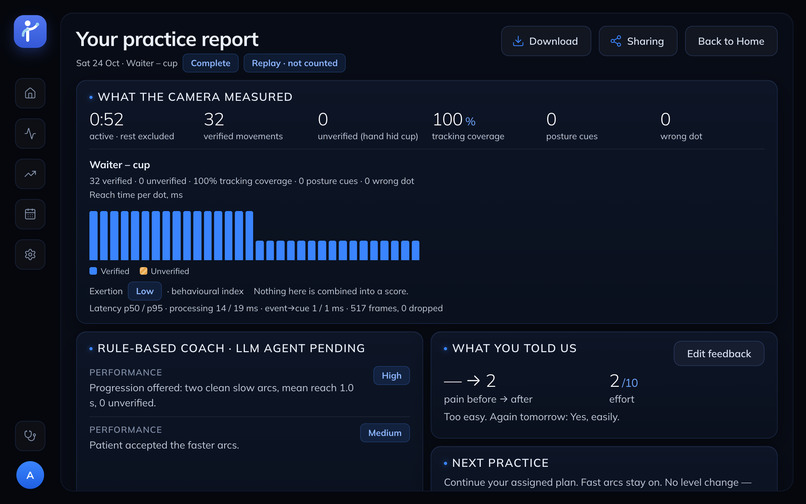
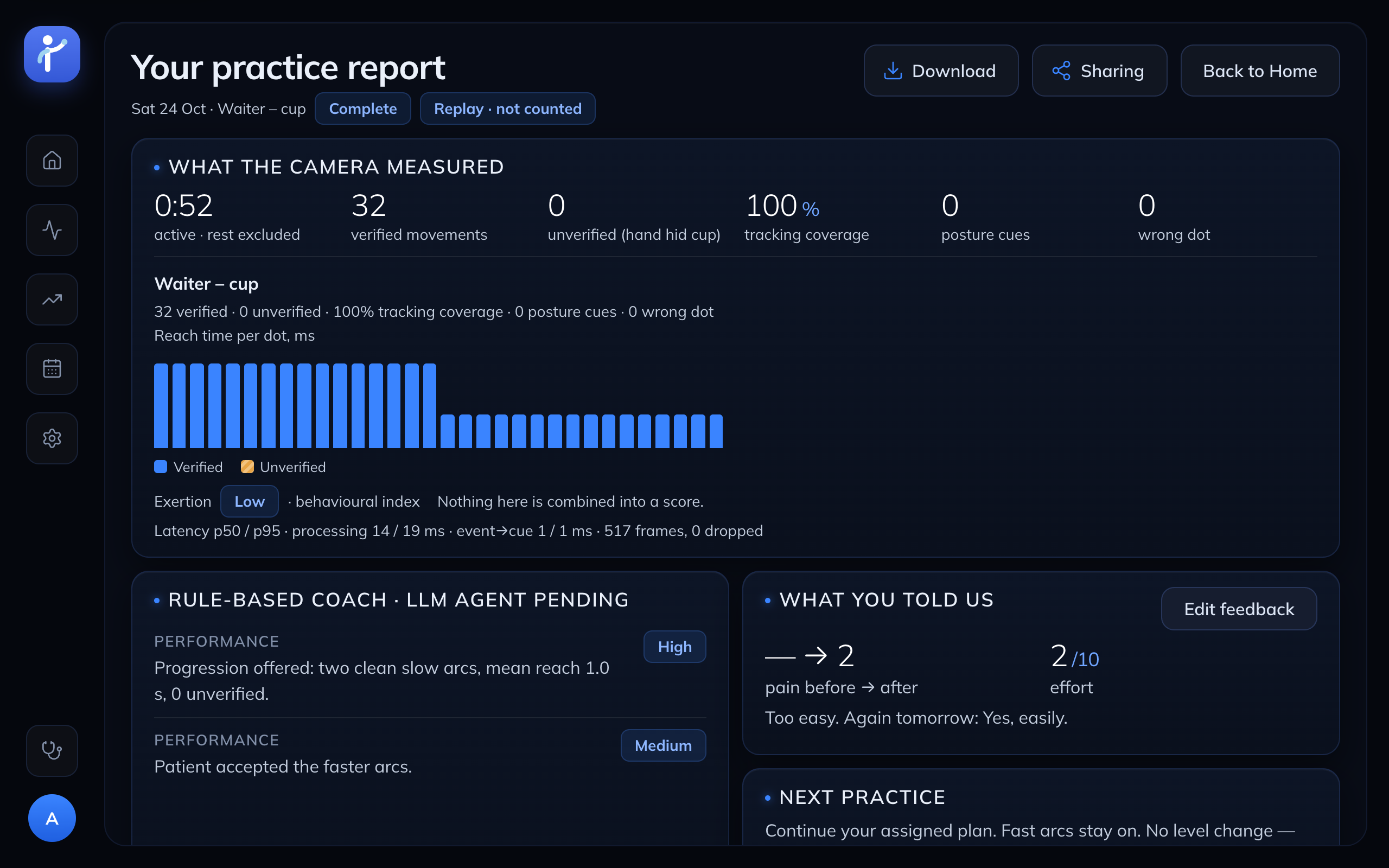
Session report: what the camera measured, verified vs unverified, no overall score (this one is a Replay, so it's not counted)
-
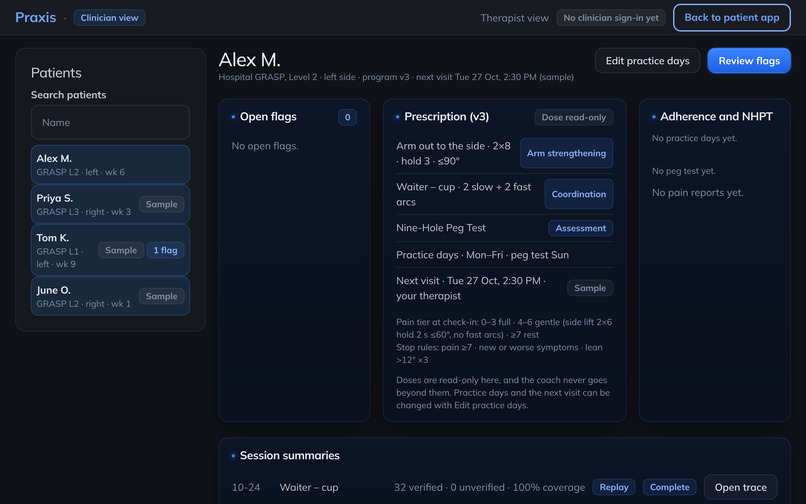
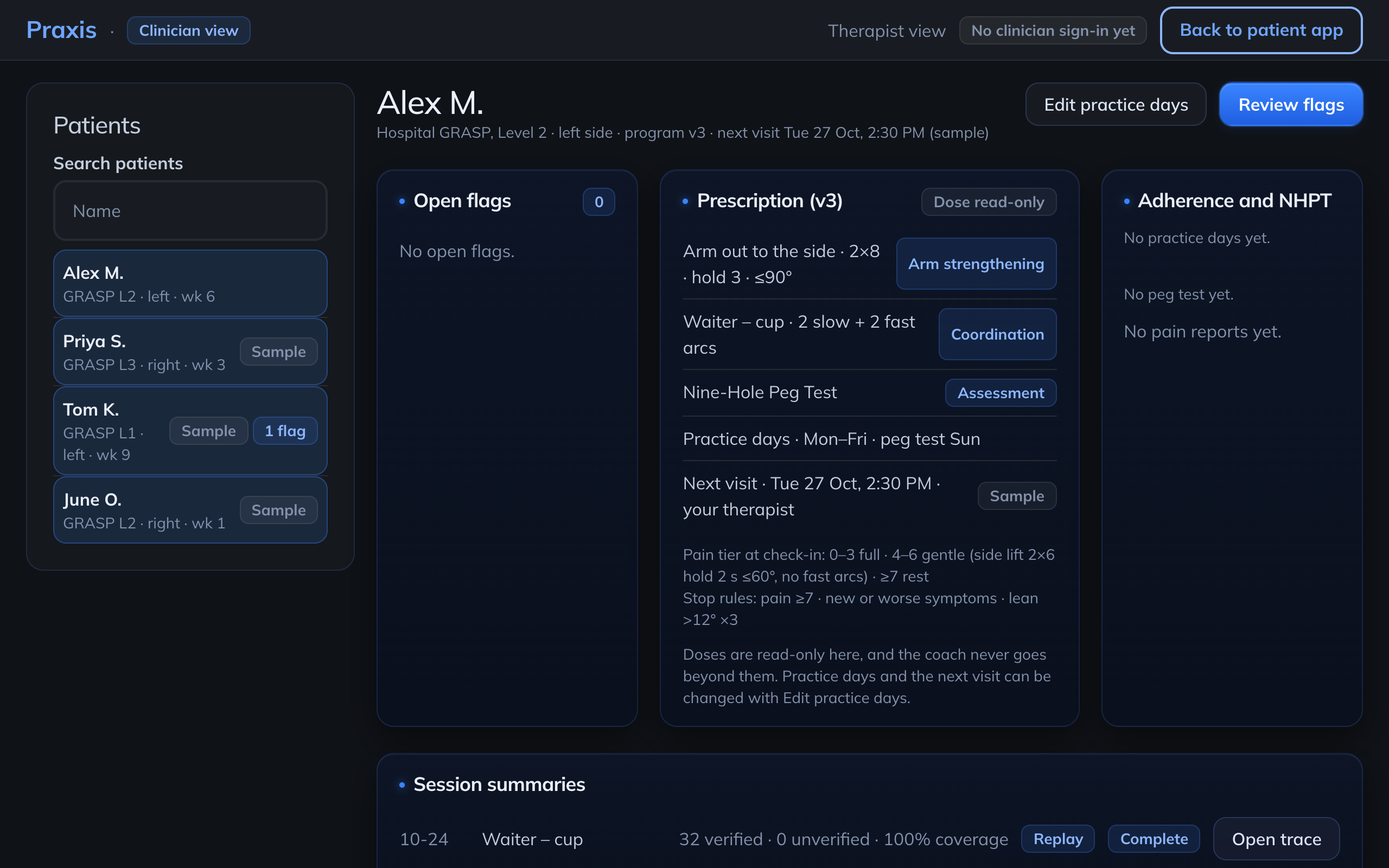
Therapist view (read-only, sample data): prescription, stop rules, flags and session summaries
-
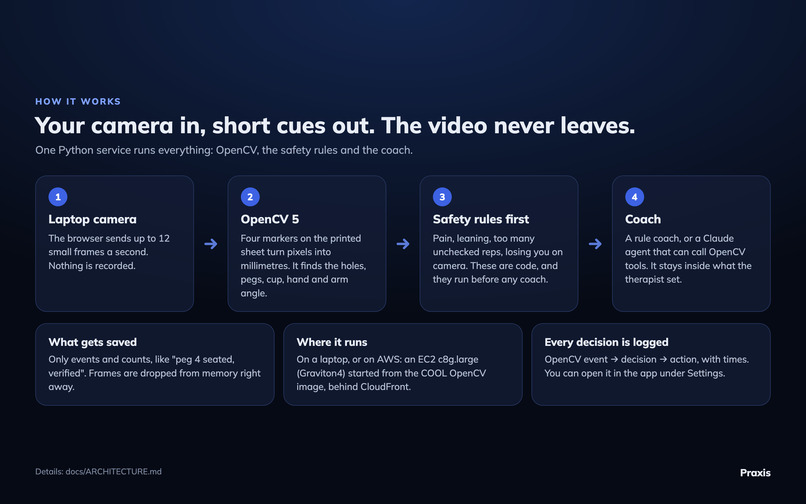
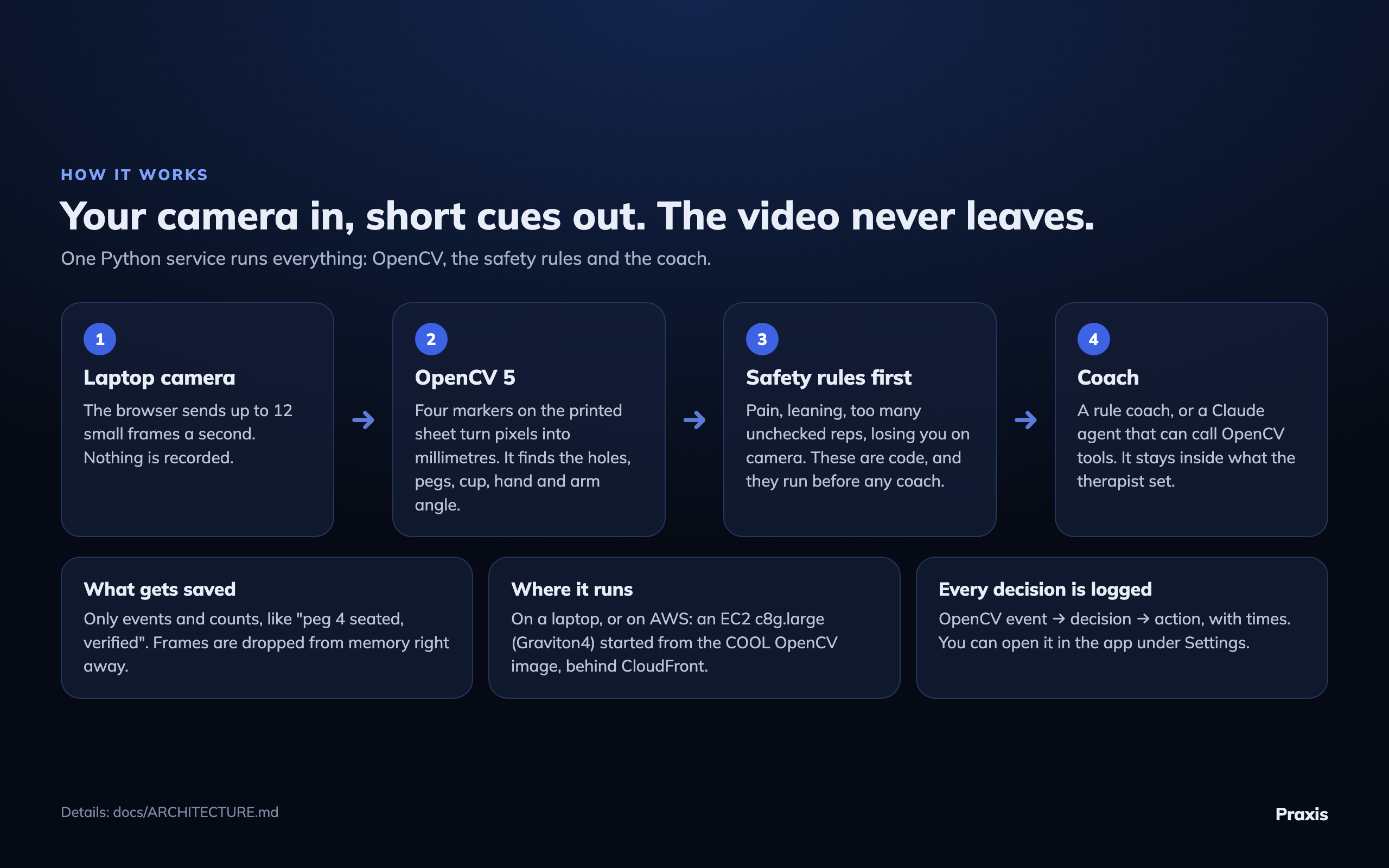
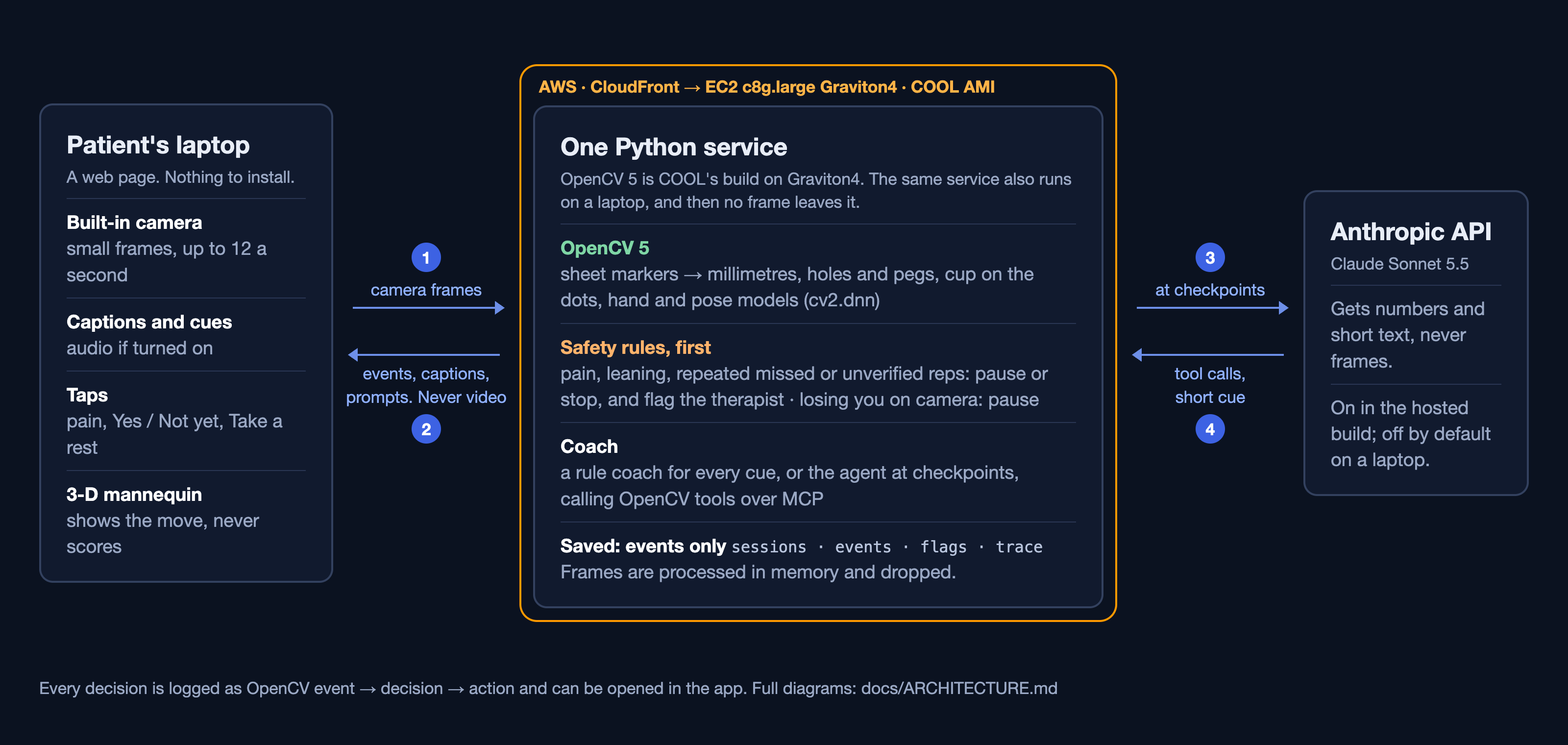
How it works: camera → OpenCV 5 → safety rules → coach. Only events are saved, never video
-
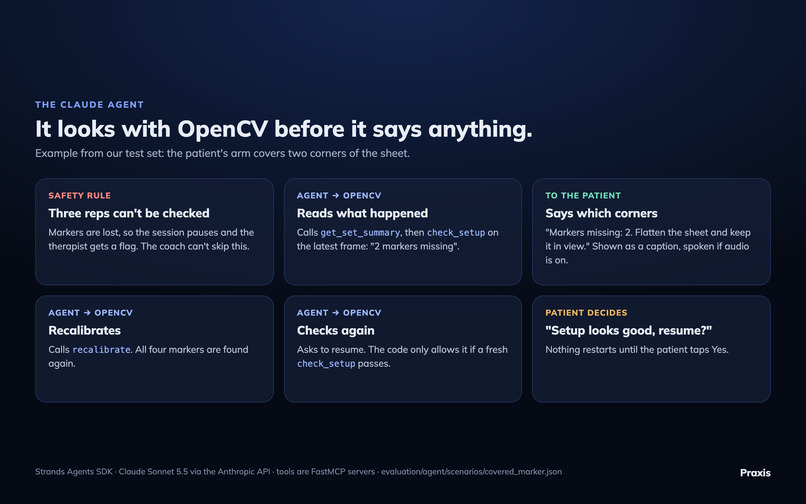
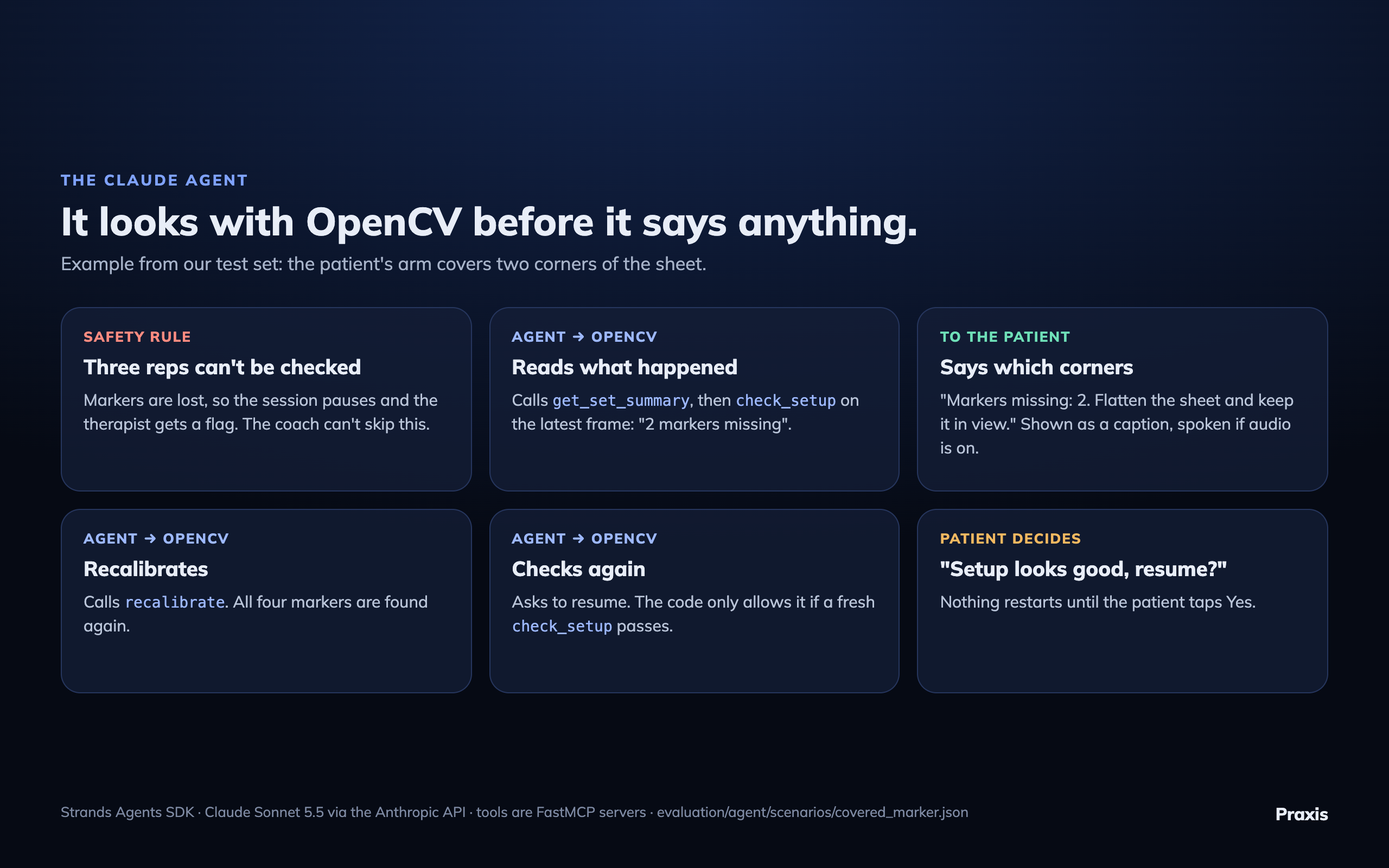
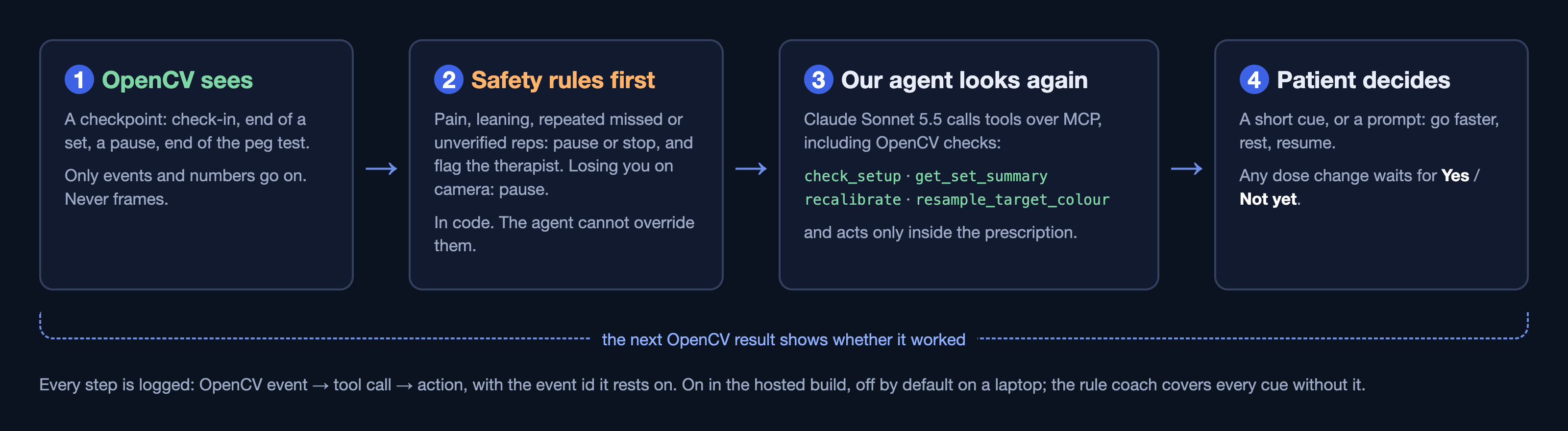
Our agent calls OpenCV tools to see what went wrong before it says anything, and the patient taps to resume
-
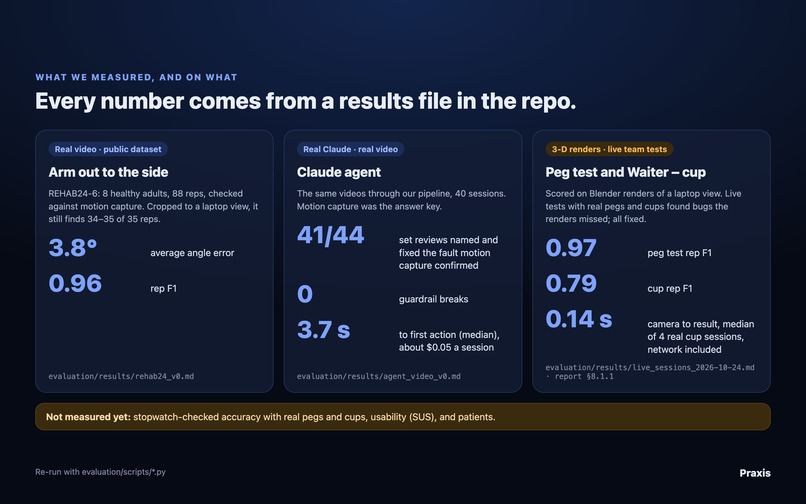
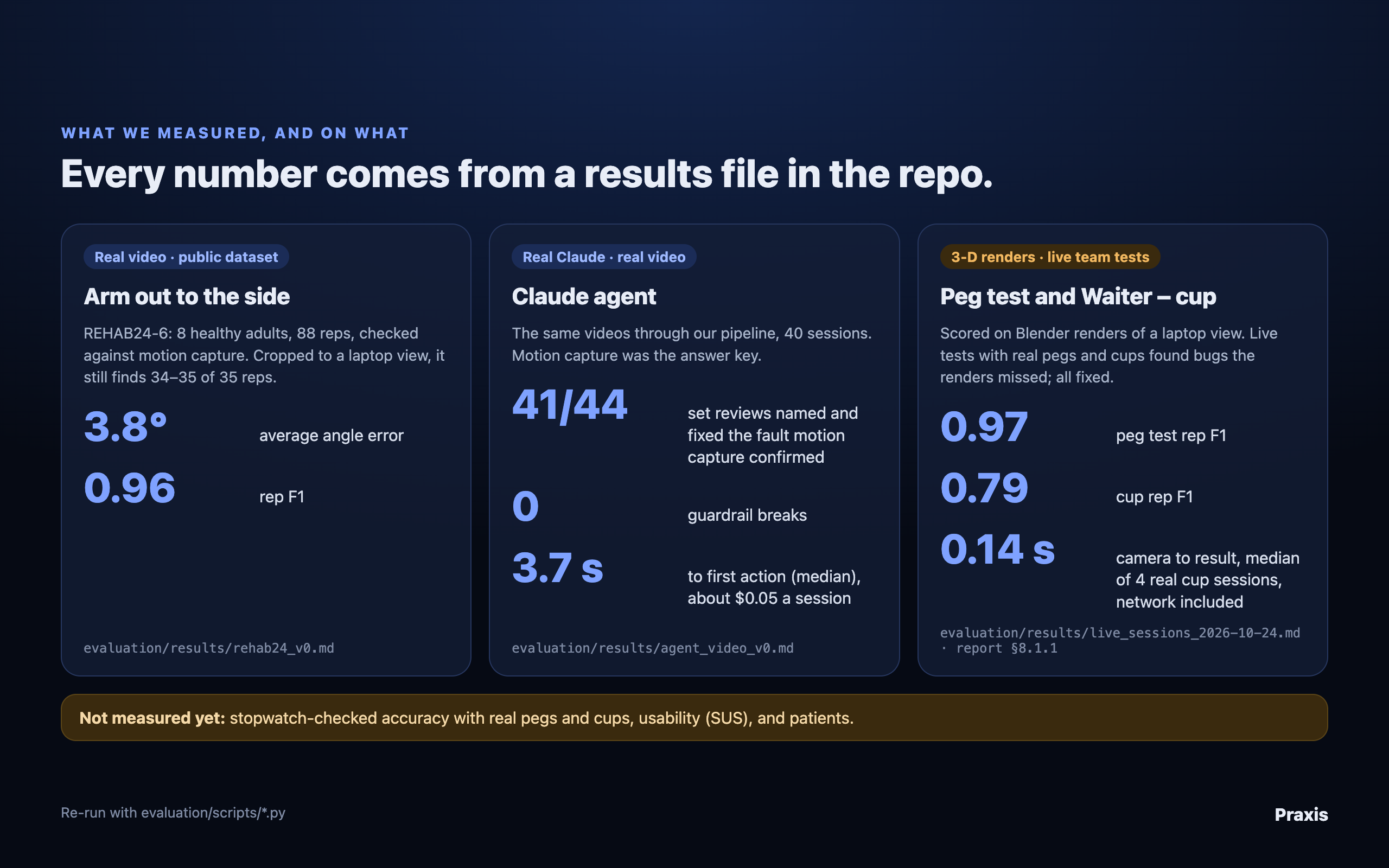
What we measured and on what data: real video for the arm and the agent; 3-D renders and live team tests for the peg test and cup
-
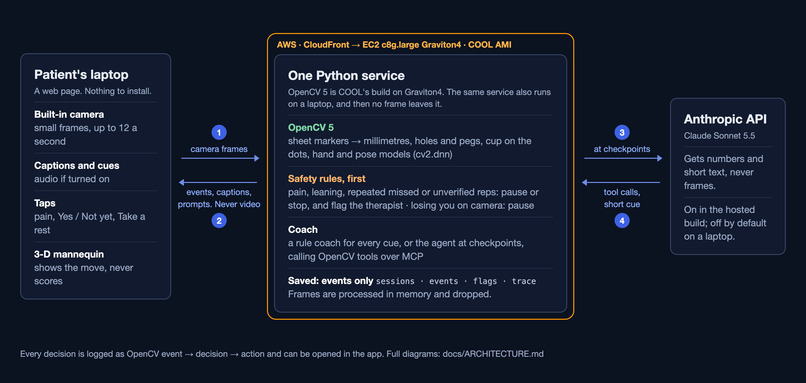
Architecture 1: the system on AWS. One Python service with OpenCV 5 on EC2 Graviton4 from the COOL AMI. Video is never stored.
-
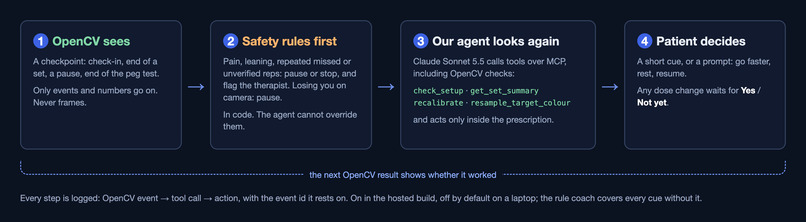
Architecture 2: our agent loop. OpenCV sees, safety rules first, the agent calls OpenCV tools, the patient decides.
Try it
- No camera, 2 minutes: open the live app, then go to Settings → Demo and judging → Replay a recorded session. No printed sheet is required.
- Live with your camera: the cup exercise and the peg test require a printed sheet. Tap Get the sheet (PDF) on the Exercises screen, or open the cup sheet or the peg sheet directly. Print at 100% scale. Arm out to the side requires no sheet.
Inspiration
More than 7 in 10 stroke survivors develop impairment in the shoulder, arm or hand. Recovery demands extensive practice, and most of it takes place at home. Up to 7 in 10 people prescribed home exercises do not sustain them (sources in our technical report). At home, no one verifies the repetitions, and the therapist learns how practice went only at the next visit.
What it does
Praxis coaches patients through the exercises their therapist prescribed. It needs only a laptop camera and, for two of the three exercises, a printed sheet and a cup or pegs.
- Arm out to the side: 2 sets of 8, never above 90°.
- Waiter – cup: a cup moved across five printed dots.
- Nine-Hole Peg Test: a weekly timed assessment.
The patient reports pain first, and that sets the day's dose. OpenCV checks every repetition. A repetition the camera cannot confirm is marked "unverified", never "failed". Safety rules run before anything else and flag problems on the therapist's dashboard. A rule-based coach gives brief cues throughout (and stays largely silent during the timed peg test). At checkpoints (the end of a set or arc, a pause, the end of the peg test), our agent reviews what OpenCV observed and recommends the next step.
Praxis is not a medical device. Video is never stored.
How we built it
- OpenCV 5. Four printed markers calibrate the sheet to millimetres (
cv2.aruco,findHomography). Holes, pegs and the cup are detected using Hough circles, colour, and differences from the empty sheet. The arm angle comes from the OpenCV Zoo pose model, and the hand model detects each grasp (both run throughcv2.dnn). - A single Python service runs OpenCV, the safety rules and the coach. The web app is built in React, with a 3-D mannequin we modelled in Blender.
- On AWS: an EC2 c8g.large (Graviton4) instance launched from the COOL AMI, served through CloudFront.
- Our agent: Claude Sonnet 5.5 via the Anthropic API, built with the Strands Agents SDK. It runs inside the same Python service on EC2 and calls OpenCV tools over MCP.
Prizes we're entering
- Overall Awards.
- Best Use of COOL ($1,000). The entire OpenCV pipeline runs on COOL on Graviton4. The live
/healthendpoint reportsopencv_build.cool: true. On a c8g.large launched from the same COOL AMI (measured 11 Oct), COOL ran 1.2–1.6× faster than stock OpenCV on threshold, contours, Hough and template matching, was 10–16% slower on JPEG decode, ArUco, warp and the hand model, and end to end was 3% faster on a peg-test frame and 6% slower on a cup frame. Diagram: gallery, "Architecture 1". - Agentic Vision ($1,000). At checkpoints, our agent calls OpenCV tools (
check_setup,recalibrate,resample_target_colour), and what OpenCV observes determines its next action. Any dose change is applied only after the patient confirms it. Diagram: gallery, "Architecture 2".
Results
- Arm angle on real video (REHAB24-6, 8 healthy adults in a lab): a mean error of 3.8° against motion capture, and repetition counting reached an F1 score of 0.96 out of 1. On footage cropped to a laptop view, with the hips at or below the frame edge, repetition counting scores 0.91–0.93 (0.28–0.76 before our fix).
- Our agent on real lab video (12 Oct run, patient responses simulated): identified a fault confirmed by motion capture, and issued a correction, in 41 of 44 set reviews. About 1 in 5 of its claims was not supported by motion capture, compared with more than half for the rule coach alone. The rule coach alone also corrected every faulty set during the repetition, but more than half of its claims were wrong. 0 guardrail violations; approximately $0.05 per session.
- Peg test and cup: our team tested both live with real pegs and cups, which exposed bugs the renders had missed (fixed and re-tested on renders, not yet re-tested live). On 3-D Blender renders, the peg test detected all 90 pegs (plus 6 false detections), and all 10 timed tests completed (score 0.97 out of 1). Most pegs were marked unverified because the hand model rarely detects the rendered hand. The cup test detected about 2 in 3 moves (score 0.79).
- No patient study has been conducted yet, and no therapist has used or reviewed Praxis. The prescription in the app is a sample we authored, and the therapist view displays sample data.
Challenges we ran into
Real pegs and cups are not brightly coloured, so we compare every frame against the empty sheet. This caused hands and their shadows to register as pegs, so a new peg now counts only once the board is still. In our 3-D renders, low window light made peg shadows resemble a hand; we corrected that as well. On a laptop, the hips fall outside the frame, which broke the arm count, so the count no longer depends on the hips.
What we learned
Testing on ourselves surfaced problems our test videos never revealed. In one of our own sessions, an overly strict safety rule paused the peg test for 21 seconds, so we corrected it.
What's next
Test with patients and therapists, and time real peg tests with a stopwatch to validate our measurements.
Built With
- amazon-cloudfront
- amazon-ec2
- amazon-web-services
- anthropic
- aws-graviton
- blender
- claude
- fastapi
- fastmcp
- mcp
- onnx
- opencv
- python
- react
- sqlite
- strands-agents
- three.js
- typescript
- vite
- websockets

Log in or sign up for Devpost to join the conversation.