-
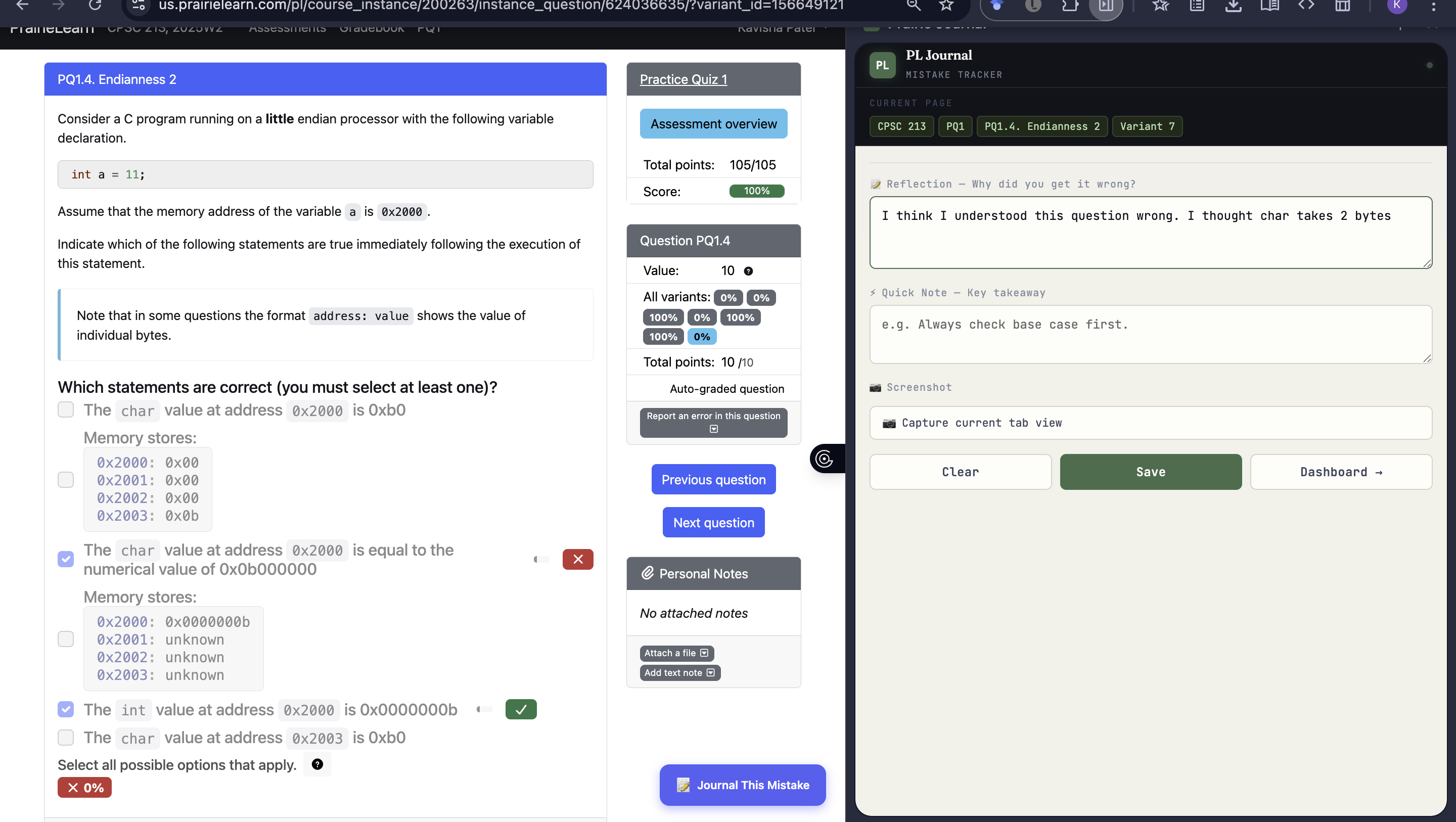
Extension button
-
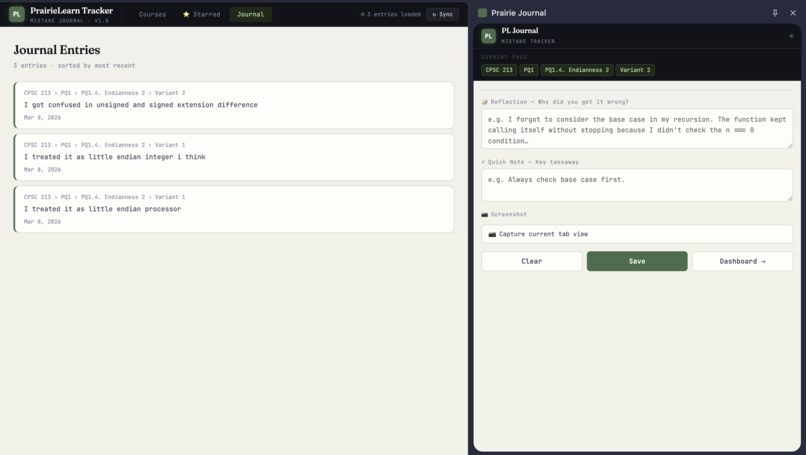
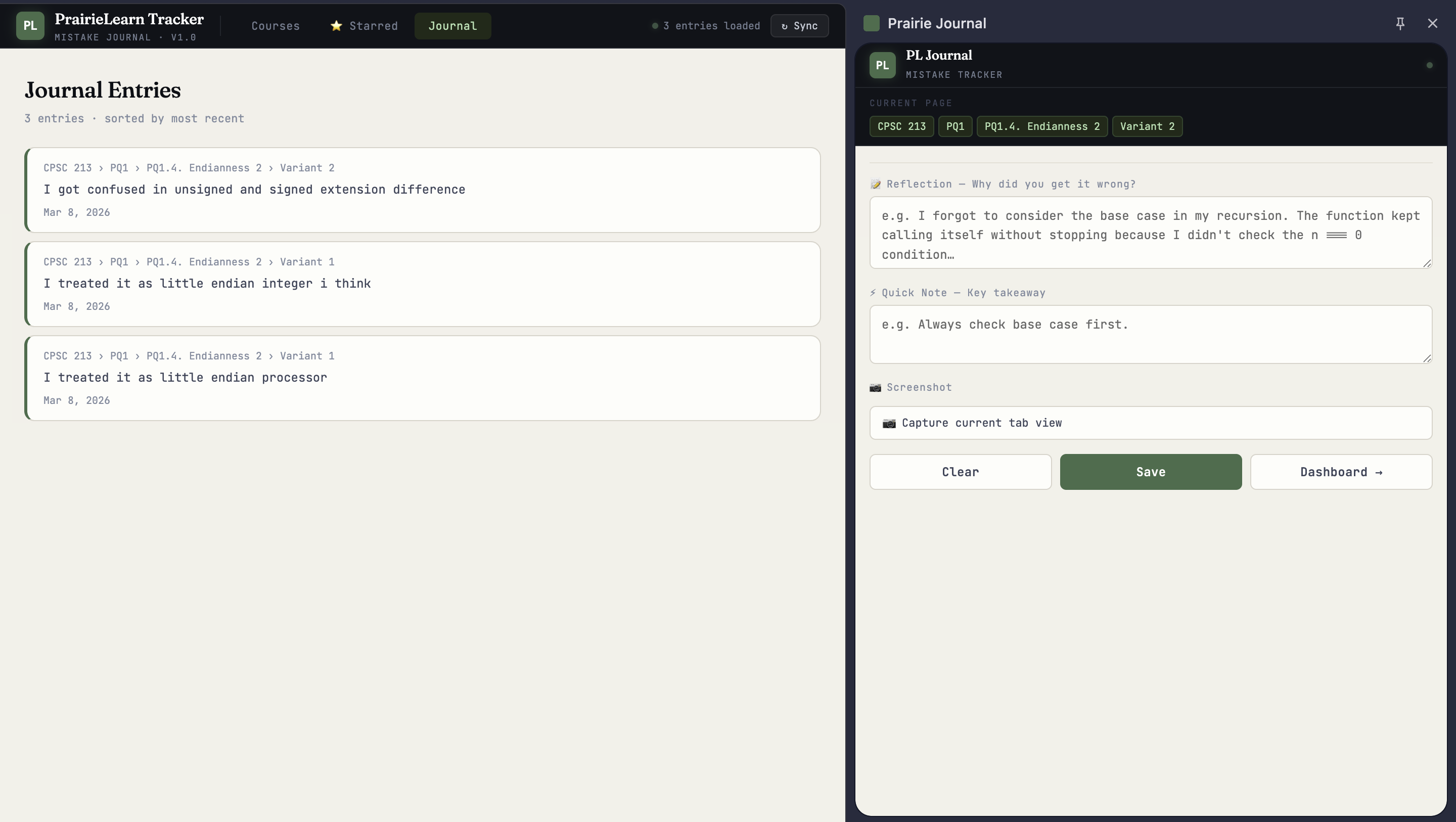
Journal Entries Dashboard
-
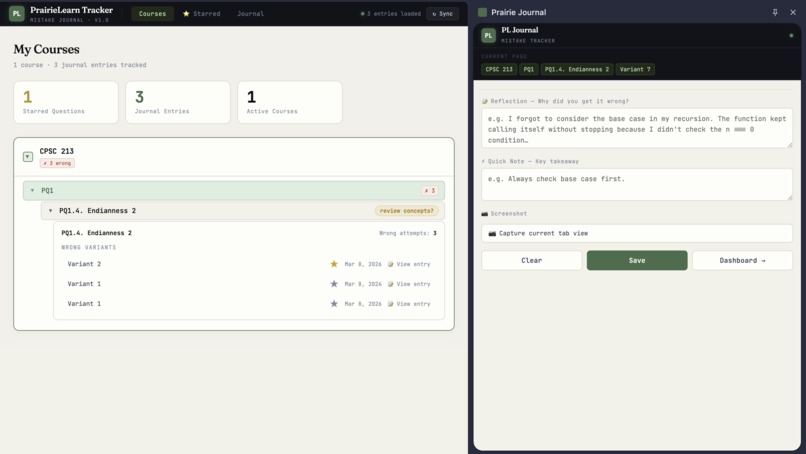
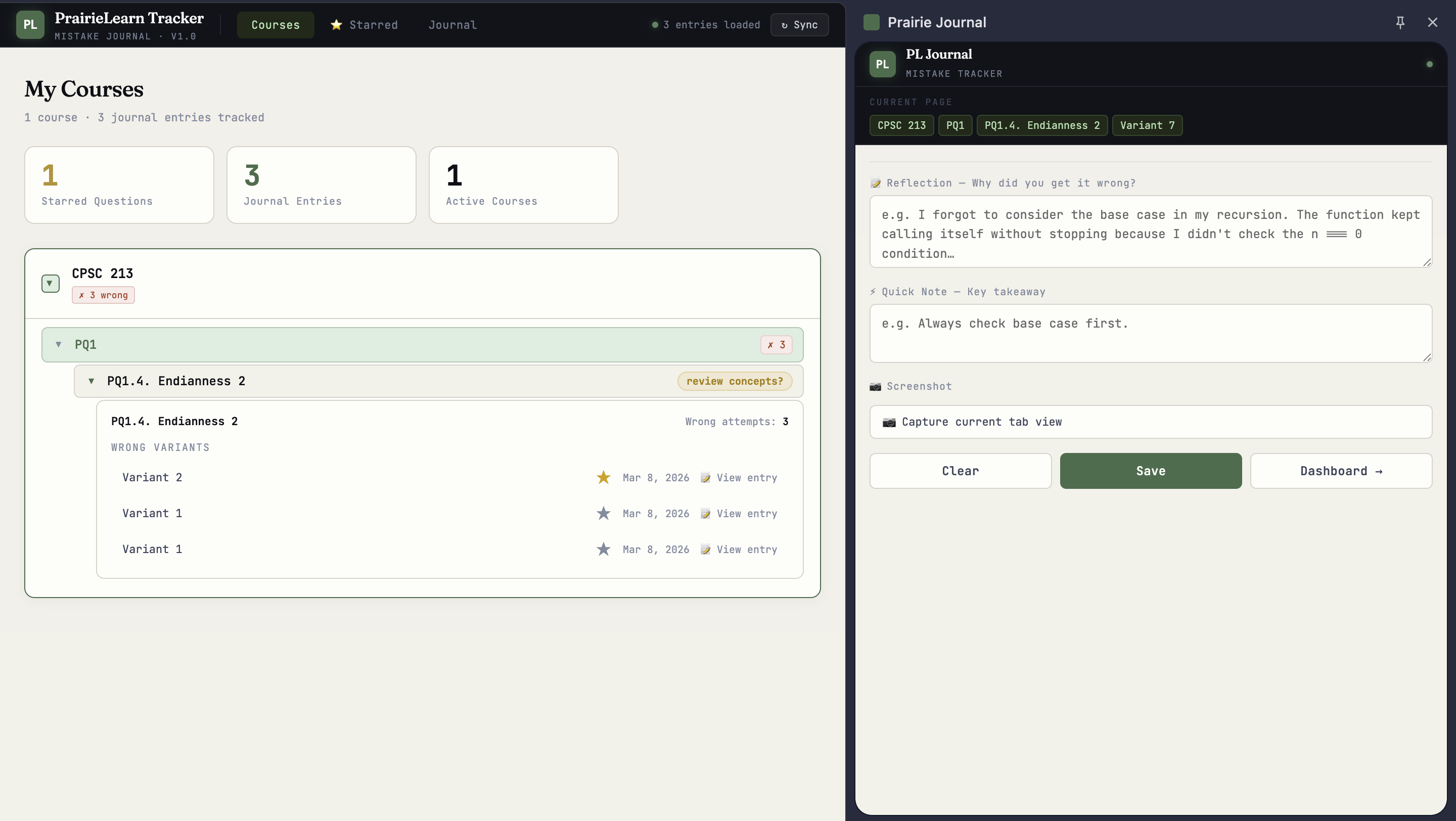
Dashboard
-
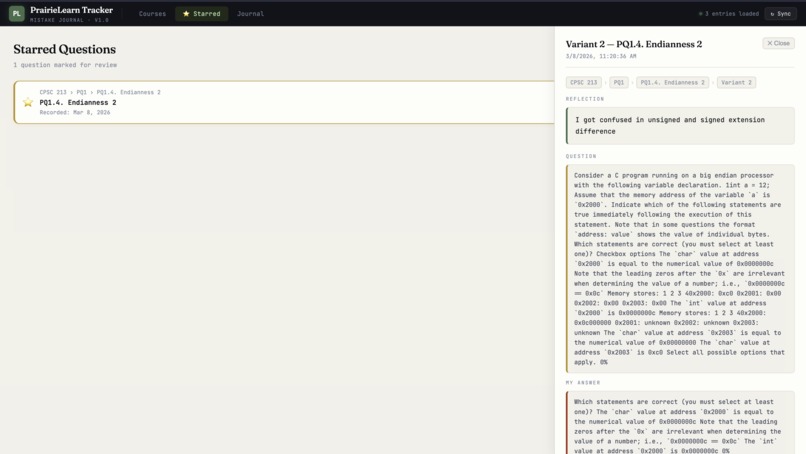
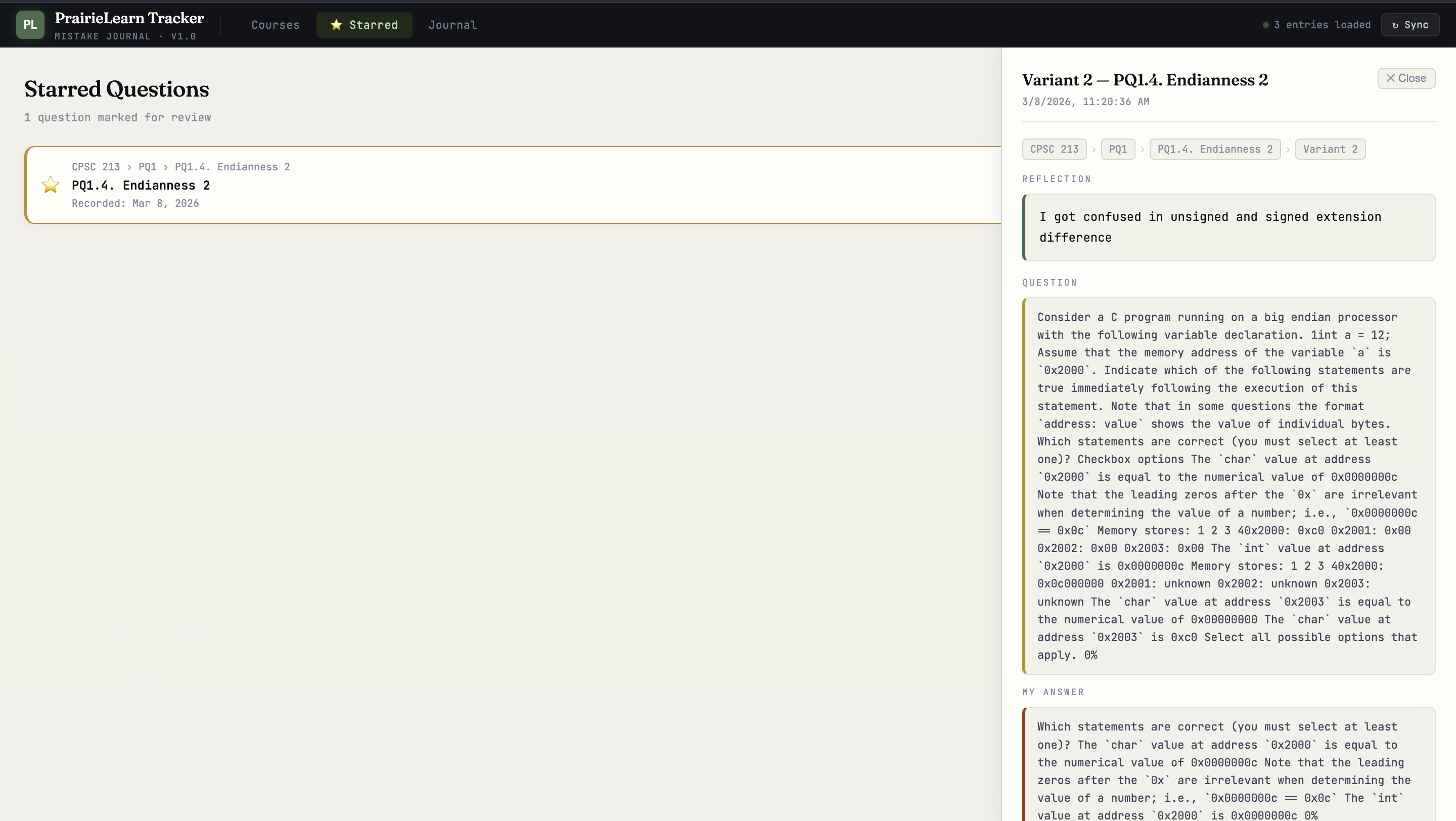
Starred Entries
-
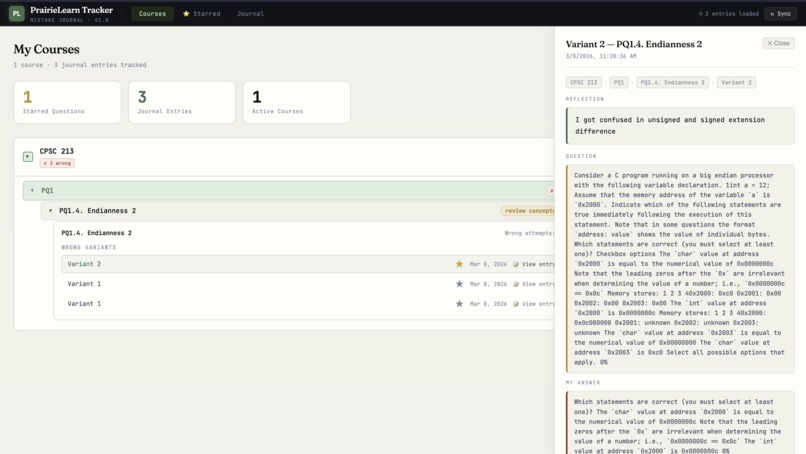
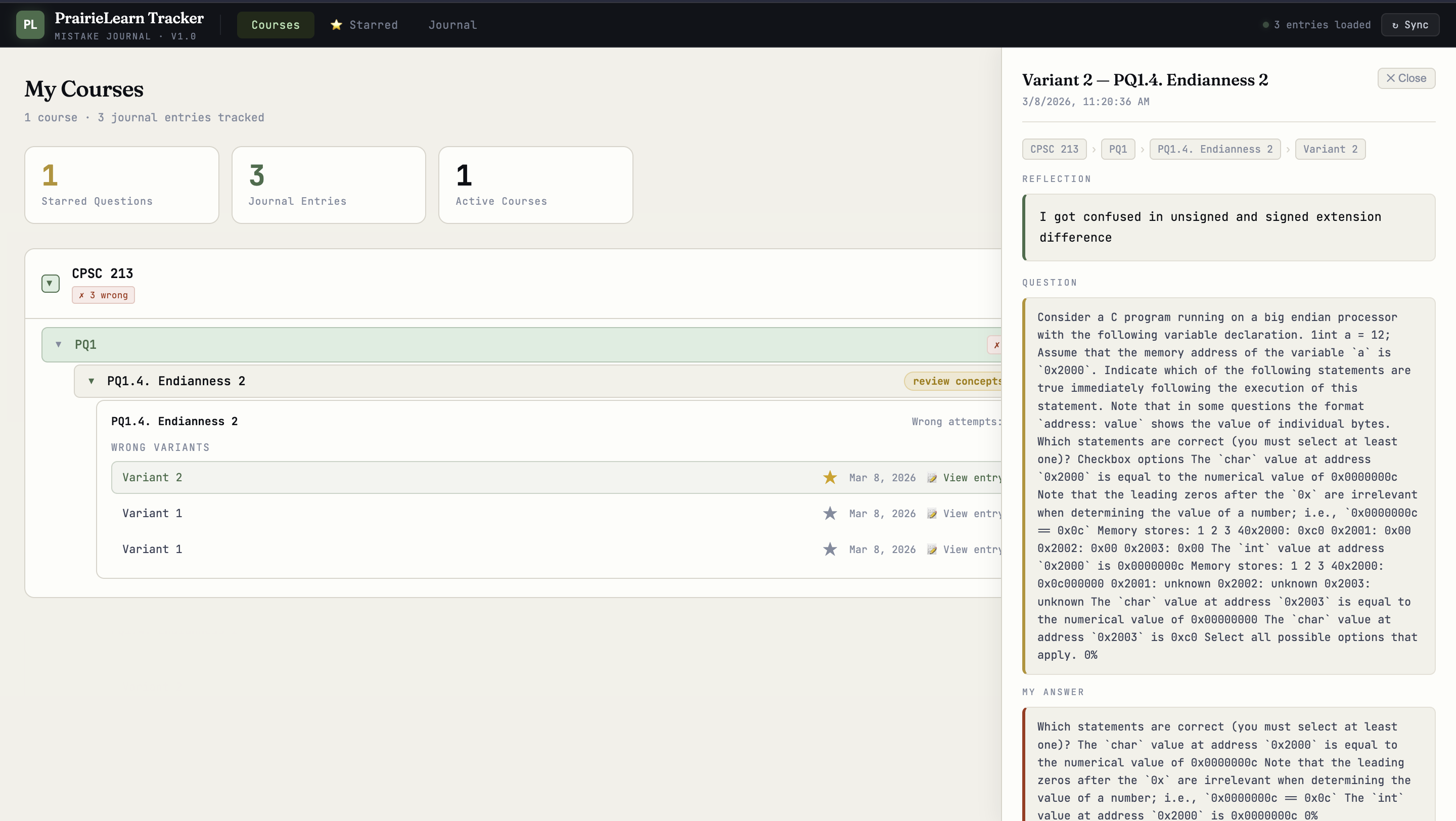
Dashboard - view Entry
-
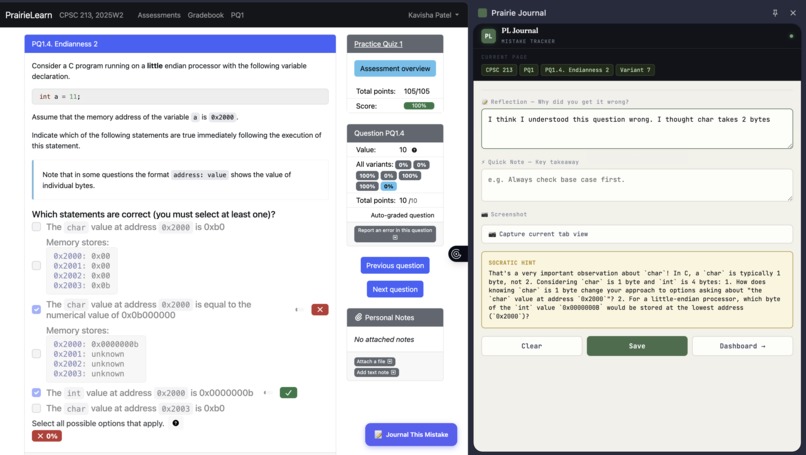
LLM Response
-
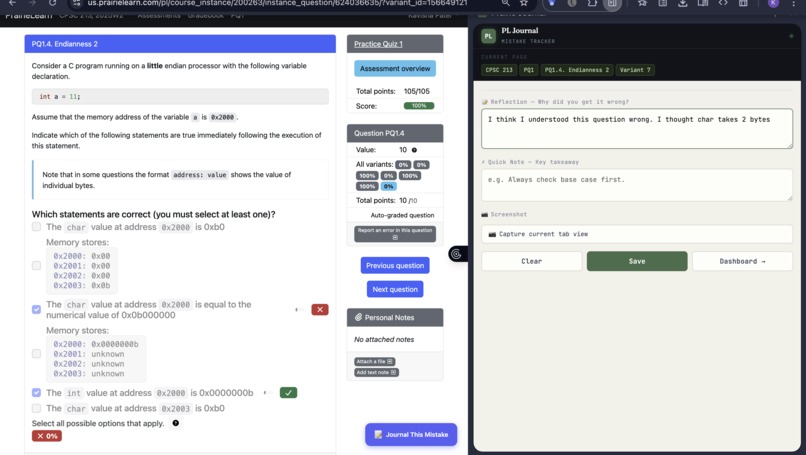
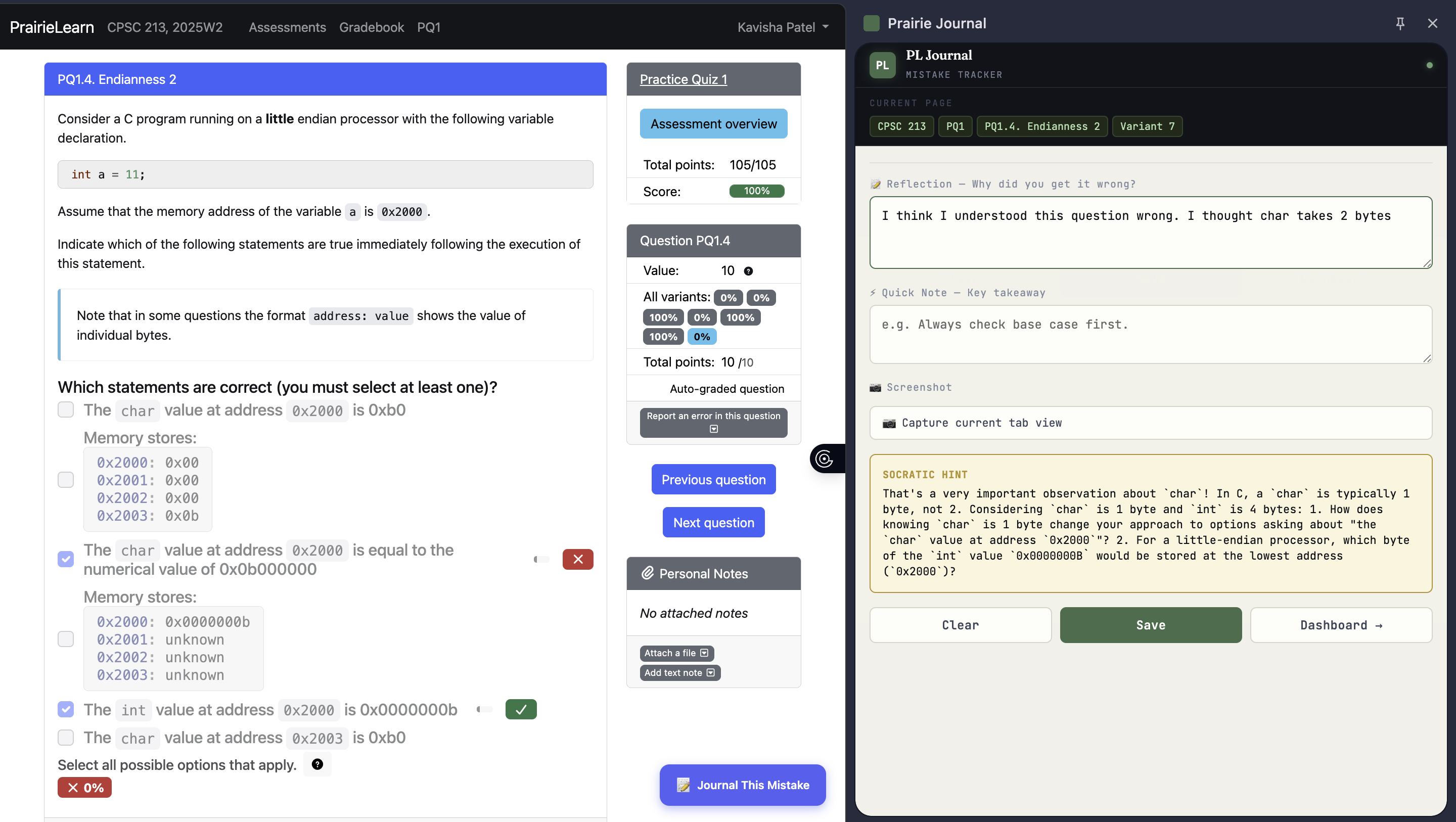
Extension side-panel
Inspiration
Students, like us, often make the same mistakes repeatedly while practicing questions on PrairieLearn, a platform used widely by UBC and many other universities. While there are many versions you can try for each question, there isn't an inbuilt tool that tracks your learning gaps and understanding of concepts. Our goal with this project was to create a tool that allowed you to use study tools like AI to help understand concepts and create a dashboard that aggregated your learning journey.
What it does
A Chrome extension that sits on top of PrairieLearn. When you submit a wrong answer, it surfaces a "Journal This Mistake" button. This creates a journal entry where you write out your reasoning, the AI gives you an understanding of what you got wrong, and the entry gets saved to a personal dashboard you can revisit later — organized by course and module.
How we built it
Built with vanilla JavaScript, HTML, and CSS as a Chrome Extension (Manifest V3). It uses Chrome's content scripts to detect wrong answers on PrairieLearn, a side panel for the reflection UI, and the Google Gemini API (gemini-2.5-flash) to generate context-aware Socratic hints. All journal data is stored locally via chrome.storage.local.
Challenges we ran into
- Identifying how to divide the work between teammates and reducing the scope of the idea we had in mind to a deliverable product
- Manifest V3 restrictions - MV3 replaced background pages with service workers, which have no persistent state and limited API access. Getting the side panel, content script, and background worker to communicate correctly through chrome.runtime.sendMessage took significant debugging.
- Learning how to integrate an LLM
- Accounting for the different page structures for each question and answer
Accomplishments that we're proud of
- Seamlessly injecting into PrairieLearn without breaking the page experience
- A clean, functional dashboard for reviewing past mistakes by course and module
- Seamless GeminiAPI integration
- Keeping everything local — no backend, no user data leaving the browser except to Gemini
- Learning more about web development in the process!
What we learned
- How Chrome Extension Manifest V3 works — especially message passing between content scripts, background service workers, and side panels
- Prompt engineering to elicit guided, non-spoiling hints from an LLM
- The challenge of reliably detecting UI state changes on a third-party website via DOM observation
What's next for Prairie-Journal
Our next steps include:
- Expand the AI feature to a chatbot that allows users to ask more questions and reaffirm their understanding.
- Create a screenshot feature that improves data formatting and the AI response
- Include features like generating flashcards based on class material for concepts that need to be reviewed
- Scale it for more platforms like Prarielearn
Built With
- css
- geminiapi
- html
- javascript


Log in or sign up for Devpost to join the conversation.