-
-
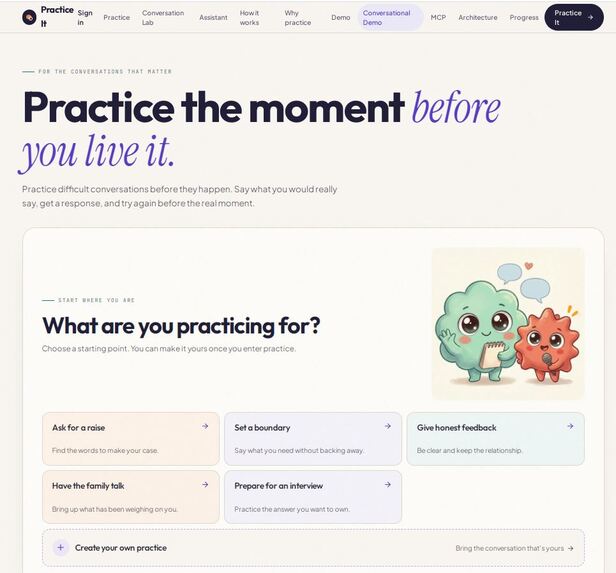
Home Page
-
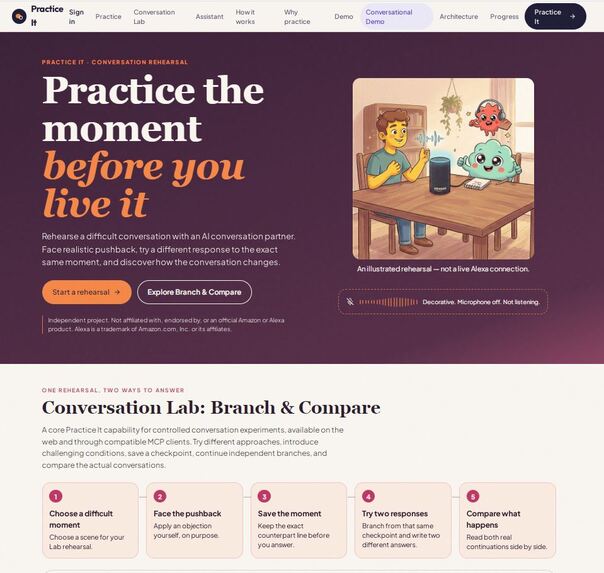
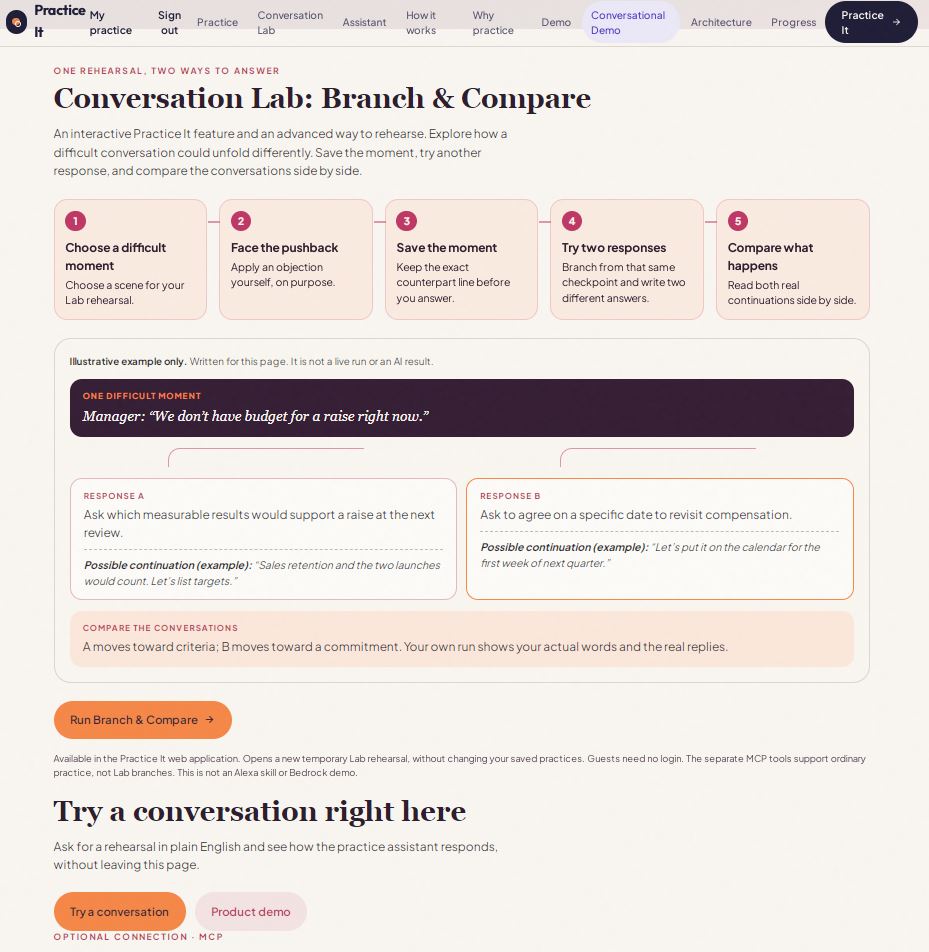
Alexa Practice Assistant
-
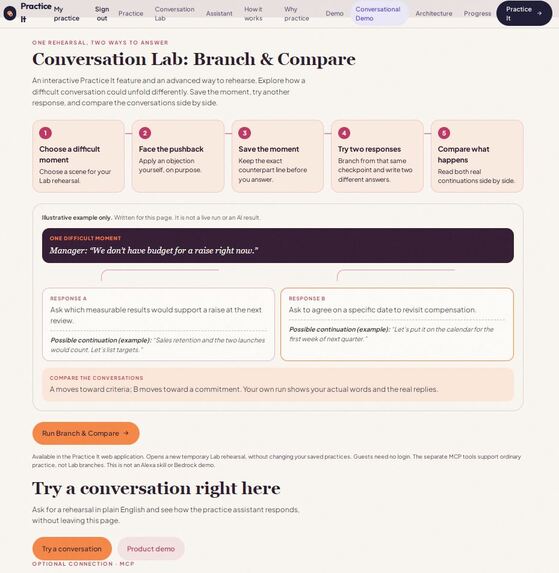
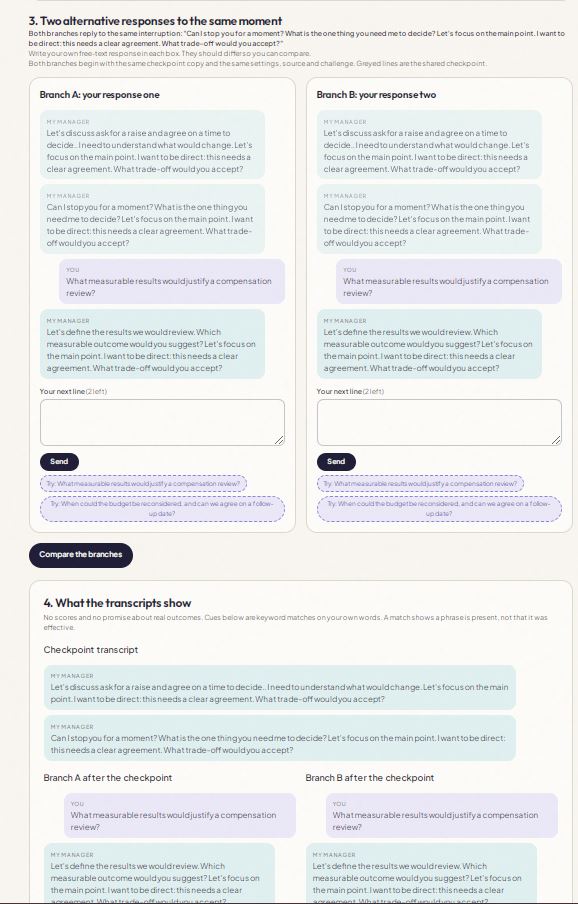
Conversation Lab: Branch & Compare
-
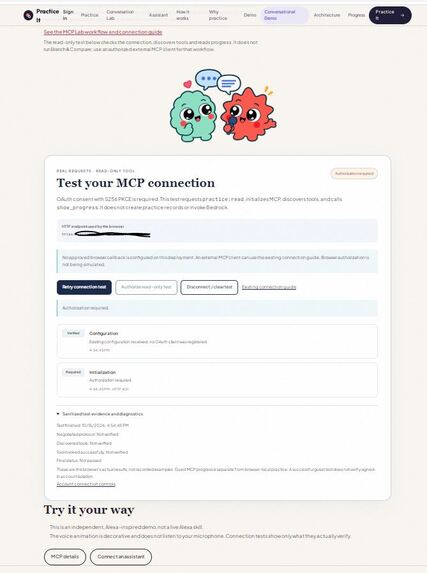
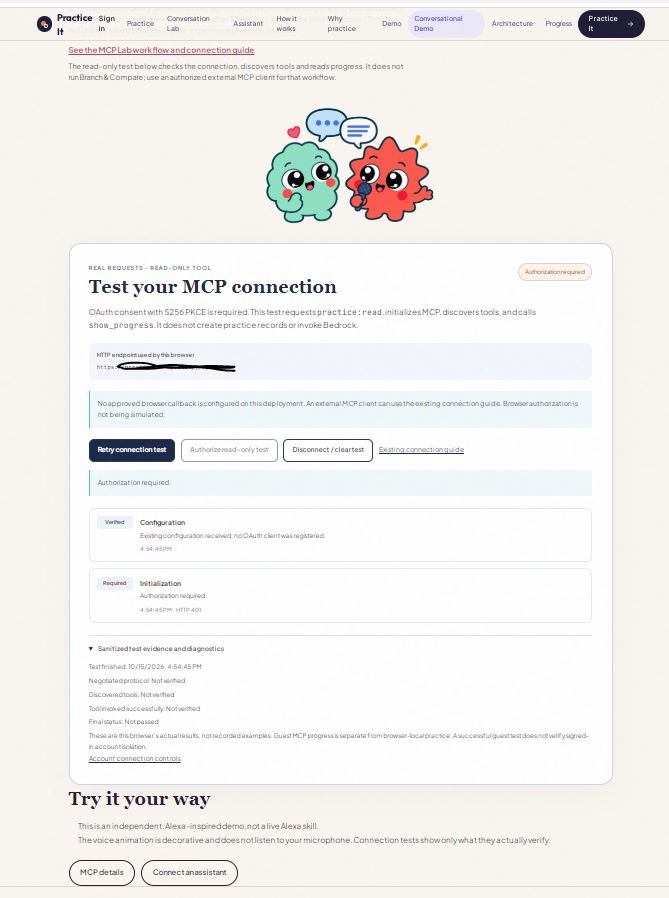
MCP test and verify interface
-
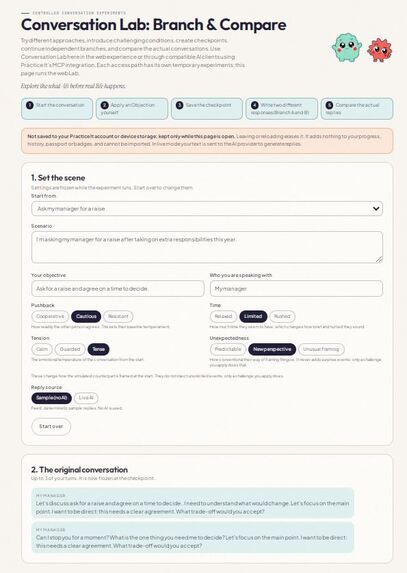
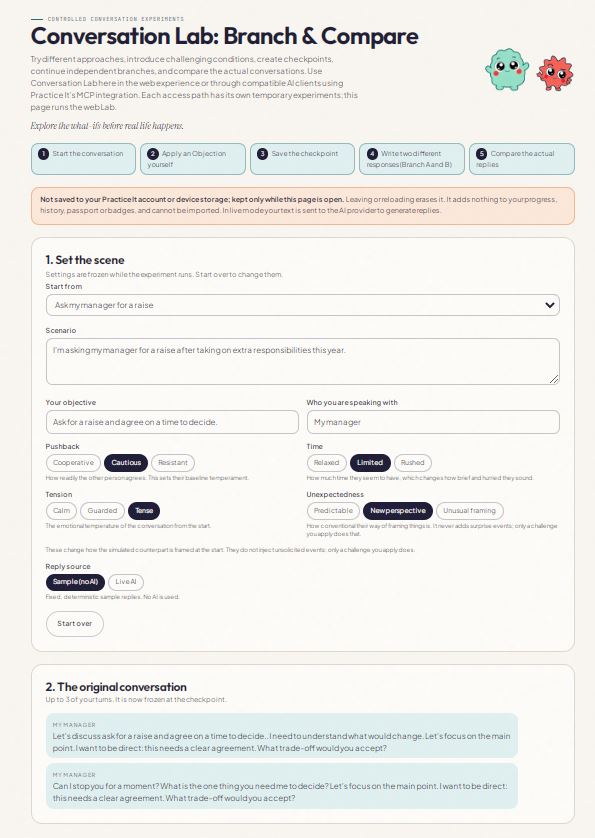
Conversation Lab: Beginning
-
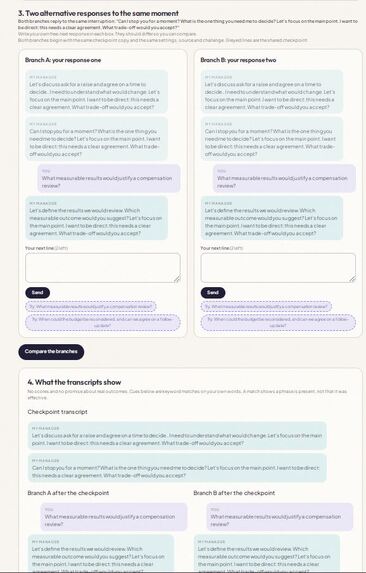
Conversation Lab - Ending Results
-
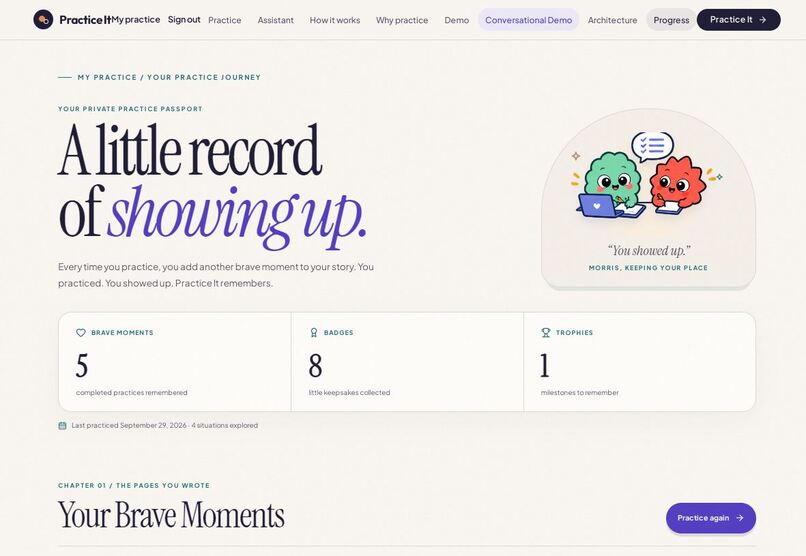
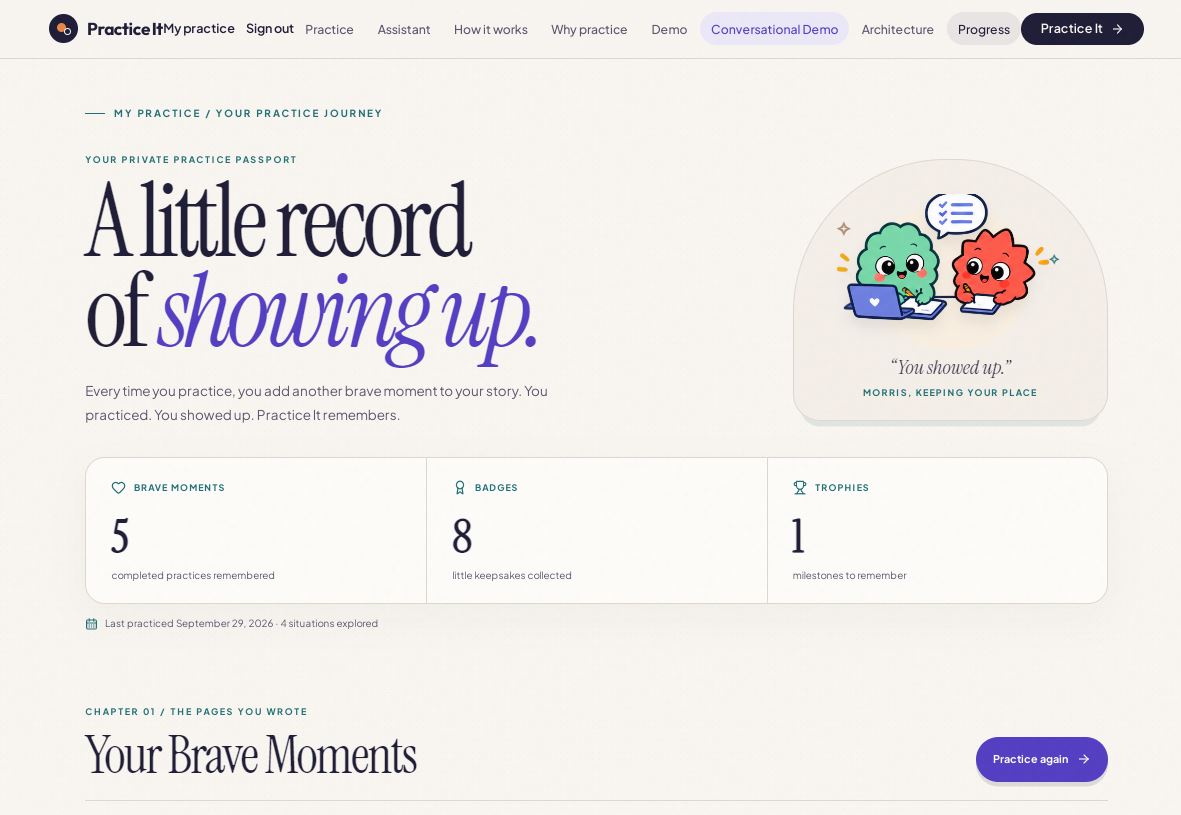
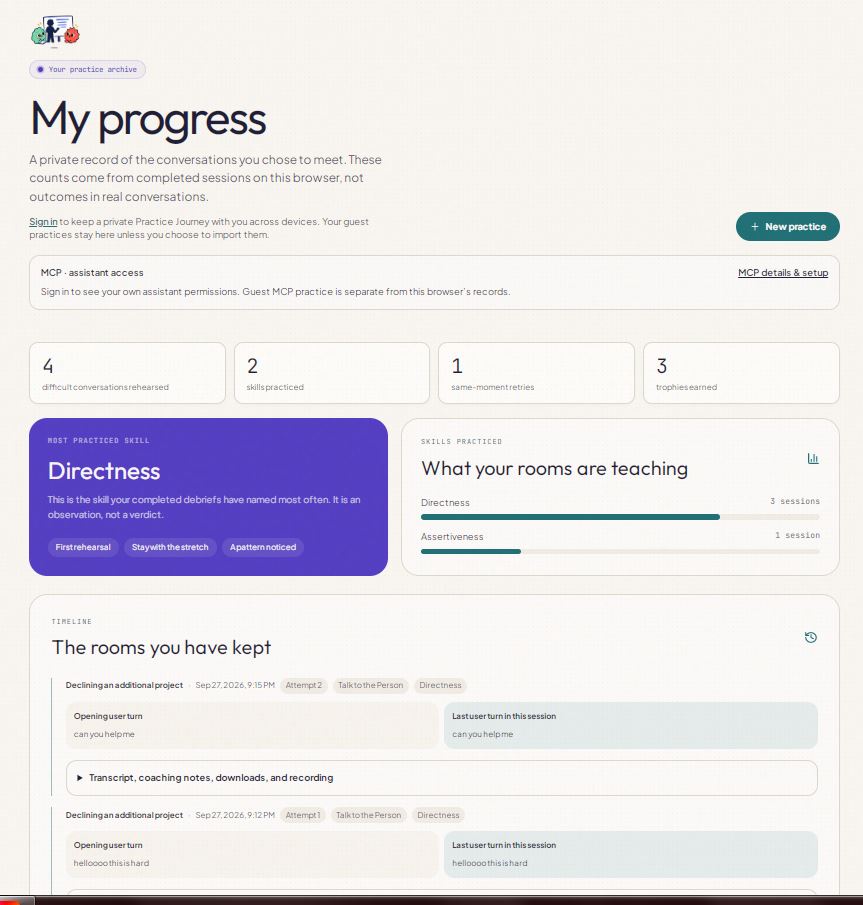
Your Practice Journey
-
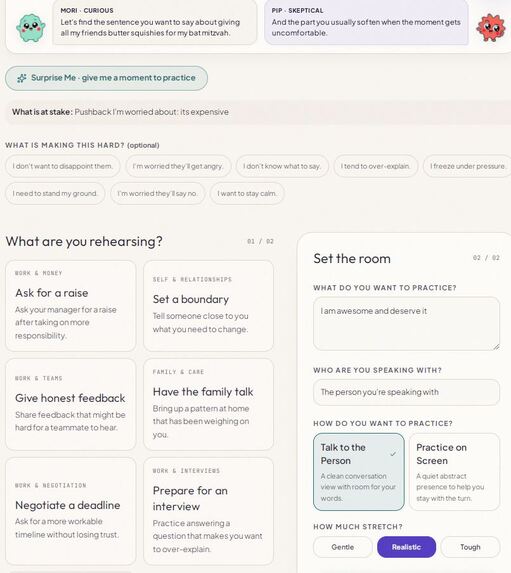
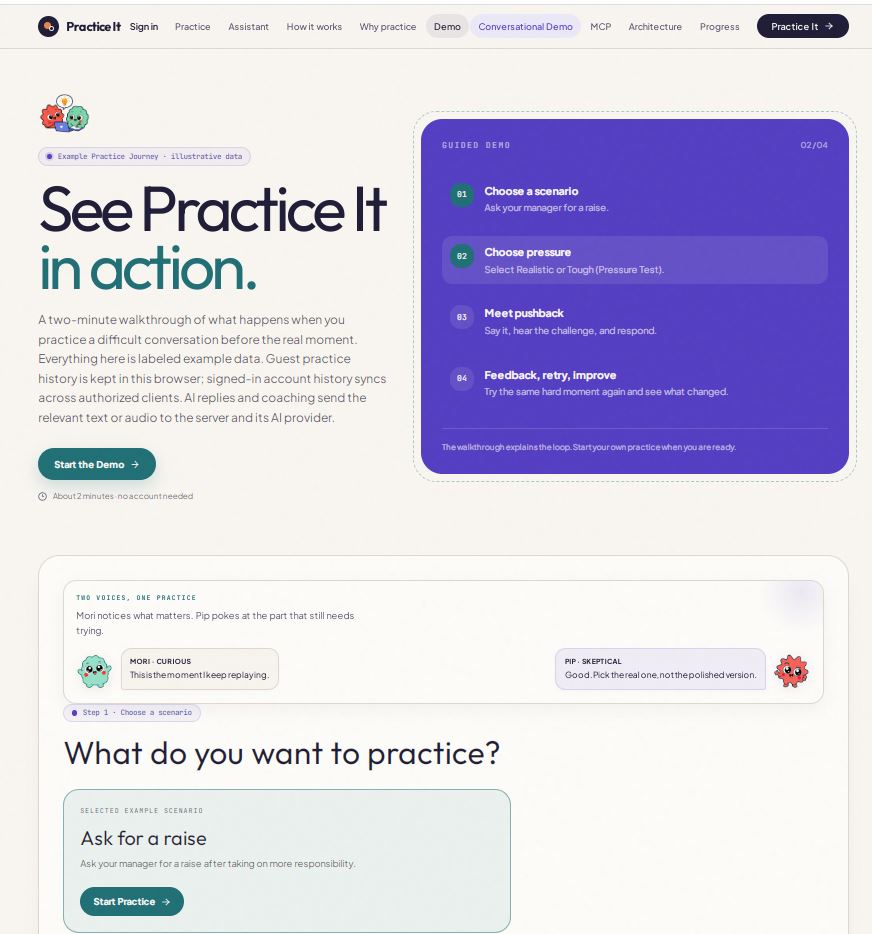
Demo
-
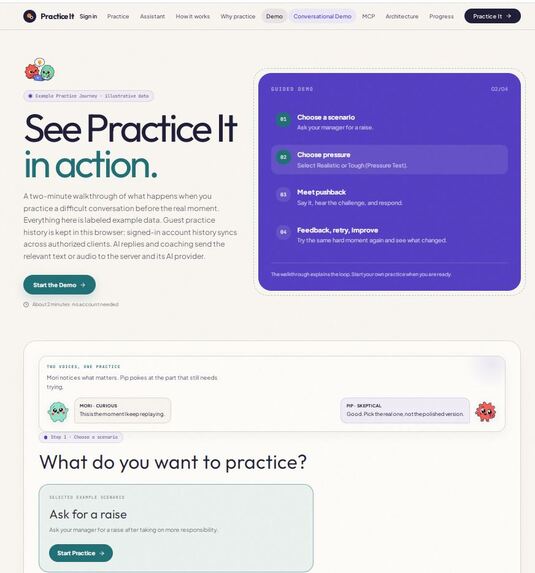
Guided Demo
-
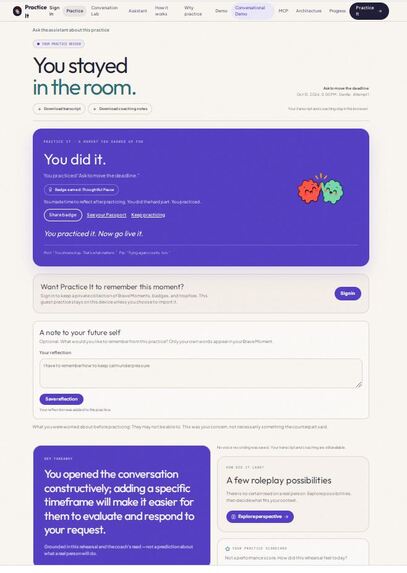
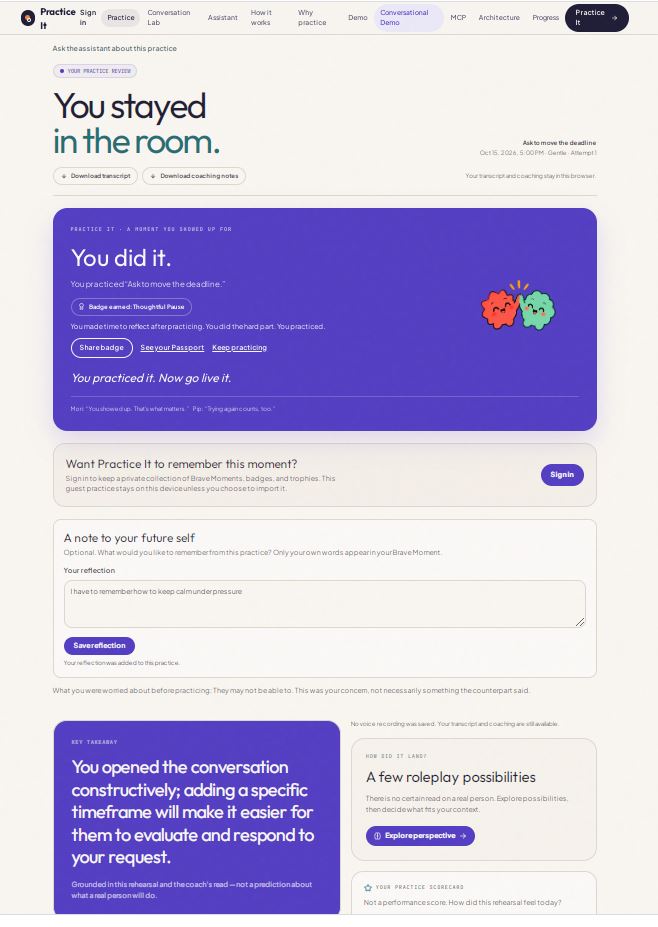
Practice Review
-
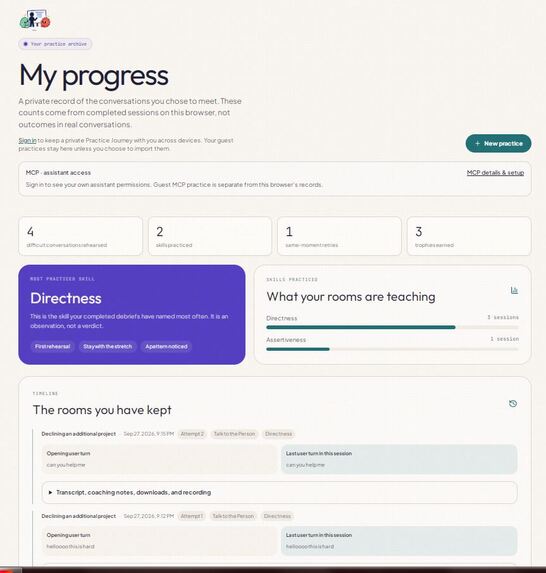
Your practice archive
-
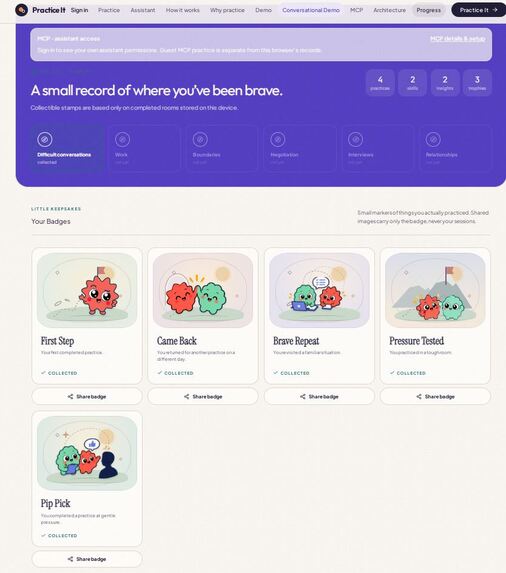
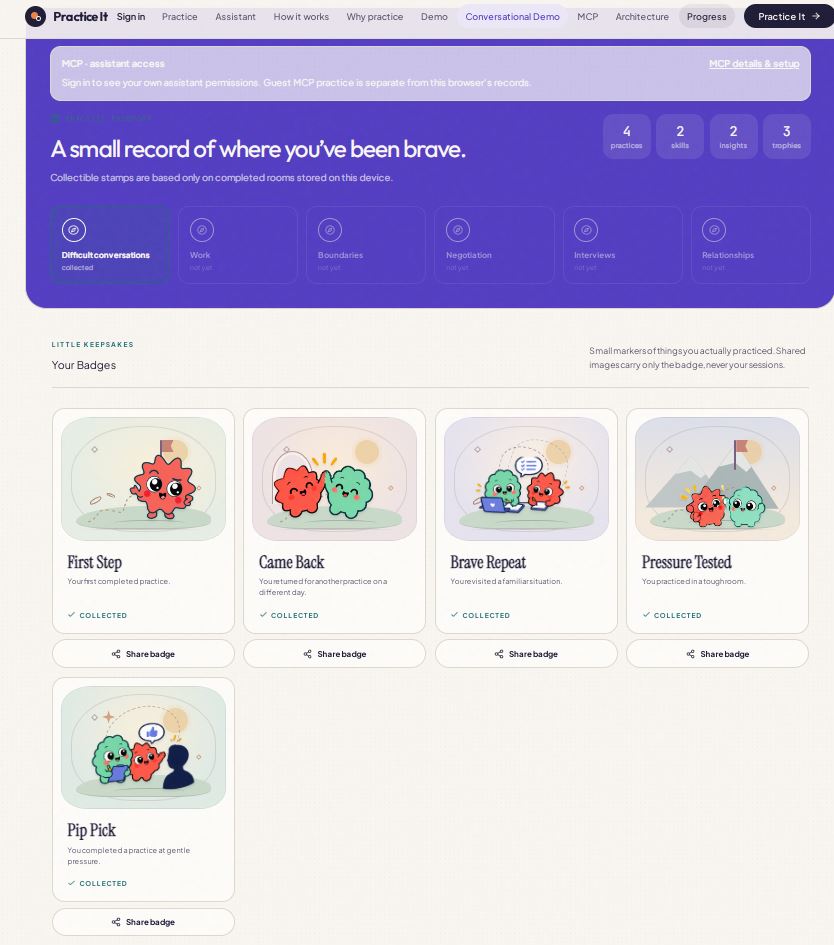
Your Badges
-
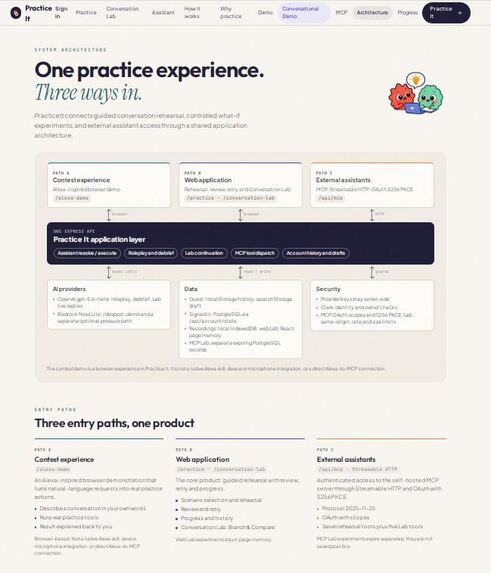
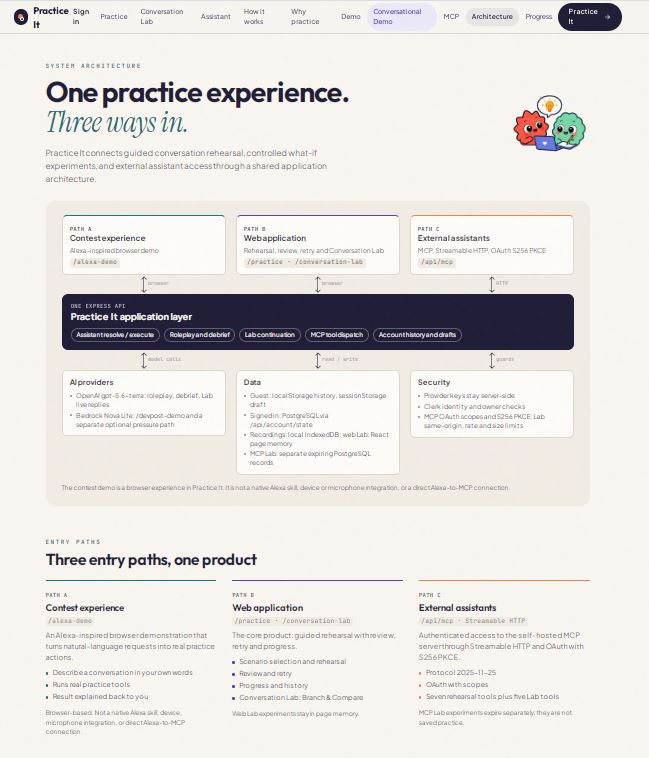
System Architecture
-
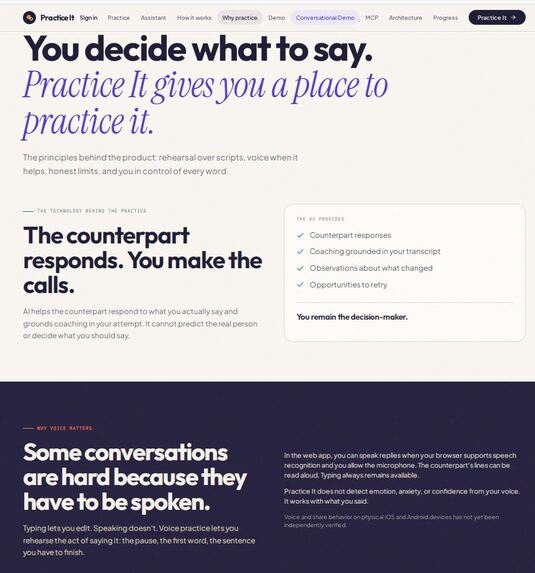
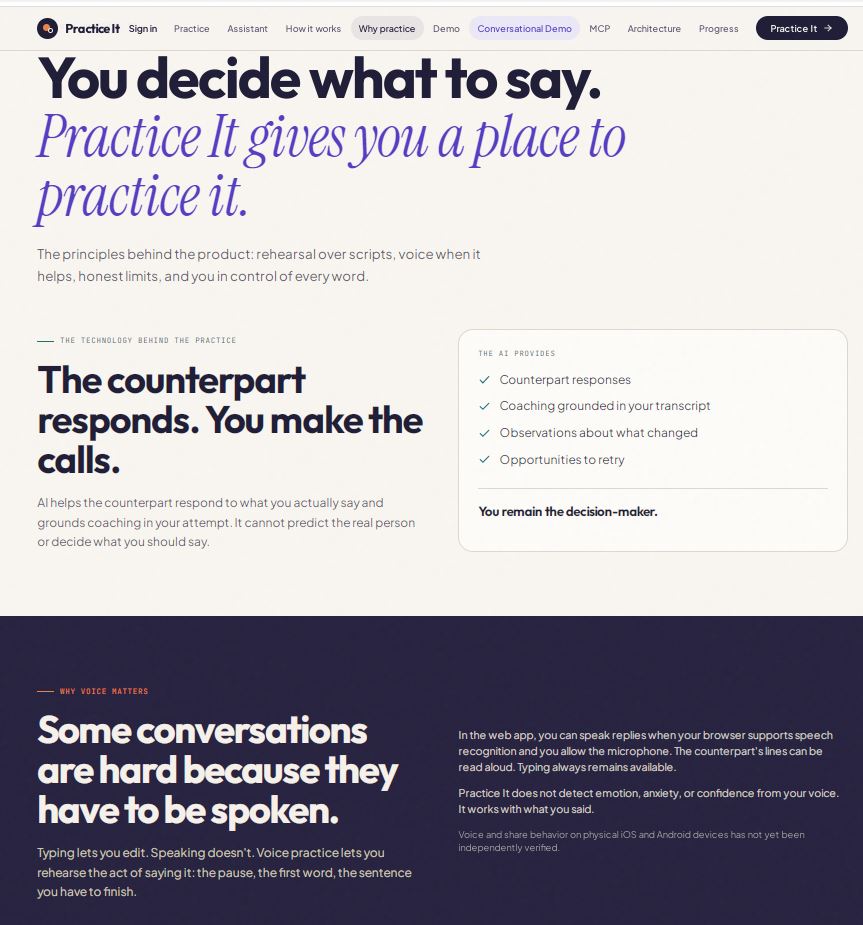
Why Practice IT
-
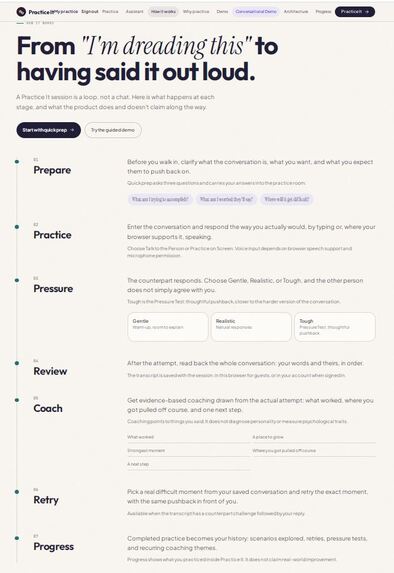
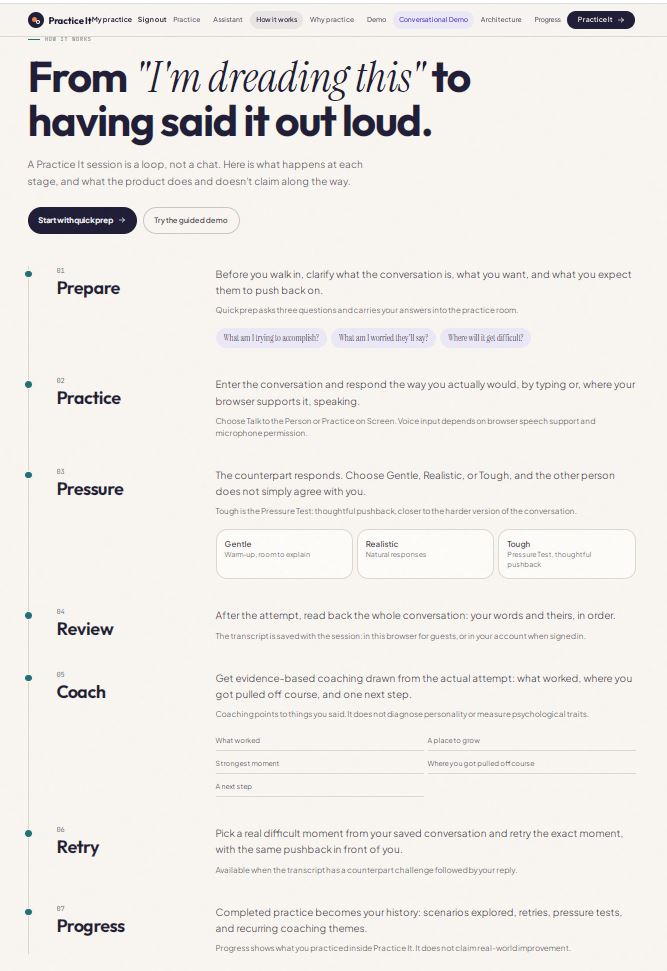
How it Works
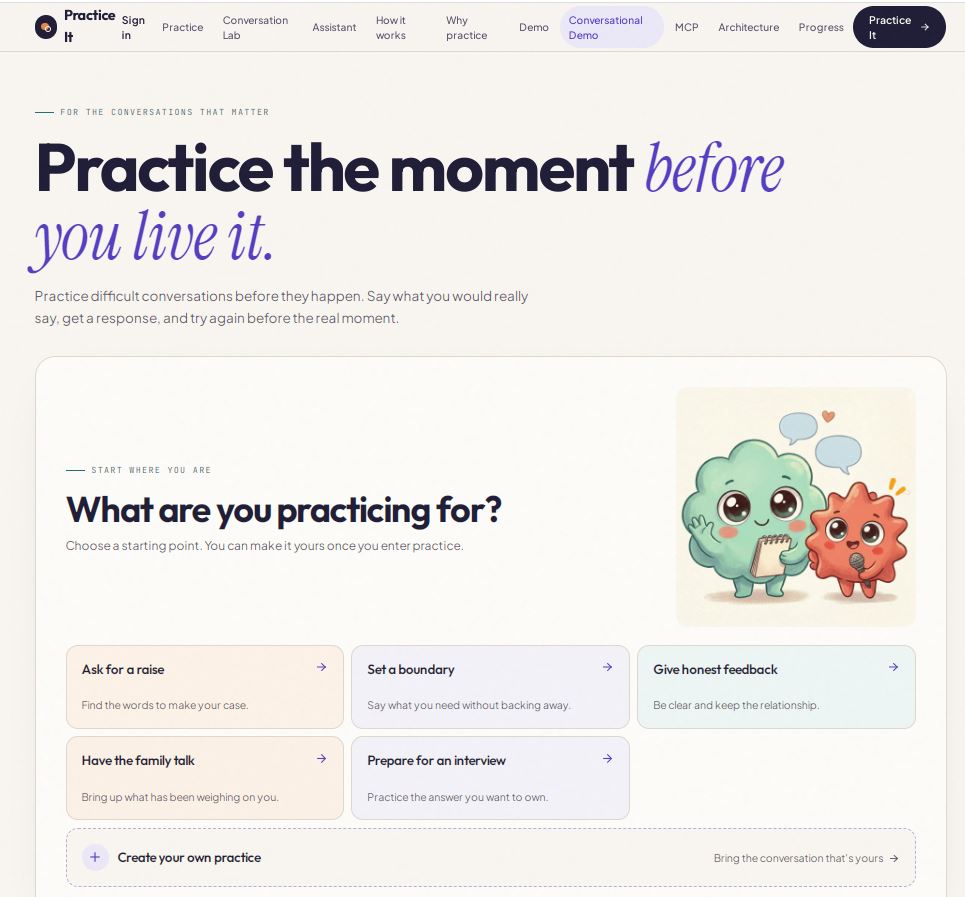
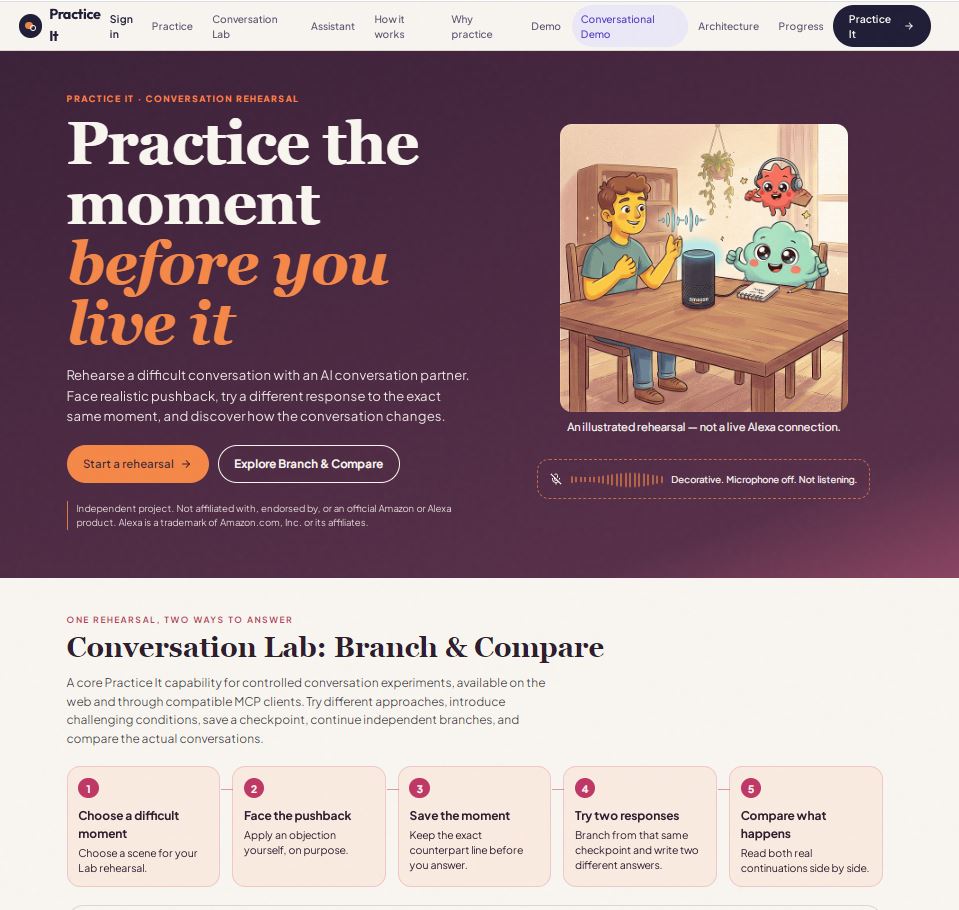
Practice It
Practice the moment before you live it.
You know the feeling.
You need to ask for a raise, set a boundary, respond to criticism, or have a conversation you've been putting off. You've thought about what to say. Maybe you've rehearsed it in your head a dozen times. But you still don't know what the other person will say—or how you'll respond when the conversation takes an unexpected turn.
What if you could practice that moment before it was real?
Practice It is an AI-powered conversation rehearsal platform where people can practice difficult conversations, encounter simulated responses, try different approaches, and learn from the experience before facing the real-world situation.
But Practice It goes beyond practicing a conversation once. Its signature capability, Branch & Compare, lets users return to the same conversational moment, try two different responses, and explore how each path unfolds. Rather than simply telling someone what they should say, Practice It gives them room to discover what they might say—and consider what happens next.
The experience brings together real-life scenarios, interactive AI conversations, three practice modes, replay and review, saved sessions, progress tracking, Mori and Pip, a Passport, 17 badges, and 6 trophies. An optional Conversation Lab adds controlled challenges and alternative conversation paths. A published, self-hosted MCP integration exposes 12 purpose-built tools to compatible AI clients.
Every part of the product supports one idea: confidence comes not only from knowing what to say, but from having the opportunity to practice.
Practice It makes that opportunity interactive, repeatable, and rewarding.
Inspiration
Some of life's hardest moments happen in ordinary conversations.
Asking your boss for a raise. Telling someone you can't take on one more responsibility. Responding to criticism without becoming defensive. Navigating a disagreement. Preparing for an interview when you don't know which question will throw you off.
These moments have something in common: we can prepare for them, but we cannot fully control what happens next.
Most preparation involves reading advice, memorizing a script, or asking a friend what to say. Those approaches can help, but they don't let us experience a difficult exchange, encounter unexpected pushback, or rewind to the moment when we wish we'd responded differently.
We wanted to build something that fills that gap.
Not another place that simply generates the perfect response. Not another chatbot where a conversation ends and the learning disappears. A place where people can practice the moment itself.
That idea shaped the entire product. Users can choose a situation, select how challenging they want the experience to be, participate in an interactive conversation, revisit difficult moments, and experiment with different approaches.
It also inspired a question that became the foundation of Branch & Compare: what if you didn't have to restart the entire conversation to discover another way forward? What if you could return to the exact same moment and explore a different response from there?
That is the thinking behind Conversation Lab.
We wanted the experience to feel welcoming, too. Difficult conversations can already make people anxious; preparation shouldn't feel like another test. Mori and Pip bring personality to the journey. The Passport, badges, and trophies recognize the effort it takes to practice, try again, and keep going.
The result is a product built around both sides of the experience: the courage it takes to face a difficult conversation and the satisfaction of getting another opportunity to prepare.
Because everyone has a conversation they wish they could practice first.
What it does
Practice It is a complete AI-powered conversation rehearsal platform built around a repeatable learning loop: prepare, practice, reflect, retry, and grow.
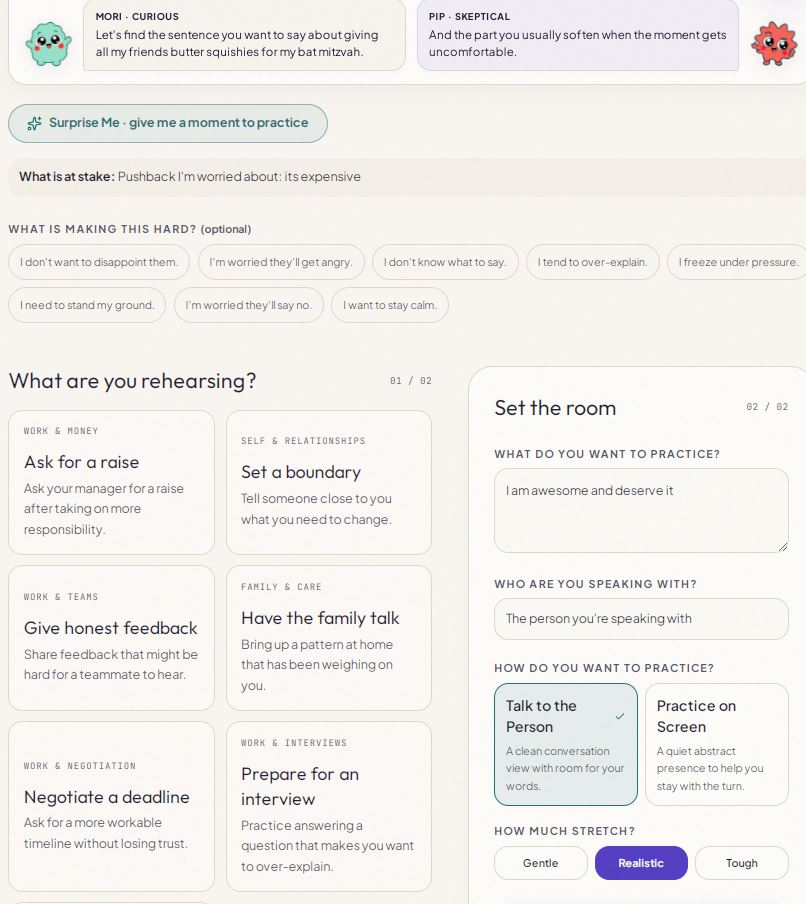
1. Real-life conversation scenarios
Users can rehearse situations that matter in their careers and personal lives.
- Ask for a raise: Practice making a case for compensation and responding to pushback.
- Set a boundary: Learn to say no while communicating clearly and respectfully.
- Handle difficult feedback: Practice staying composed and responding constructively.
- Navigate workplace conflict: Prepare for disagreements, interruptions, and challenging colleagues.
- Prepare for interviews: Rehearse answers and handle unexpected questions.
- Create a custom practice: Prepare for a specific conversation in your own life.
The goal is to make practice relevant to the moment a person is actually preparing to face.
2. Three practice modes
Users choose the level of challenge that fits their needs.
- Warm-up: Ease into a conversation and build confidence.
- Real Life: Practice a realistic back-and-forth interaction.
- Pressure Test: Challenge yourself with tougher conversational situations.
A person who is nervous about setting a boundary can start gently. Someone preparing for a high-stakes workplace discussion can challenge themselves with a more demanding interaction.
The goal is to practice responding naturally—not simply memorize an ideal answer.
3. AI-powered interactive conversations and guidance
Practice It lets users participate in simulated conversations, respond in their own words, and experience how the simulated counterpart might react.
The experience supports guidance and reflection so users can explore their responses, develop their approach, and prepare for unexpected turns.
This distinction matters: Practice It is not just a tool for generating something to say. It gives users an opportunity to try saying it, encounter a response, and decide what they want to do next.
The AI supports the rehearsal. The user remains the person making the choices.
4. Replay, retry, and learn from difficult moments
A challenging response doesn't have to end the learning experience.
Users can:
- Retry a difficult moment and experiment with another response.
- Review previous attempts to revisit what happened.
- Compare attempts to explore how different approaches played out.
- Return to practice instead of treating every interaction as a disposable chat.
These capabilities turn repetition into a core part of the product. Users don't have to get everything right on the first try.
They can pause, reflect, and practice again—before the real-world conversation arrives.
5. Saved sessions and persistent progress
Practice It includes session and progress capabilities that help users maintain continuity across their practice.
- Keep track of previous practice sessions.
- Resume sessions where supported by the existing workflow.
- Review earlier attempts.
- Compare approaches across attempts.
- Follow progress over time.
Instead of losing the value of a conversation when it ends, users can build on what they've already practiced.
This creates a bridge between individual rehearsals and a longer-term learning journey.
6. Mori, Pip, the Passport, badges, and trophies
A product about difficult conversations shouldn't feel intimidating to use.
Practice It has a distinctive, playful identity designed to make the experience more approachable.
- Mori and Pip: Friendly mascots that bring warmth and personality to the experience.
- Practice It Passport: A place to celebrate the user's practice journey.
- 17 badges: Milestones recognizing achievements.
- 6 trophies: Additional accomplishments users can earn.
These features make progress visible and give users reasons to return. They add delight to a product focused on a serious, meaningful challenge.
The personality isn't separate from the purpose. It helps make an uncomfortable activity feel more inviting—and makes the journey of trying again worth celebrating.
7. Social sharing and achievement cards
Users can celebrate progress beyond the application through shareable achievement cards.
Supported sharing options include Facebook, X, Reddit, WhatsApp, and email, alongside other available sharing methods.
The emphasis is on sharing accomplishments—not private conversations. Achievement sharing is designed to let users celebrate their progress without publishing the personal details of their rehearsal sessions.
Users can share the milestone without having to share the vulnerable conversation that led to it.
8. Alexa demonstration experience
Practice It includes a dedicated Alexa-style demonstration experience that explores how conversation rehearsal could work through an assistant-led interaction.
The demonstration gives users another way to explore the idea of practicing a difficult conversation conversationally, rather than navigating the entire web application.
It focuses on the user-facing experience: choosing a situation, exploring how assistant-led practice could work, and understanding the value of preparing before a real conversation.
Important distinction: This is a browser-based Alexa-style demonstration, not an official Alexa+ integration. The MCP integration described below is a separate technical access path and should not be presented as powering Alexa unless that connection is implemented and verified.
9. MCP integration for compatible AI assistants
Practice It includes a self-hosted Model Context Protocol (MCP) server that exposes structured conversation-practice workflows to compatible AI clients.
The published implementation includes 12 purpose-built tools: seven for ordinary practice and five for Conversation Lab.
The seven core practice tools are:
start_practice— Start a practice session.create_custom_practice— Create a custom practice scenario.resume_practice— Resume an existing practice.retry_current_moment— Retry a challenging moment.review_previous_attempt— Review a previous attempt.compare_attempts— Compare practice attempts.show_progress— View progress.
The five Conversation Lab tools extend MCP access to controlled experiments and alternative conversation paths:
start_lab_experiment— Start an experiment with a scenario, counterpart, goal, challenge controls, and an explicit live or sample mode.create_lab_checkpoint— Create a shared checkpoint and independent branches from the same starting context.continue_lab_branch— Continue the original conversation or an alternative branch with a new response.compare_lab_branches— Compare actual transcripts and continuations from the shared checkpoint.end_lab_experiment— End an experiment and delete its temporary state.
The server is available at /api/mcp, uses Streamable HTTP, and targets MCP specification version 2025-11-25. OAuth discovery supports authentication for compatible clients.
The implementation has been tested beyond tool declarations. Development verification exercised an authenticated MCP client using OAuth authorization with S256 PKCE, initialized a connection, discovered all 12 tools, and executed the Conversation Lab workflow. That workflow created an experiment, established a shared checkpoint, continued independent branches, and compared their persisted transcripts. A live-provider test also returned four genuine responses from the existing Lab AI provider.
Testing additionally covered the original seven-tool invocation suite, authentication and authorization, token revocation, and account-related security checks.
Conversation Lab experiments use separate, temporary state with a defined 30-minute lifetime, expiry checks, and cleanup. Access is bound to the authenticated user and client. Mutating operations require practice:write, while branch comparison requires practice:read.
The updated 12-tool implementation has been published. The full Conversation Lab MCP workflow has been verified locally; production behavior and real signed-in Clerk account-isolation verification remain separate validation steps.
MCP is a developer-facing integration, distinct from the user-facing Alexa-style demonstration. It provides a path for compatible AI clients to access Practice It workflows without requiring every interaction to originate in the main web interface.
10. Conversation Lab: Explore the What-Ifs
Conversation Lab is an optional extension of Practice It for users who want to experiment with difficult conversational situations beyond ordinary rehearsal.
The core Practice It experience remains supportive and unchanged. Users choose whether to enter the Lab; challenges are never introduced unexpectedly into regular practice.
Conversation Lab gives users control over the conditions of a simulated conversation, helping them explore different approaches in a safe environment.
Experiment controls include:
- Pushback: Explore conversations with more cooperative or resistant responses.
- Time pressure: Practice when there is less time to explain a position.
- Emotional tension: Explore situations that become more uncomfortable or difficult.
- Unexpected challenges: Introduce an objection, interruption, change of subject, request for evidence, or new constraint.
Users can configure an experiment around a scenario, conversation counterpart, goal, and challenge settings. They can explore alternative responses while keeping the experiment separate from their ordinary saved practice history.
The published MCP extension allows compatible clients to start an experiment, create a checkpoint, continue independent branches, compare resulting transcripts, and end the experiment.
The goal is to make experimentation accessible without making the experience intimidating. Users decide how far they want to push themselves.
11. Branch & Compare: Try Another Way
Branch & Compare is the signature innovation of Practice It.
Imagine you're preparing to ask your manager for a raise. You've made your case, and your manager says:
"We don't have budget for that right now."
That is the moment you want to practice—not just the opening statement, but what happens when the conversation becomes difficult.
One approach might be to ask what measurable results would justify a compensation review. Another might be to suggest a specific date to revisit the discussion.
Both are reasonable approaches, but they lead the conversation in different directions.
Practice It lets users return to that same checkpoint and explore both alternatives. Each branch preserves its own subsequent history, so the user can continue one approach without overwriting the other.
The comparison presents the actual recorded transcripts and continuations from both paths. Users can examine what happened and reflect on communication behaviors such as:
- Asking open-ended questions.
- Clearly communicating a boundary.
- Supporting a request with relevant evidence.
- Acknowledging another person's concerns.
- Returning to the original objective after a distraction.
- Identifying a concrete next step.
Users explore their own responses instead of being limited to predefined choices.
The goal is not to predict exactly how a real person will behave or declare one response universally correct. It is to help users discover alternatives, understand trade-offs, and learn through experimentation.
Branch & Compare extends ordinary retry and comparison workflows with a distinct capability: two independent paths that begin at the same conversational moment.
That shared starting point matters. It gives users a more meaningful way to explore alternatives because they can compare what followed different responses to the same simulated situation.
The same workflow is accessible through the published MCP integration, where compatible clients can create checkpoints, continue independent branches, and compare actual transcripts using dedicated tools.
12. Conversation Lab across the web and Alexa demonstration
Conversation Lab extends Practice It's interactive rehearsal concept through the main web application and the dedicated /alexa-demo experience.
In the web application, users can enter the Lab from the existing Practice It experience without changing their normal practice workflow.
The Alexa-style demonstration offers a guided way to explore the rehearsal concept and its what-if possibilities. It remains a browser-based demonstration rather than an official Alexa+ integration.
The MCP integration provides a separate developer-facing route into the Lab. Compatible MCP clients can invoke the implemented experiment, checkpoint, branch, comparison, and cleanup workflows through the MCP server.
These are distinct access paths: the Alexa-style demonstration illustrates the user experience, while MCP exposes structured tools to compatible AI clients.
The updated 12-tool MCP implementation is published, and the full Lab workflow has been verified locally. Production behavior and signed-in account-isolation verification remain separate validation steps.
Together, these access paths help judges explore both the product concept and the underlying technical implementation without conflating the browser demonstration with an official Alexa integration.
13. Conversation Lab architecture and MCP relationship
Conversation Lab extends Practice It's conversation and learning workflows rather than creating a disconnected product.
Its architecture includes experiment configuration, scenario and challenge settings, conversation checkpoints, branch-specific histories, AI interactions, transcript-based comparisons, and temporary experiment cleanup.
Branch & Compare preserves the shared starting context while maintaining separate histories for the original conversation and its alternatives. The comparison is grounded in the recorded branch data.
The MCP server exposes this functionality through five additional tools alongside the original seven practice tools. Its verified development workflow uses authenticated MCP requests and user- and client-bound experiment state. Mutating operations require practice:write; comparison requires practice:read.
Lab state is stored separately from ordinary saved practice sessions and is temporary, with a defined 30-minute lifetime and expiry and cleanup mechanisms. Lab experiments do not become saved rehearsals, drafts, recordings, or progress records.
The architecture documentation describes the implemented workflow and its relationship to the existing application. Local verification covers the full MCP Lab workflow, including branch creation, independent continuation, and transcript comparison. The updated implementation has been published; production behavior and signed-in account-isolation verification remain outstanding checks.
This architecture preserves the separation between the user-facing rehearsal experience, the optional experimental Lab, and the developer-facing MCP integration.
How we built it
Practice It combines an interactive web application, AI-driven conversation simulation, stateful practice workflows, progress tracking, achievements, social sharing, and assistant interoperability.
Conversation engine: Scenario-based interactions and different challenge levels support practice across a range of difficult conversations.
Learning and session workflows: Retry, review, comparison, and session-management capabilities connect individual interactions into a repeatable learning loop.
Conversation Lab: The optional experimental experience adds controlled challenges, configurable conversational conditions, checkpoints, and alternative branches. Users can explore different responses to the same moment and compare the resulting simulated paths.
Branch & Compare: The branch-management workflow creates alternatives from a shared checkpoint, maintains separate histories, and compares the actual transcripts and subsequent responses. This allows users to examine how simulated conversations differ without treating the results as predictions of real-world behavior.
Progress and engagement: Mori, Pip, the Passport, badges, and trophies provide a recognizable product identity and reward continued participation.
Sharing: Achievement cards and social-sharing options allow users to celebrate progress without requiring them to publish private practice conversations.
Assistant interoperability: The self-hosted MCP server exposes 12 purpose-built tools through Streamable HTTP: seven for ordinary practice and five for Conversation Lab. The published implementation has undergone development verification that includes OAuth with S256 PKCE, authenticated MCP initialization, discovery of all 12 tools, and execution of the full Lab workflow.
Conversation Lab through MCP: The verified workflow starts an experiment, creates a checkpoint and independent branches, continues alternative paths, and compares their persisted transcripts. A live-provider test returned four genuine responses from the existing Lab AI provider. Temporary experiment state is separately stored, access-controlled, and subject to expiry and cleanup.
Security and state management: The Lab uses temporary experiment records, a defined 30-minute lifetime, expiry checks, cleanup, user- and client-bound access, and permission checks. Experiments remain separate from ordinary saved practice sessions.
Alexa-style experience: A separate browser-based demonstration explores conversational access without claiming an official Alexa+ integration. Conversation Lab extends the demonstration concept with a guided, interactive what-if experience.
Architecture documentation: The documentation describes the Lab components and their relationship to the existing application, AI infrastructure, session workflows, and MCP integration.
Testing includes MCP workflow fixtures, real shared-AI-provider tests, the original seven-tool invocation suite, browser protocol checks, Lab behavior, and authentication and security checks. The updated MCP implementation is published. Development test results and publication do not, by themselves, establish that every production workflow or external integration has been verified.
The central design decision was to make the technology serve a human experience. The conversation engine creates the rehearsal; the learning workflows let people return and improve; Branch & Compare makes alternatives explorable; and the MCP server opens structured access to compatible AI clients.
Challenges we ran into
Making AI practice more than generated advice. We needed a complete learning loop around the conversation, including challenging moments, retries, review, and comparison.
Maintaining continuity. Session history and progress features help users build on previous practice rather than repeatedly starting from scratch.
Balancing realism and encouragement. Practice needs to challenge users without making an already stressful experience feel punishing. Different modes provide flexibility.
Making learning rewarding. Mori, Pip, the Passport, badges, and trophies bring personality and motivation to a serious subject.
Protecting privacy while enabling sharing. We designed achievement sharing around accomplishments rather than private conversation content.
Building and verifying meaningful assistant integration. MCP required more than listing tools. We tested OAuth authorization with S256 PKCE, authenticated protocol initialization, discovery of all 12 tools, and the Conversation Lab workflow. Testing also covered authorization boundaries, token revocation, and cleanup. Local verification and production availability remain separate milestones.
Keeping the experience clear. With multiple scenarios, learning features, and access paths, we needed to separate the core user experience from developer-oriented integration details.
Making experimentation useful without making practice intimidating. Conversation Lab introduces more challenging situations without imposing them on everyone. Its optional design lets users decide when they want to experiment.
Comparing alternative responses meaningfully. Branch & Compare requires more than replaying a conversation. Both alternatives must start from the same checkpoint, maintain independent histories, and produce comparisons grounded in what actually happened in each simulated interaction.
Managing experiment state safely. The MCP workflow adds temporary experiments and multiple branch histories. We addressed this with user- and client-bound access, permission checks, expiry, cleanup, and separation from ordinary saved practice sessions.
Documenting the architecture accurately. As new capabilities are added, the architecture and MCP documentation must distinguish functionality that has been implemented and published from production behavior and integrations that have been independently verified.
Accomplishments that we're proud of
We built a product around a human experience people recognize immediately: wanting to feel more prepared before a difficult conversation.
We're proud that Practice It combines an approachable experience with substantive functionality:
- Built an AI-powered conversation rehearsal product around a widespread human problem.
- Created multiple real-life scenarios, custom practice, and three challenge modes.
- Developed interactive conversation experiences with guidance and opportunities to try again.
- Added retry, review, comparison, session management, and progress capabilities.
- Created a distinctive identity with Mori, Pip, the Passport, 17 badges, and 6 trophies.
- Implemented achievement cards and social-sharing options with privacy-conscious design.
- Developed a self-hosted MCP integration with seven purpose-built conversation-practice tools.
- Published five additional Conversation Lab MCP tools, bringing the total to 12.
- Verified a full MCP Lab workflow locally, including experiment creation, a shared checkpoint, independent branches, branch continuations, and comparison of actual transcripts.
- Tested the original seven-tool invocation suite, MCP tool discovery and schemas, OAuth authorization using S256 PKCE, authenticated access, and security controls.
- Ran a live-provider test that returned four genuine responses from the existing Lab AI provider.
- Implemented temporary, access-controlled Lab state with expiry and cleanup, separate from ordinary saved practice sessions.
- Built a separate Alexa-style demonstration experience without presenting it as an official Alexa+ integration.
- Extended the learning concept with Branch & Compare, allowing users to explore alternative responses from the same conversational checkpoint.
- Documented the Lab architecture and its relationship to the existing conversation engine, AI infrastructure, session workflows, and MCP integration.
- Continued testing the application's browser behavior, state management, authentication flows, sharing, and integrations.
The updated 12-tool MCP implementation is published, and the full Lab workflow has been verified locally. Production behavior and signed-in account-isolation verification remain outstanding.
We're especially proud of the way the capabilities work together. A user can practice, encounter a difficult moment, retry, explore an alternative, compare what happened, retain their progress, and celebrate an achievement.
Conversation Lab adds another dimension: the opportunity to experiment with what might happen if they respond differently—and to access that workflow through compatible MCP clients.
The result is more than a collection of AI features. It's a product designed around the entire journey of getting better.
What we learned
AI alone doesn't make a product useful. The experience around it matters just as much.
People need room to experiment, opportunities to learn from mistakes, ways to revisit earlier work, and evidence that their effort matters. Replay and comparison support learning; session history supports continuity; achievements make progress visible.
We also learned that delight has a purpose. A welcoming design can make an intimidating activity feel approachable, while thoughtful privacy choices let users celebrate without exposing personal details.
Conversation Lab builds on these lessons by making experimentation optional. Some users want reassurance and gentle practice; others want to test alternative approaches, introduce unexpected challenges, and explore different paths. The experience should accommodate both without forcing one style on everyone.
Branch & Compare reinforces an important distinction: the objective is not to identify one perfect script, but to help people discover how different responses can lead to different simulated conversations and what they can learn from those differences.
Extending the Lab through MCP also taught us that assistant interoperability is more than publishing a list of tools. A meaningful integration needs a complete workflow, authenticated access, clear permissions, independent branch histories, and comparisons based on actual results.
We also learned that technical documentation is most useful when it accurately reflects what has been implemented, published, and verified. A published integration, successful development tests, and production verification are distinct milestones and should be described honestly.
Most importantly, we learned to design around the person facing the difficult conversation—not around the AI itself.
What's next for Practice It
We want Practice It to become a trusted companion for the conversations that shape people's lives.
Our next steps include refining the guided demo, expanding scenario examples, improving the presentation of sessions and progress, and continuing to validate assistant integrations.
Conversation Lab represents another step in that direction. We want users to be able to enter an optional experimental space, deliberately introduce a challenge, revisit the same conversational moment, and compare alternative approaches.
The new MCP tools also open a path for compatible AI clients to access that workflow. Our next step is to validate the published integration in production, including live workflow behavior and signed-in account isolation, before claiming those checks are complete.
We also want to make Practice It easier to access through the tools people already use while preserving its welcoming personality, learning experience, and privacy-conscious design.
Our long-term vision is to make communication practice as natural as preparing for a meeting or studying for an exam.
Because everyone encounters difficult conversations. Everyone deserves a chance to prepare.
Practice It — Practice the moment before you live it.
Built With
- agentic-ai
- ai
- ai-voice
- alexa
- aws-bedrock
- generative-ai
- mcp
- mcp-apps
- node.js
- oauth
- openai
- postgresql
- react
- replit
- typescript

Log in or sign up for Devpost to join the conversation.