-
-
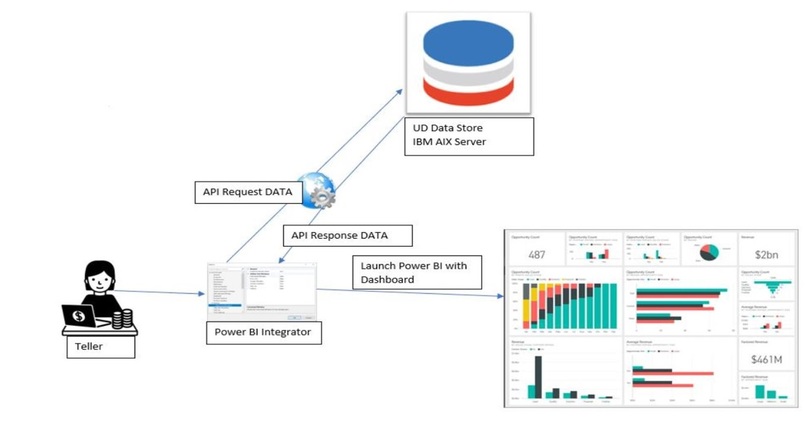
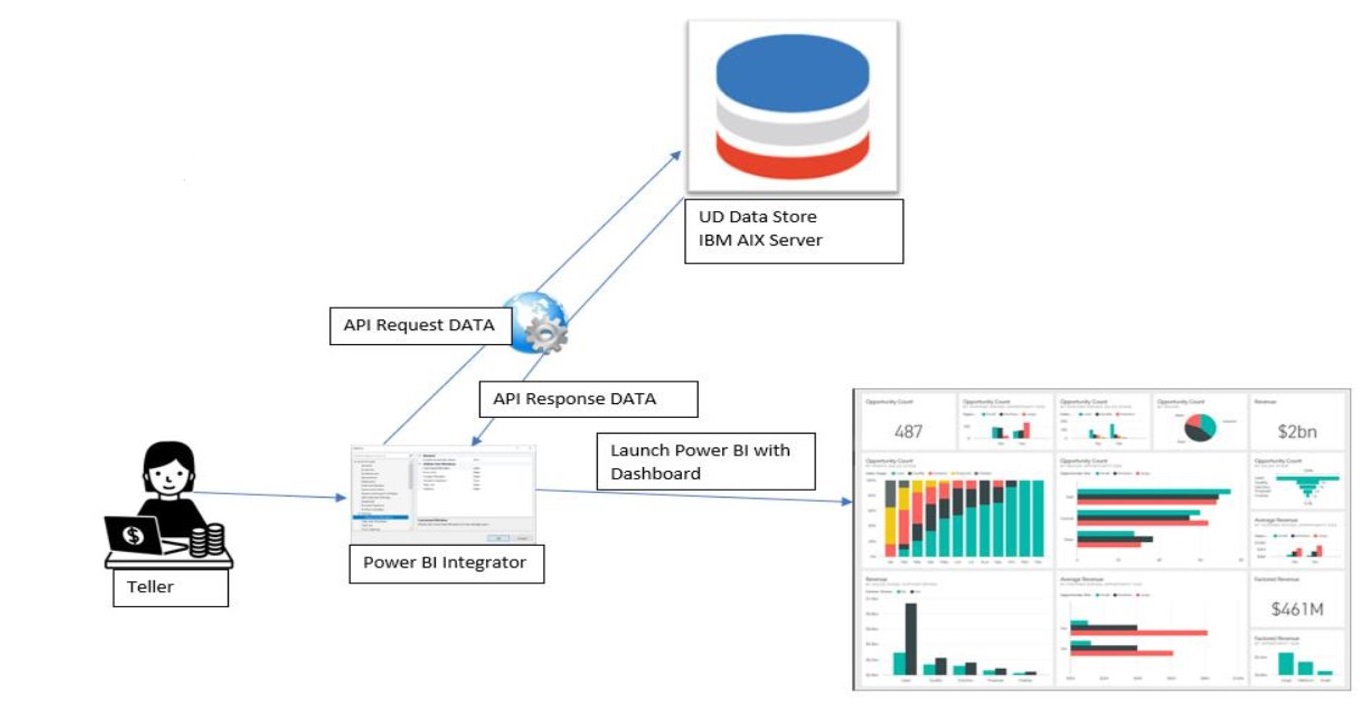
Architecture Diagram
-
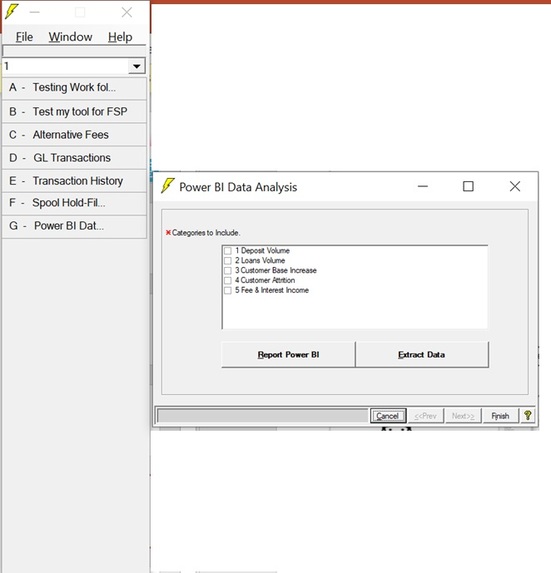
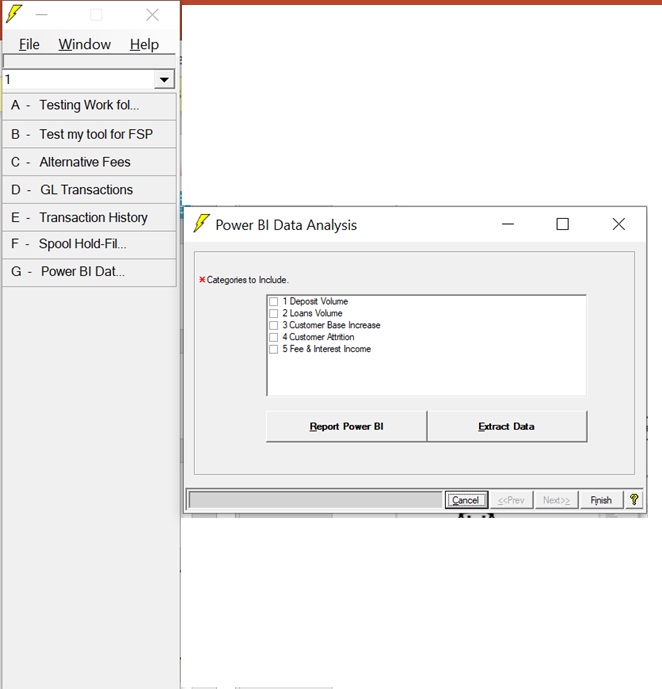
FSP Tool for PowerBI Integration
-
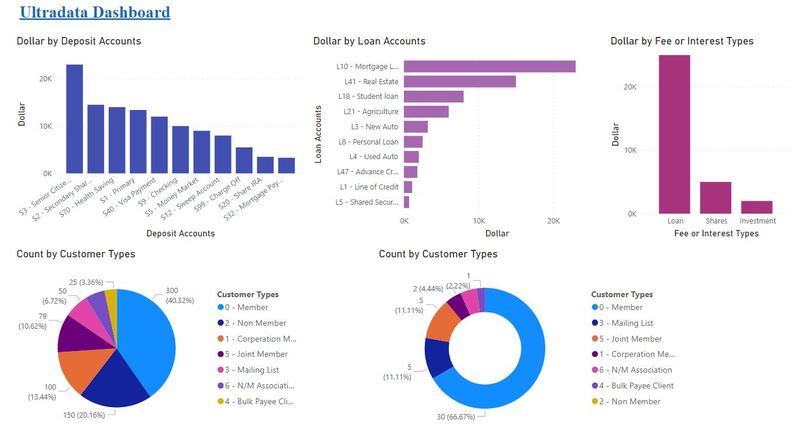
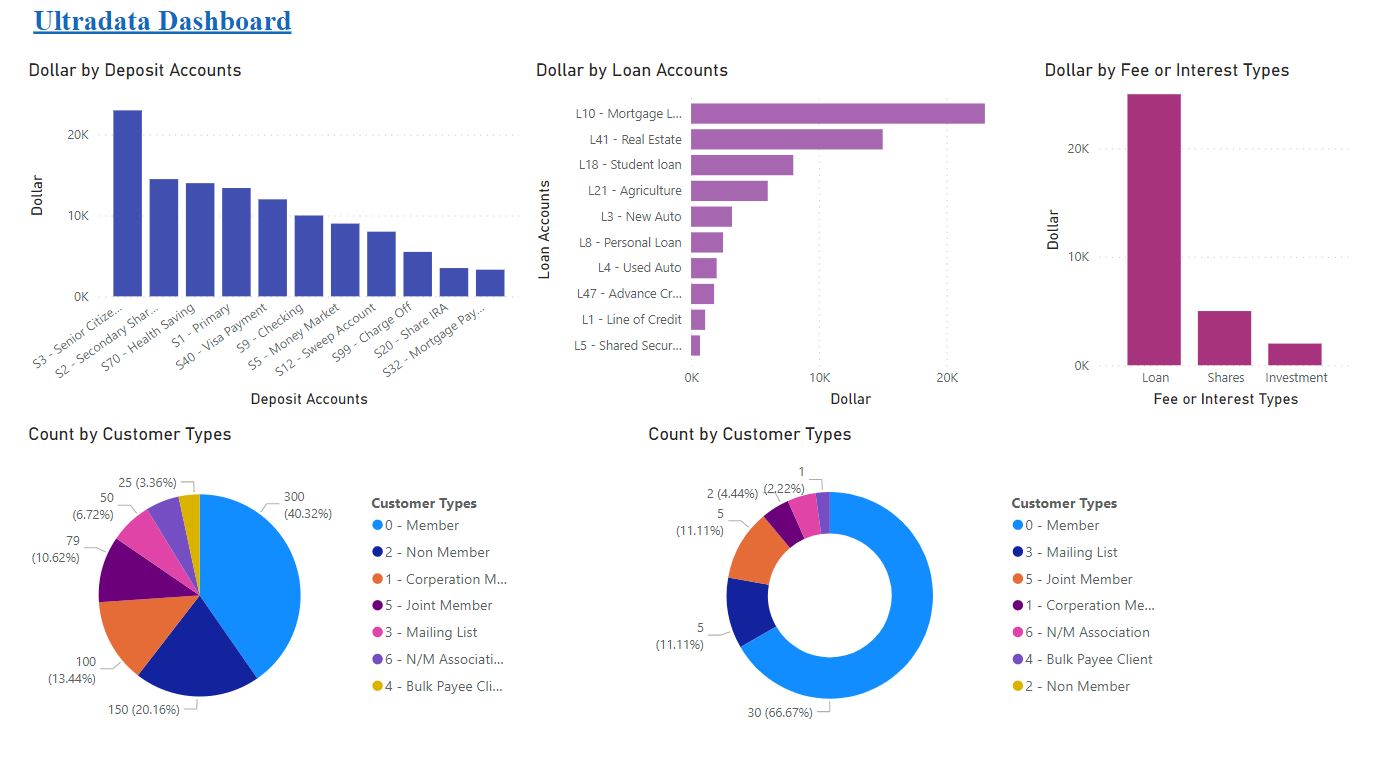
PowerBI Dashboard
Inspiration
PowerBI integration with Legacy Products using flat file data, for better visualization of the FI transactions.
What it does
- Enhances the limited visualization of FI reports.
- FIs can create customized reports using the graphical designer tools offered by Power BI.
- Helps in shaping up tomorrow's business goals.
- Improve the decision-making strategies of the business.
- Gives deeper insight about the financial status of the business.
- Helps to improve the profitability, cash flow and value of the business.
How I built it
- Extracted the required data from UltraData, utilizing the WebService APIs through the PowerBI Integrator FSP tool.
- We can utilize the FFDC APIs to extract the required data.
- Convert the data into .csv Format.
- Connect the Data Set to PowerBI.
- Users then query the data to create reports based on their needs.
- The report is published to Power BI Service and shared, so cloud and mobile users can see and interact with the report.
Challenges I ran into
- Integration of PowerBI with a legacy product.
Accomplishments that I'm proud of
- Developed a powerful report which can be extensively used by the FIs, for making Data Insights.
What I learned
- How to integrate PowerBI.
- Researched on how to utilize FFDC APIs to extract desired data from a flat file system.
What's next for POWERFIN
- Expecting enhancement opportunities in the legacy products.
- Automate the current manual data extraction process.
Built With
- c#.net
- powerbi
- unidata
- webapi


Log in or sign up for Devpost to join the conversation.