-
Power Pilot
Inspiration
We wanted to create a program to strive towards the goal of sustainability. Our inspiration was to create an AI assistant to help a user properly manage their energy usage to use less and save more while not affecting their day to day life.
What it does
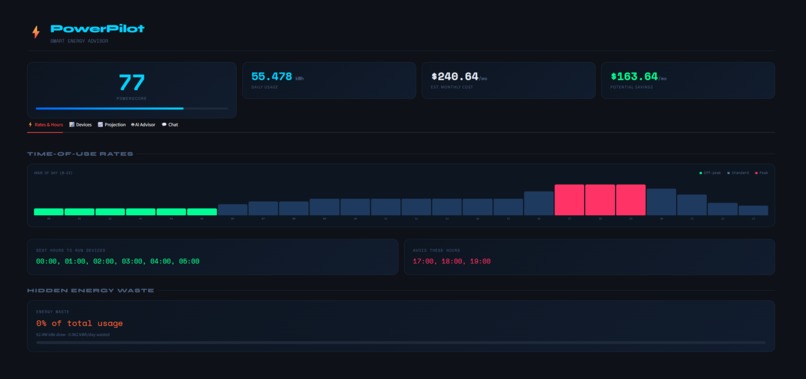
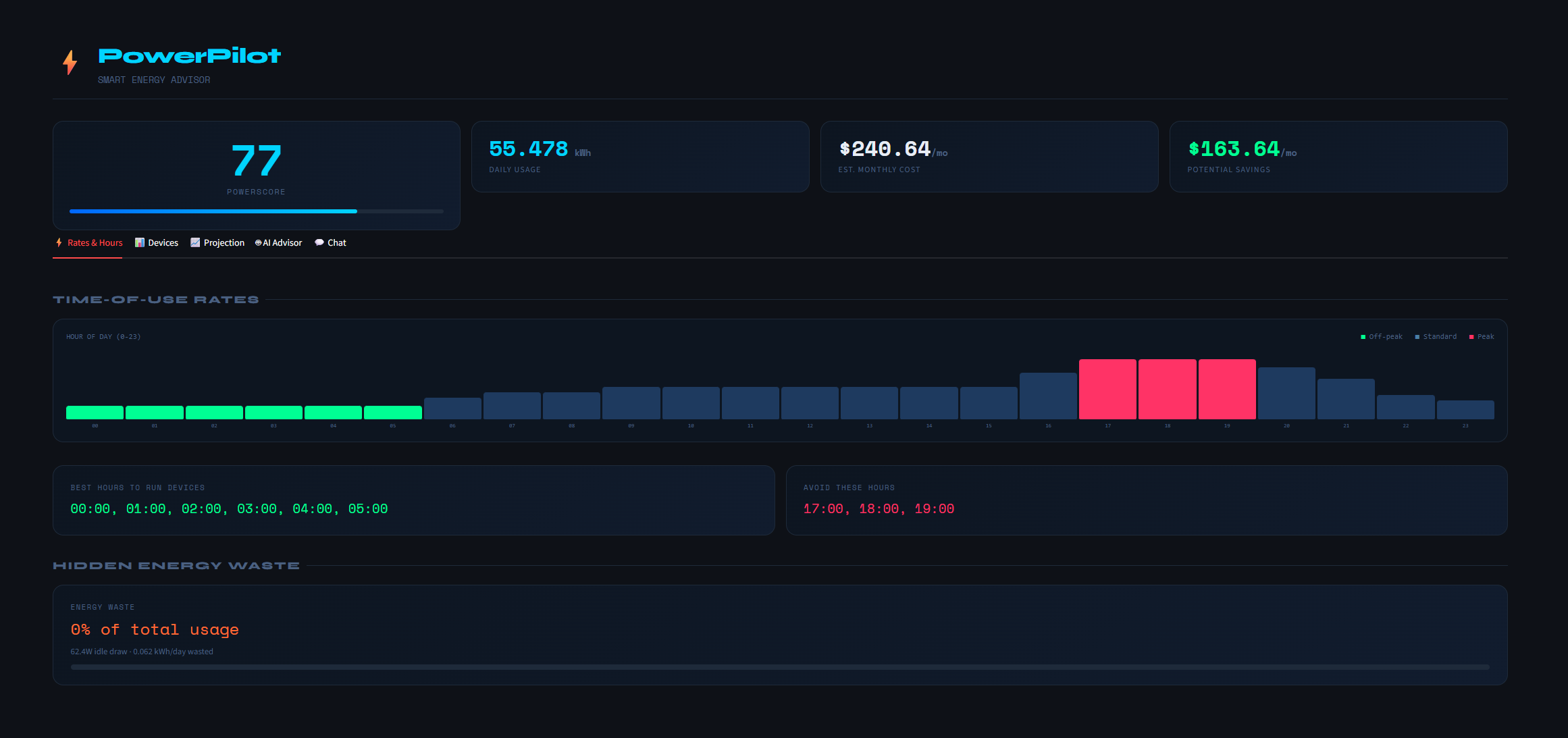
Our platform gives you recommendations based on your appliance and electronic usages to try and avoid energy waste along with saving you money by offering advice on when to use each of those electronics (i.e. "You should be trying to run your dishwasher cycles overnight to avoid peak hours.")
How we built it
We built a streamlit app deployed on the snowflake community cloud using the snowflake API as our backend for storing devices and energy profiles. We implemented Groq's API for our AI Consultant and used custom HTML/CSS for the frontend. We reordered the tabs to better suit our vision and improve our UI/UX with hover bubbles, pie charts, and power scores that are calculated in real time on the backend.
Challenges we ran into
The biggest challenge we ran into was the Energy Waste (Phantom load) concept. Trying to find a way to organically formulate IDLE and draw biases from appliances like fridges, AC units, and microwaves was definitely a challenge because the AC and Fridge were being listed as wasteful when they are necessities. On the other hand something like the idle draw from a microwave is wasteful and needed to be distinguished as that. We had our AI determine what was necessary and what was not and calculate the waste like that.
Another issue we had was how sensitive our power score was, something like a fridge was scoring the low 40's when realistically that makes no sense, so we tweaked the formula with the help of our AI assistant to help us generate a more realistic score.
Accomplishments that we're proud of
We are pretty proud of our seasonal HVAC logic. We had an issue where when we ran AC and Heat they would all accumulate in the same 5 months during summer which made no sense. So we had a monthly projection chart reflect what was happening at real time as we adjusted the logic behind when things run.
Another thing we are proud of is how we merged AI into our device adder to first check the US Department of Energy and take the average time of use, wattage, and idle hours of each appliance and list that as the general recommendation while giving sliders to the user to adjust as needed for their specific devices.
What we learned
We learned that streamlit gives you alot of widgets and charts to start with but when you want a more professional charts you need to start using HTML/CSS/ and SVG to improve the entire outlook of the UI in the project. Another thing we learned is that slow improvements one by one are the best way to built a website. Trying to add too many features at once is just a very messy and explosive way to try and build a website because when the errors start to pile up they are very hard to debug.
What's next for Power Pilot
Our next steps would be to scale the website. Creating actual profiles for local zipcodes along with own personal profiles. This way a user will be able to log into their account, find their zipcode for their local rate, and have the ai make optimization recommendations based on those numbers rather than the US averages. Another thing we wanted to do was make a phone app, we did not have enough time to convert our website into an app but that would be the next goal. Another thing would be able to search for specific models and have their wattages, idle, etc all in the system instead of just a base search of a Fridge or Washer. Eventually our late stage goal would be to make a smart device that would plug into the breaker, appliances, and other devices to talk, collect, and share data with eachother to fully optimize houses specific to the users wants and needs that can be automatically controlled and controlled from our app.

Log in or sign up for Devpost to join the conversation.