-
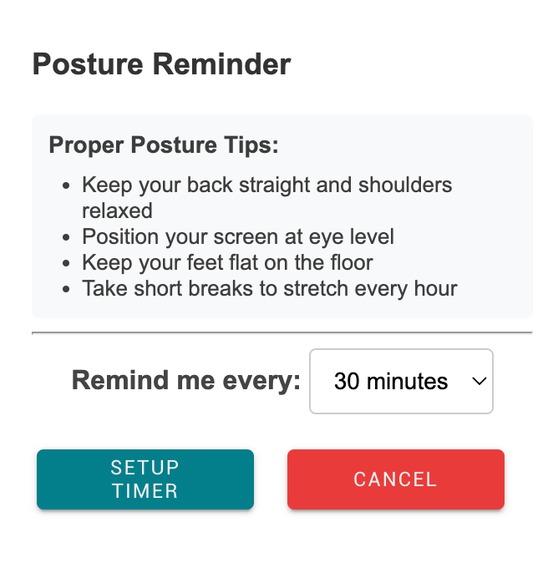
UI
-
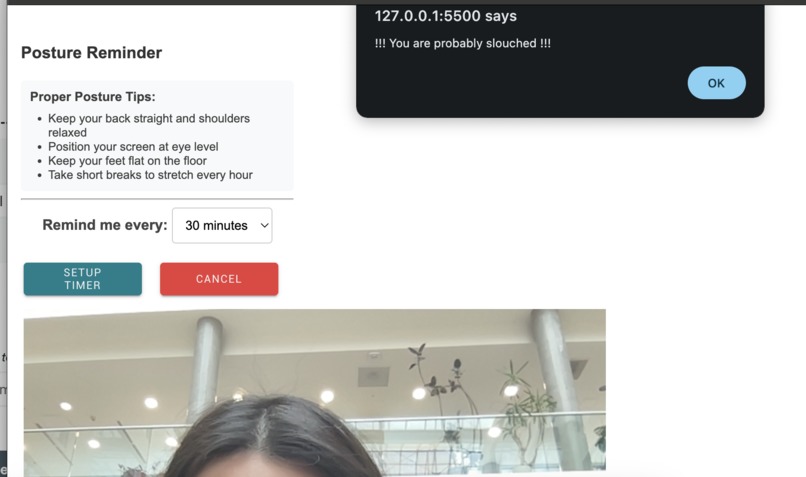
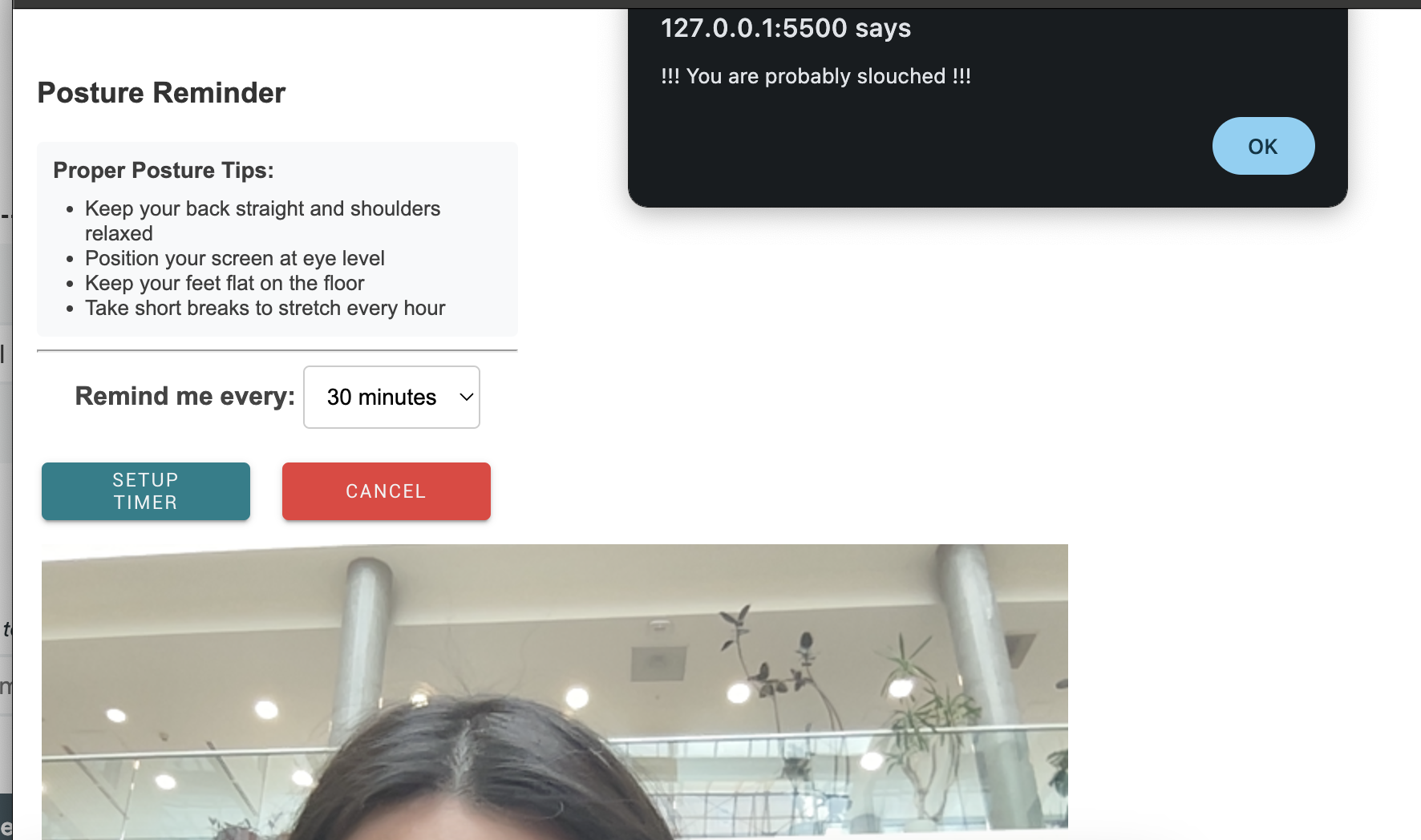
Reminder for slouched position
-
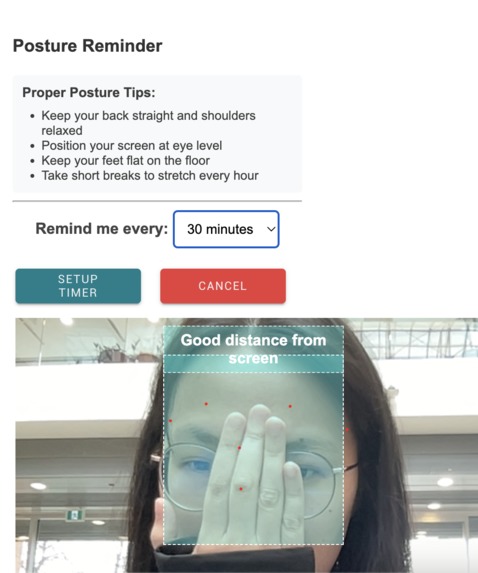
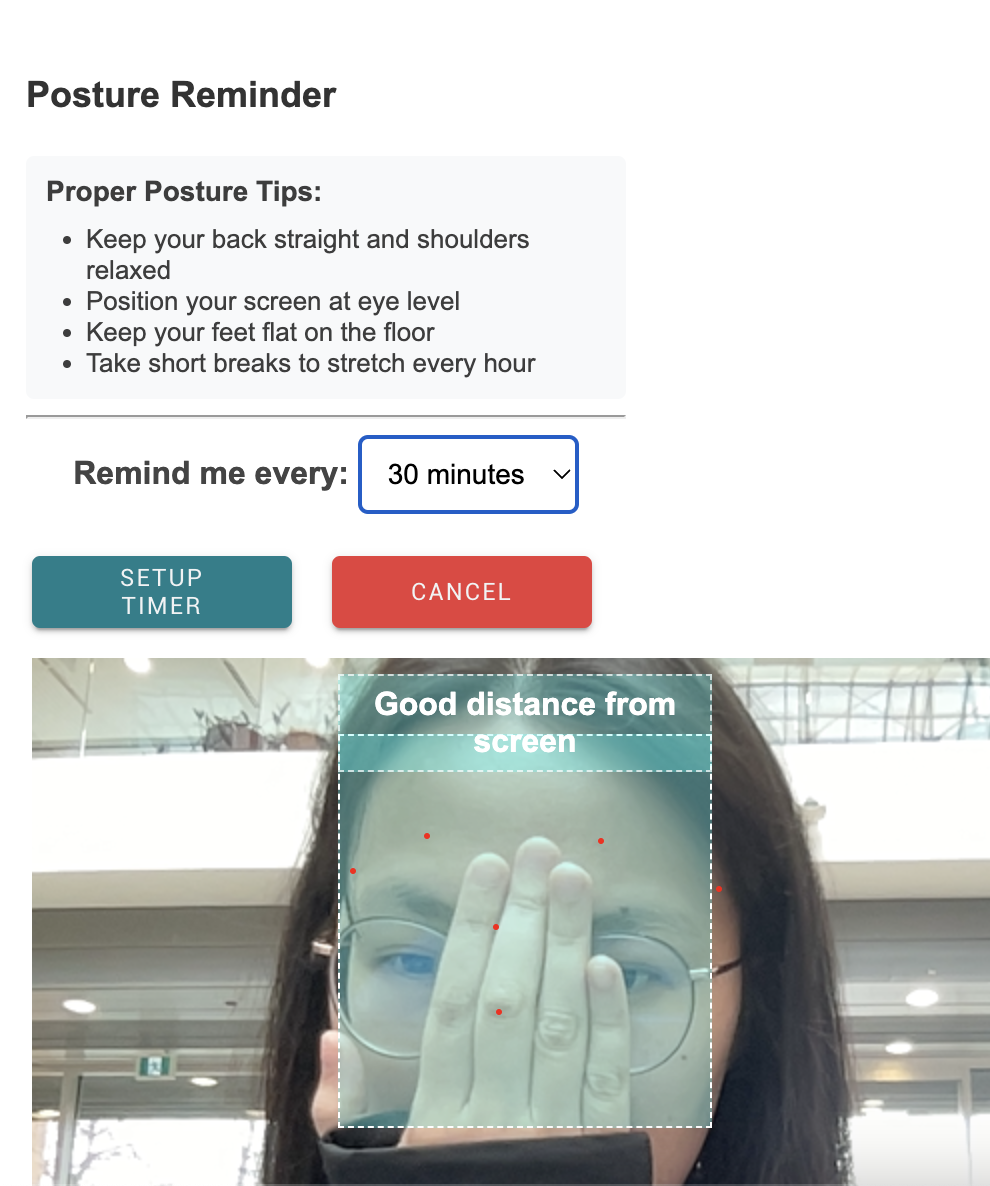
Detection for good posture
-
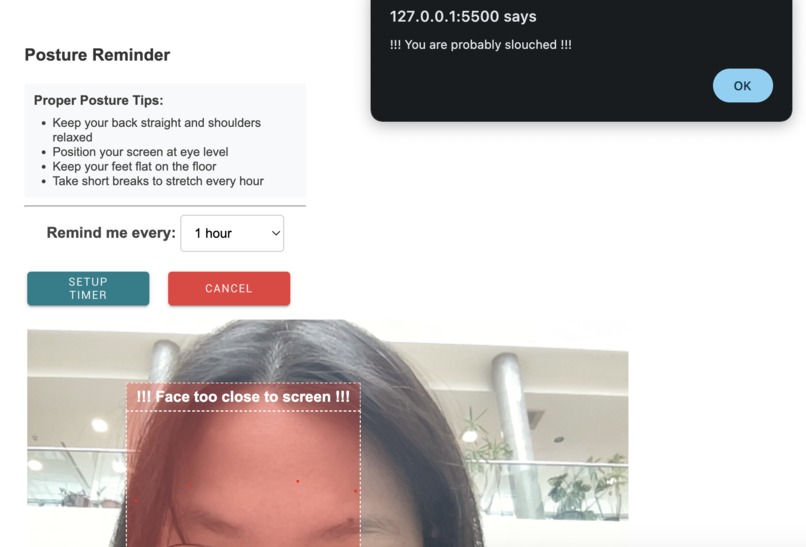
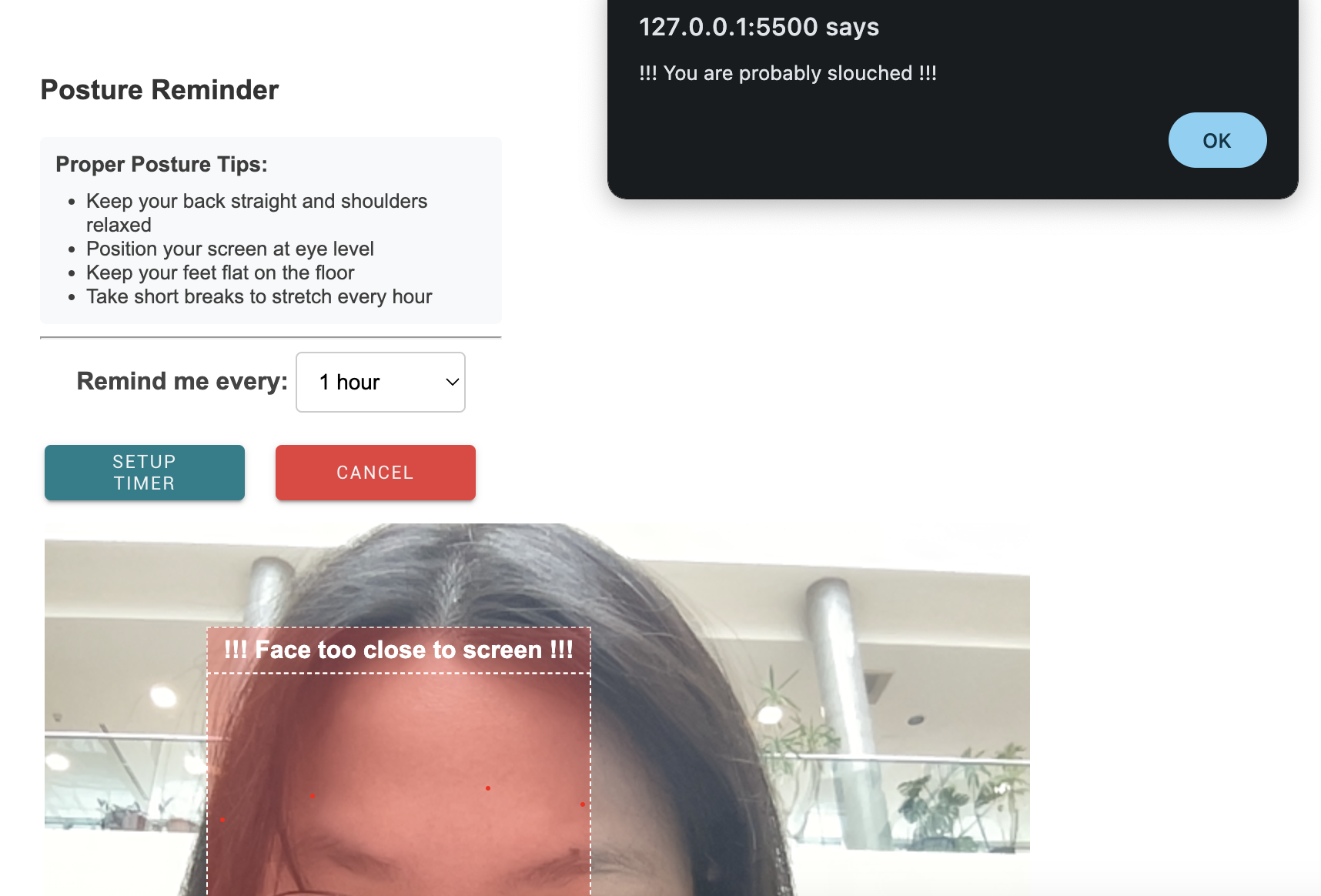
Detection for bad posture
-
logo of the project


PosturePal
Presenting PosturePal! A Chrome extension designed to help users improve their posture and sitting position through a face-detection algorithm that provides instant feedback.
Inspiration
Whether you are sitting at your desk, buried under a mountain of never-ending school assignments, or staring at the red error lines under your code during an intense 24-hour hackathon, everyone’s posture can be improved, especially those who find themselves hunched over like an old tortoise after a few hours in front of a computer. Bad posture can be damaging and lead to long-term health issues, which is why we created PosturePal.
What it does
Using the Google MediaPipe library, PosturePal uses a face detection algorithm to analyze your posture and provide instant feedback. Users can set how often they want to be reminded, and when the time comes, PosturePal sends a reminder, giving users the option to turn on their camera. The extension analyzes the user's distance from the screen and guides them into better alignment.
What we learned
- How to build a Google Chrome extension, including the necessary files and how to test it on chrome://extensions/
- How to use HTML, CSS, and JavaScript to build the frontend for the extension
- How to employ Google MediaPipe for computer vision and face detection algorithm
- How to collaborate efficiently using GitHub
Features
- Real-time posture analysis - provides feedback if user has poor posture and is too close to the screen
- Customizable reminder intervals - users can set preferred reminder intervals (every 30 minutes, 1 hour, 2 hours, etc.)
- Non-disruptive reminders - PosturePal sends gentle reminders on the window without disrupting user’s workflow
How we built it
We used Google MediaPipe for face detection and JavaScript to implement custom functionality that analyzes the user’s distance from the screen. By detecting the user’s face and measuring the ratio of face to screen size, the algorithm can analyze distance and give messages to help users fix their posture. We used HTML, CSS, and JavaScript for the front end of the extension, including the reminder interval options and the timer that keeps track of when to remind users.
Challenges we ran into
- Working around the restrictions for Google Chrome extensions and conflicts with the JavaScript functions, especially since this is our first time building Chrome extensions
- Learning and implementing local Chrome storage, as well as issues that arose due to permission access
- Fixing issues with the timer that keeps track of reminders
What’s next for PosturePal
- Implementation of shoulder/chest analysis, allowing a more comprehensive posture analysis
- Resolving issues with Chrome extension restrictions
Built With
- css
- googlemediapipe
- html
- javascript

Log in or sign up for Devpost to join the conversation.