-
-
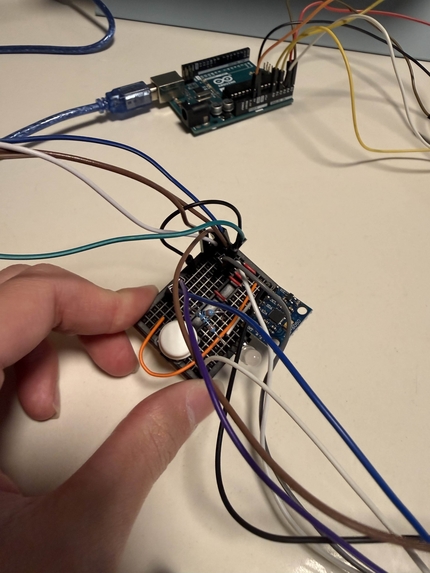
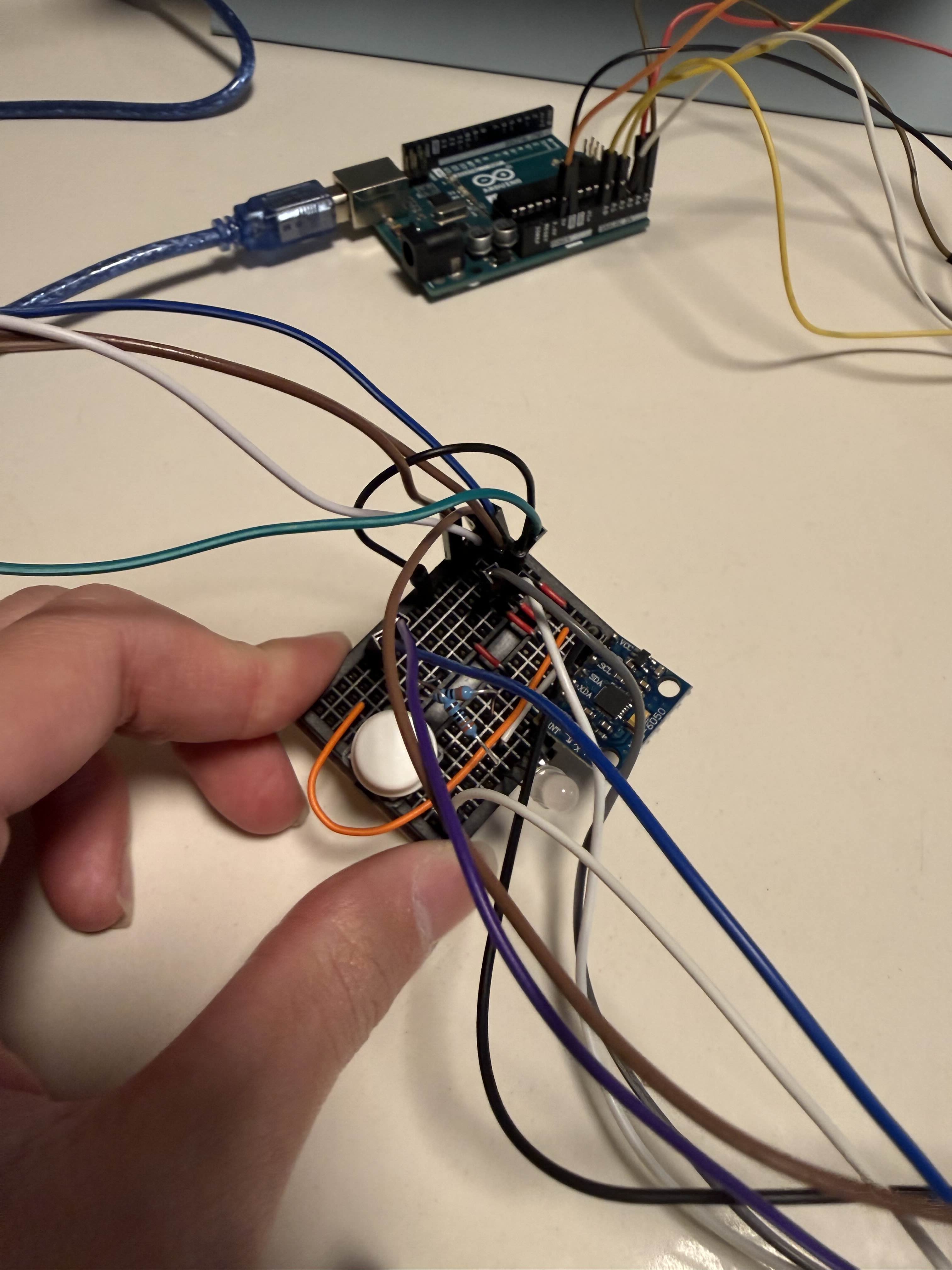
IMU sensor on the neck with RGB LED and button
-
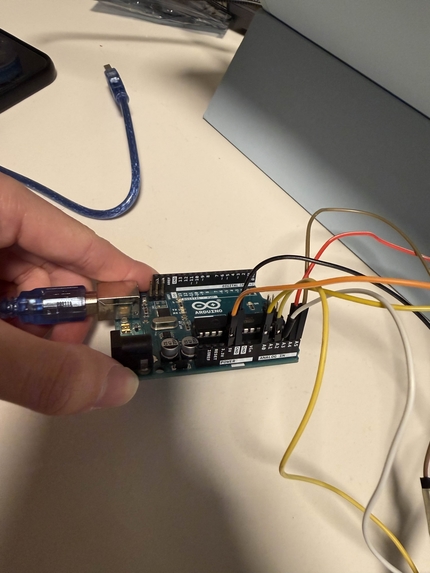
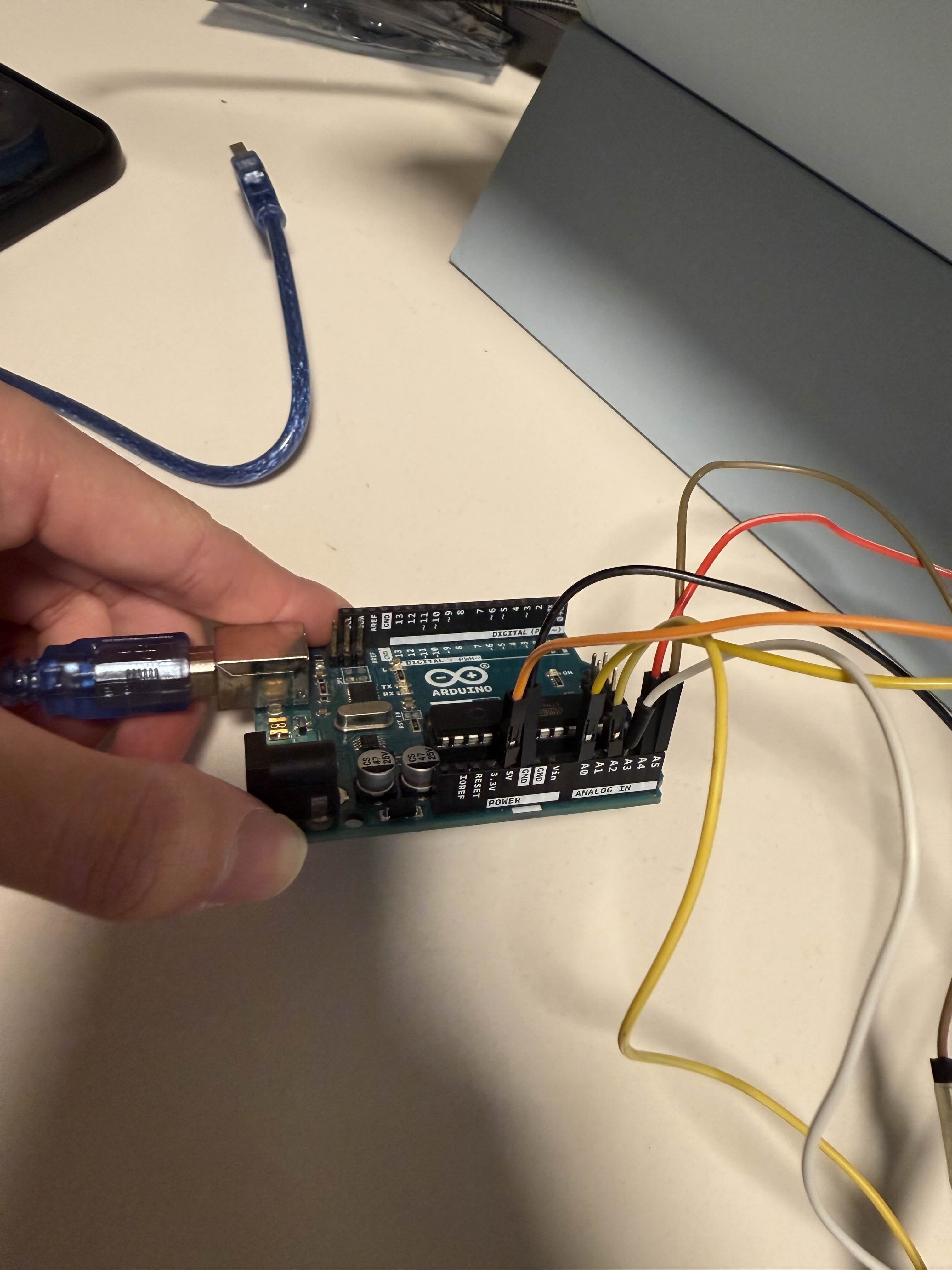
Microcontroller (Arduino Uno) to connect to a laptop
-
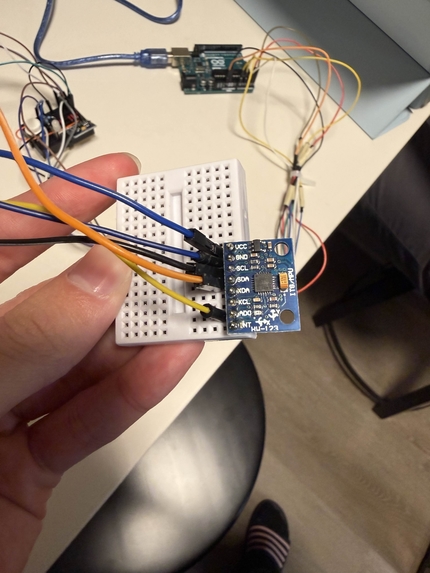
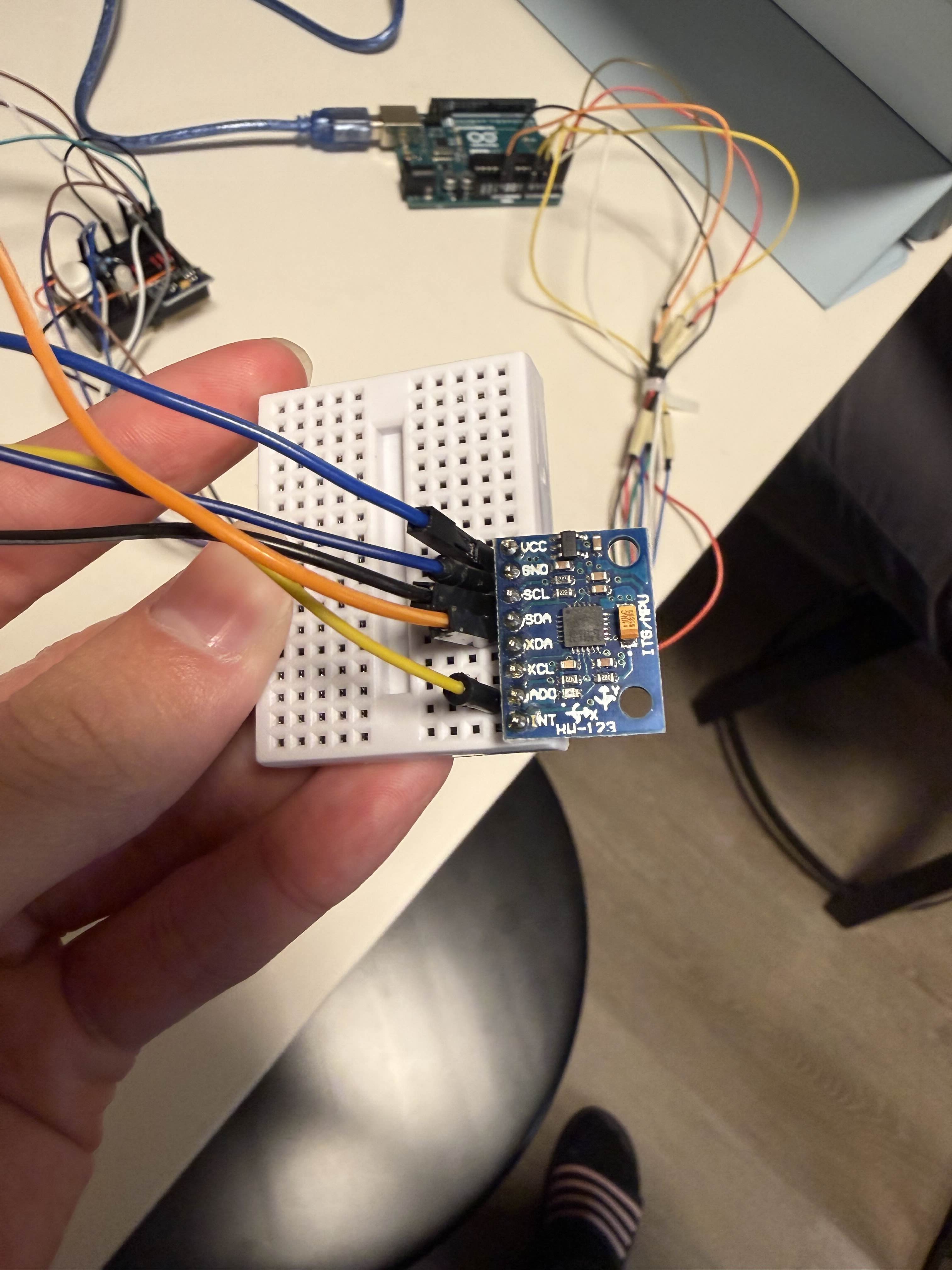
IMU sensor for the lower back
-
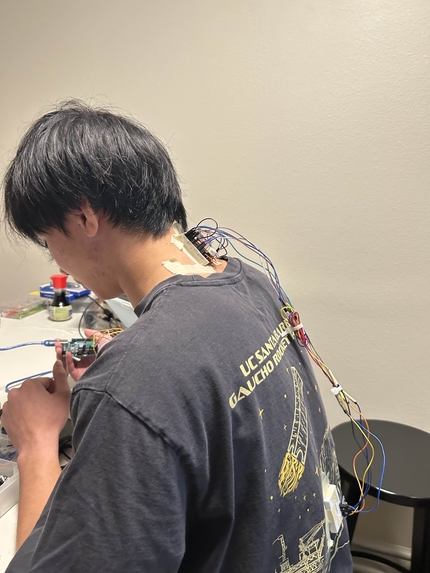
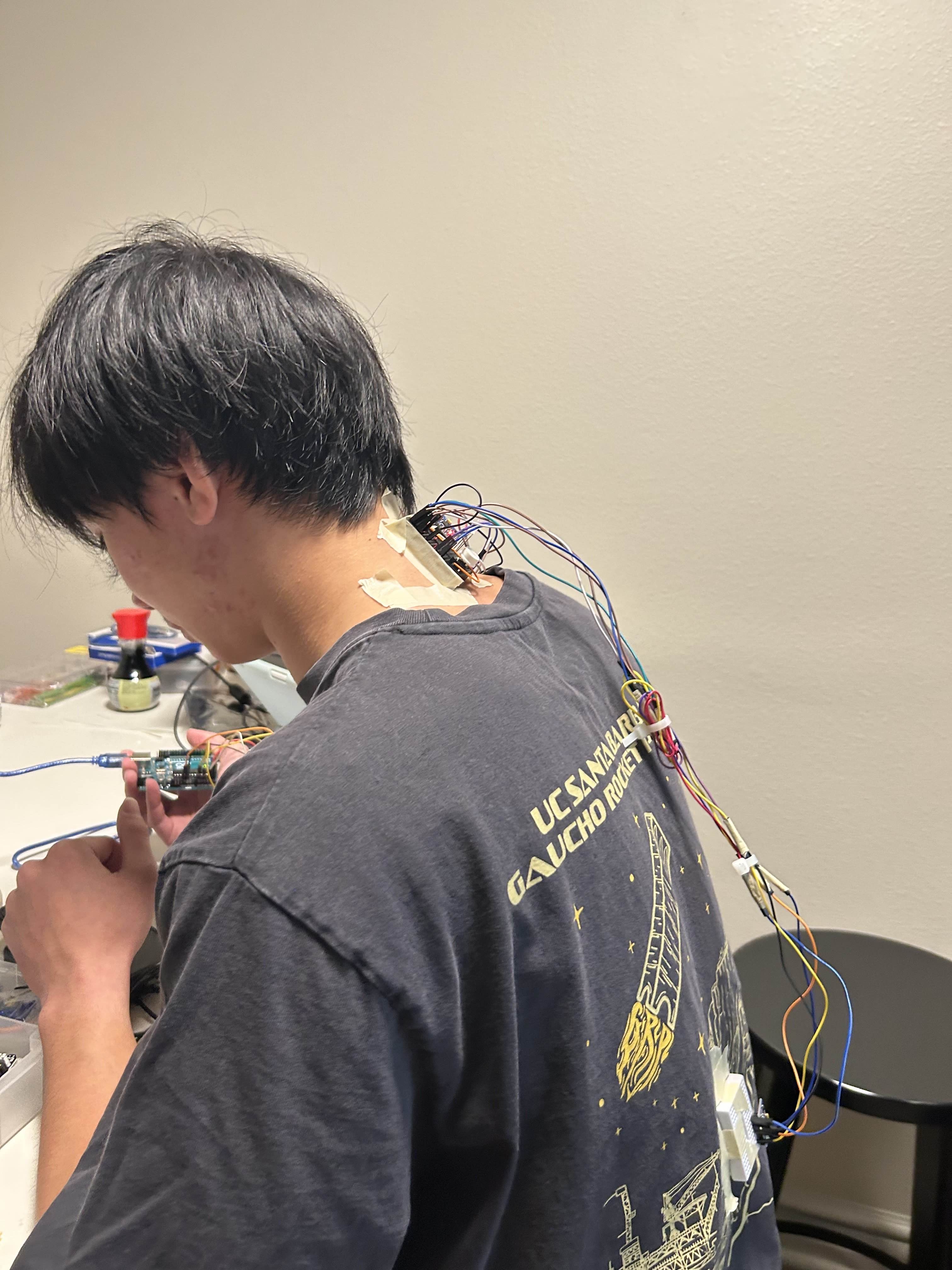
Project Device in use
About Our Project: Posture Corrector
For our project, we were inspired by the fact that without parents around to nag about our posture, we found it difficult to remind ourselves to maintain good posture while focused on other tasks. Hence, we created the Posture Corrector to give a gentle reminder when our posture is less than ideal, placing our project under the Health and Wellness track.
Pivot and Key Lesson Learned
Initially, we were very ambitious with what we could design and accomplish in terms of hardware for a different project. However, we realized that debugging, rewiring, and a lack of optimal components would make it difficult to complete that idea within the remaining time. We pivoted to a new concept because we believed producing a working prototype of a useful and functional device was the best decision given our timeline. A major lesson learned is to come in with a clear game plan to save time on brainstorming, debugging, and ensuring we have all the necessary materials.
IMU Design and Slouch Detection Logic
We initially planned to build our project using a single IMU (a device used to measure angular rotation) placed near the back of the neck. While this would be neater and easier to build, it did not solve the key issue of differentiating between slouching and bending over. We solved this problem by acquiring a second IMU to place at the bottom of the back. This way, we can interpret posture as follows:
If both IMUs detect a shift in rotation, the user is likely bending over, so the device should not trigger.
If only the top IMU detects rotation while the bottom does not, it indicates slouching, and the device should trigger.
Hardware and Wiring Challenges
Another major roadblock was wiring all components. With our limited resources, we found it extremely difficult to keep the device compact and comfortable while also reducing wire clutter. In the end, we compromised by adjusting the relative positions of our microcontroller (the Arduino Uno) and the IMU boards. In addition, we had to allocate enough pins for our button and LED.
After research, we found cheaper and more compact wireless alternatives, such as using an ESP32 and creating a phone app. However, that approach would require significantly more coding and debugging. Finally, we replaced the vibrational buzzer with an LED for demonstration purposes. While a user cannot always see an LED in real use, it worked well to clearly show device states during testing.
Device Features and How It Works
To activate the device, the user holds the button for at least 3 seconds and releases. The device then calibrates good posture, provides feedback (vibration or LED color change) for a second, and then calibrates poor posture. After calibration, the device remains active until the button is held and released for 3 seconds again to shut it off.
During the active tracking phase, the device uses two IMUs. As mentioned, it triggers an alert after 8 seconds of poor posture only if the top IMU senses rotation while the bottom IMU does not. The alert stops once the user corrects their posture. In our demonstration, we signified good posture, the 8-second window, and poor posture with green, yellow, and red lights, respectively.
Finally, if the user wants to recalibrate, they can simply press and release the button to start the recalibration process.
Fullstack
To store user data, we decided to create a front end utilizing HTML, CSS, and JS, utilizing FastAPI as an intermediary to communicate from the front end to the backend, which was PostgreSQL. To write SQL commands in Python, we utilized the SQLAlchemy library and used the psycopg-binary driver to translate the code to be read properly by the PostgreSQL database. To properly run and graph our code, we connect the USB-A stick into the laptop and run python serial_listener.py. Through this, we can harvest data points from the IMU in discrete time signals, in 100 ms time intervals, and place them into a JSON dump file. This is later processed and turned into a graph, which can be accessed through the user's account. This provides an interesting and insightful graph that shows how we may slowly drift into our habits of slouching even without noticing.
Built With
- arduino
- css
- github
- html
- javascript
- postgresql
- psycopg-binary
- pydantic
- sqlalchemy


.png)
Log in or sign up for Devpost to join the conversation.