-

Posture Check's website
-
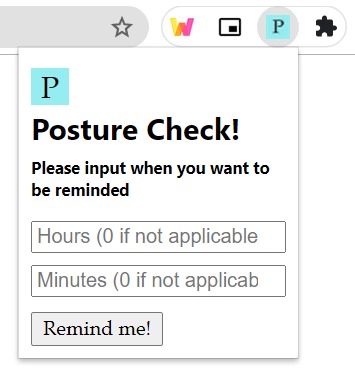
Posture Check's extension

Inspiration
Our inspiration came from the back and neck pains we suffered as a result of sitting down and staring at a screen all day for online classes.
What it does
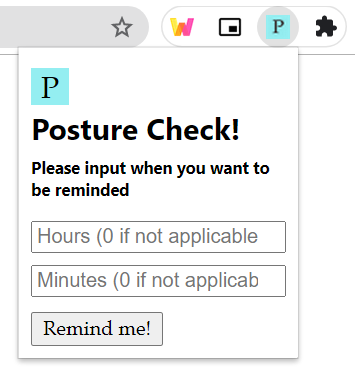
The Chrome extension lets the user input a timer in terms of hours and minutes. It will then remind them when the timer is up. The chrome extension also contains a link to a website that contains many posture exercises and tips. It also contains information on how the Chrome extension can be utilized.
How we built it
We built the extension using the chrome.alarms API to generate something similar to a timer, the chrome.runtime API to pass input between files, and chrome.notifications API to display the reminder. For the design and implementation features of the extension, we used a combination of JavaScript, CSS, and HTML. For the website, we chose a pre-existing theme of Bootstrap and made several changes to it, according to our purpose. We used mainly HTML and CSS for the website. The images displayed on the website have been taken from the public domain photo-sharing website, Unsplash.com.
Challenges we ran into
All of us are inexperienced with web development so we spent lots of time researching YouTube tutorials and Stack Overflow posts. There were a few difficulties in trying to implement responsiveness in the website. We also did not know how to delegate the tasks between the team as we weren't comfortable with Git.
Accomplishments that we're proud of
We successfully built a chrome extension and managed to link it to the website! We also got familiarized with HTML, CSS, and JavaScript. Additionally, we became aware of the resources available for web development in the form of Bootstrap.
What we learned
We learned a lot about teamwork, delegating tasks, and communicating efficiently as programmers. We also became a bit more comfortable with creating a project on GitHub.
What's next for Posture Check
We might update the extension so users can choose a recurring reminder.
Built With
- bootstrap
- chrome.alarms
- chrome.notifications
- chrome.runtime
- css
- html
- javascript
- pug

Log in or sign up for Devpost to join the conversation.