-
-
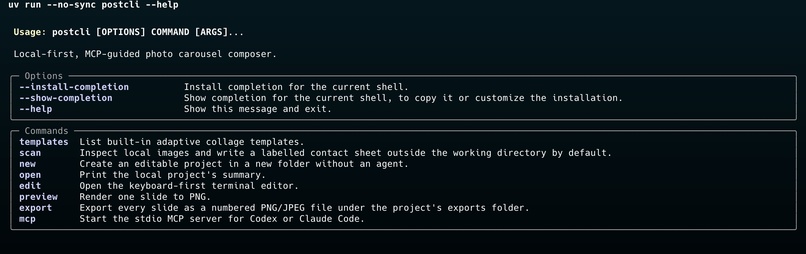
PostCLI
-
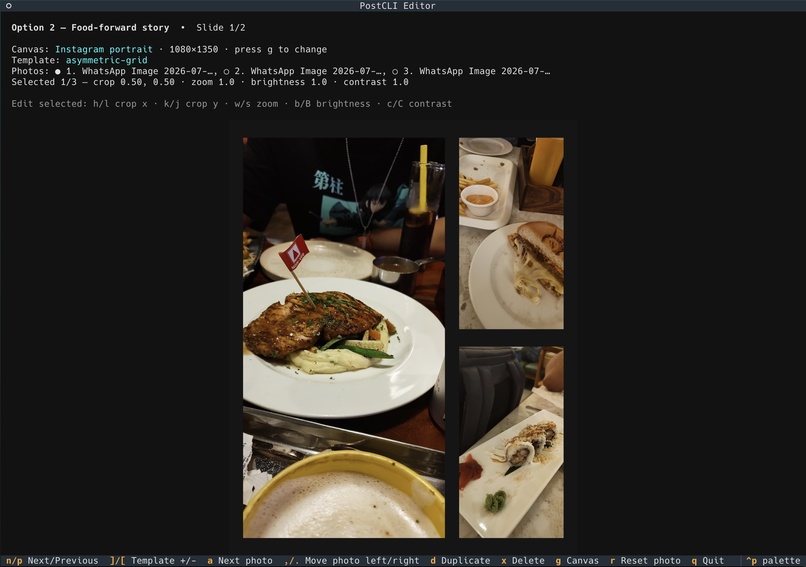
PostCLI Edit TUI
Inspiration
We all have been there. We go on a trip or a day out, and when we get back, we see a bunch of images. Well, when it is time to post, almost all of us hit a roadblock. Which pictures to post? In what format? What should be the caption? Well, we came up with just the solution with our very own local-first terminal app for turning a folder of photos into editable collage slides and social carousels. An MCP server lets an AI agent recommend an arrangement, a caption, and a song according to the vibe of the images!
What it does
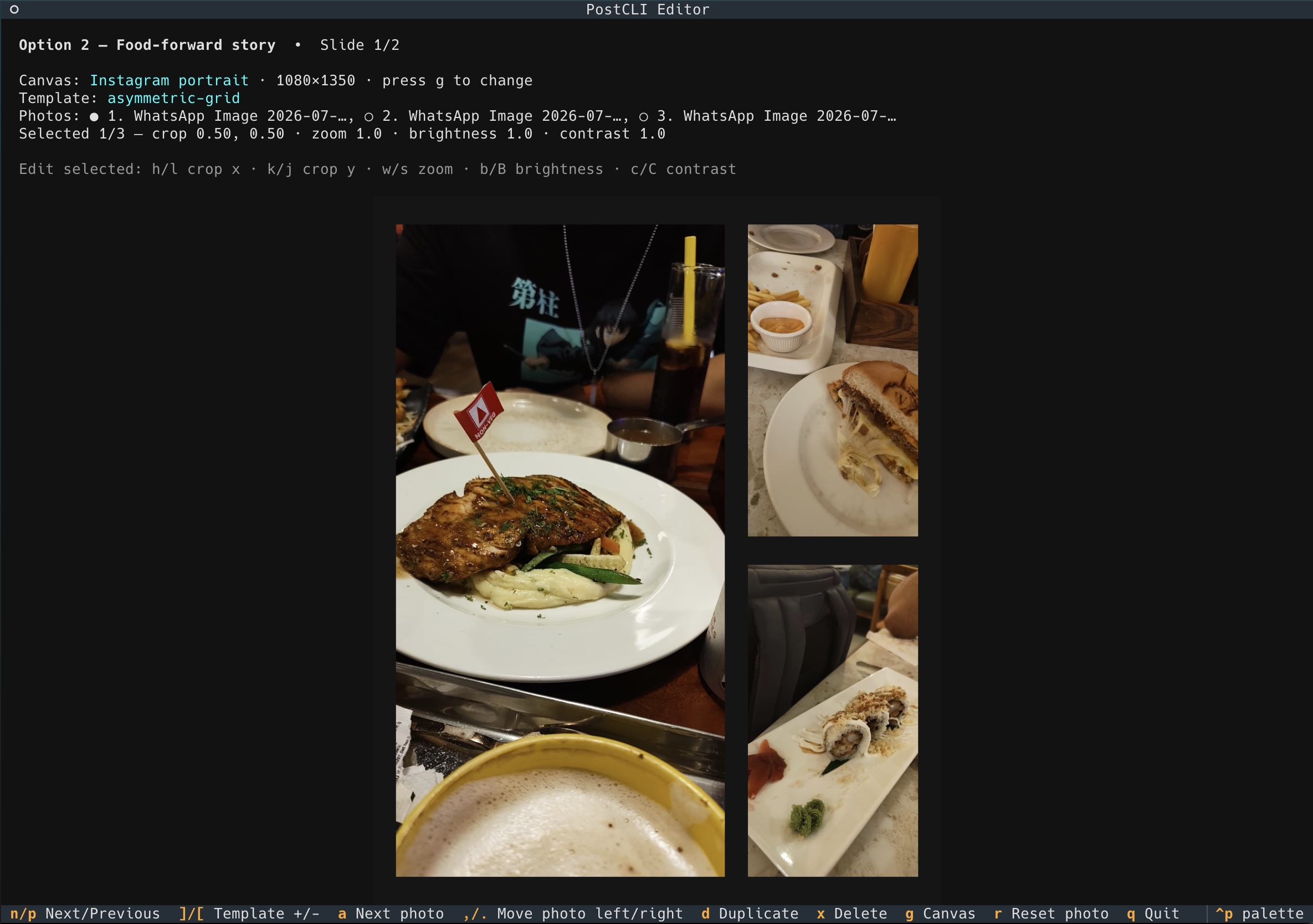
It helps the users to create a post out of a folder of images. Along with different compositions of the images, the users also get recommended a caption and a song based on the pictures selected. Users can change the dimensions based on the platform they want to upload the post to. Don't like the generated result? The users can always tweak the results by asking the AI agent or manually fine-tuning it using the TUI.
How we built it
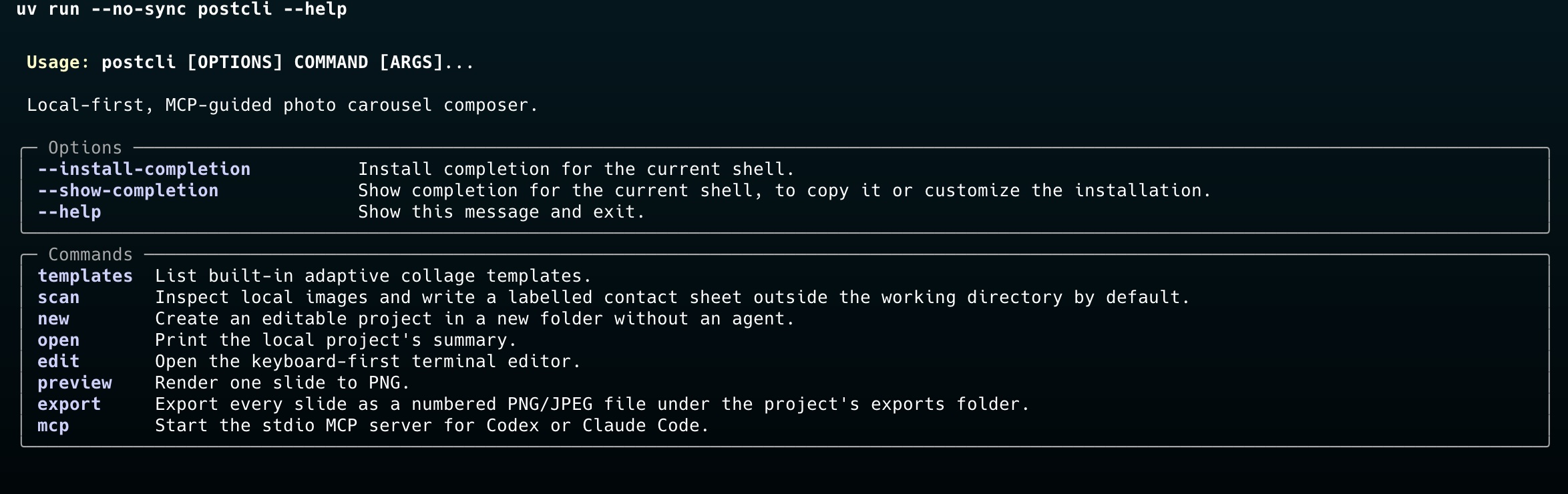
Using Python, Pillow, Textual, Typer, and Pydantic, we created tools to scan images, generate contact sheets, choose templates and canvas sizes, edit layouts in a terminal interface, preview results, and export final PNG or JPEG files. We also made an MCP server so AI agents such as Codex can inspect photos, suggest carousel layouts, and apply structured edits.
Challenges we ran into
One of the biggest challenges was creating a smooth visual editing experience inside a terminal while keeping the original images untouched. We also had to make image placement, cropping, templates, previews, and exports work consistently across different canvas sizes and terminal capabilities. Integrating MCP required us to design clear, validated project data so AI-generated recommendations could safely become editable carousel projects.
Accomplishments that we're proud of
This was our first terminal-based tool, and we are super happy with how it turned out! With the help of Codex, we were able to make it with relative ease. Also making it both terminal-based and an MCP server was a bonus that we are proud of.
What we learned
Through this project, we learned how to combine a command-line interface, terminal graphics processing, image-processing pipeline, and AI tool integration into one practical workflow. We gained experience in managing structured data with validation, preserving user files through non-destructive editing, and testing rendering and layout behavior. Most importantly, we learned that AI works best as a creative assistant when users still have transparent control over the final design.
What's next for PostCLI
Our next step is to make PostCLI even easier and more creative to use by adding more collage templates and editing controls. We also plan to improve the AI-guided workflow so it can give a smarter layout.
Built With
- pillow
- pydantic
- python
- textual
- typer

Log in or sign up for Devpost to join the conversation.