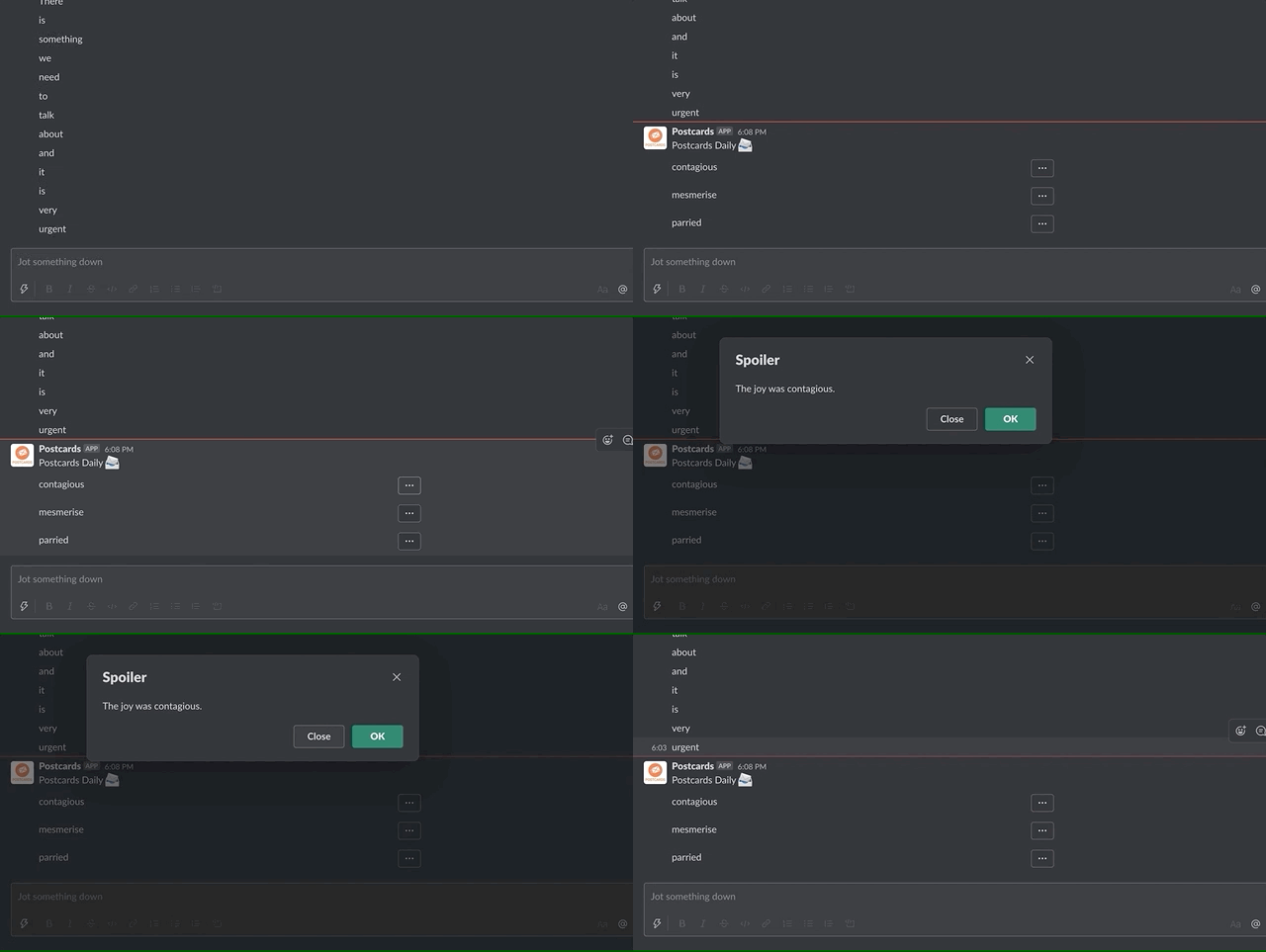
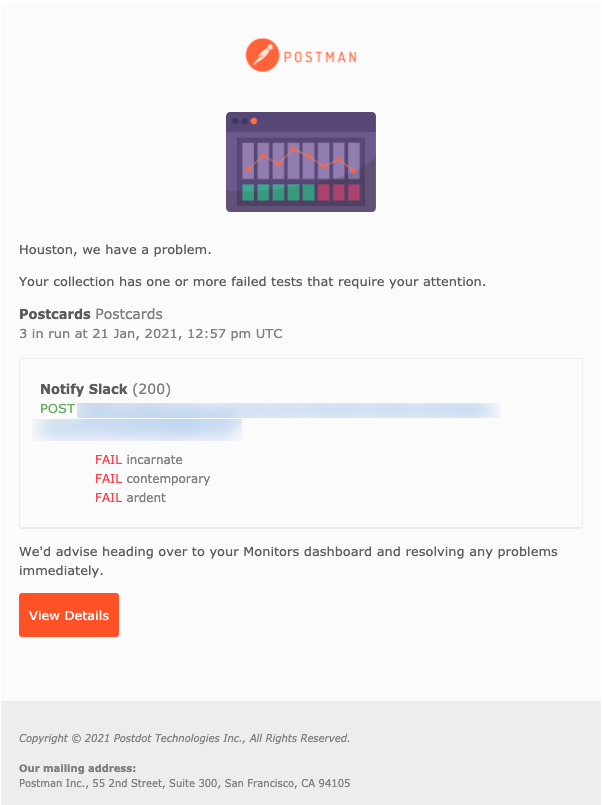
The project came from a need to create an easy tool to repeat flashcards every day. I always had trouble remembering to actually visit some website and repeat the flashcards so I came up with this idea to send them by Slack or directly to my Gmail inbox. Those are the two tools that I browse every day so there no way for me to miss my flashcards anymore.
Having in mind that a small activity can make a tremendous difference when repeated over time, it only requires a small amount of setup from your side, to benefit from this new habit.
For this purpose Postman requests containing sets of flashcards are used and a random subset of flashcards is sent to you on a regular basis.
How to use?
1 Fork Postcards (and optionally Postcards Sets) collection.
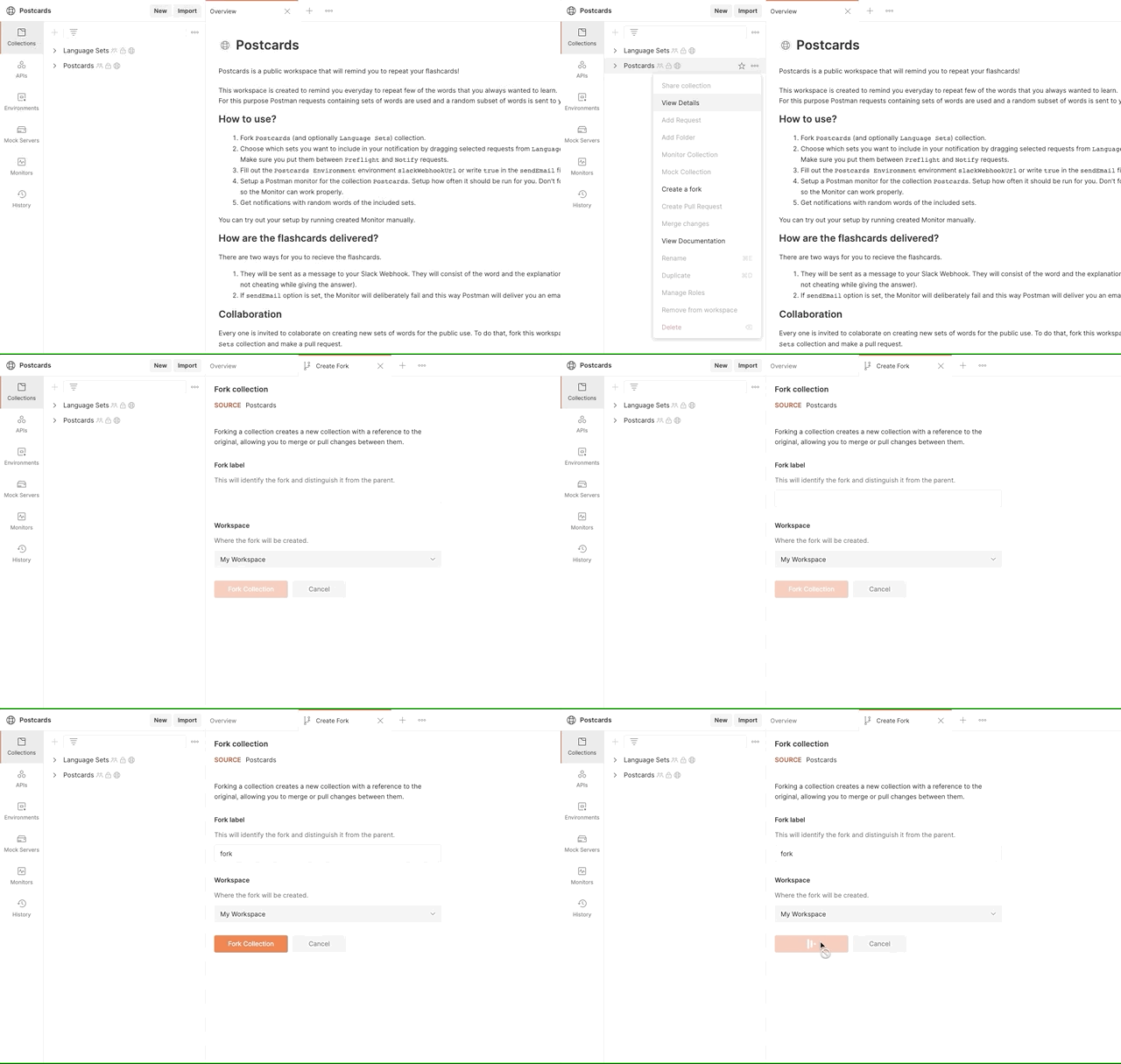
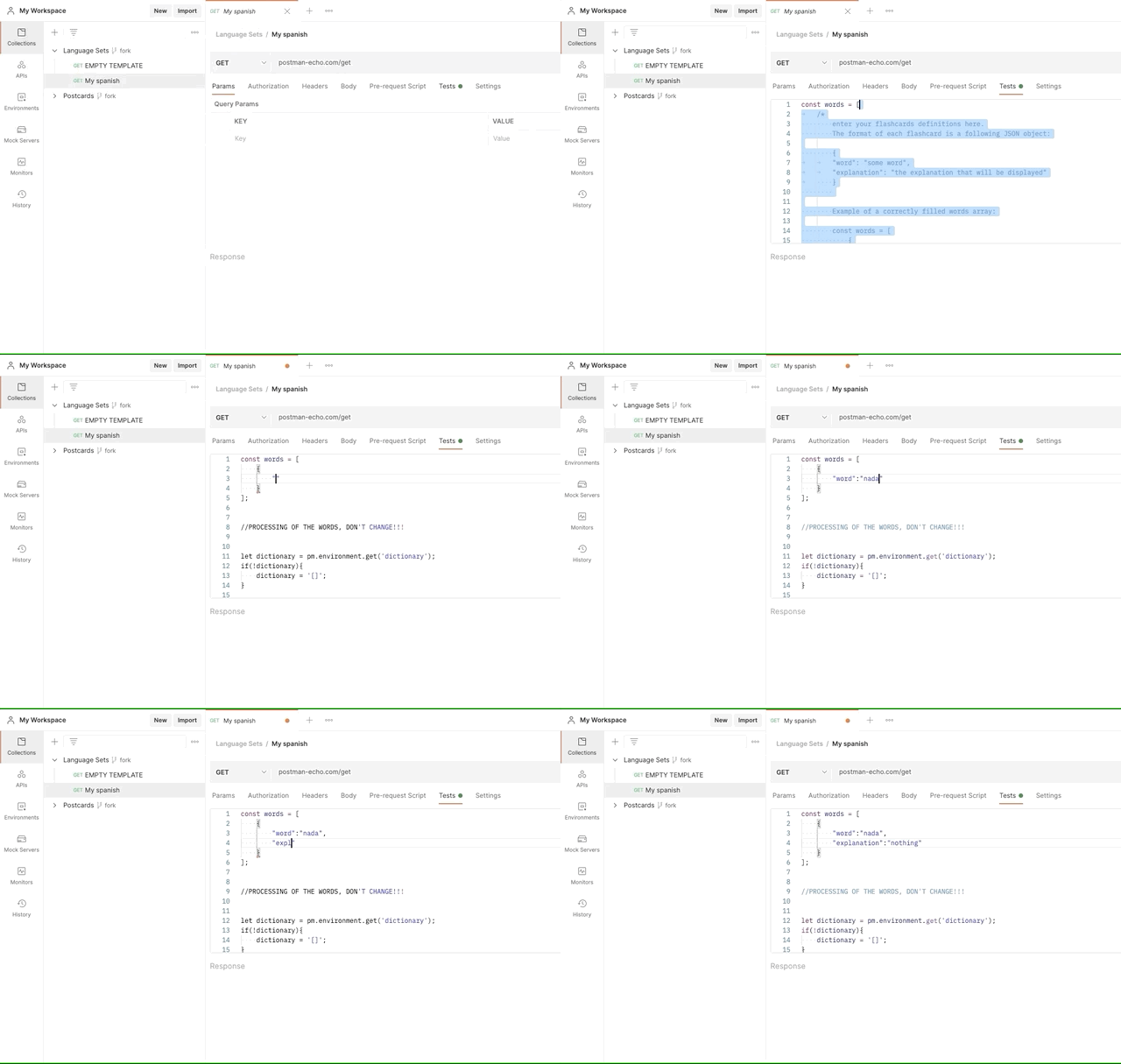
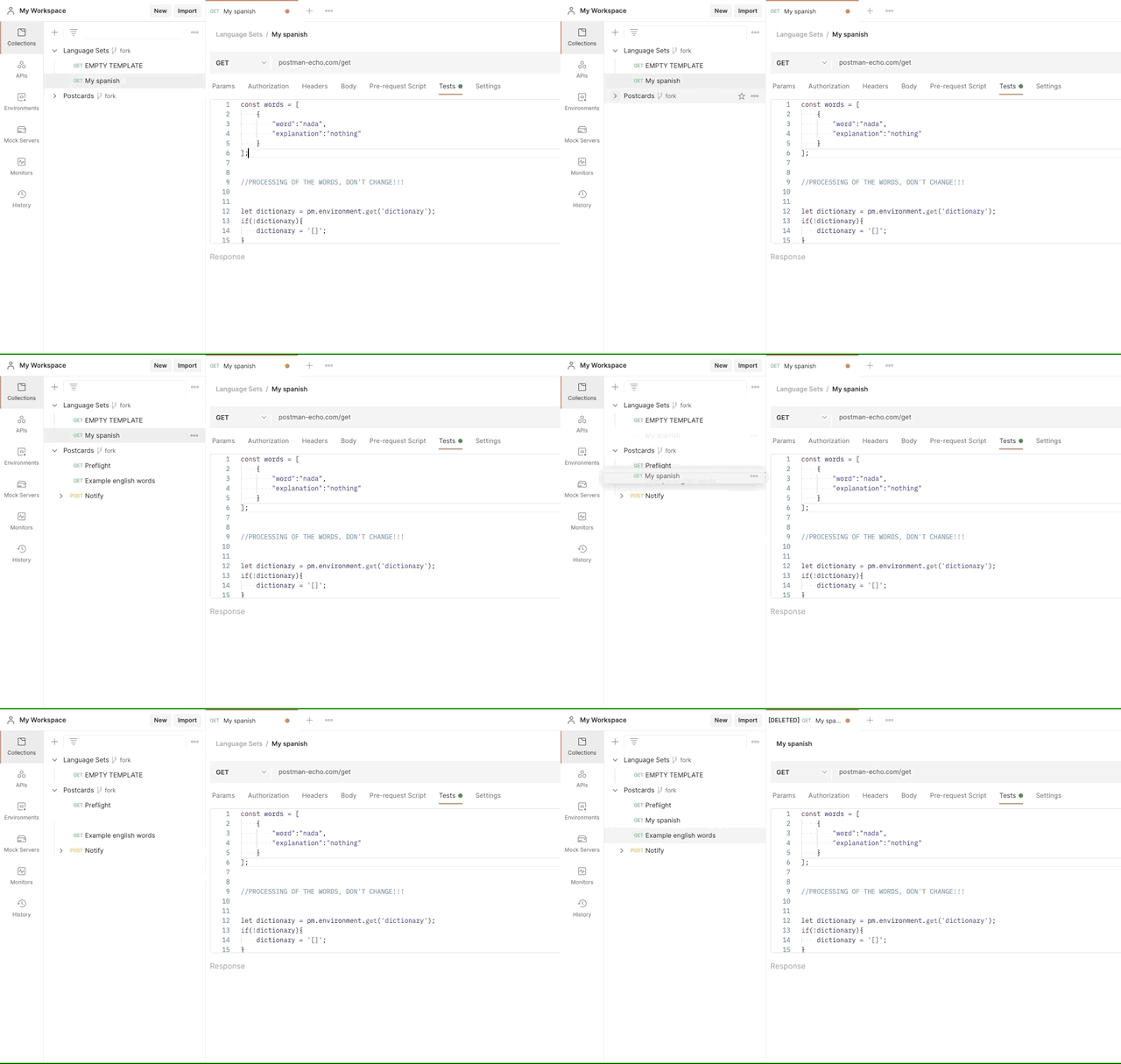
2 Choose which sets you want to include in your notification by dragging selected requests from Postcards Sets collection into Postcards collection. Make sure you put them between Preflight and Notify requests.
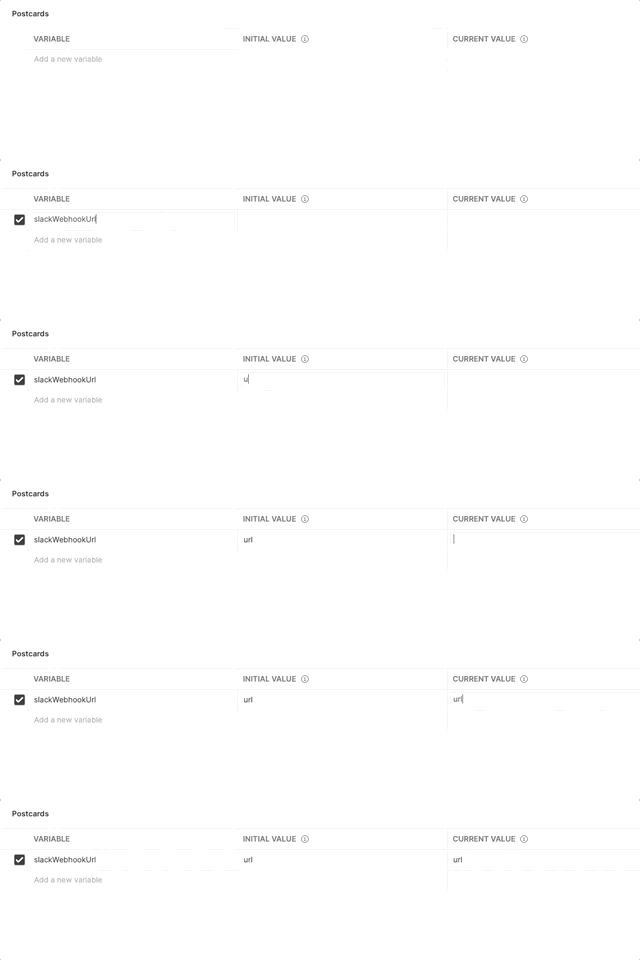
3 Fill out the Postcards Environment environment slackWebhookUrl or write true in the sendEmail field.
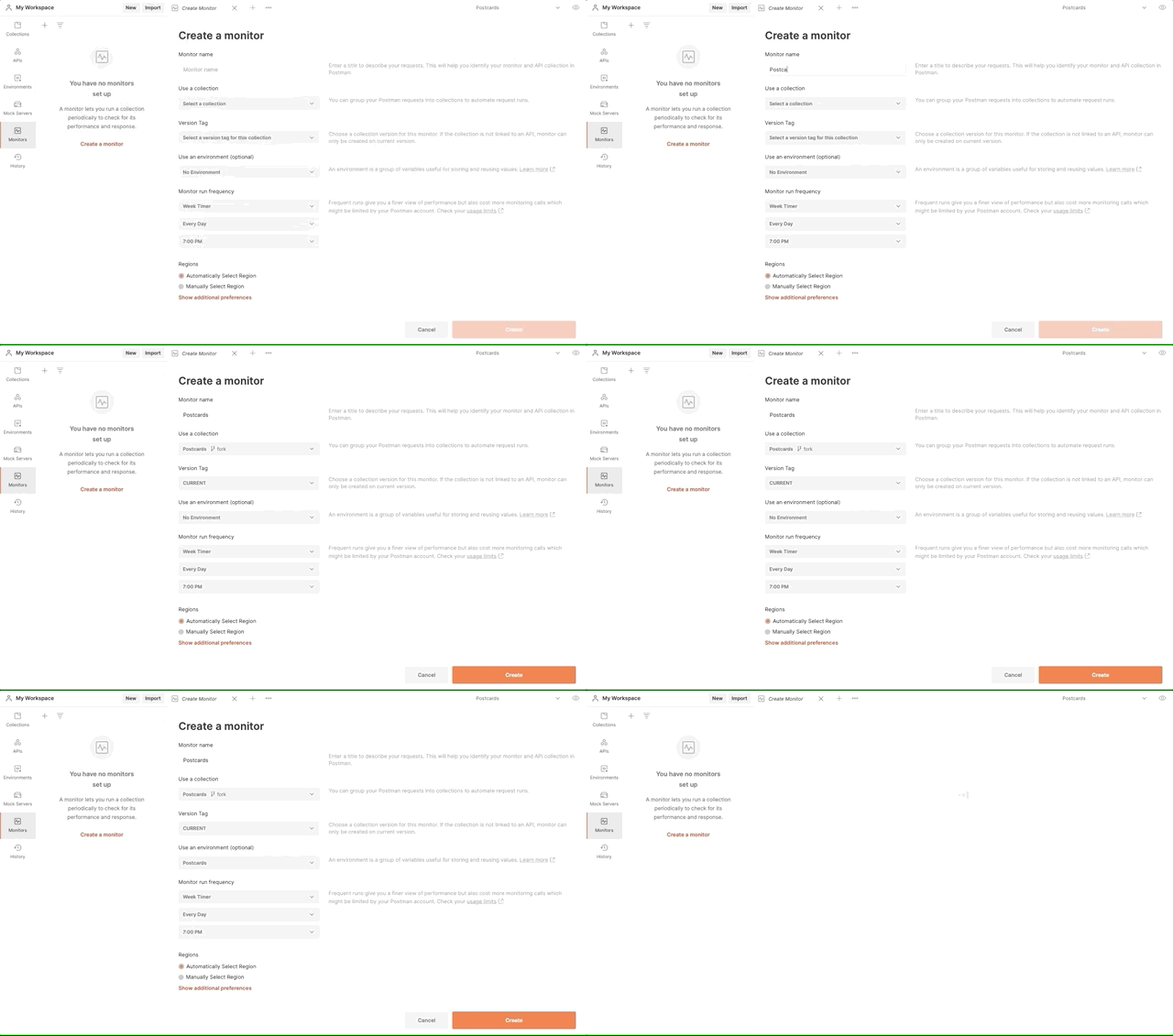
4 Setup a Postman monitor for the collection Postcards. Setup how often it should be run for you. Don't forget to include the environment in the setup so the Monitor can work properly.
5 Get notifications with random words of the included sets.
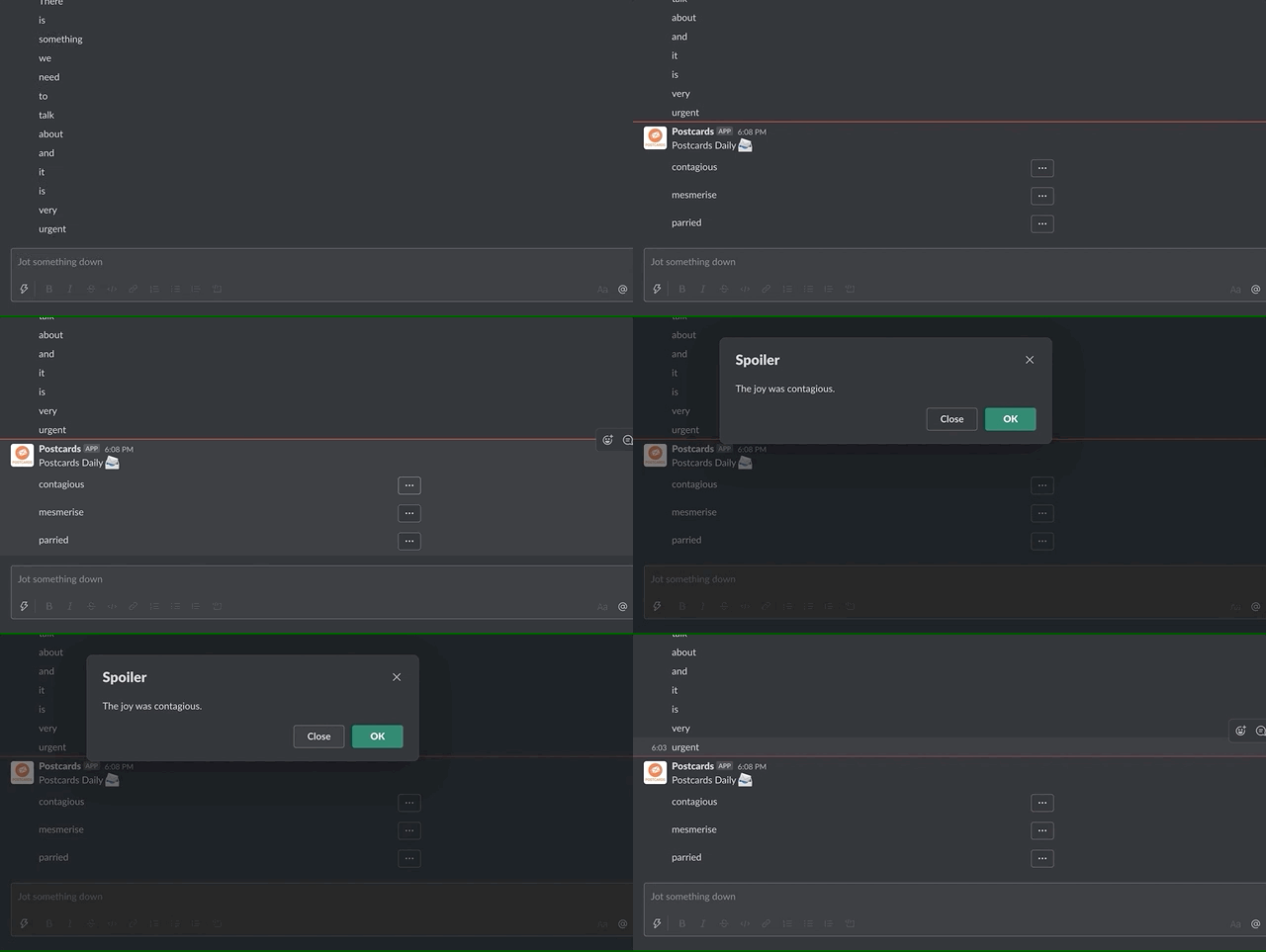
You can try out your setup by running created Monitor manually.
I'm too lazy for all these steps!
Thanks to the Postman API you can duplicate the whole workspace with just one request. To do this, use Duplicate this workspace collection also included in this workspace.
I don't have/cannot create a Slack Webhook url
If you don't have a Webhook, you can easily create one following this instruction.
If you cannot create one, don't worry. You can always use the sendEmail option described below or you can try running the collection using Postman Collection Runner even if the slackWebhookUrl is not specified because a Mock Server exists that will answer your requests.
How to add new flashcards set?
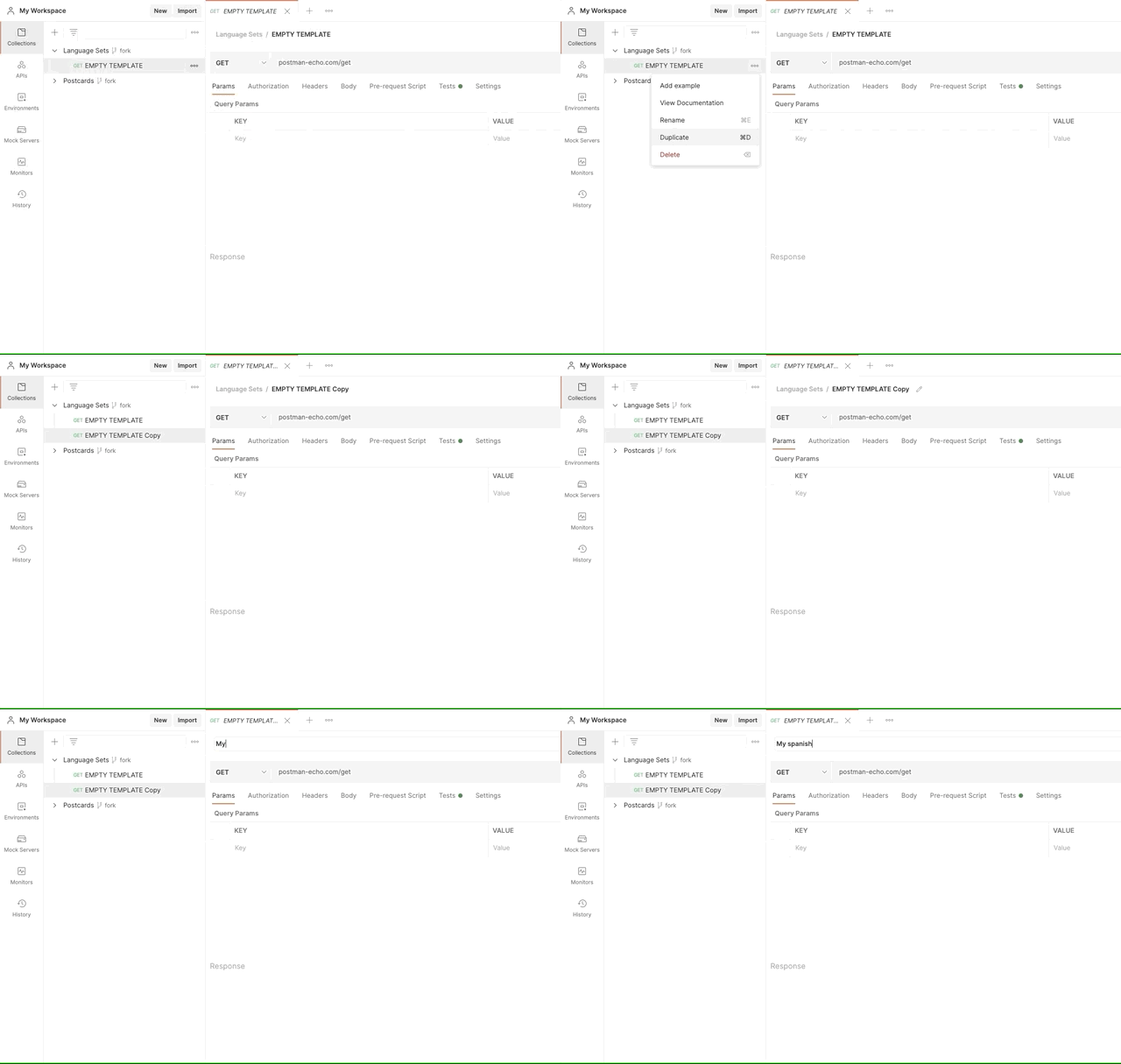
Simply copy the EMPTY TEMPLATE request and fill your flashcards in the Tests section of the request within words variable.
For more information please refer to the documentation of the EMPTY TEMPLATE request.
How are the flashcards delivered?
There are two ways for you to receive the flashcards.
- They will be sent as a message to your Slack Webhook. They will consist of the word and the explanation ready to be revealed if you don't know the answer.
- If
sendEmailoption is set, the Monitor will deliberately fail and this way Postman will deliver you an email containing your content to repeat.
Documentation
The project is documented using the Postman Documentation. You can also find some useful information within code comments that are in few necessary places.
Collaboration
Everyone is invited to collaborate on creating new sets of flashcards for public use. To do that, fork Postcards Sets collection, create a new set, and make a pull request.
What's next for Postcards
- Incorporate more default flashcards sets and different notification methods.
- Add images to the flashcards.


Log in or sign up for Devpost to join the conversation.