-
-
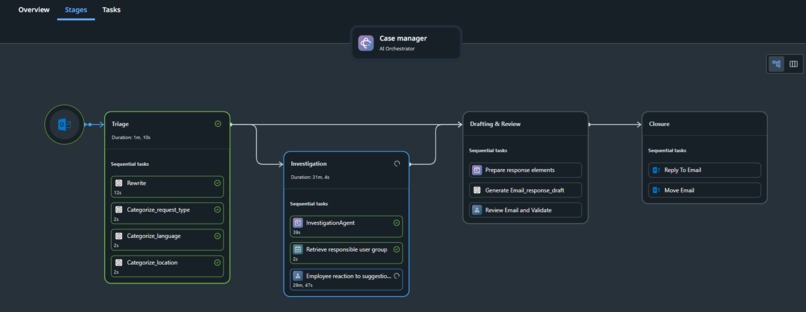
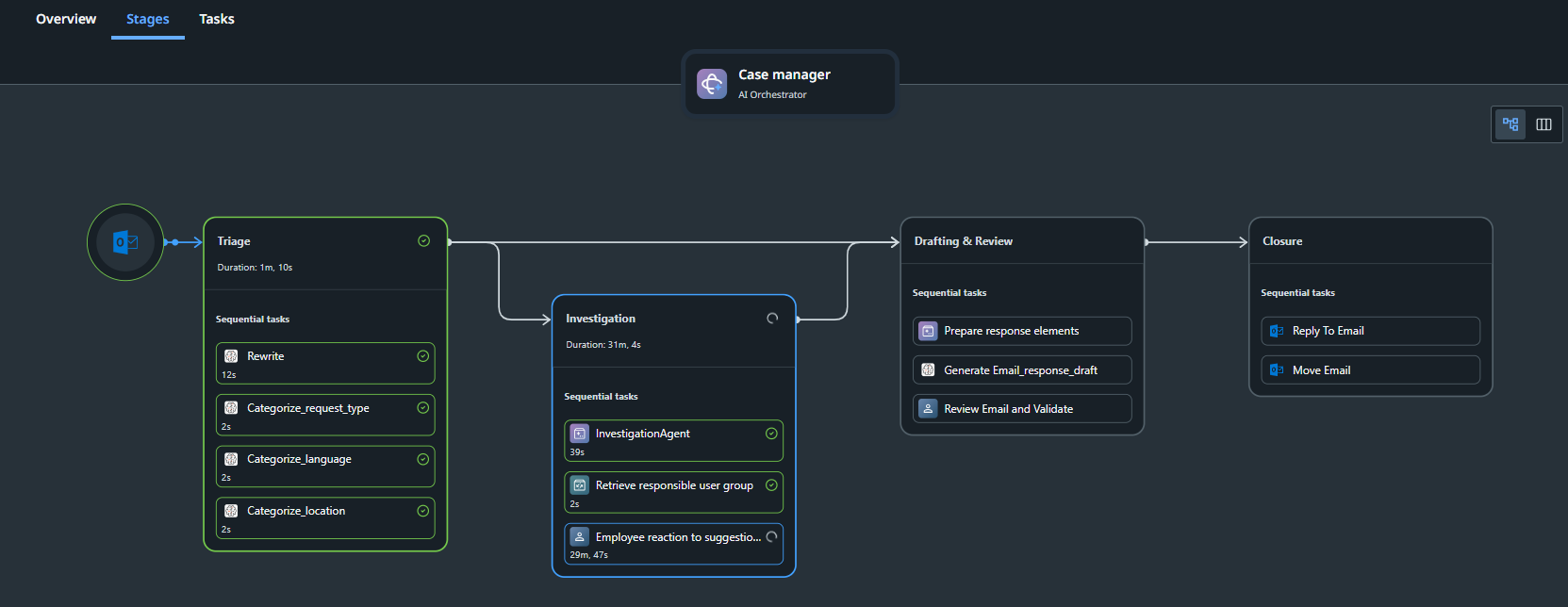
Case plan of the solution
-
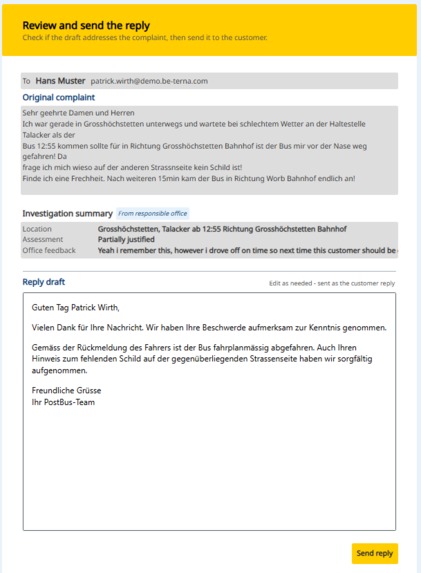
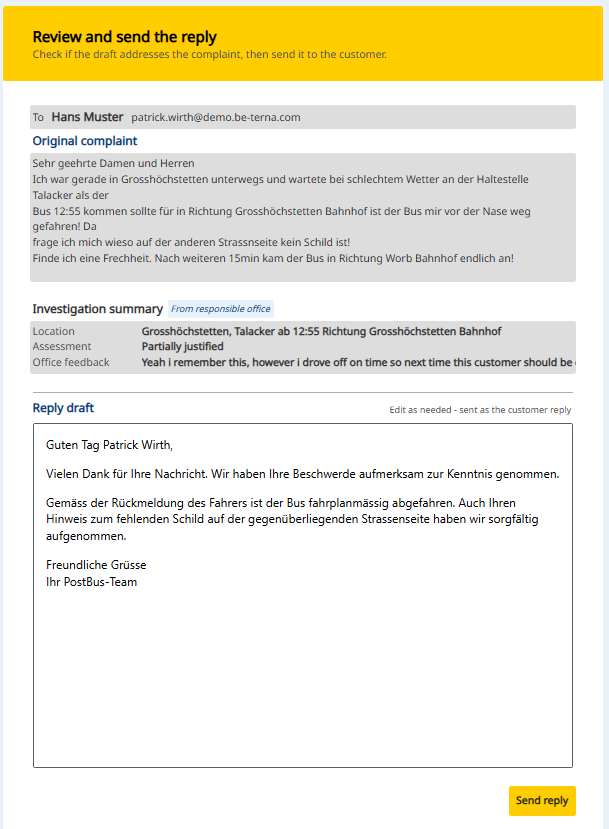
Screenshot of the approval station
-
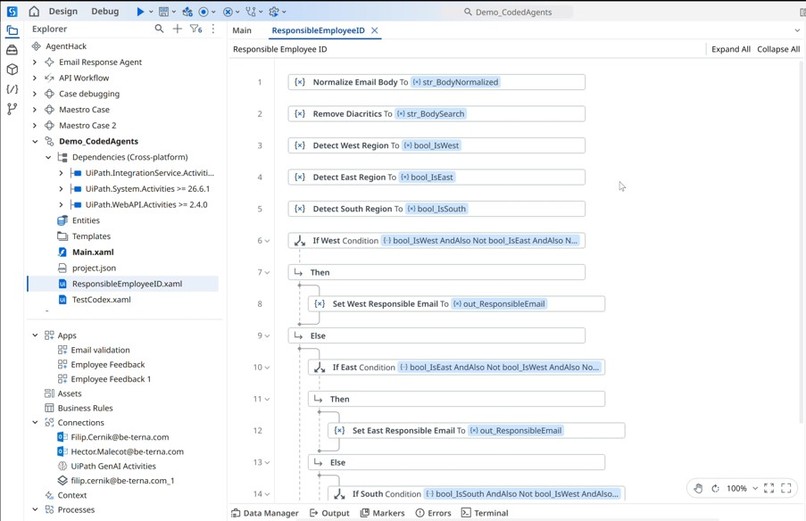
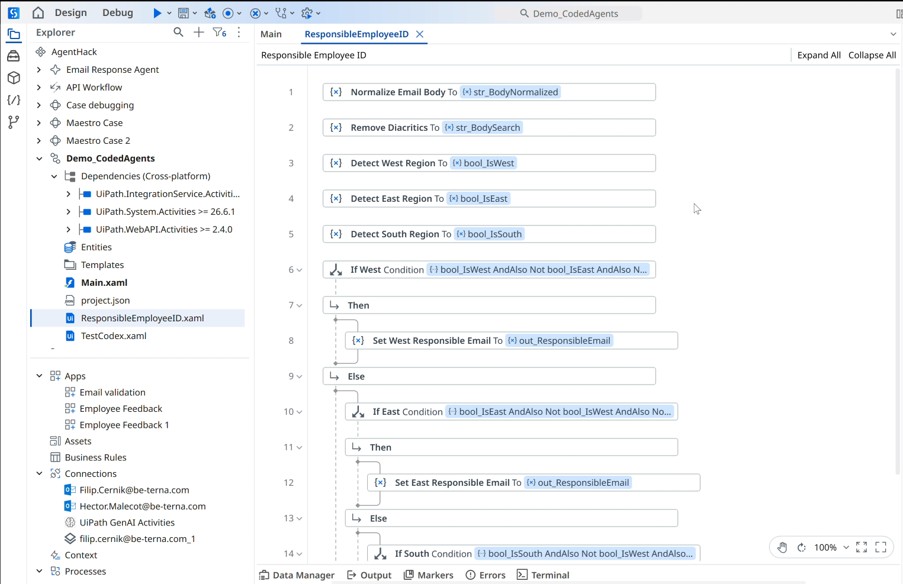
Coding Agent: output in Studio Desktop
-
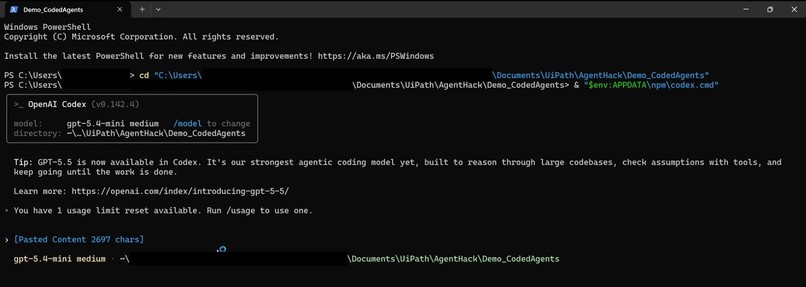
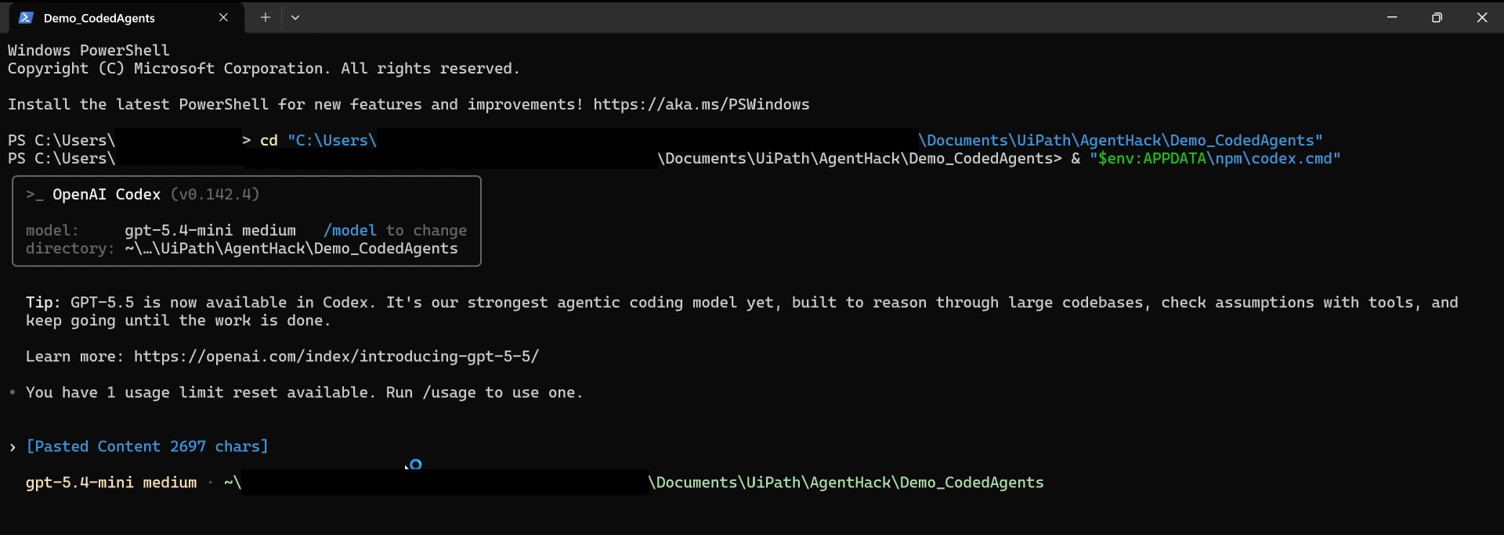
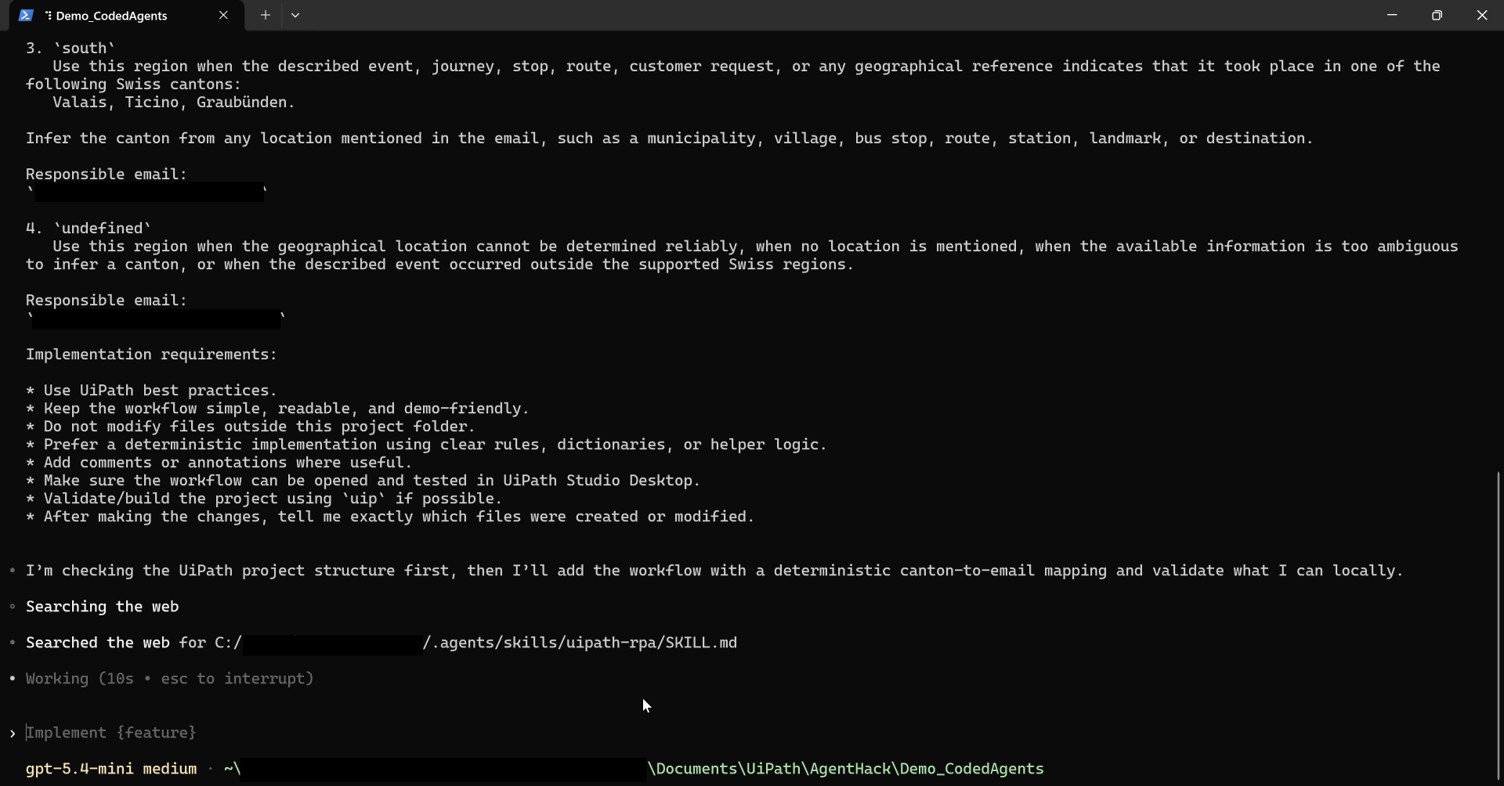
Coding Agent: PowerShell initialization
-
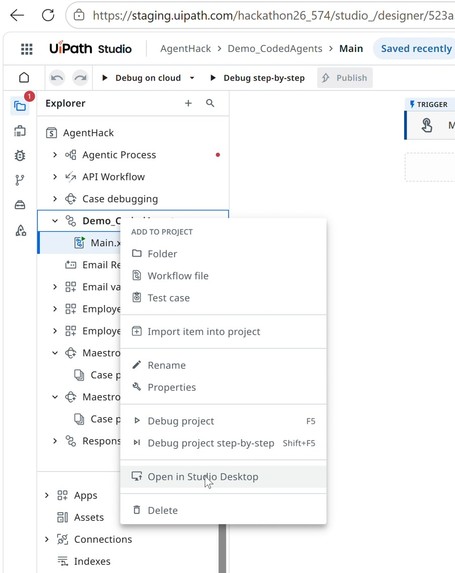
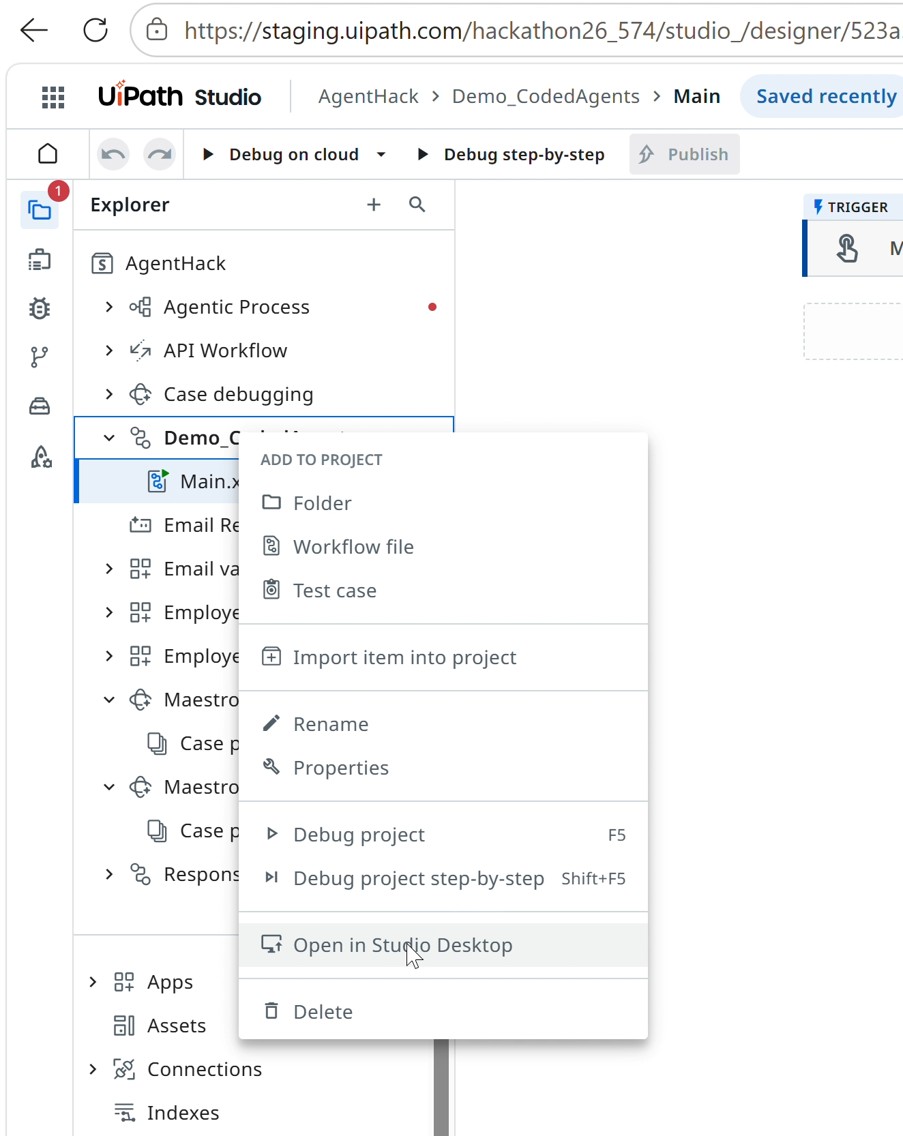
Coding Agent: opening of RPA workflow locally
-
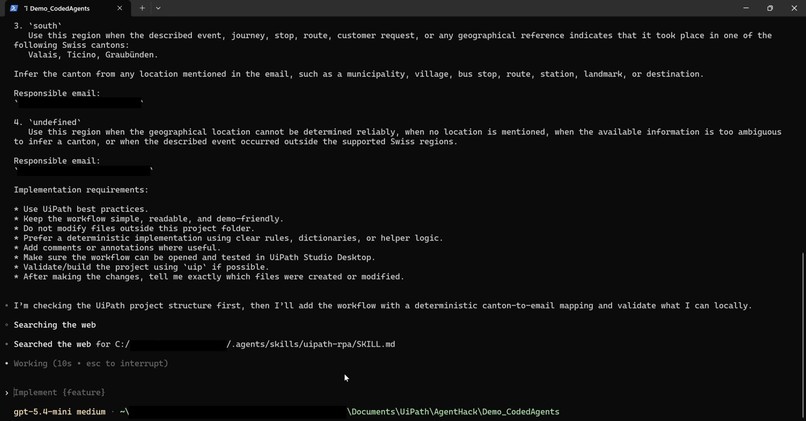
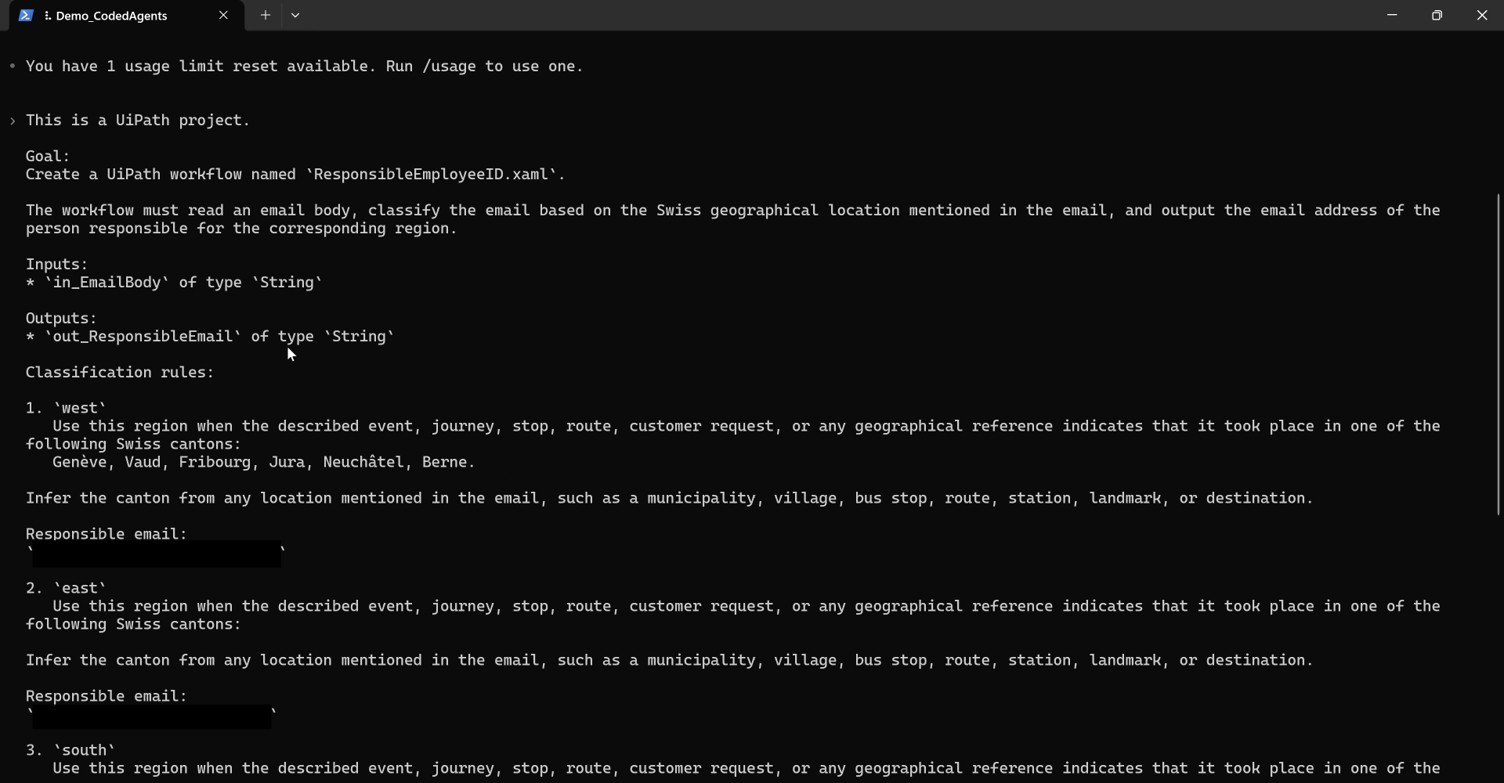
Coding Agent: prompt 2
-
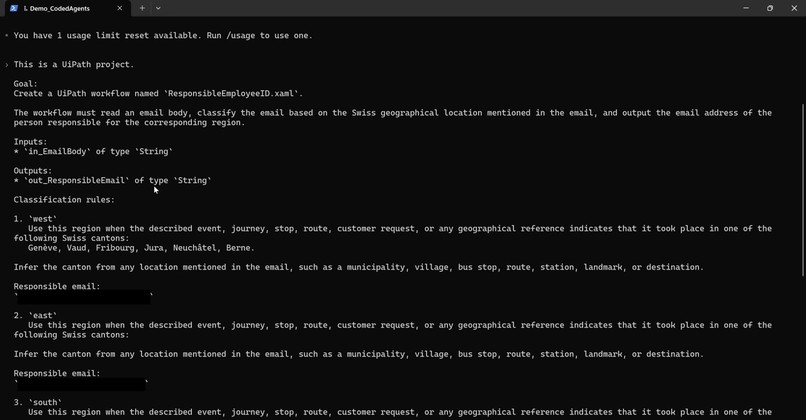
Coding Agent: prompt 1
-
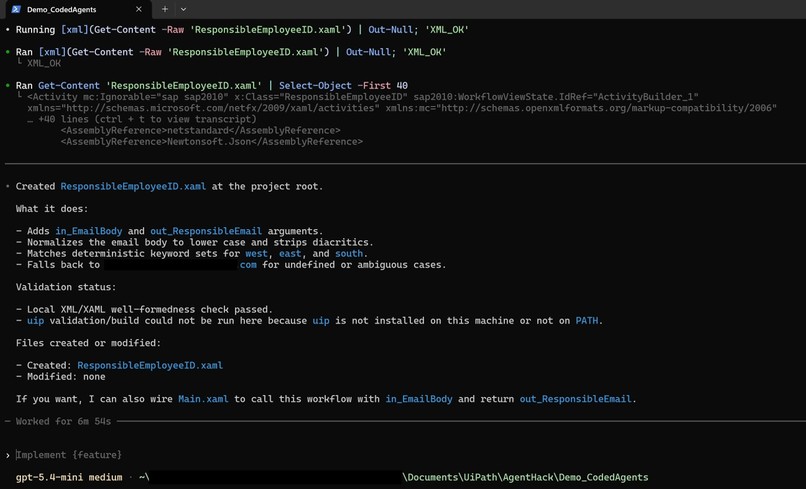
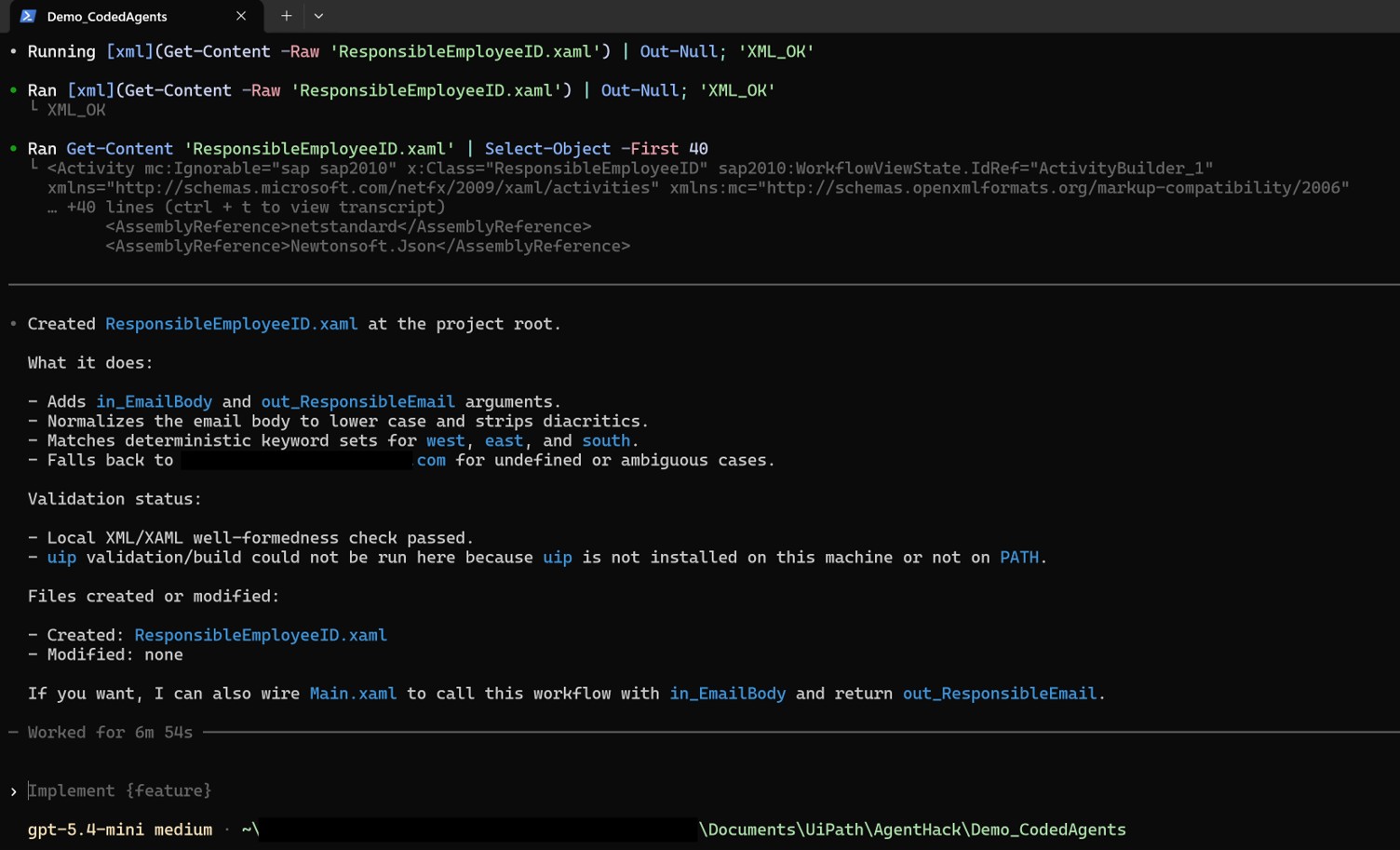
Coding Agent: PowerShell end
Inspiration
This project was inspired by our discussions with PostAuto, Switzerland’s largest bus operator and one of BE-terna’s long-standing customers. The use case was defined hand in hand with their business teams, based on a concrete operational need: improving the handling of high-volume customer requests while keeping quality and human oversight at the center of the process.
What it does
Our solution is connected directly to the shared mailbox where customer requests are received. Based on the type of request, it searches for the required information either online or in internal knowledge sources, collects feedback from a PostAuto employee when needed, and prepares a draft response for the customer. Before any email is sent, a human employee reviews the proposed answer and decides whether to approve it.
How we built it
We built the solution entirely with UiPath tools: UiPath Maestro for process orchestration, Studio Web for cloud-based automation components, and Studio Desktop for RPA workflows. We also used Cursor as an AI-assisted development tool to generate first versions of several solution components, before manually reviewing, refining, and integrating them into the final working process.
Challenges we ran into
One of the main challenges was working with UiPath Maestro and Action Apps, which are powerful but can still present some stability issues, especially during development. We also had to adopt new development reflexes, as building a case-based, agentic process in Maestro is very different from developing a classic RPA workflow in Studio Desktop. Finally, coding agents were useful to accelerate first drafts, but their output still required significant manual rework to reach the expected level of quality and reliability.
Accomplishments that we're proud of
We are proud to have built an end-to-end process using UiPath’s newest products together with LLM-based capabilities, while addressing a real and meaningful business scenario for one of our historical customers. The result is not only a technical prototype, but a solution concept that directly supports customer service teams in their daily work.
What we learned
Through this project, we learned how to use UiPath Maestro, how to design and manage cases in UiPath, how to build Action Apps for human-in-the-loop validation, and how to integrate coding agents into the development workflow. We also gained a better understanding of how agentic automation changes the way business processes can be designed and delivered.
What's next for PostAuto x BE-terna - Customer request processing
The next step would be to deploy the solution in PostAuto’s own environment and connect it to their real operational systems, including the shared mailbox and internal business applications. For this hackathon, the business data was provided by the customer, but the integration with live systems remains the key next milestone to turn the prototype into an operational solution.
BONUS POINTS: CODING AGENTS
The solution was partially developed using OpenAI Codex CLI as the coding agent, integrated with the UiPath CLI (uip) and executed directly on the local UiPath project. This setup allowed the coding agent to understand the project structure, generate UiPath workflow files, and iteratively modify the project within the local workspace. The coding agent was primarily used to generate the first implementation of the workflow ResponsibleEmployeeID.xaml as well as the investigation agent. Based on a natural language specification describing the business requirements, Codex generated the initial workflow structure, variables, control flow, and region classification logic. The generated workflow was then reviewed, tested, and refined manually in UiPath Studio Desktop. The final solution therefore combines AI-assisted code generation with human review and refinement. The AI-generated workflow serves as the foundation of the implementation and is meaningfully integrated into the final working solution rather than being used only for ideation or code suggestions. Screenshots included in the submission illustrate the interaction with the coding agent, the prompts used to generate the workflow, and the resulting modifications to the UiPath project.
Built With
- .net
- api-https://transport.opendata.ch/
- codex
- javascript
- uipath-maestro
- uipath-studiodesktop
- uipath-studioweb


Log in or sign up for Devpost to join the conversation.