Inspiration
SafeTag came from something personal to us. When the earthquake hit Myanmar, we kept seeing videos and photos of damaged buildings, broken roads, and people trying to figure out what was still safe. It was hard to look at because Myanmar is home for us. These were not just random buildings on the news. They looked like places we grew up around. What really stayed in our minds was what happens after the shaking stops. A building might still be standing, but one floor could have shifted more than another. Rescue teams may need to enter quickly, but they do not always know which part of the building changed the most. That was basically where our idea started: Can we build something cheap that stays on a structure, detects the earthquake, checks how the structure changed afterward, and gives rescuers a simple idea of where to look first? That became SafeTag.
What it does
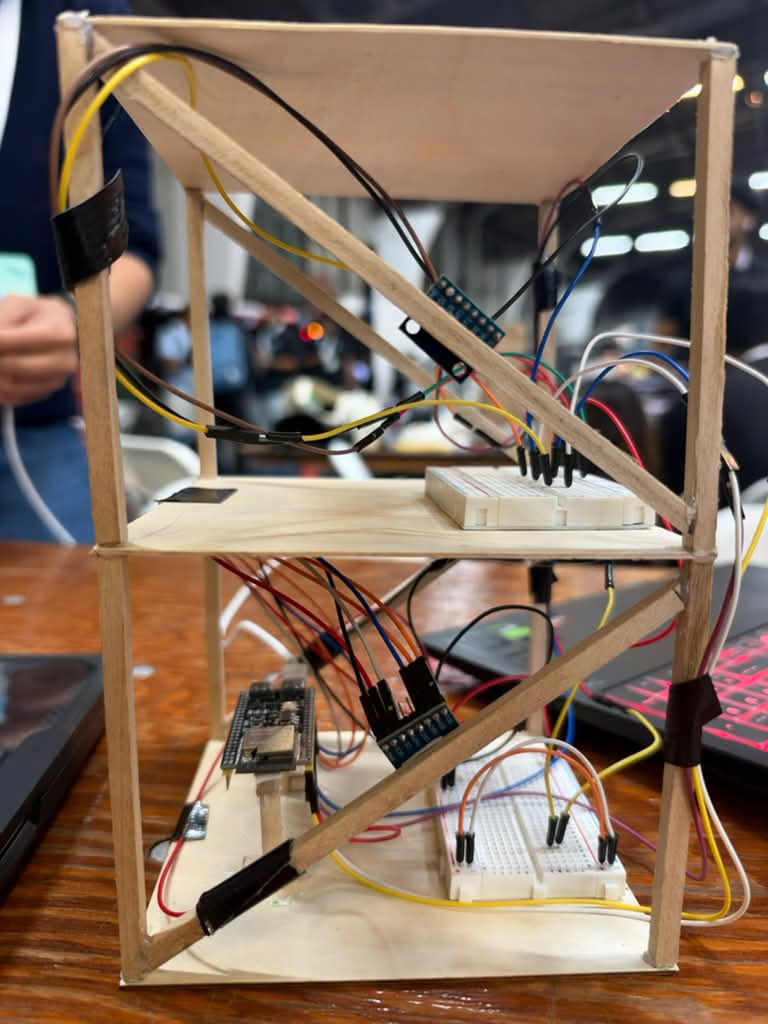
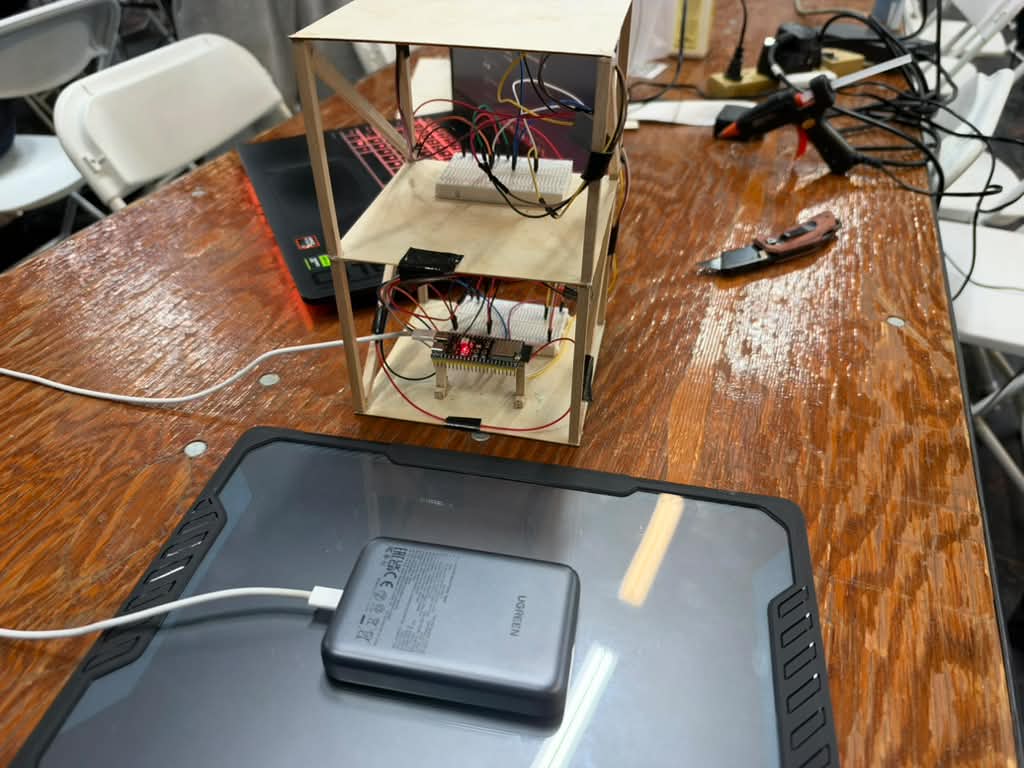
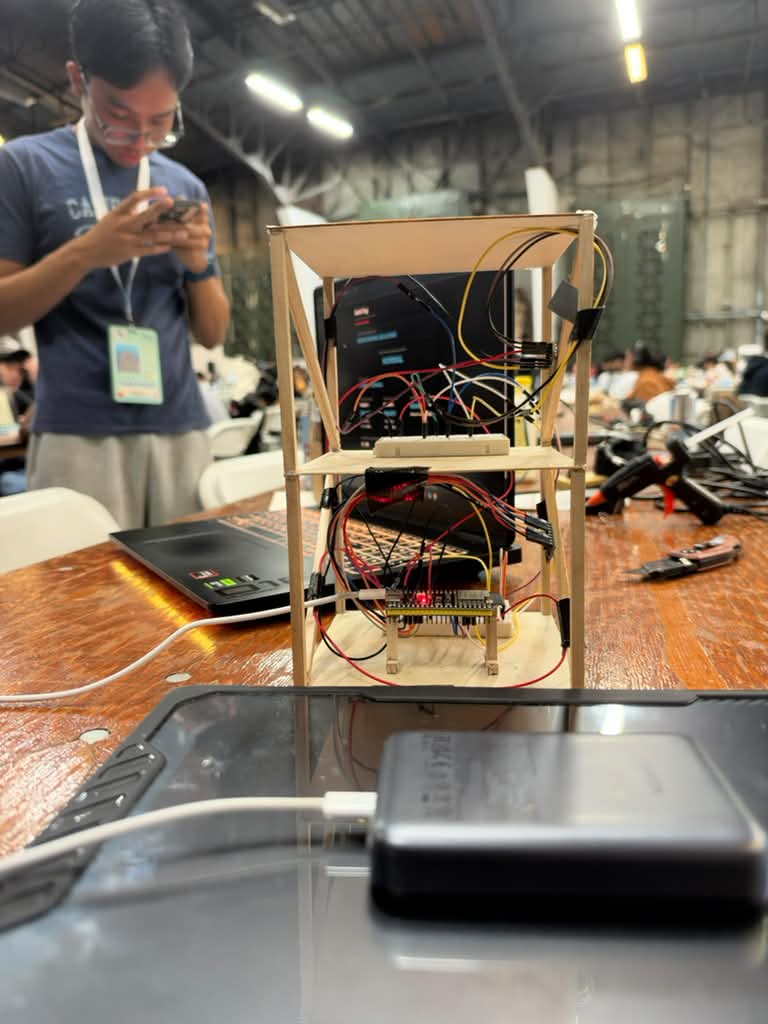
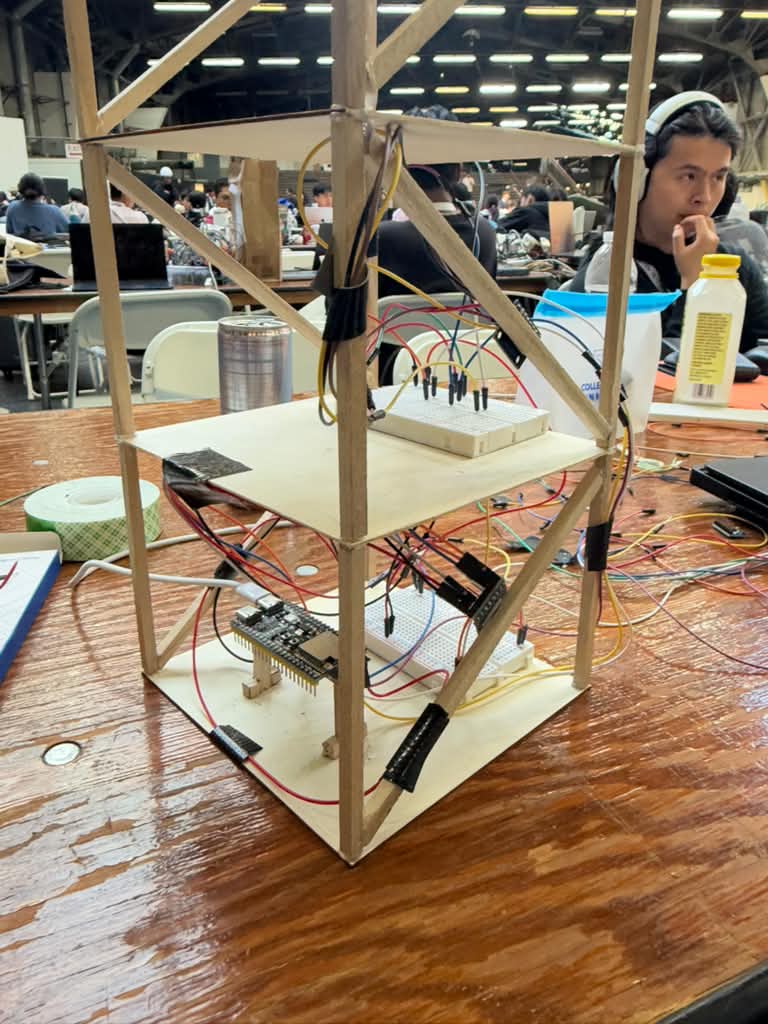
SafeTag is a two-floor structural monitoring prototype. We placed one ADXL345 accelerometer on each floor of our model and connected both sensors to an ESP32-S3. When SafeTag starts, it first measures the normal position of the building and saves that as its baseline. After that, it keeps watching the structure for motion. One problem we noticed pretty early was that the sensors are really sensitive. If someone accidentally hit the table, the first version could think there was an earthquake. So we changed the logic. Instead of triggering from one sudden spike, the motion has to continue for a short period before SafeTag accepts it as an earthquake. When an earthquake is detected, SafeTag tracks the strongest motion and labels the event as Small, Moderate, or Strong. After the shaking stops, the system waits briefly for the model to settle and then automatically switches into post-earthquake mode. This is the part we cared about the most. SafeTag compares the new angle of each floor with the original healthy position. Depending on how much the floor has shifted, it shows: • SAFE • WARNING • DANGER If one floor changes more than the other, the dashboard can give a message such as: INSPECT FLOOR 2 FIRST The ESP32 also creates its own Wi-Fi network, so a phone can connect directly to SafeTag and open the dashboard without needing normal internet access. That was important to us because after a serious earthquake, internet or normal communication systems may not be reliable. If both floors stay safe for 30 checks in a row, SafeTag automatically resets, recalibrates, and starts monitoring again.
How we built it
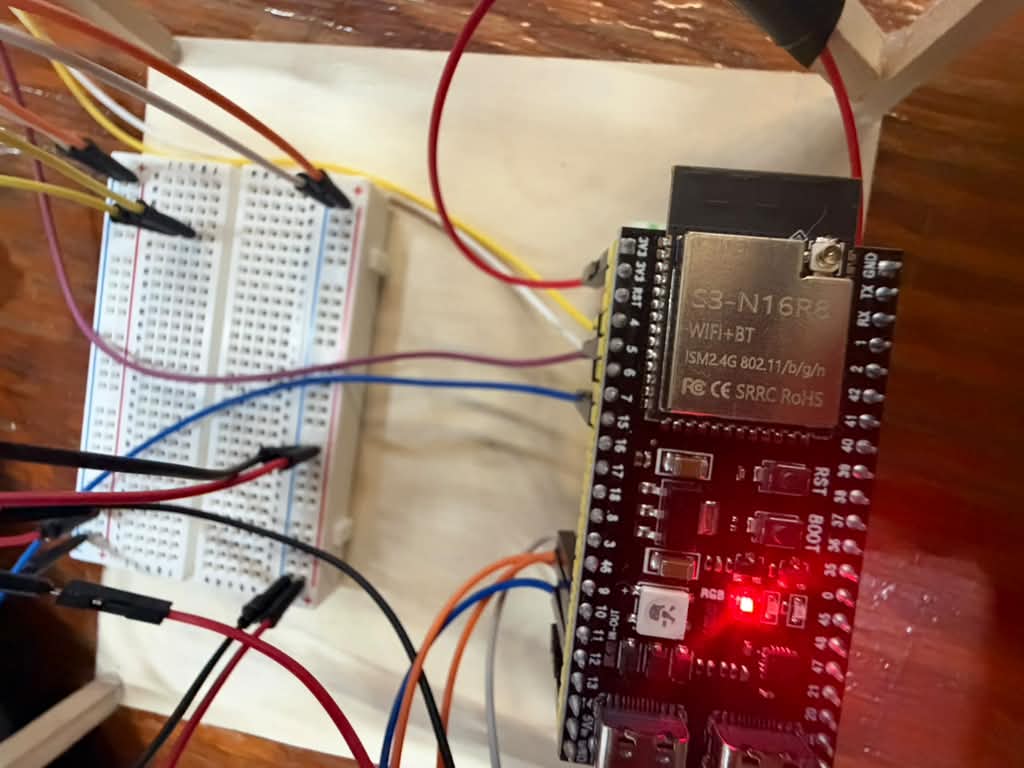
We started with the physical model. We used CAD to plan the size of the structure, then built a two-floor model using balsa wood. After that, we started integrating the sensors, breadboards, wires, ESP32-S3, and power system. Honestly, the wiring gave us way more trouble than we expected. At first, we tried different ways of connecting multiple accelerometers, but we kept getting bad sensor IDs, inconsistent readings, or sensors that worked one minute and failed the next. Eventually, we stopped trying to force everything through one setup and gave each accelerometer its own SPI bus. That finally gave us reliable readings from both floors. From there, we wrote the main firmware in C++ using Arduino. The ESP32 handles the full process: reading both sensors, creating the healthy baseline, detecting shaking, rejecting short impacts, classifying the earthquake, waiting for the structure to settle, calculating the tilt of each floor, and deciding whether the floor is safe, warning, or danger. We also built the dashboard directly into the ESP32 using HTML, CSS, and JavaScript. The ESP32 hosts the page itself, so the user just connects to the SafeTag Wi-Fi network and opens the local dashboard on a phone. By the end, the full sequence was: Normal -> Earthquake detected -> Earthquake classified -> Shaking stops -> Post-earthquake check -> Floor condition shown -> Inspection priority shown -> Automatic reset Challenges we ran into The biggest challenge was definitely getting the hardware to stay reliable while the model was actually moving. A wire could look completely fine while everything was sitting still, then disconnect the second we shook the structure. We spent a lot of time checking jumper wires, moving sensors, testing one sensor at a time, changing SPI connections, and trying to figure out whether a problem was coming from our code or from the hardware. Another problem was sensitivity. Our first earthquake detection logic was too easy to trigger. A table bump could start an earthquake event. We fixed that by requiring sustained motion instead of just one large reading. Then we had the opposite problem when the earthquake ended. Even after we stopped shaking the model, small vibrations could keep the system in earthquake mode for too long. We ended up using different thresholds for starting and ending an earthquake, plus a short settling period before the post-earthquake check. The wireless dashboard also gave us problems. At one point, the phone connection became unstable because we were requesting updates too aggressively. We slowed down the polling and simplified the connection until it became reliable enough for the final demo. A lot of this project was basically: test -> something breaks -> figure out why -> change one thing -> test again.
Challenges we ran into
The biggest challenge was definitely getting the hardware to stay reliable while the model was actually moving. A wire could look completely fine while everything was sitting still, then disconnect the second we shook the structure. We spent a lot of time checking jumper wires, moving sensors, testing one sensor at a time, changing SPI connections, and trying to figure out whether a problem was coming from our code or from the hardware. Another problem was sensitivity. Our first earthquake detection logic was too easy to trigger. A table bump could start an earthquake event. We fixed that by requiring sustained motion instead of just one large reading. Then we had the opposite problem when the earthquake ended. Even after we stopped shaking the model, small vibrations could keep the system in earthquake mode for too long. We ended up using different thresholds for starting and ending an earthquake, plus a short settling period before the post-earthquake check. The wireless dashboard also gave us problems. At one point, the phone connection became unstable because we were requesting updates too aggressively. We slowed down the polling and simplified the connection until it became reliable enough for the final demo. A lot of this project was basically: test -> something breaks -> figure out why -> change one thing -> test again.
Accomplishments that we're proud of
We are mainly proud that everything finally works together. At the beginning, we were happy just seeing the correct sensor ID in the Serial Monitor. By the end, we could shake the structure, watch SafeTag detect the earthquake, stop shaking it, physically tilt one floor, and then see the phone dashboard tell us which floor had the higher structural risk. Seeing "INSPECT FLOOR 2 FIRST" appear on the phone after physically changing Floor 2 was probably the best moment of the project. The final prototype can: • monitor two floors • reject short accidental impacts • detect sustained shaking • classify the earthquake • detect when the shaking ends • compare each floor with its original position • show SAFE, WARNING, or DANGER • prioritize which floor should be inspected first • host its own Wi-Fi network • send live data to a phone without normal internet • automatically reset after the structure remains safe For us, getting all of those parts to work together in one weekend was the biggest accomplishment.
What we learned
We learned pretty quickly that hardware does not care how nice your code looks. A program can be completely fine, but if one jumper wire moves, the whole system can stop working. We also learned that real sensor data is messy. There is noise, vibration, movement, bad connections, and a lot of things that do not happen when you are just looking at numbers on a screen. The biggest thing we learned was how to troubleshoot without changing everything at once. When something failed, we started testing one part at a time: first the sensor, then the wiring, then the SPI communication, then the algorithm, then the wireless system. That probably helped us more than anything else during the hackathon. We also realized that sometimes the first idea is not the thing you should protect. If the wiring setup or algorithm is bad, it is better to rebuild it than keep trying to save it.
What's next for Post-Earthquake Building Sensor
If we continued developing SafeTag, we would want to test it on higher structures and work with structural or earthquake engineers to understand what sensor changes actually matter in a real building. The goal is not to have SafeTag replace an engineer or tell rescuers that a building is definitely safe. Our idea is to give rescuers one more useful piece of information when everything around them is uncertain.
Built With
- accelerometer
- arduino
- autocad
- c++
- esp32-s3
- openai

Log in or sign up for Devpost to join the conversation.