-
-
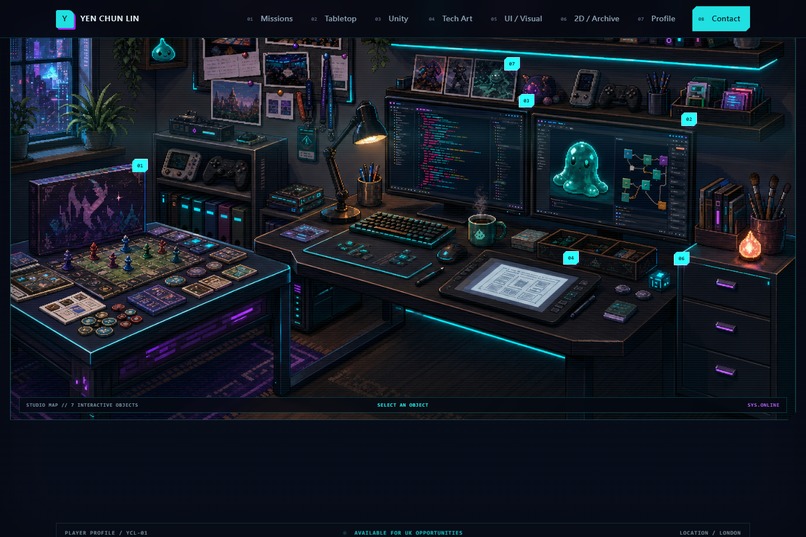
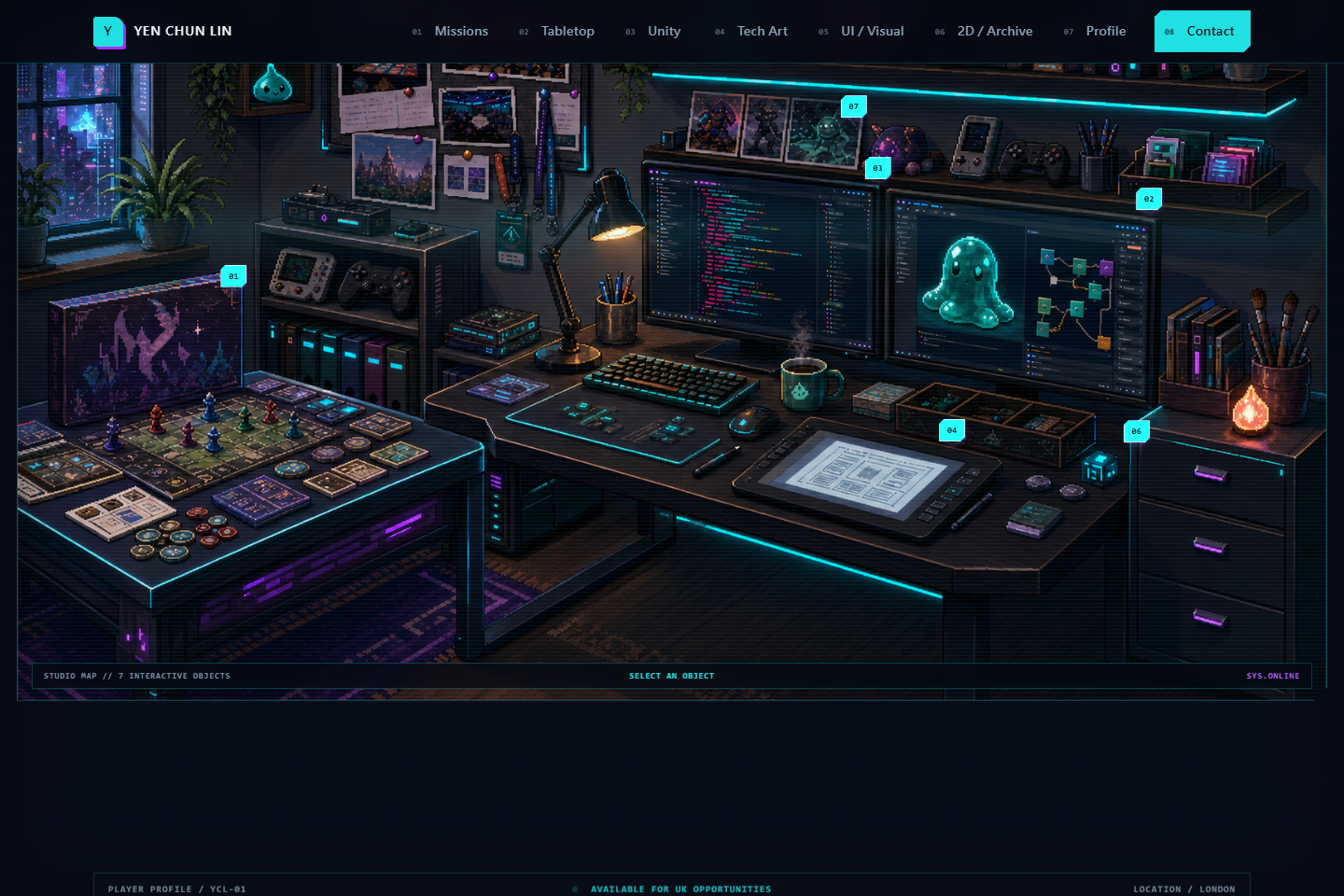
Explore an interactive pixel-art studio where every highlighted object opens a real project or part of my experience.
-
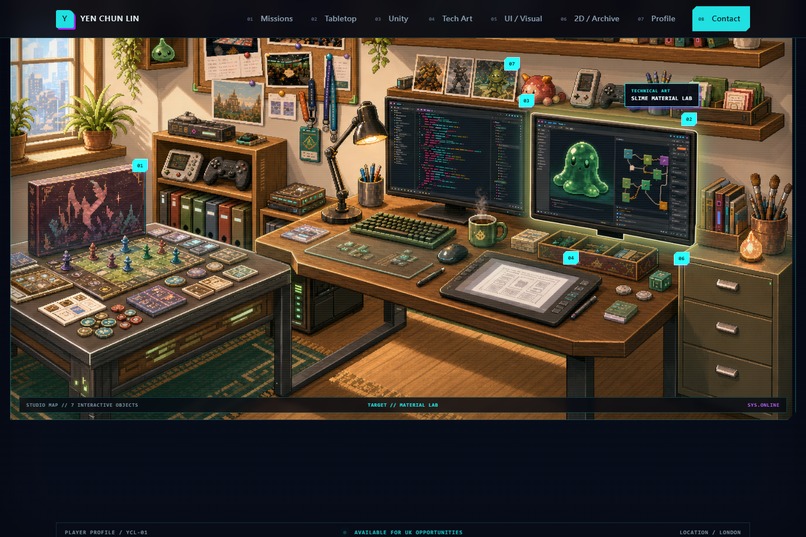
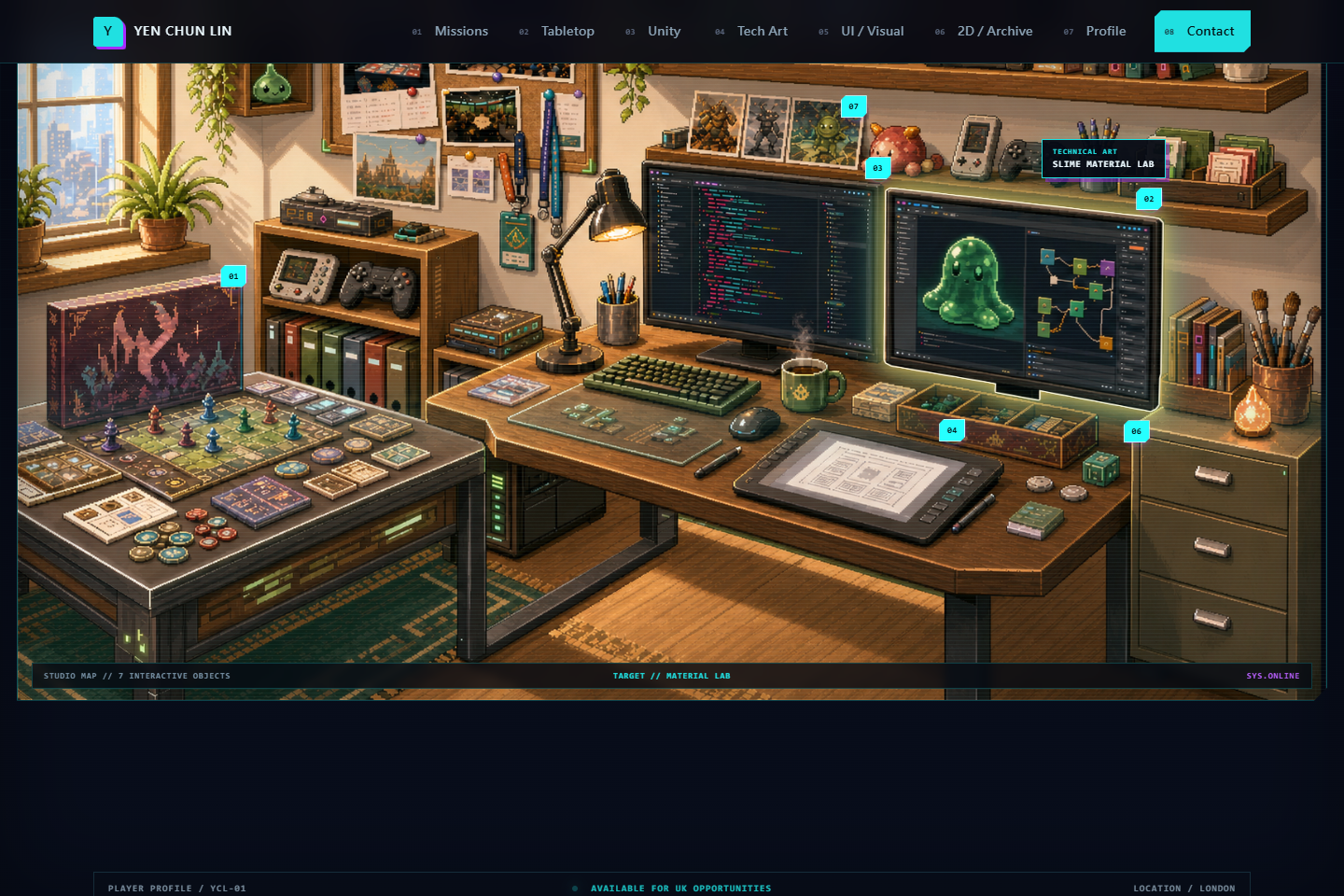
The studio in daylight, showing its alternate scene and interactive object system.
-
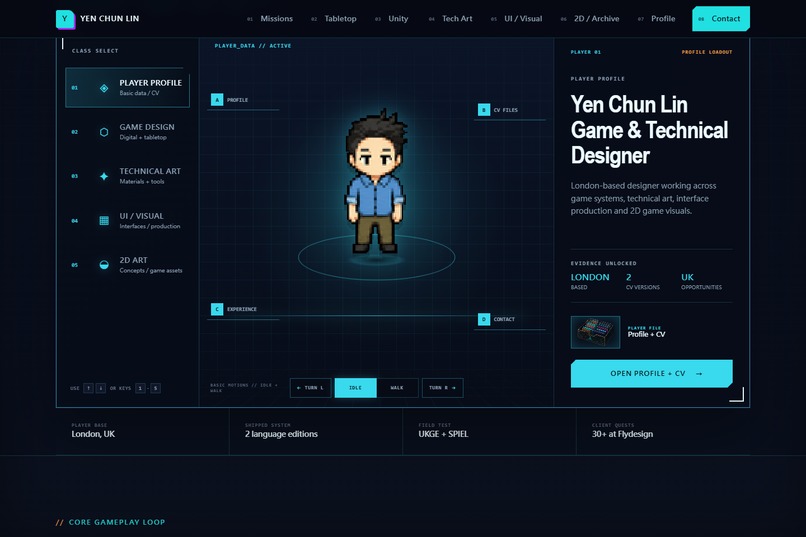
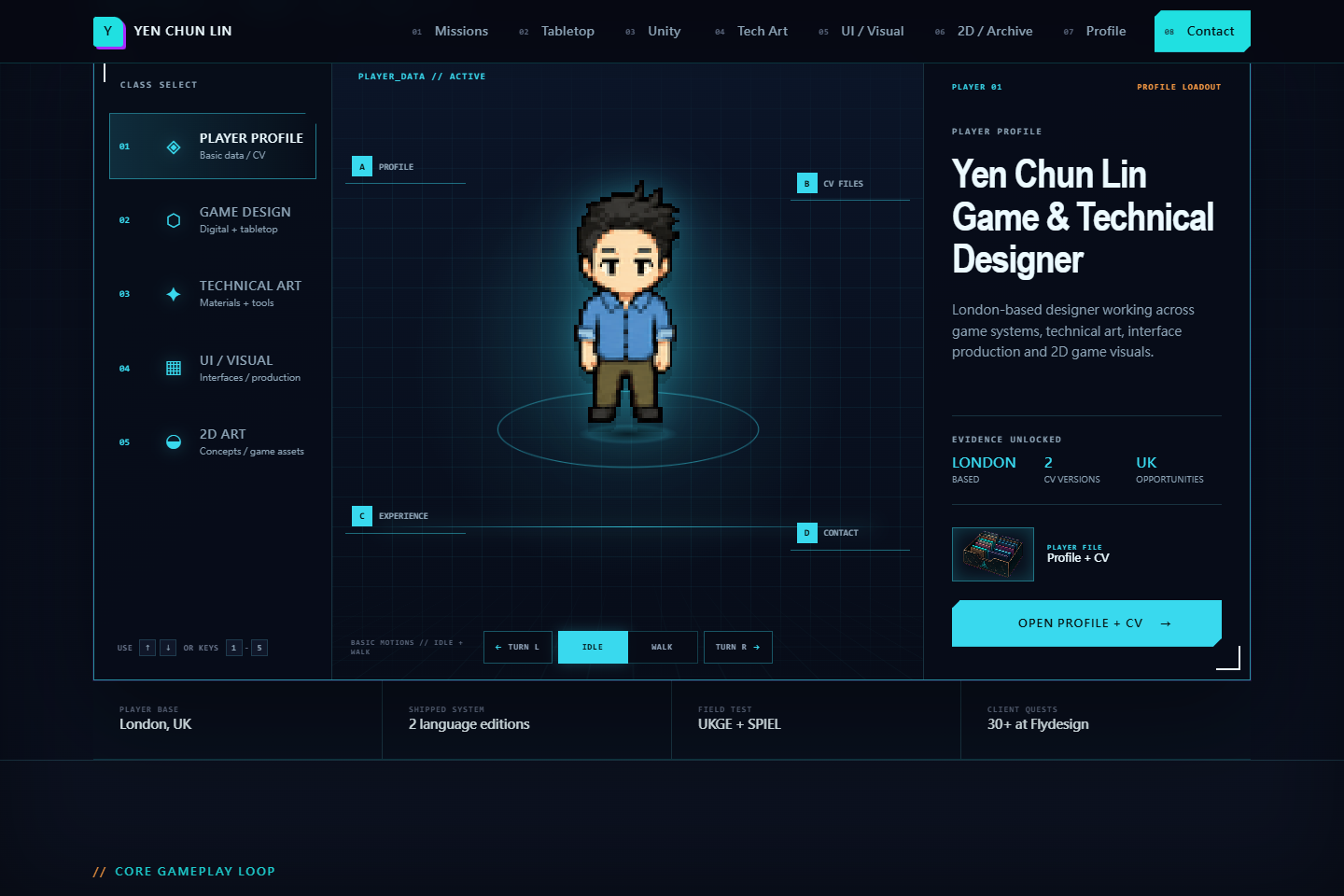
Player Profile loadout with an eight-direction pixel avatar, idle and walk states, CV access and a career overview.
-
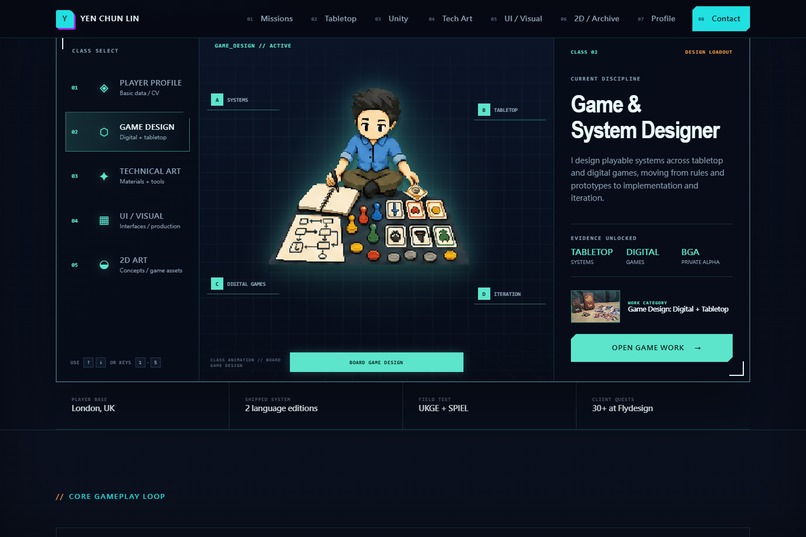
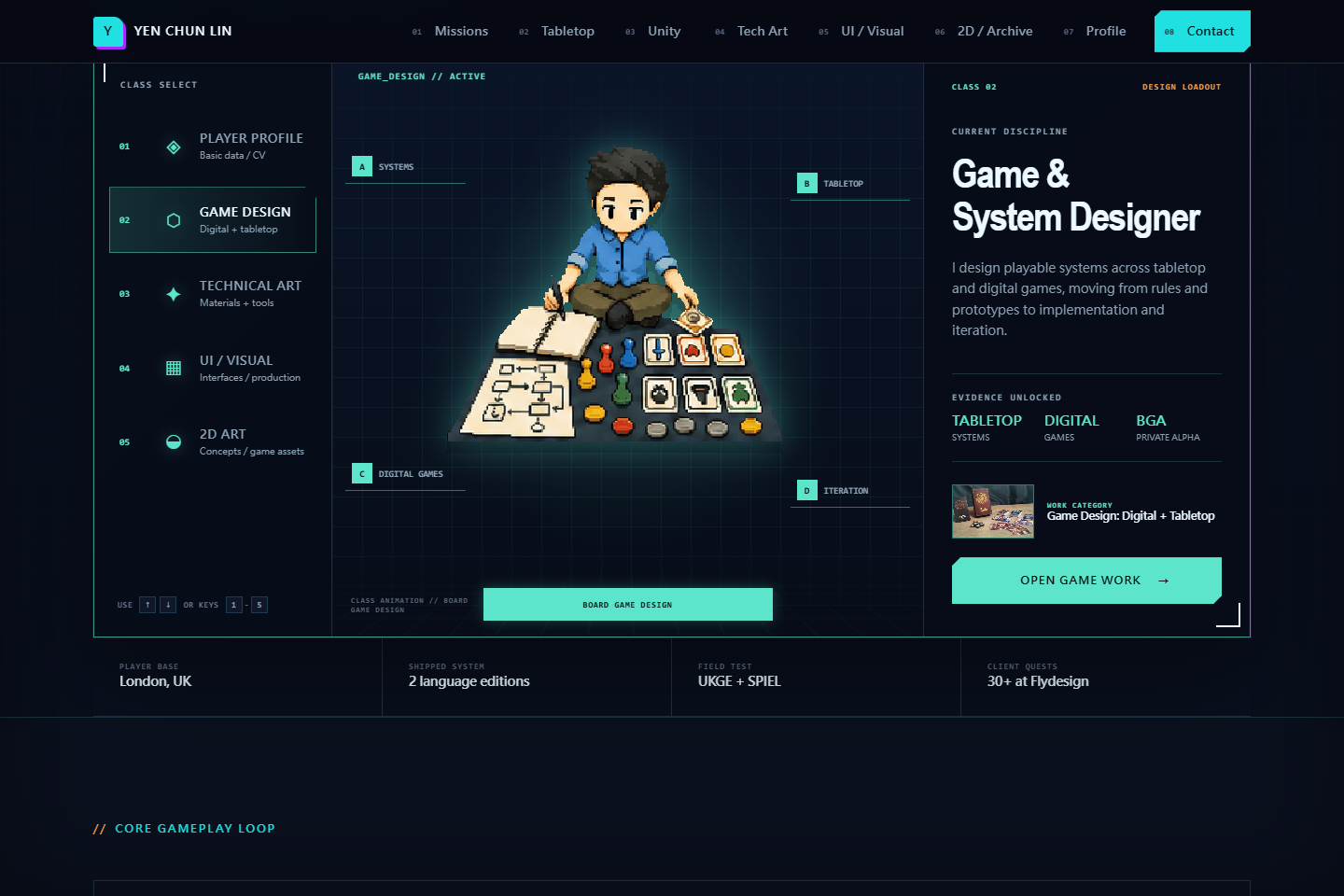
Game Design loadout representing tabletop analysis, component testing and design note-taking.
-
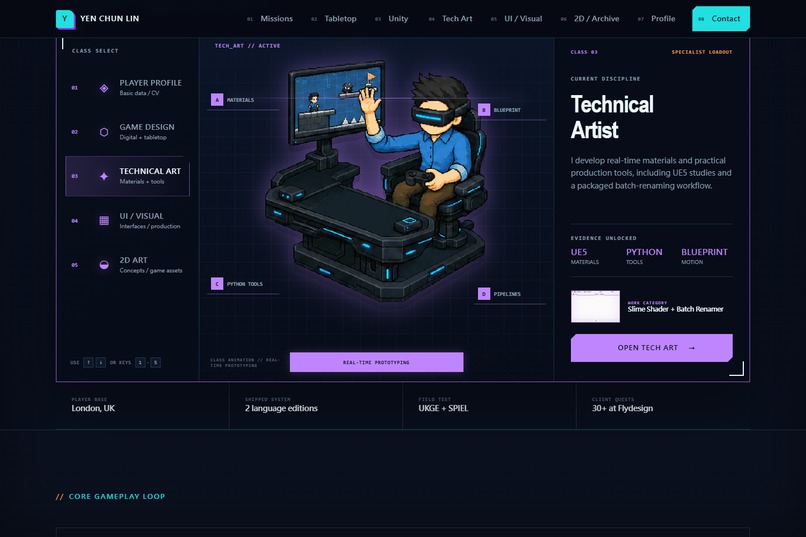
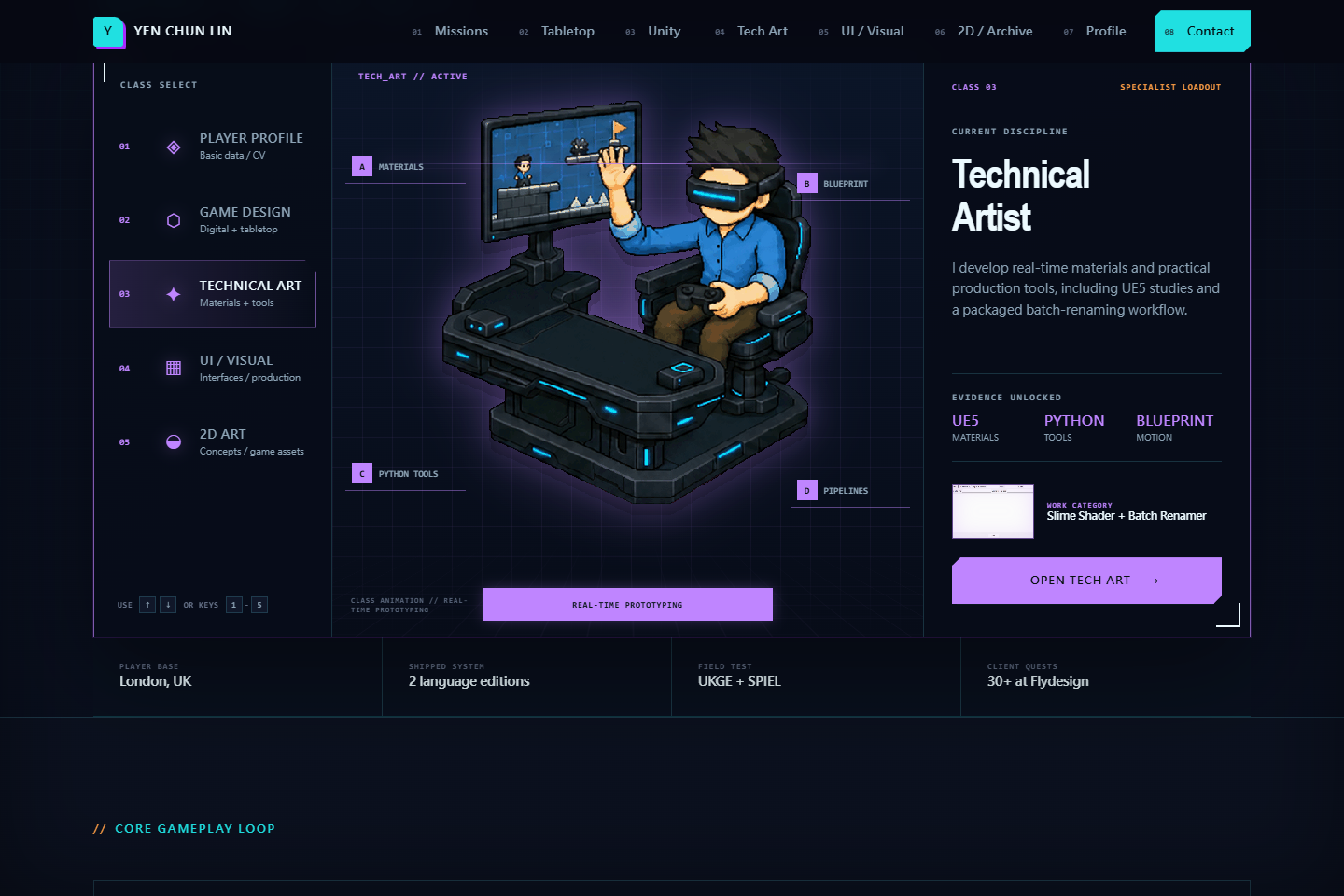
Technical Art loadout featuring real-time prototyping, UE5 materials, Blueprint motion and practical Python tools.
-
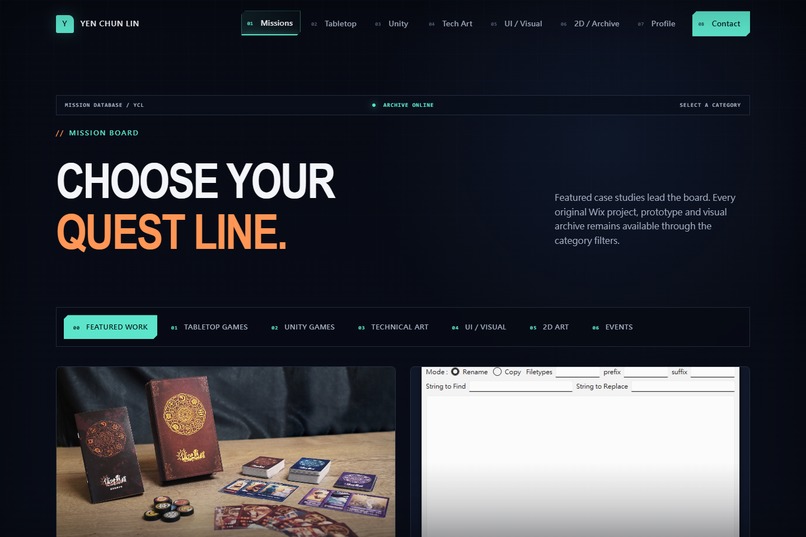
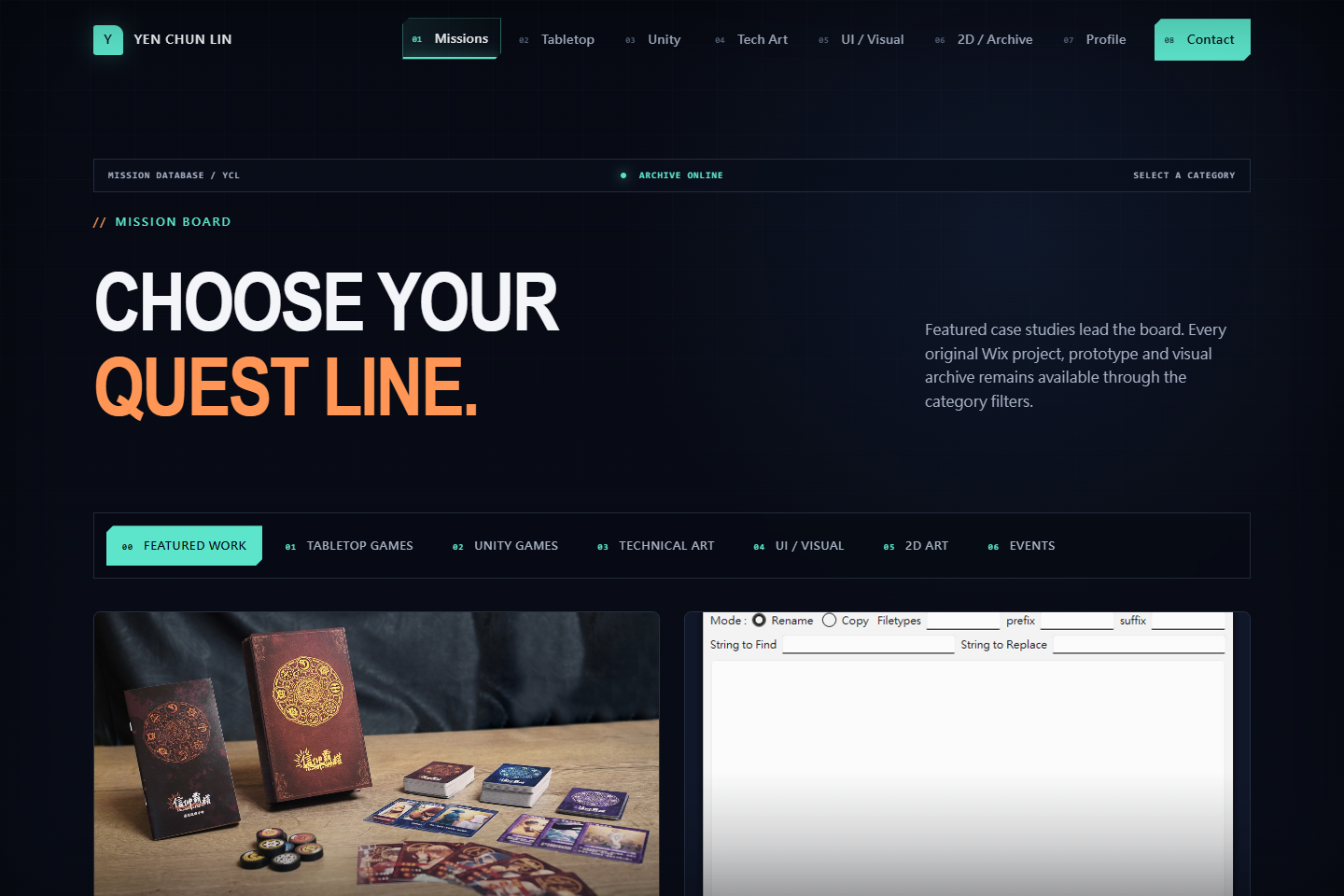
The Mission Board groups projects by discipline, providing a fast route through tabletop, Unity, tech art, UI and events.
-
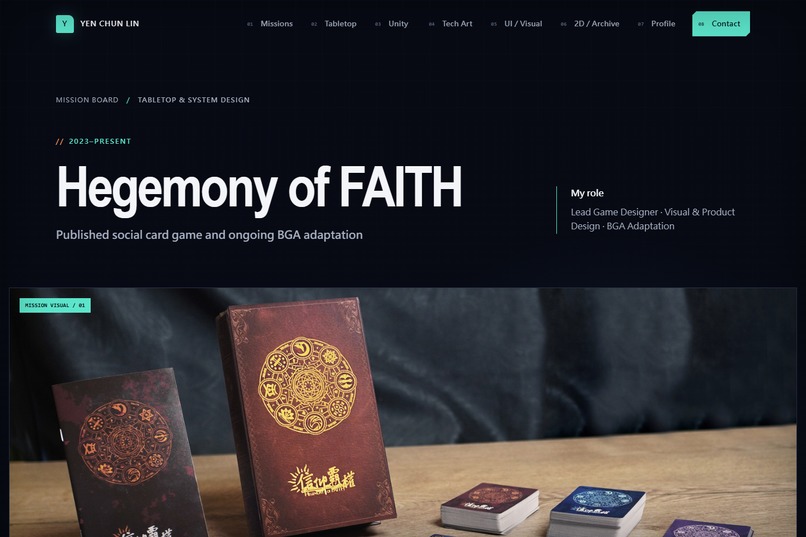
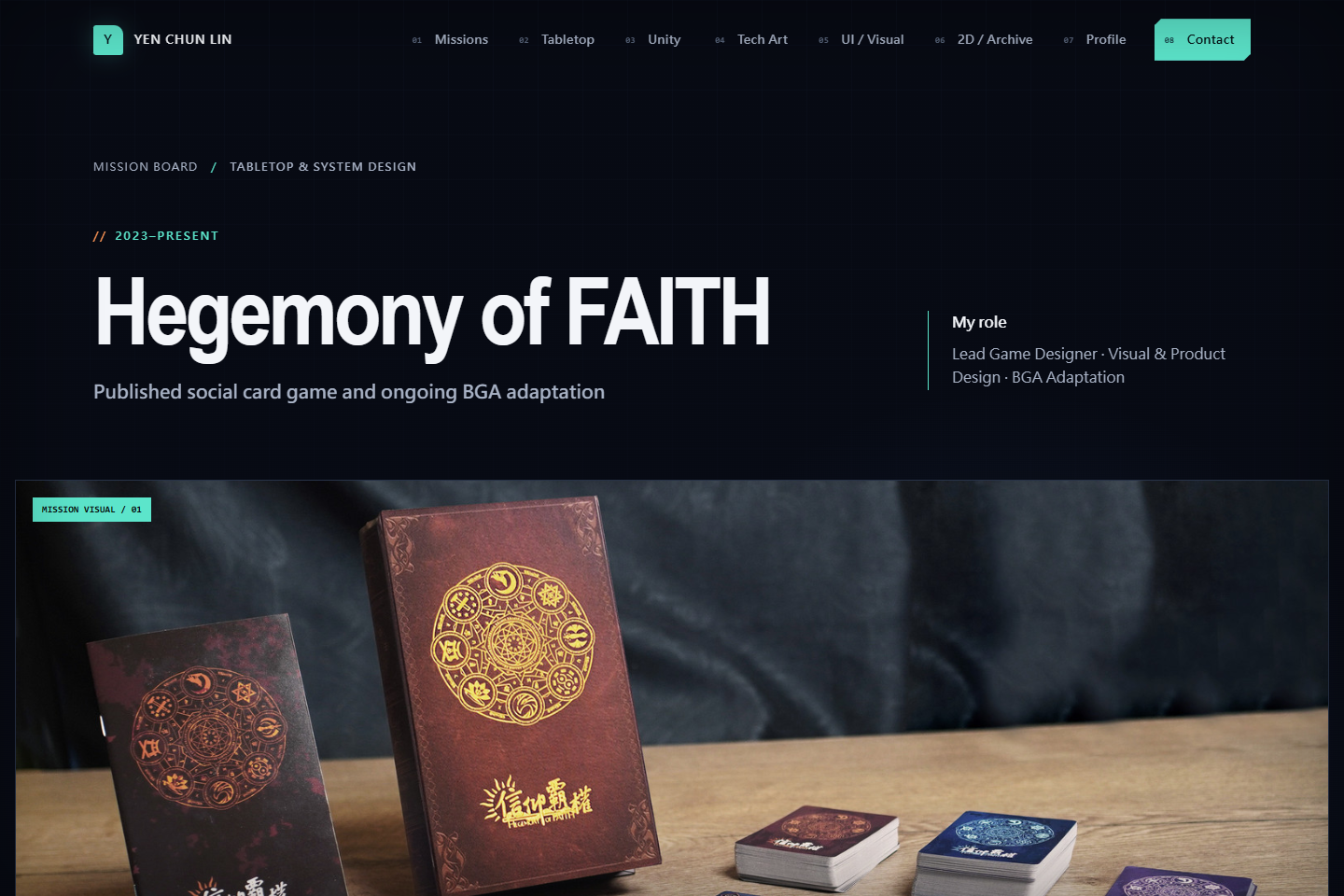
A published tabletop game case study covering game design, production and an ongoing private-alpha BGA adaptation.
-
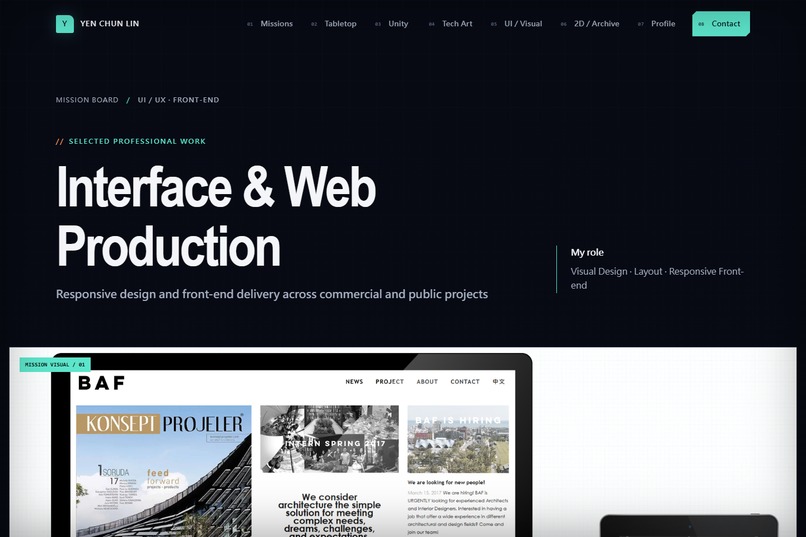
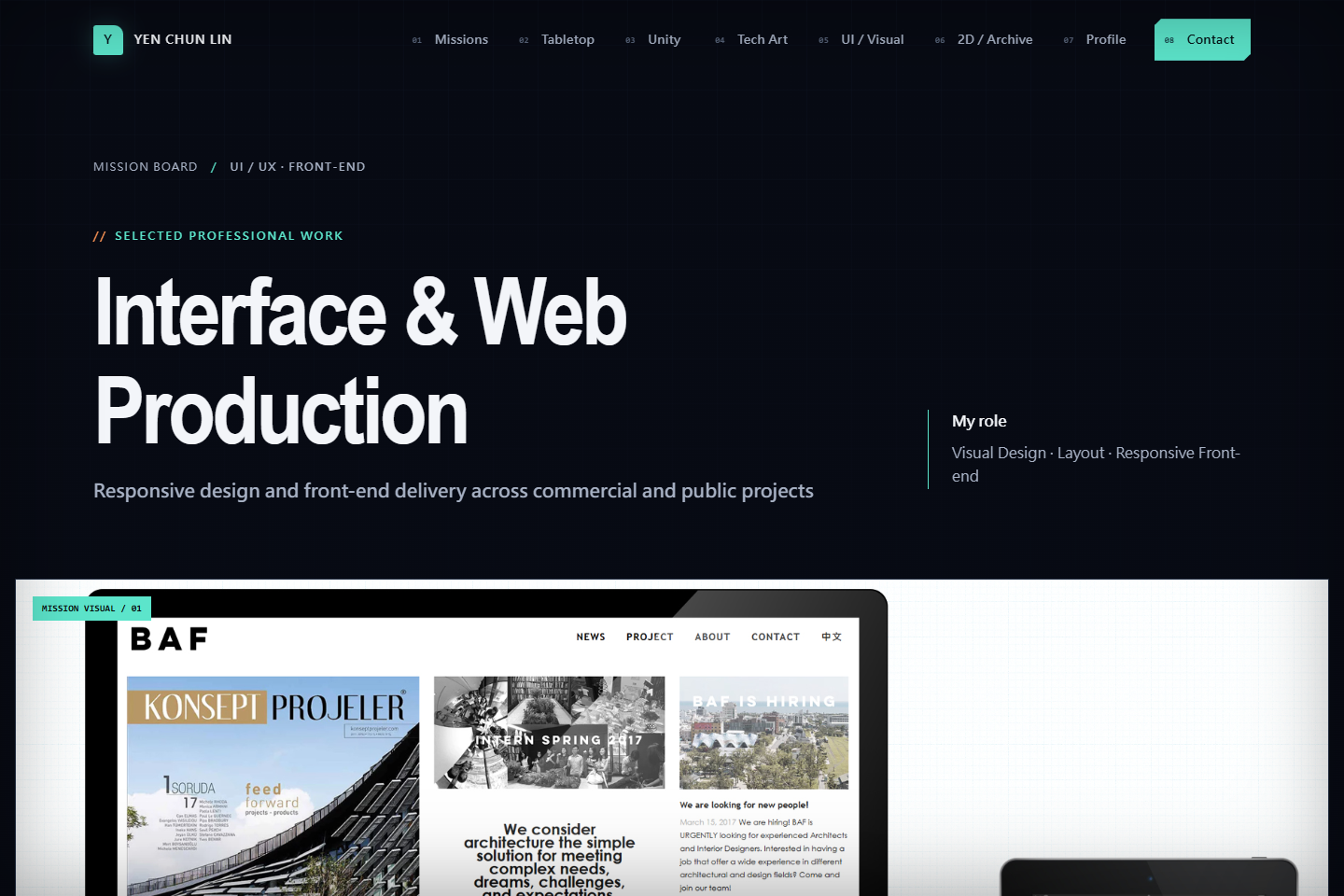
Responsive front-end delivery and visual design across more than 30 commercial and public-sector client projects.
Inspiration
I started this project because my previous portfolio could hold my work, but it did not represent how I think as a game designer and technical artist. Visitors could scroll through projects, yet the experience still felt separate from the kind of work I wanted to do.
When I discovered Build Week on July 13, I used it as the point to develop an early portfolio idea into a working interactive experience. The question behind the project became:
Can real professional experience be translated into play without losing honesty, clarity or evidence?
Instead of asking visitors to begin with a conventional CV, I wanted them to enter a space, discover objects, select different professional roles and gradually understand what kind of designer I am.
What it does
Work, Made Playable is a personalised, game-native career portfolio built around my real experience.
The prototype was developed under the working title Portfolio Loadout before the broader concept became Work, Made Playable.
The main interface is a pixel-art studio containing interactive objects. Each object connects to a part of my work, including game design, technical art, interface production, events, tools and 2D art. The studio includes separate day and night presentations, animated hover states and direct routes into detailed case studies.
A second interface presents my professional identity as a character loadout. Visitors can switch between:
- Player Profile
- Game Design
- Technical Art
- UI / Visual Design
- 2D Art
The Player Profile includes an eight-direction pixel character with idle and walking states. Other loadouts connect professional skills to small animated scenes. The Game Design scene shows tabletop components being examined and design notes being recorded. The Technical Art scene shows real-time game testing and interaction with a virtual development interface.
The Mission Board provides a more direct route for visitors who want to browse projects by discipline. Every playful interaction still leads back to readable information, case studies, project evidence and role-specific CVs.
A personal prototype with a broader direction
The current project is intentionally built around my own career. It is the first working example, not yet a universal portfolio generator.
However, the larger idea could become a reusable system for multidisciplinary creators, career changers and other people whose work is difficult to explain through a conventional CV alone.
A future version could help someone:
- Provide verified information about their skills, experience and projects.
- Choose a visual style and character that reflects their personality.
- Translate different professional roles into visual loadouts.
- Represent their work through relevant props, environments and short animations.
- Connect every visual element back to real project evidence.
- Generate a personalised, interactive introduction website.
A game designer might be shown testing cards and rules. An architect could work with drawings and spatial models. A researcher could organise evidence and hypotheses. The purpose would not be to invent experience or replace the CV. It would be to make a person's real professional identity easier to understand at a glance.
How I built it
The submitted version is a static website built with:
- HTML5
- CSS3
- Vanilla JavaScript
- Python and Pillow for repeatable animation processing
- OpenAI Codex
- GPT-5.6
- GitHub Pages
Project and case-study content is stored as structured data so the same components can render multiple disciplines and project types. The website has no runtime framework or package dependency.
The illustrated studio uses a layered asset system. Interactive objects are positioned over day and night backgrounds and receive their own hover states, animations and links. On smaller screens, where illustrated hotspots become difficult to identify, the website provides an explicit project menu instead of requiring visitors to search a reduced image.
How I used Codex and GPT-5.6
Codex and GPT-5.6 acted as implementation and iteration partners throughout the project.
They helped me:
- Inspect and organise material from my previous Wix portfolio and local project archive.
- Build the static HTML, CSS and JavaScript architecture.
- Convert portfolio content into reusable project cards and case-study pages.
- Implement the interactive studio, loadout selector, navigation and responsive alternatives.
- Develop repeatable workflows for aligning animation frames and exporting transparent GIFs.
- Diagnose perspective, responsive layout, animation anchor, palette and transparency problems.
- Structure the README, submission material and demo narration.
The project was not created from a single prompt. I directed the concept, information architecture, visual language and acceptance criteria. I reviewed every important interaction and animation state, rejected results that did not match the intended perspective or movement, and manually corrected visual frames when necessary.
AI made iteration faster, but it did not replace design judgement or quality control.
Challenges
Making separate objects feel like one scene
Interactive assets had to match the perspective, scale and position of the studio background. Even a small difference made an object appear to float above the scene. I developed a layered workflow in which the original object position remained the visual anchor while alternate states were aligned on top of it.
Maintaining consistent character animation
The character required consistent proportions, hair direction, foot placement and movement anchors across eight viewing directions. Several early walking cycles looked unnatural because the feet did not alternate correctly or the character shifted inside the frame. The final workflow combined generated material, deterministic alignment and manual frame correction.
Exporting transparent animations
Some animation exports introduced black fragments, magenta edges or residual pixels. I used repeatable chroma-key cleanup, frame inspection and GIF palette testing to reduce these artefacts.
Balancing play with professional clarity
The website needed to feel playful without hiding the information a recruiter needs. The studio creates curiosity, while the navigation, Mission Board, case studies and CV links provide direct access to evidence.
What I learned
The most important lesson was that interaction only adds value when it helps someone understand the content.
A playful interface cannot compensate for unclear projects, weak navigation or missing evidence. It must create curiosity and then reward that curiosity with useful information.
I also learned that generative speed does not remove the need for careful visual review. AI could produce variations quickly, but perspective, animation rhythm, anatomy and interface clarity still required deliberate human judgement.
What's next
The next steps for the current portfolio include:
- Additional role-specific animations for UI / Visual Design and 2D Art.
- More process evidence for selected case studies.
- A clearer private-alpha case study and interaction video for the Board Game Arena adaptation of Hegemony of FAITH.
- Further responsive and recruiter usability testing.
- Continued improvement of animation consistency and accessibility.
Beyond the personal portfolio, I want to explore whether this workflow can become a reusable template, guided builder or Codex skill that helps other people translate verified professional experience into a personalised character, animated work scenes and an explorable introduction website.
The long-term idea is simple:
Your work should remain truthful and evidence-based, but the way people discover it does not have to feel like reading a form.
Built With
- codex
- css3
- github
- gpt-5.6
- html5
- javascript
- openai
- pillow
- python
