PortConnect 🚢




🚀 Inspiration
Working at sea, I’ve seen firsthand how fragmented and manual port service bookings are: captains juggling phone calls, email chains, and PDFs just to schedule tugboats, fuel bunkering, and tank cleaning. I wanted to centralize all of that into one intuitive dashboard—so terminals, service providers and ship crews can coordinate in real time, reduce delays, and eliminate costly miscommunications.
💡 What it does
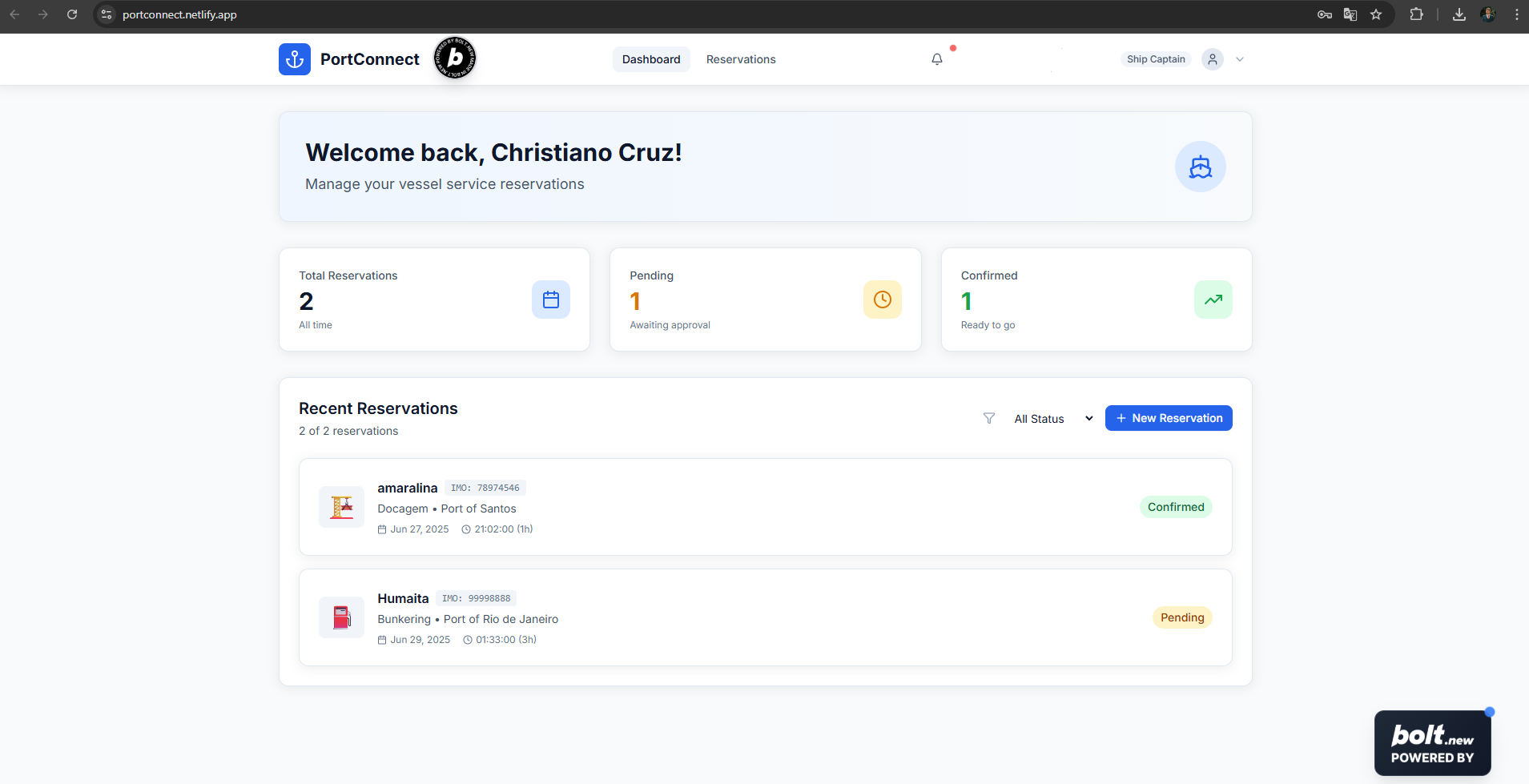
- Browse all available port services (tugs, bunkering, cleaning, maintenance).
- Book a specific time slot directly in the app with just a few clicks.
- Track reservation status in a unified dashboard and receive instant updates.
- Manage past bookings and transactions, with built-in audit logs for compliance.
All interactions happen within Bolt.new’s UI, so there’s no need to jump between email, phone, or spreadsheets.
🛠 How we built it
- Bolt.new for the entire front-end: pages, forms, list views and the “Built on Bolt” badge.
- Supabase for authentication, database tables (
users,ports,services,reservations,transactions) and row-level security. - Netlify for CI/CD and one-click deploy (Deploy Challenge).
- JavaScript SDK to wire up Bolt components to Supabase queries and mutations, all through environment-managed API keys.
⚠️ Challenges we ran into
- Dynamic filters & relations: modeling ports, services and reservations in Supabase so queries stayed performant.
- Auth flow: customizing Bolt’s page logic to show/hide content based on logged-in user’s role (terminal vs. provider).
- Env variable syncing between Bolt.new and Netlify, to keep keys secure yet accessible.
- Time-zone handling: ensuring reservation slots display correctly across local port time zones.
🏆 Accomplishments that we’re proud of
- Delivered a fully functional MVP in under two weeks—complete with real-time booking and status updates.
- Implemented row-level security so each user only sees their own reservations.
- Achieved a clean, responsive UI entirely in Bolt.no-code, with zero custom CSS.
📚 What we learned
- How to leverage Bolt.new’s data hooks for complex CRUD flows.
- Best practices for Supabase RLS to lock down data by user role.
- The power of low-code + backend as a service to iterate rapidly on B2B workflows.
- Tricks for managing secrets across multiple deployment targets.
🔮 What’s next for PortConnect
- Payments & invoicing: integrate Stripe to collect transaction fees.
- Compliance module: add document upload and approval workflows for ANVISA and Port Authority checks.
- Multi-port support: allow a single provider account to serve multiple terminals.
- Conversational AI: embed a voice or video assistant (ElevenLabs or Tavus) to guide users through bookings.
- Mobile SDK: launch a native companion app for on-the-go notifications.
Built With
- bolt

Log in or sign up for Devpost to join the conversation.