-
-
QR codes for links
-
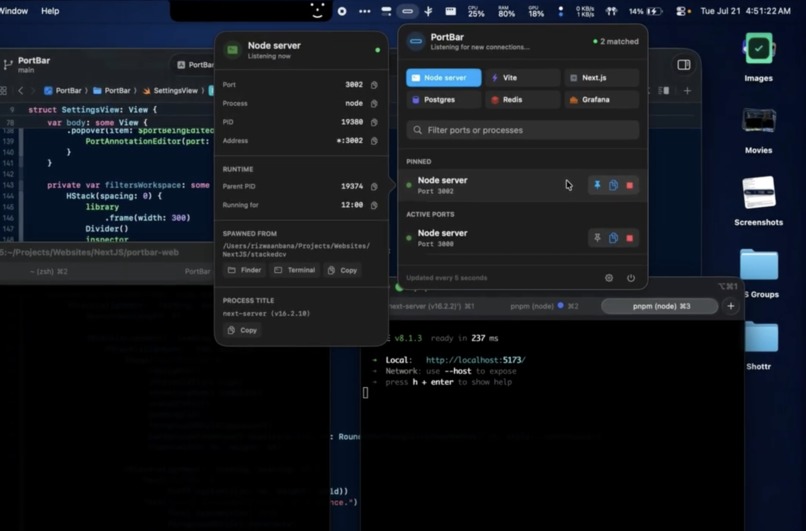
Portbar in-use
Inspiration
I tend to spin up a lot of next-server instances from my many Next.js projects. This, along with the fact that pnpm dev (internally next dev) doesn't reliably kill/stop/reload dev servers throughout their lifecycle, results in multiple Next.js instances fighting over port 3000 or spreading out into 3001, 3002, etc.
What it does
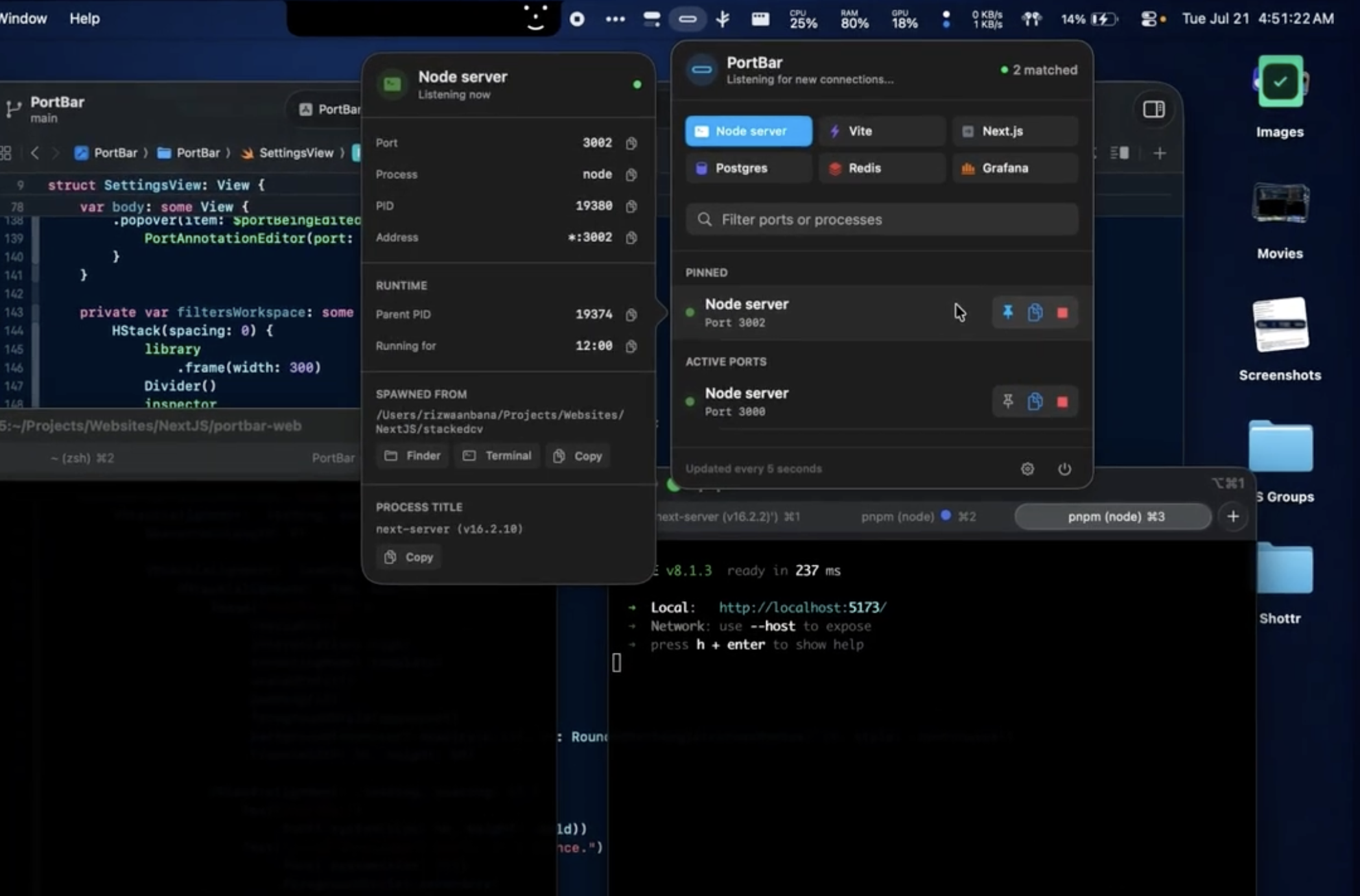
PortBar shows you every dev server, database, and daemon in your Mac's Menu Bar. If it's a popular dev tool that runs on localhost on a specific port, PortBar will tell you when its running and anything else you'd want to know about it.
How we built it
Codex + GPT 5.6 Terra. GPT-5.6 figured out with me which features would be included and Codex CLI (using GPT-5.6 Terra) built all the components in an initial one-shot + incremental follow-ups strategy.
Challenges I ran into
Honestly, just the fact that GPT-5.6 Terra is a little less agentic than I had hoped. It requires more hands-on steering than GPT-5.5, but excels at tasks that are straightforward that it understands well.
Accomplishments that I'm proud of
I discovered this hackathon pretty late - development only began a couple days ago. I'm impressed by how quickly Codex was able to develop all of the features I had envisioned early on.
What I learned
Getting accurate information about what's running on a port and process information overall is not centralized on UNIX systems.
Perhaps I should look into using Codex to create a little CLI tool that wraps the builtin tools and consolidates the output.
What's next for PortBar
Probably going to look into port reading from Docker containers and much better Docker support overall, since a lot of the people I work with use Docker for their development environments.
Built With
- codex
- gpt-5.6
- swift
- swiftui
- terra

