-
-
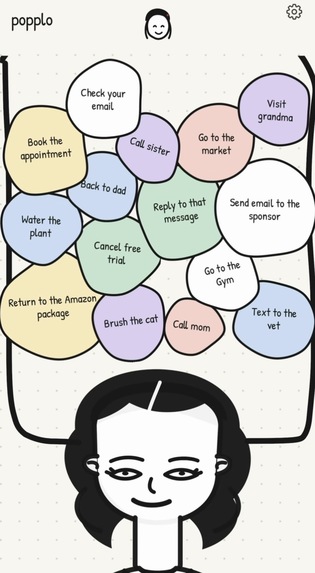
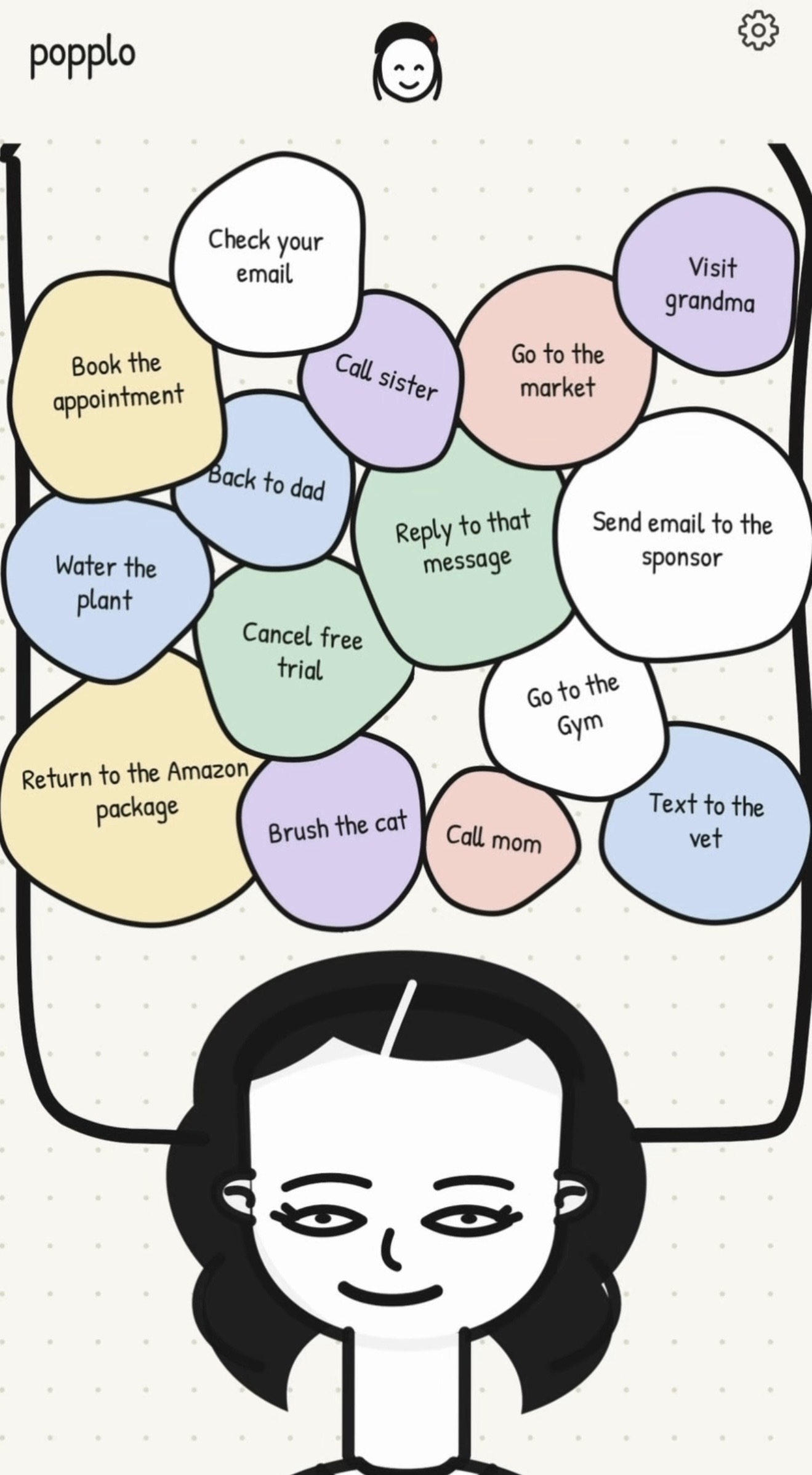
The little things take up space in your head. Give them a bubble, finish the task, and make a little room.
-
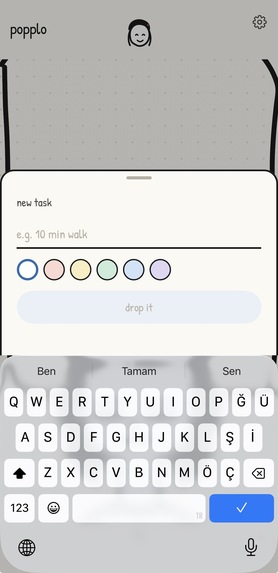
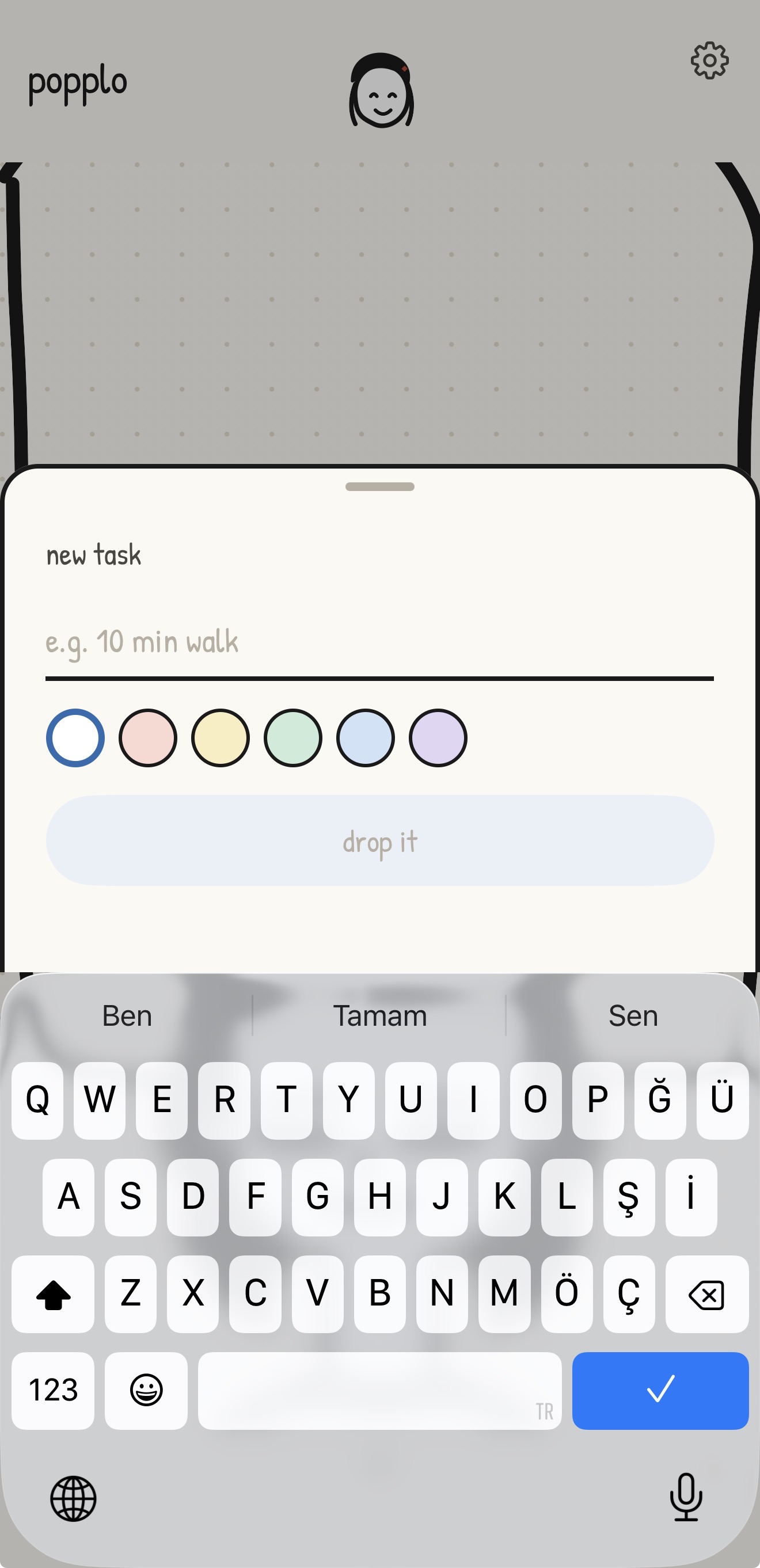
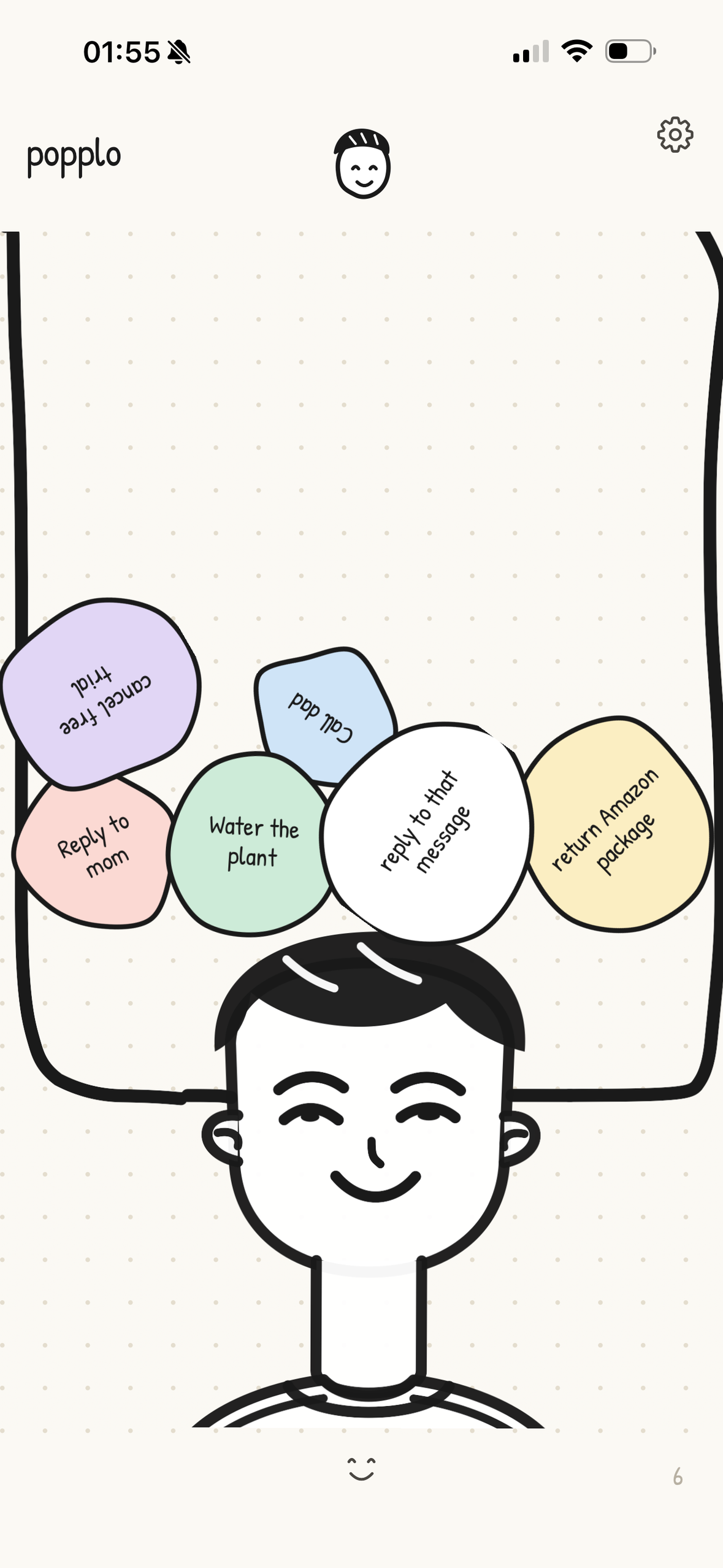
Add a little task, choose its color, and drop it into your head. Longer tasks become bigger bubbles.
-
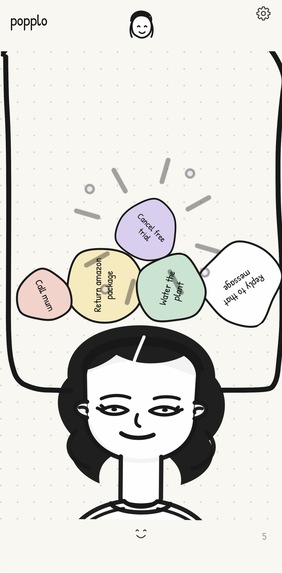
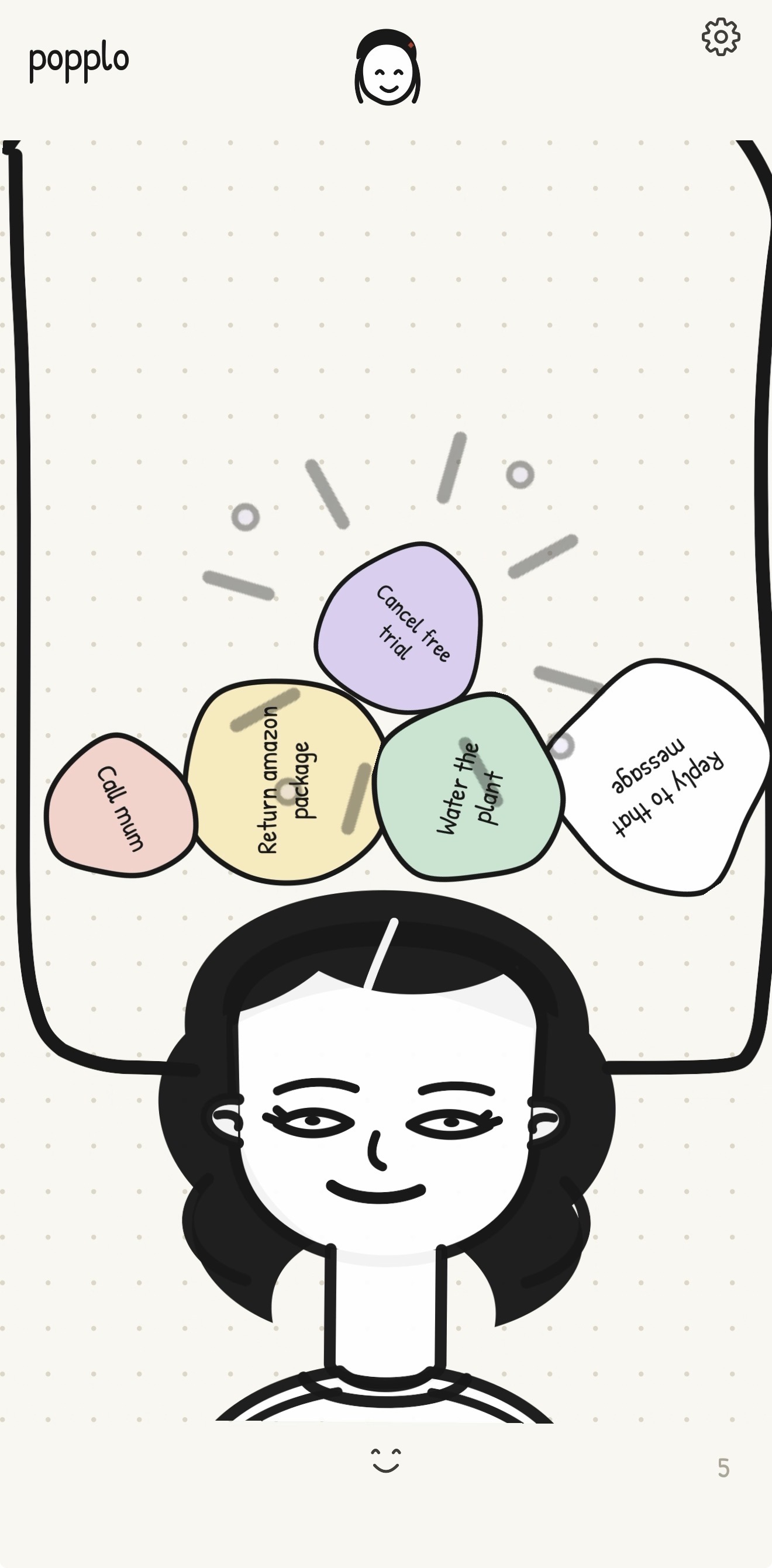
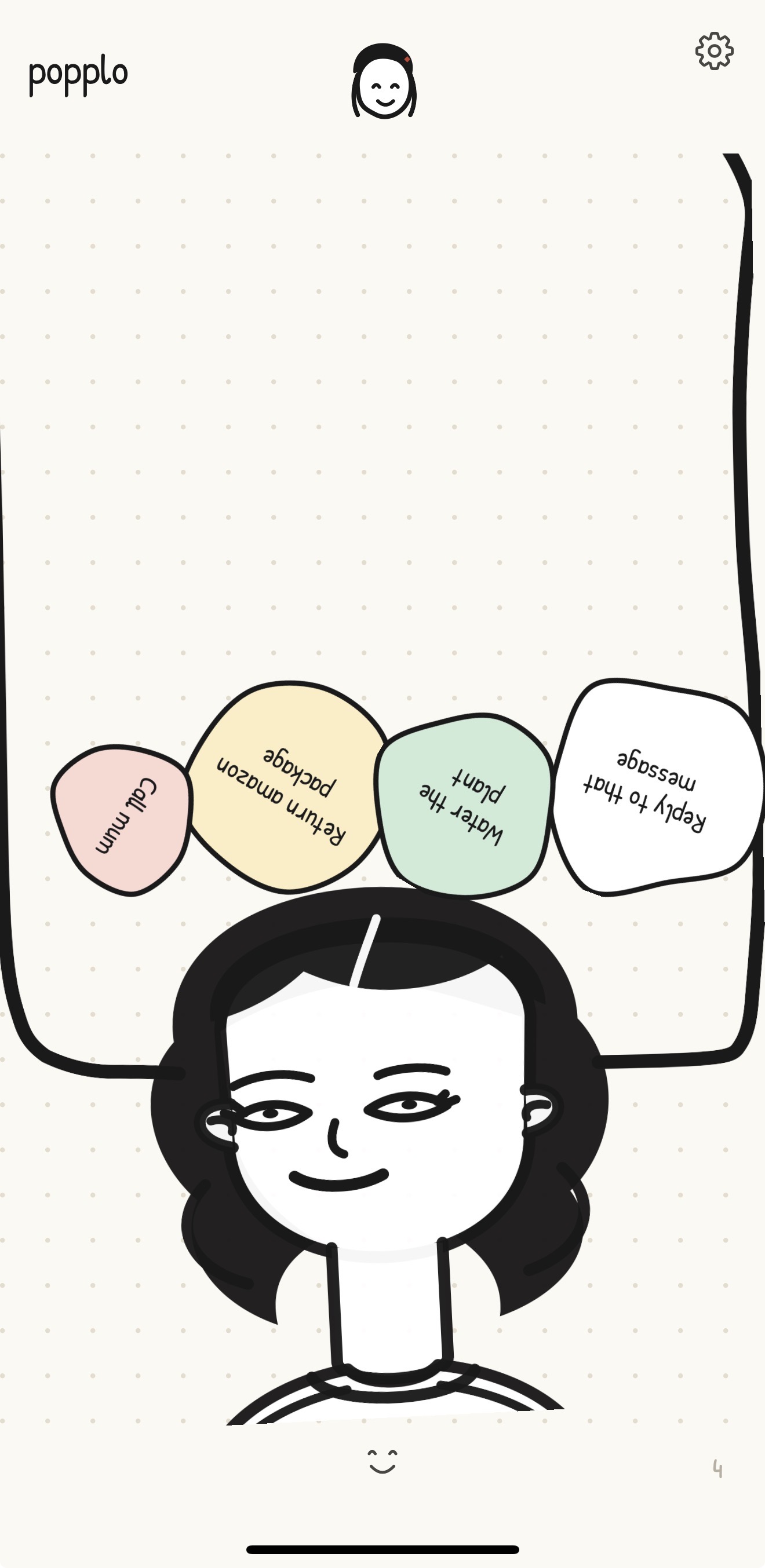
Hold a bubble to complete a task. The pop, sound, and haptic feedback make that small finish feel satisfying.
-
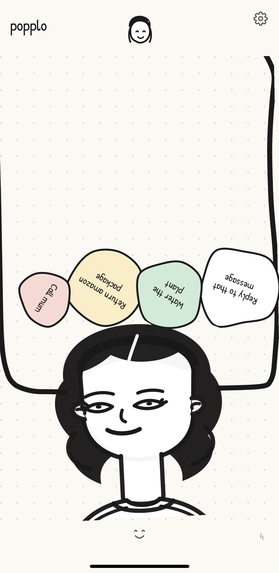
A task list with a little weight. Tilt your phone and the bubbles roll and settle inside the head.
-
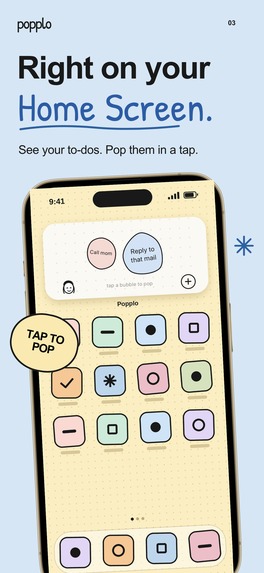
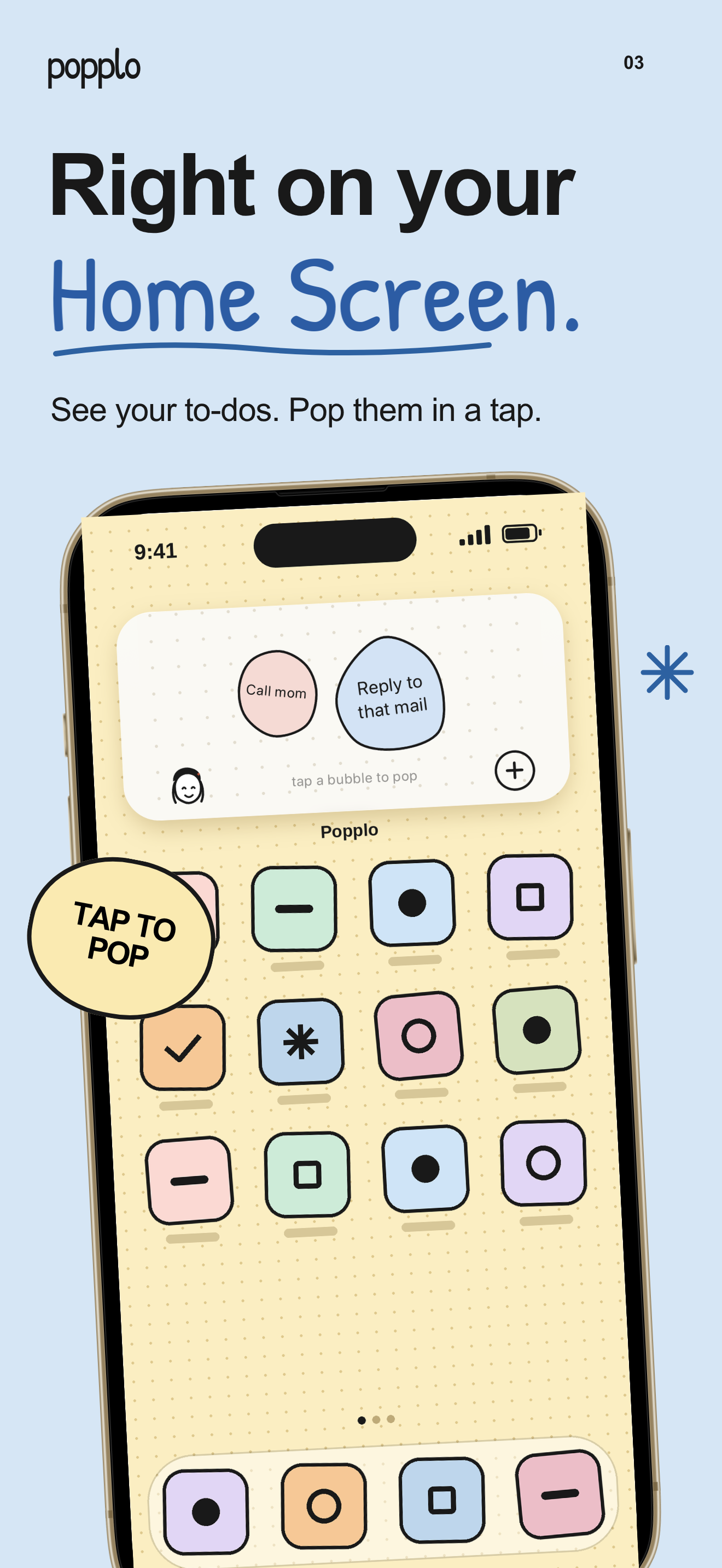
Keep your tasks within reach. Tap a bubble on the Home Screen widget to complete it without opening Popplo.
-
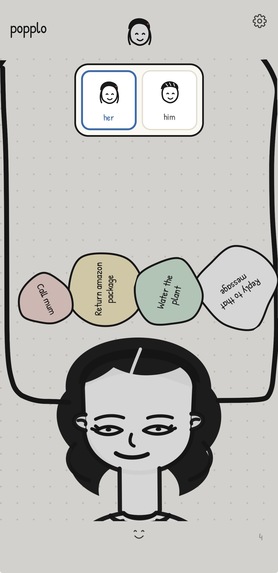
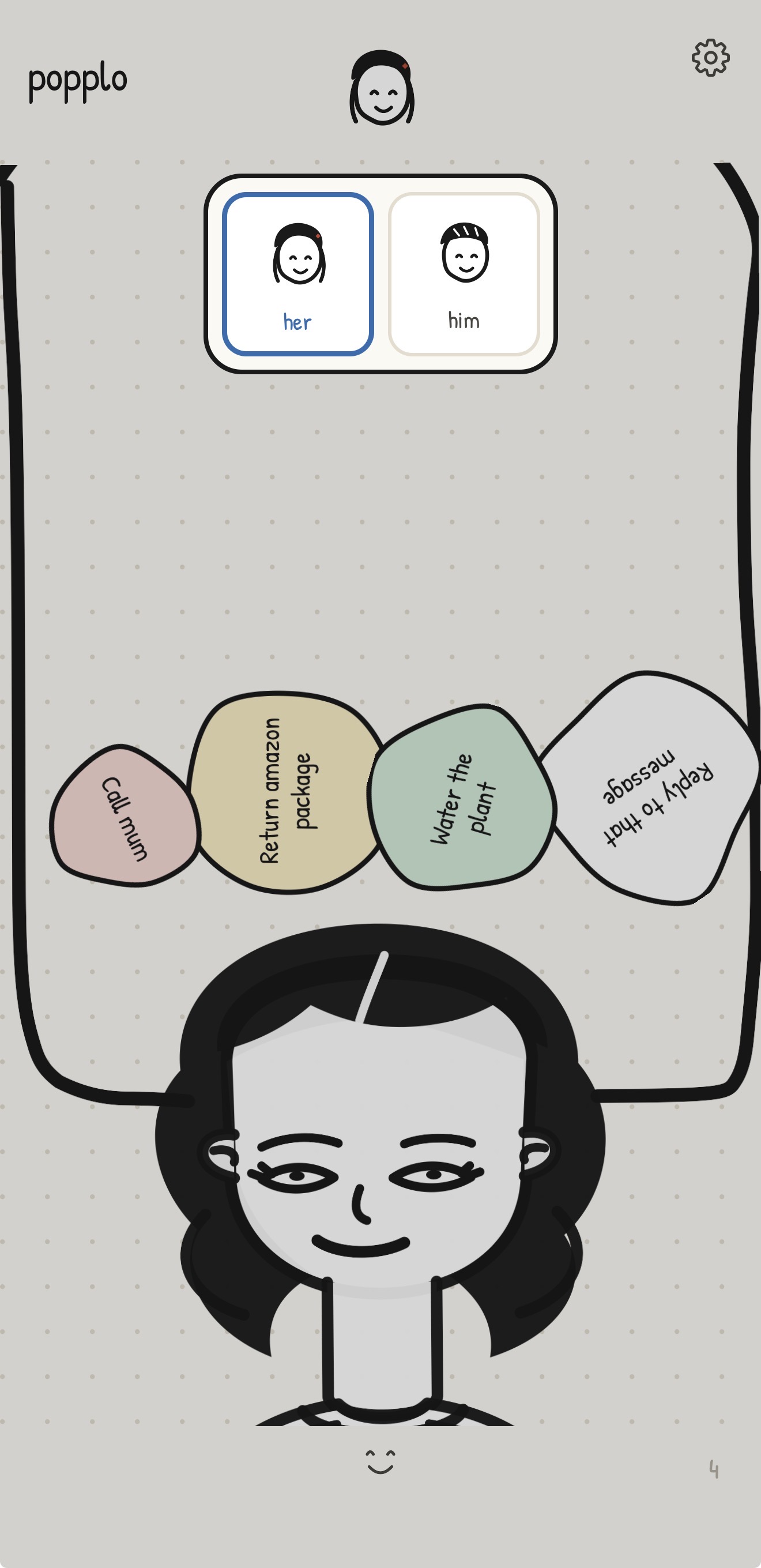
Choose a character that feels like you. Switch between her and him whenever you like.
-
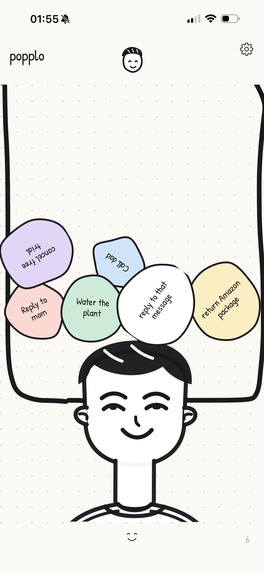
Make it feel like you. Popplo's illustrated characters turn your task list into a personal space.
-
Popplo. A to-do list you actually enjoy finishing. App icon, 1024 × 1024.
Inspiration
I kept remembering the same small tasks without actually doing them. A package I needed to drop off. A plant that needed watering. A message I still hadn’t answered.
They didn’t feel big enough to put in my calendar, but they still took up space in my head. I wanted somewhere simple to put them. Sticky notes were close, except I needed something I could reach wherever I was.
There was something else I missed on my phone: the feeling of crossing a finished task out in a notebook. Ticking a box did the job, but it never felt quite as satisfying.
I’ve always loved popping the bubble wrap that comes in packages. I wanted to bring that small, physical satisfaction into finishing the everyday things I kept putting off.
That became Popplo. Each task is a bubble inside an illustrated head, taking up space just as it does in my own. When I finish something, I hold its bubble until it pops.
It’s a small reward for doing a small thing. Sometimes that’s enough to help me get started.
What it does
Tap an empty space inside the head, write a task, and choose a color. A bubble drops into the drawing, sized around what you’ve written. Longer labels make larger bubbles.
The bubbles have weight. Tilt your phone and they roll and collide. Tap one to nudge it, or drag it somewhere else. When the task is done, press and hold its bubble. It bursts with a pop and haptic feedback, and the others settle into the space it leaves behind. Undo brings back anything you popped by mistake.
Two characters, loose ink lines, soft colors, and a paper texture give the app its personality. The characters respond to the phone’s movement, and their eyes follow your touch.
Small, medium, and large Home Screen widgets let you see and complete tasks without opening the app. Optional reminders help you return to unfinished tasks. Sound and motion effects can be switched off, and Popplo reduces movement when the iPhone’s Reduce Motion setting is enabled.
The task list works offline and requires no account. The free version holds up to five unfinished tasks at a time, with no time limit. Popping them makes room for more. Pro unlocks unlimited tasks and all bubble colors through weekly or annual subscriptions.
How I built it
I built Popplo with Claude Code, using Expo, React Native, and TypeScript. Matter.js handles the bubbles’ weight and collisions, while Expo Sensors lets the phone’s tilt influence gravity. Gesture Handler and Reanimated connect touch to movement. Expo Audio and Expo Haptics provide the sound and tactile feedback when a bubble pops.
Tasks are saved locally with AsyncStorage. The Home Screen widgets use SwiftUI, WidgetKit, and App Intents. An App Group lets the app and widgets share task data, so a task completed from a widget is reflected when you return to the app.
RevenueCat manages the paywall, weekly and annual subscriptions, Pro access, and purchase restoration.
Challenges I faced
A moving bubble has to understand what your finger means. A quick tap should nudge it. A drag should move it. A deliberate hold should complete the task. Getting those gestures to work together, while keeping them separate from tapping the background to add a task, was the main interaction challenge.
Tilt needed careful tuning too. The bubbles had to respond clearly to movement while remaining easy to read and touch. Too much movement made a simple task harder to select; too little made the interaction feel unresponsive.
The widget added another challenge: completing a task outside the app still needed to update the task list correctly when the app reopened.
What I learned
A simple screen still asks you to make a lot of decisions. The length of a hold, the way bubbles settle, and the ability to undo a mistake all affect whether someone feels comfortable using it.
Building Popplo taught me to judge those details together. A satisfying pop needs the gesture, animation, sound, and haptics to agree on when a task is finished. A playful interaction also needs an easy way to recover from a mistake.
I started with a feeling I wanted to capture. Making it into an app meant paying attention to the small things people would do with it every day: adding a thought quickly, finding it again, and finally letting it go.
Built With
- app-intents
- asyncstorage
- claude-code
- expo-audio
- expo-haptics
- expo-sensors
- expo.io
- matter.js
- react-native
- react-native-gesture-handler
- reanimated
- revenuecat
- swiftui
- typescript
- widgetkit
