Pondr
Turn 15 minutes of scrolling into something you’ll remember.
Inspiration
Information is easier to access than ever, but accessing it is not the same as remembering it.
Wikipedia can be overwhelming, YouTube can be distracting, and every extra link creates another chance to stop learning.
I wanted learning something new to feel as easy as scrolling, but more satisfying afterward. Pondr is built for commutes, lunch breaks, waiting for dinner, or whenever curiosity strikes.
Will you remember it tomorrow?

What it does
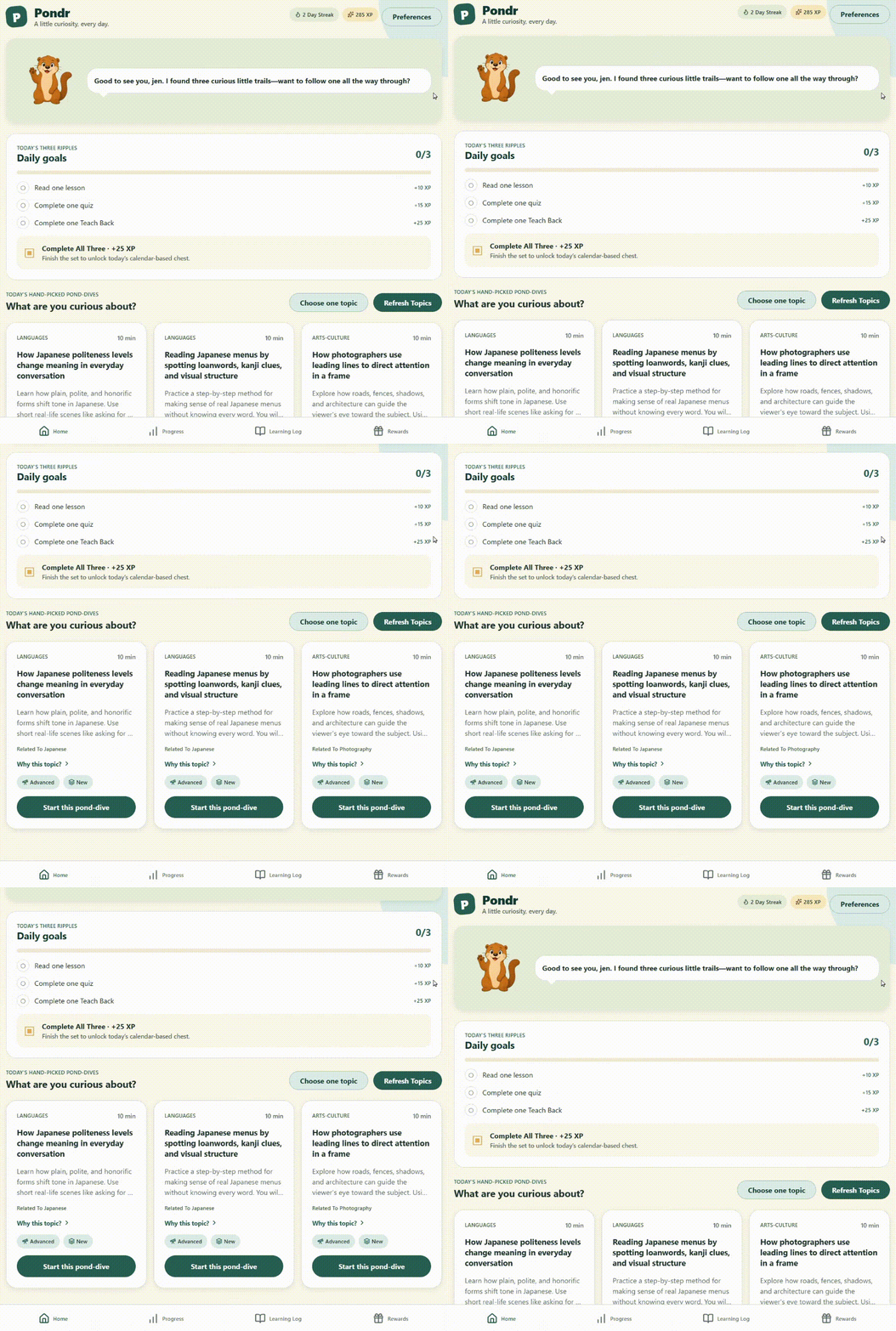
Pondr turns curiosity into a complete learning loop:
- Choose a recommended topic or enter your own.
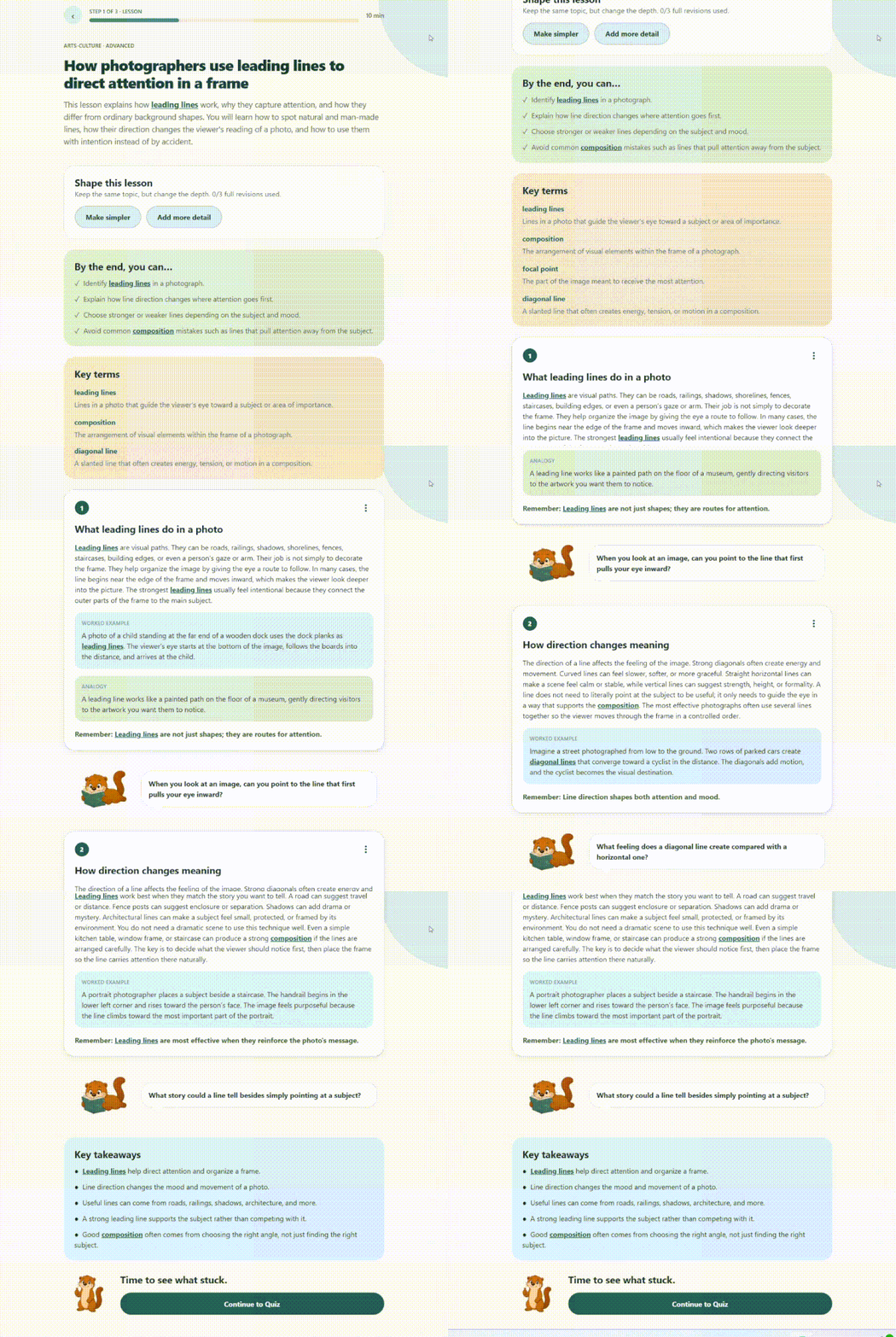
- Learn through a compact lesson matched to your preferred depth, difficulty, and length.
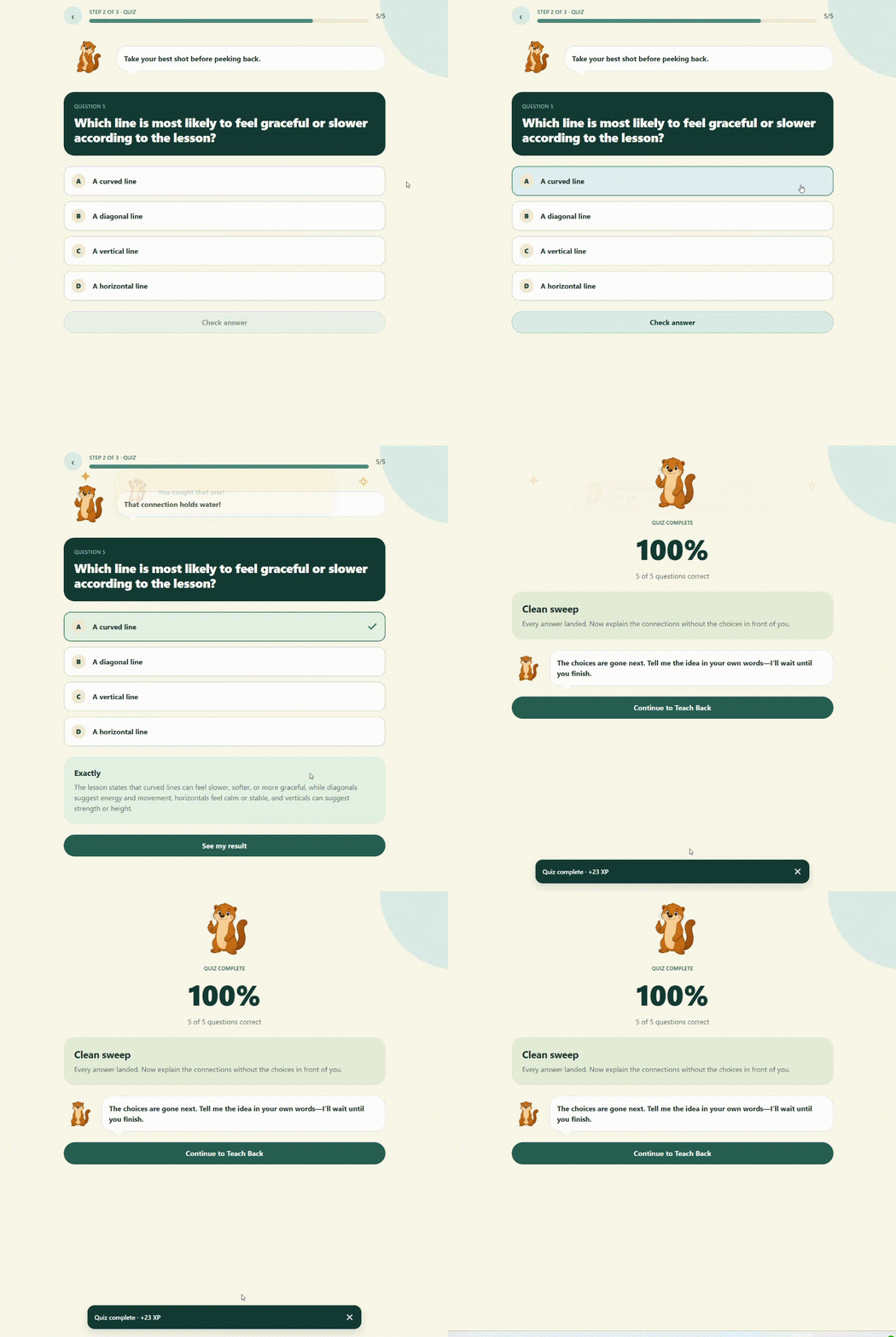
- Check your understanding with a multiple-choice quiz.
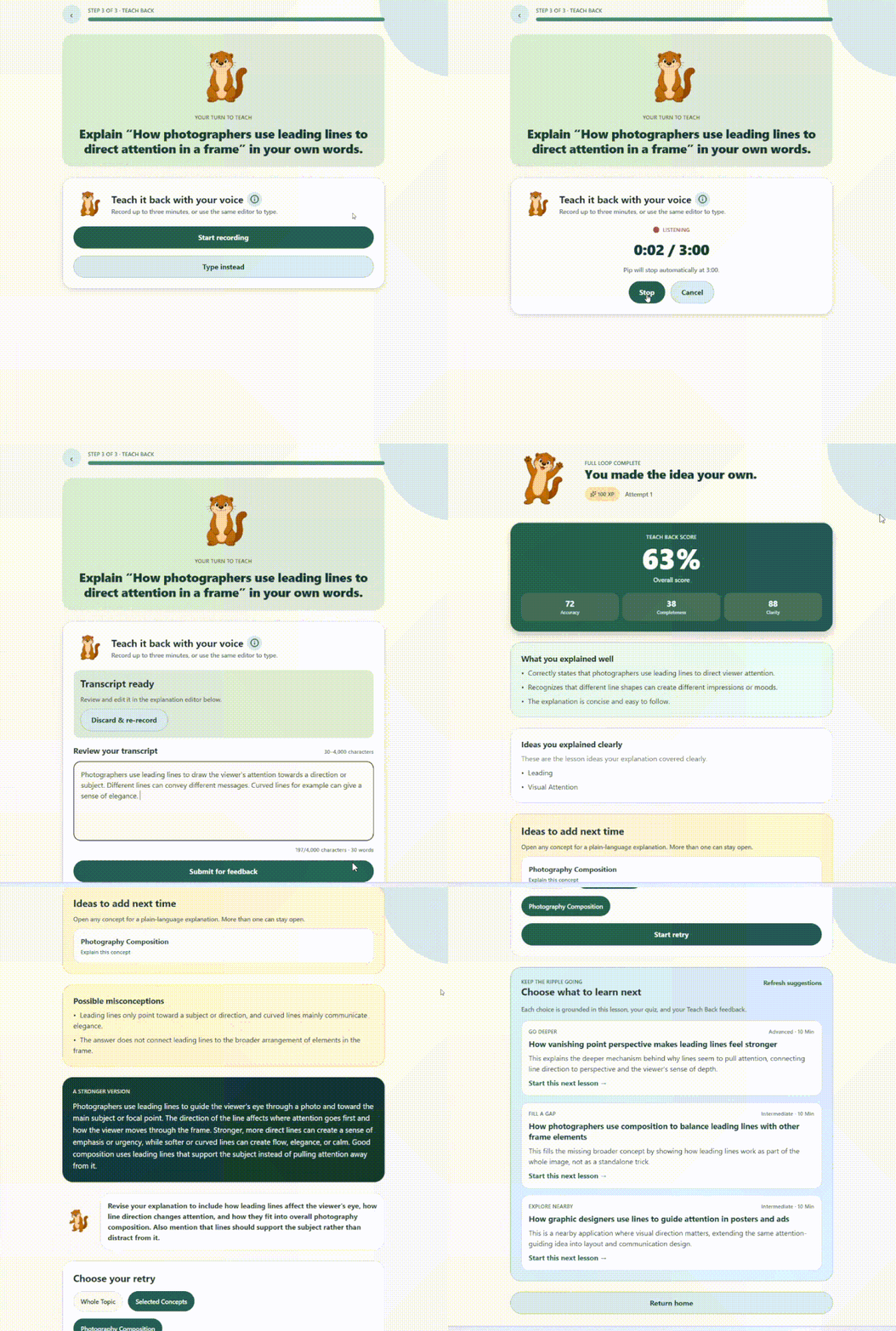
- Teach it back in your own words.
- Receive feedback on clarity, correctness, and completeness.
- Retry only what you missed using concept-level feedback.
- Earn progress and rewards for completing the loop.
Lessons include organized sections, examples, key terms, objectives, takeaways, estimated time, and related topics.

Pondr continues beyond explanation and recognition into retrieval practice. The lesson is not complete when it has been read; it is complete when the learner can recall and explain it.

Learners retry only ideas that were missing or incorrect, making active recall approachable.

XP, sounds, and rewards mark correct answers, completed teach-backs, finished lessons, and the first completed lesson each day. A curious otter mascot, ranks, badges, accessories, streaks, and treasure chests encourage users to finish the loop.
Pondr uses persistent local storage so learners can return without creating an account. Past lessons, quiz results, teach-back feedback, and progress are saved, allowing users to resume unfinished lessons and revisit completed topics.
How I built it
Pondr uses React Native, Expo, Expo Web, and TypeScript. The web app is deployed through AWS Lightsail, Cloudflare, and GitHub Actions. Progress is stored locally so users can start without an account.
GPT-5.4 mini powers four purpose-specific pipelines:
- Topic recommendations
- Structured lesson generation
- Quiz generation
- Teach-back evaluation and targeted feedback
Each pipeline has its own prompt and schema. Lessons return structured sections, objectives, examples, terms, takeaways, and related topics. Quizzes return questions, choices, answers, and explanations. Teach-back evaluation returns clarity, correctness, completeness, concept feedback, and targeted retries.
Validation keeps outputs consistent, while prompt constraints limit repetition, length, and unnecessary detail.

Building with GPT-5.6 and Codex
I used GPT-5.6 throughout the entire build, first in ChatGPT and then in Codex. In ChatGPT, it helped me work through feature priorities, design choices, edge cases, and the intended learning experience.
ChatGPT then organized those decisions into detailed implementation prompts. In Codex, I used GPT-5.6 and the Goal skill to turn those prompts into working features.
As I beta-tested Pondr, I brought bugs and awkward interactions back to Codex and continued iterating until the complete learning loop felt cohesive.
Challenges
Pondr originally generated long, editorial-style lessons. They were informative, but they did not fit the spare moments the app was designed for. Through testing, I shifted toward shorter lessons that still feel complete and leave room for a quiz, teach-back, and feedback within one session.
The challenge became deciding what to include and what to leave out. Clear length limits, organized sections, and optional related topics helped Pondr stay focused without making the material feel shallow.
Accomplishments
What I am most proud of is that Pondr feels like a complete app rather than a collection of AI features. A learner can open it without creating an account, choose something interesting, complete a lesson, explain it out loud, receive targeted feedback, and watch their progress grow.
Behind that simple experience are four structured AI pipelines, editable voice transcription, concept-level retries, local persistence, rewards, and a publicly deployed web app.
What I learned
One of my biggest lessons was that AI can move quickly once the direction is clear. Taking the time to work through product decisions with GPT-5.6 before implementation helped Codex produce results that were much closer to what I had imagined.
I also learned the product’s core lesson firsthand. Reading can feel like understanding, but trying to explain something from memory quickly reveals what actually stuck.
What’s next
The next feature I want to build is a personalized course builder. A learner could enter a larger goal, like learning to design and sew a dress, and Pondr would break it into connected short lessons that build on previous material and revisit weaker concepts.
Long term, I want Pondr to become the app people open whenever they feel bored or curious, because learning something new feels just as easy and enjoyable as scrolling.
Built With
- asyncstorage
- aws-lightsail
- cloudflare-pages
- docker
- expo.io
- fastapi
- github-actions
- openai-api
- openai-audio-api
- openai-repsonses-api
- pydantic
- python
- react-native
- speech-to-text
- structured-outputs
- typescript
- zustand


Log in or sign up for Devpost to join the conversation.