-
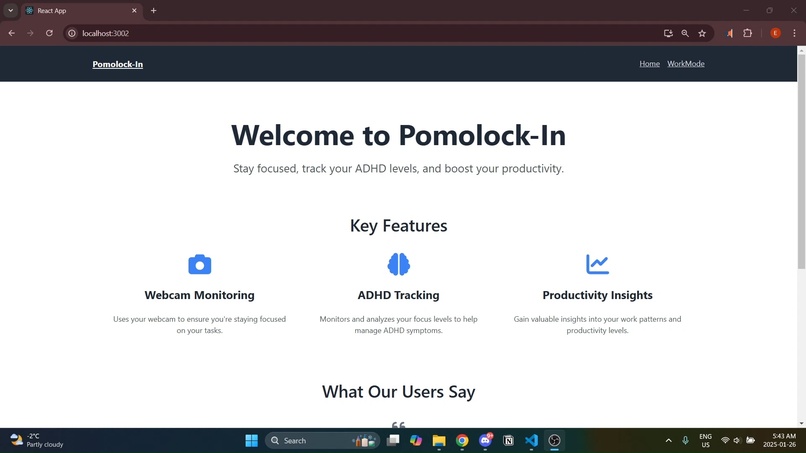
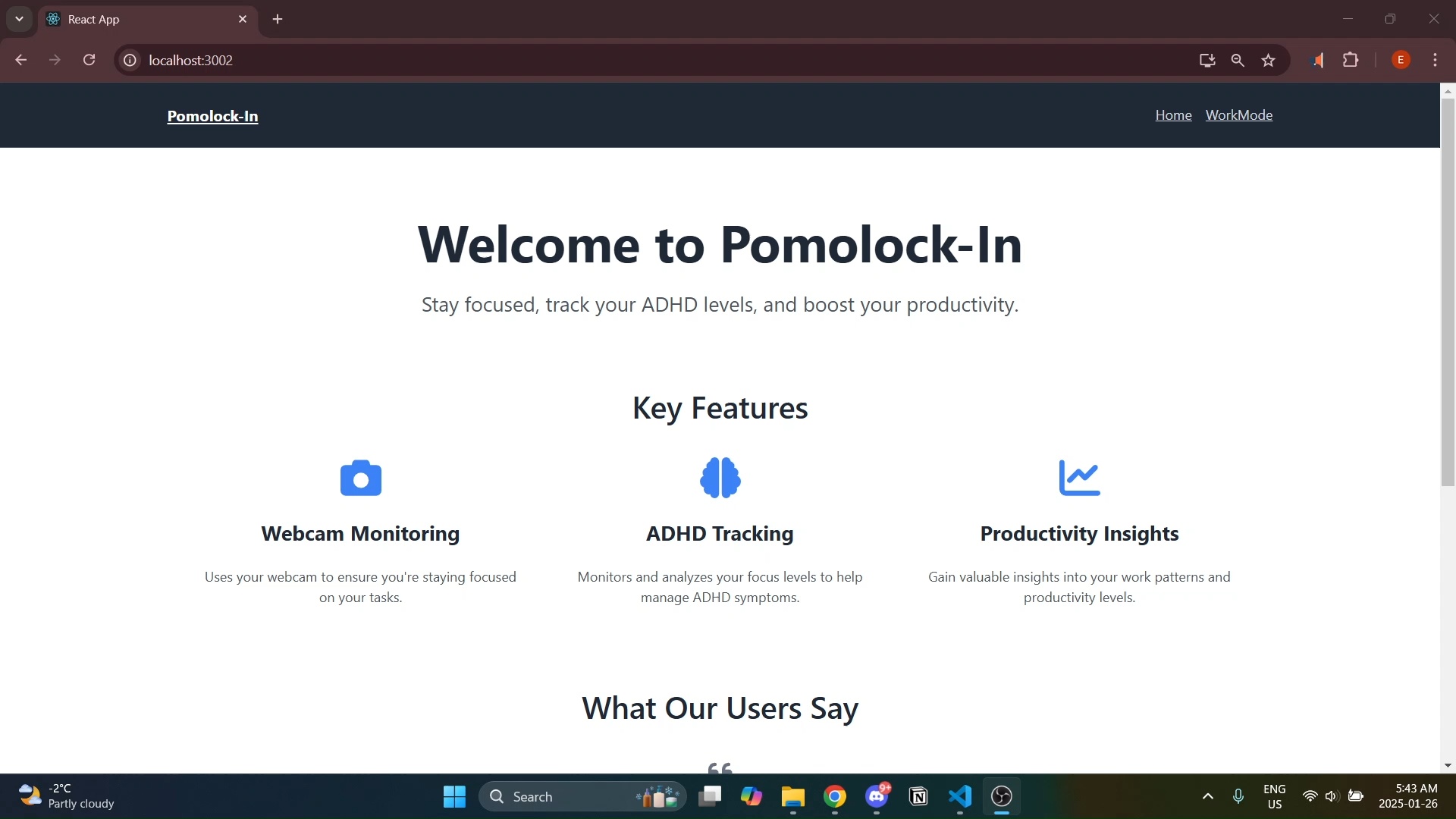
Website - Landing Page
-
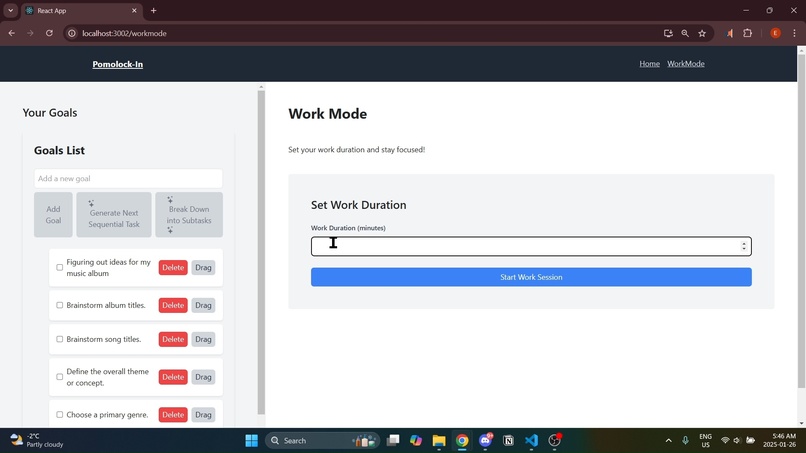
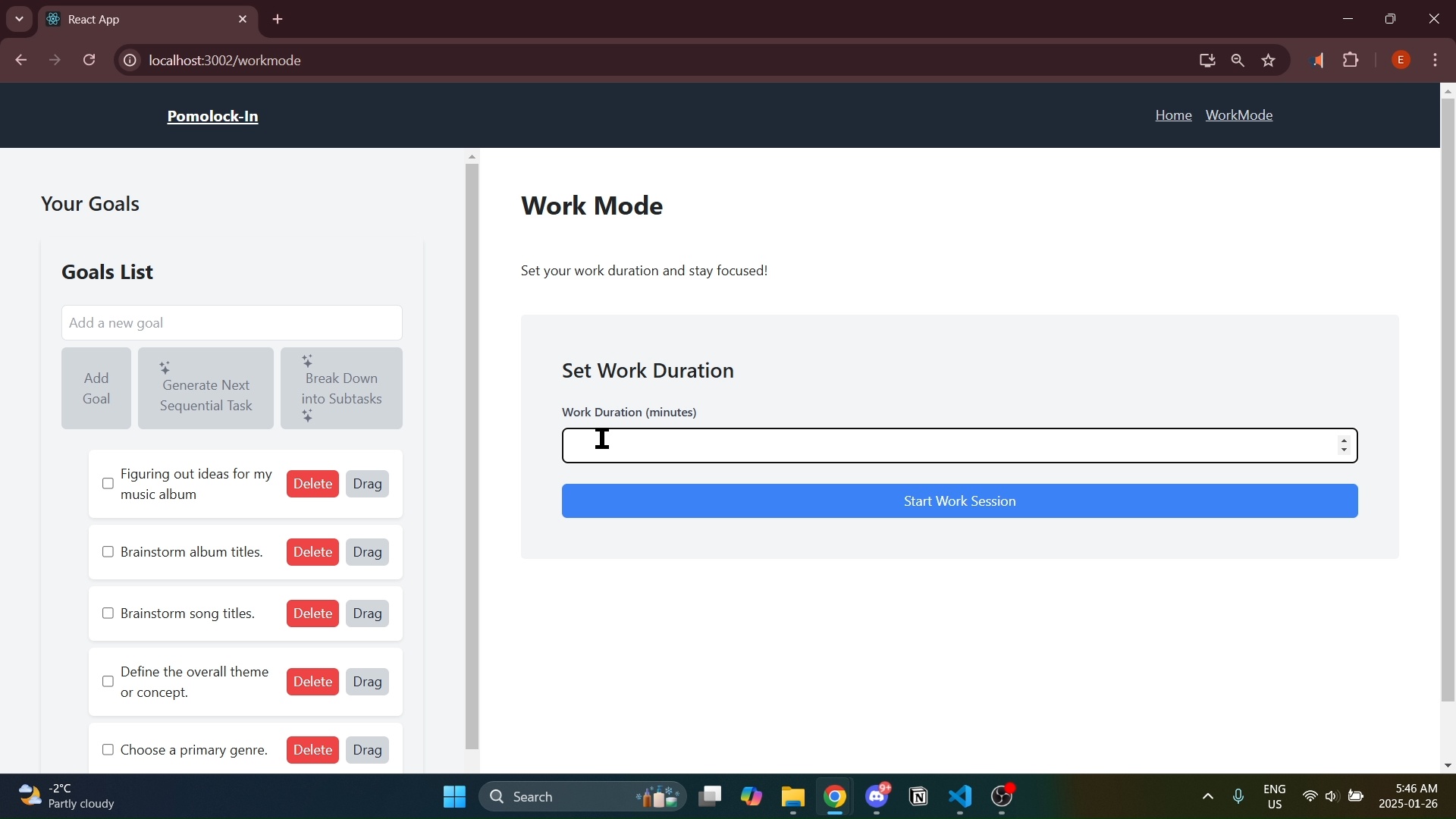
Website - Goal Setting (+AI Recommendations)
-
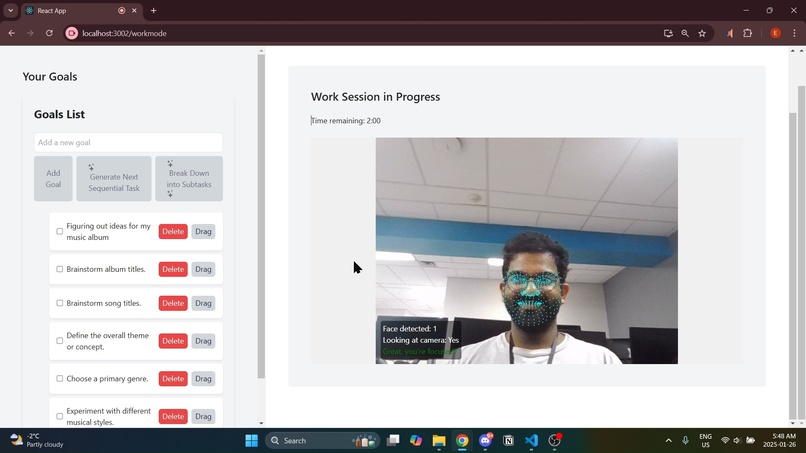
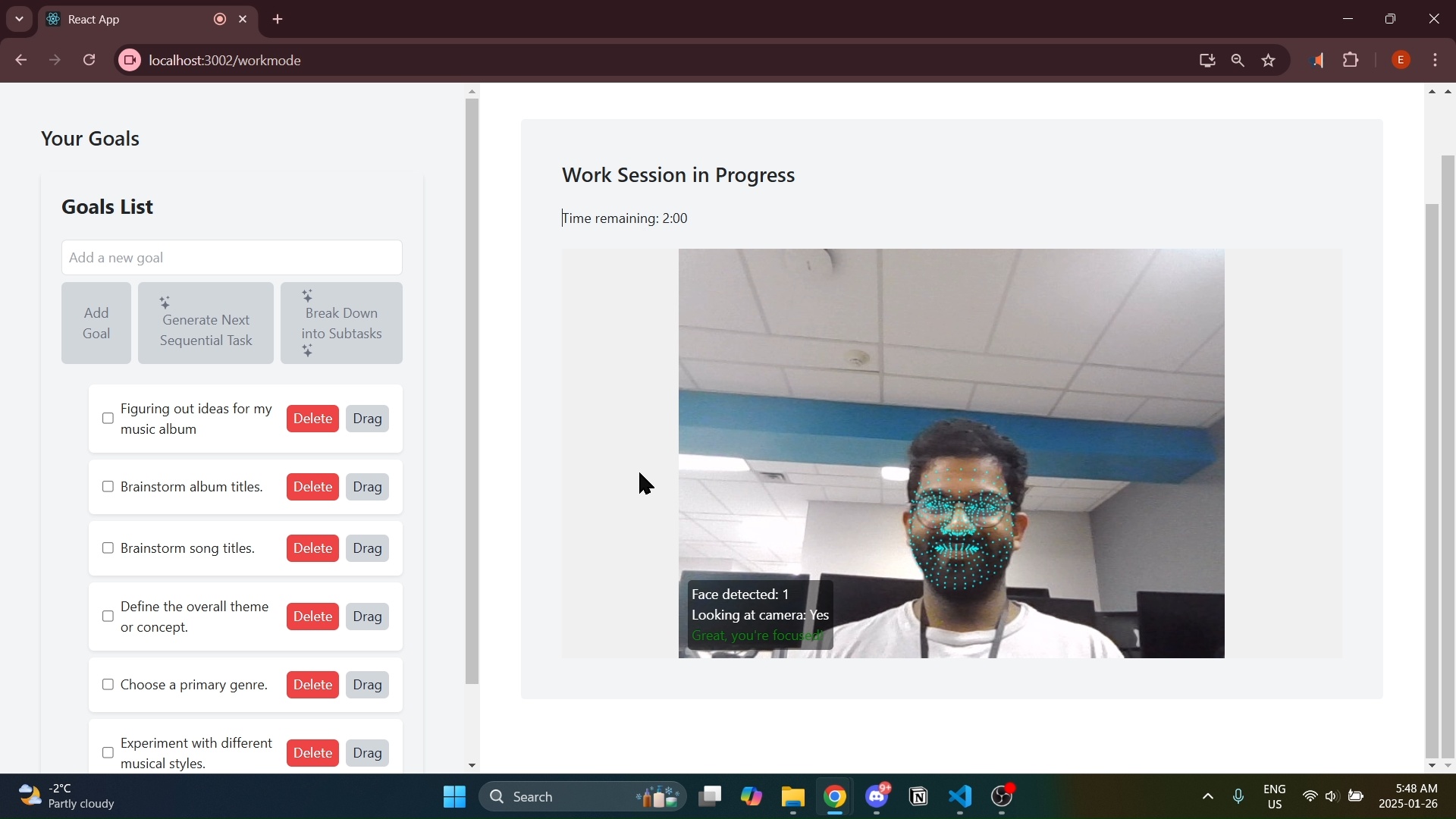
Website - Face Tracking
-
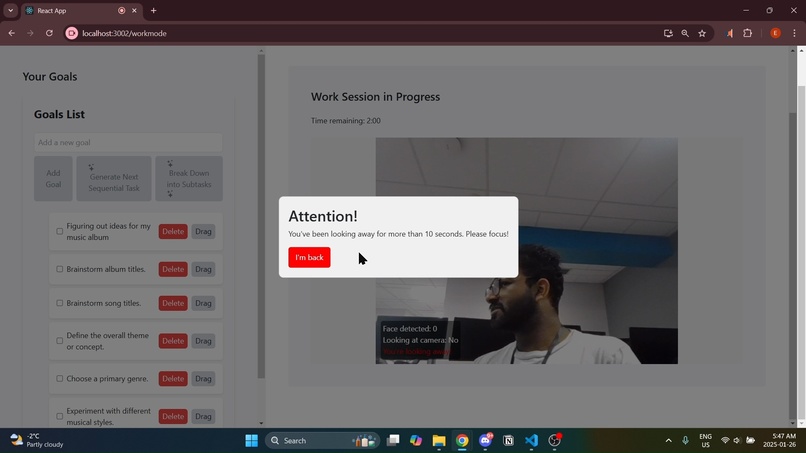
Website - GET BACK TO WORK BOI
-
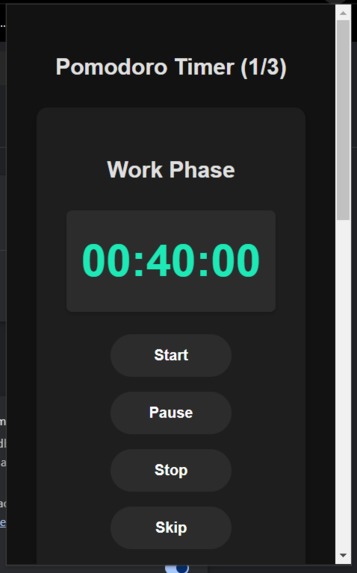
Extension - Timer UI
-
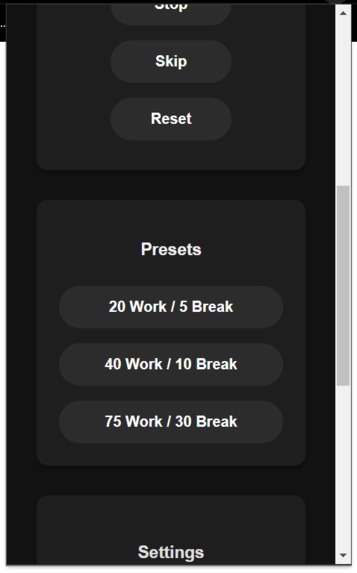
Extension - Presets
-
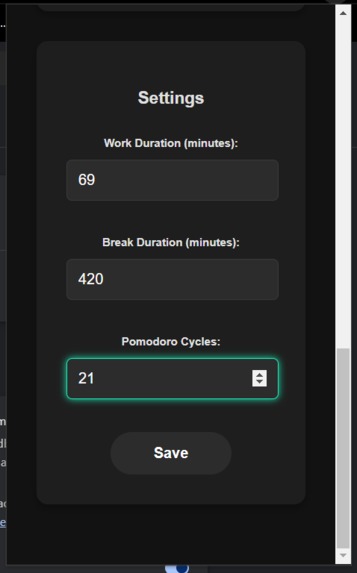
Extension - Custom Settings
-
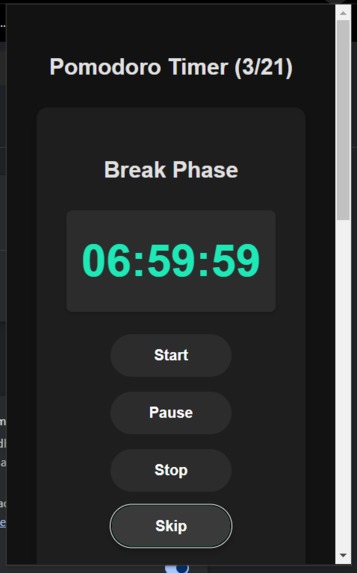
Extension - Custom Settings
-
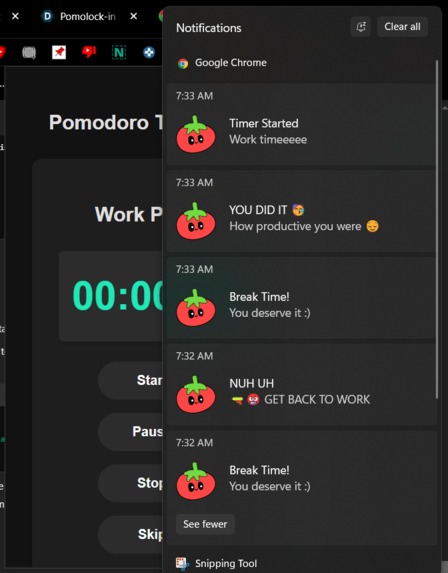
Extension - Notifications


Inspiration
As our generation gets older, somehow we find ourselves distracted in finishing the important tasks in our life. Our phones become drains for our attention, window shopping on stores online become the norm, and a few minutes on TikTok can soon become a few hours. Pomolock-in was created for the purpose of making these issues simple and by focusing on the tasks that need to be done, simply by applying the basic techniques of the Pomodoro Time Management Technique, that helps people work more productively by breaking work into focused intervals separated by short breaks.
What it does
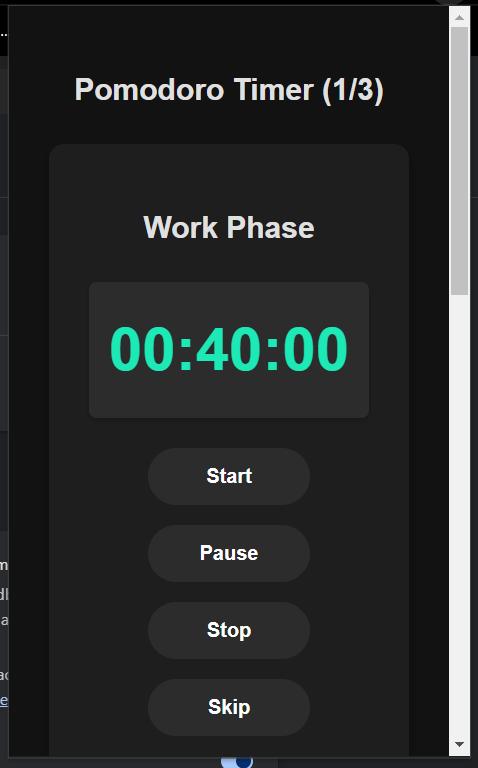
Pomolock-in works by having our users install our Chrome extension. The user is then sent to our local web-page in the extension package, where they can sign in through their email credentials and start a work session. This usually starts with having the user input what task they plan on working on. Then, the user would input the amount for sessions they plan on doing, the amount of time for their work time, and the amount of time for their break time. The user also has the option to use one of four template times in respect of work to rest in minutes: 20-5, 40-10, 60-15, and 75-30. A gemini-AI API is applied to create metadata around the users tasks, as well as prompt in any additional tasks, and suggestions on how to break down bigger tasks.
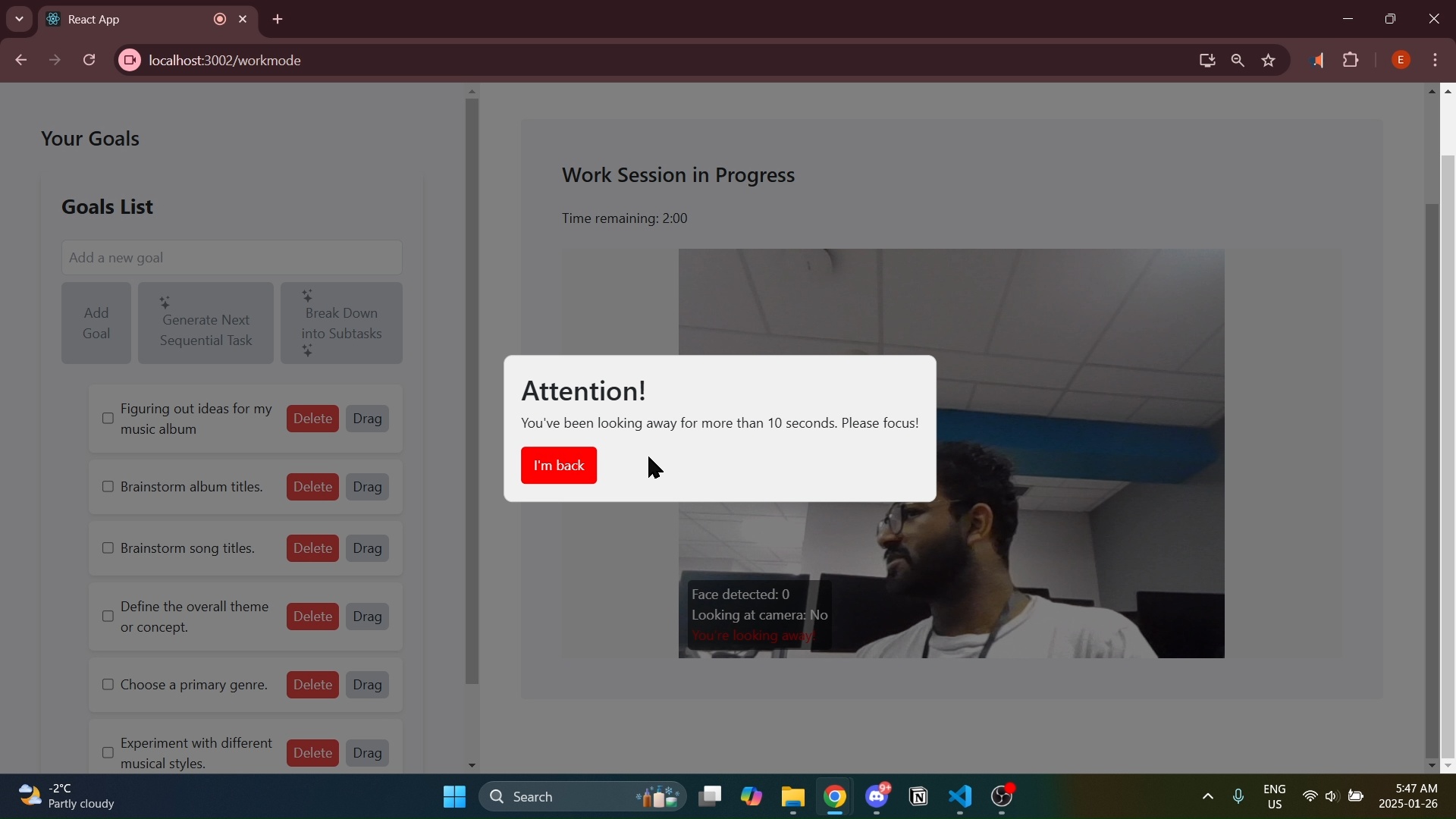
When the user hits submit, the three inputs are sent to the Pomolock-in timer, and the user is asked permission for the camera to be turned on. The user's face is then mapped in the user's camera, where if the user were to look away for more then 10 second (say to look at their phone), they are flagged, and an alarm goes off. The user's web history is also shared with the local program, where the metadata of the user's tasks input is compared to the metadata of their current site. If the page matches similarly to the site or sits on our list of white-listed productivity sites, nothing happens. However, if a user doesn't do that and goes to a site that doesn't match the input's meta data or happens to be on our list of black-listed productivity sites like Netflix or TikTok, the timer is interrupted, the user is alerted with a sound and notification that they broke protocol and that the tab will close after 5 seconds.
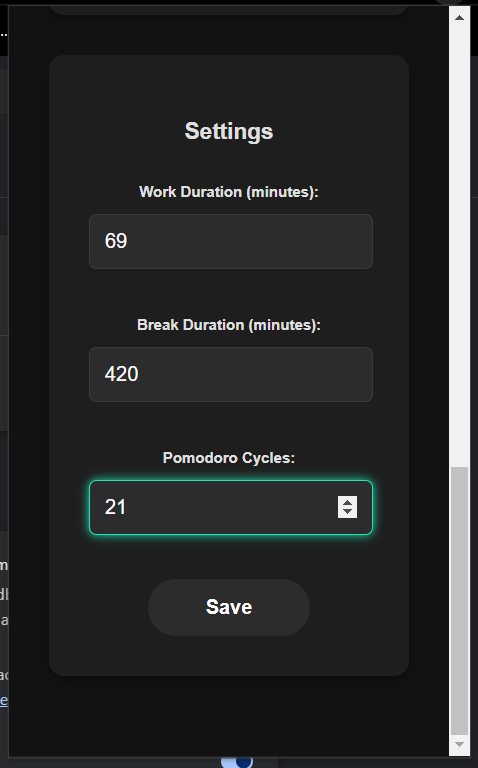
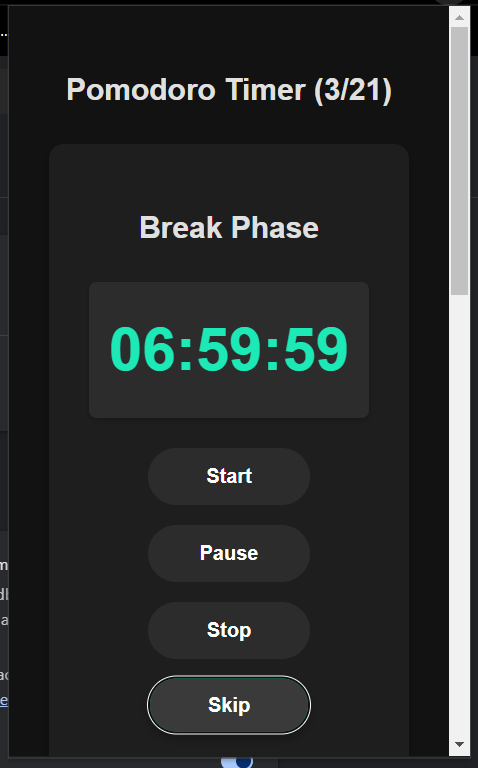
The extension also allows users to customize their Pomolock-in timer with the same presets as well as specific work, break, and session intervals.
At the end of a work time session, an alarm is played letting the user know that they can break. Similarly another sound plays as the break time ends. When the entire session is completed, the user is presented a dashboard of the amount of times they broke protocol, how many times they looked away, and how efficient they were at their studying.
How we built it
We first tested on a simple javascript extension to test the timer's capabilities. From there, we moved into a React space with TypeScript due to its adaptability, and started work on the camera's mapping. This was created with a basic HTML site, which then was filled with a bit more CSS and Javascript to add a bit colour into the website. We implemented a log-in service as well as a quick info page, and finally the main setup page. We then were able to attach Google's Gemini API to the program, where it would process the metadata around user's input on what task they wanted to work on, as well as idea generation on how we can break down the idea. We then started putting the pieces together, first by putting the website to connect and communicate with the extension, and vice-versa so that they can both be run locally. The next part was processing the metadata into a LLM where we would scrape the basic data of the site the user's on, and then doing a sentient analysis on their similarity, in which we would save the data of the sites the user would be visiting that don't meet their task's needs. In terms of work, we applied a Sprint Methodology approach for development.
Challenges we ran into
We ironically did deal with time management and work distribution. There would be times where we would bottleneck work and made it so members of the group were dependent on the completion of other members to complete their work. Time management was an issue as well, as we'd often fall into the rabbit hole of perfecting one feature to multiple. There was also a learning curve in terms of jumping into React as most of us came from back-end development backgrounds. The repositories of the group were originally all split, but it was definitely huge obstacle to put it all together, with so many dependencies and similar namings.
Accomplishments that we're proud of
We were all strangers from when we first started, but slowly grew close as a team, having an amazing time for some of our first hackathon, as well as being able to showcase the talents each member had. To start from minimal and bare-bones idea to an almost entirely fleshed out and thought of idea was absolutely incredible as regular startups would take years before they come out with their most practical idea. The thrill of the challenge definitely was something we really appreciated, and to come out with the amount of work in such a short time is definitely a win for the team.
What we learned
Planning is definitely an essential for any team, whether they've been working for years and years, or just for the first time. If we had planned our a more evened out and continuous schedule for who would be doing what for our work, we definitely would've seen efficiency rise for our use of time, and be able to properly polish out the details for the modern consumer to use our product without no question. The use of Git was definitely something we learned exponentially, as collaboration for projects like these is not just dependent on the presence of the group together.
What's next for Pomolock-in
What’s Next for Pomolock-in
The future of Pomolock-in is focused on enhancing its usability, expanding its capabilities, and ensuring it adapts seamlessly to the diverse needs of users. Here’s a breakdown of our vision for the next steps:
Advanced Camera and Monitoring Features
- Multi-Monitor Support: Extend the camera tracking system to support multiple monitors. This ensures users remain focused across all active screens, especially for those who use dual or triple monitor setups.
- AI-Powered Distraction Detection: Integrate advanced AI models to differentiate between natural movements (like looking to take notes) and actual distractions (like checking a phone or browsing non-productive sites).
- Deeper Integration with Task Management Tools: Link Pomolock-in with popular tools like Notion, Trello, Asana, or Google Tasks, allowing users to sync their Pomodoro sessions directly with their ongoing projects.
- Customizable Templates: Provide advanced customization for Pomodoro templates based on individual productivity patterns, such as dynamic work and rest intervals determined by user performance over time.
- Gamified Experience: Introduce a reward system, such as earning badges or points for focused sessions, streaks, or completing tasks without breaking protocol.
- Comprehensive Productivity Dashboard: Expand the dashboard with weekly, monthly, and yearly reports, showing trends in productivity, time spent on tasks, focus duration, and areas for improvement.
- Automated Focus Coaching: Offer personalized coaching tips, generated through AI, to help users identify and overcome their most common distractions.
- Dynamic Whitelist and Blacklist Customization: Allow users to create dynamic site lists that adapt based on their ongoing tasks, giving them more flexibility in defining productive or distracting sites.
- Stronger Site-Matching Algorithms: Refine the metadata matching process with semantic web scraping, improving the accuracy of detecting whether a user is on-task or off-task.
- Cross-Platform Availability: Expand Pomolock-in’s functionality to other browsers (e.g., Firefox, Edge) and create a mobile version to help users maintain productivity on their phones or tablets.


Log in or sign up for Devpost to join the conversation.