-
-
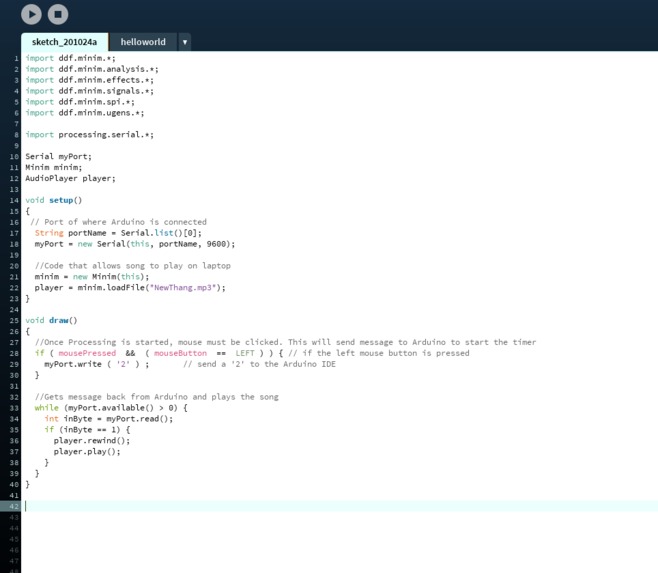
Processing Code
-
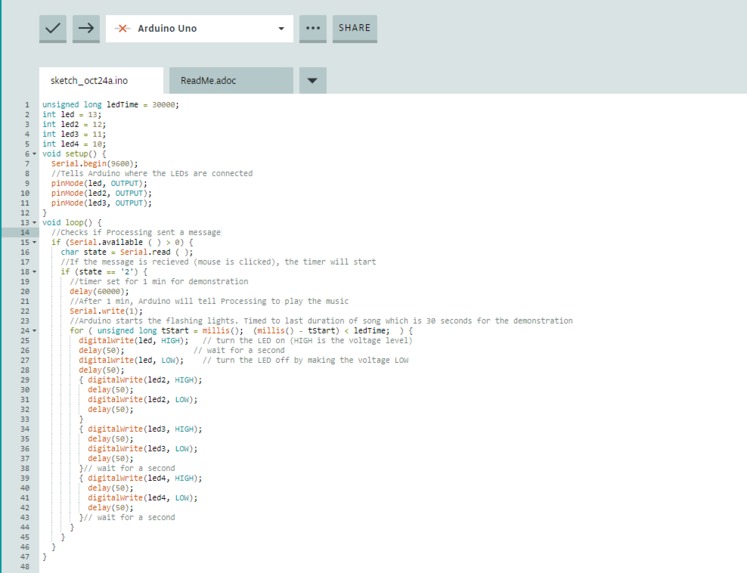
Arduino Code, timer was decreased to 1 min for demonstration purpose

Background and Solution:
Due to COVID-19, most students are attending classes online. Many students find themselves sitting in one place in front of their laptops for hours on end. Even when classes finish, there is a pile of homework….which is probably mostly online as well. This can lead to a lack of exercise, too much screen time, and decreased productivity. My solution is combining the Pomodoro technique with dance breaks. The Pomodoro technique is a scientifically proven time management technique where you study/work for 25 mins and then take a short 5-10 min break before studying again. Dancing or just any type of movement is good for the brain, improves mood, and is a great way to destress. Combining both of these will allow the benefit of healthier mind and body during this stressful period.
What I did:
I created a Pomodoro Timer using the Arduino kit. It keeps track of the 25 mins, and once the 25 mins are over it plays your favorite song with some flashing lights to set the mood. It then automatically resets the timer for another 25 mins. Their favorite hype song and flashing LEDs will motivate the user to get up and move! It will also hopefully serve as a reminder to take a short break, get some water, and stretch their legs. Once the song is over, the user will be motivated to return to work for another 25 mins.
How I did it:
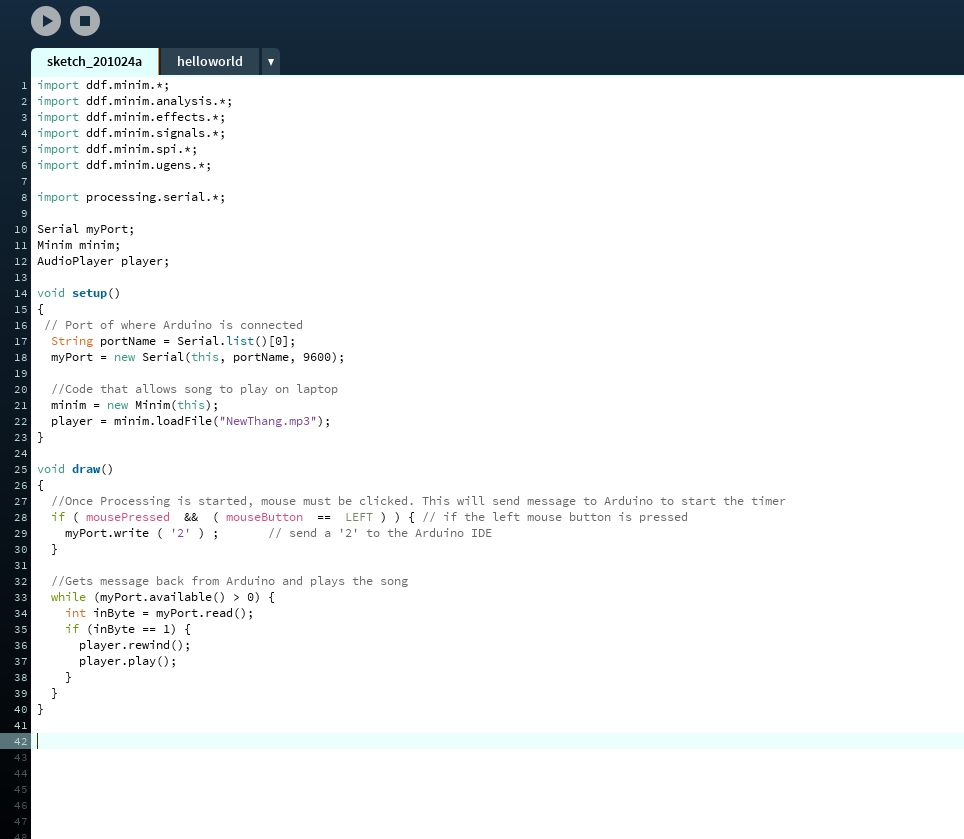
I used Arduino IDE and Processing. Processing was needed because the song was on my laptop. Arduino communicated to my laptop through Processing. I set up the timer and LED on Arduino and set up the music on Processing. The code for both can be seen in the attached images.
Challenges I ran into:
Figuring out how to play music from Arduino, Learning Arduino and Processing, and then also using them together, and Communicating between Arduino and Processing
Accomplishments that I'm proud of:
Learning Arduino and Processing from scratch and using them to build my project
What's next for Pomodoro Dance Edition:
Design timer so that breaks increase from 5 mins to 10 mins to 15 mins (staying true to Pomodoro technique), Add more flashing lights while still maintaining high brightness, Code to play a whole list of songs instead of just one song, Add verbal reminders to stretch and drink water
Resources Used:
Tutorials: https://maker.pro/arduino/tutorial/how-to-make-arduino-and-processing-ide-communicate https://www.instructables.com/Multiple-Blinking-LED-on-the-Arduino/ https://www.cs.carleton.edu/faculty/dmusicant/cs102s18/pages/page380839.html#:~:text=To%20do%20this%2C%20go%20the,like%20your%20laptop%20to%20play. Background Info Resources: https://www.themuse.com/advice/take-it-from-someone-who-hates-productivity-hacksthe-pomodoro-technique-actually-works https://www.news-medical.net/health/Is-Dancing-Good-for-the-Brain.aspx#:~:text=Dance%20boosts%20memory,of%20dementia%20among%20the%20participants.
Built With
- arduino
- breadboard
- processing


Log in or sign up for Devpost to join the conversation.