-
-
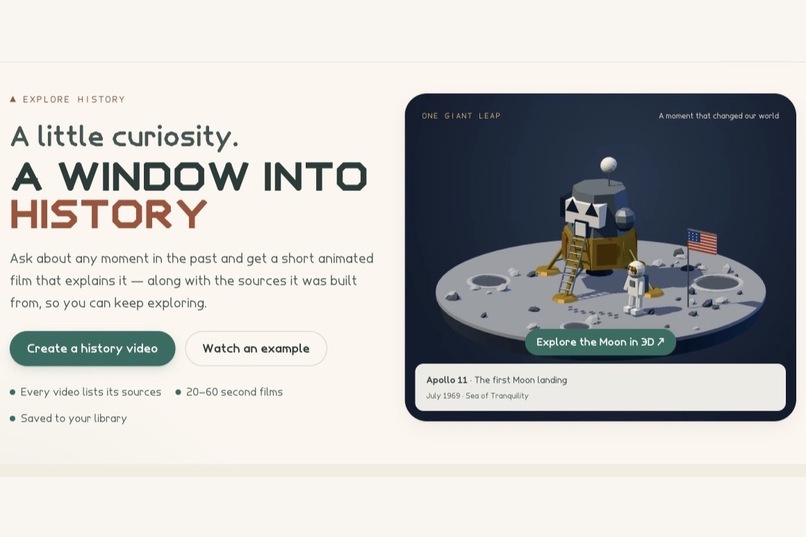
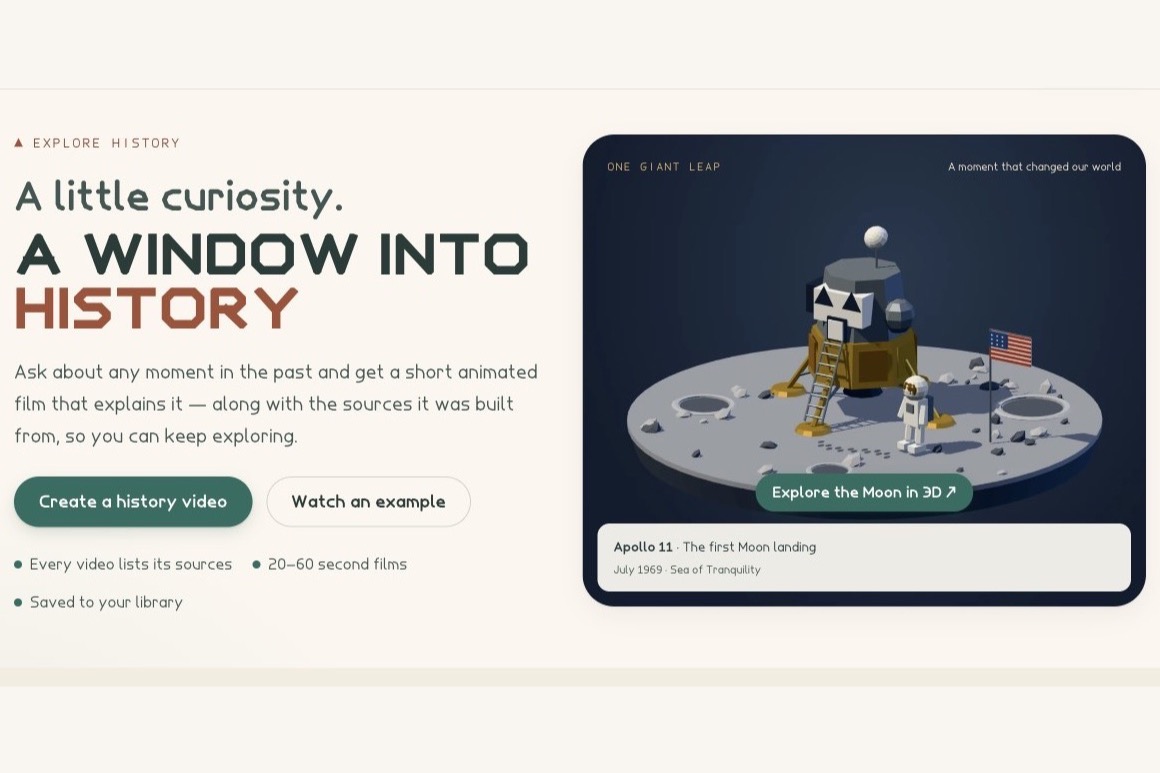
The home page: ask about any moment and get a short low-poly film.
-
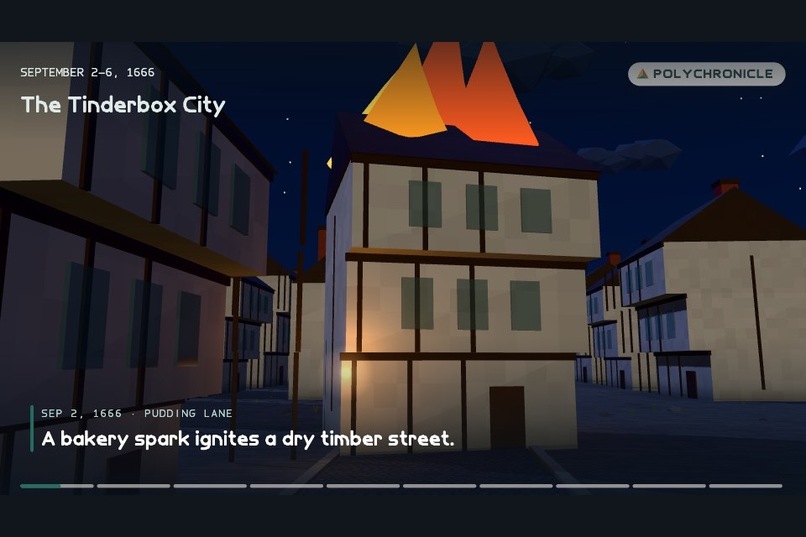
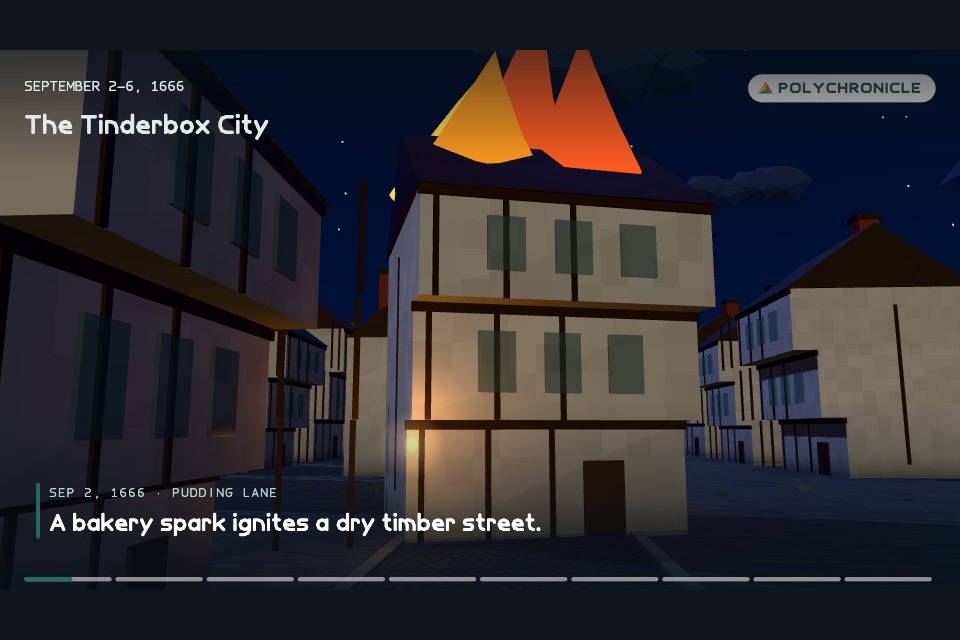
The Great Fire of London, 1666: a bakery spark on Pudding Lane.
-
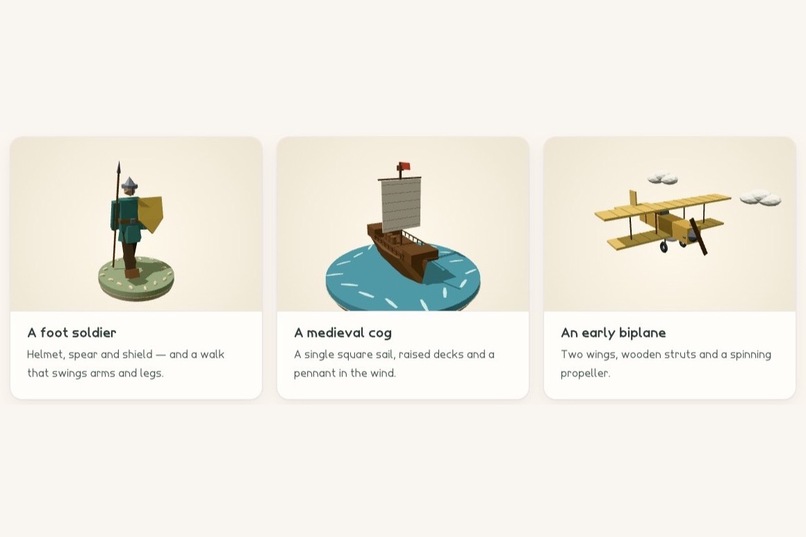
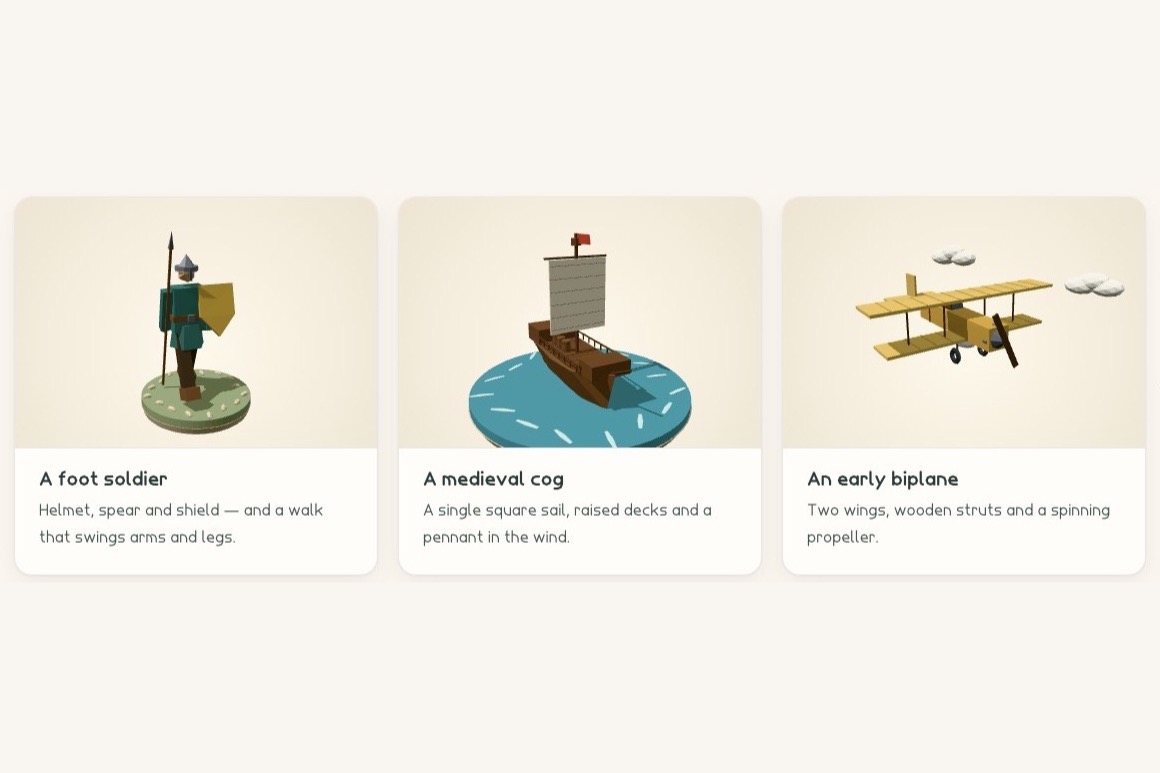
A new cast every film: a foot soldier, a medieval cog, and an early biplane.
-
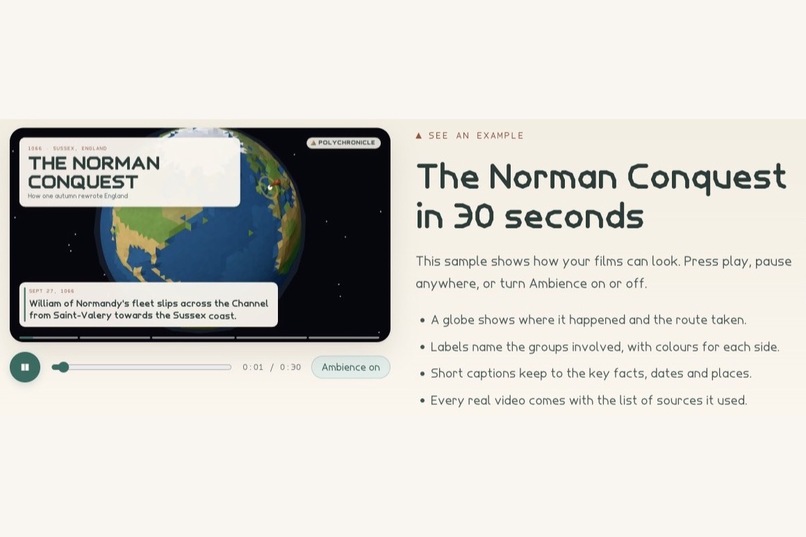
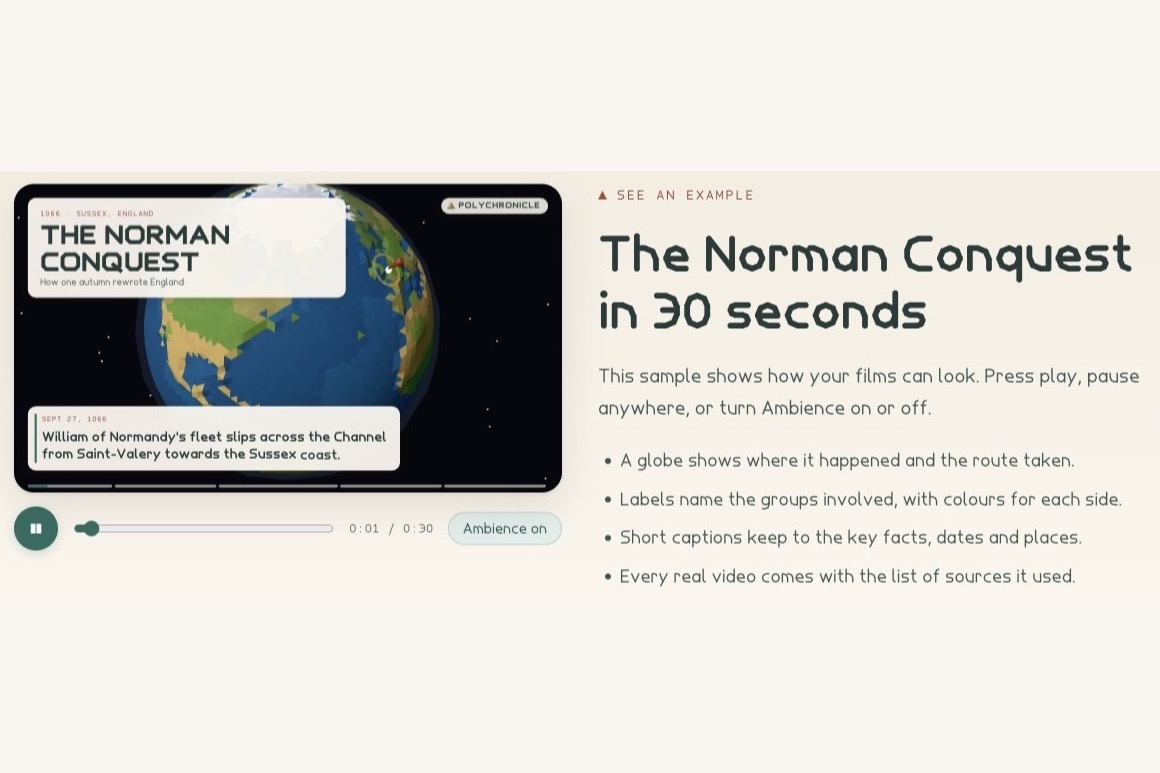
The sample player for the Norman Conquest, with the sources listed beside it.
-
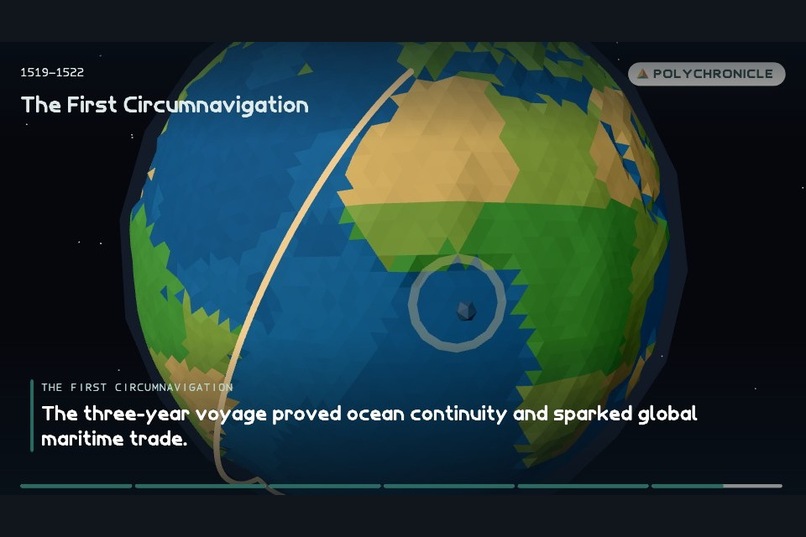
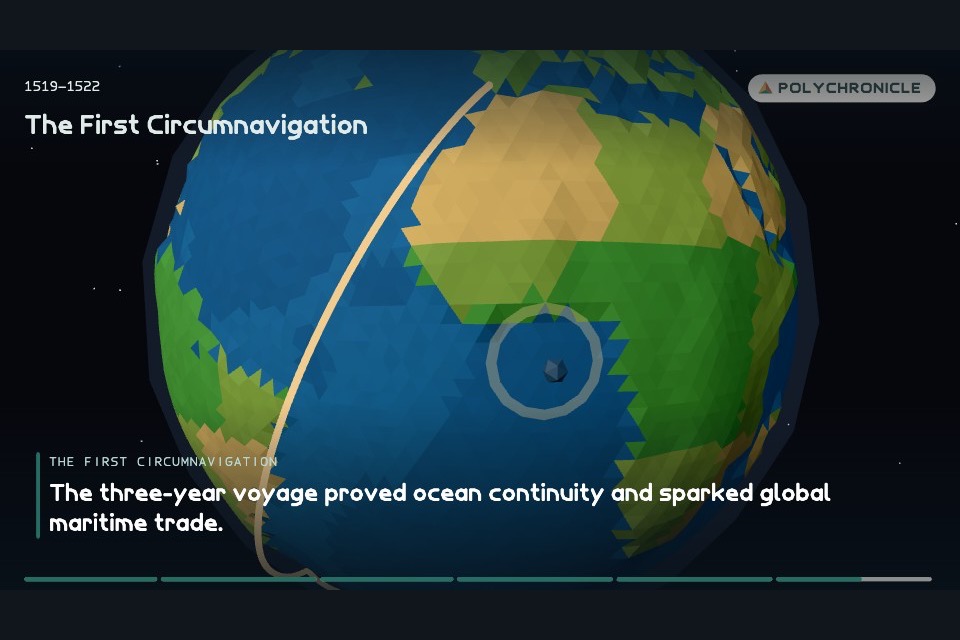
A faceted globe traces Magellan's route around the world.
-
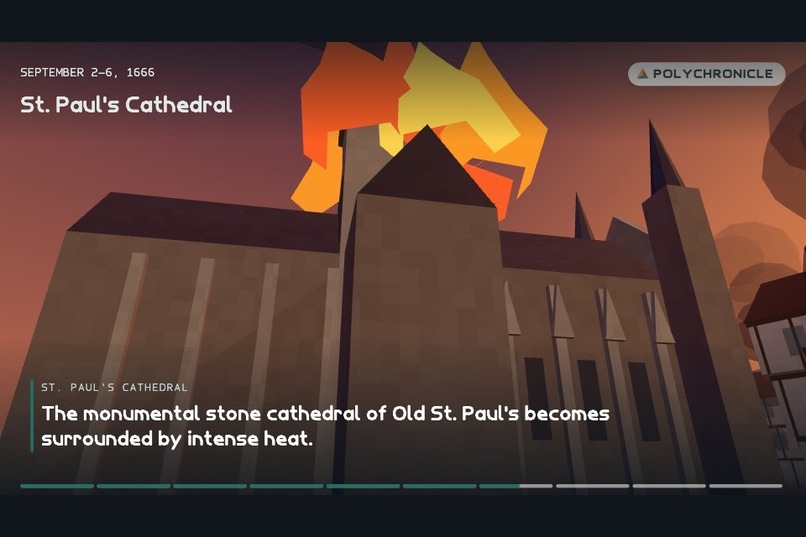
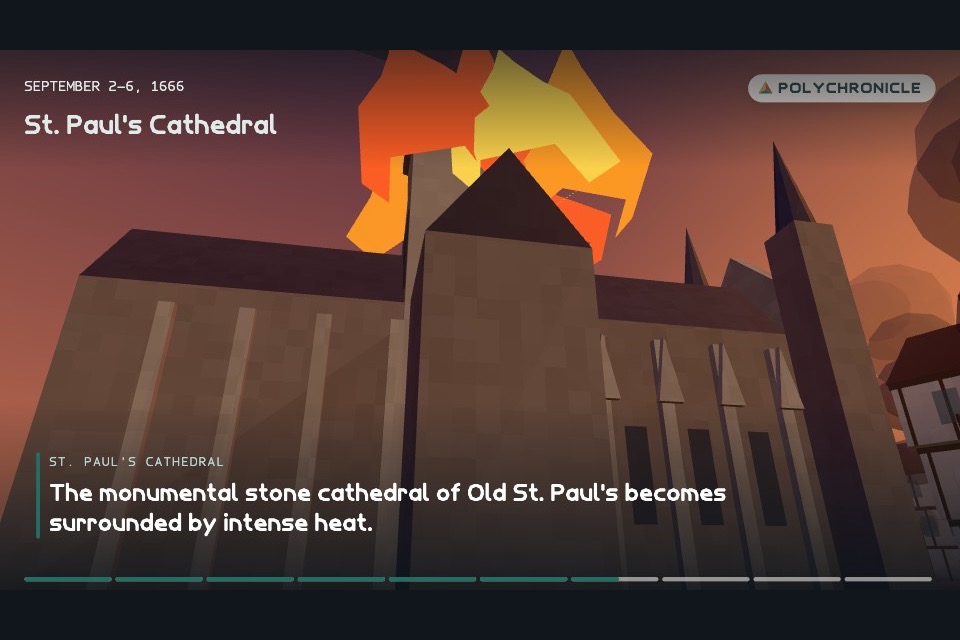
Old St Paul's, 1666, surrounded by the Great Fire.
-
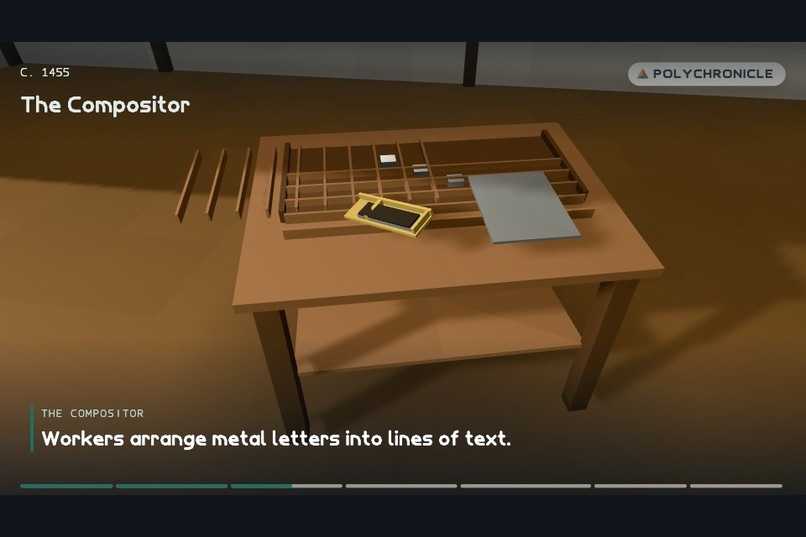
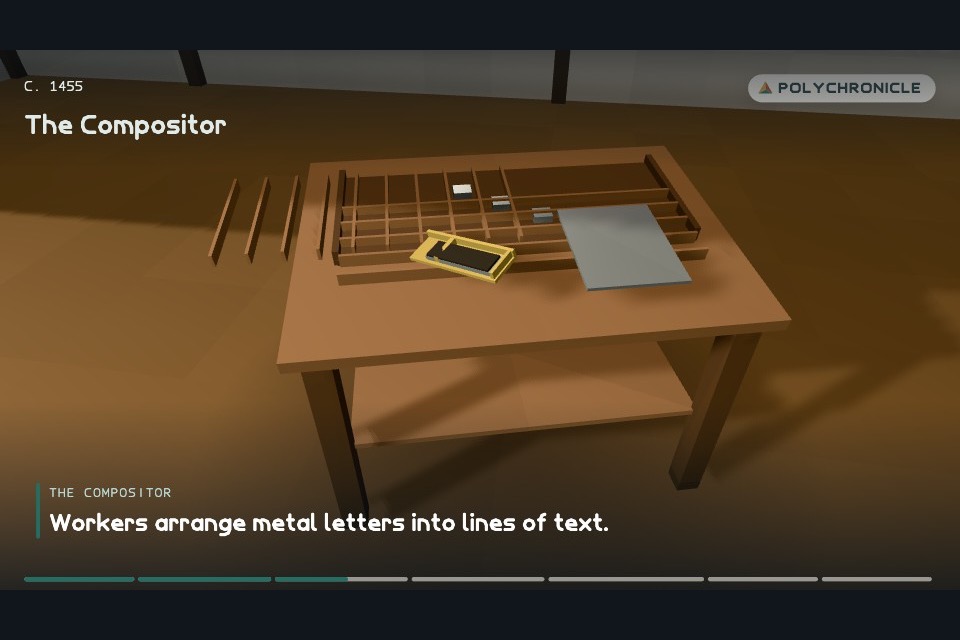
Mainz, c. 1455: metal type set by hand in Gutenberg's workshop.
-
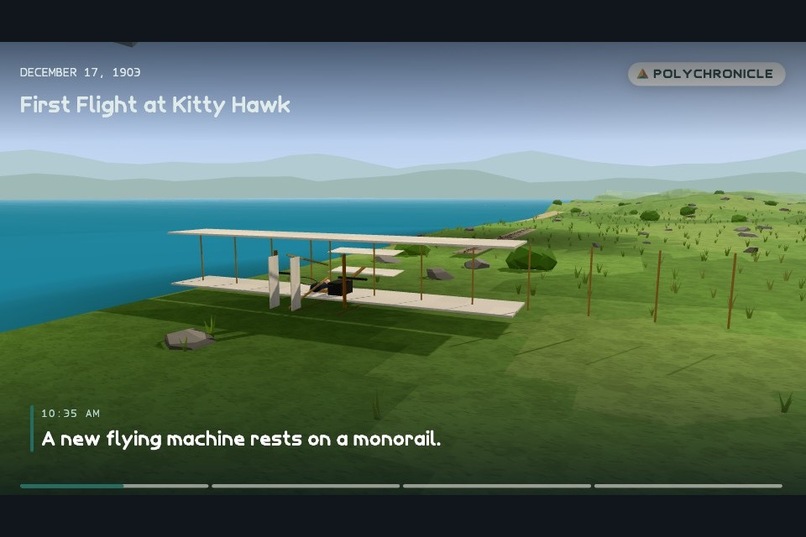
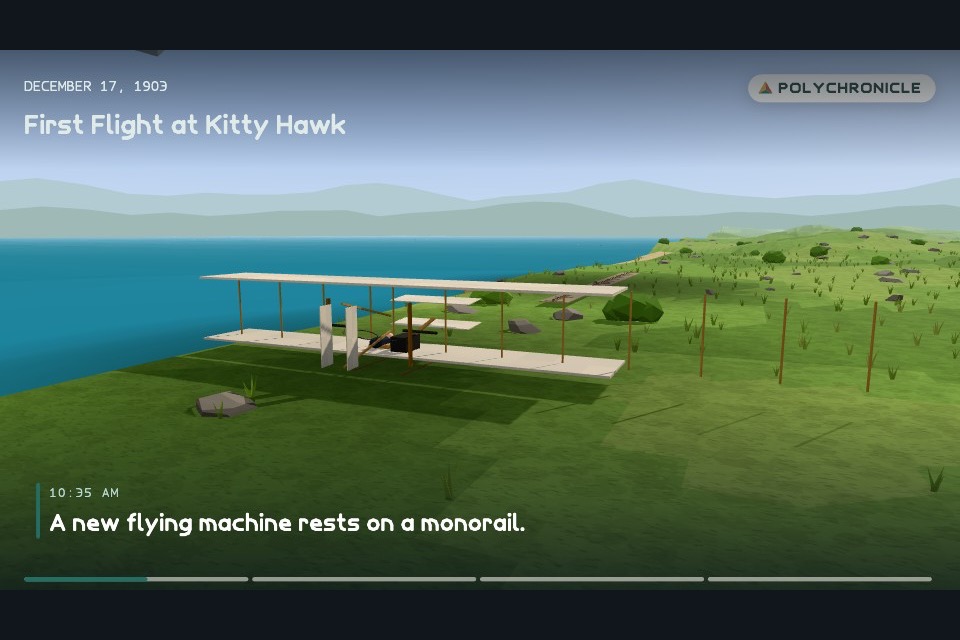
Kitty Hawk, 1903: the Wright Flyer waits on its launch rail.
-
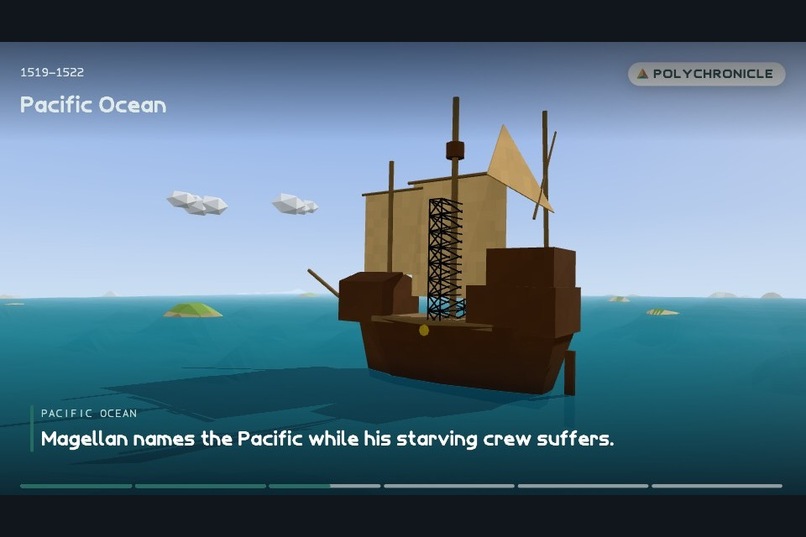
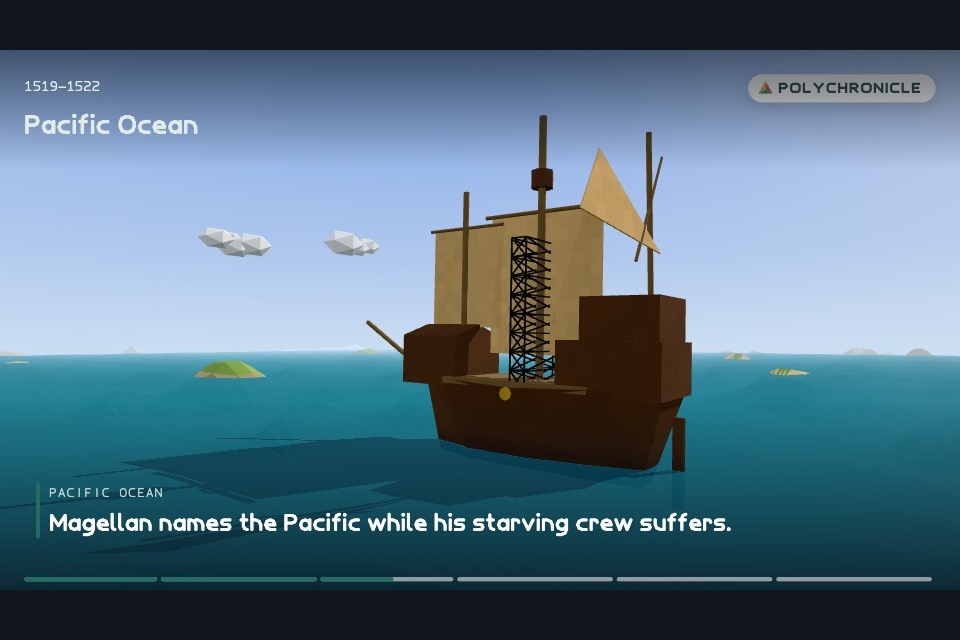
Magellan's voyage, 1519–1522: the fleet crosses the Pacific.
Inspiration
The best history explainers online are short animated films: a question for a title, a clock running in the corner, quick shots that each add one fact, and a closing line that lands. They're great for learning and super engaging, but each one takes a team days to make, so they only exist for the most famous events. We wanted anyone to be able to ask about any moment in the past, from the Great Fire of London to Gutenberg's workshop, and get that kind of film in a few minutes, with sources they can check.
What it does
You type a history question. PolyHistory researches it, designs a cast of 3D models for that exact time and place, writes a storyboard, and renders a 20–60 second low-poly film in your browser. The film is saved to your library as an HD MP4 with a poster image, and the list of sources it was built from stays beside it.
- Research you can check. Every film starts from a briefing grounded with Google Search, and its sources travel with the video.
- A new cast every time. There is no stock model library. The people, buildings, ships and machines are designed for each film.
- Made entirely in code. Terrain, water, weather, streets, waterfronts, interiors, camera moves, captions, maps and a faceted globe with real coastlines are all drawn by our own renderer. There is no video model and no stock footage.
- Safe by design. Both the question and the finished storyboard go through moderation, and every decision is written to an audit log.
- Private accounts. Sign-up, a private library, HD downloads and full account deletion.
How we built it
The pipeline. A Next.js 16 / React 19 app calls Gemini through the @google/genai SDK on Vertex AI:
- Check. Keyword and classifier moderation on the question.
- Research. Gemini with Google Search grounding writes a short briefing and keeps every source.
- Plan. A planner lists the models the story needs (up to ten).
- Build and direct, in parallel. Every model is built at once while a director writes the storyboard: shots, camera moves, captions, maps and timing. All three steps study a small set of reference films. The director watches them whole and follows their format; the planner and builders look at stills from them.
- Check again. The finished storyboard is moderated too.
- Render and keep. The browser renders the film and uploads it in 1 MiB chunks.
Models as data, never code. Gemini doesn't write Three.js. It writes declarative ModelDefinitions (primitives, materials, hinged joints and animation channels) and a declarative VideoScript. Both are validated with shared zod schemas and hard limits, so generated content is never executed.
A deterministic renderer. Every frame is a pure function of the script and the time, with seeded randomness. That makes films reproducible and lets us draw frames offscreen as fast as the machine allows. Three.js draws them, and WebCodecs (through Mediabunny) encodes a 720p, 30 fps MP4, with WebM as a fallback, plus a synthesized ambient soundtrack.
Data. Accounts, sessions, films, sources, chunked media and the moderation audit log live in TigerData (managed PostgreSQL).
Design. The UI uses three typefaces (Facet, Tessera and Tessera Mono) that we generate inside the repo from hand-designed glyph skeletons. Interactive low-poly dioramas on the home page respect reduced-motion settings, including the WebGL loops.
Challenges we ran into
- Making AI-built models move. Our biggest failure mode was animation. The model would write keyframes in milliseconds and degrees when the contract asked for progress from 0 to 1, so strict validation threw the motion away and the film failed. We wrote a normalizer that rescales out-of-contract keyframes instead of flattening them, made repair judge each part on its own, and stopped treating weak motion as a fatal error. After that, six test films in a row succeeded.
- Speed vs. quality. We benchmarked Flash and Pro models as the 3D geometry builder on the same plan. The stronger model followed shapes and proportions much better but took about three times longer, so we added per-model timeouts with a fast fallback and build everything in parallel with the storyboard.
- Getting the format right. Telling a model "make it cinematic" doesn't work. What worked was showing it real example films and writing a precise brief of what to take from them: a question as the title, a running on-screen clock, one fact per shot, escalating, then a closing line.
- Encoding video in the browser. Rendering offscreen, encoding with WebCodecs, adding a soundtrack, and uploading large files reliably meant building chunked upload and a fallback format.
Accomplishments that we're proud of
- A full film, from question to library, made in a few minutes with no video model and no stock footage.
- A new set of 3D models designed for every film, safely, as validated data.
- Sources attached to every film, so curiosity can turn into further reading.
- Our own typefaces and a warm, friendly interface.
What we learned
- Grounded research makes generated content far more trustworthy, and keeping the sources visible matters as much as getting them.
- Strict schemas for AI output are essential, but repair and normalization beat rejection.
- Showing a model examples beats describing a style to it.
- Deterministic rendering makes a generative system much easier to debug and test.
What's next for PolyHistory
- Narration and a smarter soundtrack.
- Vertical 9:16 films for sharing.
- Moving media to object storage for a public launch, plus email verification and password reset.
- Classroom features: playlists by unit and short quizzes built from each film's sources.
Built With
- css
- gemini
- google-search-grounding
- mediabunny
- motion
- next.js
- node.js
- postgresql
- react
- react-three-fiber
- three.js
- tigerdata
- typescript
- vertex-ai
- webcodecs
- zod

Log in or sign up for Devpost to join the conversation.