-
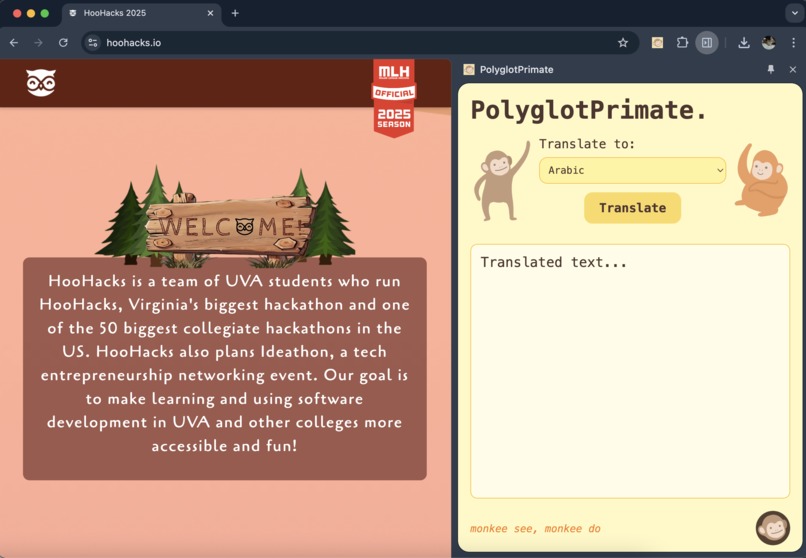
PolyglotPrimate: an AI-powered, one-click webpage translator.
-
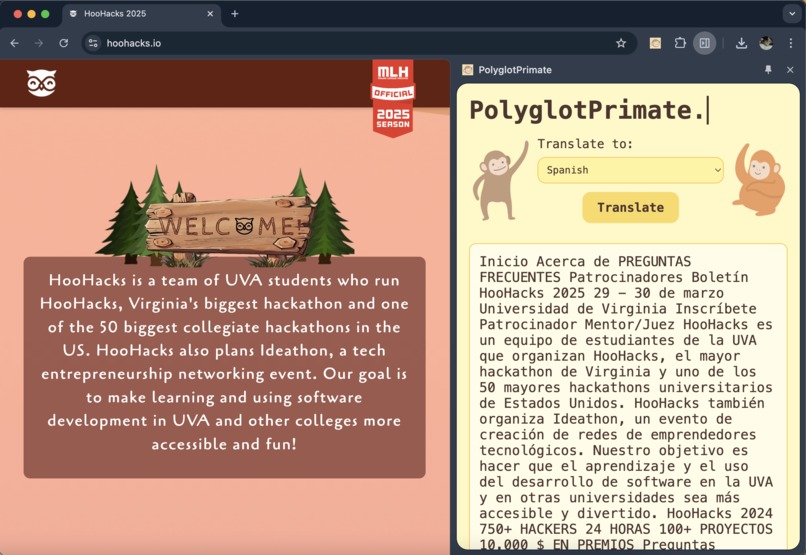
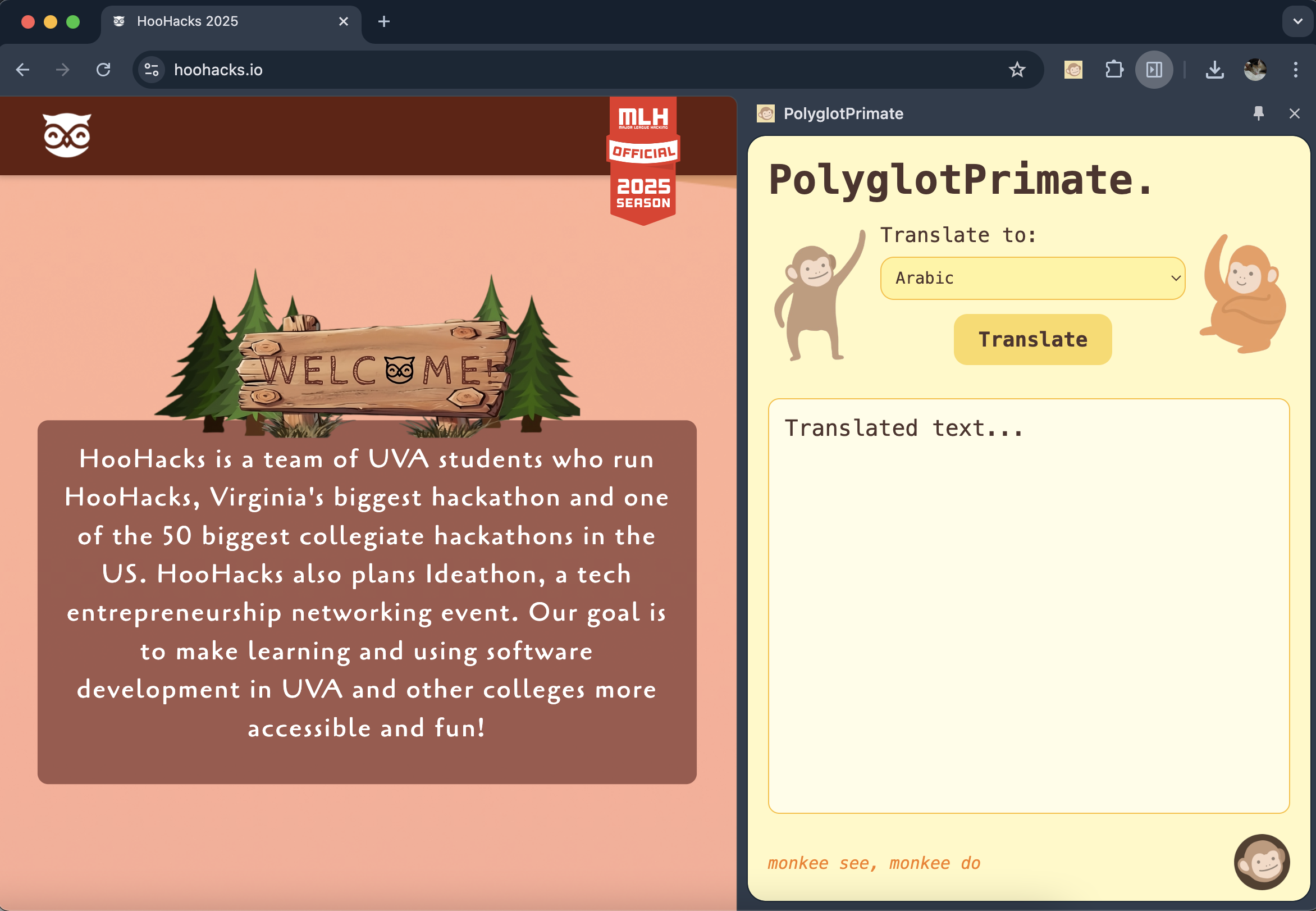
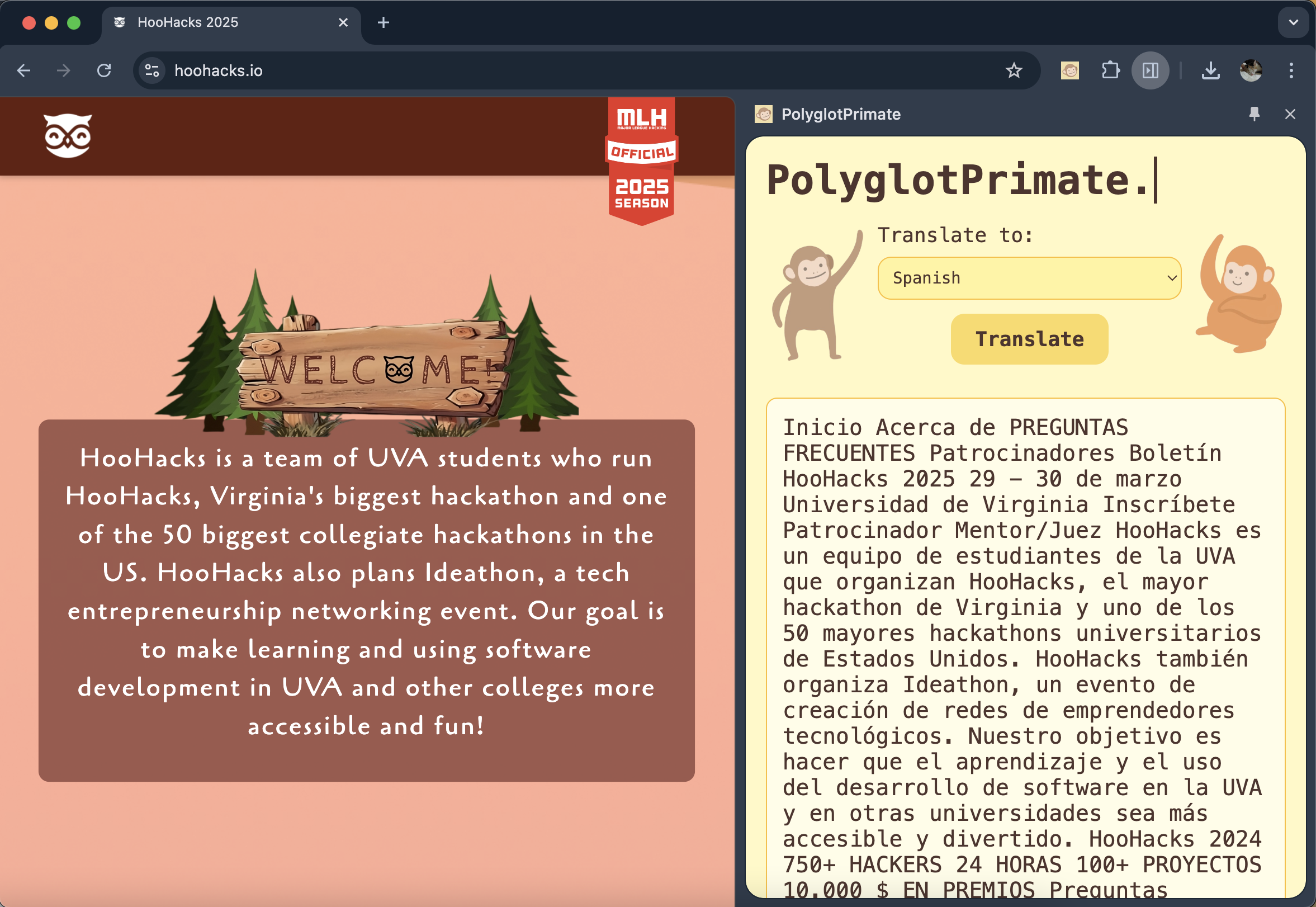
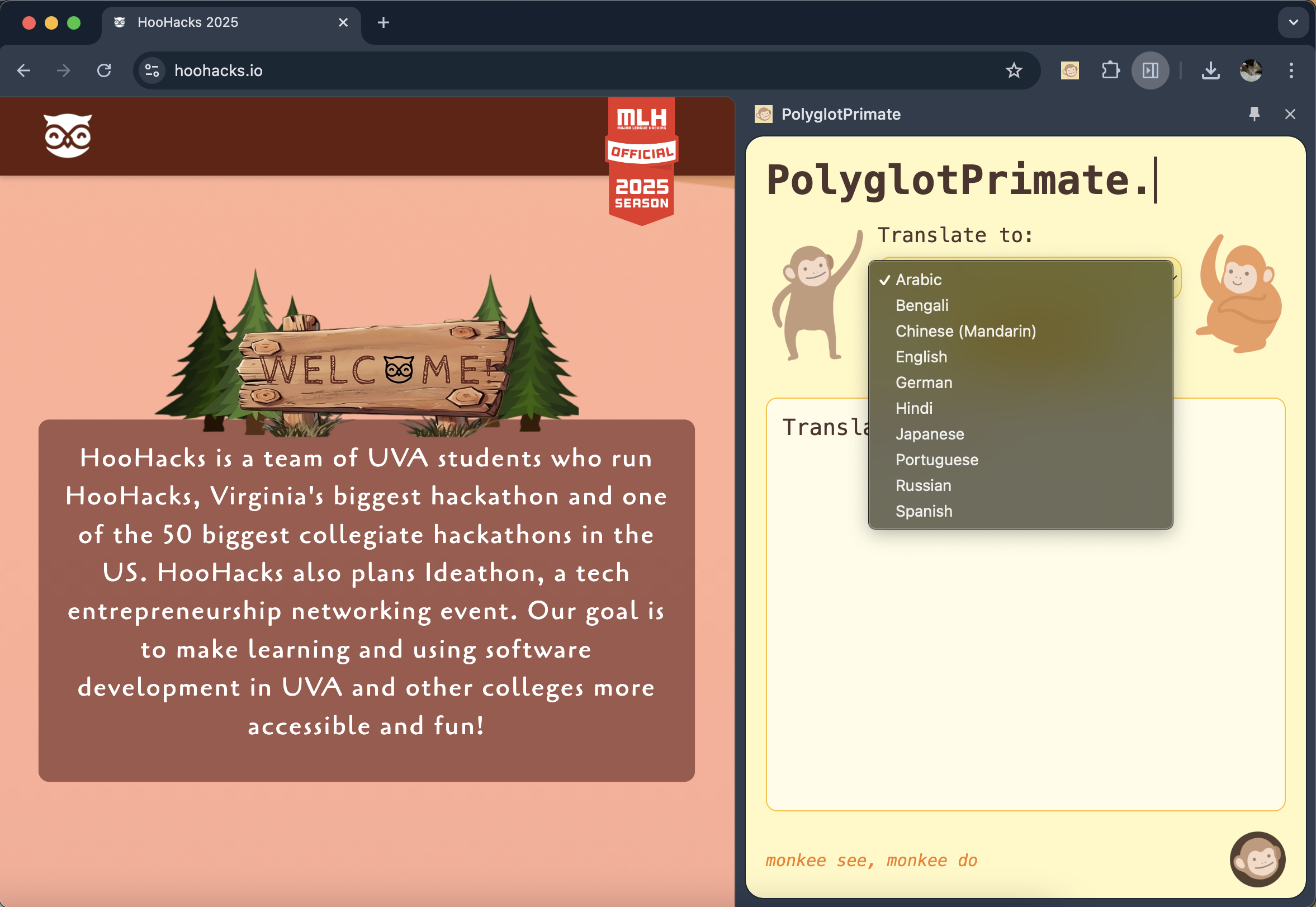
Choose a language and hit "translate" on any webpage
-
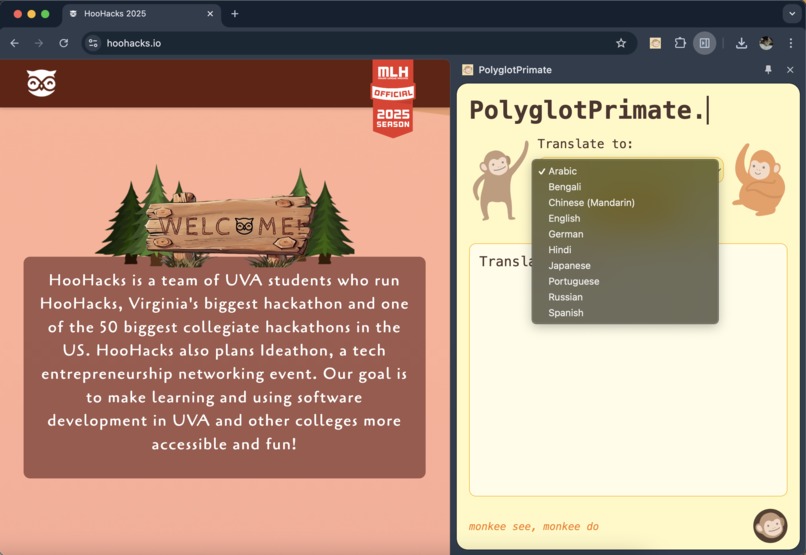
10 language options to translate from
-
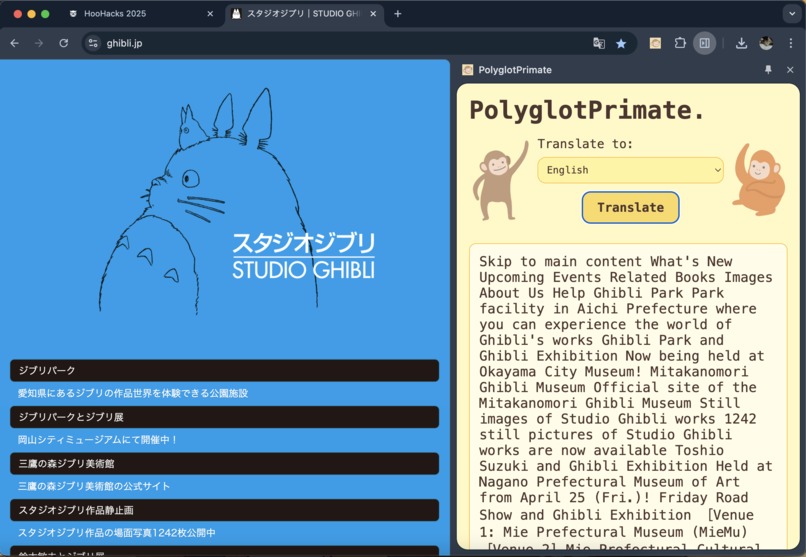
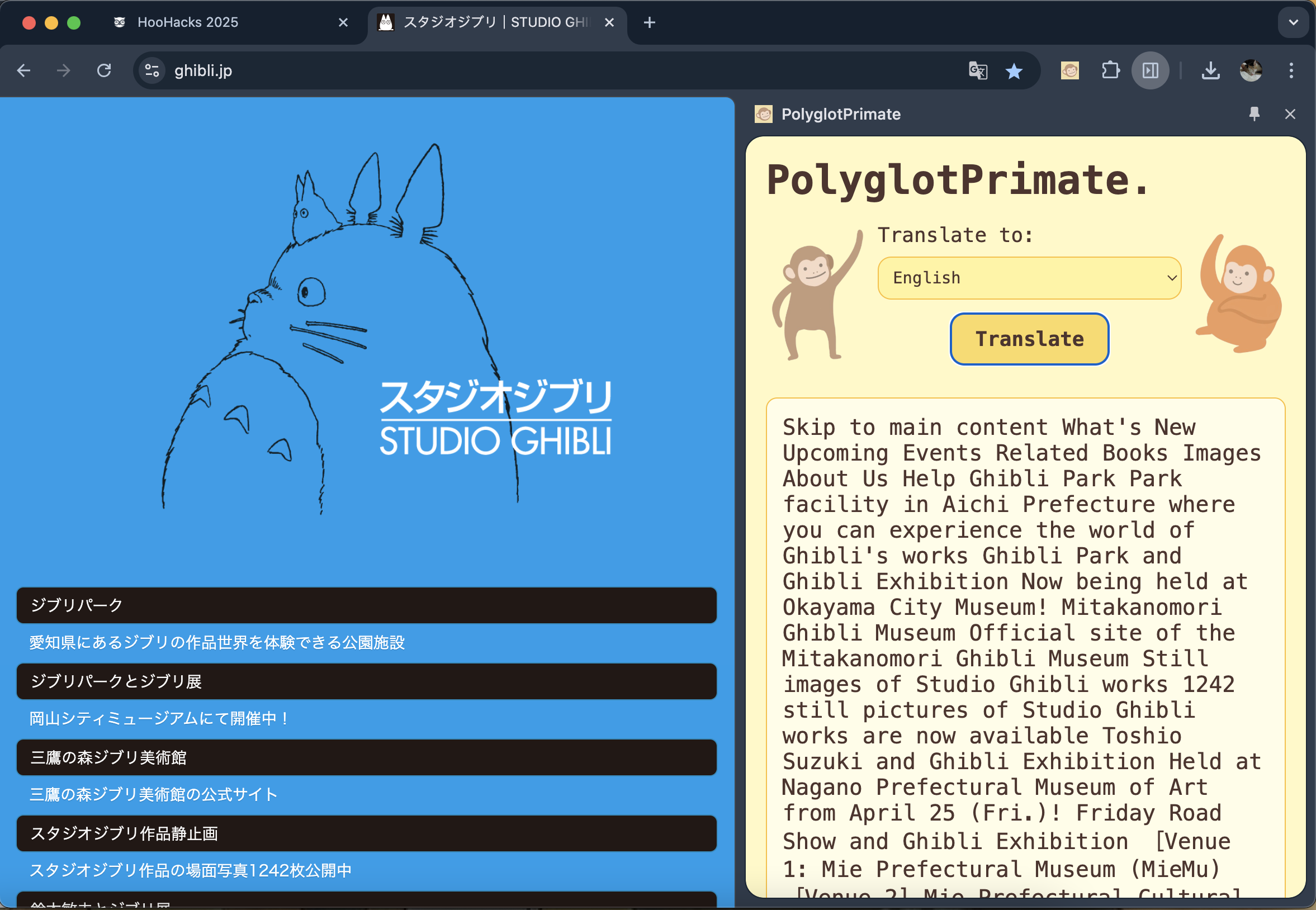
Example: Translating a Japanese website into English
-
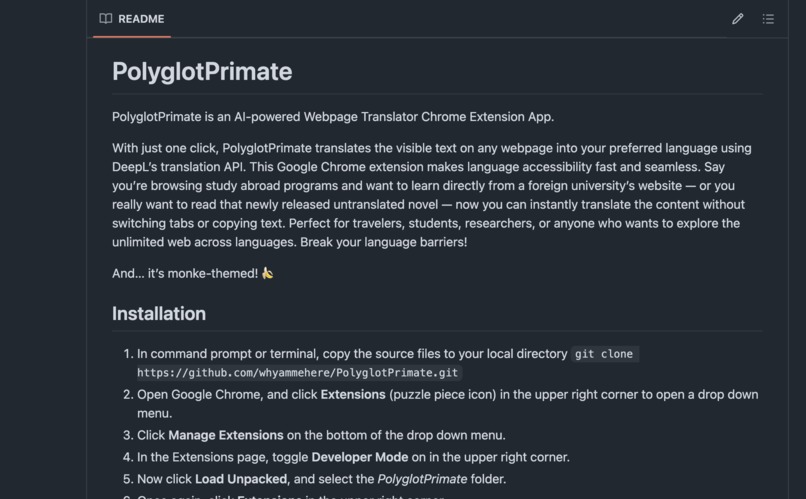
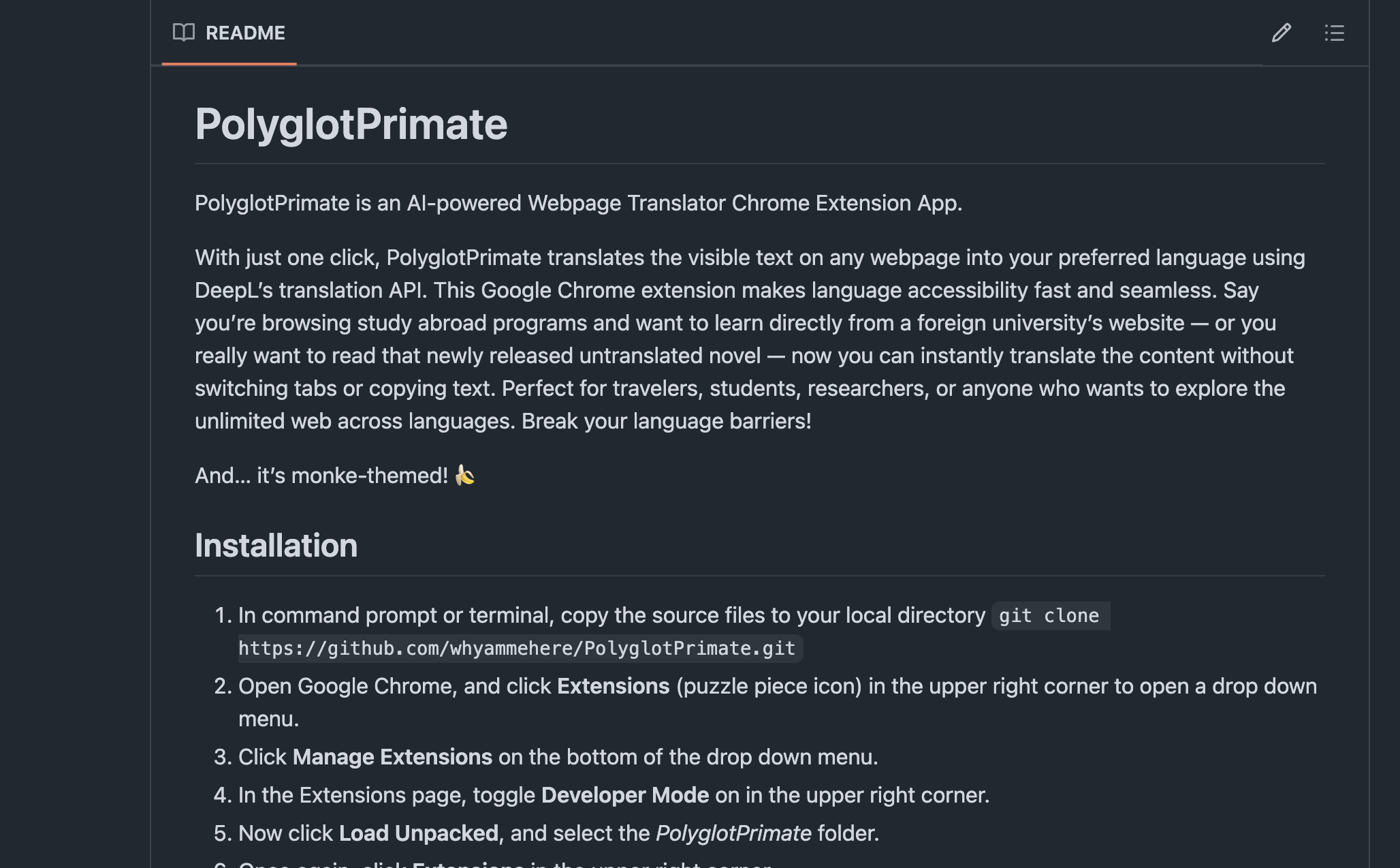
Follow the steps on our GitHub Repo to download the extension.
-
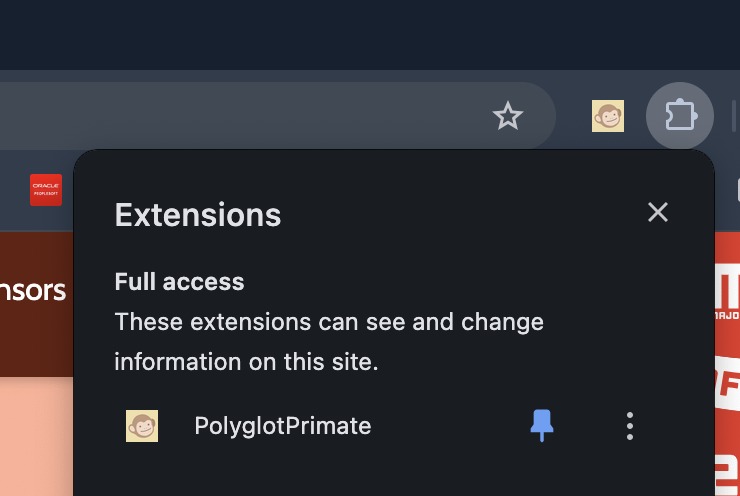
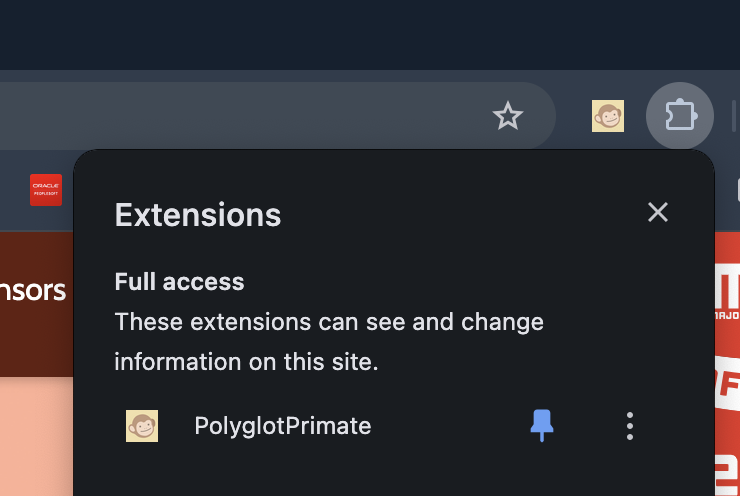
Pin the extension to use on any webpage when browsing in Chrome.
-
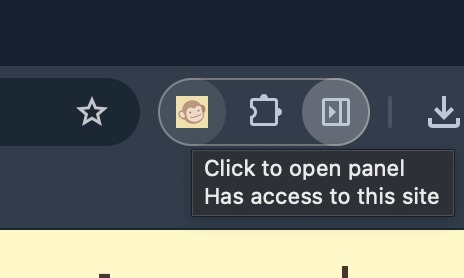
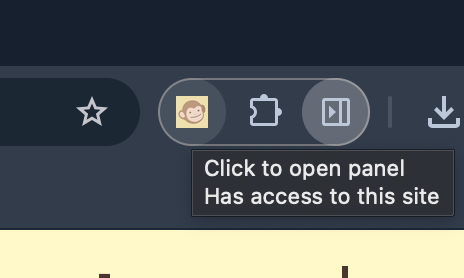
Click the monkey icon to open the side bar and get translating!
Inspiration
The idea for PolyglotPrimate came to us while browsing websites in other languages. As avid web browsers (or as new slang describes, "doom scrollers") —of blogs, tweets, instagram, articles, and more—we’re always eager to learn from new voices and perspectives. But when we see an unknown foreign language online, one of two actions occur.
- We’d see a foreign language and instantly leave the page, missing out on something valuable.
- Or we’d try to stick with it, bouncing back and forth between a translator and the original page, losing our place and breaking our flow.
While Chrome does offer a built-in translator, we found it lacking in accuracy—especially compared to DeepL, which delivers far more fluent, context-aware translations using AI. So, our goal was to create a Chrome extension that makes web translation as effortless as clicking a button. In turn, browsing is seamless, and we hope this makes online interaction more accessible to everyone. “monkee see, monkee do:” we believe that despite differences in language or culture, the desire to communicate and understand is something deeply human.
What it does
Online language barriers are frustrating to navigate. Every time we encounter content in a language we don't understand, we have to break our flow—open a new tab, copy and paste text into a translator, and hope the translation makes sense. It's a disjointed process that deters netizens from browsing beyond their native language, separating us from understanding, curiosity, and connection.
PolyglotPrimate is a Chrome extension designed to bridge that gap. With one click, it translates all visible text on any webpage into your preferred language. It uses DeepL’s AI-powered translation API to deliver AI-powered, high-quality, and reliable translations in 10 different languages.
No more switching tabs. No more copy-paste. Just seamless, high-quality translations embedded directly into your browsing experience. Whether you're reading foreign news, diving into untranslated literature, or exploring international university pages, PolyglotPrimate helps make the web truly borderless.
How we built it
We built the extension using the Chrome Extension API in their Chrome DevTools: made for developers. JavaScript was used to parse visible text elements on a webpage and replace them with translated content in real time. For translations, we used DeepL’s API which uses AI for translations. It is known for its fluency and accuracy across many languages. The UI and user experience were built in HTML and kept simple and playful, with a monkey icon and friendly design. We also created a GitHub repo for users to clone and install the extension locally.
Challenges we ran into
It was challenging to write the JavaScript for the extension as we weren't able to use other libraries. The text parser took a long time to create due to filtering the input. CSS was largely incompatible with our extension, providing difficulties formatting the extension as we weren't able to use most tools to create the formatting.
Accomplishments that we're proud of
We are proud of the design of the extension; while having the extension show up on the sidebar more work, we believe it looks better and is easier to use that way. We are also quite fond of the monkey aesthetic we incorporated into the extension. The text parser took a while to create and hook up to the translator, so we are quite proud of that accomplishment.
What we learned
We learned how to deliver a fully functional and Chrome extension on a very short deadline. Within that time we learned how to build a Chrome extension from scratch using Chrome's built-in Developer Tools; integrate APIs such as DeepL's AI; and collaborate on Git. On the less technical side, we learned how to work as a team, leveraging our individual strengths while still learning from each other.
What's next for PolyglotPrimate
- One-click install from the Chrome Web Store: replace the manual local download
- Support for more languages: We want to make the internet readable for everyone, everywhere. Expanding language options helps us include more people in the conversation.
- Easier readability: Instead of a glob of text, we want to retain the original layout and design of webpages, so translated content is just as readable as the original.
Built With
- chromedevtools
- css
- deeplapi
- html
- javascript

Log in or sign up for Devpost to join the conversation.