-
-

Logo
-
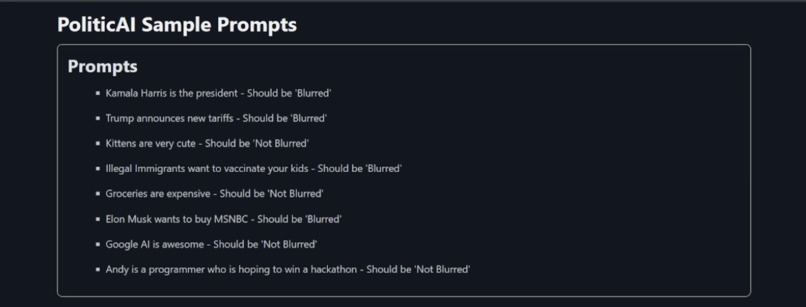
Before Running
-
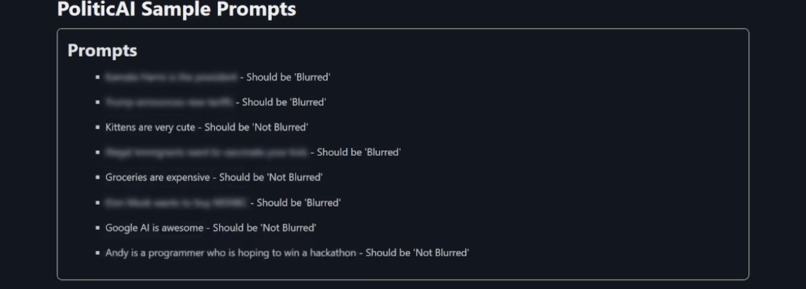
After Running
-
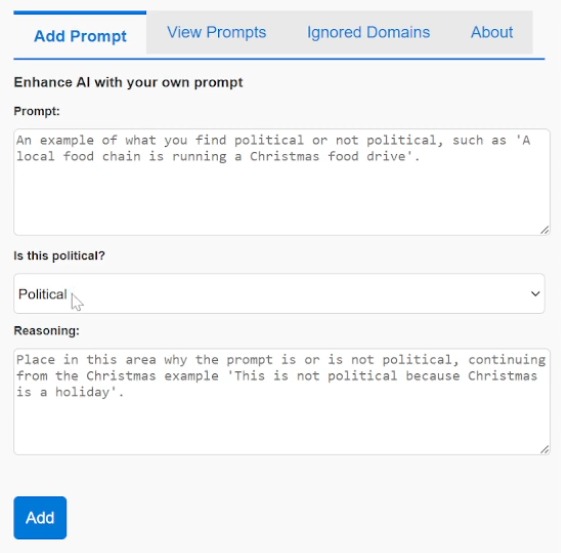
Extension option to enhance and add to the prompting
-
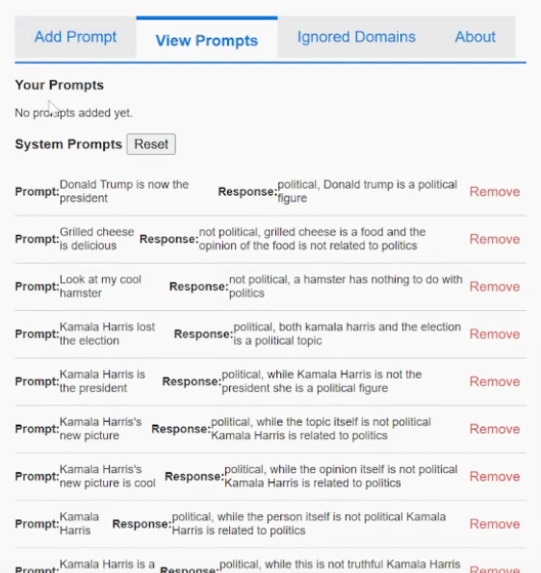
Ability to review the current prompts and even switch out the built in prompts
-
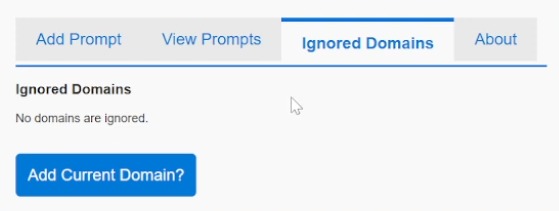
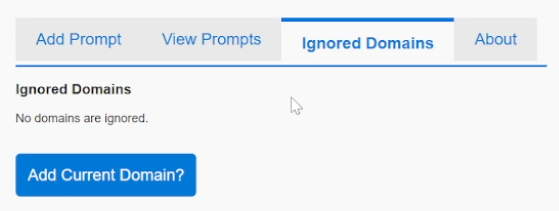
Ability to ignore domains
-
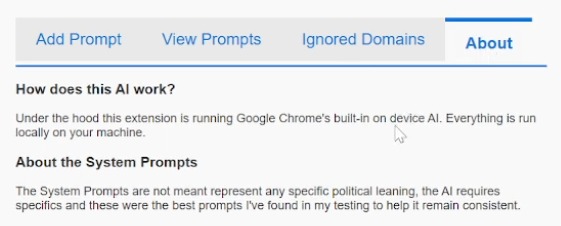
More info





Inspiration
Politics has been a growing divide in the USA, and with the election having just passed, anxiety from politics is at an all time high.
At least it is for me.
Social media is flooded with political content, whether you want to see it or not. The only true escape seems to be to take a break from social media, but abandoning addictions I've taken so many years to develop seemed like a cop out and I needed a better solution.
What it does
Using the power of Google's built-in AI the extension reads through all of the elements in a page blurring out any of those elements it deems to be political in nature.
It allows for users to hover over blurred out elements to see what is underneath, as well as the ability to deem that the content is not political or see the reason why the AI deemed it to be political.
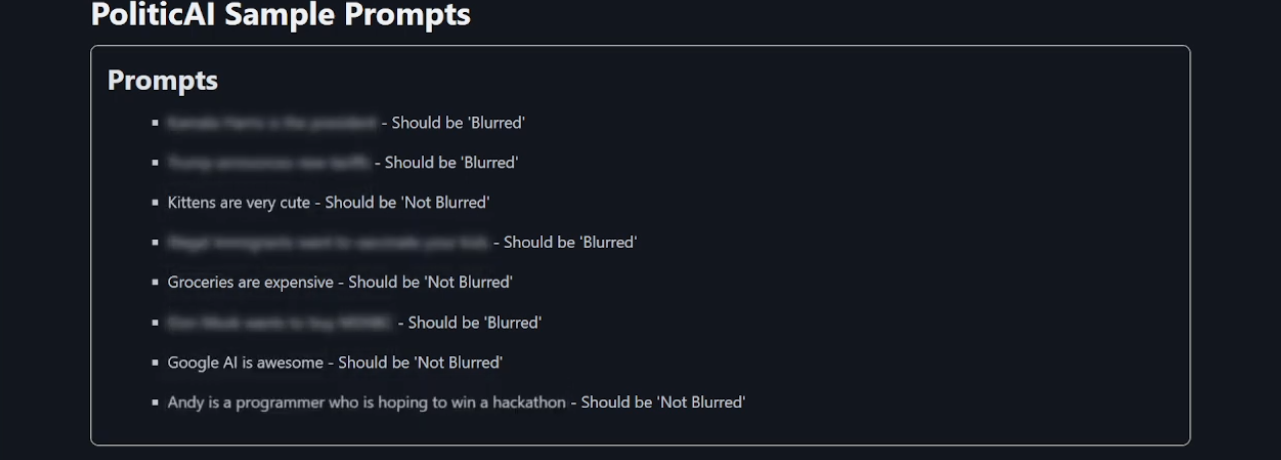
Additionally, the user can also add to the AI's prompts to further hone what is detected as political (or not political) to their tastes.
Lastly, the user can whitelist domains from the AI's ever judging eye.
How I built it
Originally it was built as a Tampermonkey script, but has since expanded into a full functioning Google Chrome extension.
I used primarily Web Storm as the IDE, and Chrome Canary for testing the extension.
A lot of tweaking and testing overtime to get the initial prompting correct, and a bit of AI use for refining and helping with UI tediums.
Challenges I ran into
There were several challenges along the way.
1. Google's built in AI.
The AI itself is good, and for it's size it is very functional. However, getting it to conform to a specific template or return consistent data that it itself agrees with... Was difficult. In return I had to debug its internal reasoning for why certain things would not be flagged as political, and give it wiggle room.
For example, originally if I would state. "Kamala Harris is a hamster", it would say it was "Not political, Kamala Harris is not a hamster". Even if I stated that a political name was enough to flag the prompt as political. So had to expand for that outside of "Political" and "Not Political", instead allowing for a third option "Political but not factual".
2. Performance
This will be a massive challenge for anyone dealing with a local LLM as it is inherently process heavy. Performance in this plugin still isn't perfect, but I was able to improve it by means of caching and making sure the AI is only instantiated once.
3. Setup & Testing
There appears to be a bug, which likely will be resolved quickly if not before this contest ends, where when you restart your computer after getting the AI fully running... The AI will no longer instantiate and will return a session error. The resolution I've found is a bit tedious, after restarting I need to completely uninstall my Chrome instance and reset up all of the flags and component.
4. UI Blurring
Essentially the places where text appears vs the element it resides inside of can be... different. So I needed to create a way to traverse the DOM to find the correct parent. This still is not perfect and ideally overtime I hope to be able to have the code find the full parent element (if there is a picture next to it and such).
5. AI Readiness
In short, due to the nature of working with an AI model that needs to be loaded in (which takes time) and model token limitations I had to put a few checks in place to keep things functional. When the AI is loading for the first time I blur the screen and give the user a message that PoliticAI is loading. When content is processing I check for the current tokensLeft and re-instantiate the model if it drops below 100 tokens.
Accomplishments that I'm proud of
It works, and I actually use this.
What I learned
Google's AI is very capable and I will be excited to see the AI come to Chrome by default, so I can turn this into a real public extension.
What's next for PoliticAI
PoliticAI is a first step into a much larger project that will allow users to refocus the web to only what they want to see. Using this project as the base, breaking politics into its own specific category "Politics" and then adding additional categories like "Violence", "Sexual Content", "Gambling" etc, will allow users to remove content they truly do not want to see or engage with. At this point I will rename the project to EmotionAI.
On one hand I do not want this tool to be seen as a self imposed censor, and I believe access to information helps us grow as a society. But believing that everyone should see everything, all the time, in my opinion is cruel. Some people have different backgrounds that includes mental pain that the modern web doesn't and cannot account for. Creating a tool like this could greatly improve their accessibility to the web.
Built With
- google-ai
- html
- javascript


Log in or sign up for Devpost to join the conversation.