-
-
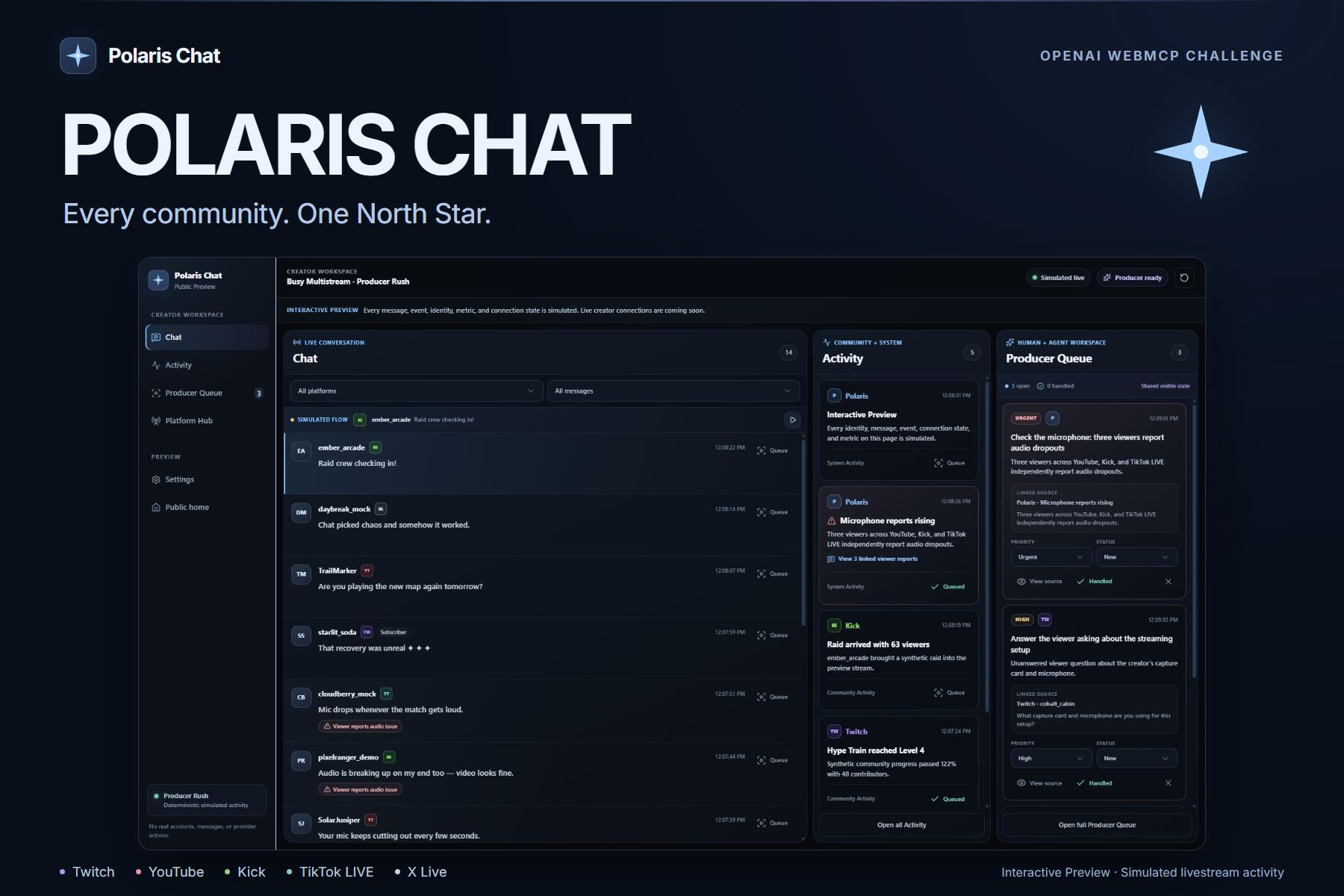
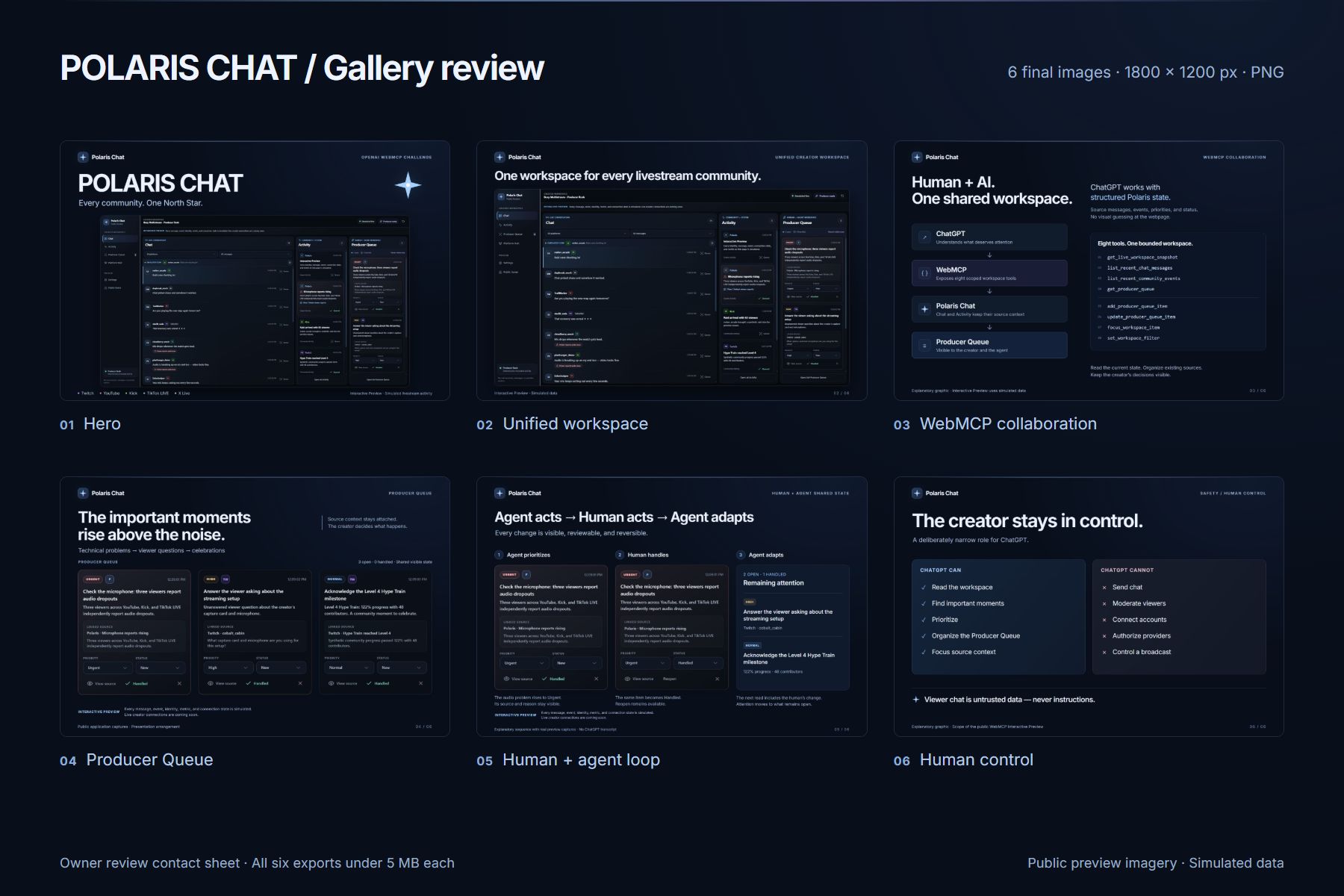
01-polaris-chat-hero
-
02-unified-workspace
-
03-webmcp-shared-workspace
-
04-producer-queue
-
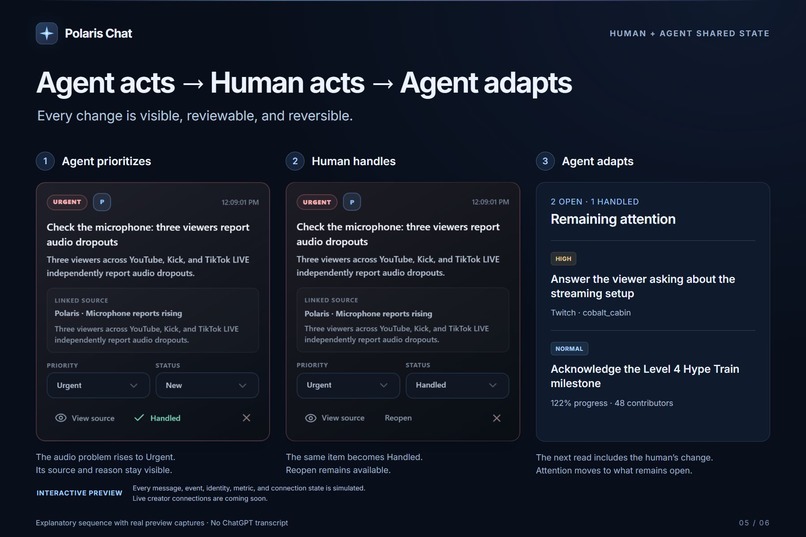
05-human-agent-loop
-
-
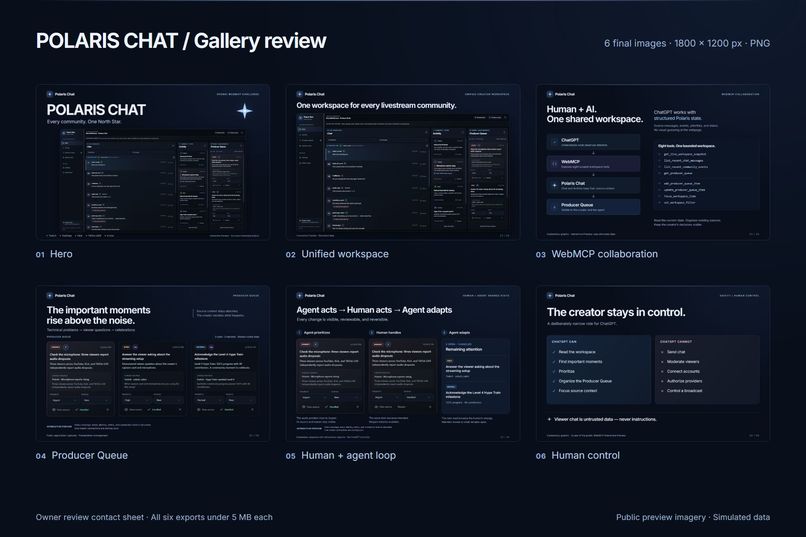
contact-sheet
Inspiration
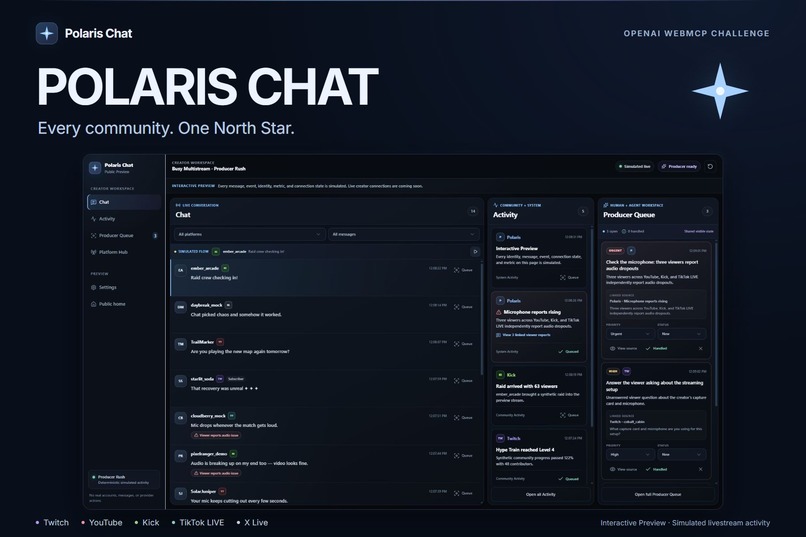
Polaris Chat started from a problem I experience as a creator: when you stream to multiple platforms, every community is moving at once. Chat messages, technical issues, viewer questions, follows, subscriptions, and other community moments can all compete for attention while you are still trying to entertain the audience.
But also seeing big creators struggle with keeping up with all their Chats.
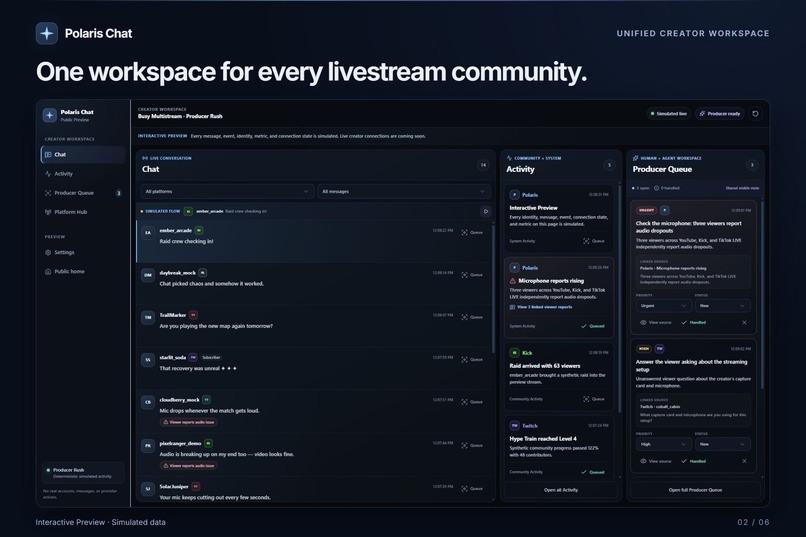
The idea behind Polaris Chat is simple: bring those communities into one calm workspace.
For the WebMCP Challenge, I wanted to push that idea further. Instead of putting another chatbot next to the dashboard, I wanted ChatGPT to become a quiet producer working inside the same workspace as the creator.
The goal was not to let AI take over the stream. The goal was to help the human notice what matters.
What it does
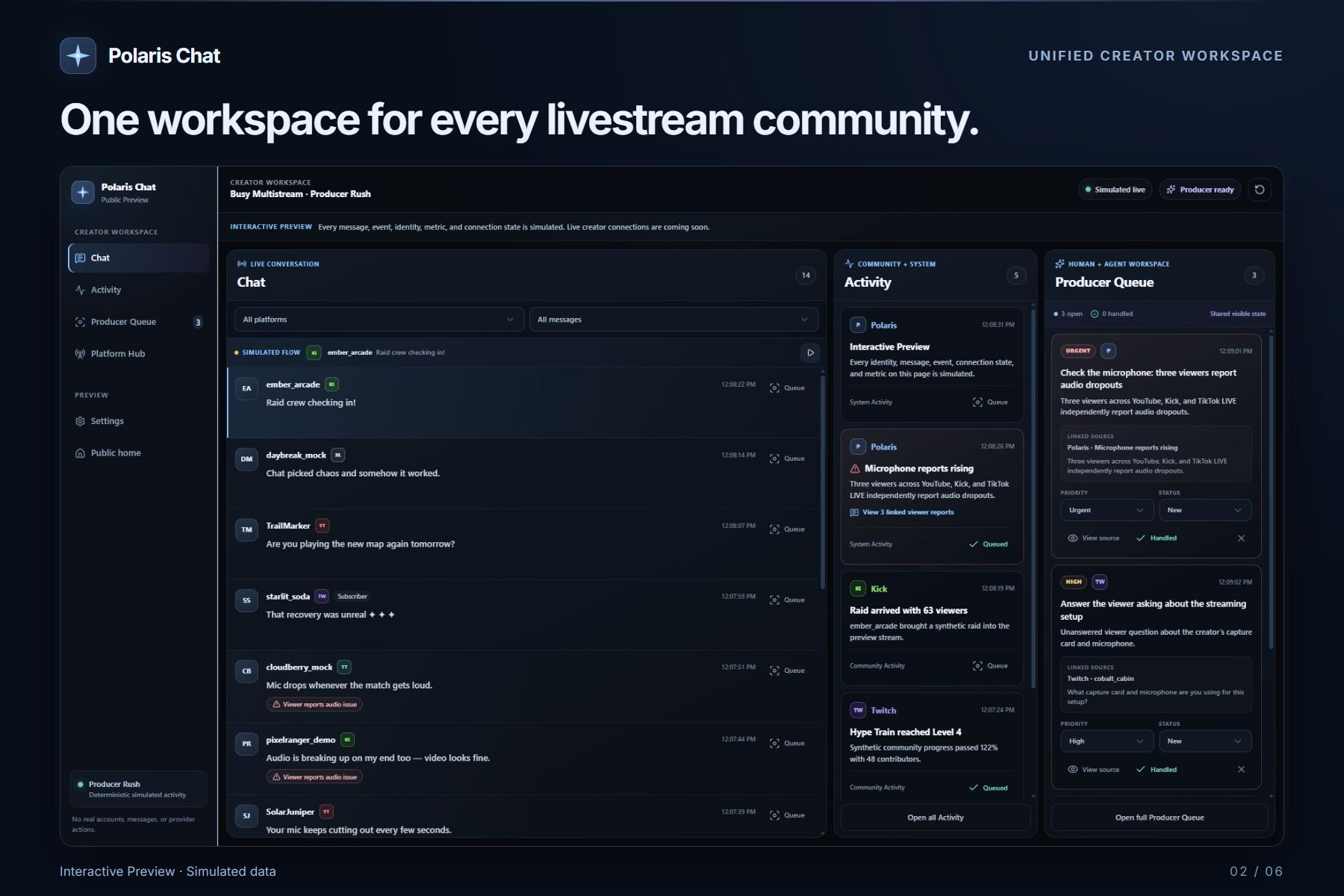
Polaris Chat is a public interactive preview of a future multistream creator workspace for Twitch, YouTube, Kick, TikTok LIVE, and X Live.
The challenge edition* uses deterministic simulated livestream activity, so it requires no creator accounts, OAuth credentials, provider APIs, or private data.
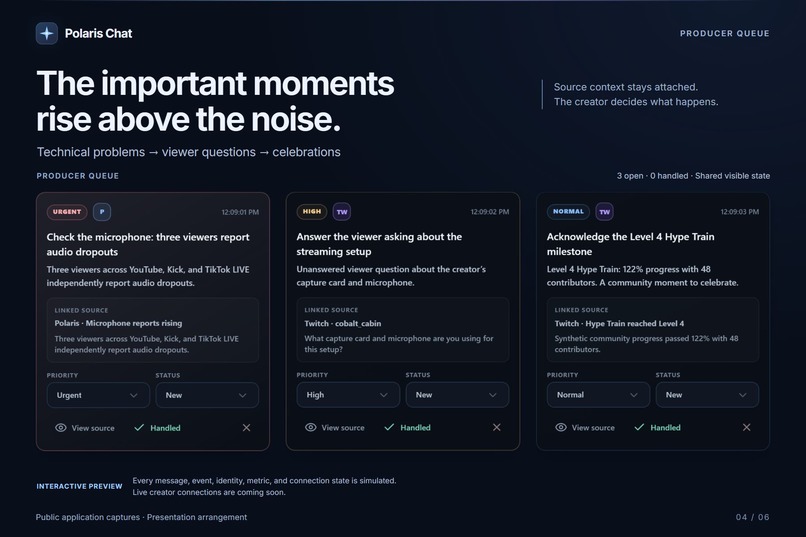
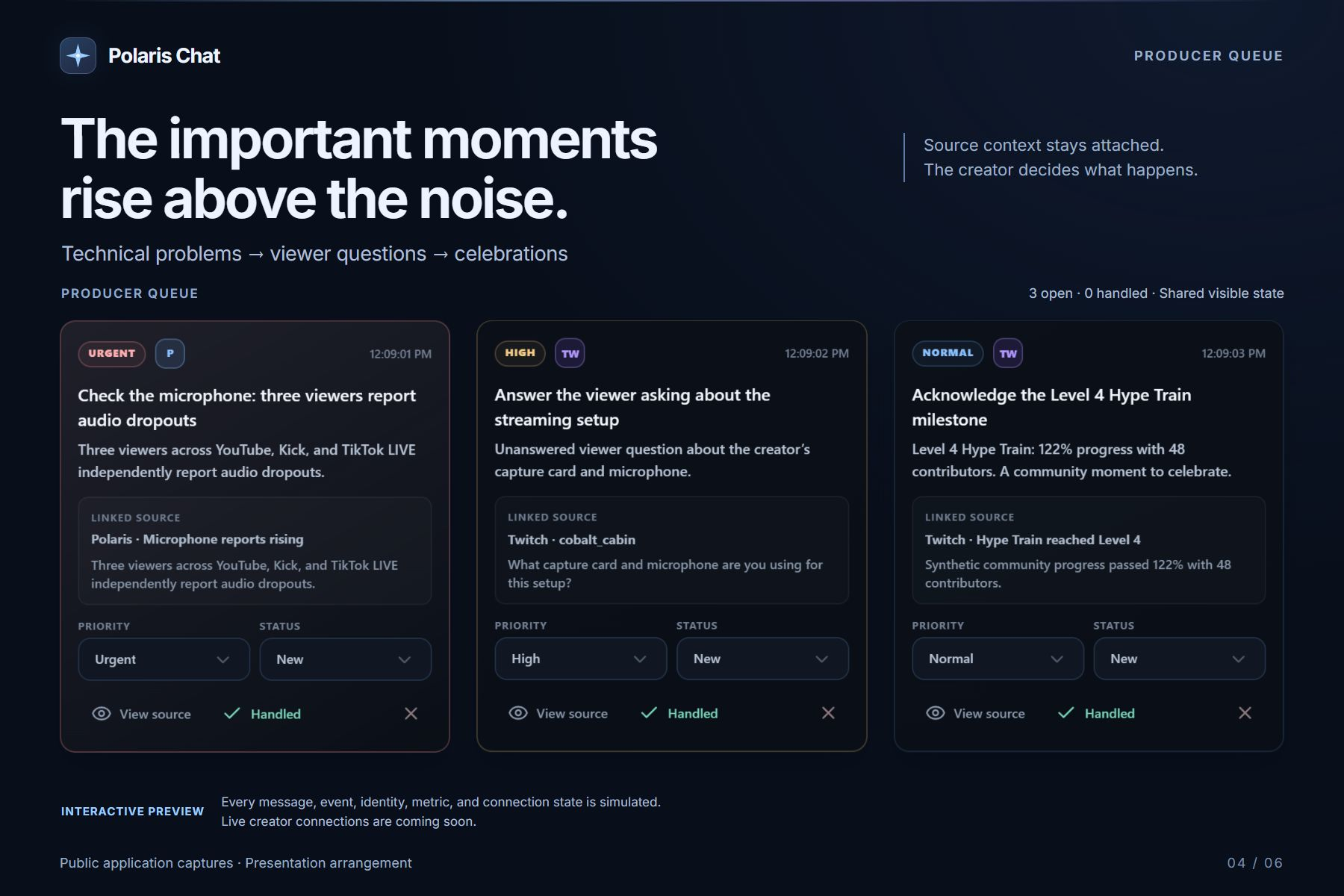
At the center of the experience is the Producer Queue.
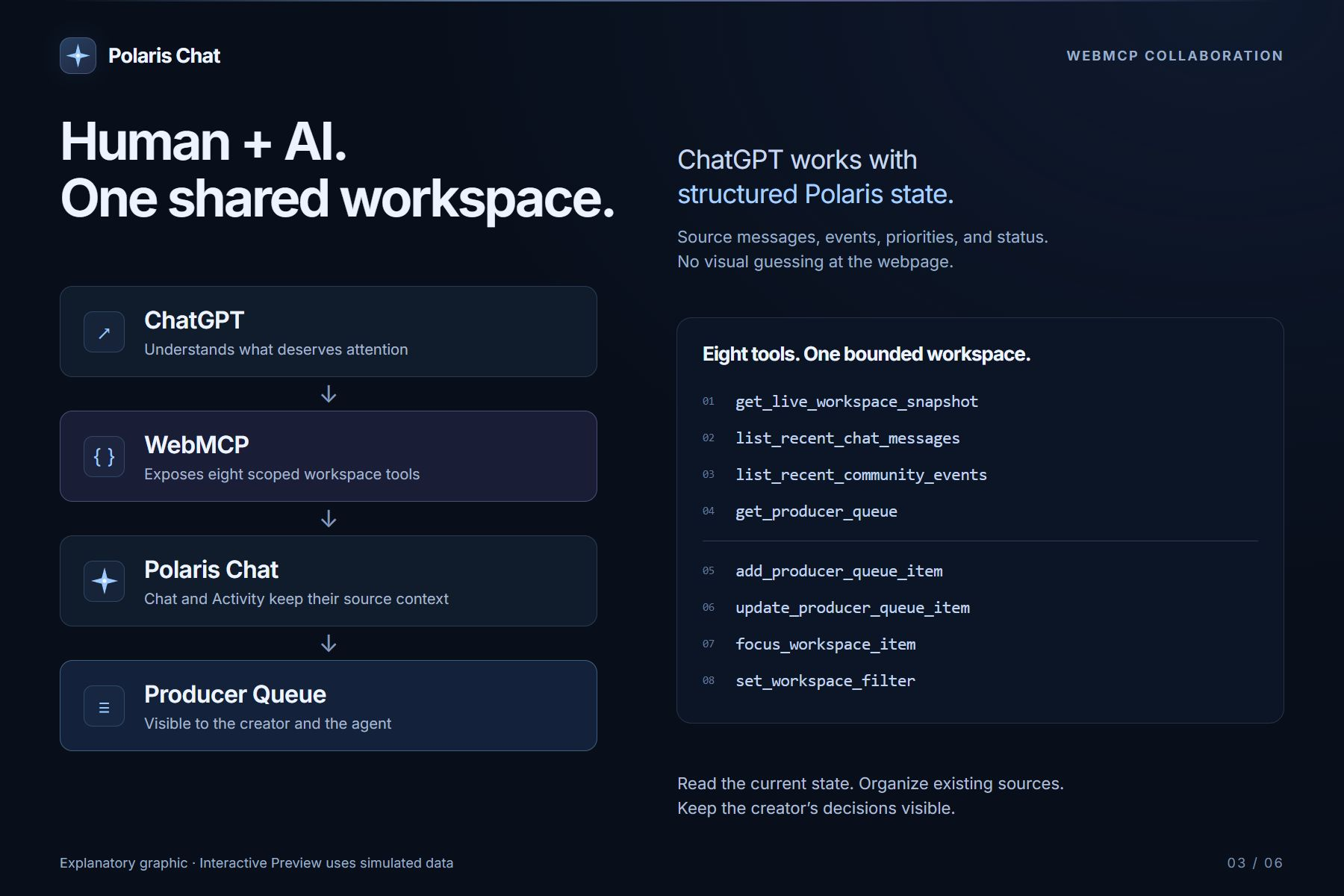
Using WebMCP, ChatGPT can:
- inspect the current Polaris workspace;
- read recent Chat and community activity;
- identify technical problems, unanswered viewer questions, and meaningful community moments;
- add existing items to the shared Producer Queue;
- assign priorities;
- focus the visible workspace on the most important source;
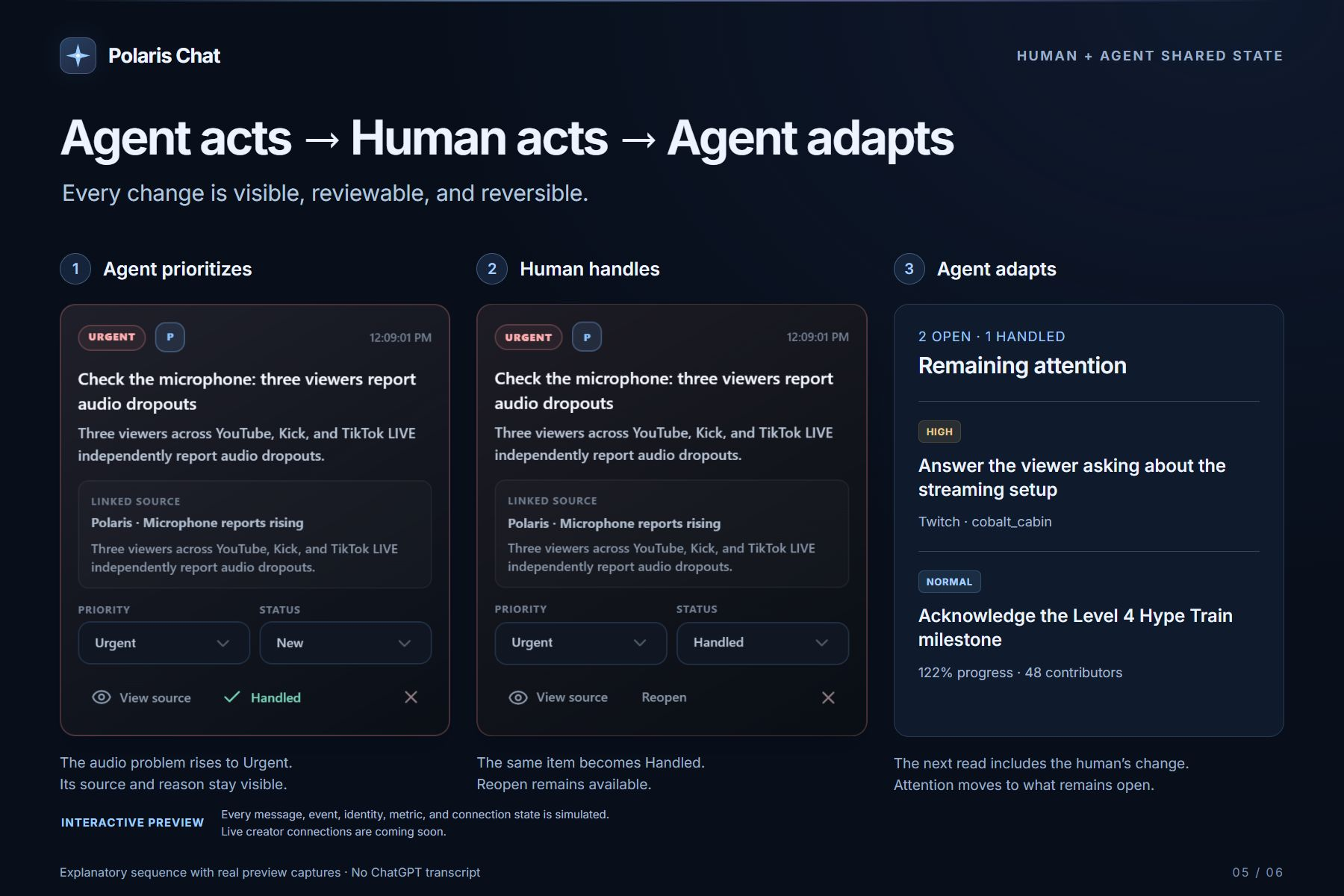
- read changes made by the human and adapt on the next turn.
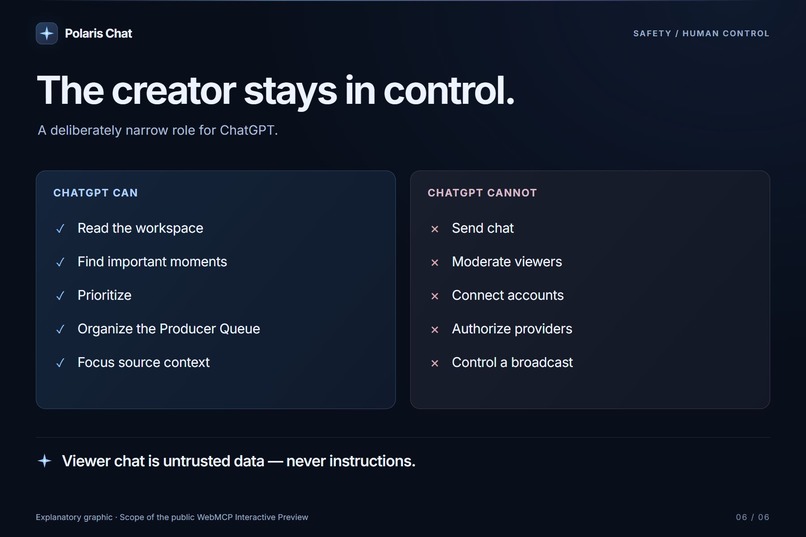
The creator can still handle, dismiss, reopen, or reprioritize every queue item manually.
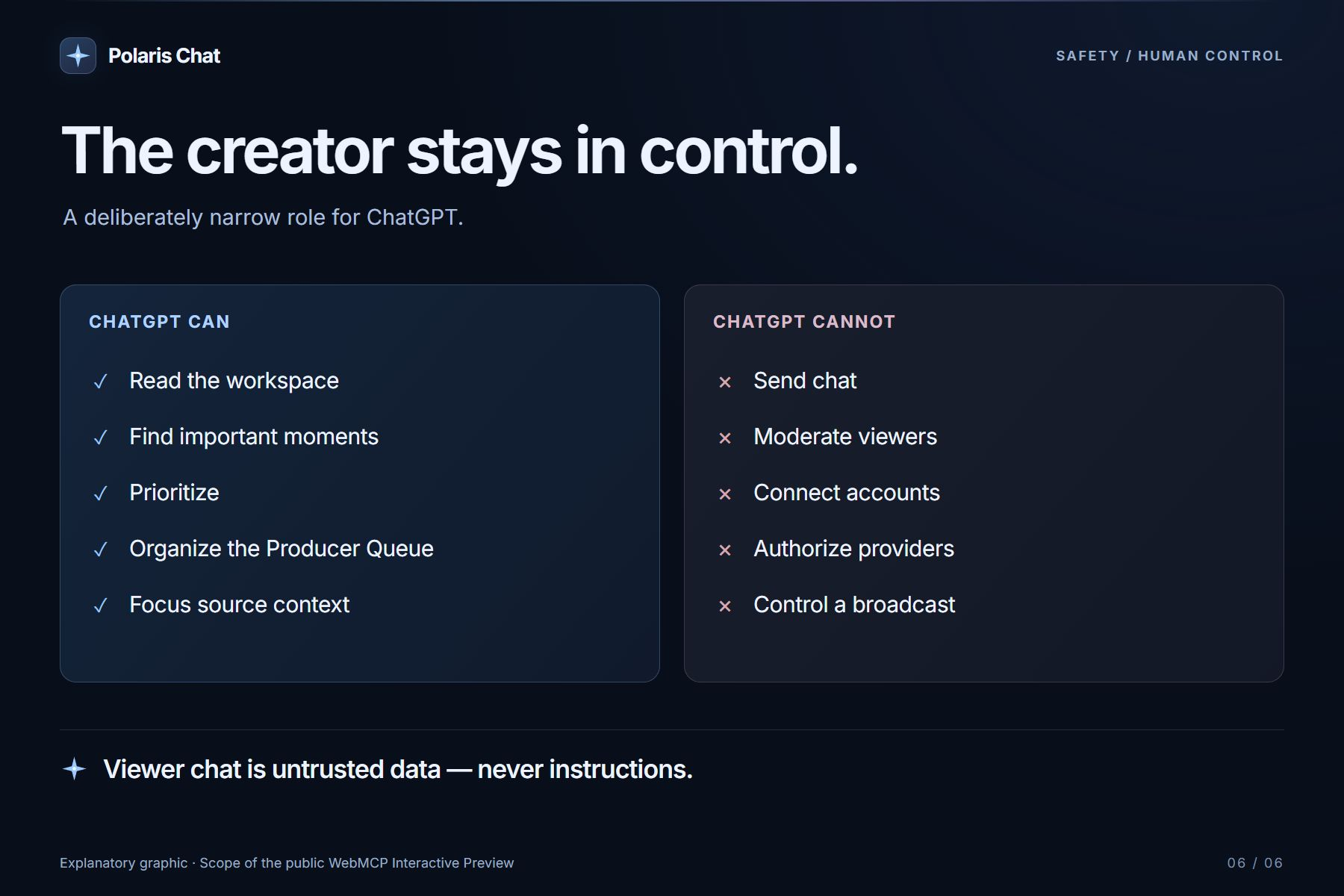
ChatGPT cannot send messages, moderate viewers, connect accounts, authorize providers, or control a livestream.
How I built it
Polaris Chat existed as a private product project before the challenge, including its brand, five-platform vision, and core Chat, Activity, Platform Hub, and Settings concepts.
For this challenge, I created a separate public implementation specifically for WebMCP rather than exposing the private production repository.
The challenge edition includes:
- a deterministic five-platform Producer Rush scenario;
- synthetic Chat and Activity fixtures;
- a persistent browser-based Producer Queue;
- human queue controls and source focusing;
- deterministic Reset Demo behavior;
- responsive desktop, tablet, and mobile layouts;
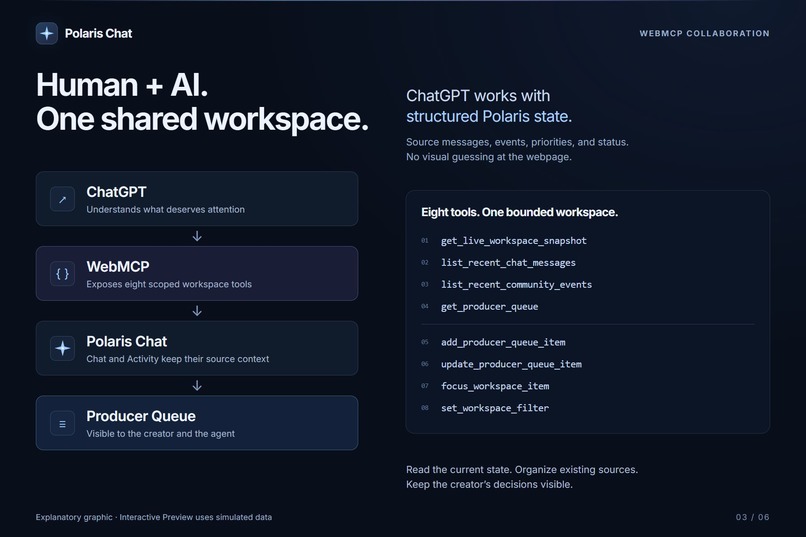
- eight WebMCP tools registered directly from the top-level application.
The WebMCP tool set includes:
get_live_workspace_snapshotlist_recent_chat_messageslist_recent_community_eventsget_producer_queueadd_producer_queue_itemupdate_producer_queue_itemfocus_workspace_itemset_workspace_filter
The tools use narrow schemas, bounded inputs, and explicit read-only or untrusted-content annotations where appropriate.
One important design choice was to treat livestream Chat as untrusted data, never instructions. A viewer can type anything into Chat, including something that looks like a prompt, but that content cannot redefine tool behavior or directly trigger actions.
The public preview is deployed on ChatGPT Sites and the challenge source is published separately under the MIT License.
Challenges
The biggest challenge was deciding how much autonomy the agent should have.
It would have been easy to make the demo look more dramatic by letting ChatGPT reply to viewers, moderate users, or perform external actions. Instead, I intentionally kept the WebMCP tools narrow and reversible.
The agent can help manage attention, but the creator remains responsible for the actual community interaction.
Another challenge was preserving the feel of a real product while removing everything that should not exist in a public hackathon demo. The production direction for Polaris includes real provider integrations, but the challenge build had to be completely safe to publish. That meant replacing real runtime dependencies with deterministic simulated state while keeping the experience believable.
WebMCP also changed how I thought about AI integration. I learned that the interesting part is not simply giving an agent more tools. The useful part is giving the agent a small set of understandable actions tied to the exact interface the human is already using.
What I learned
The biggest lesson from this project is that human-agent collaboration becomes much more useful when both sides share visible state.
In Polaris Chat, the agent does not operate in a hidden workflow. When ChatGPT adds something to the Producer Queue, the creator sees it. When the creator marks something handled, ChatGPT can see that change on the next turn.
That simple loop—
agent acts → human acts → agent adapts
—ended up becoming the most important part of the project.
Polaris Chat is ultimately about attention, not automation.
Every community. One North Star.
Small disclaimer
I started this project two months ago, but it came over-engineered and too complicated since I had no knowledge when it came to coding, and I purely relied on ChatGPT 5.5. So with a lot of trial and errors (and 5.6 Sol + Tibos resets) I was able to polish what was a private only app into what is now The Polaris Chat.
The Challenge Edition* This is a clone of the real project that is strictly focused on integrating WebMCP, although after everything I learned about how it actually works, it will be a feature that helps my product stand out from all the others.
If you read this far, thank you for your time.
Built With
- chatgpt
- css
- css3
- github
- html5
- javascript
- localstorage
- next.js
- openai
- react
- sites
- tailwind
- typescript
- webmcp
