-
-
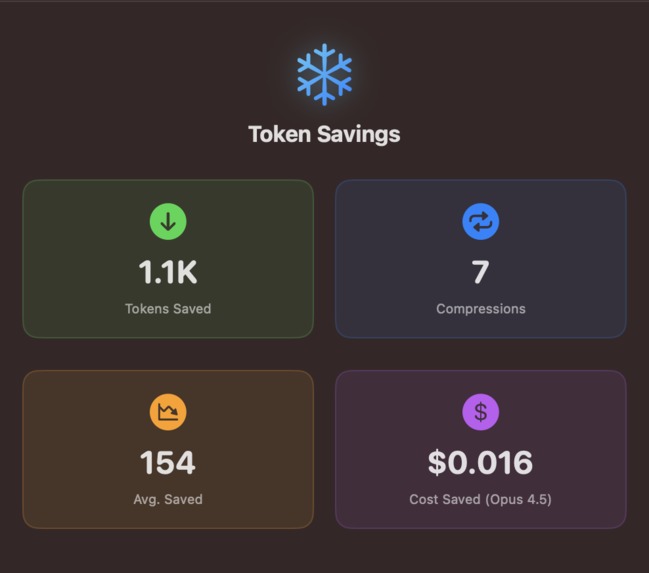
Statistics panel with statistics about token savings
-
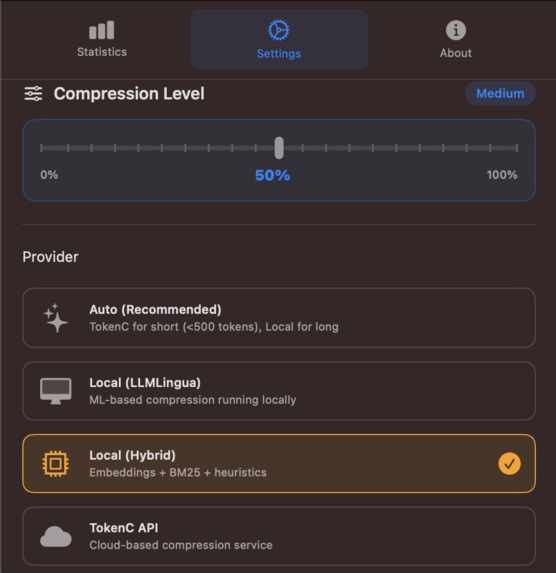
Settings with the possibility to adjust compression level and choose compression method
TL;DR
Polar Bear 1 is a macOS hotkey prompt compressor: you type normally in any LLM UI, press ⌘⌥C, and it returns a shorter prompt with the same intent so you spend fewer tokens and money. Under the hood, it combines LLMLingua-2 with a hybrid safety fallback (protected spans + query-aware relevance pruning) so compression stays reliable. In our initial LongBench v2 run (n=30), we saw ~50–68% input token reduction at moderate/aggressive cutoffs, with accuracy tradeoffs we’re now targeting better guards and larger evals.
Inspiration
Prompt costs and context limits are the silent tax on every LLM product. The bottleneck of any LLM is obvious: it’s how much text we keep shoving into models. We wanted a tool that makes prompts cheaper and more scalable without changing how people naturally write.
What it does
Polar Bear 1 is a macOS prompt compressor that works everywhere you type prompts.
You write normally in any LLM UI (ChatGPT, Claude, Cursor/Claude Code, etc.), press ⌘⌥C, and Polar Bear:
- captures the prompt,
- compresses it while preserving intent + constraints,
- returns a shorter version you can paste/send.
The goal is simple: same meaning, fewer tokens, lower latency + cost — in a “talk-level” workflow that feels like autocorrect.
How we built it
We built a two-track compression engine plus a lightweight macOS integration layer.
1) ML compression (LLMLingua-2)
We integrated Microsoft’s LLMLingua-2 (learned token-level compression) to aggressively remove low-value tokens while keeping semantics. Since LLMLingua-2 models have practical context limits, we added safe chunking so long prompts can still be compressed.
2) Hybrid compressor (reliability + structure)
When ML compression is unavailable or risky, we fall back to a hybrid pipeline designed for correctness:
- safe minification (whitespace + filler trimming),
- redundancy removal,
- query-aware relevance pruning,
- protected spans for code blocks, IDs, URLs, dates, and answer-format instructions.
This hybrid layer is intentionally conservative and fails open (it can fall back to the original prompt if validation fails).
3) “Talk-level” UX
Instead of building a new chat UI, we focused on the workflow people already use:
- one hotkey,
- clipboard-based capture/output,
- provider-agnostic: works with any LLM interface.
Challenges we ran into
- ML context limits: LLMLingua-2 can struggle with long inputs unless chunked carefully. We implemented semantic chunking to keep compression stable.
* Short prompts are dense: aggressive compression can hurt meaning on short prompts. We had to tune the system to compress meaningfully across all lengths, not just huge contexts.
Accomplishments we’re proud of
- Built a local prompt compression workflow that plugs into any LLM with one shortcut.
- Integrated LLMLingua-2 + a hybrid reliability compressor into a single pipeline.
- Achieved major token savings quickly and built an evaluation loop to iterate.
What we learned
- Prompt compression is a routing problem, not a single algorithm.
- Pure ML compression is powerful, but hybrid safeguards (structure + protected spans + relevance) are crucial to avoid dropping key constraints.
- The best product experience is invisible: compression should feel like spellcheck.
Benchmark results (LongBench v2 sample)
We ran a small LongBench v2 evaluation (n=30) to measure token reduction vs. answer accuracy.
- Cutoff=0.3: ~50% input token reduction
- Cutoff=0.7: ~68% input token reduction
- Accuracy dropped vs baseline in this small run (n=30), which is exactly why the next step is improving meaning-preservation guards and scaling up N for more confidence.
(We treat this run as directional: it proves strong compression, and it gives us a target for reliability improvements.)
What's next for Polar Bear 1
- Scale evaluation (higher N, more tasks, tighter validation metrics).
- Improve “meaning-preserving” compression, especially for short and instruction-dense prompts.
- Add smarter routing: automatically choose the best compression mode based on prompt type/length and risk signals.
- Keep the UX dead simple: one shortcut, always safe, always helpful.
Built With
- ai
- ml


Log in or sign up for Devpost to join the conversation.