-
-
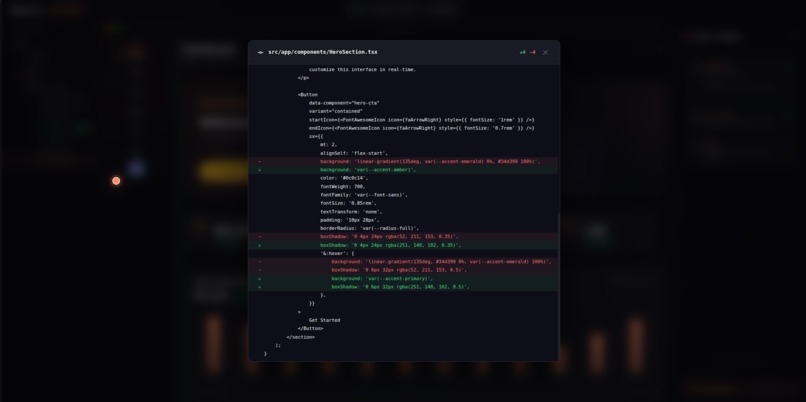
Code diff viewer
-
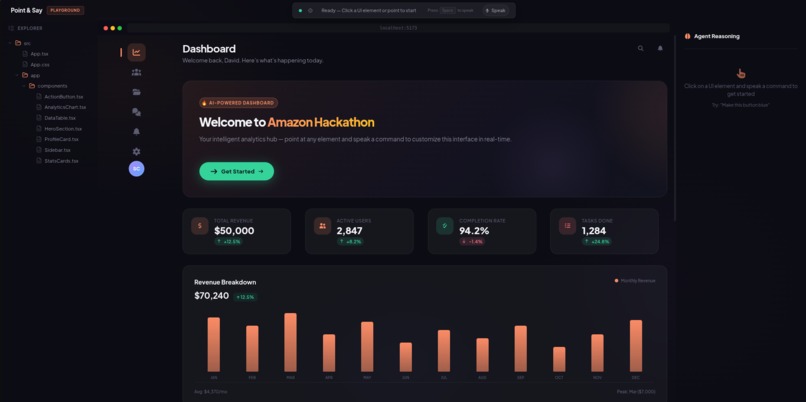
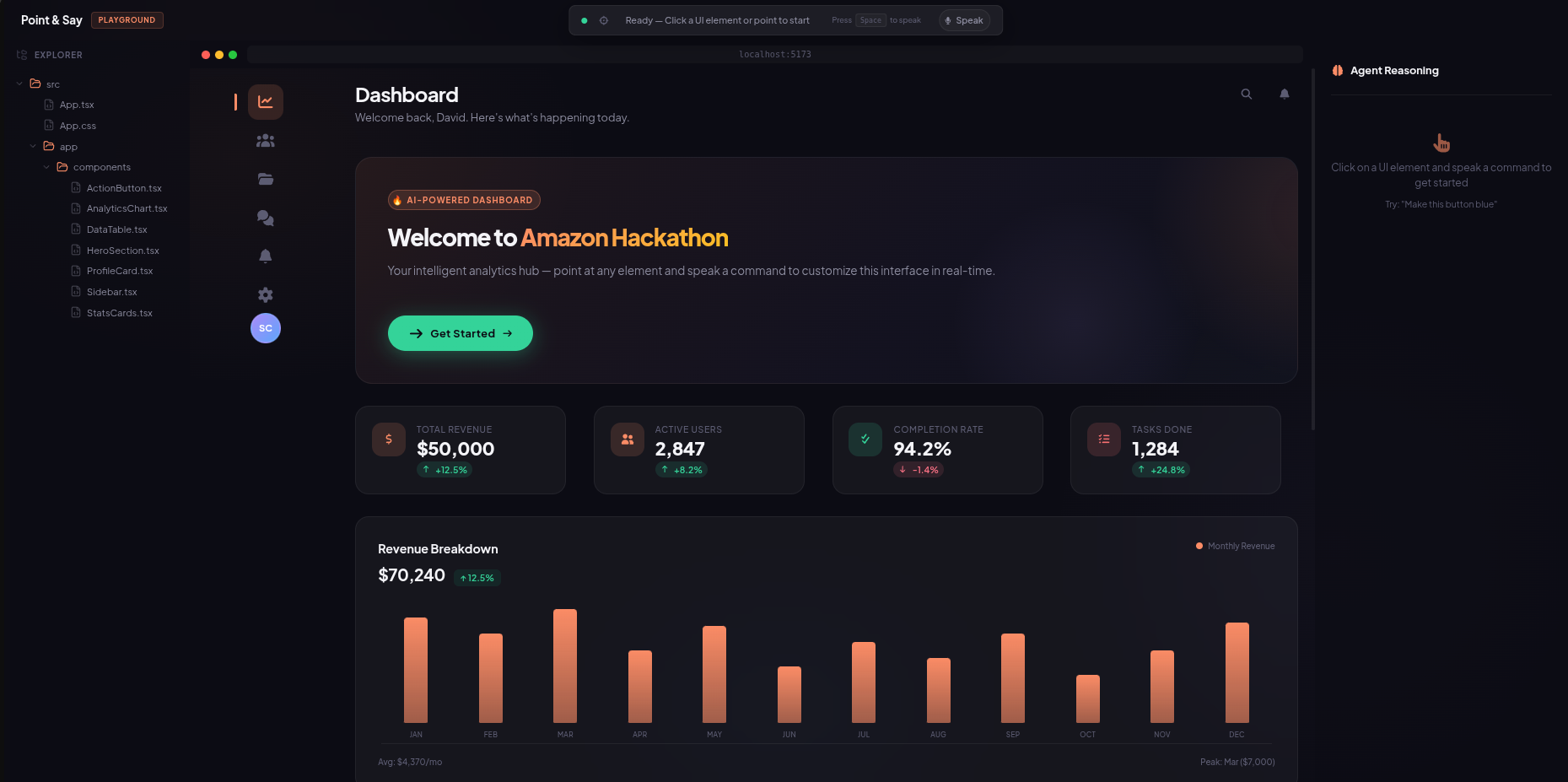
Home Screen
-
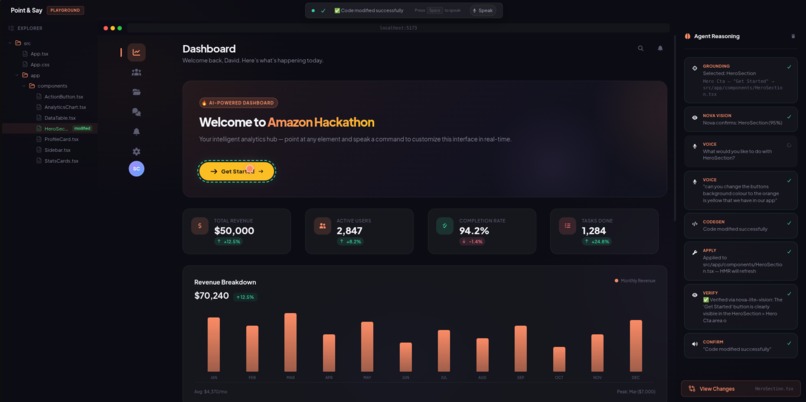
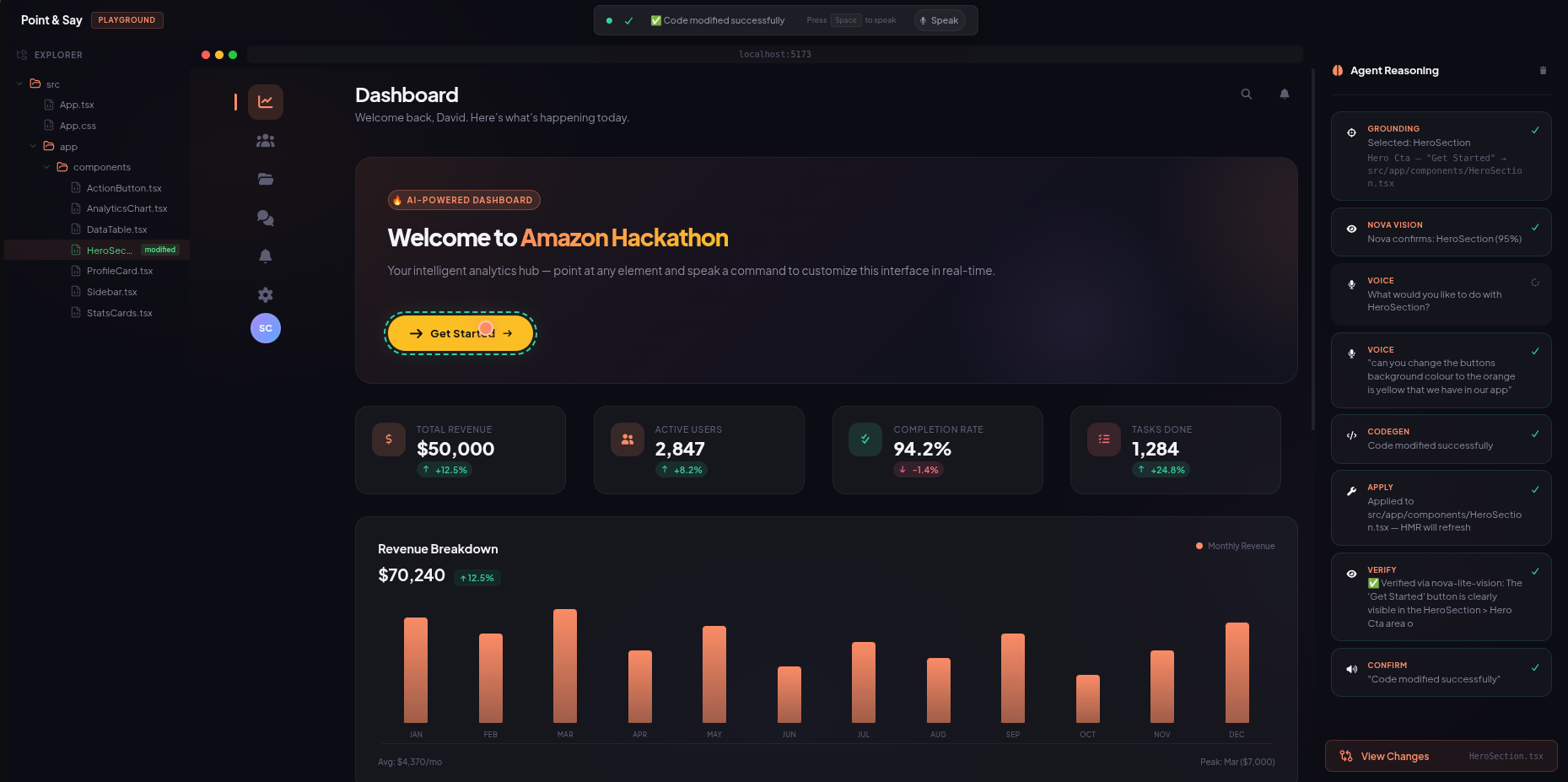
After change
Devpost Submission — Point & Say
Inspiration
Every frontend developer knows the pain: you see a button that needs to be yellow instead of green, and it turns into a 5-minute task — find the file, locate the component, edit the JSX, save, verify. For a 2-second visual tweak, that workflow feels absurdly slow.
I wanted to build something that felt like magic — point at an element on a live web app, speak what you want changed, and watch it happen instantly. No code editor. No terminal. Just your voice and a pointer.
When I saw the Amazon Nova AI Hackathon, I knew Nova's multimodal capabilities — vision, language, and speech — could make this real. The idea of combining Nova Premier for code reasoning, Nova 2 Lite for visual understanding, and Nova Sonic for voice interaction into a single seamless pipeline was too compelling to pass up.
What it does
Point & Say is an AI-powered UI automation tool that lets you modify live web interfaces using voice commands.
The workflow is dead simple:
- Point at any UI element in a live React app
- Say what you want changed — "make this button yellow", "change the title to Welcome", "remove the second arrow"
- Watch the AI identify the component, generate the code change, apply it via hot reload, verify it visually, and confirm with a spoken response
The entire pipeline — from voice command to live change — takes about 12–15 seconds. Every step is transparent: the AI reasoning panel shows exactly what's happening at each stage. And every change is reversible with a single undo.
How I built it
The system is built as a 3-layer architecture:
Frontend (React + Vite + TypeScript)
- A playground UI with file explorer, live preview, and AI reasoning panel
- Web Speech API for voice capture
- Component picker overlay for DOM element selection
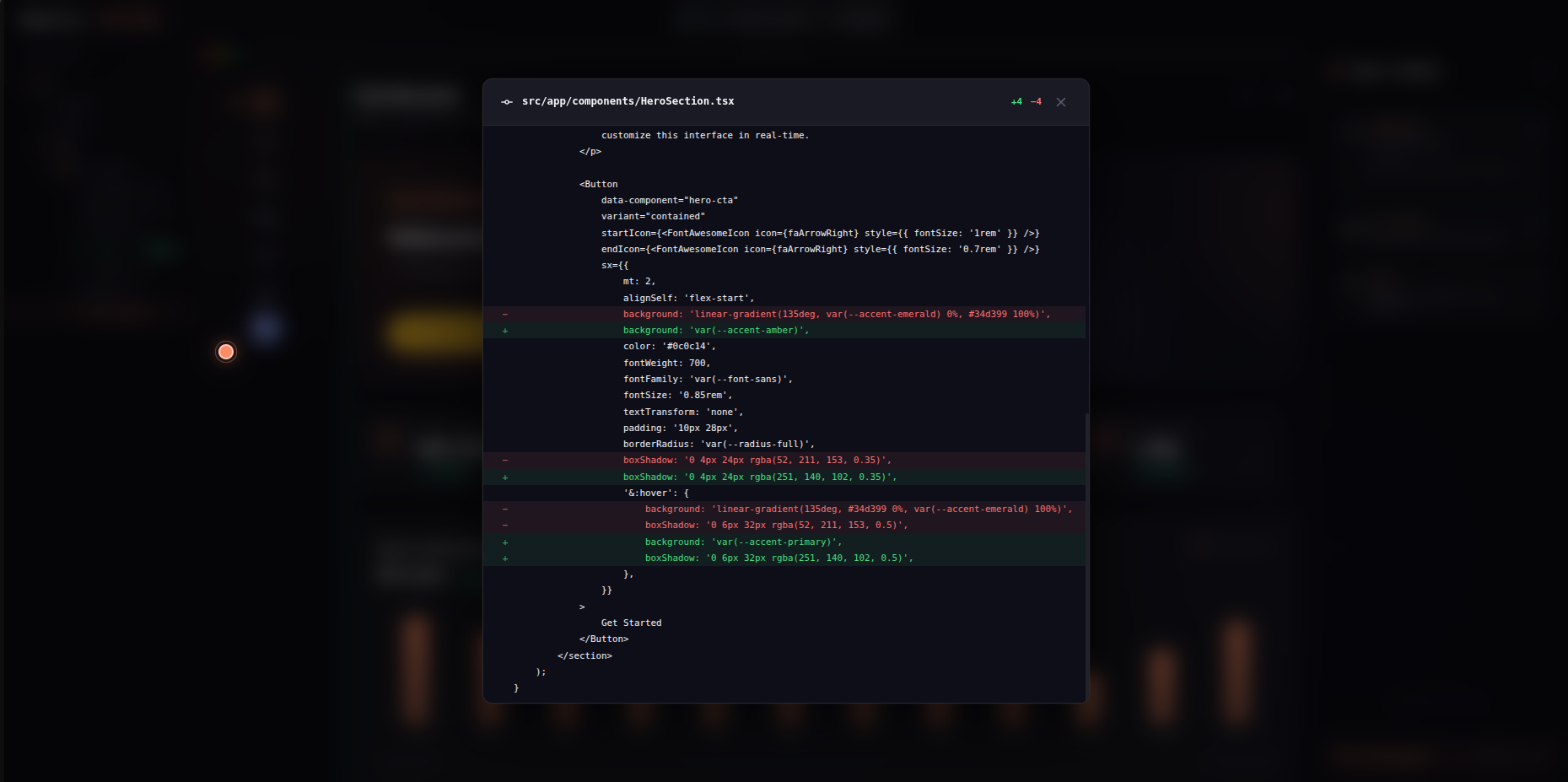
- Diff modal for viewing code changes
- Real-time status updates via the pipeline status bar
Backend (Python + FastAPI)
- Grounding Service — Uses Nova 2 Lite to analyze screenshots and identify which React component the user is pointing at
- Code Generation Service — Sends the full source file + user command to Nova Premier, which generates a modified version of the code with a JSON response containing the explanation and modified code
- Verification Service — After HMR applies the change, captures a new screenshot and uses Nova 2 Lite Vision to verify the change was applied correctly
- Undo System — Tracks a history stack of up to 20 changes, allowing instant rollback
Voice Layer (Node.js + Nova 2 Sonic)
- A dedicated microservice handles bidirectional streaming with Nova 2 Sonic for natural-sounding TTS confirmations
- Amazon Polly serves as a reliable fallback when Sonic is unavailable
The Pipeline Flow
Point → Screenshot → Nova 2 Lite (ground) → Nova Premier (codegen) → File Write → Vite HMR → Nova 2 Lite (verify) → Nova Sonic (confirm)
Challenges I ran into
1. Nova Premier's JSON responses aren't always clean
The model sometimes appends explanations after the JSON closing brace, or includes escape sequences that break json.loads(). I built a 3-stage parser: direct parse → escape-fix → brace-matching extraction. This eliminated 100% of parsing failures.
2. Bidirectional streaming with Nova Sonic
Sonic requires a continuous silent audio stream to keep the connection alive, even for text-only TTS. Getting the event sequence right — session start, system prompt, audio stream, user text with interactive: true, cleanup — took significant debugging. The AWS Python SDK doesn't support bidirectional streaming for Sonic, so I built the TTS layer in Node.js using the AWS JS SDK.
3. HMR timing for verification After writing modified code to disk, Vite's HMR needs ~500ms to apply the change. If the verification screenshot is captured too early, it shows the old UI and fails. I added a configurable delay (default 2s) between applying code and capturing the verification screenshot.
4. Component grounding accuracy Getting the AI to correctly identify which React component corresponds to a clicked pixel position was tricky. I combined DOM analysis with visual grounding — the screenshot includes a pointer indicator, and the backend cross-references this with the project's component tree.
Accomplishments that I'm proud of
- End-to-end pipeline in ~12 seconds — from voice command to verified, live UI change
- Zero parsing failures after implementing the robust JSON parser
- Real code changes — not mocks. The AI modifies actual .tsx files on disk, and Vite hot-reloads them
- Full transparency — every AI decision is visible in the reasoning panel
- Natural voice confirmation — Nova Sonic speaks back naturally, confirming what changed
- Undo support — every change is reversible, up to 20 steps back
What I learned
- Nova Premier excels at code generation — when given the full source file as context, it preserves imports, respects component boundaries, and generates drop-in replacements
- Bidirectional streaming is powerful but complex — Nova Sonic's event-based protocol requires careful orchestration of concurrent audio and text streams
- LLMs need guardrails for structured output — never trust raw JSON from any model. Always build fallback parsers
- Multimodal AI pipelines are the future — combining vision (grounding + verification), language (code generation), and speech (voice I/O) into a single workflow creates experiences that feel genuinely magical
What's next for Point & Say
- MediaPipe Hands integration — actual finger tracking via webcam, replacing mouse clicks
- Multi-file edits — generate changes across related components in a single command
- External project bridging — inject a bridge script into any Vite/React project to make it Point & Say compatible (already scaffolded)
- Conversation memory — let the AI remember previous changes for contextual follow-up commands ("now make it bigger")
Built With
- amazon-bedrock
- amazon-nova-2-lite
- amazon-nova-2-sonic
- amazon-nova-premier
- amazon-polly
- aws-ec2
- cloudflare
- fastapi
- nginx
- node.js
- pm2
- python
- react
- typescript
- vite


Log in or sign up for Devpost to join the conversation.