PocketTune
Finds the fastest way to run an AI model on your phone by actually testing it on your phone, then hands you an offline chat app running it. Up to 5.27× faster, measured on four real phones.
Project overview
Track: Mobile AI (Track 3). What we built: an Android app that runs an LLM fully offline, benchmarks a sweep of inference configurations on your actual phone, and applies the fastest one. Alongside it, a reproducible adb-driven harness that backs every number we publish with raw JSON. All inference is local, on Arm CPUs. Tested on four physical phones: up to 5.27× faster prompt processing, plus tokens-per-joule energy data for every configuration.
Every Android phone runs a different chip, but almost every app that ships an on-device AI model ships the same generic build to all of them, compiled months before it ever met your hardware. So it skips the shortcuts your particular chip offers and leaves most of the phone's speed sitting on the table before it even starts.
The obvious fix is "optimize for the phone with the best chip." That turns out to be wrong. We benchmarked four real phones, and the one with the least impressive spec sheet was the fastest of the three that had anything to unlock at all. A fourth, older phone gave us the other end of the range: nothing in its silicon to unlock, so nothing to gain, exactly 1.00×. No datasheet predicts either result. The only thing that does is running the test on the actual phone.
That's the whole idea behind PocketTune. The fastest setup for a phone can only be found by running it on that phone, so that's what the app does. And instead of just claiming a speedup, it ships the measurement loop that finds it, publishes every raw number behind it, and — when we found a methodology bug in our own harness — corrected it in public instead of quietly dropping the result.
Functionality / output
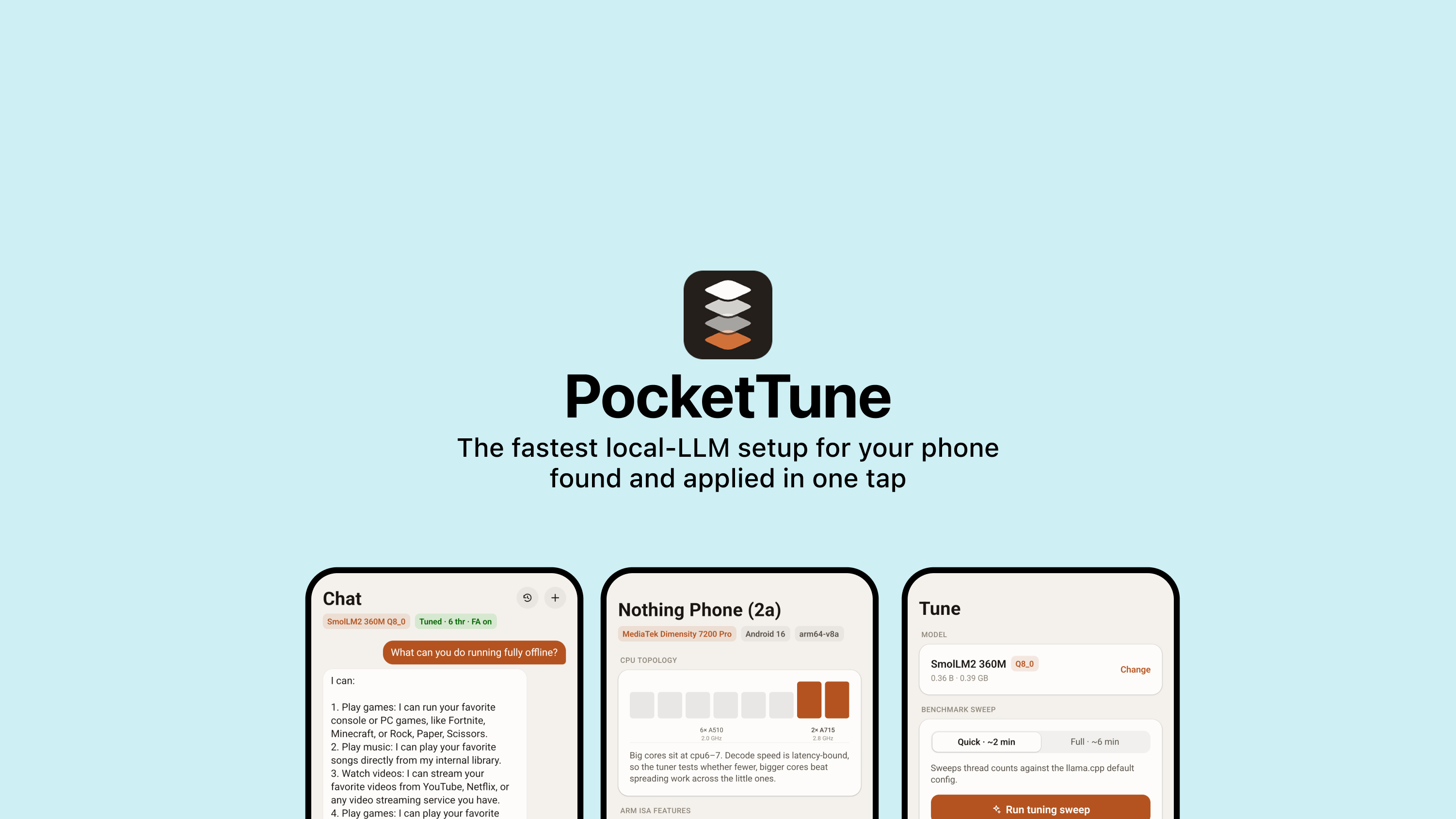
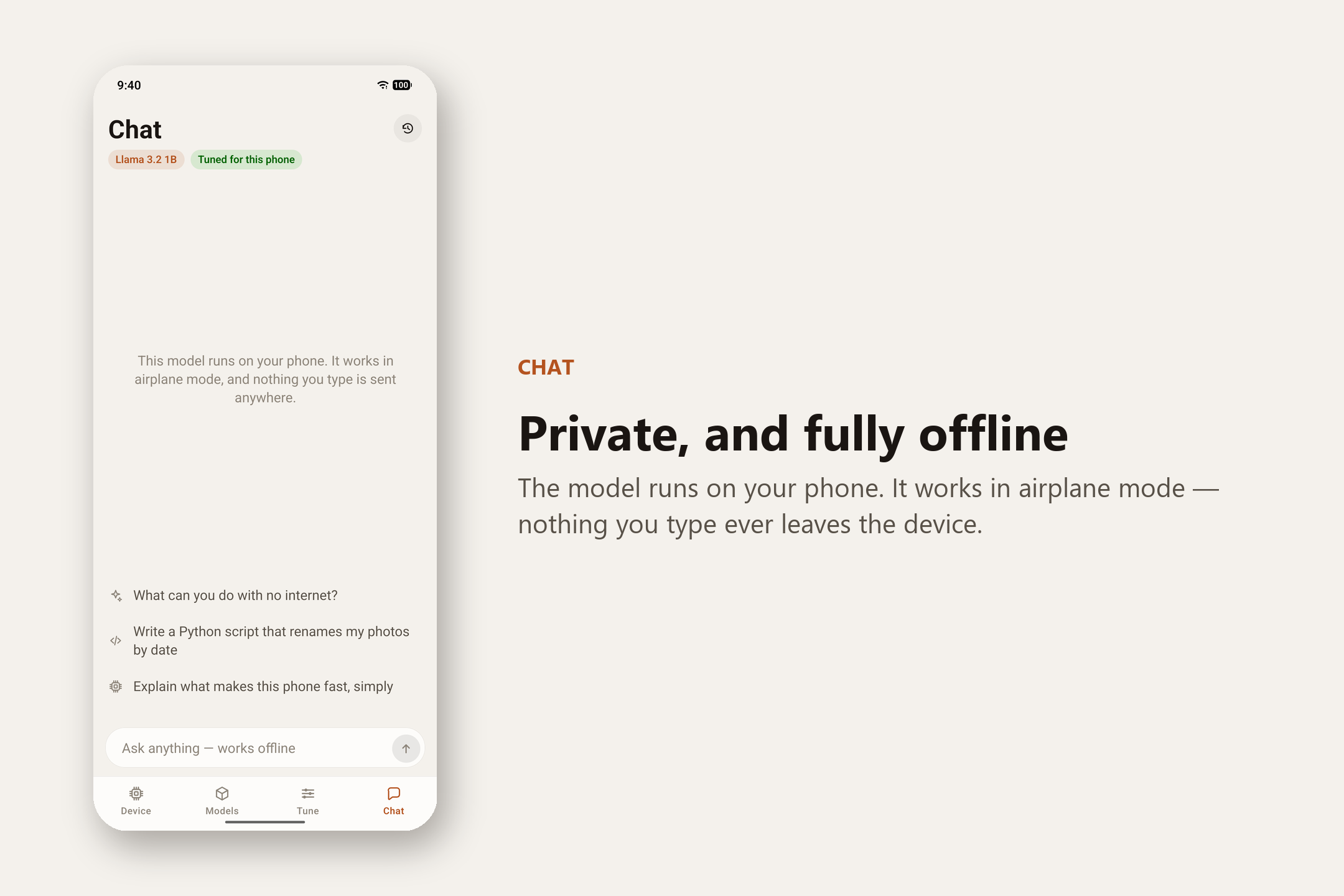
PocketTune runs an AI chat model entirely on your phone. No internet, no server, nothing you type ever leaves the device. Before you chat, it tunes itself to your hardware in four steps:
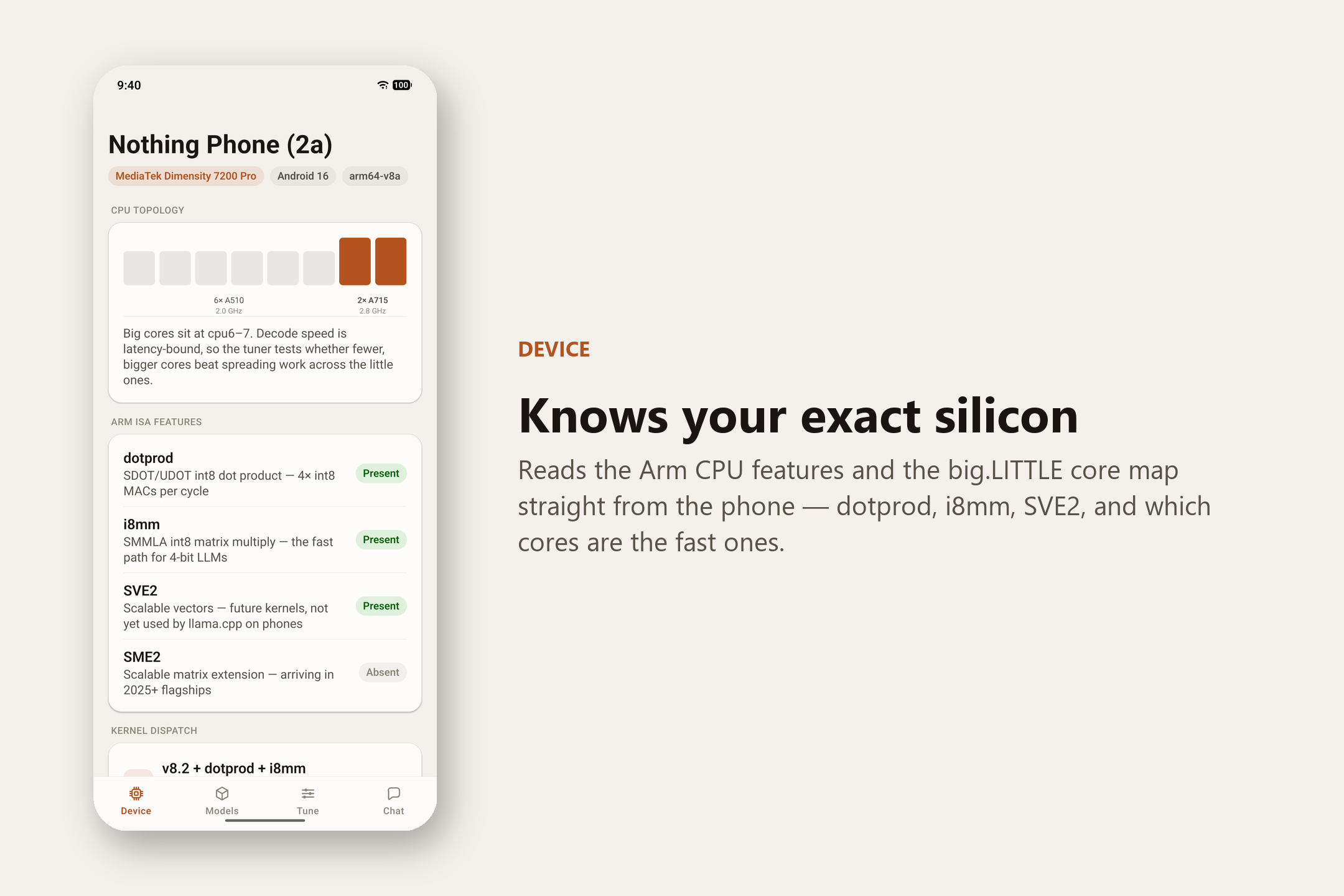
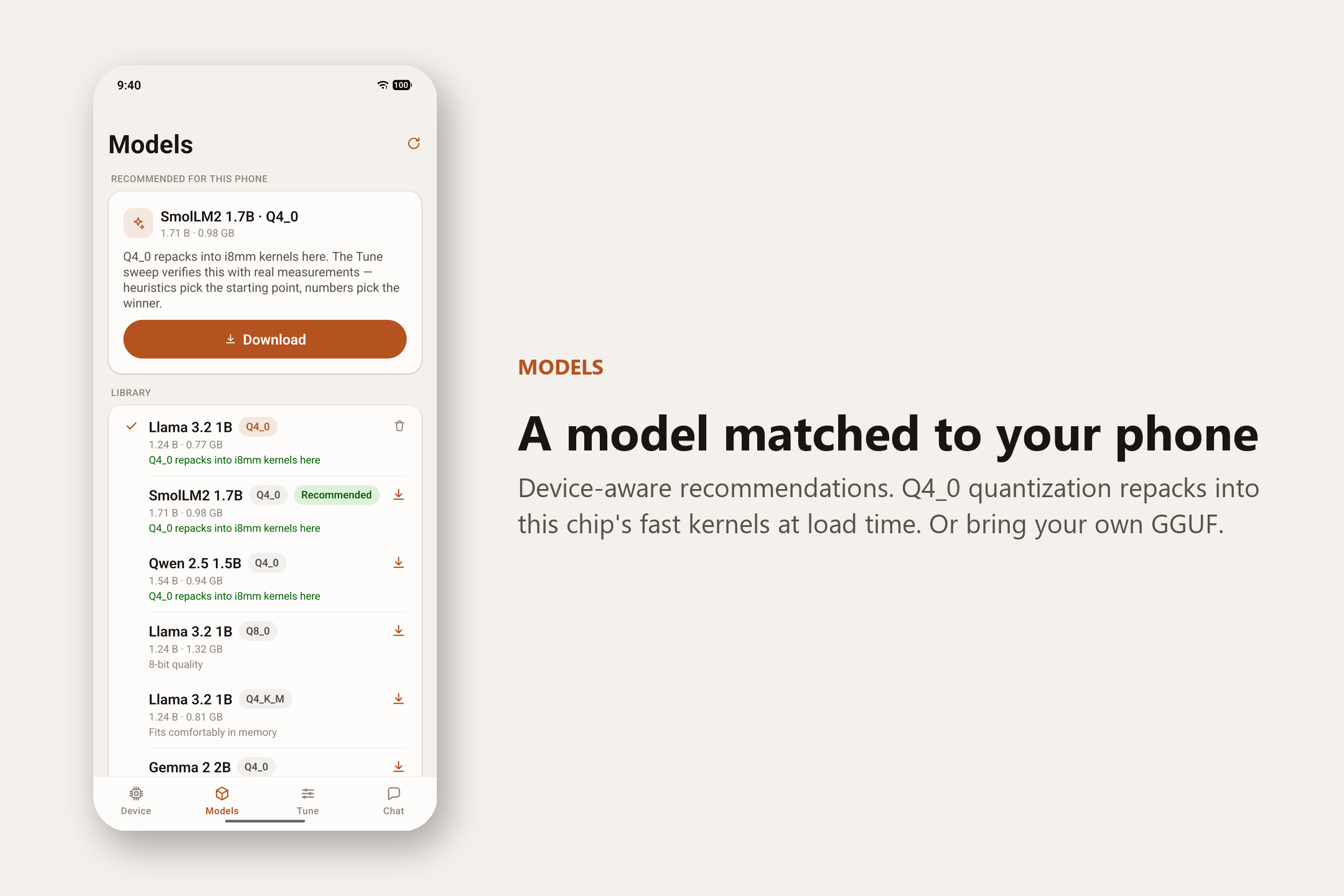
- Detect — reads what your chip can do: its instruction features, its mix of fast and slow cores, clock speeds, and memory.
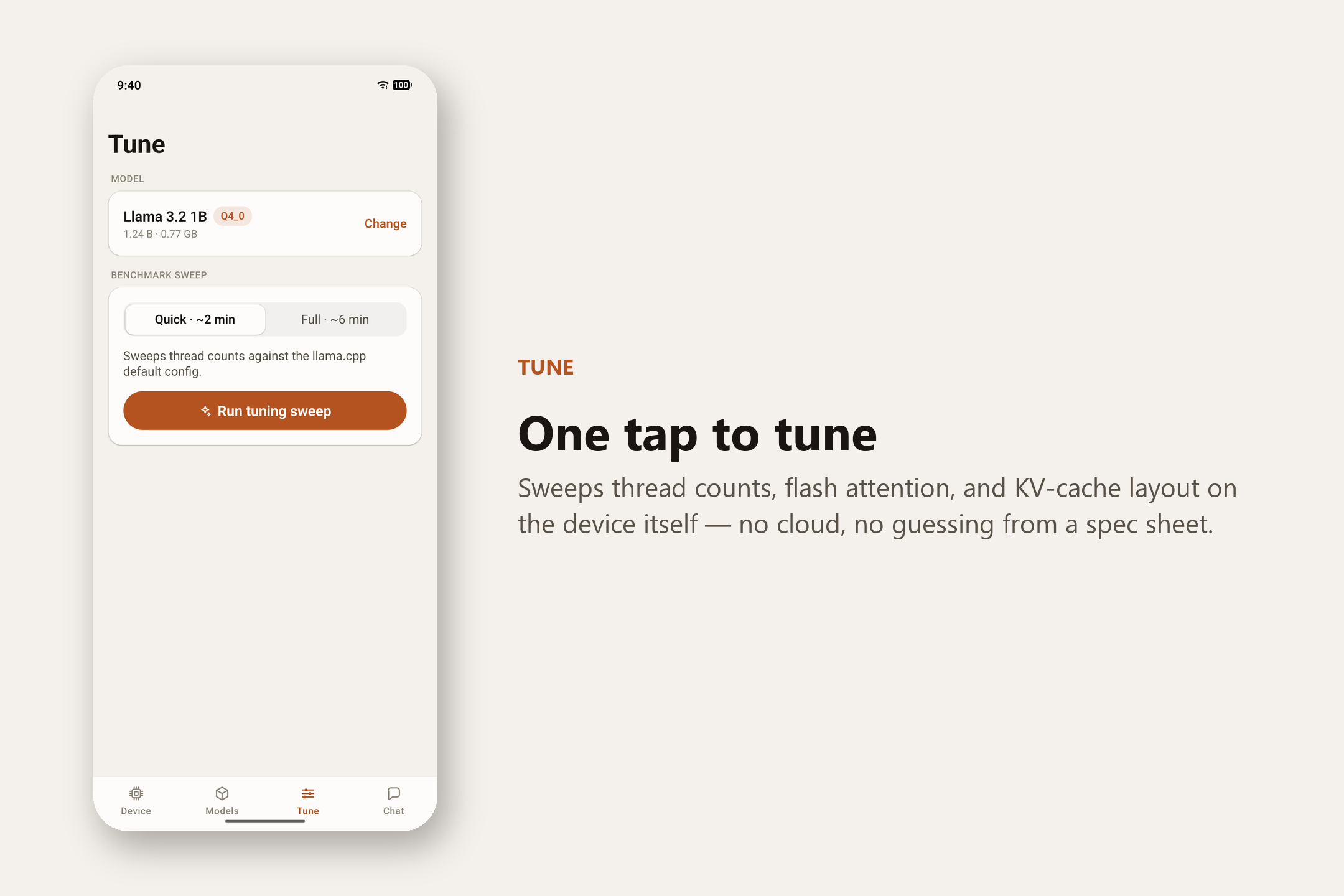
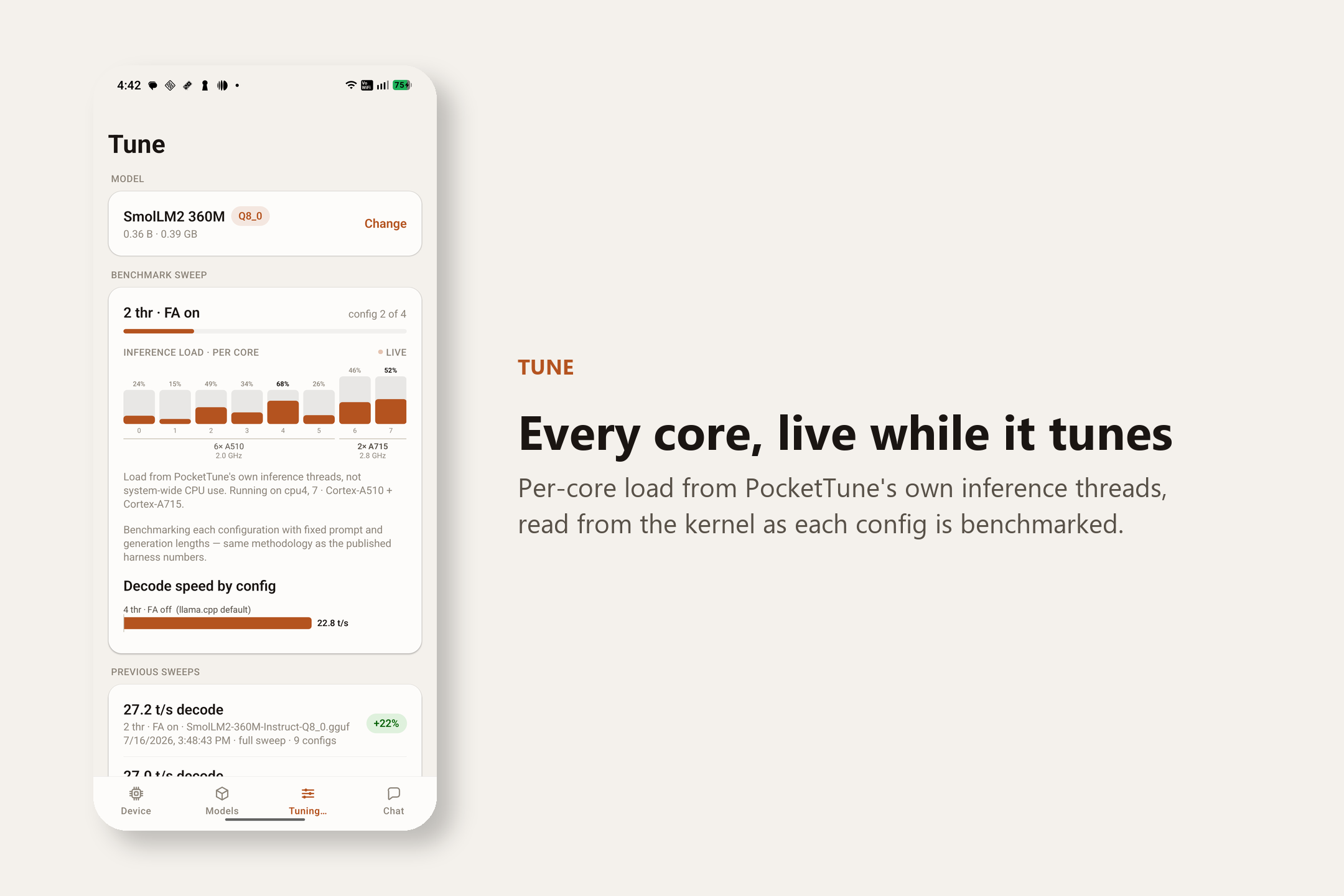
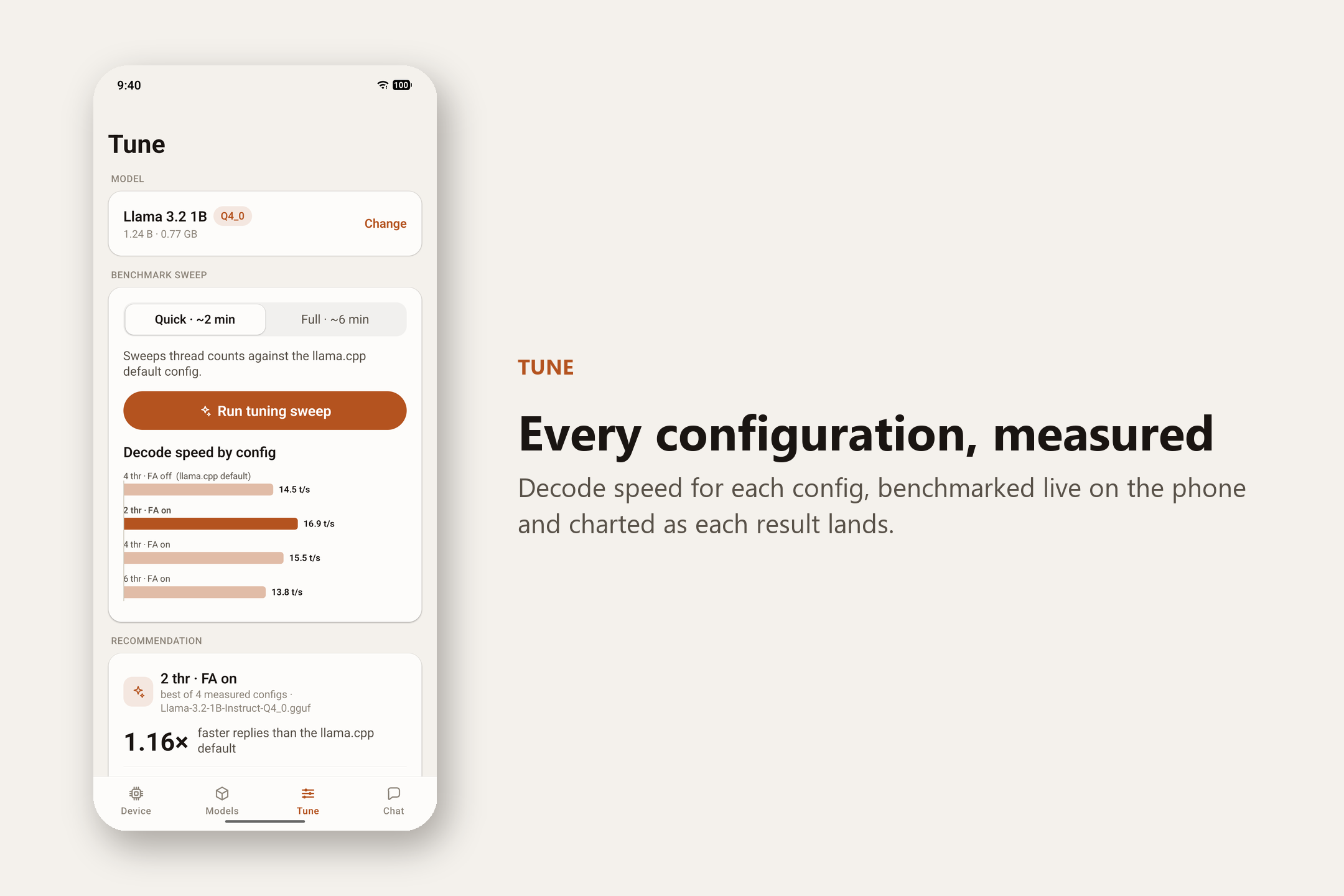
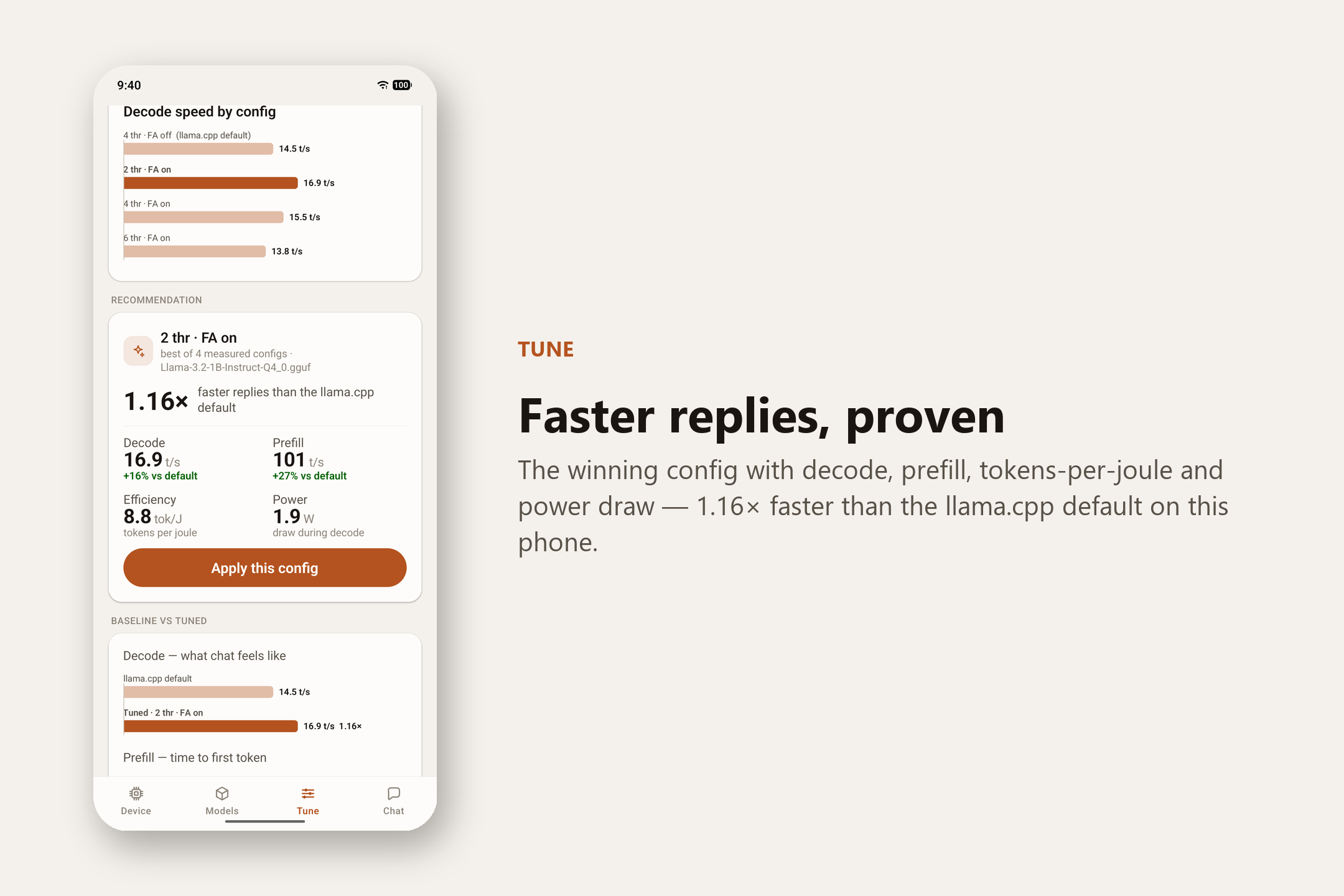
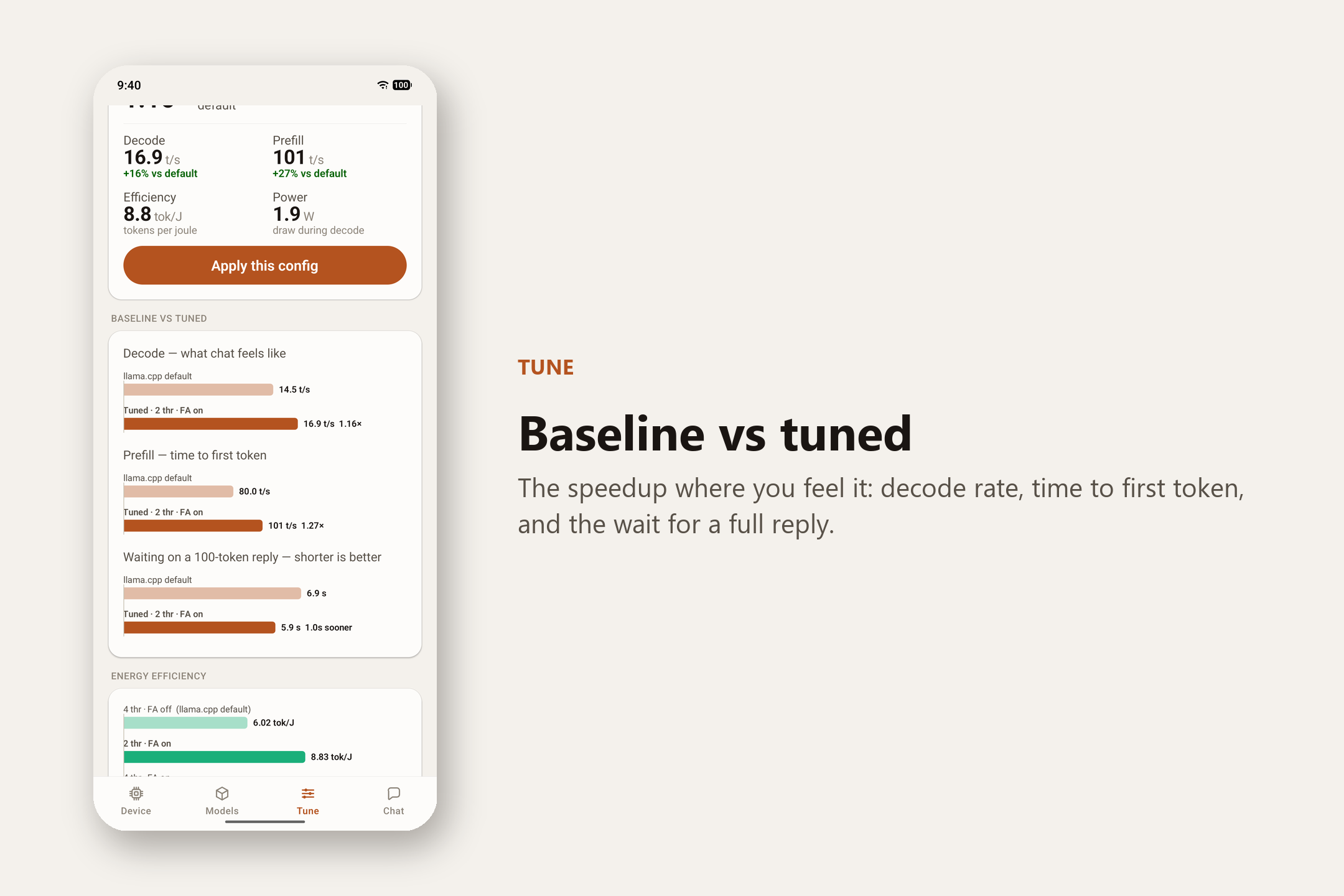
- Tune — runs a quick benchmark on your phone, trying different settings (how many cores to use, memory-saving options, and so on) and measuring each one for both speed and battery efficiency.
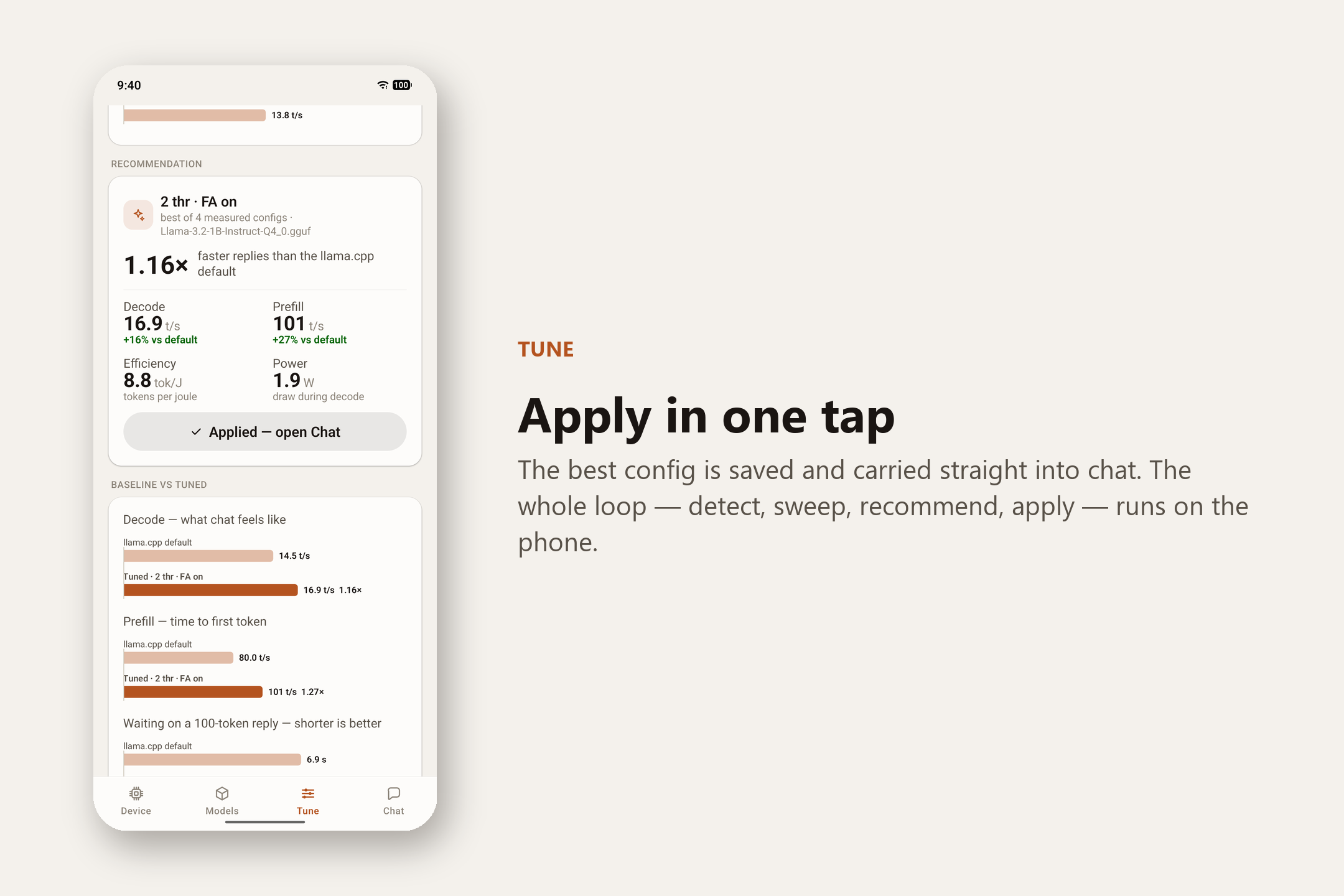
- Recommend — picks the fastest setting and shows the proof: the speed gain, and how many words you get per unit of battery.
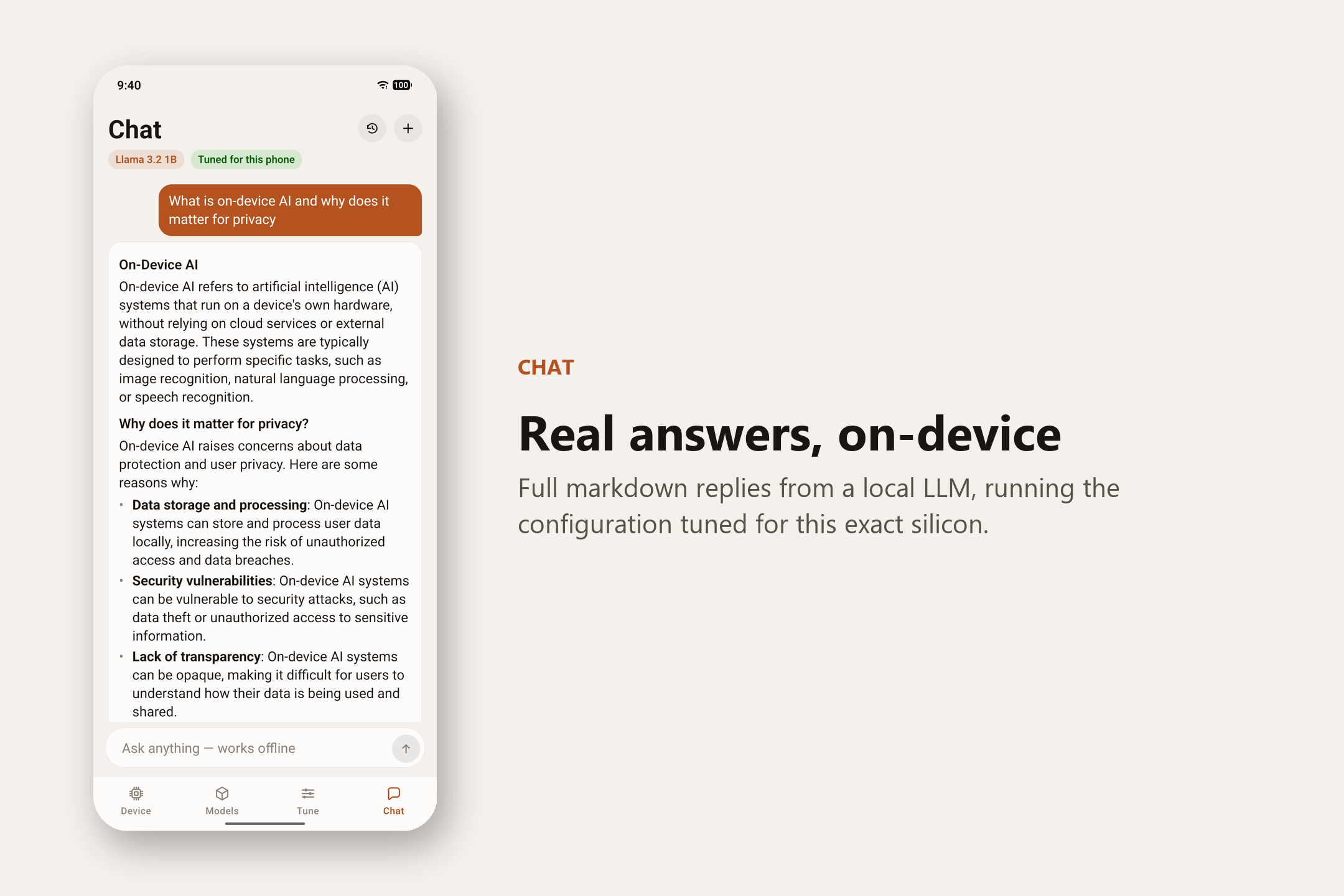
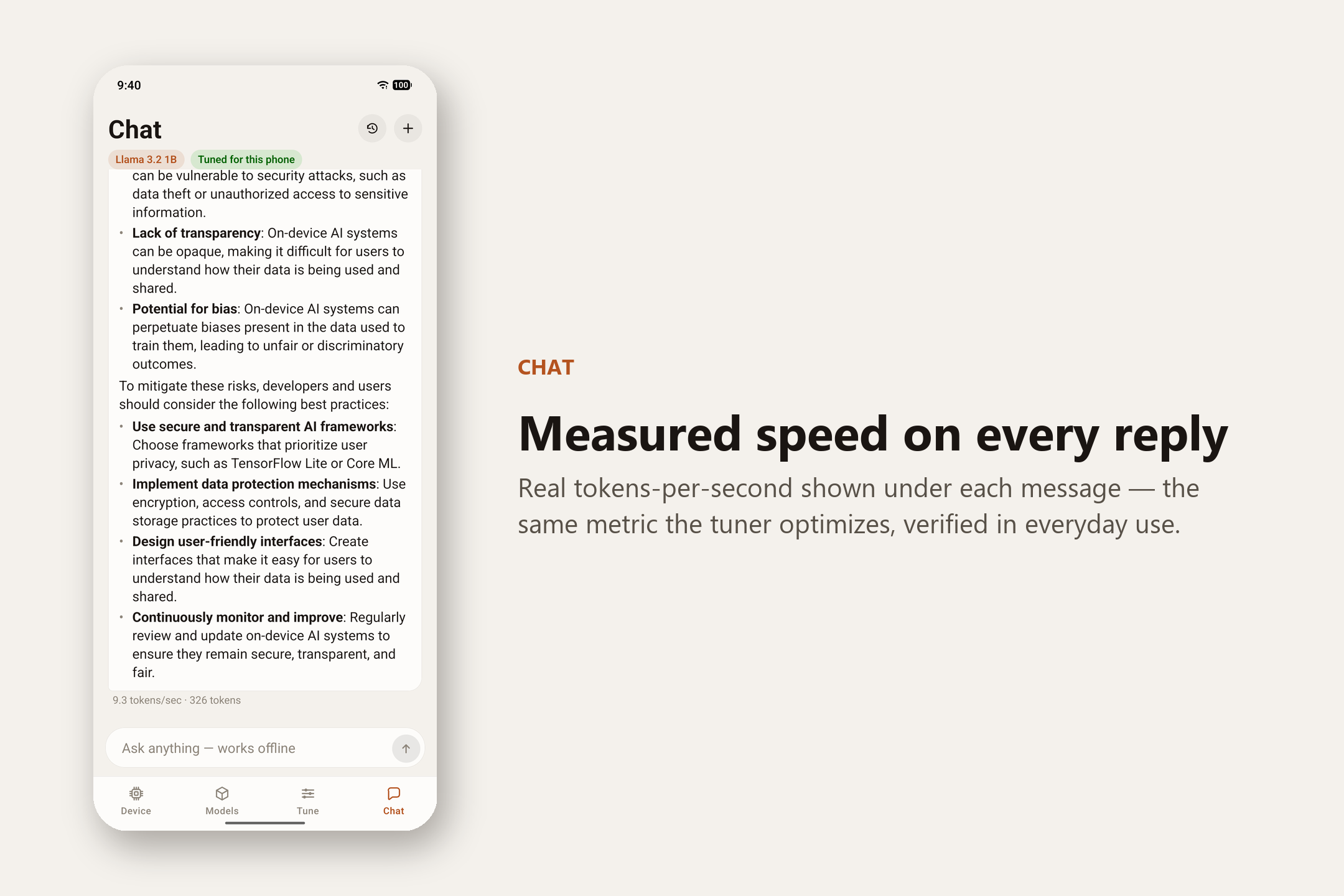
- Chat — gives you a private, offline assistant running that winning setting, with the real speed printed on every reply.
The whole loop runs on the phone. Airplane mode is the demo.
The output is two things. One is a working, installable Android app that hands anyone a tuned, fully offline chat assistant. The other is a benchmark harness whose raw JSON backs every number in this project, so a judge — or any developer — can rerun the same measurement on their own phone instead of taking our word for it.
The result, and the surprise
Tuning made prompt processing 3.88× to 5.27× faster across the three phones with dotprod-class silicon, and exposed a clean 1.00× floor on a fourth, older phone that predates it entirely:
| Phone | Chip | Speedup | Best # of threads |
|---|---|---|---|
| Google Pixel 7a | Google Tensor G2 | 5.27× | 4 |
| Nothing Phone 2a | Dimensity 7200 Pro | 4.94× | 2 |
| Samsung Galaxy A34 5G | Dimensity 1080 | 3.88× † | 2 |
| Realme 5 Pro | Snapdragon 710 | 1.00× | 6 |
† We measured the A34's figure before we caught the build bug described further down, and its re-run on a verified-clean build is still pending. We'd rather flag it than present it at the same confidence as the other three.
Here's the surprise. The Pixel 7a won, even though it lacks the special "fast math" instructions that everyone credits for on-device AI speed, and the Nothing Phone 2a has them. If we'd trusted the spec sheets, we'd have ranked these two phones exactly backwards. The ideal thread count came out different on every phone too — 2, 2, 4, and 6 — and on one of them it even flips depending on which build is running.
Which is the point. You can't read your phone's fastest setup off its spec sheet, so rather than ship a fixed guess, the app measures it, on your phone, every time. Every number we publish traces back to a raw data file in the repo, including the build-system bug we found in our own harness and the corrected re-run once we'd fixed it.
What we optimized (and what we didn't)
It's all inference on Arm CPUs. We did not train, fine-tune, or write kernels.
| Dimension | What we did | Evidence |
|---|---|---|
| Time to first token / latency | Prefill is TTFT: up to 5.27× faster (27.2 → 143.5 tok/s) | results/*.json |
| Throughput / inference performance | Decode up to 2.11× faster (12.7 → 26.8 tok/s) | same |
| Arm-specific improvements | -march=…+dotprod(+i8mm) codegen and llama.cpp's Q4_0 weight repack, isolated lever by lever across build variants; KleidiAI microkernels evaluated and reported honestly (flat on one chip, −3.6% on another) |
docs/building-llama-cpp.md |
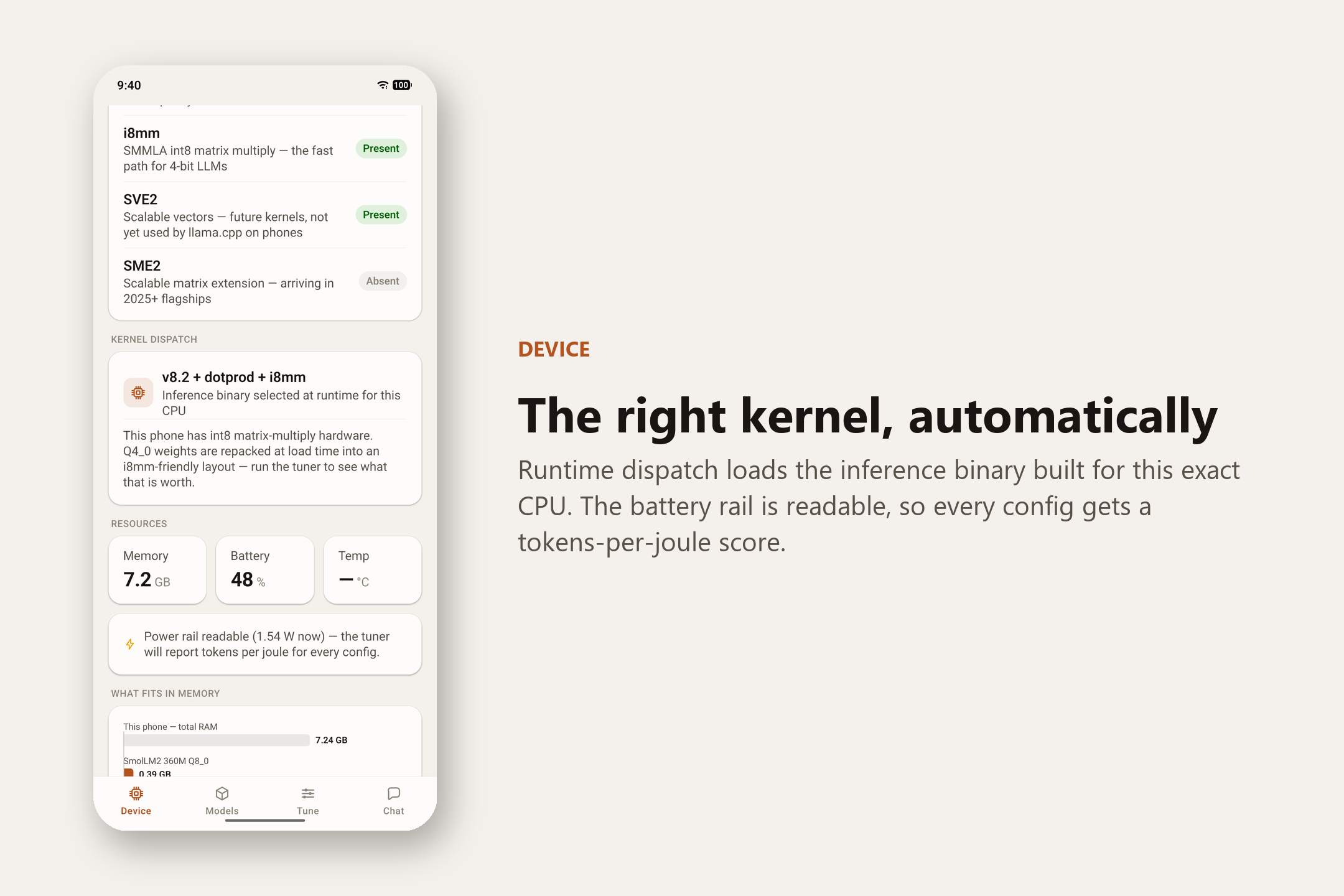
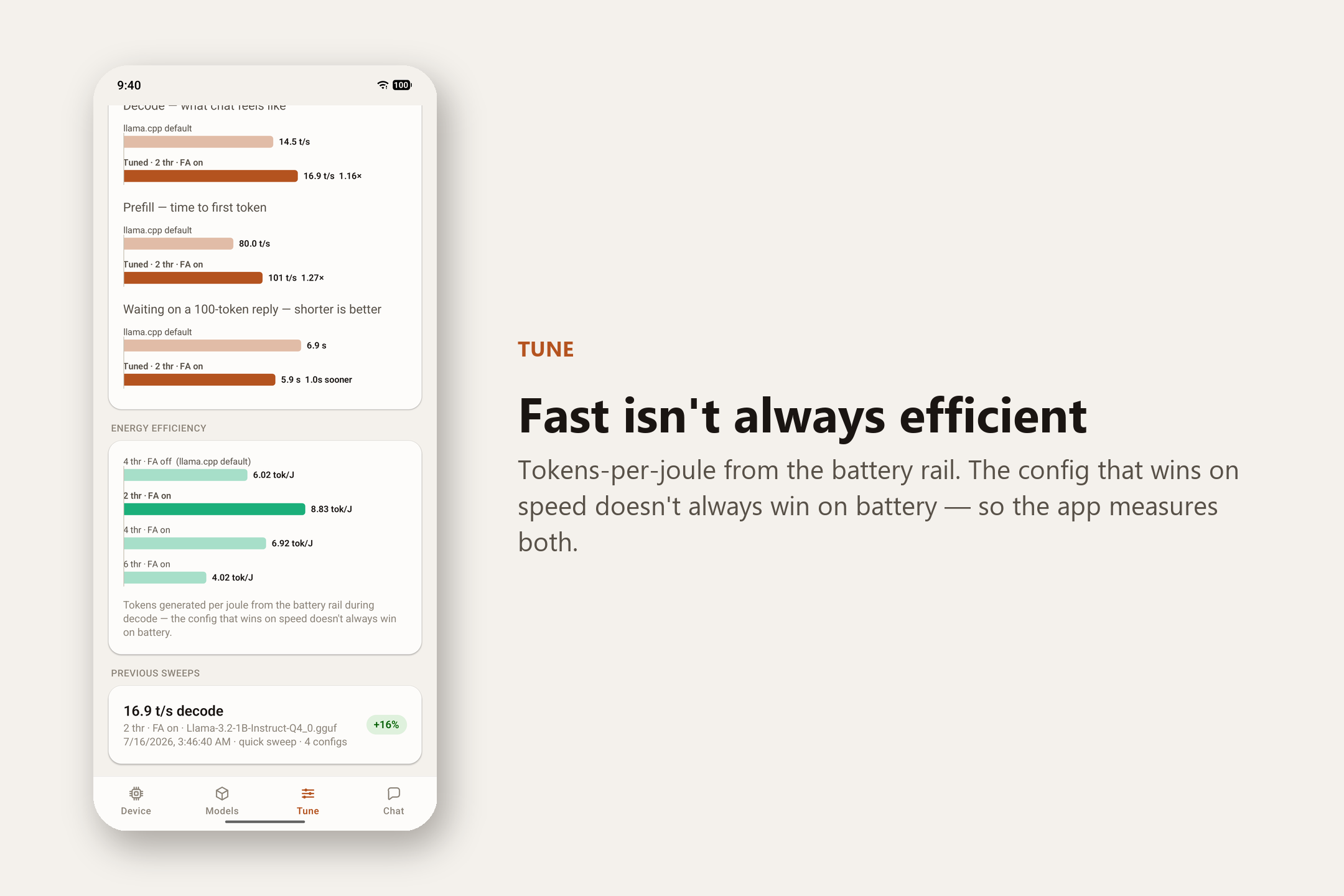
| Battery efficiency | tokens-per-joule, sampled per configuration from the battery rail — 17.6 tok/J measured | Tune tab |
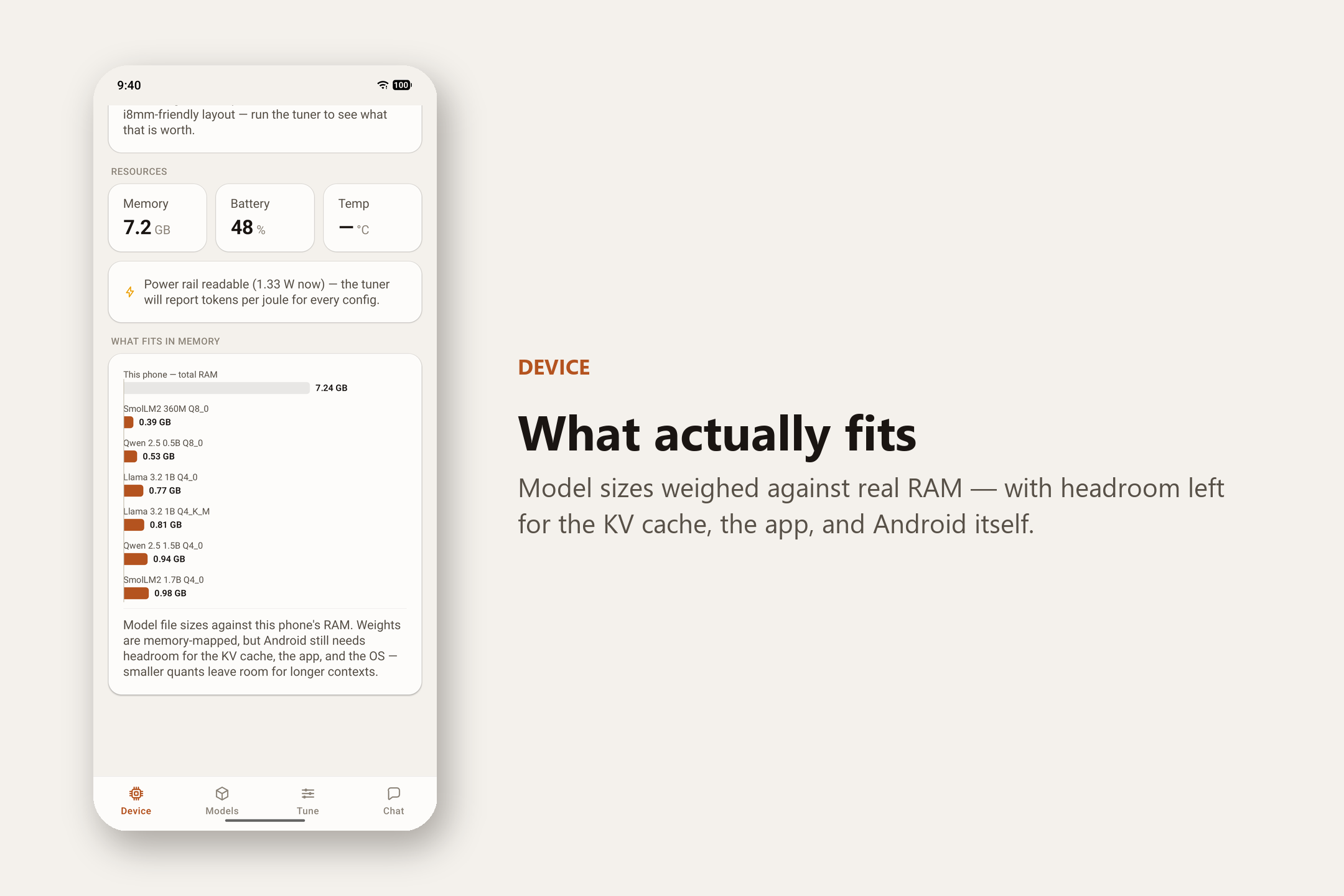
| Memory usage | One model context at a time; models over 50% of RAM rejected; quantized KV-cache swept as a tunable | app/src/lib/ |
| Developer workflow | One command adds a new phone to the published table and emits the JSON the app and site consume | docs/testing-on-a-new-phone.md |
| Model size | We use Llama 3.2 1B Q4_0 as published (~700 MB); a same-model quantization sweep is the next thing, not a result today | — |
Setup instructions (build / run / validate on an Arm64 device)
Everything below runs on a Windows, macOS, or Linux host and targets a physical Arm64 Android phone over USB. There's no emulator path — arm64 doesn't run usably on an x86 emulator host, and every number in this project comes from real silicon.
Prerequisites: Node ≥ 22, JDK 17+, an Android SDK (a stock Android Studio install is fine), and
an Android phone with USB debugging on and connected over adb.
1. Build and run the app. This is the whole product, and it needs no cross-compiler — the fast
native code arrives prebuilt through npm install.
git clone https://github.com/ayanbag/PocketTune
cd PocketTune/app
npm install
npm run android          # builds and installs the debug app on the connected phone
Then, on the phone: Device tab (confirm it detected your chip's features) → Models tab (download Llama 3.2 1B Q4_0, ~700 MB) → Tune tab → Run tuning sweep → Apply → Chat. No account, no network needed once the model is downloaded. Airplane mode is the demo.
2. Validate our published numbers yourself (optional — needs the Android NDK + CMake). This is
the part we'd most like a judge to check, because it doesn't rely on trusting the app's own
measurement code. It builds llama-bench from stock llama.cpp several ways and drives it over adb.
Copy-pasteable commands for every build variant are in
docs/building-llama-cpp.md.
Pick the ladder that matches your chip — check it with adb shell grep -m1 Features /proc/cpuinfo:
# has i8mm (e.g. Nothing Phone 2a):
python harness/bench.py --model models/Llama-3.2-1B-Instruct-Q4_0.gguf --variants generic arch kleidiai

# has dotprod but no i8mm (e.g. Pixel 7a) — the i8mm builds would crash here:
python harness/bench.py --model models/Llama-3.2-1B-Instruct-Q4_0.gguf --variants generic dp-arch-clean dp-kleidiai

# pre-dotprod (e.g. Realme 5 Pro) — expect ~1.00×, the honest floor:
python harness/bench.py --model models/Llama-3.2-1B-Instruct-Q4_0.gguf --variants generic v82
Results land in results/<device>-<timestamp>.json. Adding a whole new phone to the published table
takes one command and no code —
docs/testing-on-a-new-phone.md
walks through it.
How we built it
We proved the hard part first. Before writing a single screen, we wrote a benchmark script that runs the model on a real phone over USB and measures it carefully: airplane mode, fixed test length, five repeat runs, cooldowns between tests. That gave us numbers we could trust, saved straight into the repo so anyone can reproduce them.
Once that showed a real, repeatable speedup, we built the app around it:
- React Native + TypeScript for everything you see and touch.
- The AI engine is llama.cpp, used through llama.rn, which ships several versions of the fast code and loads the one matching your chip automatically.
- Four tabs: Device (what your chip can do), Models (download a model, or bring your own), Tune (the benchmark loop), and Chat (the offline assistant).
We wrote no C++ and no kernels. Everything on the inference path is TypeScript and Python sitting on top of prebuilt, documented native components. That was deliberate — it means this kind of speedup is reachable by ordinary app developers, not just low-level engineers. The one exception is small and honest: about 40 lines of Kotlin that call a single documented Android battery API, because modern Android hides the battery rail from apps and tokens-per-joule was worth that much native code. Nothing else in the project needed any.
Challenges we ran into
- Our main assumption was wrong. We'd planned the whole project around one chip feature being the key to speed. Testing the Pixel — which doesn't have it and won anyway — overturned that a few days before the deadline and made us rewrite the pitch around a more honest story.
- Crashes on some phones. The most aggressive build instantly crashes on any phone missing the matrix-multiply instructions it was compiled for. The fix was building a few versions per feature tier and picking the right one per chip at runtime.
- Heat quietly corrupting results. Phones slow down as they warm up, and a cold phone reads falsely fast. We added cooldowns and repeat runs, and we always publish the more conservative number.
- A bug in our own benchmark harness. An unexpanded shell variable silently baked one optimization into builds that were supposed to be its control group, so two "different" configs were actually identical binaries. We only caught it because two numbers agreed to four decimal places when they had no business doing so. We published the correction instead of the original number.
- No emulator, ever. These measurements can't be faked on a laptop, so every one happened on a physical phone over USB. Phone time, not code, ended up being the real bottleneck.
Accomplishments we're proud of
- A real, working loop that runs on the phone: detect → tune → recommend → apply → chat.
- Up to 5.27× speedup on real hardware, reproducible by anyone with a phone and a USB cable — plus a fourth phone that pins down the honest floor at 1.00× when there's nothing for the silicon to give.
- A finding that contradicts the conventional wisdom, published anyway because it's true.
- We measure battery efficiency, not just speed, and show that the fastest setting isn't always the kindest to the battery.
- We tested a well-known Arm optimization that came out flat on one chip and slightly negative on another, and reported that honestly instead of burying it — including catching and correcting our own measurement bug rather than quietly dropping the result.
What we learned
Don't trust the spec sheet. If your plan to make something fast leans on the datasheet telling the whole story, test real devices before you ship that assumption. Ours predicted the ranking backwards. And a bug in our own test rig taught us to double-check the test itself, not just the phones.
What's next for PocketTune
- More phones. The benchmark script is reusable — anyone with an Android phone and a USB cable can add a row to the table. Four phones already broke the conventional wisdom; thirty would map the real landscape.
- More models, and a bigger battery-efficiency dataset — the kind of per-config energy data almost nobody publishes today.
- Splitting work across a phone's fast and slow cores at once to squeeze out even more speed.
Built with
React Native · TypeScript · llama.cpp · llama.rn · Python · Android · Arm
Created during the challenge period
PocketTune was built from scratch for this challenge. The first commit — the repo scaffold itself — lands on 12 July 2026, and every line of the app, the harness, the published results, and the docs was written after it. Nothing here predates the challenge or was lifted from an earlier project. The commit history is public and tells the whole story, including the days we spent overturning our own central assumption and fixing a bug in our own harness.
The parts we didn't write, we don't claim. llama.cpp and llama.rn are existing open-source projects we build and configure, and Llama 3.2 1B is Meta's model used as published. Our work is the measurement loop around them.
MIT-licensed. Source and every raw benchmark result: github.com/ayanbag/PocketTune. Built for the Arm Create: AI Optimization Challenge 2026, **Mobile AI (Track 3).
Built With
- adb
- android
- arm
- cmake
- gguf
- gradle
- kleidiai
- llama.cpp
- llama.rn
- neon
- python
- react-native
- typescript
- zustand

Log in or sign up for Devpost to join the conversation.