-
-
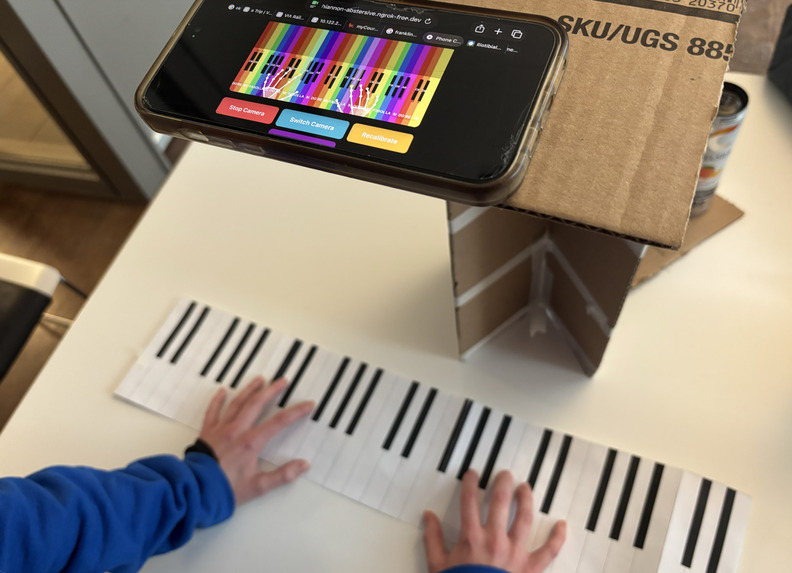
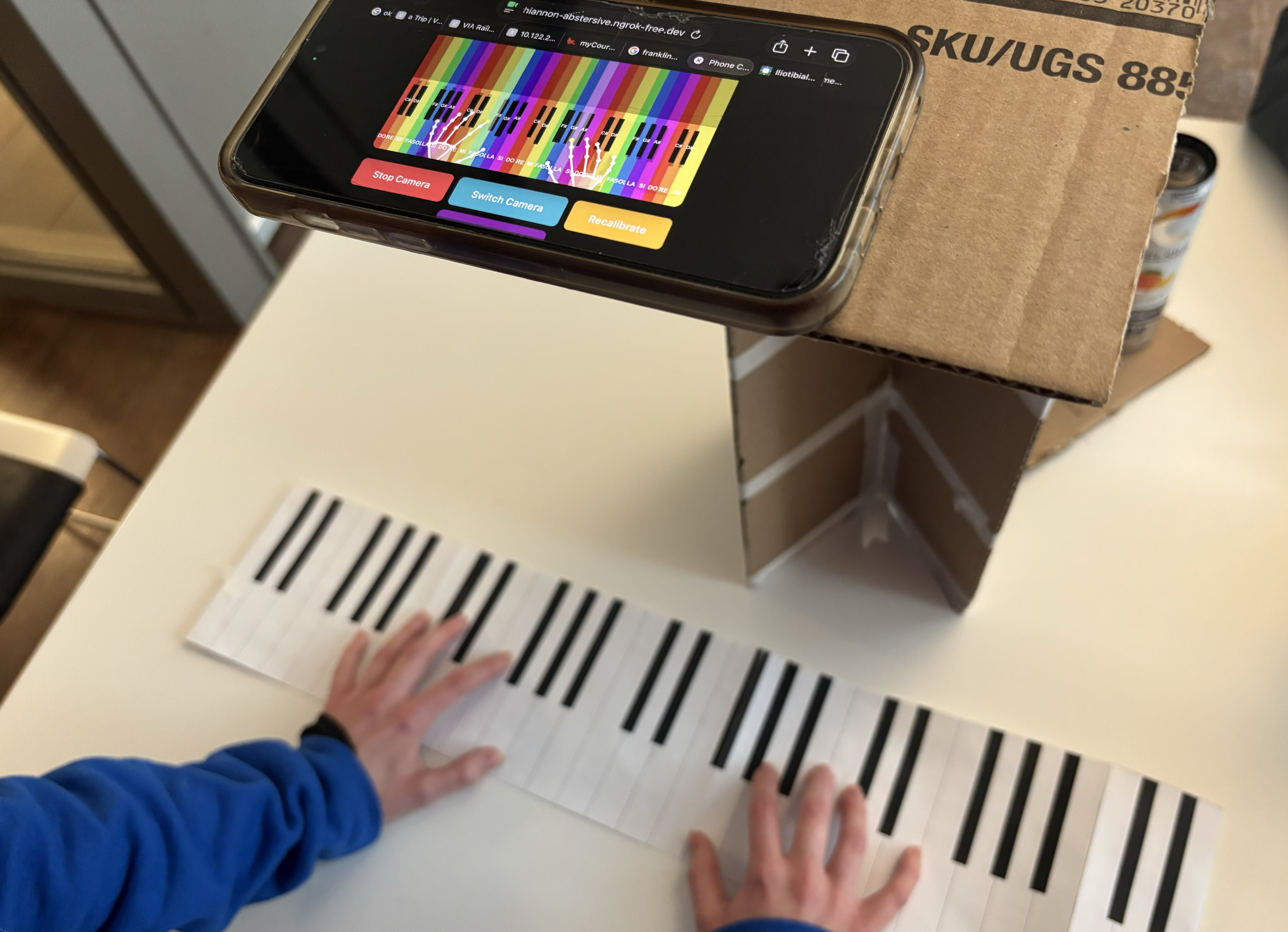
advanced mode
-
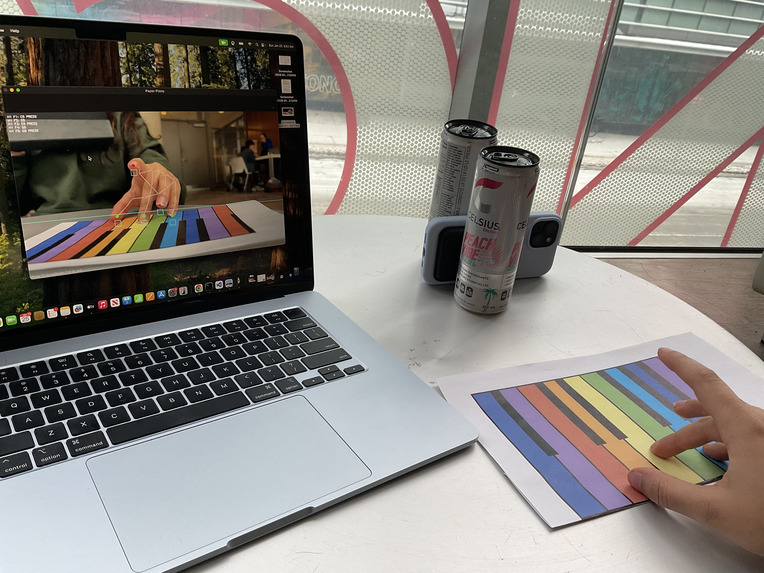
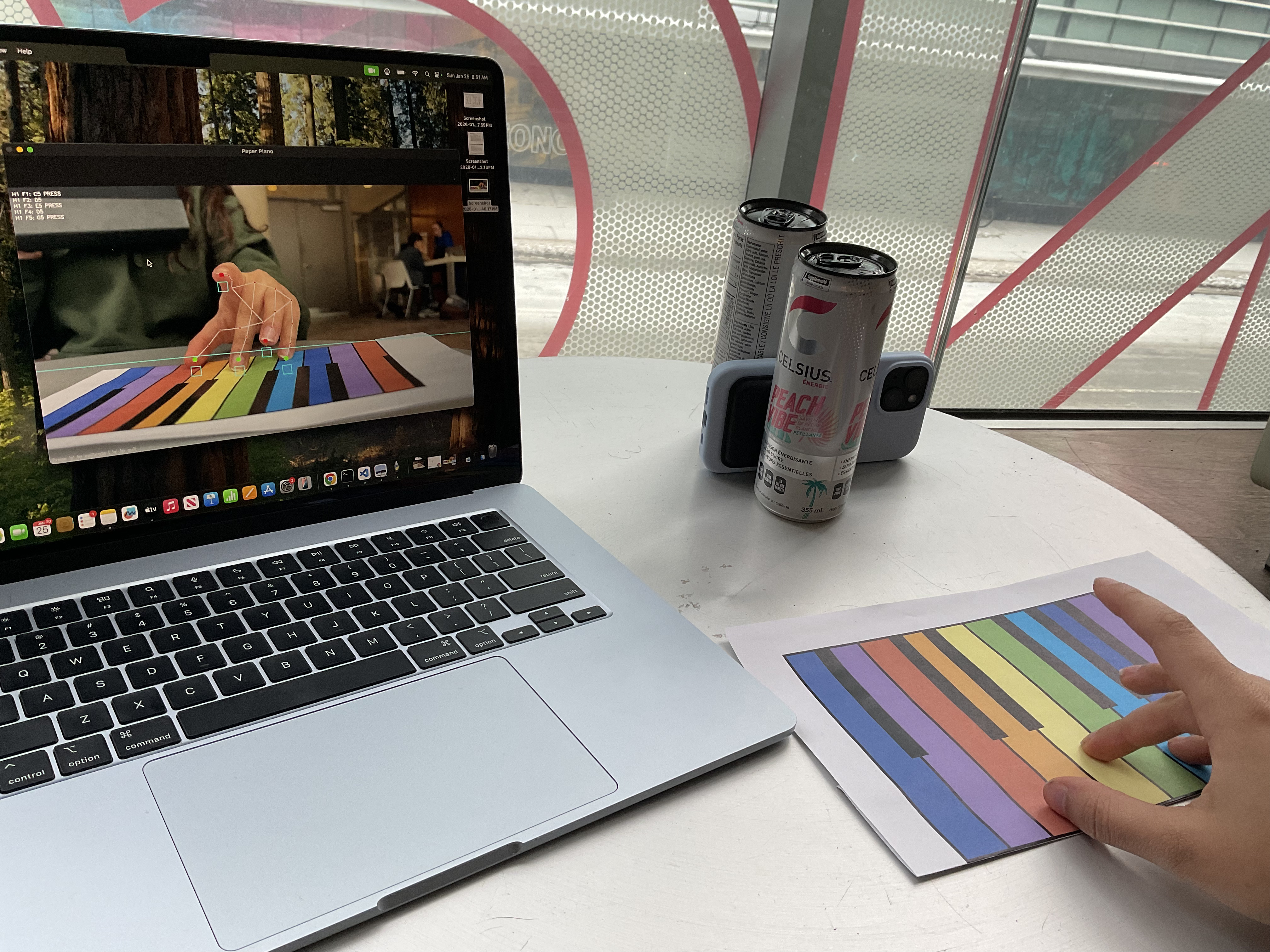
beginner mode
-
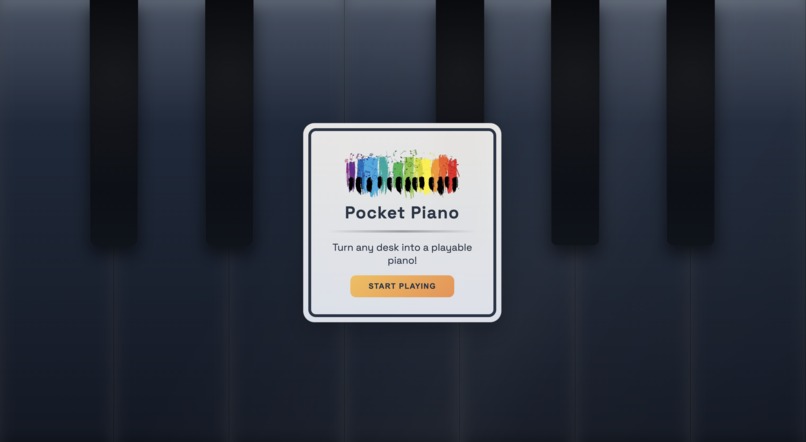
home screen
-
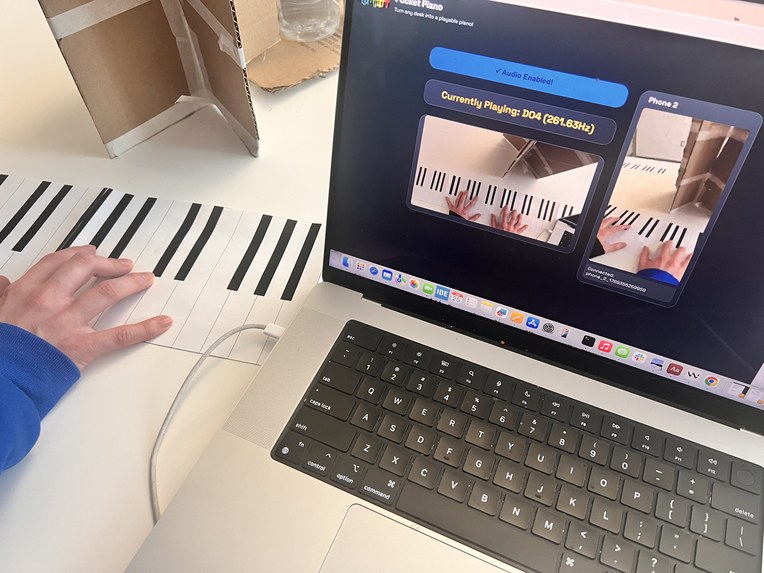
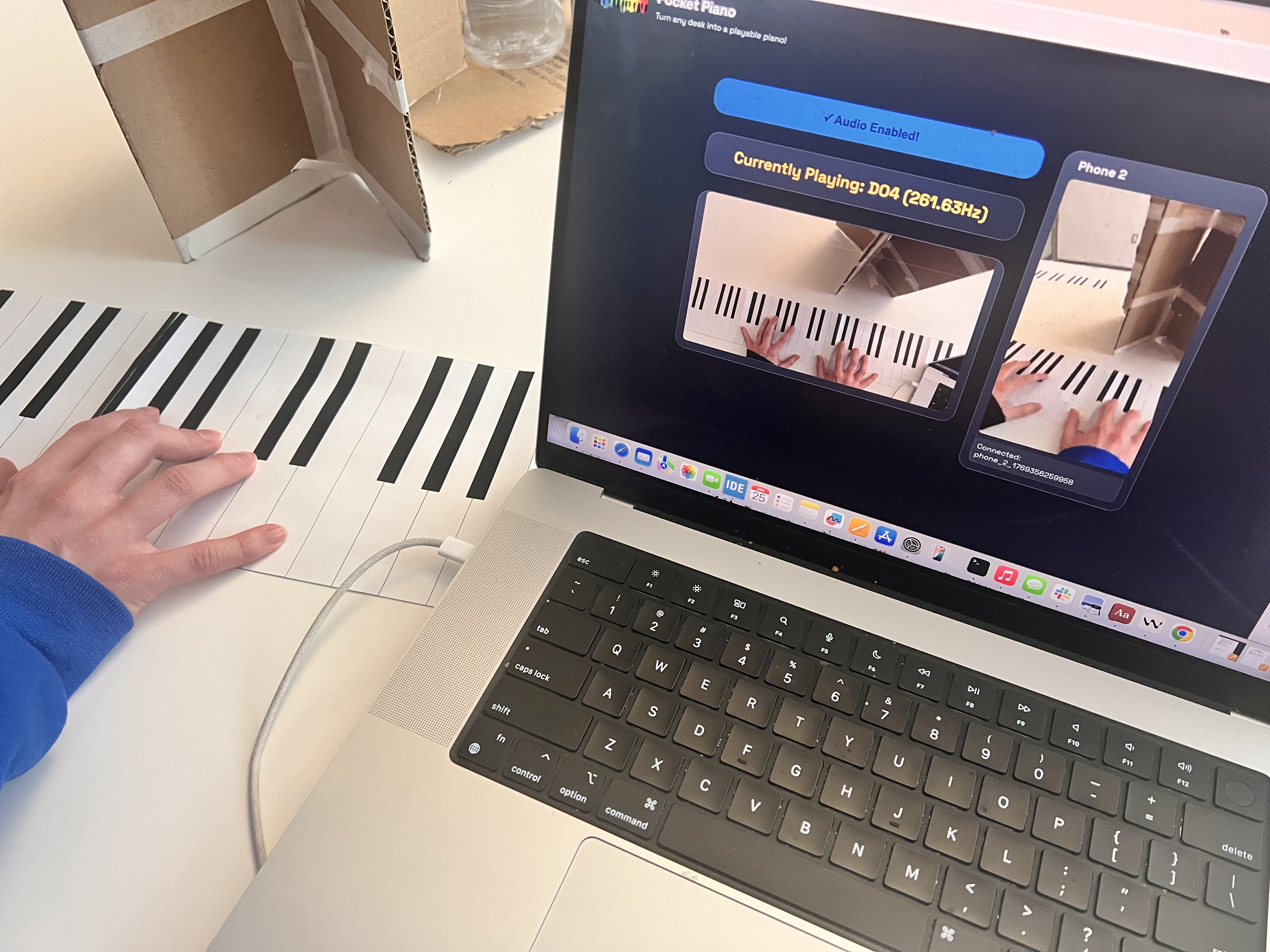
multi-angle live video stream with visual feedback
Inspiration
Music education is often limited by access to instruments, especially in classrooms, shared spaces, or underserved communities. Pocket Piano reimagines piano practice as something that doesn’t require expensive equipment or dedicated rooms. With just a printed keyboard and a camera, students can experiment, practice, and learn anywhere. By lowering financial and logistical barriers, Pocket Piano opens the door for more people to engage with music education, whether they’re beginners, self-learners, or educators looking for scalable tools.
What it does
Pocket Piano turns a printed paper piano into a playable keyboard using a camera. By tracking finger positions and detecting key presses in real time, it maps finger movements to piano notes and plays audio instantly. Users can set up a sheet of paper, point a camera, and start playing without any additional hardware.
To support learners at different stages, we developed two distinct prototypes.
Beginner Mode is a single-octave, color-coded keyboard designed to help users learn note names and spatial relationships. The visual cues reduce cognitive load when learning musical notation and make early practice approachable, especially for first-time learners.
Advanced Mode features a black-and-white keyboard spanning multiple octaves, designed to closely mimic the layout and feel of a real piano. This mode removes extra training help and focuses more on muscle memory and realistic practice.
Together, these modes allow users to grow from learning the basics to practicing in a more authentic piano-like environment.
How we built it
We built PocketPiano using computer vision, real-time audio synthesis, and web technologies. The system leverages MediaPipe Hands for robust hand and fingertip tracking, combined with OpenCV for image processing and region-of-interest detection on the printed keyboard. Finger positions are monitored relative to a positional threshold to determine key presses versus hovers, which are then mapped to pre-recorded piano samples played out loud from your laptop for low-latency audio feedback.
To make the system accessible and interactive, we developed a web-based interface using HTML5, CSS, and JavaScript that displays the live camera feed, key overlays, and visual feedback for calibration and debugging. The interface allows users to see detected notes in real time, toggle audio output, and switch between beginner and advanced keyboard modes. This will also allow us to integrate more features in the future, such as live sheet music transcription or customizable note sounds.
Challenges we ran into
One of the biggest challenges was reliably distinguishing a real key press from a hover, especially with a single camera and limited depth information. Lighting conditions and the similarity between the paper keyboard and the table also made edge and outline detection difficult. Handling black keys correctly and mapping notes consistently across different camera setups required multiple design iterations.
Accomplishments that we're proud of
We’re proud that Pocket Piano works using only a camera and a printed sheet of paper, requiring no sensors, no electronics, and no specialized hardware. Achieving real-time finger tracking, press detection, and audio playback in a single system was a major milestone. We also built useful visual debugging tools that made the system understandable and tuneable in real time.
What we learned
This project taught us a lot about the tradeoffs of vision-based interaction, especially when depth is involved. We learned how sensitive computer vision systems are to lighting and perspective, and how important clear visual feedback is when tuning detection thresholds. We also gained experience integrating real-time vision with audio systems and UI overlays.
What's next for Pocket Piano
In the future, we want to make Pocket Piano feel even more like a real instrument. Better press detection with depth sensing or multiple cameras could make it more reliable, and smarter key detection would handle different lighting and backgrounds without fuss. We’d love to expand the note range and let users change the sounds, so you could play piano, electric keyboard, or synth tones, just like a real instrument.
We’re also thinking about using AI to do live sheet music transcription, so you can see what you’re playing in standard notation, or even analyze your recorded practice sessions to spot mistakes and track progress. Add in recording, playback, and a smoother web interface, and Pocket Piano could be a portable, fun, and educational music tool anyone can pick up and start playing anywhere.


Log in or sign up for Devpost to join the conversation.