PocketBudget — Student Expense Tracker
Tagline: A free, offline-first pocket expense tracker for students: add expenses, set a monthly budget, see where your money goes — no account, no server, no tracking.
Try it out: Live demo — https://devilking7x.github.io/pocketbudget/ · Source code — https://github.com/devilking7x/pocketbudget
Inspiration
Students live on tight monthly budgets — mess fees, bus passes, books, chai with friends — but most expense apps want an account, a subscription, or your bank data. The result: students either don't track spending at all, or give up after a week of friction. I wanted a tracker a first-year student could open and understand in under a minute, with zero setup.
What it does
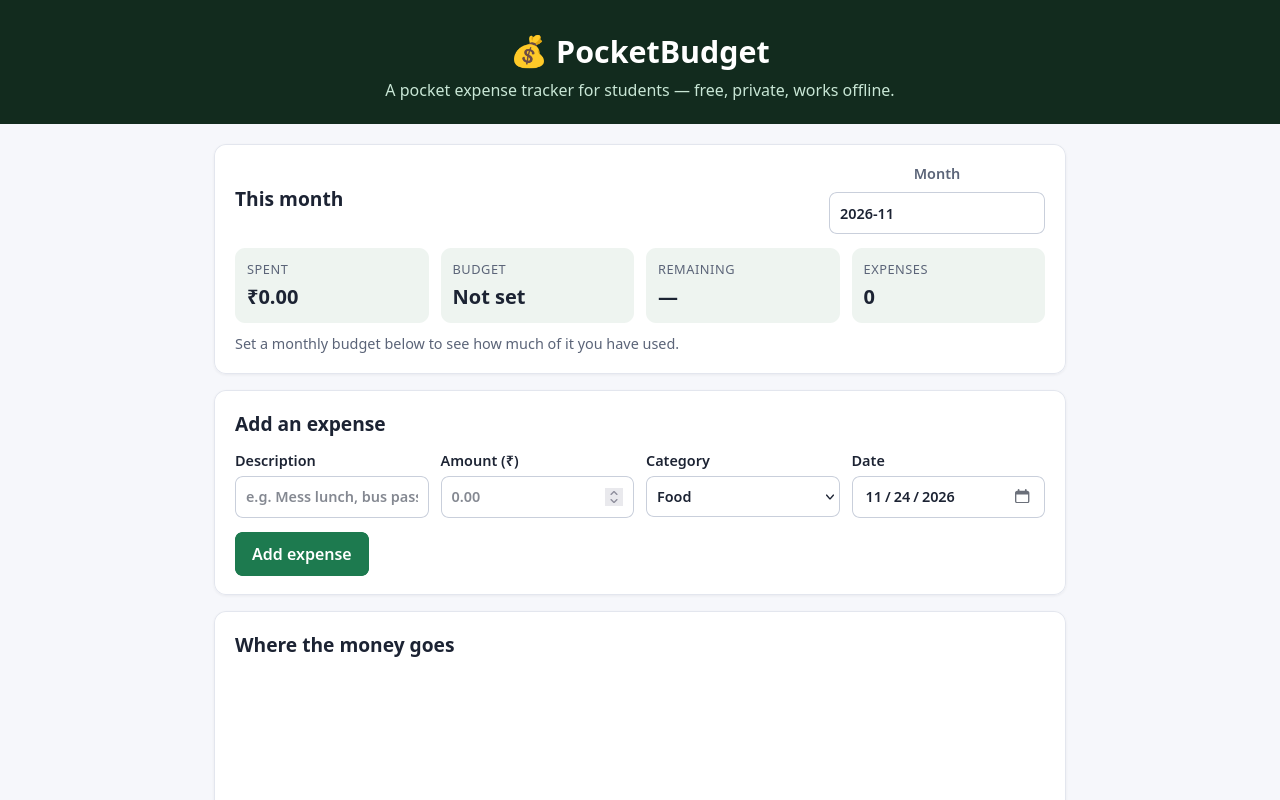
PocketBudget is a pocket expense tracker that does one thing well: it shows a student exactly where their money went this month.
- Add, edit and delete expenses (description, amount in ₹, category, date).
- Monthly view — switch months to review past spending.
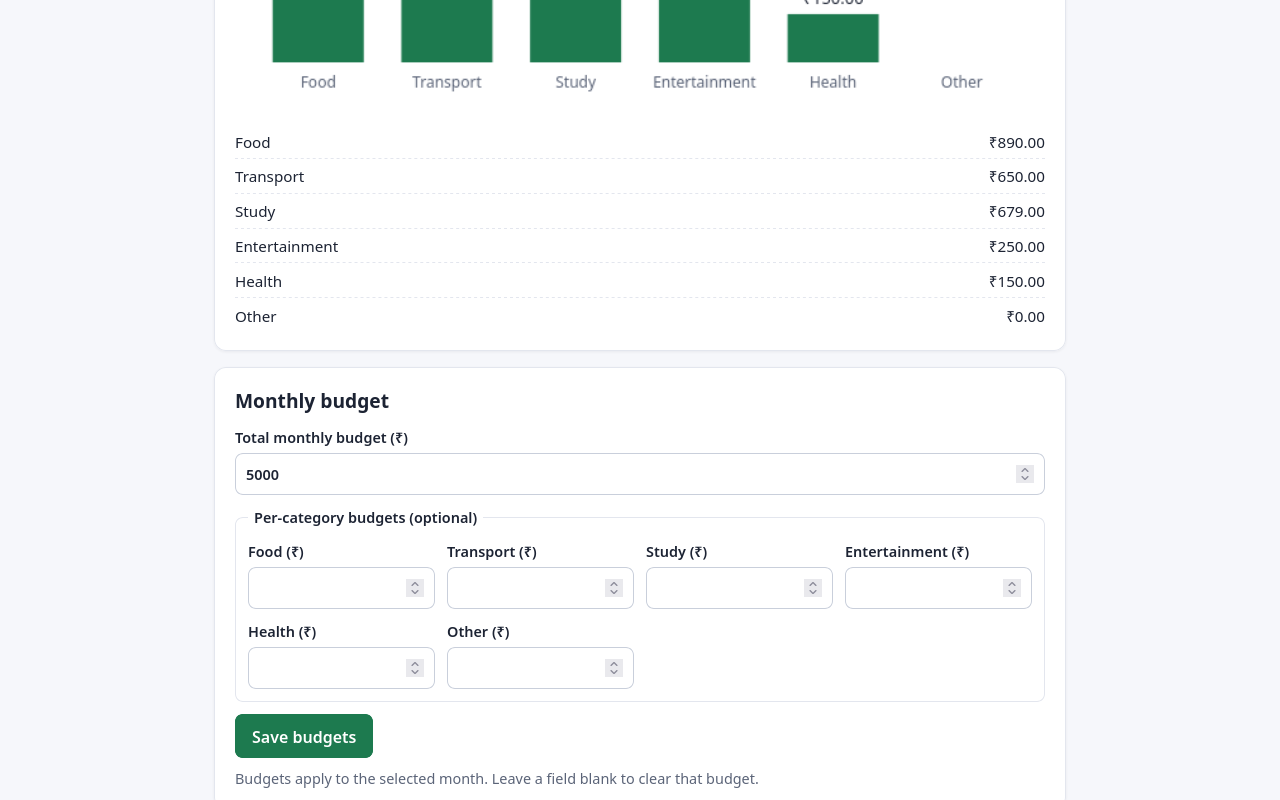
- Monthly budget — one total budget plus optional per-category budgets, with spent / remaining / % used and a clear over-budget warning.
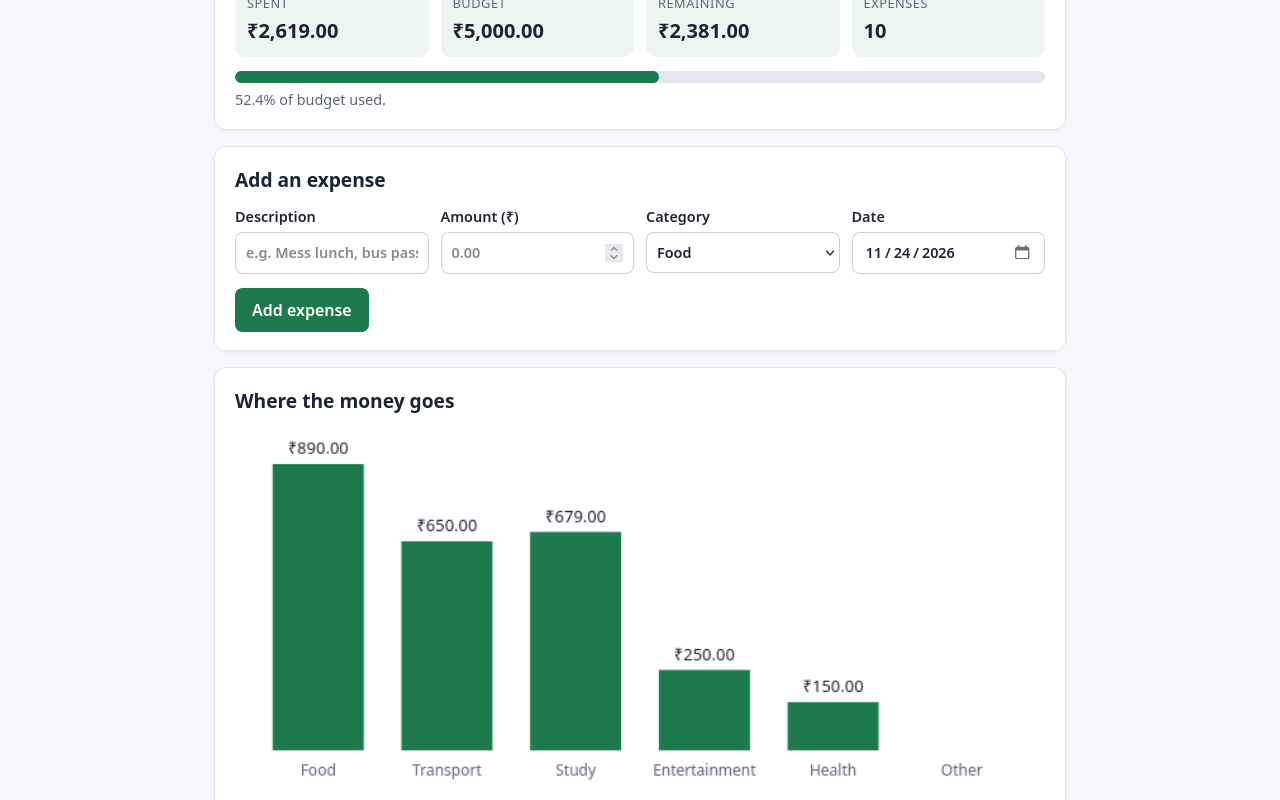
- A bar chart drawn on plain canvas (no libraries) plus per-category totals.
- Search by description, filter by category.
- CSV export and import (malformed rows are reported, not silently dropped), plus a JSON backup export.
- One-click sample data (10 clearly-labelled sample expenses spread across 2 weeks, plus a ₹5,000 budget) so anyone can try the charts immediately; one-click delete-all.
- Private by design: everything is stored only in the browser (localStorage). No account, no server, no tracking. Works offline.
How we built it
Plain HTML, CSS and JavaScript. No frameworks, no libraries, no build step, no network requests. The core logic (tracker.js) is a pure module with no DOM or storage dependencies, shared between the browser UI and the Node test suite — so the same code that runs in the browser is unit-tested. Tested with 9/9 Node core-logic tests and a Playwright smoke test (page loads with 0 console errors and 0 failed requests; adds an expense through the real form, sets a budget, rejects bad input).
Challenges we ran into
Making the budget math honest was the real challenge: remaining, % used, and over-budget states for both the total budget and each category, including the "no budget set" state — where the app must show nothing rather than a fake number. A budget of ₹0 and no budget at all are different things, and the UI had to keep them apart. CSV turned out to be deceptively tricky too: proper RFC 4180 quoting for commas and quotes in descriptions, and honest error reporting on import instead of silently dropping bad rows. And the Playwright smoke test itself fought back — the expected local Chromium build (chromium-1248) wasn't installed, so the test had to run against the chromium-1254 build that was actually present.
Accomplishments that we're proud of
- A pure core module (
tracker.js) that is shared unchanged between the browser and the test suite — 9/9 unit tests cover validation (11 bad-input cases rejected), add/edit/delete round-trips, totals, budget math, CSV round-trip and malformed CSV. - CSV import that reports bad rows instead of silently dropping them — the honest behaviour most apps skip.
- A chart with zero libraries: plain canvas, drawn from the same data the totals use.
- One-click sample data so a judge sees the whole app working in five seconds, and one-click delete-all so it is just as easy to start clean.
What we learned
- Keeping the core logic pure (no DOM, no storage) makes it trivially testable in Node while the UI stays thin — the best architecture decision in this project.
- CSV is deceptively tricky: proper RFC 4180 quoting for commas and quotes in descriptions, and honest error reporting on import instead of silently dropping bad rows.
- Small scope wins: a focused prototype that does one thing well beats a half-built everything-app.
What's next for PocketBudget
- Recurring expenses / bill reminders, a currency picker, and an optional export-to-PDF monthly summary. Sync is deliberately out of scope — the privacy story (data never leaves the device) is the point.
Built With
HTML, CSS, JavaScript (no frameworks, no libraries), Node.js 20 (tests), Playwright (smoke tests)
Testing instructions (for judges)
- Open the live demo link. No sign-up — the app opens straight into the empty state.
- Click "Load sample data" — 10 sample expenses and a ₹5,000 budget appear, with the chart and budget bar filled in.
- Add an expense of your own (e.g. "Chai ₹40, Food, today") — totals, chart and budget update immediately.
- Set a total budget of ₹100 in the Monthly budget section and save — the page shows the over-budget warning.
- Try bad input (amount −5 or an empty description) — a clear error appears and nothing is added.
- Export CSV, then delete all data with "Delete all data" and re-import the CSV to see the round-trip work.
- Everything runs offline: disconnect from the network and reload — it still works (data is in your browser only).
Honest limits
- Data lives in one browser's localStorage — clearing browser data deletes it (use JSON backup / CSV export first).
- Single-user, single-device: no sync, no shared budgets, no accounts.
- Amounts are in Indian rupees (₹); no currency picker yet.
- Budgets are stored as one current set and apply to whichever month is selected in the UI.
