-
-
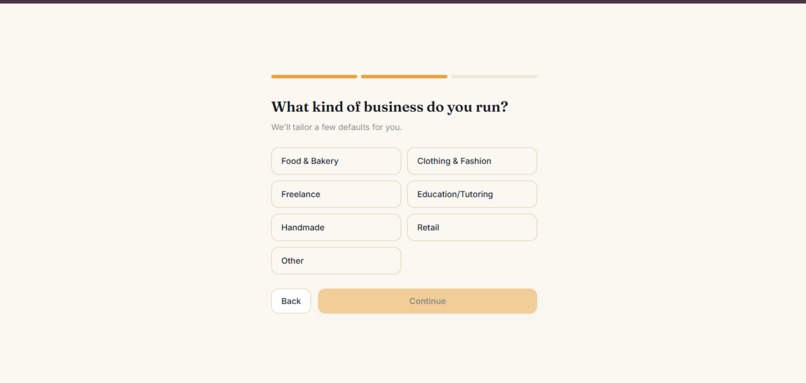
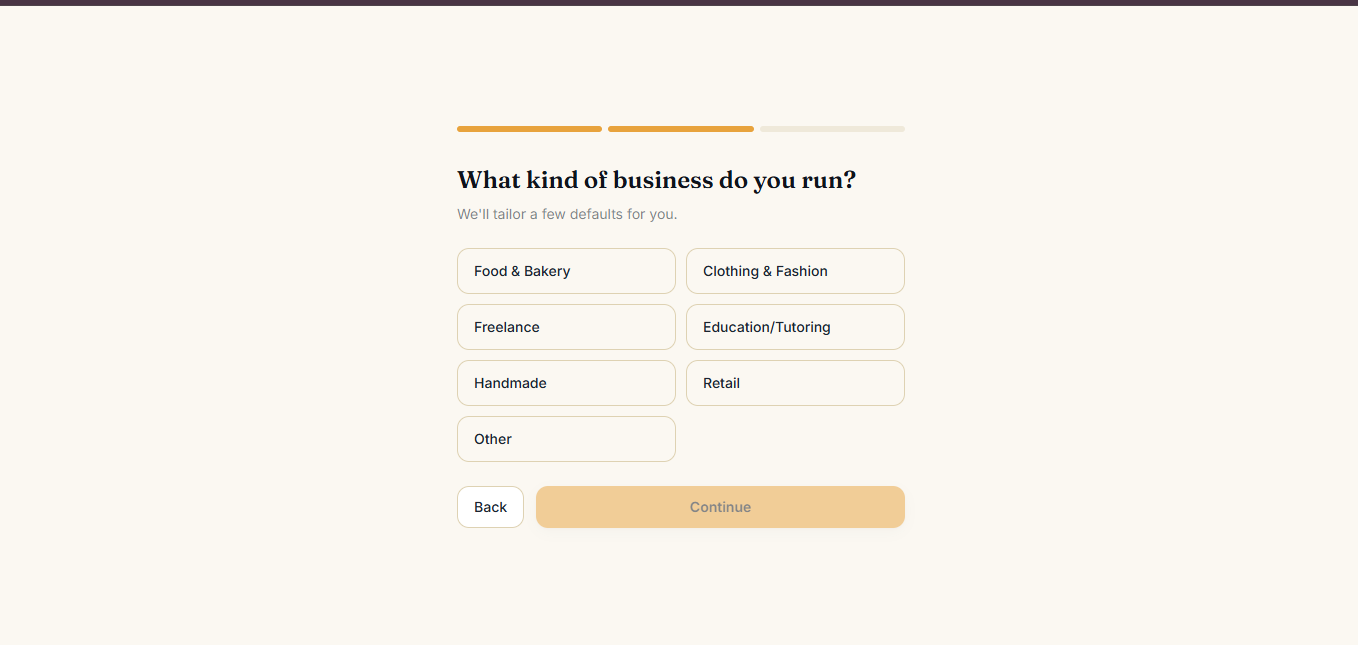
Choose your business type to tailor PocketBiz's starting experience to your workflow.
-
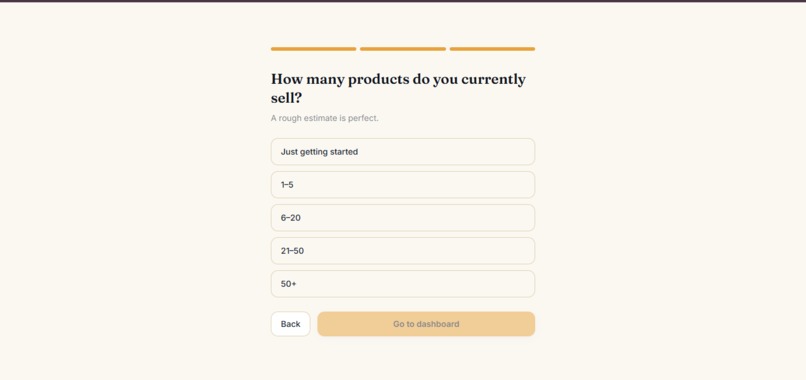
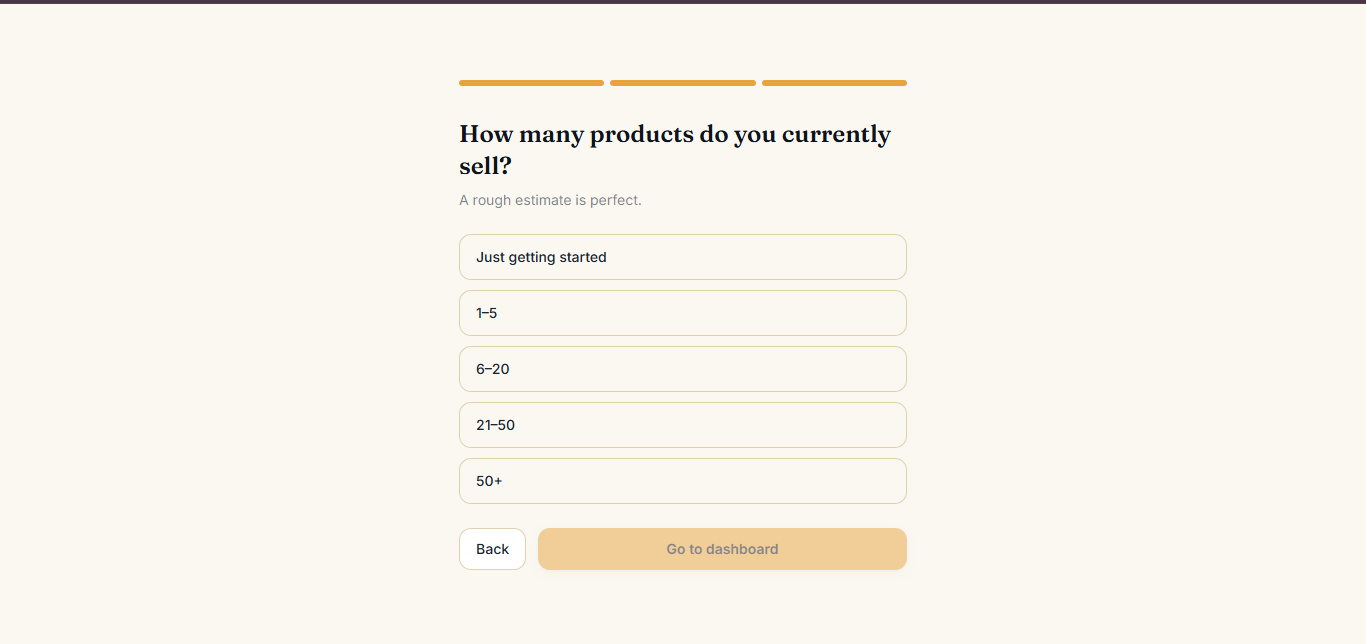
hare your product count and get your inventory ready instantly.
-
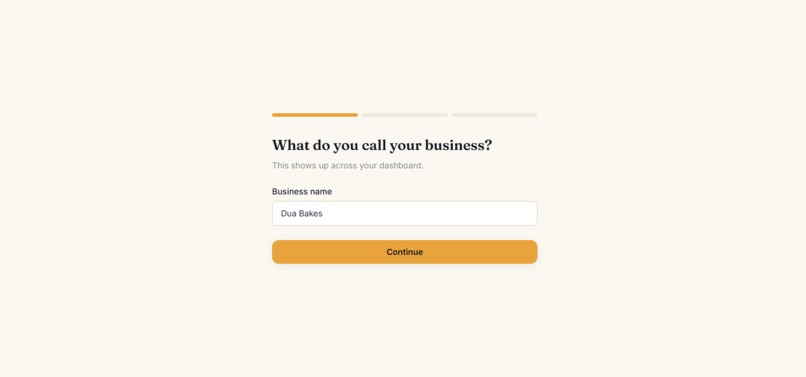
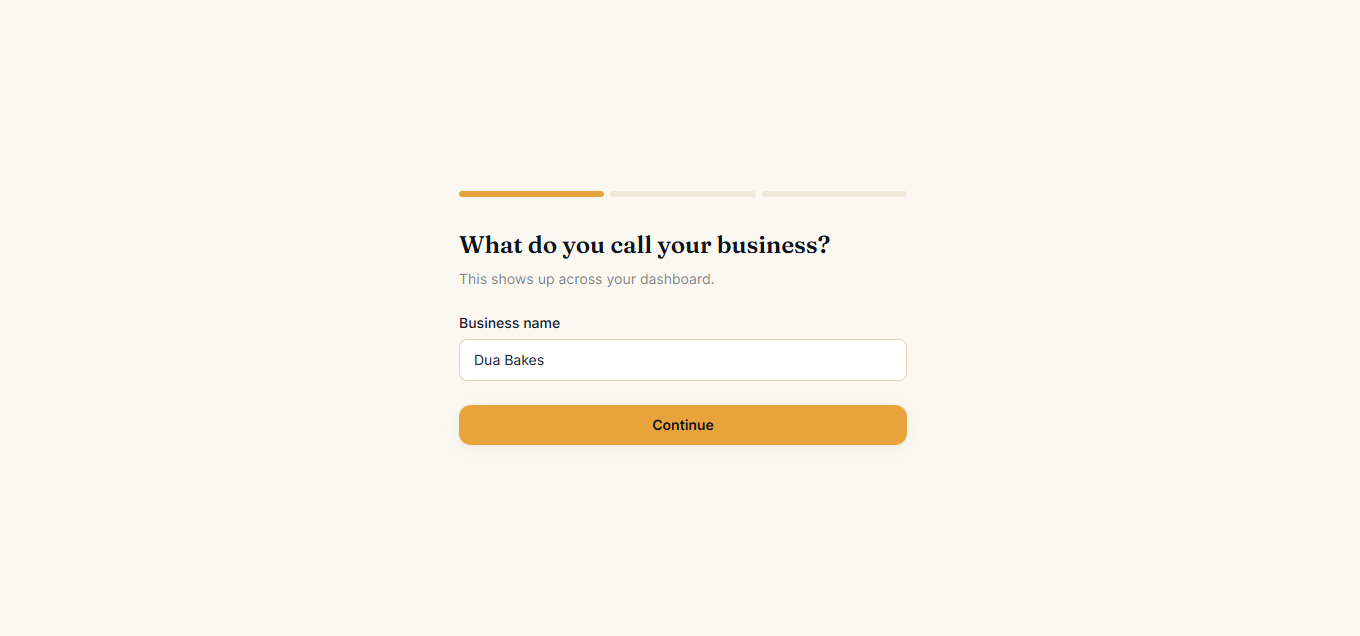
Personalize PocketBiz with your business name during the quick onboarding flow.
-
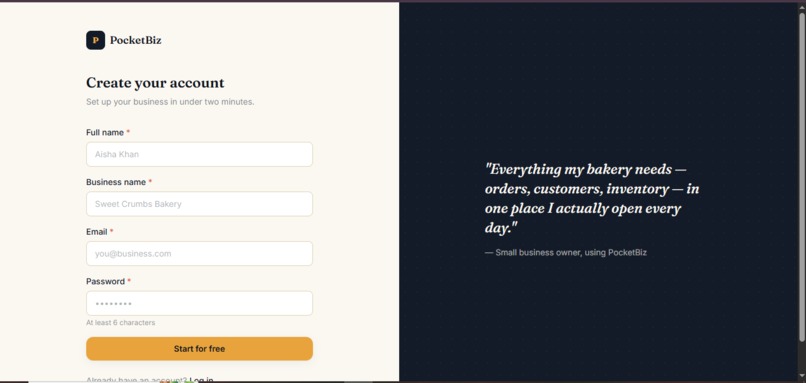
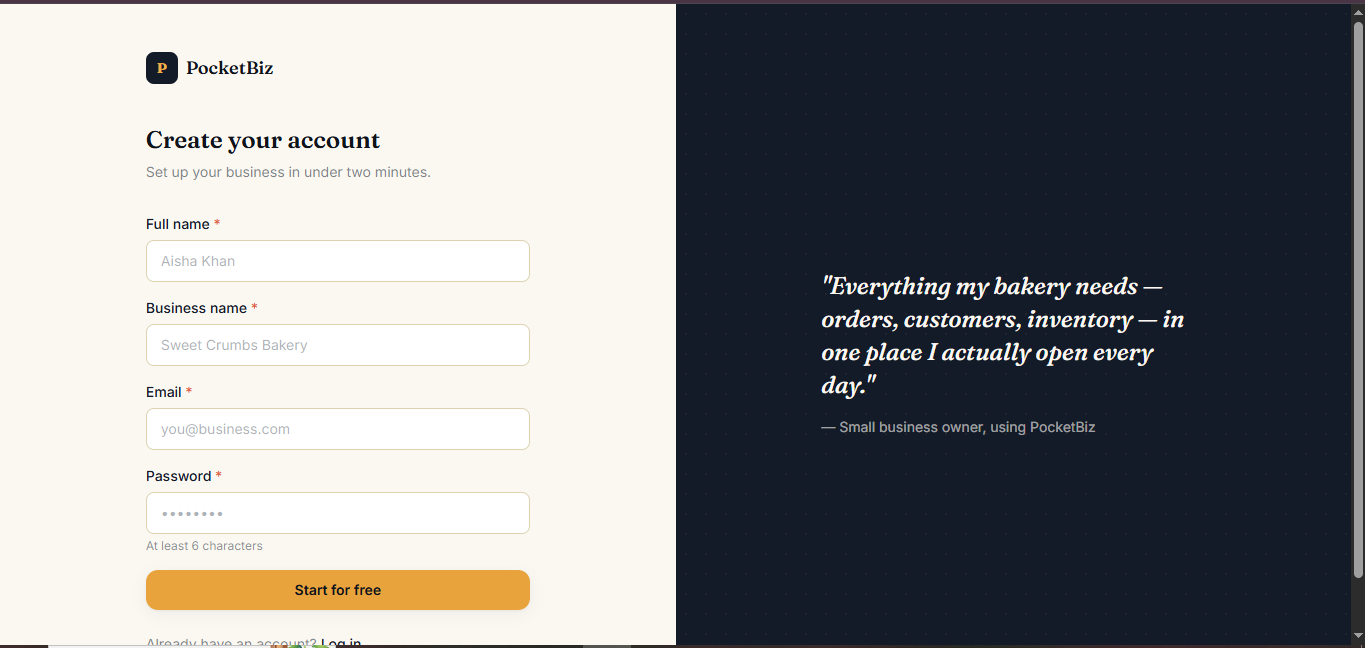
Create your account and start building your business workspace in minutes.
-
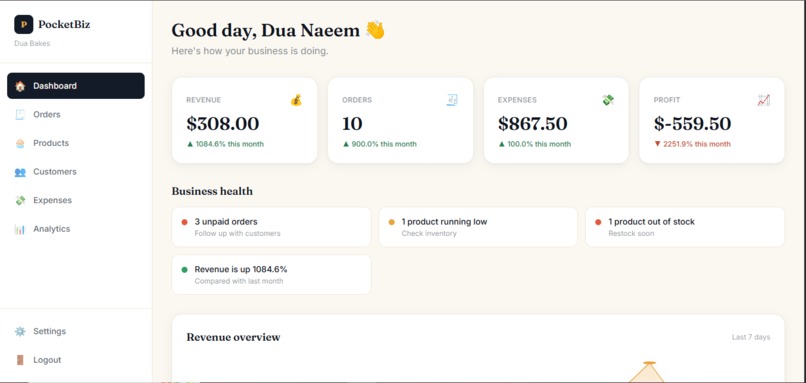
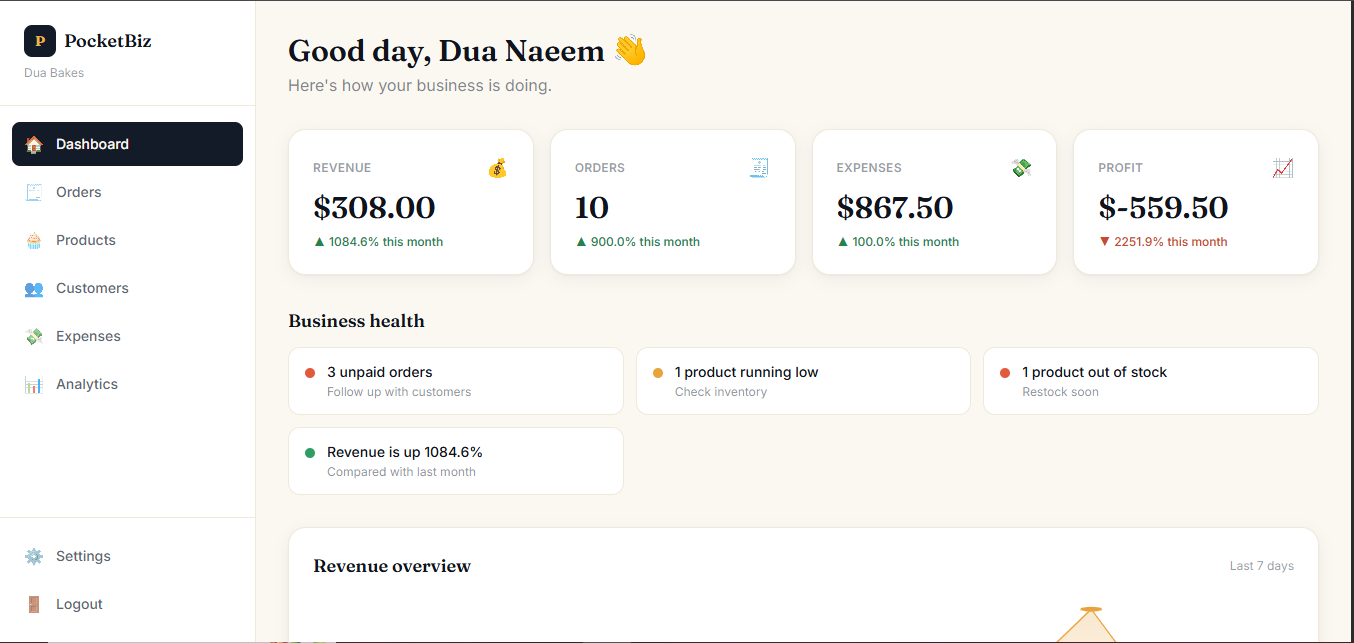
Monitor your revenue, orders, expenses, and business health at a glance
-
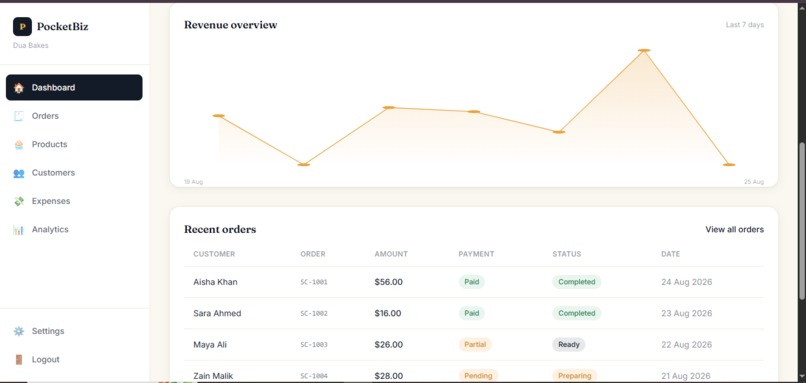
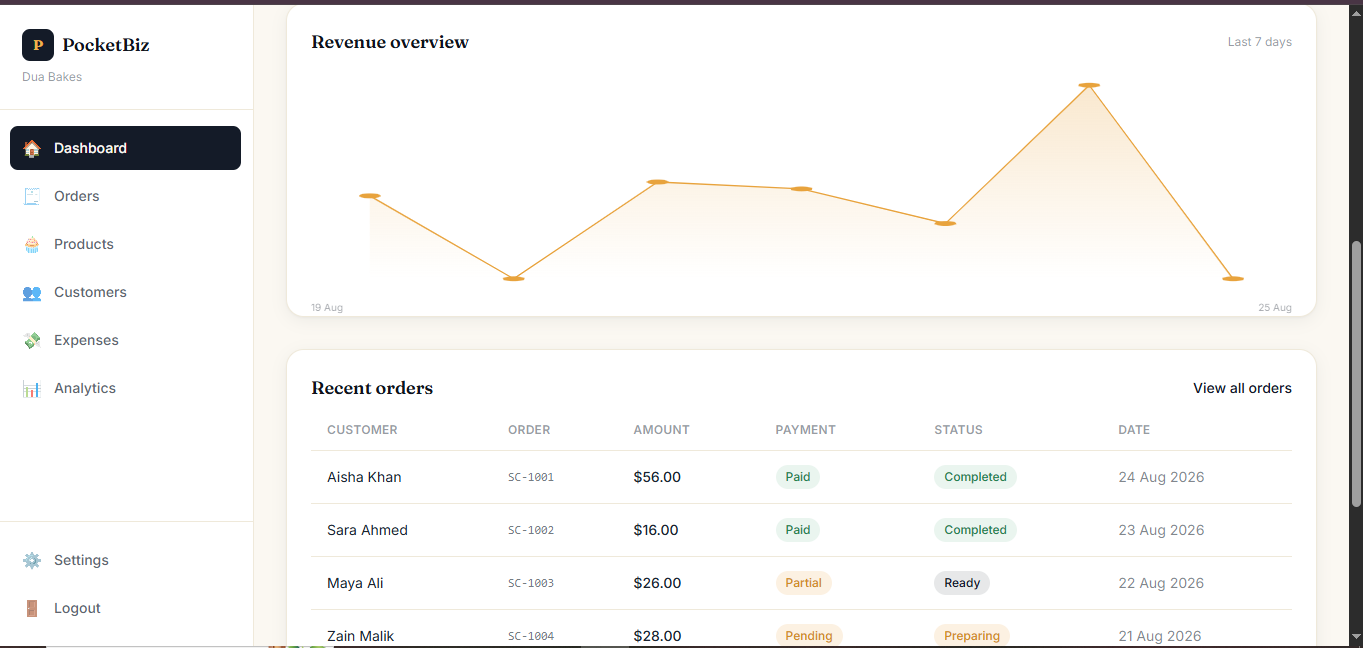
Visualize your growth and manage every customer order in one place.
-
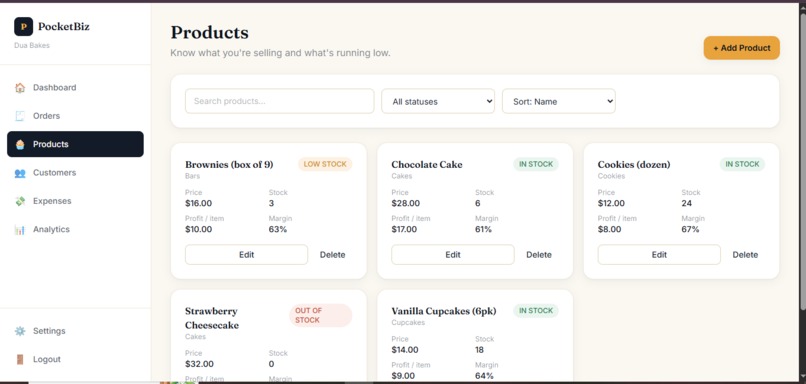
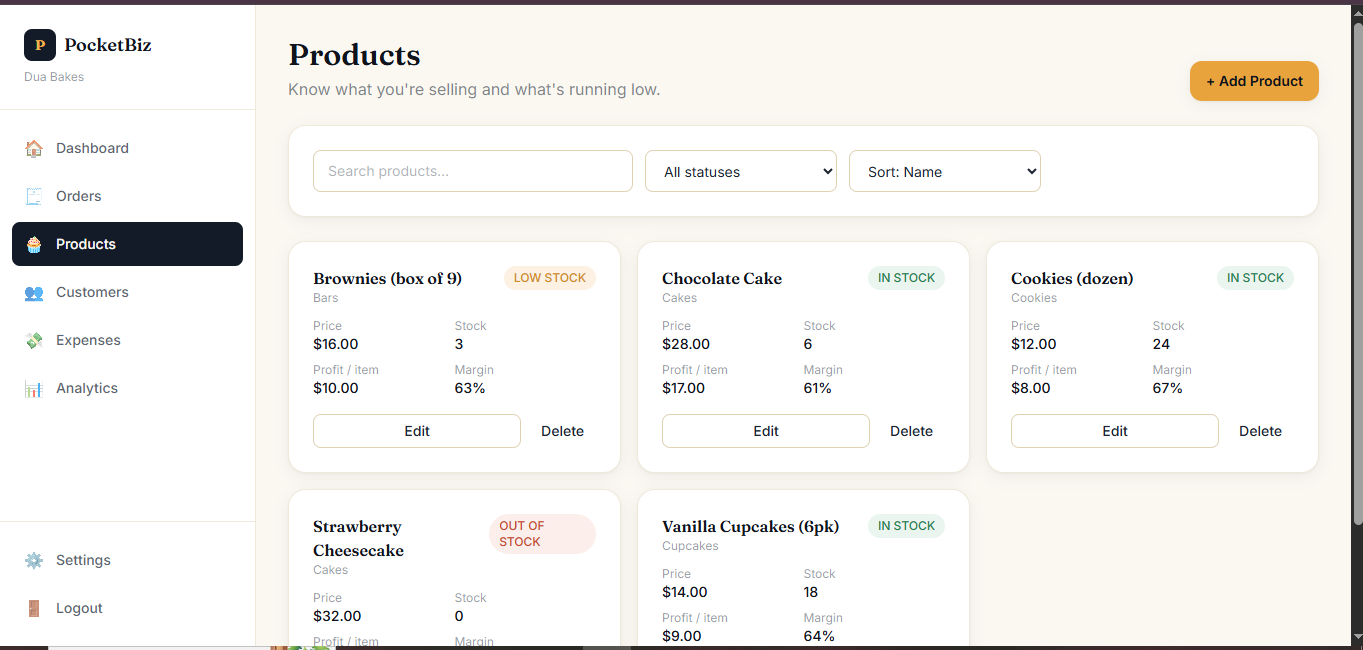
now what you're selling and manage your inventory before it runs out.
-
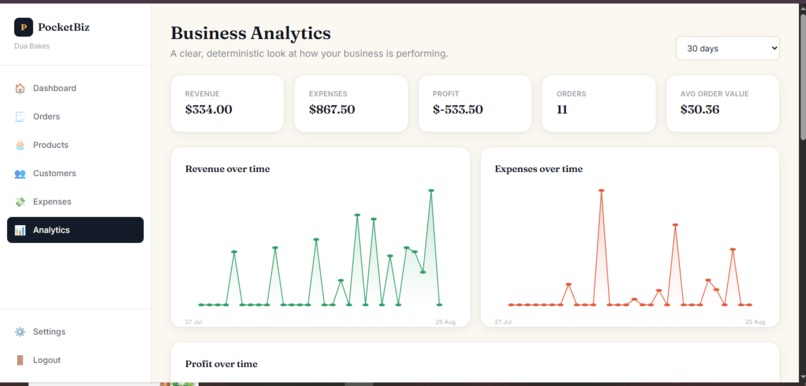
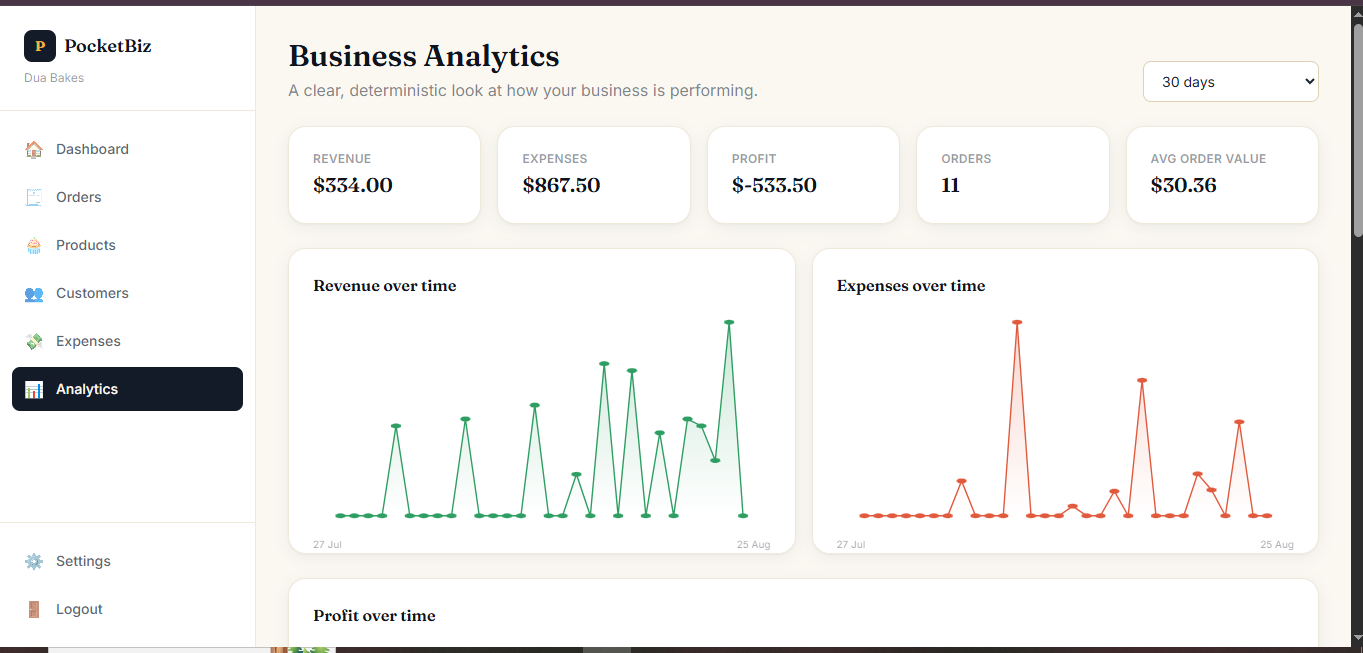
Get a clear, deterministic view of how your business is performing over time.
Inspiration
Running a small business often means doing everything yourself.
For a home baker, Instagram seller, freelancer, tutor, handmade seller, or small reseller, business operations can become scattered across WhatsApp messages, notebooks, spreadsheets, phone contacts, and mental calculations.
Orders get missed. Payments are difficult to track. Inventory becomes outdated. And understanding whether the business is actually profitable can become surprisingly difficult.
We wanted to build something that made this process simpler.
That idea became PocketBiz — a lightweight business-management platform designed specifically for micro-businesses.
Our goal was not to build another complicated enterprise management system. We wanted to create something that a one-person business could open every day and immediately understand.
The core idea became:
Orders → Customers → Inventory → Expenses → Revenue → Profit
All in one simple dashboard.
What it does
PocketBiz gives micro-business owners one place to manage the essential parts of their business.
📊 Business Dashboard
The dashboard provides an overview of:
- Revenue
- Orders
- Expenses
- Profit
- Unpaid orders
- Low-stock products
- Revenue trends
- Recent orders
The Business Health section highlights actionable conditions such as unpaid orders, low inventory, and changes in revenue.
📦 Order Management
Business owners can create and manage orders from purchase to completion.
- Add customers and products
- Calculate totals and discounts
- Track payment status
- Track order status
- View order history
- Automatically update related business data
🛍️ Products & Inventory
Products include:
- Selling price
- Cost price
- Stock quantity
- Low-stock threshold
- Category
- SKU
- Profit margin
Inventory automatically changes when completed orders affect stock.
👥 Customers
Each customer has a profile containing:
- Contact information
- Order history
- Total orders
- Total spent
- Last order date
- Notes
💸 Expenses
Business owners can record expenses by category, including:
- Inventory
- Marketing
- Delivery
- Equipment
- Software
- Rent
- Utilities
- Other
Expenses automatically feed into profit calculations.
📈 Analytics
PocketBiz provides:
- Revenue
- Expenses
- Profit
- Average order value
- Revenue trends
- Expense trends
- Sales by product
- Top products
- Product profitability
All calculations are based on the business's actual stored data.
🔐 Secure Business Data
PocketBiz uses Supabase Authentication and Row Level Security to ensure that users can only access data belonging to their own business.
How we built it
PocketBiz was built as a full-stack web application using:
- Next.js 14 with the App Router
- React 18
- JavaScript
- Tailwind CSS
- Supabase PostgreSQL
- Supabase Authentication
- Supabase Row Level Security
- Vercel
We intentionally kept the stack focused and avoided unnecessary dependencies.
The UI is built from reusable React components, including buttons, cards, forms, modals, tables, navigation, status badges, and charts.
We also built the charts using SVG rather than relying on a charting library.
No AI by design
PocketBiz does not use AI or machine learning.
There are no LLMs, AI APIs, or black-box predictions behind the dashboard.
Every number is calculated using deterministic JavaScript business logic over the user's own Supabase data.
For example:
Revenue = completed order totals
Profit = revenue − expenses
Product profit = selling price − cost price
Low stock = current stock ≤ low-stock threshold
Revenue change = current period compared with the previous period
This makes the business calculations transparent and predictable.
A key part of the architecture is keeping related data synchronized.
For example:
Create Order → Calculate Total → Update Inventory → Update Customer Statistics → Recalculate Dashboard
This allows one action to correctly flow through the rest of the application.
Challenges we ran into
One of our biggest challenges was balancing simplicity with functionality.
It would have been easy to keep adding features such as invoicing, online payments, messaging, team accounts, exports, and advanced reporting.
Instead, we had to decide what actually belonged in the MVP.
We focused on the core business loop:
Sell → Track → Understand → Grow
Another challenge was keeping related data consistent.
An order isn't just an isolated record. Creating, editing, or deleting an order can affect:
- Inventory
- Customer statistics
- Revenue
- Profit
- Analytics
We had to structure the application so these relationships remained synchronized rather than duplicating calculations throughout individual pages.
Security was another important consideration. Instead of relying only on frontend checks, we used Supabase Row Level Security so that business data is protected at the database level.
Accomplishments that we're proud of
We're proud that PocketBiz is more than a collection of static dashboard screens.
The core workflows are actually connected.
A user can:
- Create a product
- Add a customer
- Create an order
- Track its payment
- Update its status
- See inventory change
- Add a business expense
- See profit update
- Open analytics and understand the bigger picture
We're also proud of keeping the application intentionally AI-free.
In a space where adding AI can sometimes become the default solution, we wanted to demonstrate that thoughtful product design, reliable data, and good UX can solve a problem without needing an AI layer.
We're especially proud of the focus on micro-businesses. PocketBiz isn't trying to be an enterprise ERP with hundreds of features. It is designed around the reality of someone running a small business largely on their own.
What we learned
The biggest lesson we learned was that building a useful product isn't about building the most features.
It's about understanding the user's workflow.
While building PocketBiz, we repeatedly asked:
Does this make running a small business easier, or does it just make the application bigger?
That question helped us keep the MVP focused.
We also learned how interconnected business data really is.
An order affects inventory.
An order affects a customer's history.
An expense affects profit.
Those changes eventually affect the dashboard and analytics.
Thinking about the product as one connected system rather than a collection of pages changed the way we approached the architecture.
We also learned that a polished user experience doesn't require a huge technology stack. Clear information hierarchy, responsive design, reusable components, and reliable data can go a long way.
What's next for PocketBiz
The MVP gives PocketBiz a foundation that can grow into a broader small-business operating system.
Some features we'd like to add next include:
- Online payment integration
- Invoice generation
- CSV/PDF exports
- Multi-user teams
- Role-based permissions
- Customer notifications
- Recurring orders
- Advanced inventory management
- Subscription billing
- Mobile applications
We also see opportunities to expand PocketBiz beyond individual sellers into small teams and growing businesses while keeping the same principle at the center:
Small businesses don't need more complexity. They need clarity.
PocketBiz is built around making that clarity accessible.
Your tiny business. One simple dashboard.
Built With
- css
- design
- javascript
- next.js
- postgresql
- react
- responsive
- saas
- supabase
- svg
- tailwind
- vercel
- web

Log in or sign up for Devpost to join the conversation.