-
-
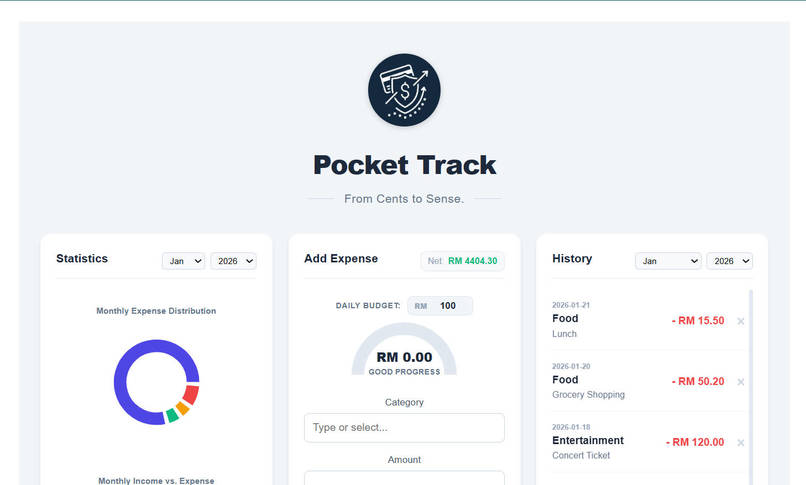
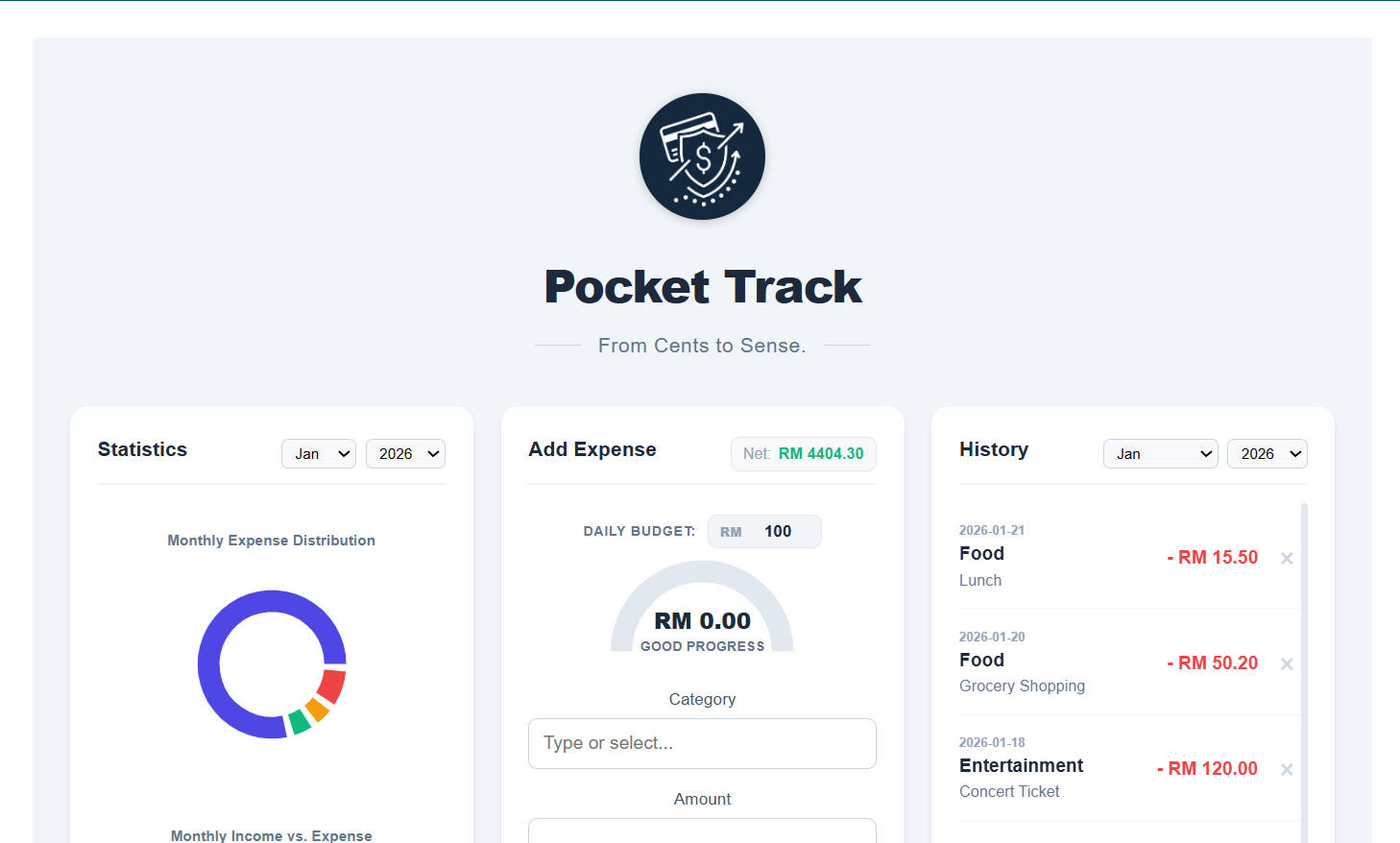
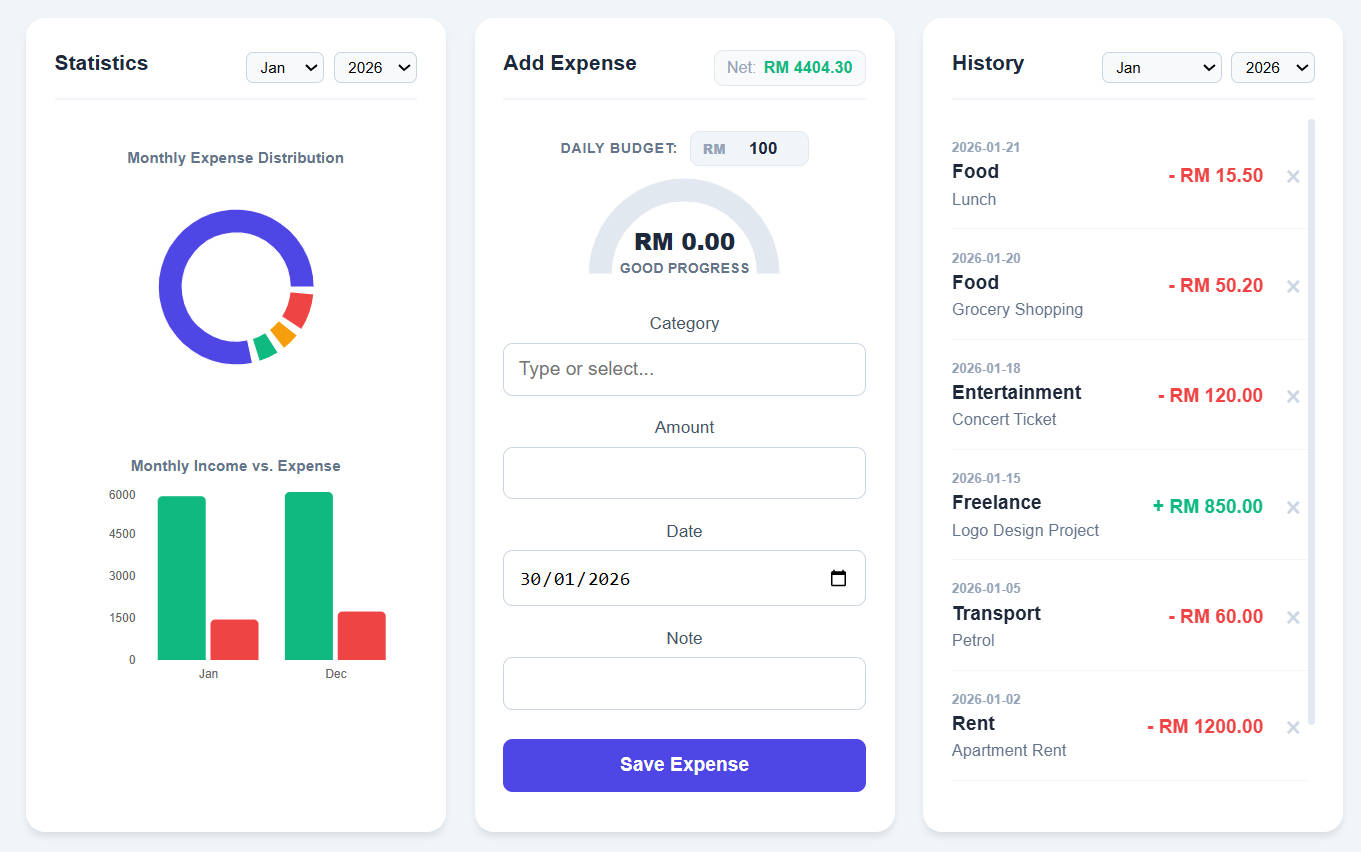
Initial page
-
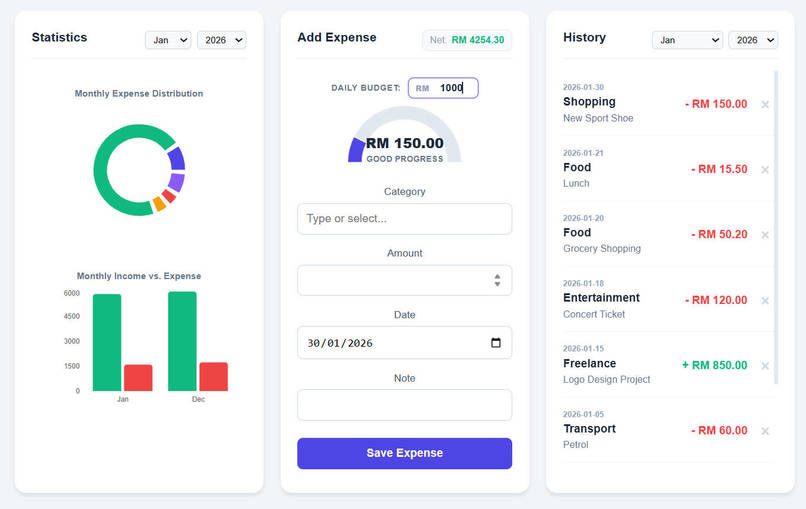
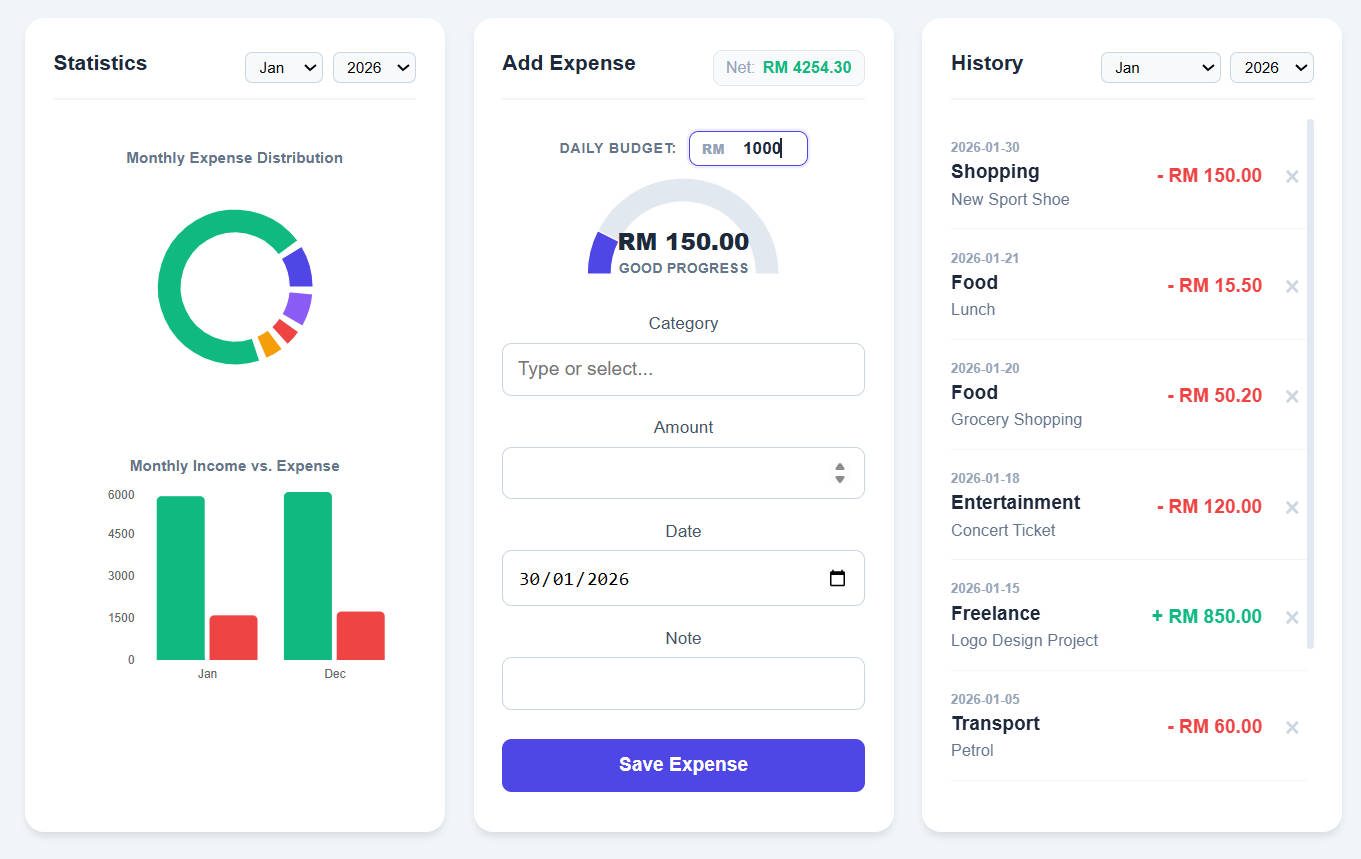
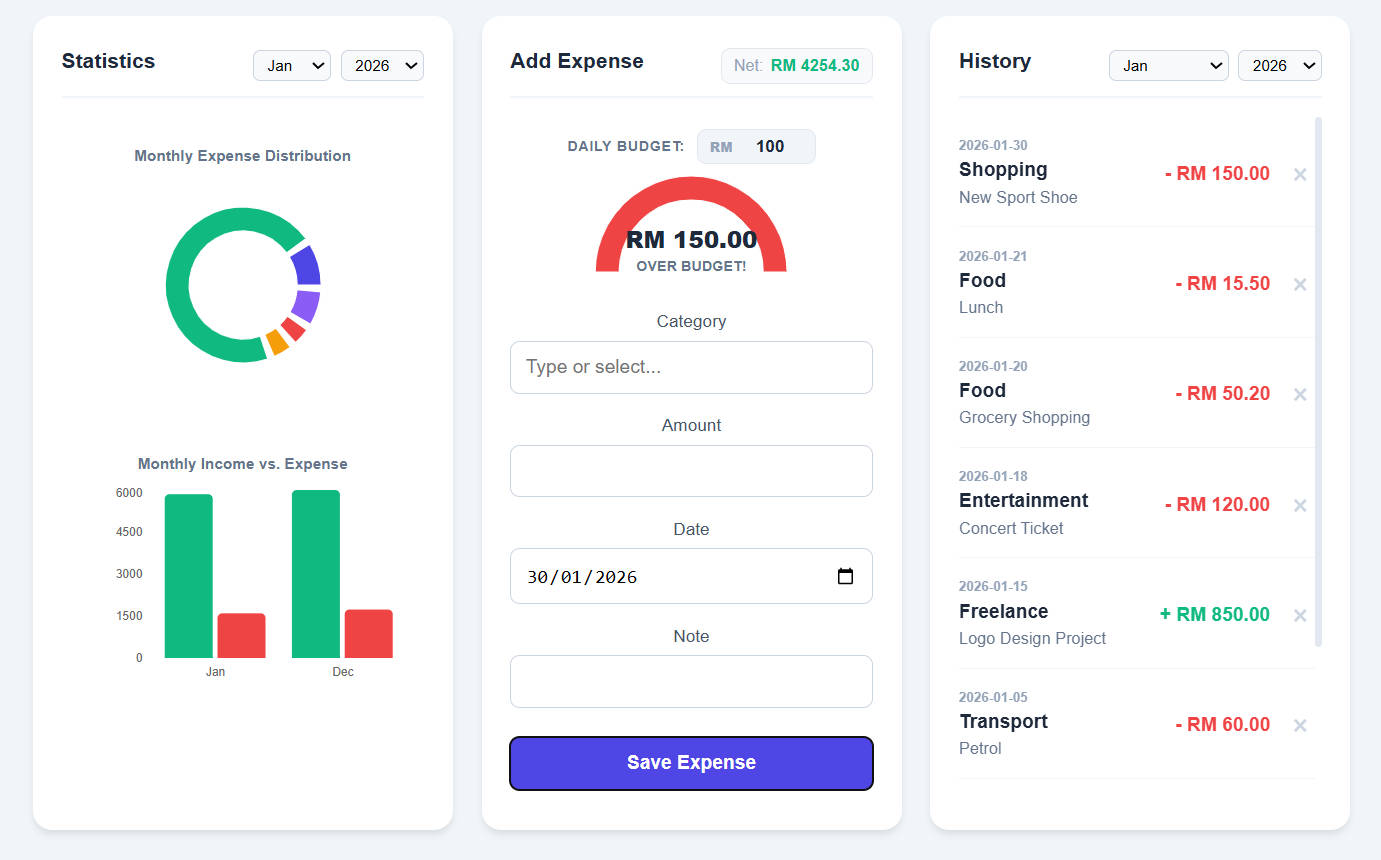
Health gauge back to healthy after daily limit changed.
-
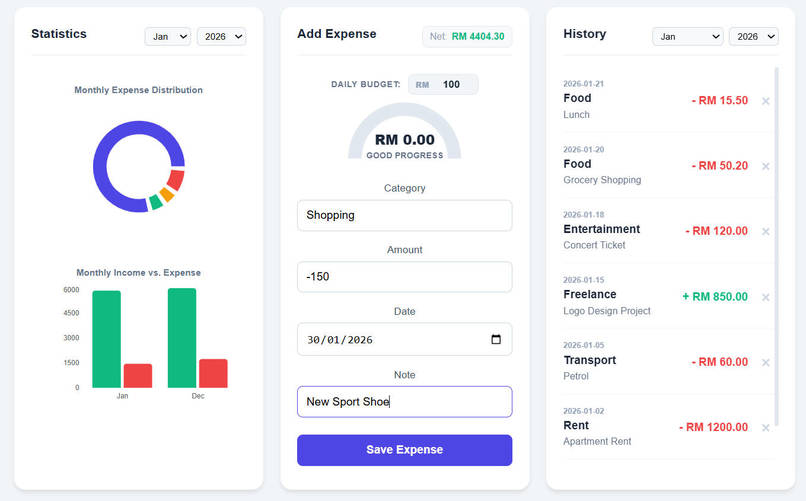
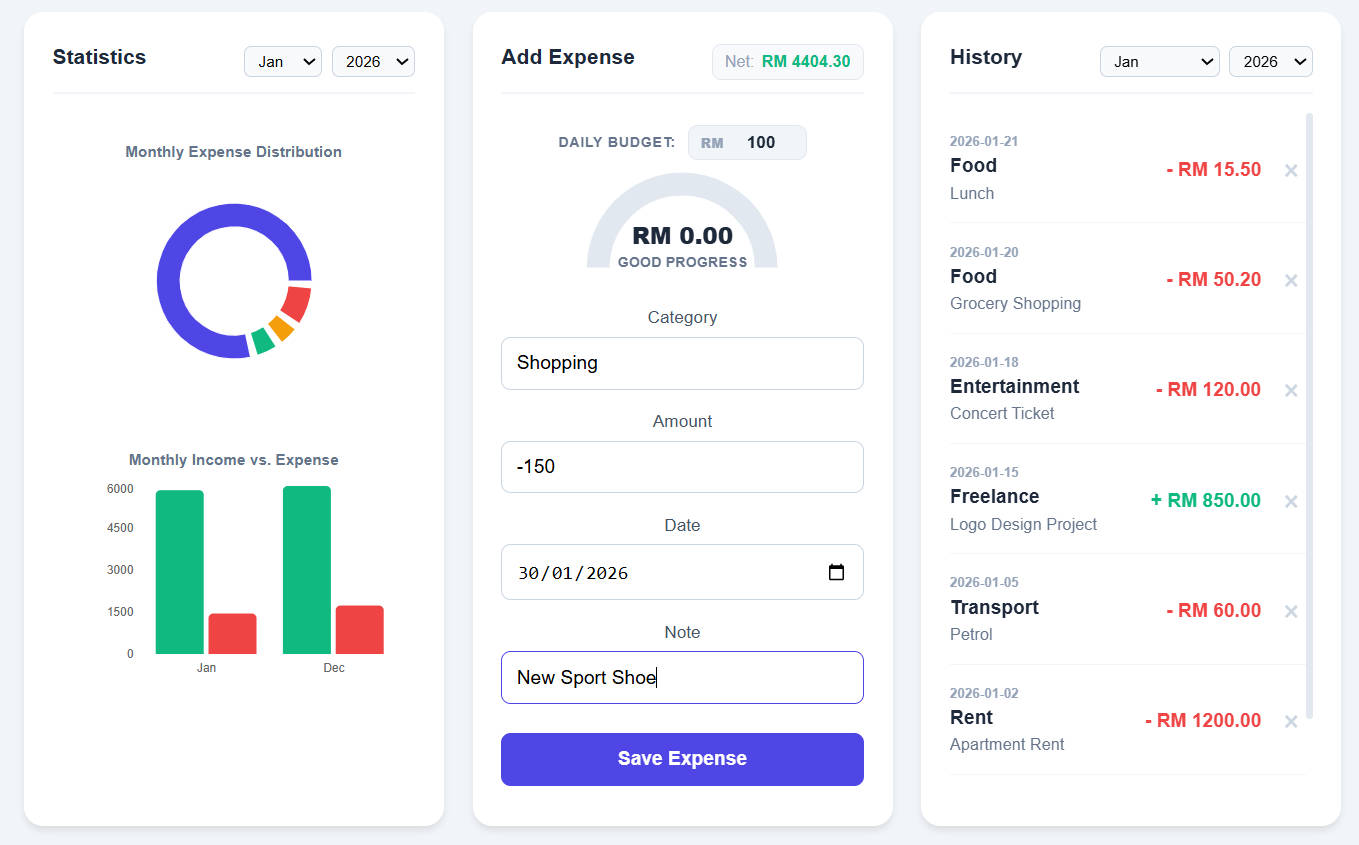
Input (Expense)
-
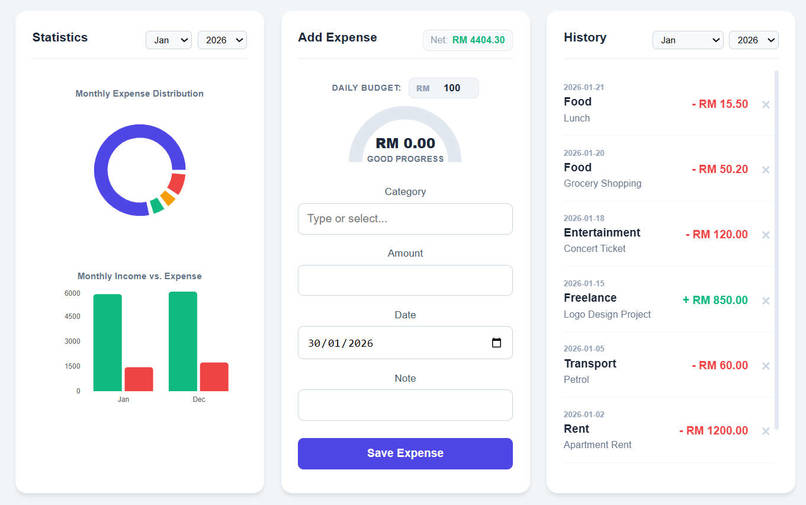
Initial page (scroll down)
-
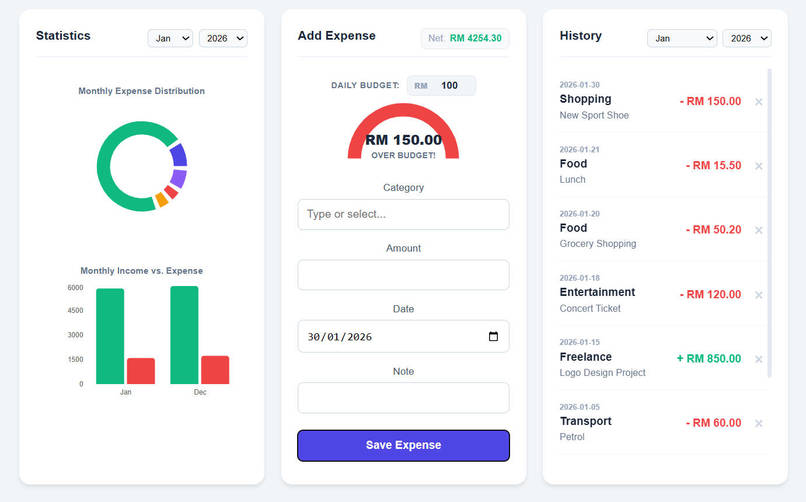
Transaction history, health gauge & charts updated.
Inspiration
Pocket Track started from a very personal problem. I’ve tried tracking my expenses before, but it always felt like I was just dumping numbers into a list. At the end of the month, I could see what I spent, but I still didn’t really understand my spending habits, and recording alone didn’t change my behavior. I didn’t know which categories were quietly draining my money or whether my income was actually keeping up with my lifestyle.
I wanted a tool that helps me reflect, not just record, something that shows patterns instead of raw data, and that helps me realize overspending before the damage is done.
I wanted something that could guide my daily spending decisions, not just summarize them later. That idea shaped Pocket Track: a tool designed to help users stay aware of their spending in real time and turn small daily choices into better financial habits, truly going from cents to sense.
What it does
Pocket Track allows users to record their daily income and expenses in a simple and structured way, making it easy to stay consistent with financial tracking. Every transaction is stored with relevant details such as amount, category, and date, allowing users to review their transaction history at any time and reflect on past spending behavior.
To help users better understand their money at a glance, Pocket Track transforms raw transaction data into visual insights. Monthly expense distribution is displayed using a donut chart, making it immediately clear which categories take up the largest portion of spending. In addition, a bar chart compares total income and expenses for the month, helping users quickly assess whether they are living within their means.
Beyond tracking and visualization, Pocket Track actively supports better spending decisions through daily budgeting. Users can set a daily budget, and as expenses are recorded throughout the day, the app calculates an expense health progress that shows how much of the budget has been used. This real-time feedback helps users recognize overspending early and adjust their behavior before exceeding their limits, turning awareness into action.
How we built it
- Frontend: React & Interactive UI The user interface was built using React to manage dynamic data and real-time updates. React makes it easier to handle changing states, such as filtering transactions and updating charts instantly when new data is added.
a. State Management: useState and useEffect hooks are used to keep the interface in sync with the backend. When a new transaction is saved, values like the Net Balance and Daily Expense Gauge update immediately without refreshing the page. b. Data Visualization: Recharts is used to display donut and bar charts. Before rendering, raw transaction data is processed and grouped into simple structures, such as total spending per category, so the charts can clearly show monthly expense distribution and income-expense comparisons. c. Responsive Styling: Custom CSS is used to create a clean, card-based layout. The dashboard adapts well to different screen sizes, making it usable on both desktop and mobile devices.
- Backend: Spring Boot REST API
a. RESTful Controllers: API endpoints such as POST /api/expenses and GET /api/expenses allow the frontend to send and retrieve transaction data in a structured way. b. Business Logic: All financial rules, such as amount validation and category handling, are managed on the backend. This ensures data remains consistent even if the frontend input changes in the future. c. Maven: Maven is used to manage dependencies and keep all libraries compatible and well-organized.
- Data Persistence: H2 Database
a. Schema Design: Each transaction is stored with fields such as ID, date, category, amount, and note, allowing accurate tracking and easy querying. b. JPA Integration: Spring Data JPA maps Java objects directly to database tables, removing the need to write SQL manually and simplifying data access. c. Persistence: The database is configured to store data locally, ensuring transaction history remains available even after restarting the application.
- Full Stack Integration Flow
- A user enters an expense in the React interface
- React sends the data as a JSON request to the Spring Boot API
- The backend validates and saves the transaction to the database
- The saved data is returned to the frontend
- The UI updates instantly, refreshing the transaction list, charts, and daily budget progress
Challenges we ran into
- The "String vs. Number" Calculation Bug One of the most persistent challenges was a common JavaScript quirk. Because HTML fields actually return values as Strings, our initial math logic was performing string concatenation instead of addition.
The Issue: Adding an expense of RM 50 to a balance of RM 0 resulted in "RM 050" (text) instead of "RM 50.00" (math). This caused the Net Balance to grow to astronomical, nonsensical numbers.
The Solution: By wrapping all incoming data in parseFloat() and using Number() inside our .reduce() functions, we forced the application to treat every transaction as a mathematical value.
- Synchronizing the Daily Gauge The Daily Budget Gauge was technically difficult because it relies on "Derived State." It has to listen to the entire transaction history, filter for only "Today's" date, and re-calculate the percentage every time a new item is added.
The Issue: Initially, the gauge would only update after a manual page refresh.
The Solution: I moved the calculation logic into the main render cycle and used the "spread operator" ([...history, newItem]) to trigger a shallow comparison in React. This ensures that the moment the "Submit" button is hit, the gauge needle moves instantly.
Accomplishments that we're proud of
This was my first time building a complete web application on my own, from designing the user interface to implementing backend logic and data persistence. Even though Pocket Track is a relatively small-scale project, finishing it end-to-end was a meaningful achievement for me. It pushed me to take full ownership of every decision, bug, and trade-off in the system.
One of the things I’m most proud of is how reliable the application feels despite its simplicity. Issues around data types, real-time updates, and date handling forced me to understand how frontend behavior, backend logic, and visualization are deeply connected. Solving these problems helped me move beyond just “making things work” and start building features that behave correctly and consistently in real usage.
I’m also proud of turning Pocket Track into something more than a basic CRUD app. Features like real-time expense health progress and responsive charts transformed raw data into immediate feedback for users. Seeing the interface update instantly after each transaction reinforced the idea that good software should guide behavior, not just record it.
What we learned
This project was my first time working with Recharts and building data-driven visualizations in a real application. One of the most important lessons I learned is the idea of derived state. The database should store raw facts—individual transactions—while the user interface should display processed insights. Instead of saving pre-calculated values, the frontend transforms raw data into meaningful visuals when needed.
From a UI/UX perspective, Pocket Track taught me the value of the “less is more” philosophy. A powerful application does not need to look complex. Designing a clean dashboard helped me understand visual hierarchy and how layout choices affect usability.
I also gained a better understanding of component communication in React. Changes in one part of the interface, such as submitting a new expense in the form, now correctly trigger updates across multiple components, including the statistics panel and transaction history. This reinforced the importance of clear data flow and shared state in building predictable interfaces.
Real users and real systems do not always behave perfectly. Handling failed API requests, empty datasets, and edge cases gracefully improved the overall reliability of the application. I learned that a good application should handle “nothing” just as carefully as it handles “everything.”
What's next for Pocket Track
I plan to make Pocket Track portable. At the moment, data is stored locally, which limits usage to a single device. The next step would be migrating to a cloud-hosted database such as PostgreSQL, allowing users to access their financial data from anywhere. With this change, user authentication would also be introduced using Spring Security and JWT, so each user has a secure, private account and their financial data is properly protected.
Pocket Track also has the potential to evolve from reporting past behavior to predicting future outcomes. With basic predictive analytics, the app could estimate where a user’s balance might end up by the end of the month based on current spending patterns. Smart alerts could notify users when they are on track to overspend in a certain category, giving them time to adjust before it happens.
Accessibility and customization play a key role in making Pocket Track feel personal. Future improvements could include theme options such as dark mode or a paper-style rustic theme that matches the app’s aesthetic. Multi-currency support would also make the app more flexible, especially for users who travel or manage expenses in different currencies.

Log in or sign up for Devpost to join the conversation.