-
-
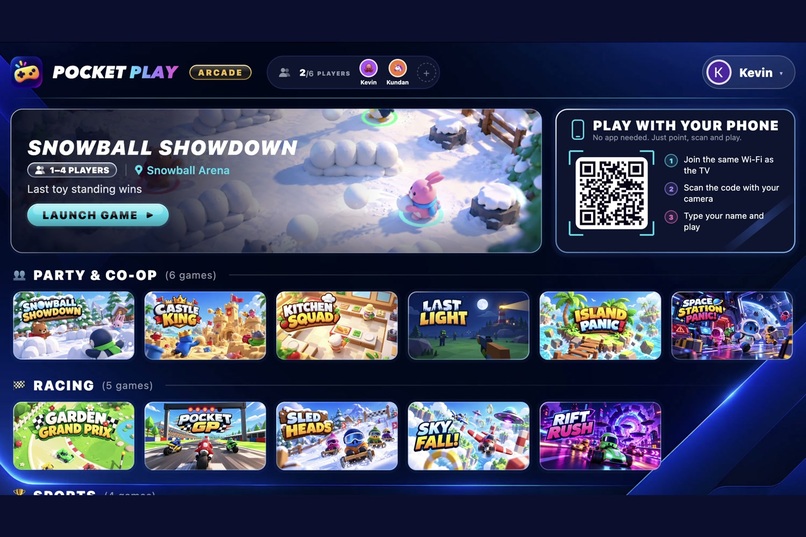
Players scan one QR code and join with their name: no app install
-
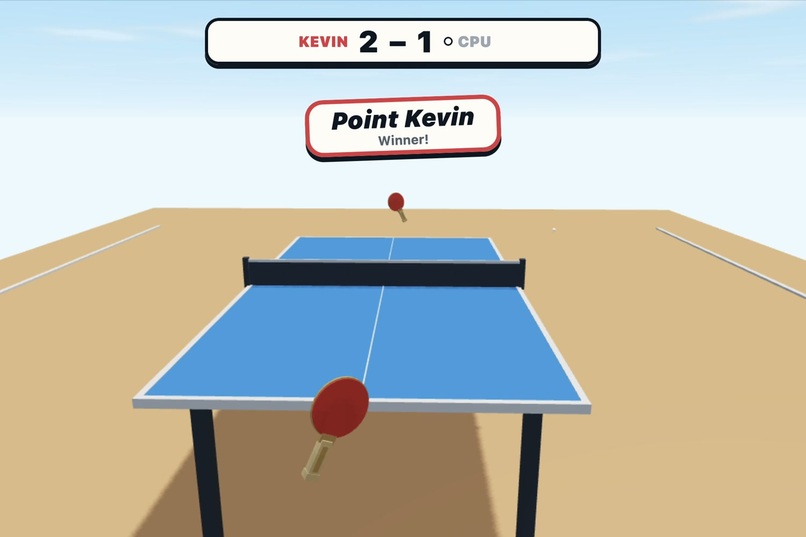
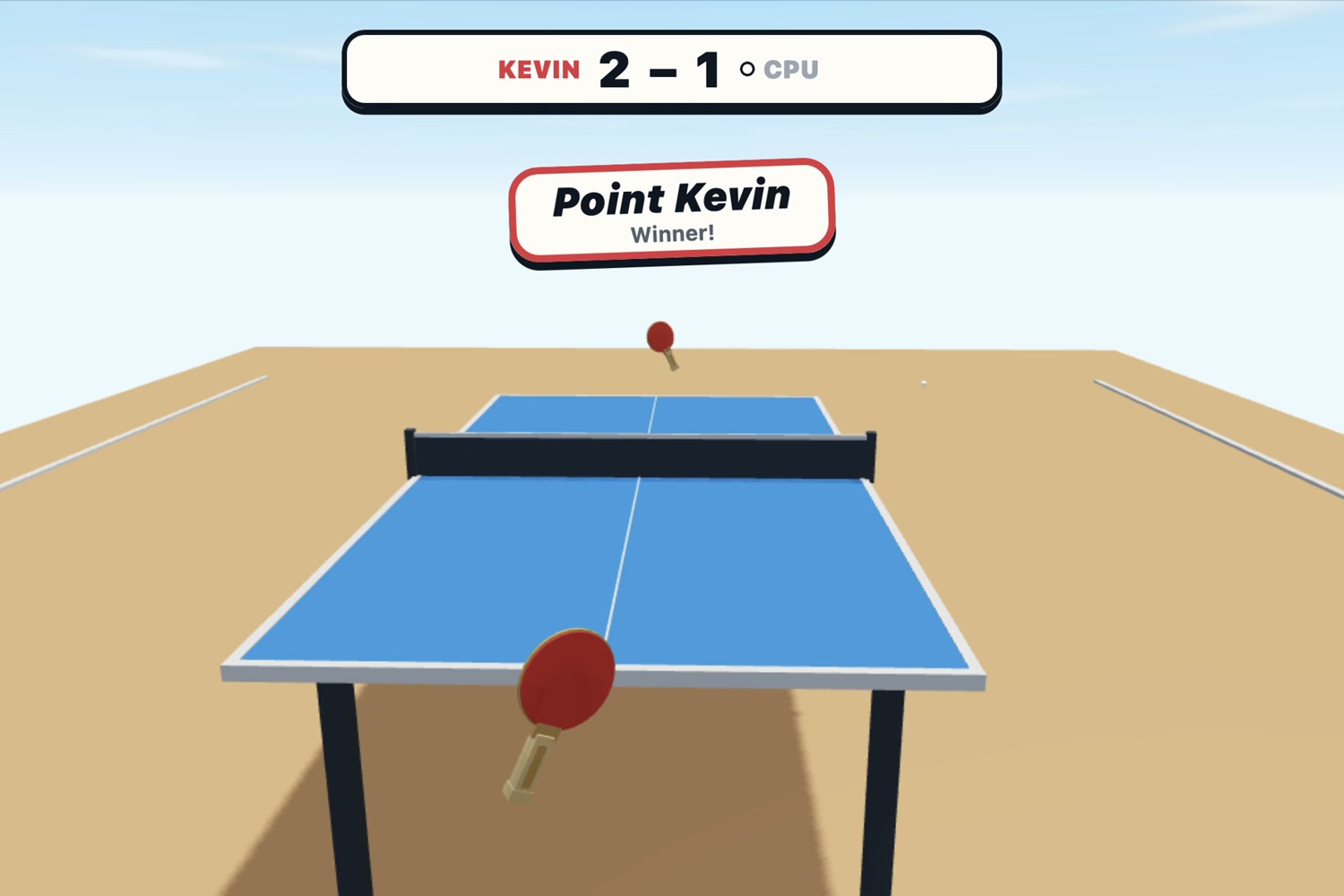
Table Smash: your phone is the bat
-
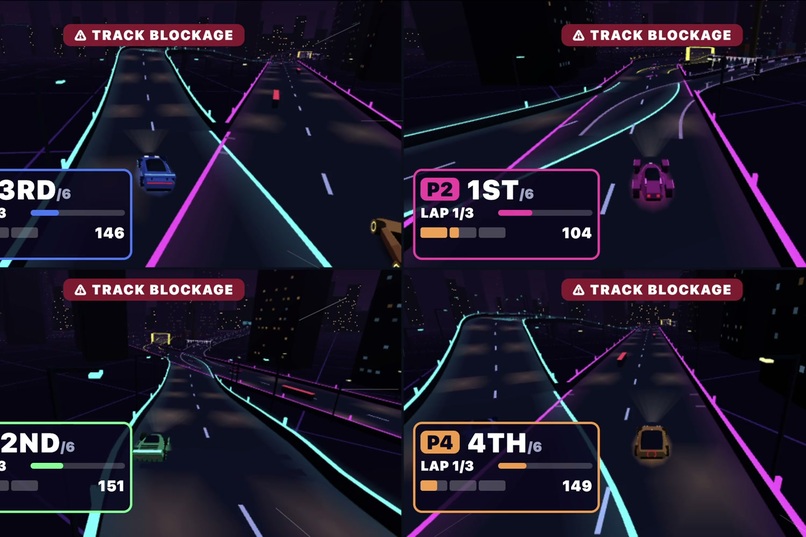
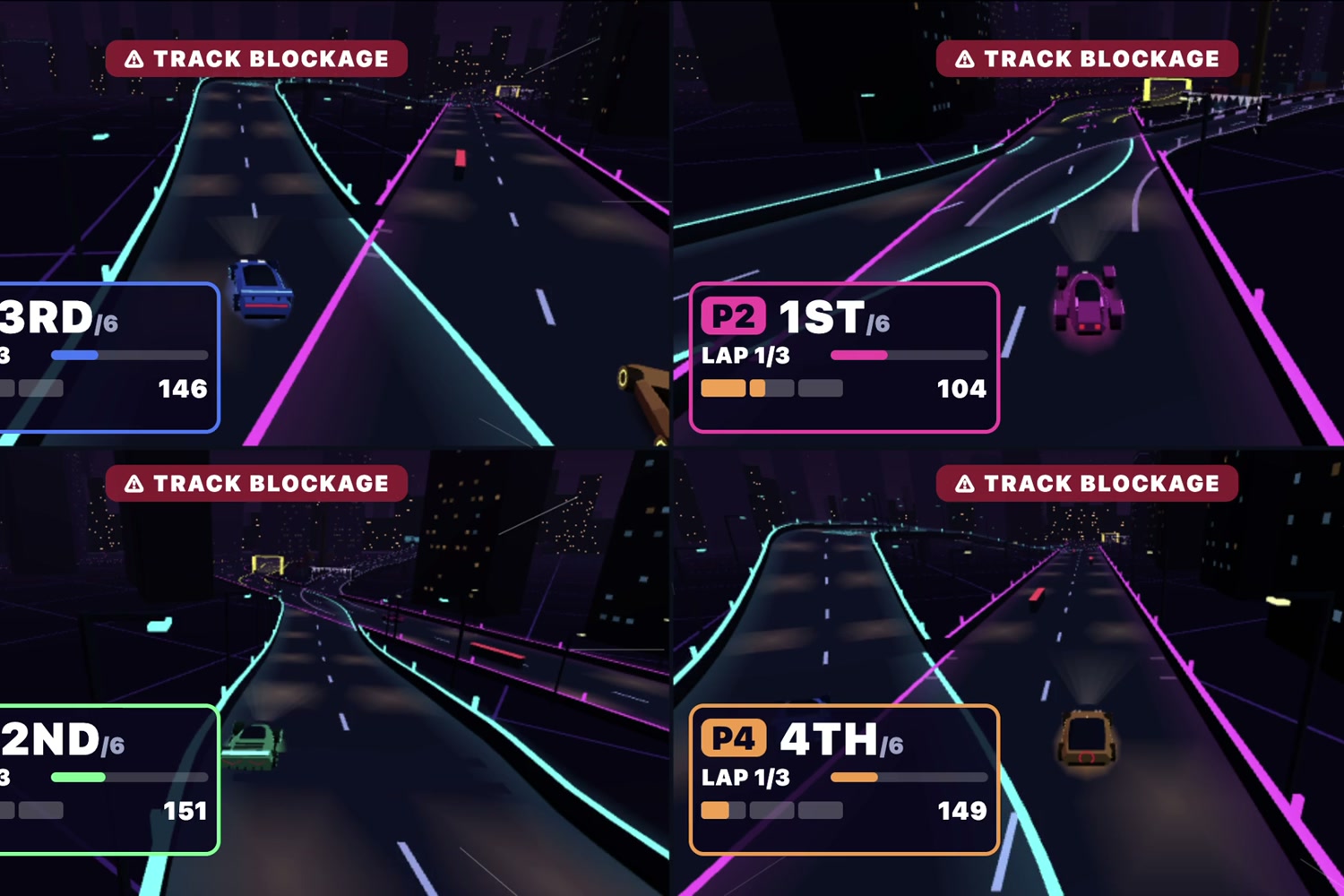
RIFT RUSH: 4-player split-screen arcade racing
-
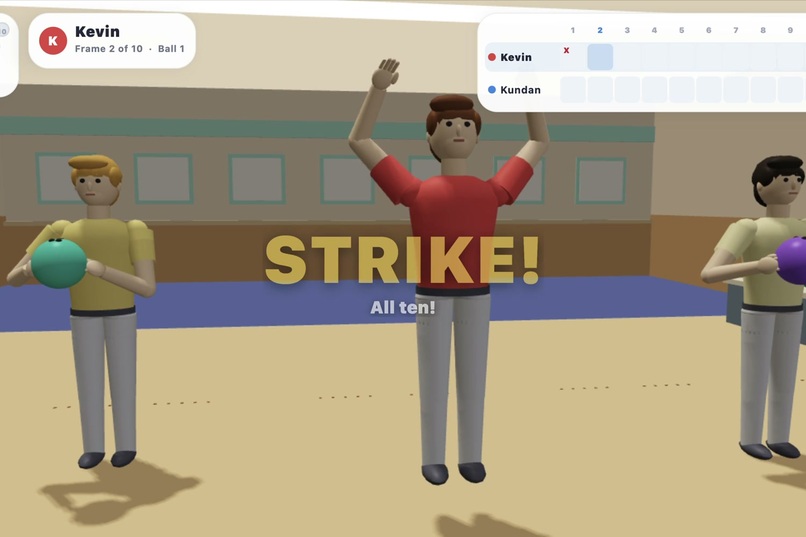
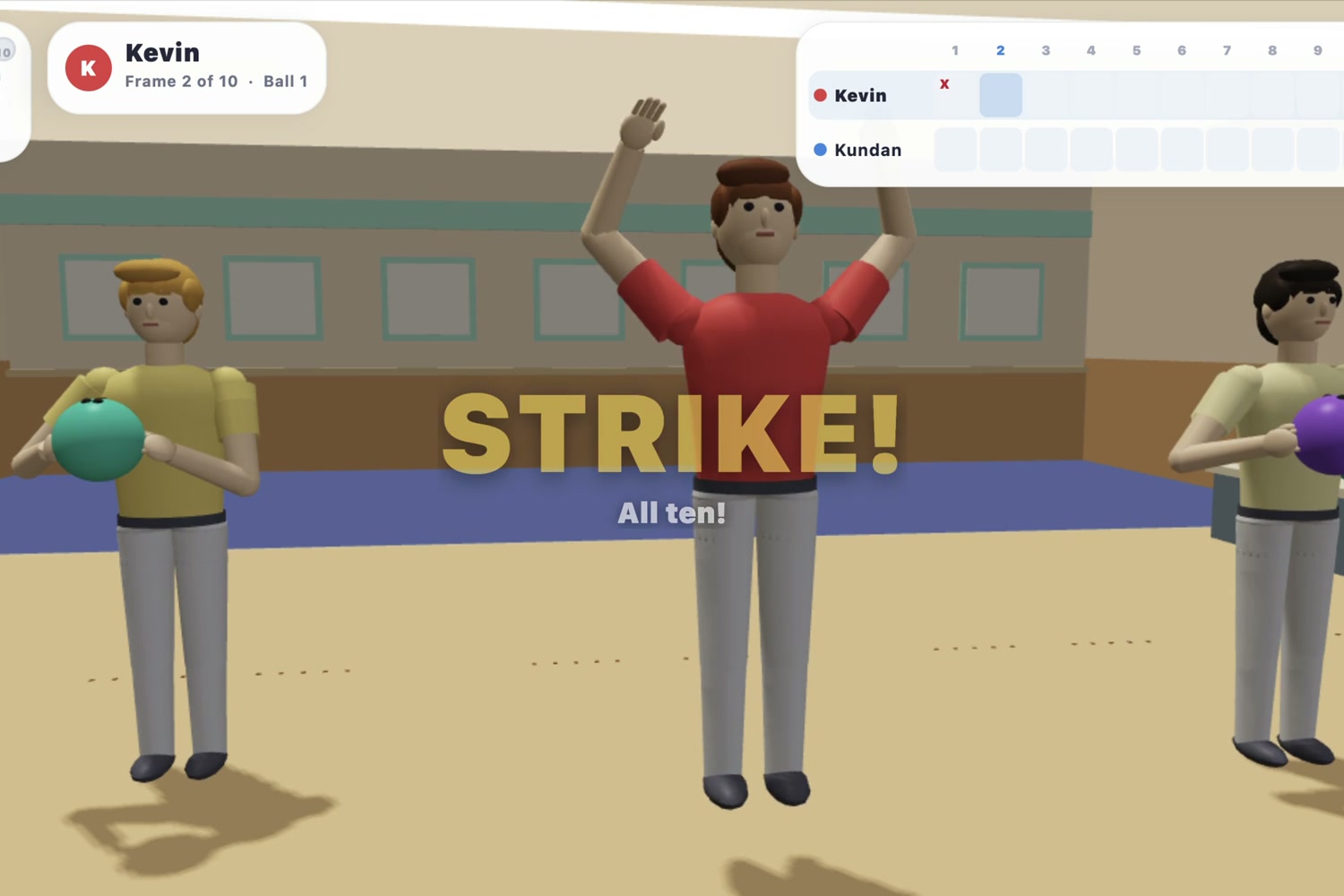
Pin Party Bowling: swing your phone like a bowling ball. Strike!
-
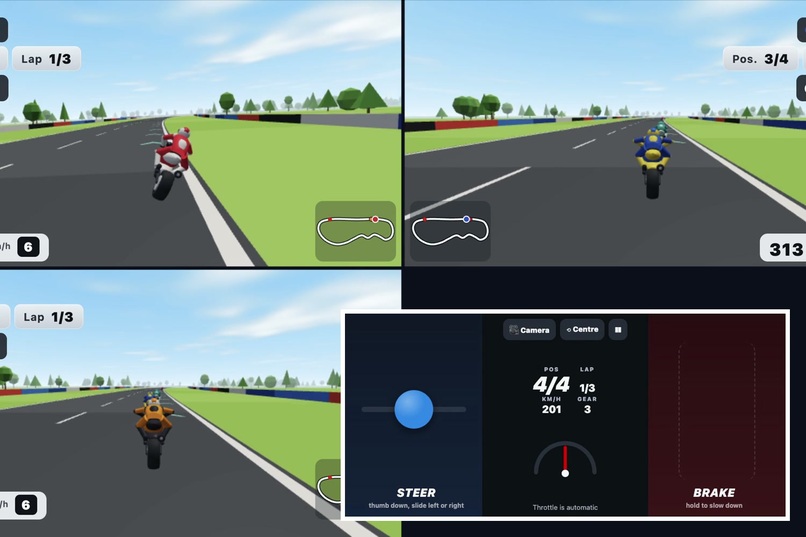
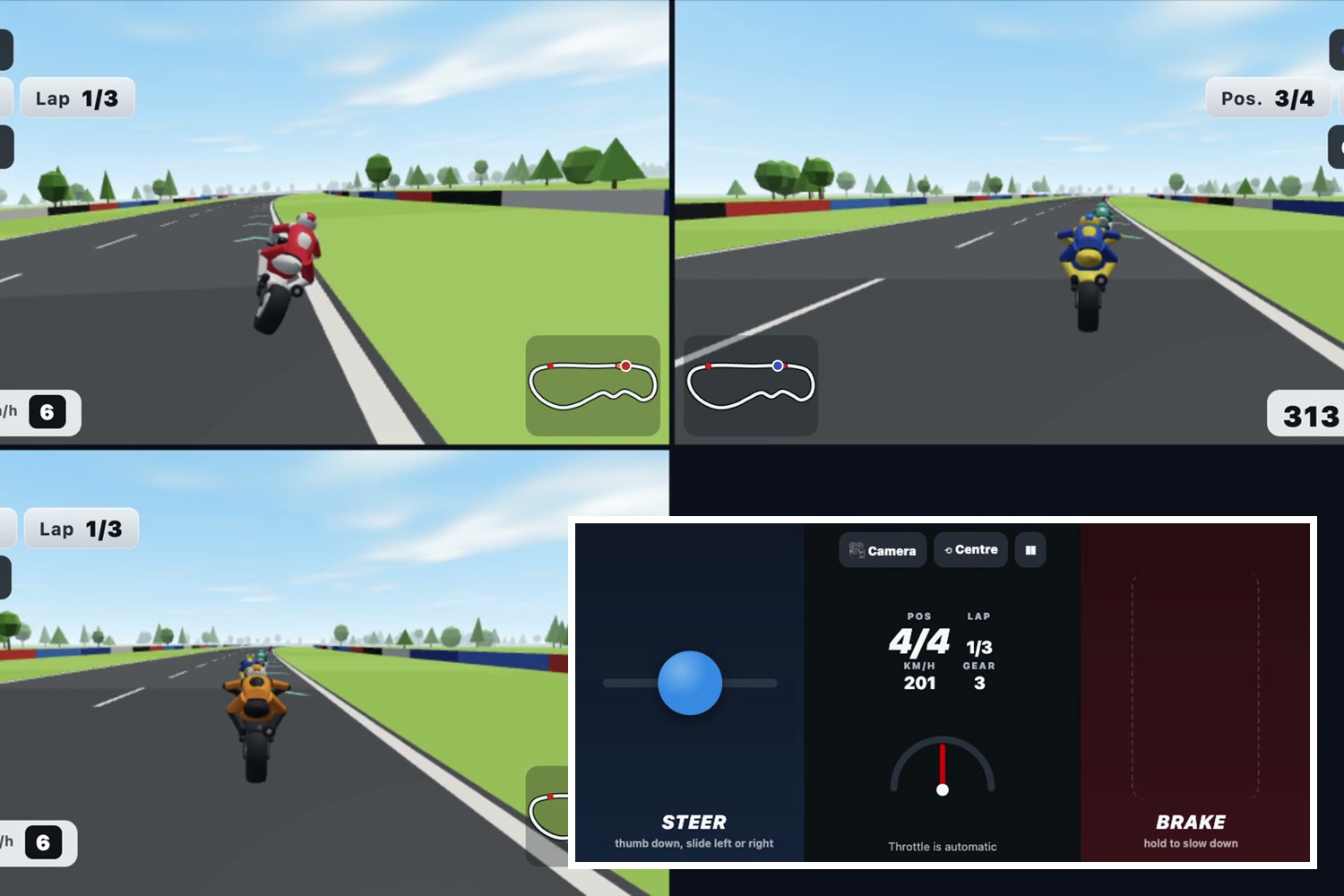
Phone held sideways like handlebars: tilt to steer, thumb to brake, live speed and lap
-
Pocket Play: one Fire TV app, 15 games, and every phone is a controller
-
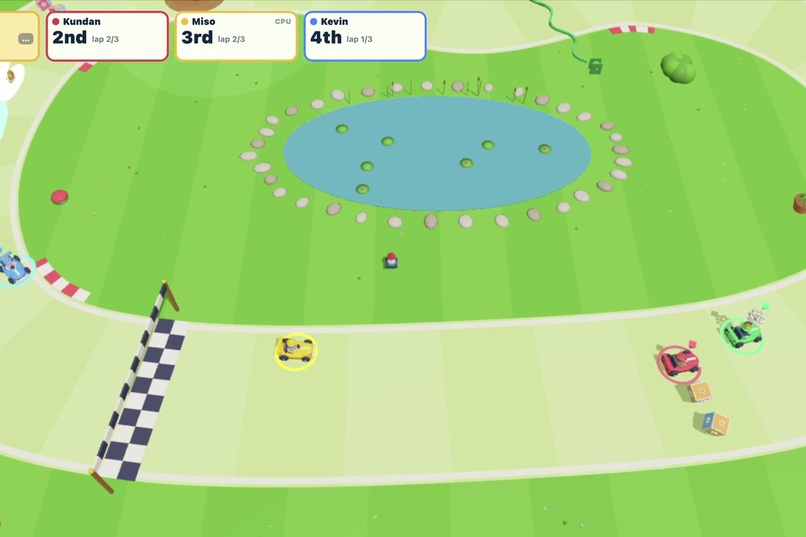
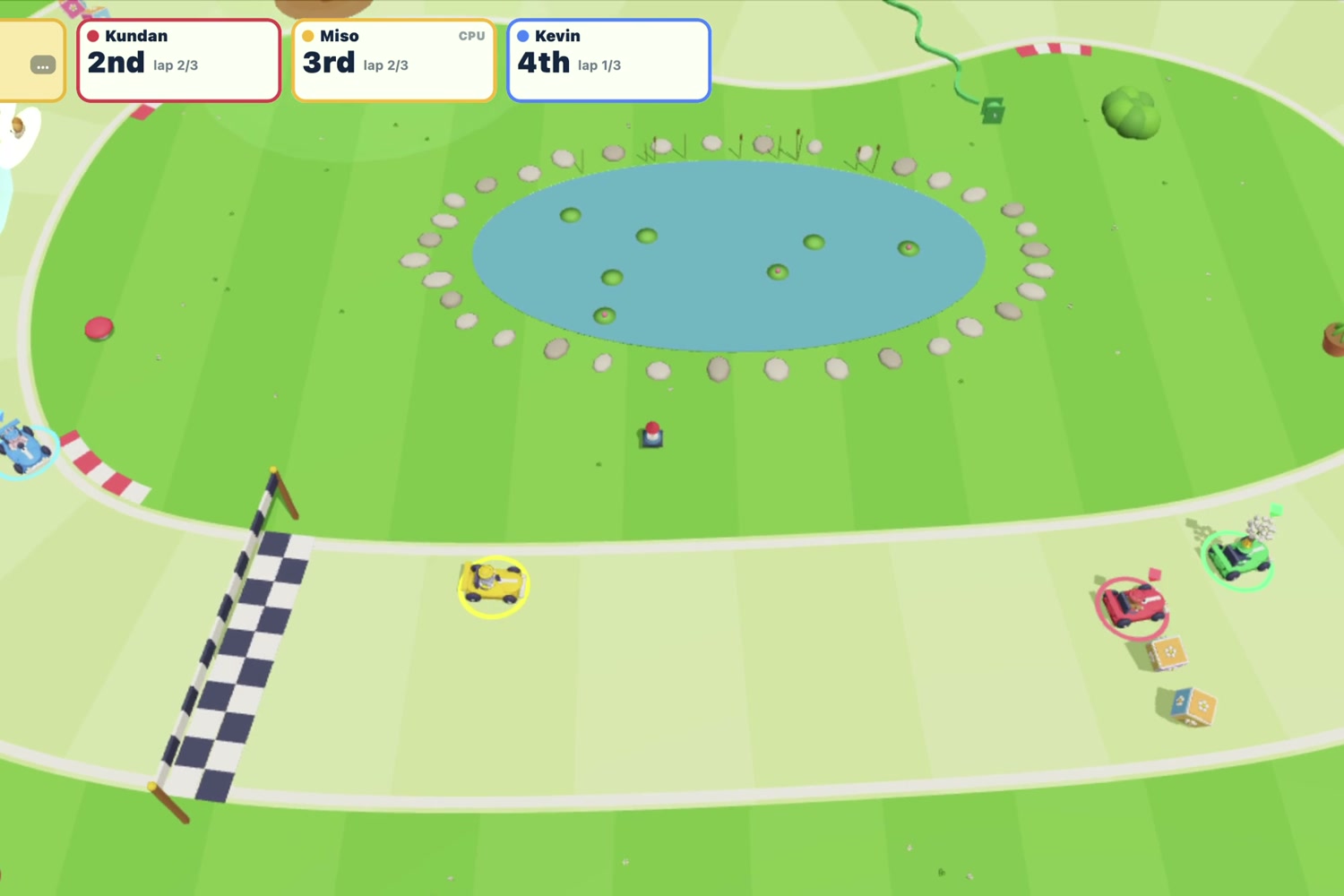
Garden Grand Prix: kart racing round the garden
-
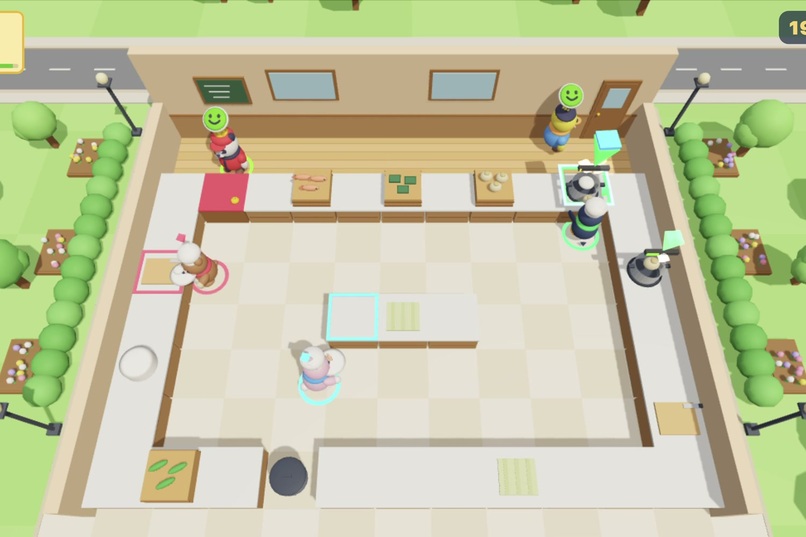
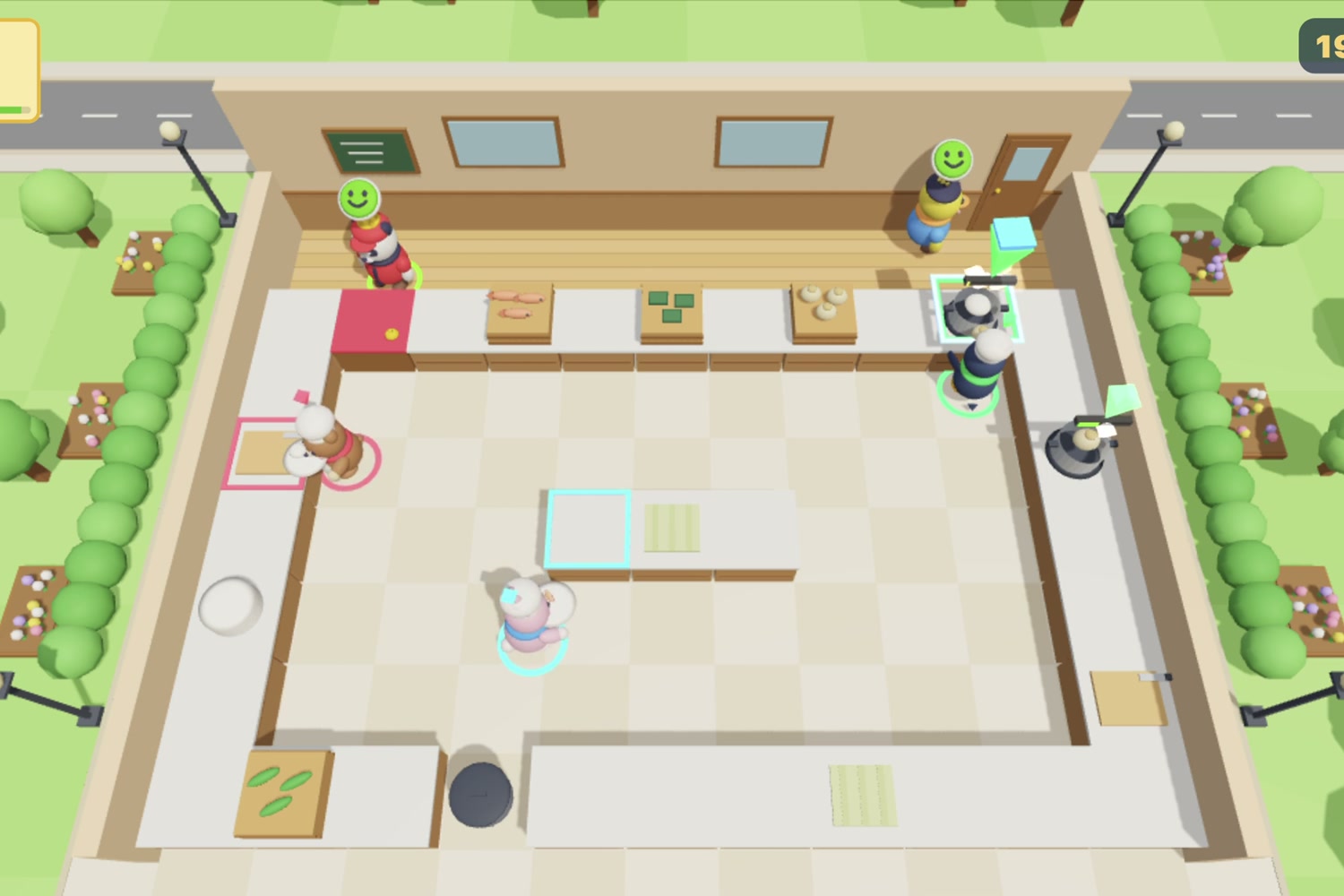
Kitchen Squad: co-op cooking, every phone a chef
-
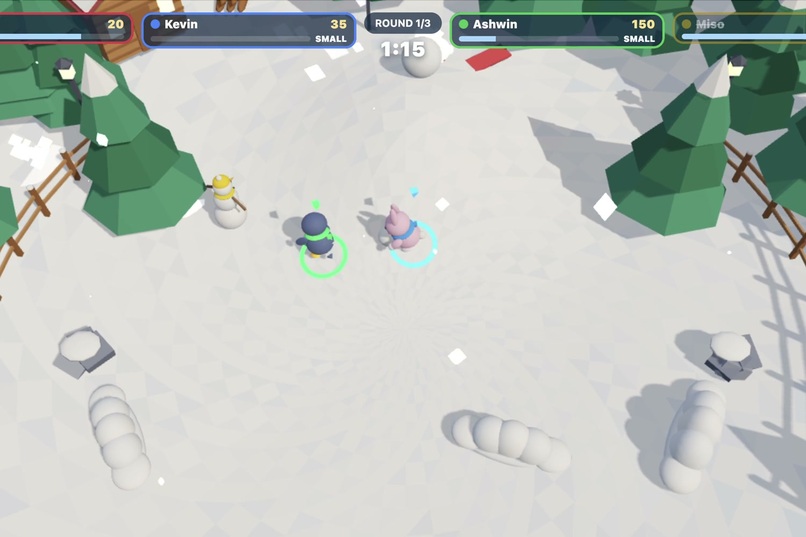
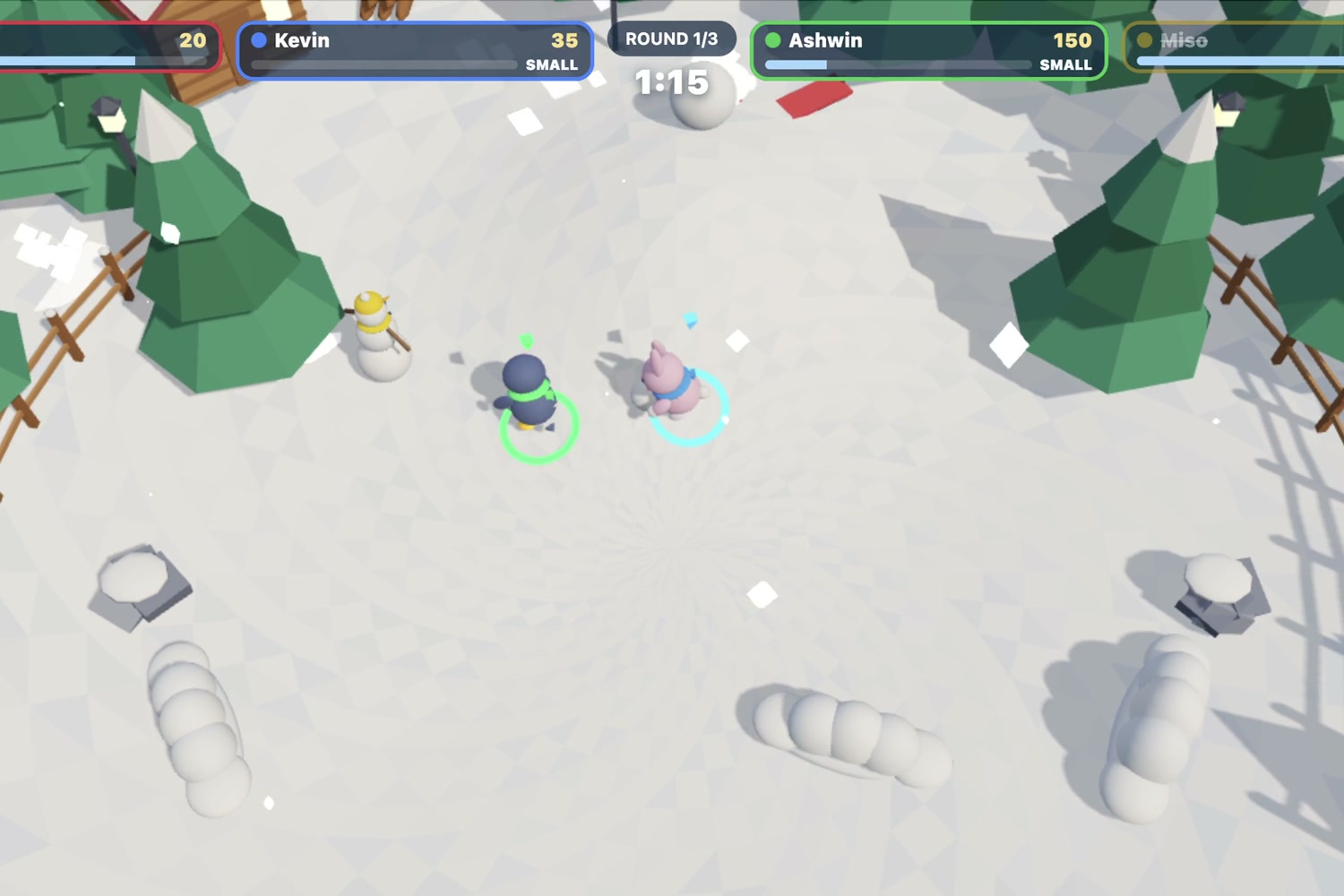
Snowball Showdown: roll, throw and dodge, last toy standing wins
-
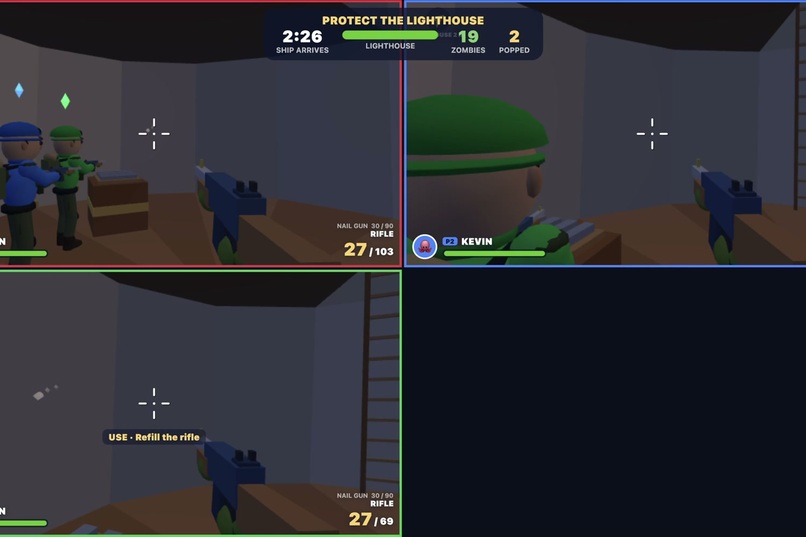
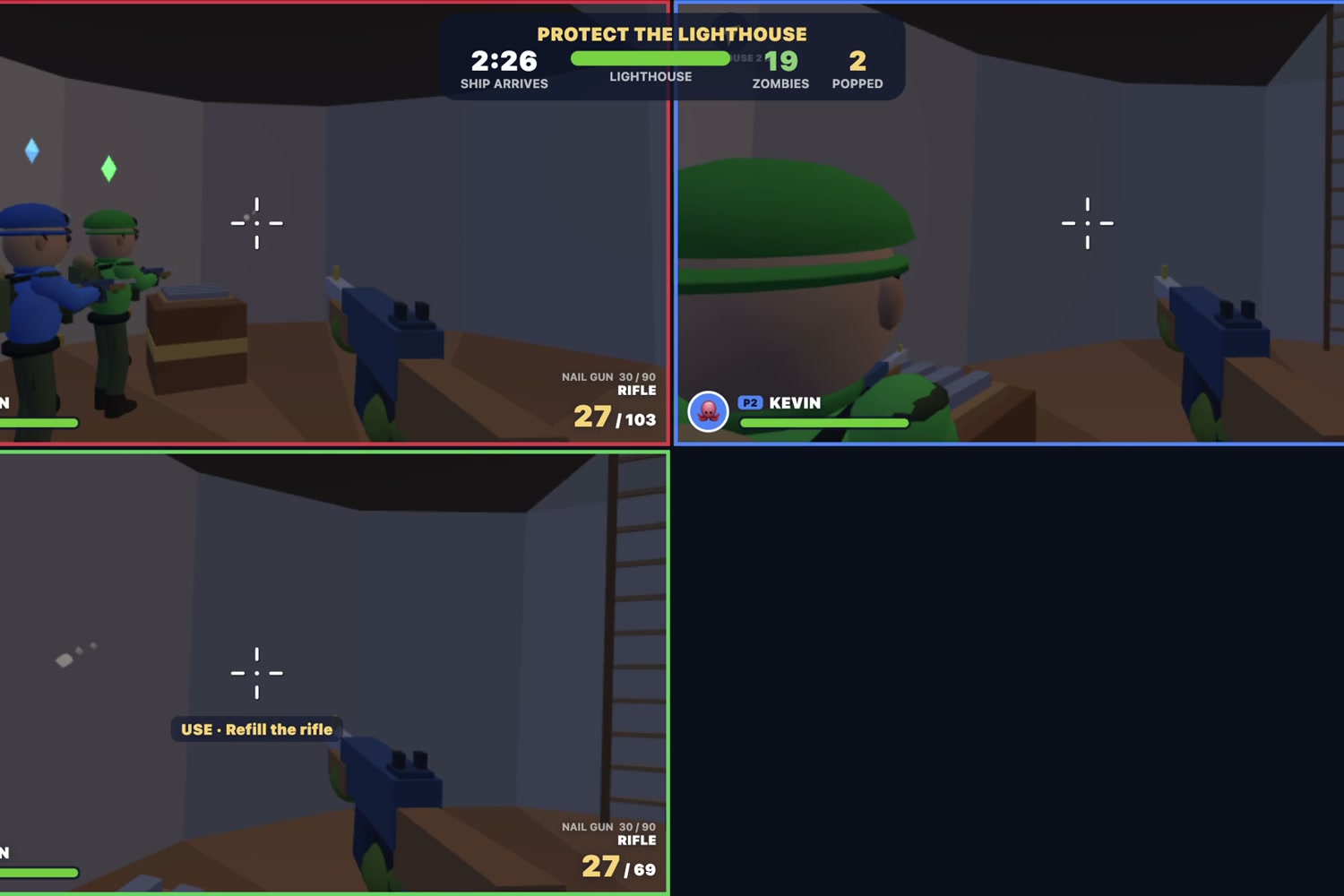
Last Light: co-op survival in split screen, defend the lighthouse till the rescue ship comes
Inspiration
Game consoles are expensive: first the console, then a controller for every player. But millions of homes already have a Fire TV Stick plugged into the TV, and everyone in the room carries a phone full of motion sensors and a touch screen. We wanted to turn that low-cost stick into a games console, so a family can have game night without buying any new hardware. Our goal is to make gaming more affordable and accessible, built to run well on the cheapest hardware people already own.
What it does
Pocket Play is a Fire TV app with 15 original multiplayer games that use phones as controllers.
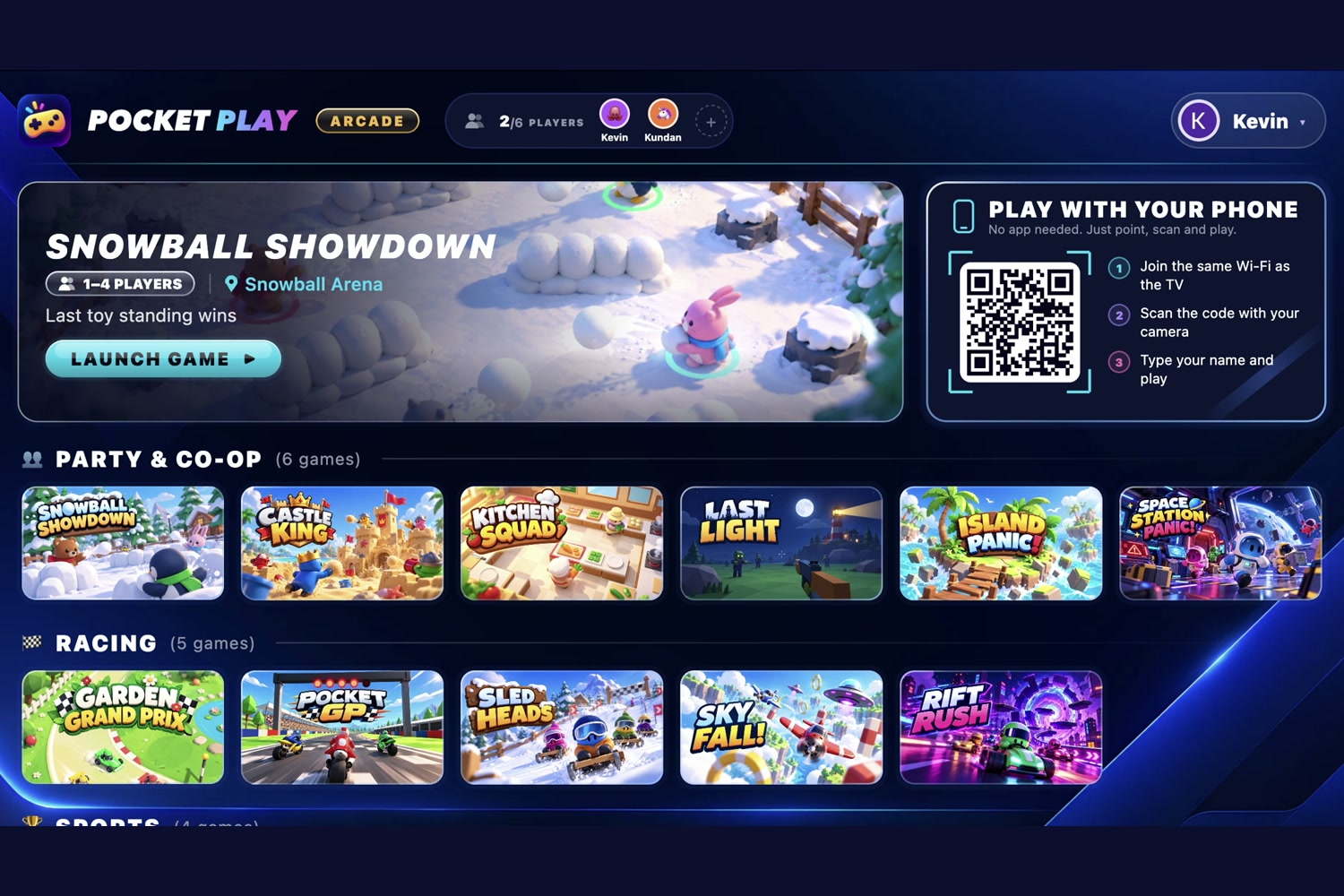
- Scan once, play all night. The hub shows a QR code. Up to 6 players scan it with their phone camera, enter a name and they're in: no app install, no account. Each player keeps their avatar and colour from game to game, and their phone stays connected for the whole session, so nobody re-scans or pairs again when the next game starts.
- Every phone becomes the controller, right in the web browser. The controller is a web page, so any phone works, iPhone or Android. Each game brings its own controller, built for the way it plays, and the phone switches to it the moment the TV starts that game:
- Pin Party Bowling: the phone is the ball. Swing your arm, and the motion sensors read speed, spin and release.
- Pocket GP: hold the phone sideways like handlebars and lean into corners, with up to 4 riders in split screen.
- Table Smash: the phone is your table-tennis bat.
- Last Light, Kitchen Squad, Snowball Showdown and more: dual-stick touch pads, action buttons and haptics.
- Remote, phone and TV in one flow. The Fire TV remote browses the shelves (Party & Co-op, Racing, Sports) and launches games. Any phone can also pick a game from its own menu. The TV shows who's in, whose turn it is and the scores, while each phone shows only what that player needs: their bowling lane, their speed and lean, their ammo.
- 15 games across genres: co-op survival (Last Light), co-op cooking (Kitchen Squad), kart, moto and arcade racing (Garden Grand Prix, Pocket GP, RIFT RUSH, Sledheads, SkyFall), sports (Pin Party Bowling, Table Smash, Couch Football, Goal Rush) and party brawlers (Snowball Showdown, Castle King, Island Panic, Space Station Panic).
- A real product. Google sign-in made for TVs (enter a code on your phone), free games to start, and a Premium subscription sold through Amazon Appstore in-app purchases. Pocket Play is published on the Amazon Appstore for Fire TV.
It serves our track's priority categories directly: family entertainment, sports and multi-modal UX. Remote, phone touch, phone motion and the TV screen all work together in one flow.
How we built it
- One codebase, every screen. Every game is written in Kotlin Multiplatform on Joyframe, an open-source 3D game engine for Compose Multiplatform. The same game code runs on Fire TV (Fire OS), Mac and iPhone. We build and test on a laptop, then ship to the stick.
- The hub is a Compose Multiplatform app for Fire OS. It hosts each game as a module, handles remote (D-pad) focus across the shelves, and keeps one connection per phone for the whole session.
- Phone connection. The QR code opens
play.pocketplay.club, served from Amazon S3 through Amazon CloudFront with ACM certificates and Route 53 DNS. Real HTTPS is what unlocks the phone's motion sensors in the browser. A tiny signalling service introduces the phone to the TV, then the two talk peer to peer over WebRTC on the home Wi-Fi. Controller input never leaves the house, so latency stays low and hosting costs stay near zero. On the same network, the TV can also serve the controller itself. - Controller tunnel. Each game keeps its own controller page. The hub loads it inside the phone page and swaps its socket for the hub's connection, so games work unchanged on their own or inside Pocket Play.
- Fire TV performance. We profiled on a real Fire TV Stick (PowerVR GE8300 GPU). Fixed 4× MSAA alone held a bowling scene at 12.6 fps. We added a per-game MSAA setting to Joyframe and contributed it upstream, which brought that scene to about 30 fps. We also cut idle redraws on the hub and tuned scenes per game.
- Accounts and payments. Google's TV sign-in (OAuth device flow) with Firebase Auth over REST, since Fire TV has no Google Play services. Premium through RevenueCat on the Amazon Appstore.
Challenges we ran into
- Motion sensors need HTTPS, but a TV on a home network can't get a trusted certificate. iPhones warned about our self-signed certificate. We moved the controller page to our own AWS-hosted domain and connect phone and TV directly with WebRTC.
- A Fire TV Stick is not a gaming PC. Anti-aliasing, shadow resolution and draw calls all had to be budgeted per game to hold frame rate in split screen.
- Fifteen games, one controller connection. We designed a small contract that any Joyframe game implements to accept the hub's phones, so games stay independent repositories and plug in as modules.
- iOS quirks. One game's controller reloaded itself on iPhone to recover from a typing bug, which became an infinite reload loop inside the hub's auto-join. We found it, fixed it upstream in that game and added a guard.
Accomplishments that we're proud of
- 15 complete, original 3D games from a three-person team, all playable with nothing but a phone.
- Published on the Amazon Appstore, with Premium subscriptions through Amazon in-app purchases.
- Two pull requests merged into Joyframe, the open-source engine we build on: Android MSAA, and the Kotlin 2.4, Compose 1.11 and AGP 9 build, first-frame callback and display-rate fix. A third, per-game MSAA, is ready.
- Zero-install joining that works on any modern phone and keeps working from game to game.
What we learned
- Designing for the couch is different: big type, few choices per screen, and a remote that always has somewhere sensible to go.
- The best controller is different for every game. Motion makes bowling magical but would ruin a cooking game.
- Kotlin Multiplatform let us iterate at desktop speed and ship to a $40 streaming stick.
What's next for Pocket Play
- Voice: call out to start a game or join a team, through the phone mic, as a third input next to touch and the D-pad.
- More games: we're planning to bring more games to Pocket Play, including ones from the Joyframe community through the same plug-in contract.
Built With
- amazon-appstore
- amazon-cloudfront
- amazon-in-app-purchasing
- amazon-route-53
- amazon-web-services
- android
- aws-certificate-manager
- cloudflare-workers
- compose-multiplatform
- fire-os
- fire-tv
- firebase-authentication
- html5
- javascript
- joyframe
- kotlin
- kotlin-multiplatform
- ktor
- opengl-es
- revenuecat
- webrtc

Log in or sign up for Devpost to join the conversation.