-
-
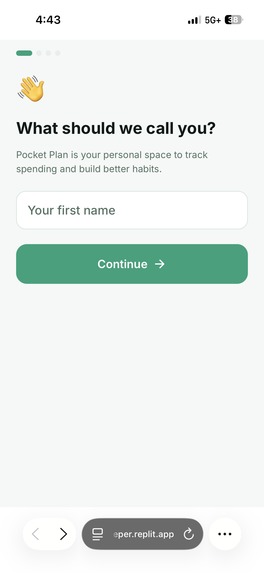
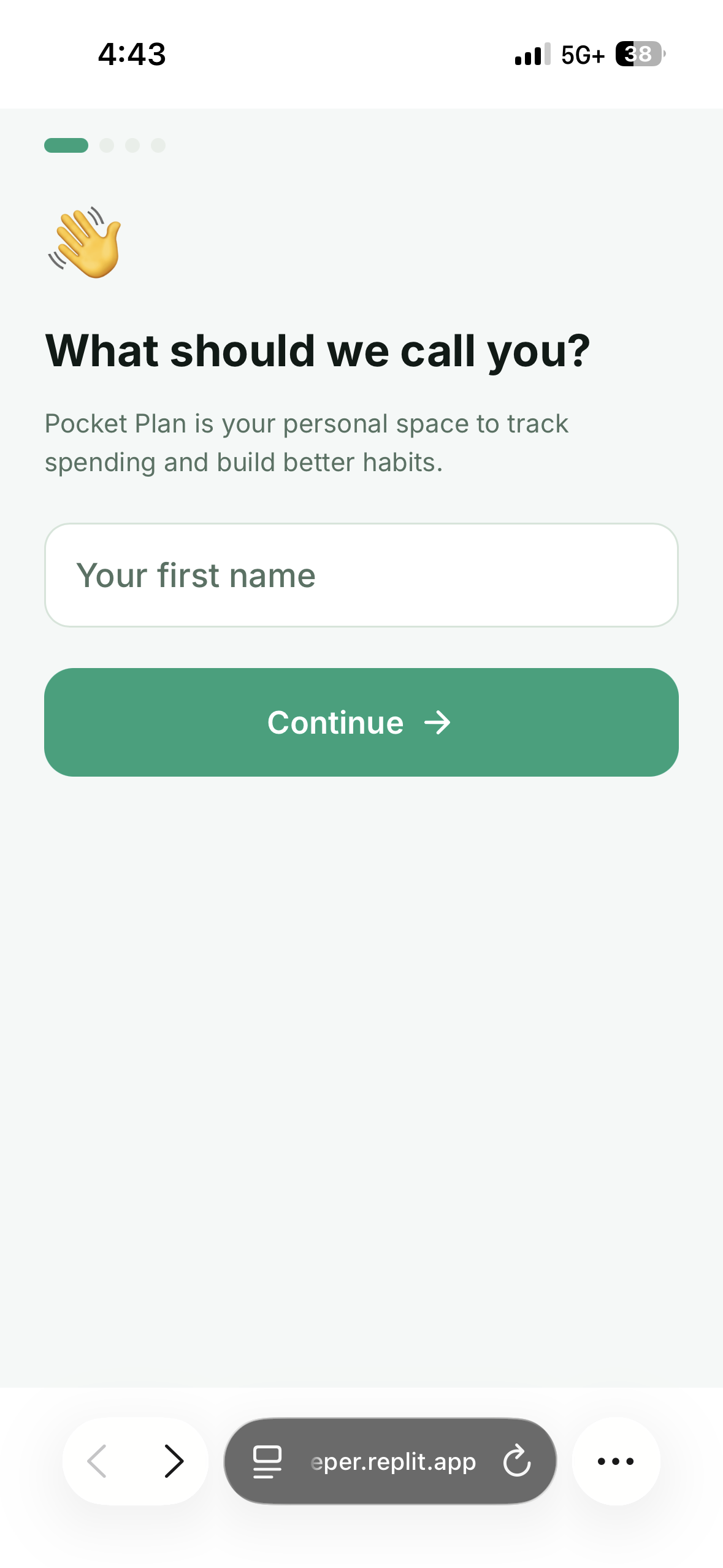
This is the initial page of my onboarding screen. It asks for your first name to personalize the app.
-
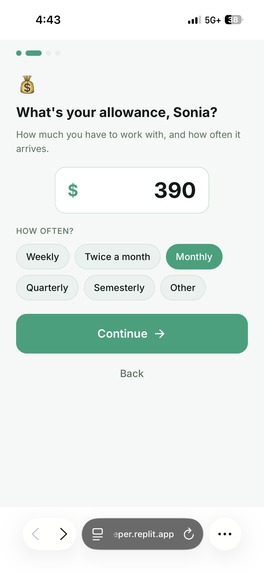
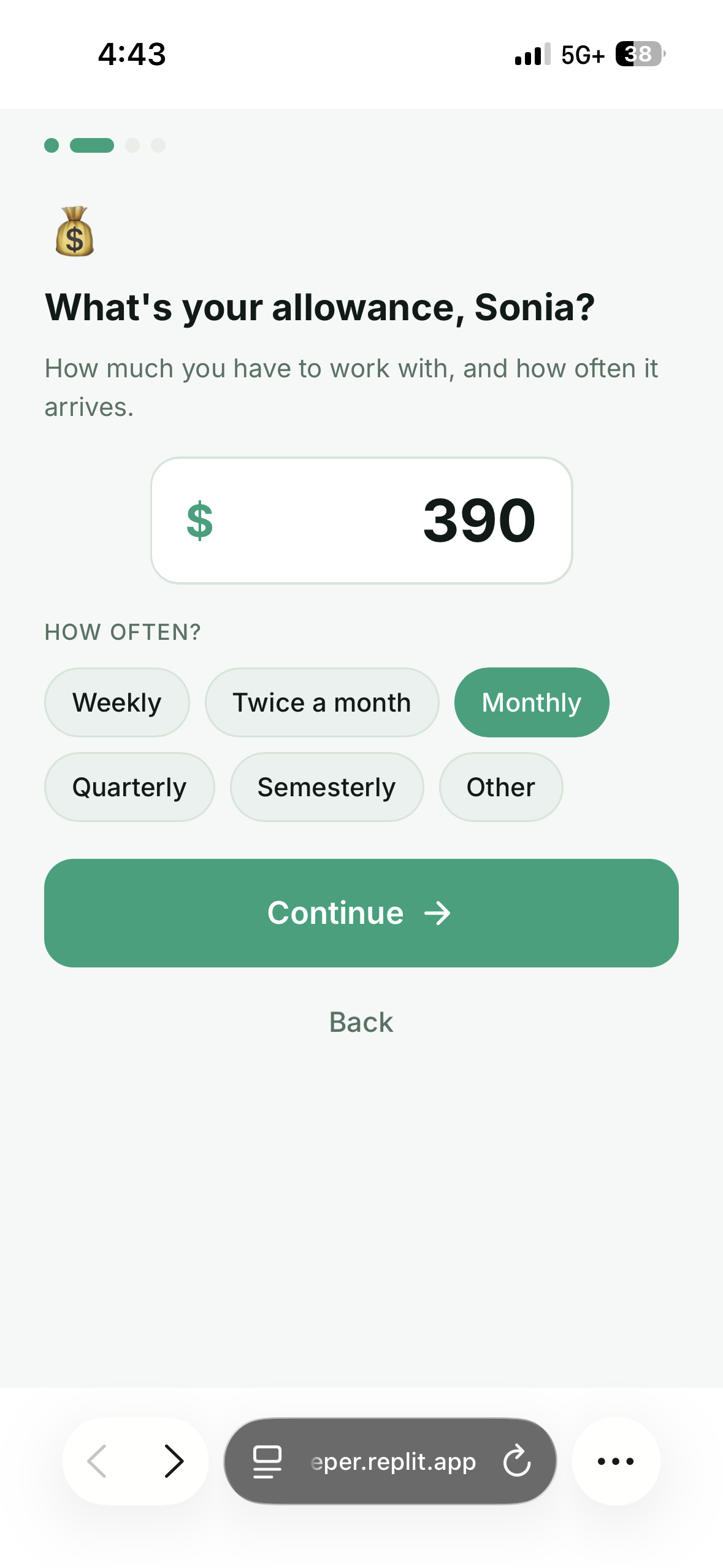
Enter how much allowance you get and how often it arrives.
-
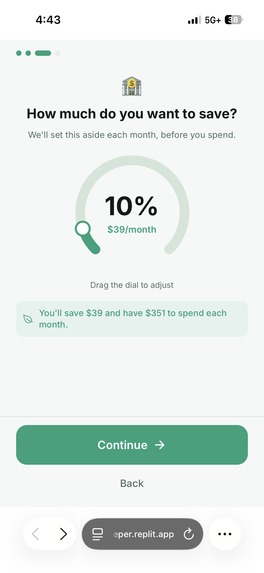
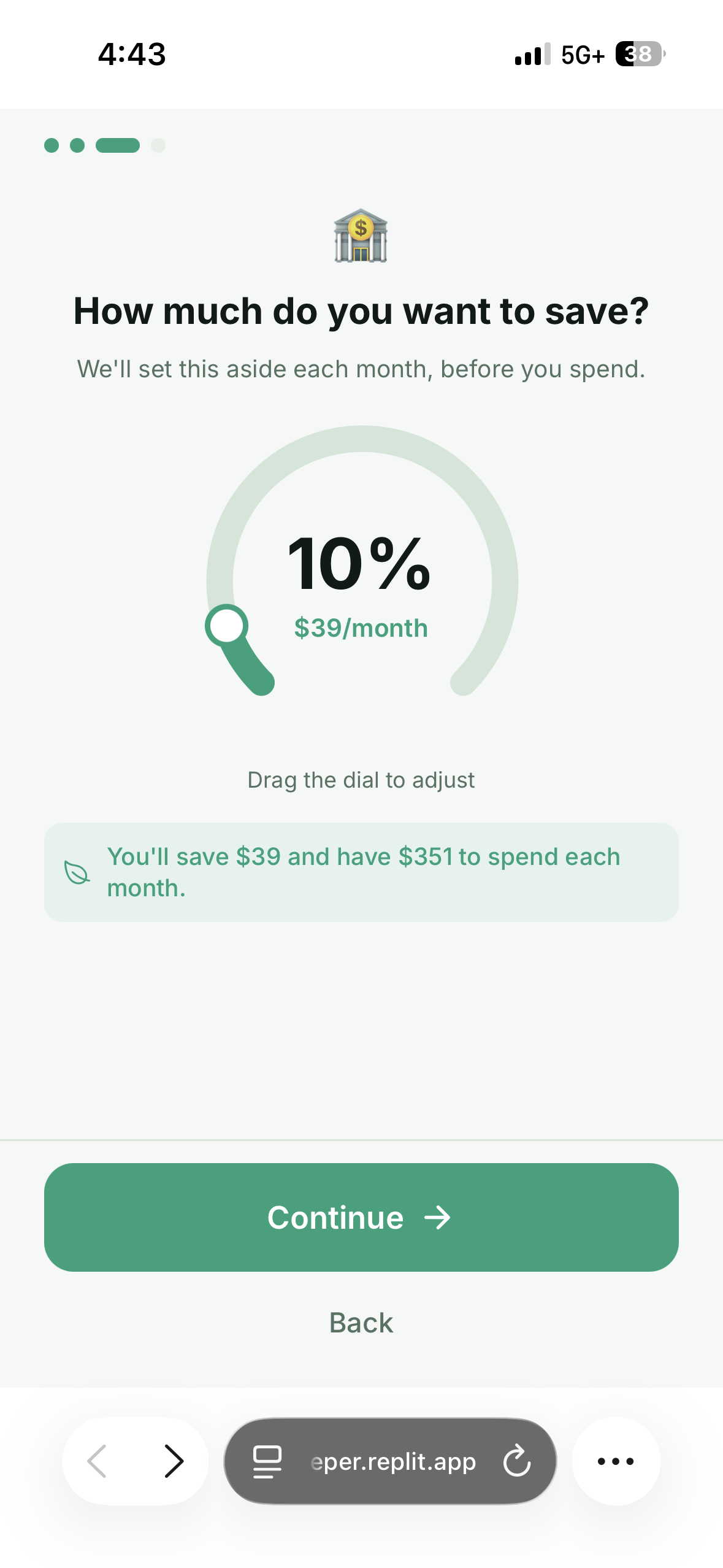
Drag a dial to set the percentage you'll save before spending.
-
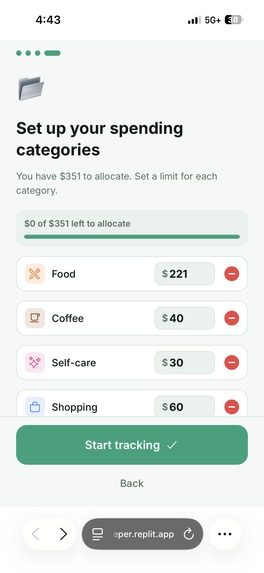
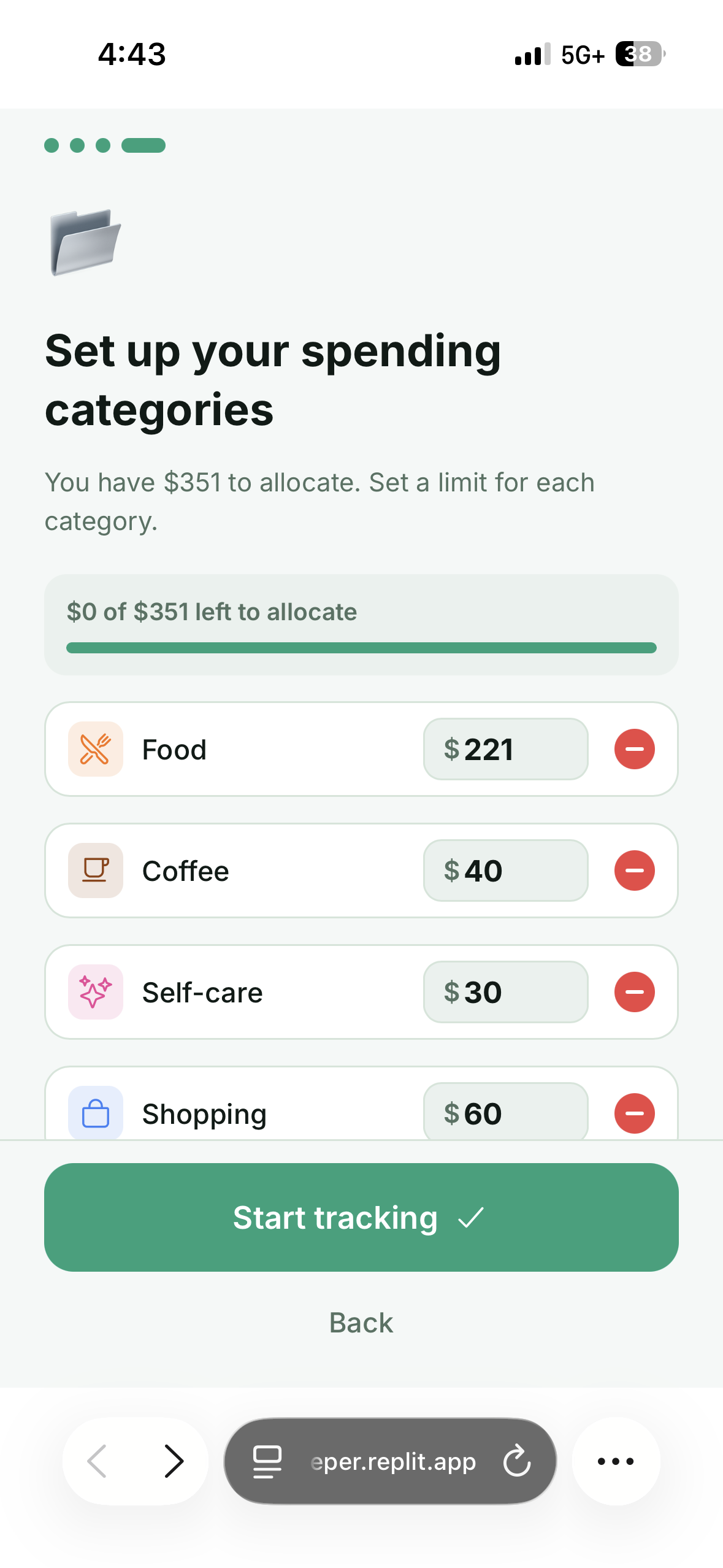
Set a dollar limit for each category until your allowance is fully allocated.
-
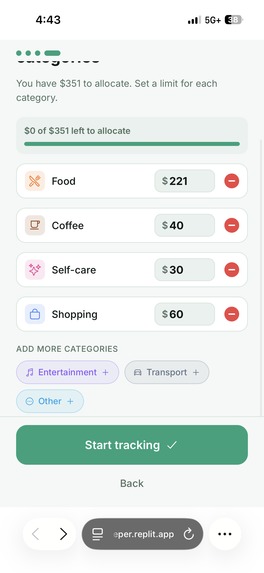
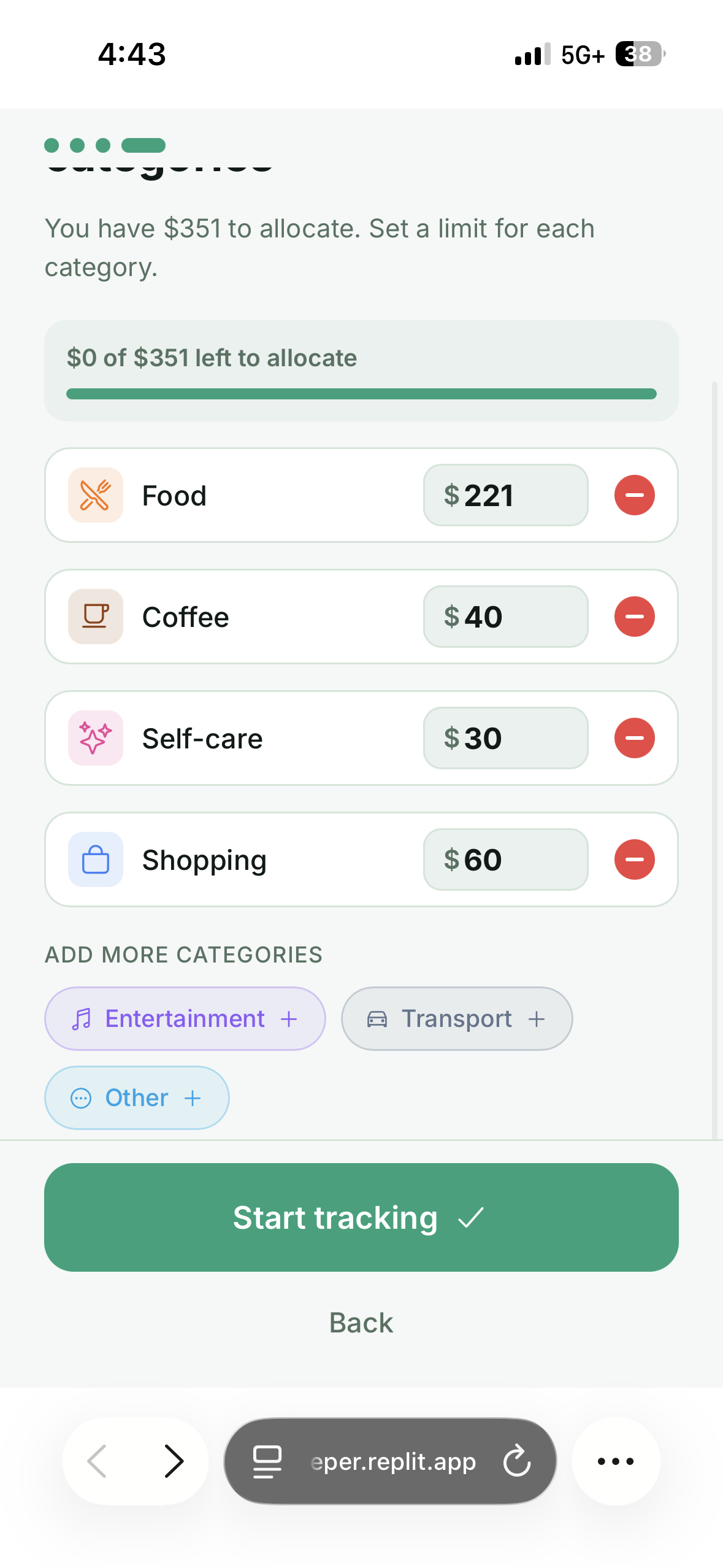
Shows extra categories you can add and the "Start tracking" button to finish setup.
-
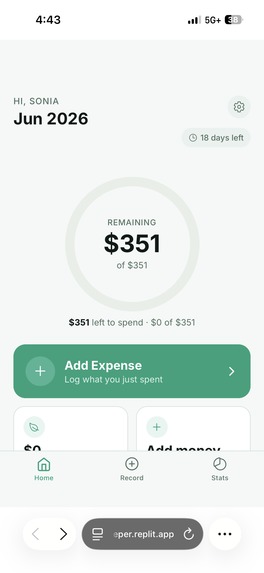
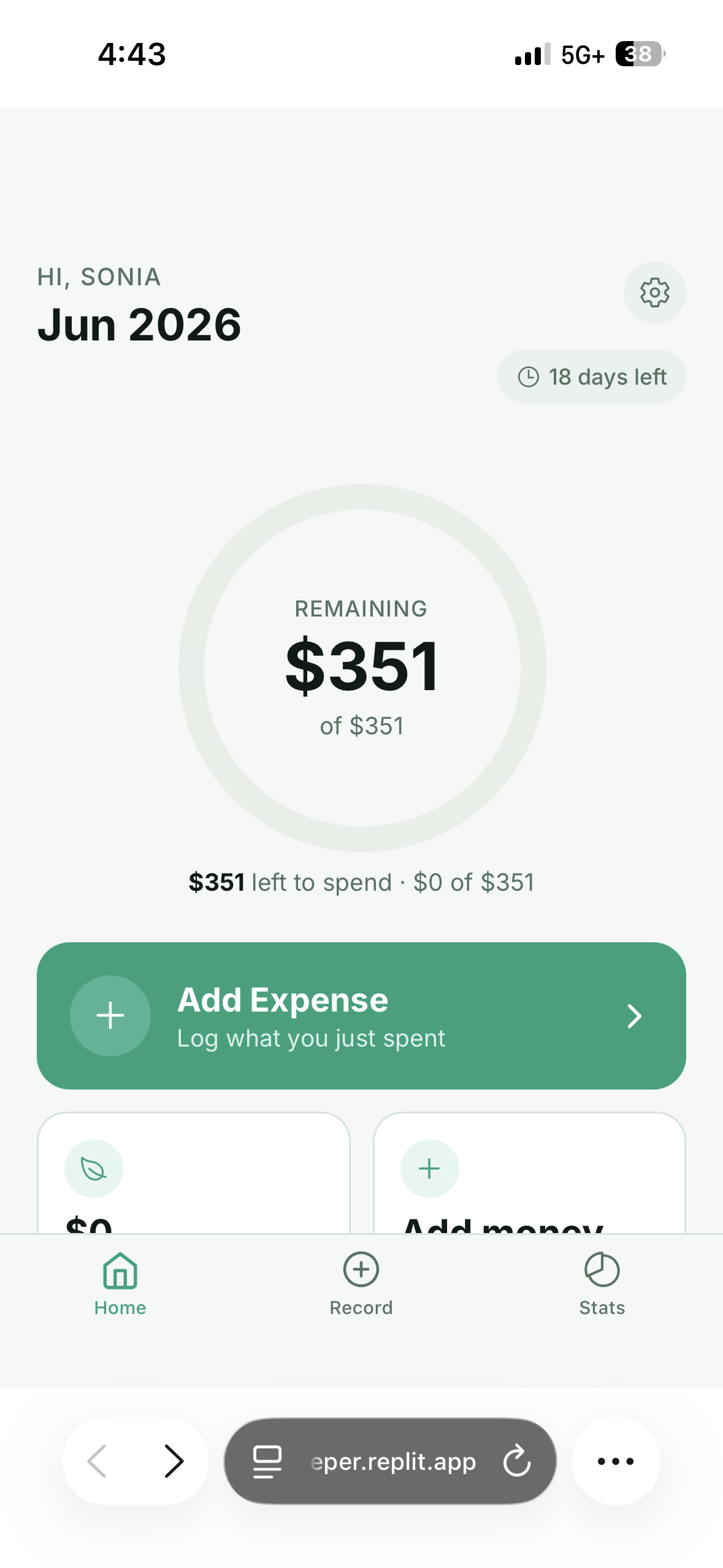
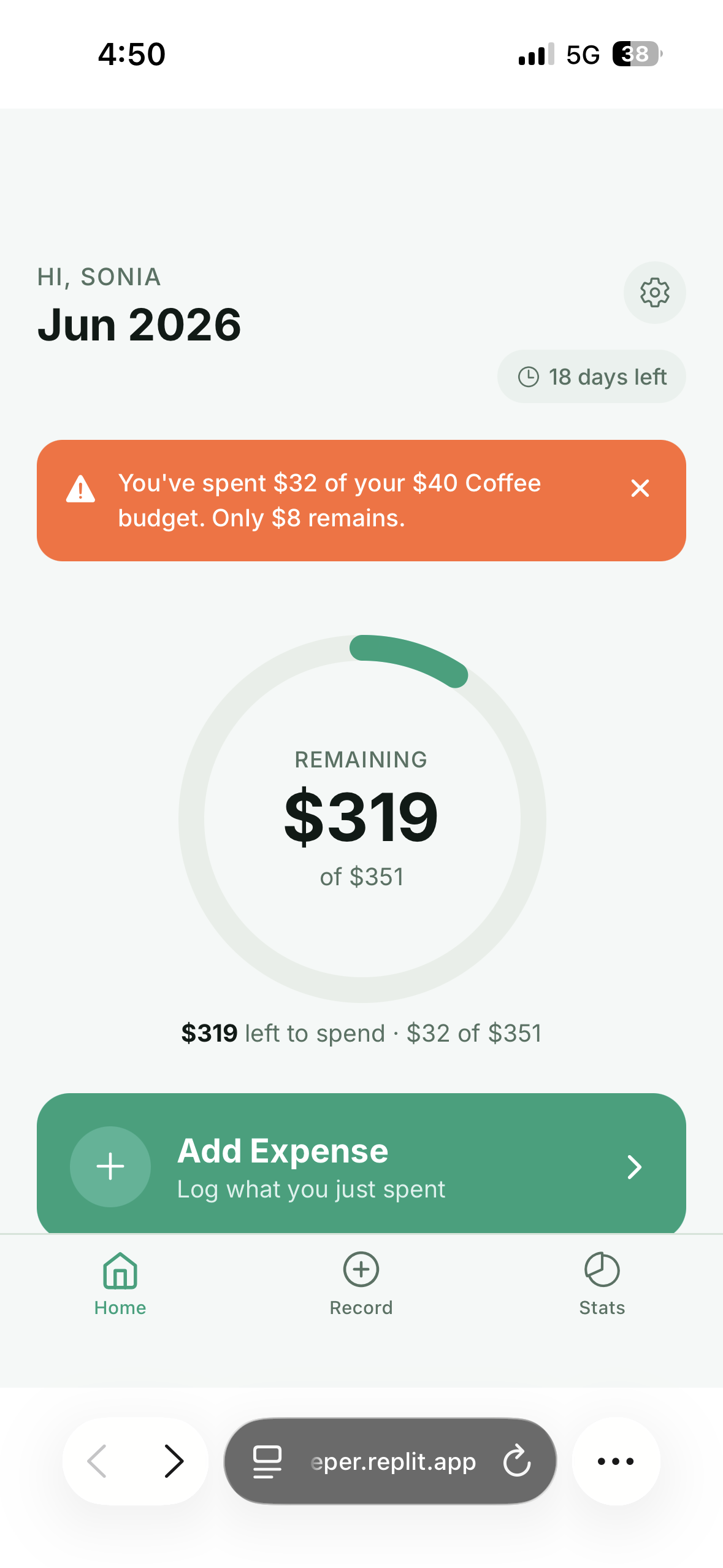
Your dashboard showing how much you have left to spend this period.
-
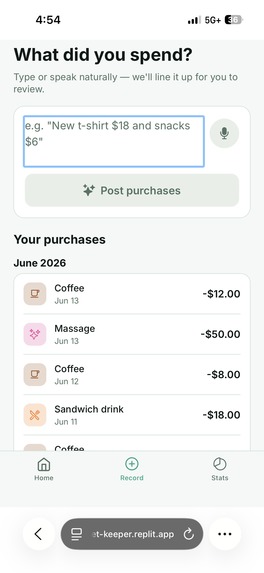
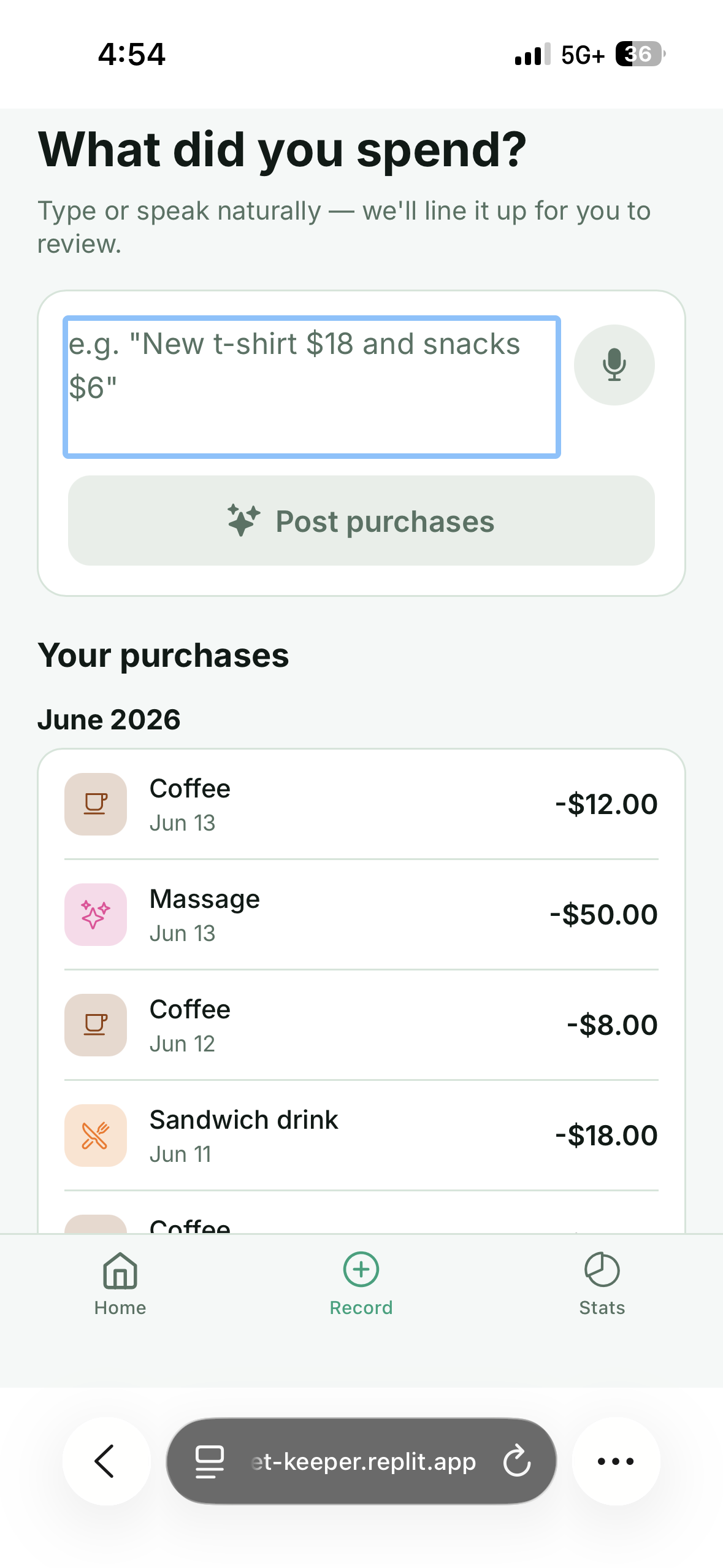
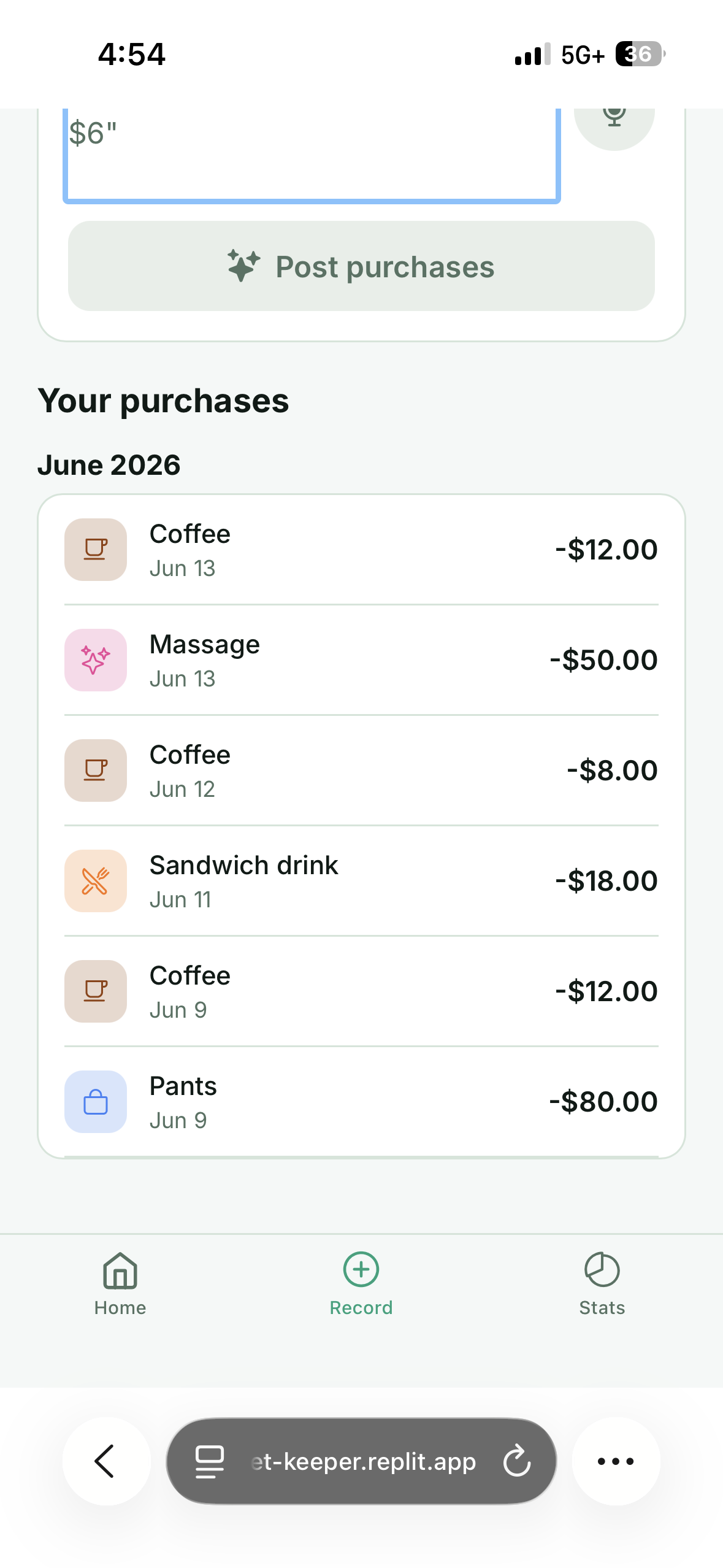
Log a purchase by typing or speaking it naturally, with your recent purchases below.
-
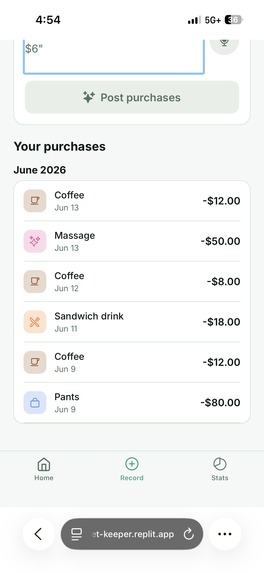
Continues the full list of your logged purchases.
-
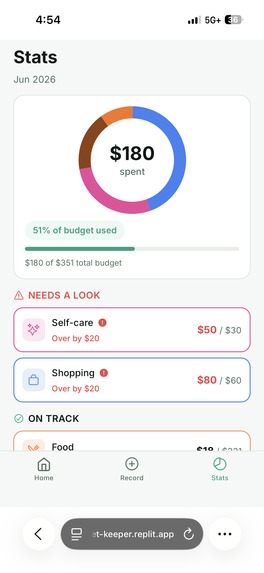
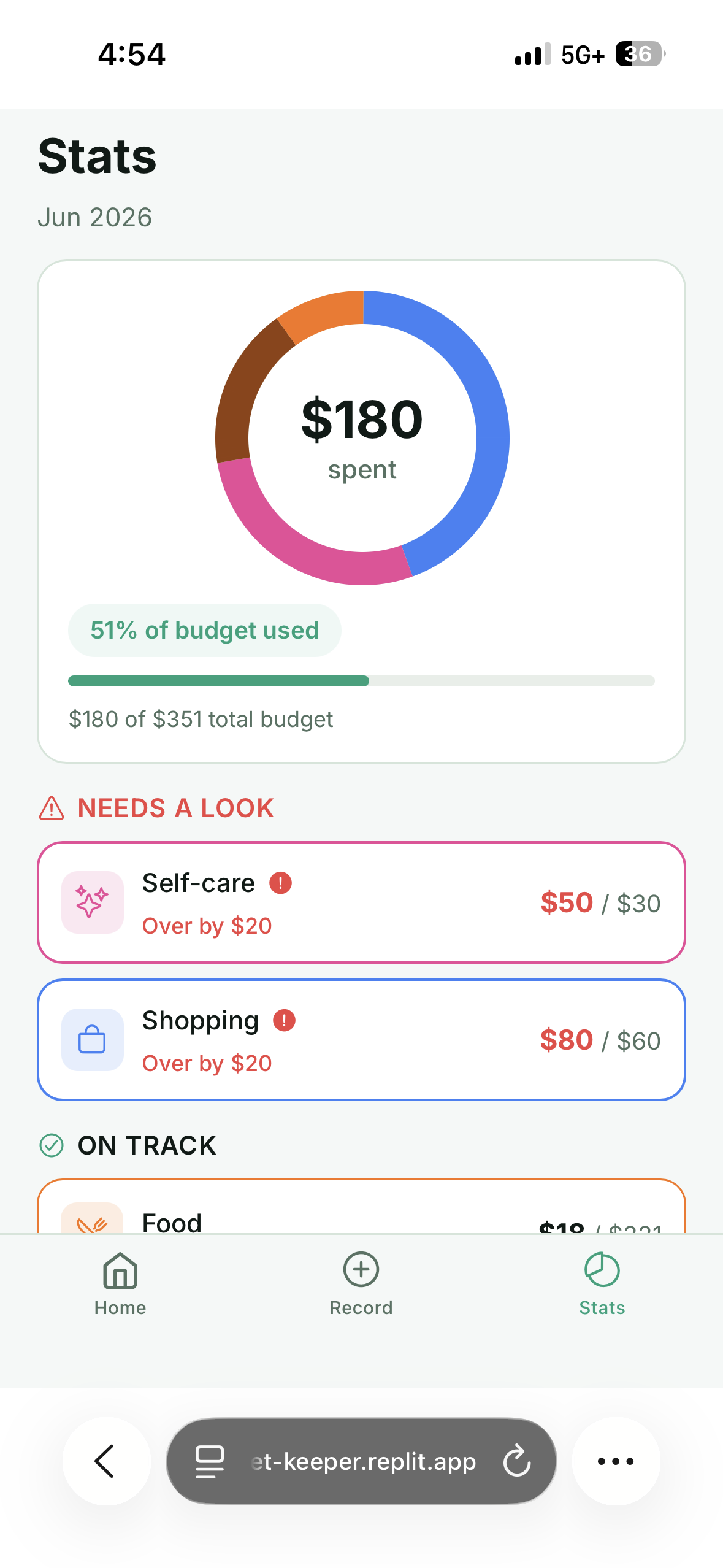
A breakdown of total spending with categories flagged as over-budget or on track.
-
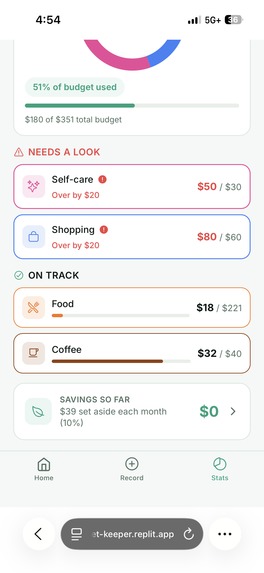
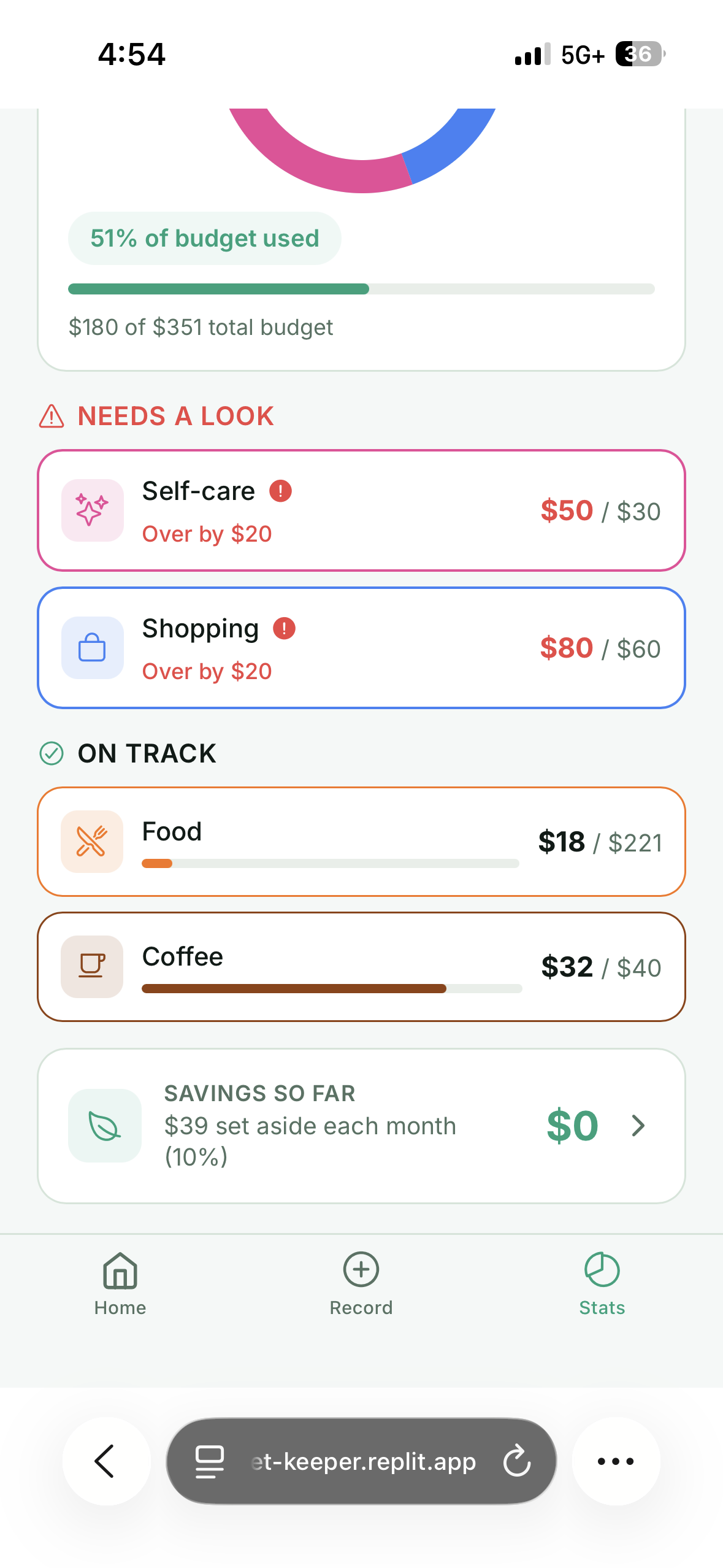
Continues the category list and shows your savings so far.
-
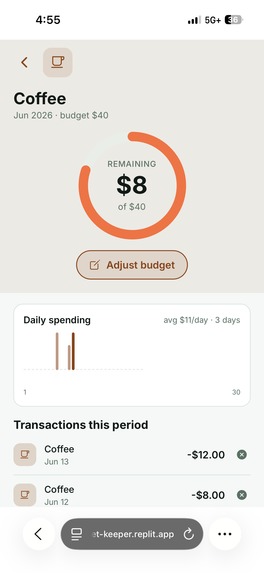
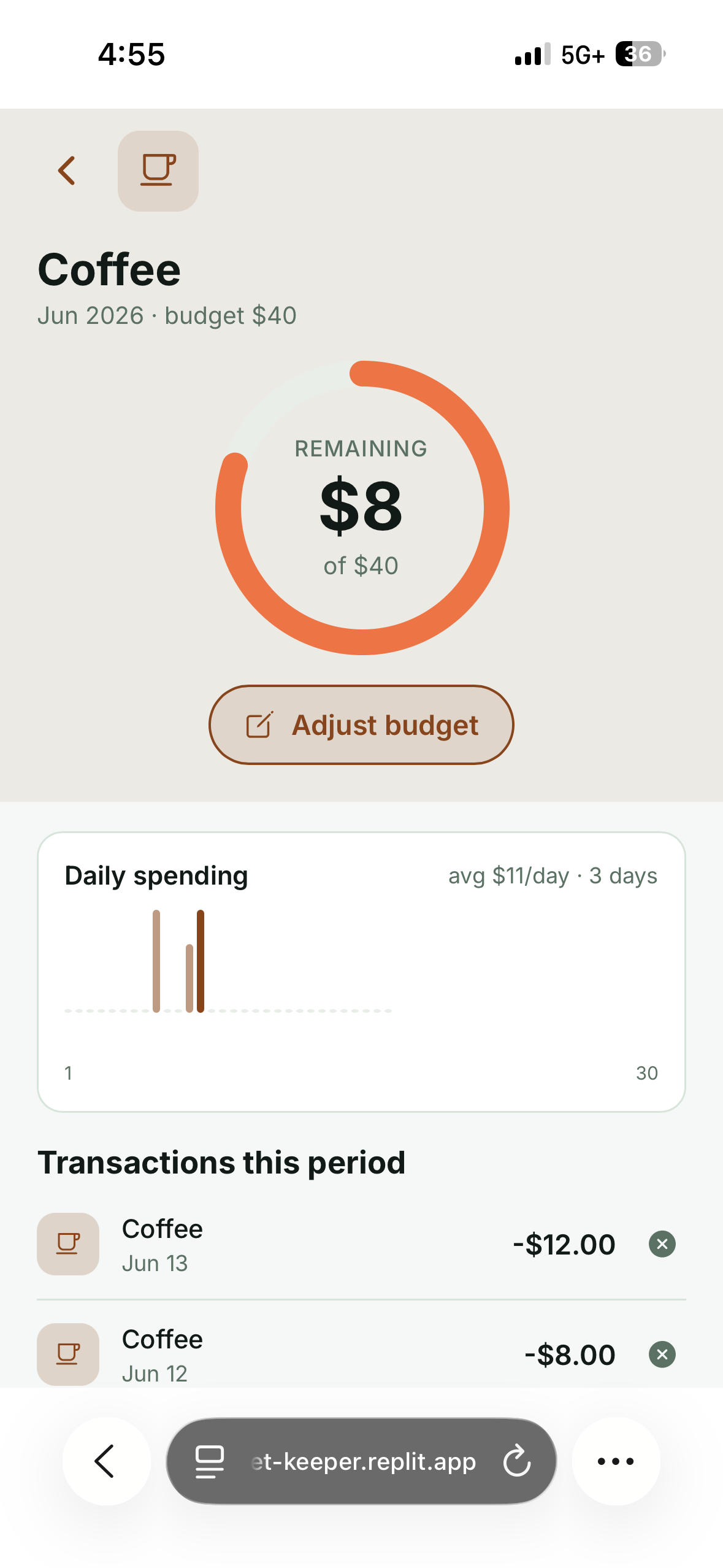
A deep dive into one category's budget, daily spending, and transactions.
-
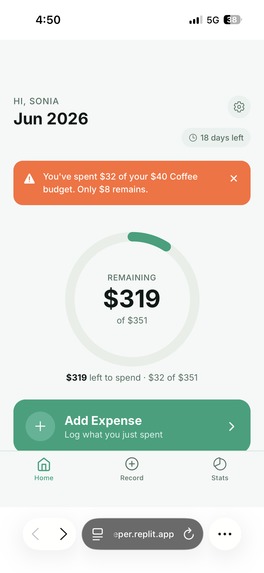
Same dashboard, now warning you're close to a category limit (Coffee).
-
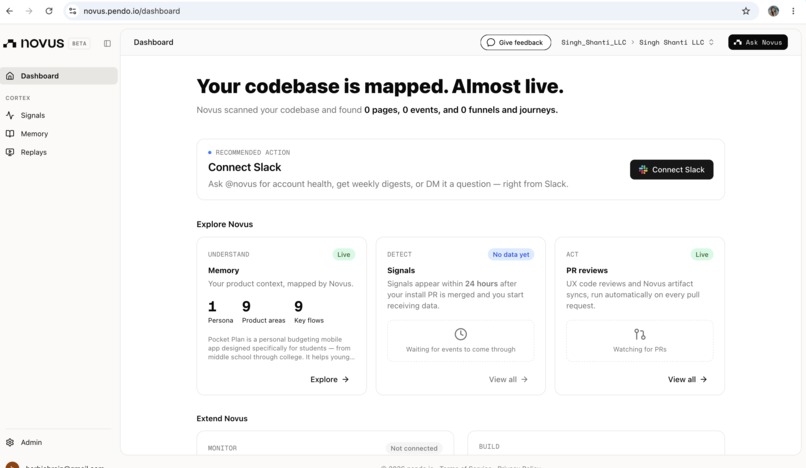
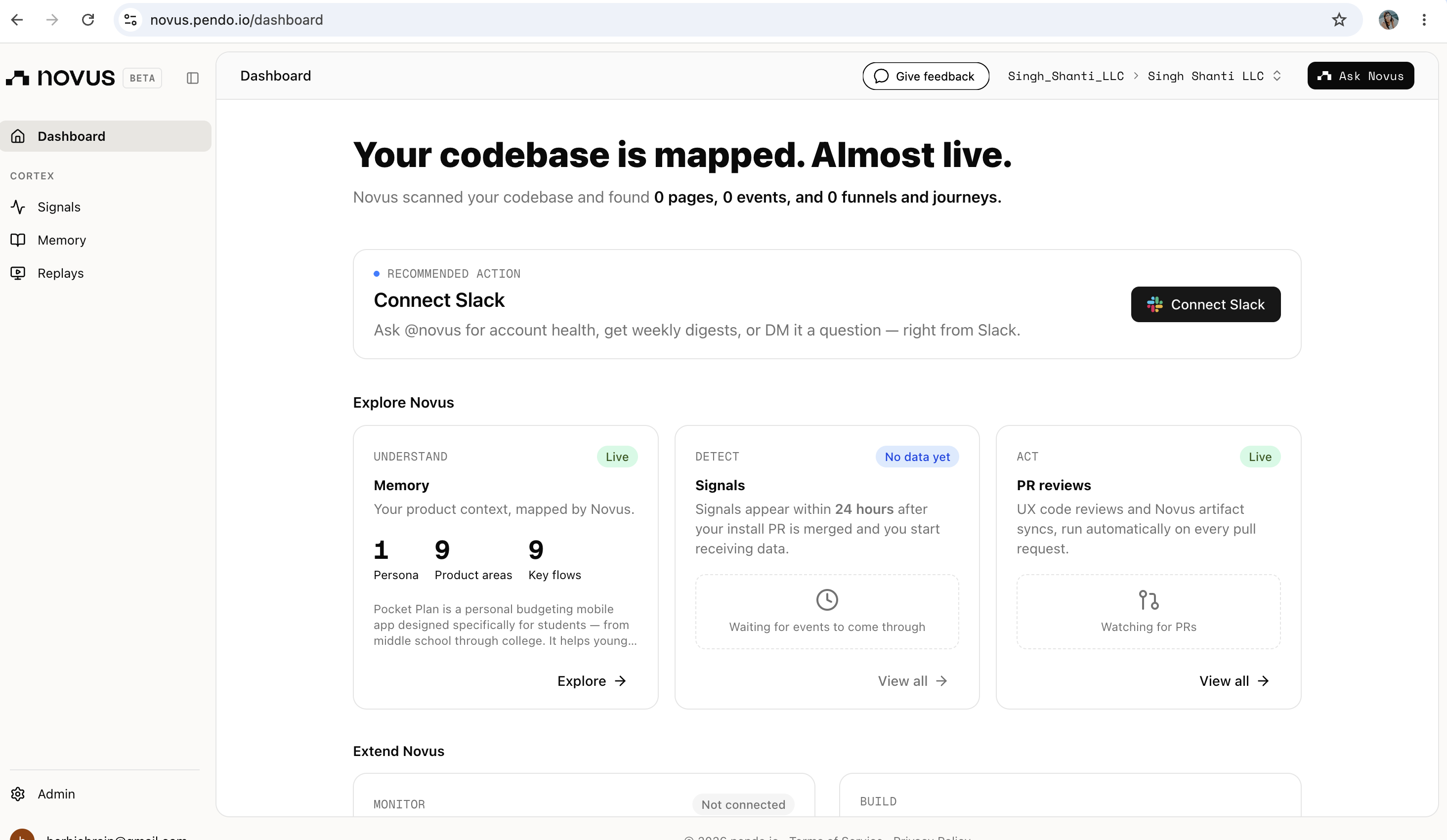
Screenshot of my Novus dashboard.
Inspiration
Growing up I always struggled with managing my money. I never really knew how much I was spending or where it was going. The worst part was talking to my parents about it. Every time they asked what I spent my money on, I had to scroll through my entire transaction history trying to piece together where it all went, and it took forever. I wanted something that let me log a purchase the second I made it and actually see my spending in a way that made sense. That is why I built Pocket Plan. It is the budgeting app I wish I had as a student living on an allowance.
What it does
Pocket Plan helps students track their spending and build better money habits. You set your allowance for whatever period works for you, whether that is weekly, monthly, or by semester. You split that money into categories like food, transportation, and fun. Then you log purchases by speaking them out loud instead of typing everything in. The app shows you how much you have left in each category and alerts you when you have spent half of a category budget so you are never caught off guard. At the end of each period, whatever you did not spend rolls into your savings automatically. It also tracks your spending patterns over time so you can actually see your habits instead of guessing.
How I built it
I built Pocket Plan using Replit Agent. I started with a product spec, moved to wireframes, then built the app screen by screen. I tested each screen as I went and refined it based on what was confusing or clunky. I used Expo and React Native so it could run as both a mobile app and a web app. For the voice logging feature I connected a cloud transcription service so users could just speak their purchases. I added Novus by Pendo for analytics so I could understand how people actually use the app.
Challenges I ran into
The biggest challenge was how I gave instructions while building. In the beginning I would input a lot of suggestions and changes all at once, and the app would break in ways that were hard to trace. I learned to make smaller, more specific requests one at a time so I could catch problems early. I also ran into a frustrating bug where the app froze on the web version and crashed on mobile after entering a name. It turned out to be a font loading issue that stalled the whole app, and it took real patience to track down instead of just rewriting everything. Getting the code from Replit onto GitHub and connecting it to Novus was also harder than expected because of account and permission issues I had to work through step by step.
Accomplishments that I'm proud of
I am proud that I built a real working app that solves a problem I personally lived with for years. The voice logging actually works and makes adding a purchase fast instead of annoying. The category alerts and automatic savings rollover make the app feel like it is genuinely helping instead of just recording numbers. I am also proud that I tested it carefully the whole way through, so the design is based on how someone actually uses it and not just how I imagined they would.
What I learned
I learned that building software is less about writing one big perfect thing and more about making small careful changes and testing constantly. I learned how to take a project all the way from an idea to a deployed app, including the parts nobody talks about like fixing bugs, connecting tools, and managing the code on GitHub. I also learned how much the small details matter, because the things that made the app feel good to use were often the ones I almost overlooked.
What's next for Pocket Plan
Next I want to figure out a way to connect a bank account directly to the app so purchases get logged automatically instead of by voice or by hand. I also want to polish the app and prepare it for the App Store so real students can use it, and expand the spending insights so users get even more useful patterns about their habits. Since the app is built for younger students, I also want to carefully review the privacy side so that any data it collects, especially anything tied to a bank account, is handled responsibly before a wider launch.
Built With
- replit

Log in or sign up for Devpost to join the conversation.