Inspiration
The main source of inspiration for this project was a workshop delivered by CSE at the ConUHacks VII hackathon, in which the need for more complex (and thereby more secure) passwords that did not feature patterns commonly used by malicious actors to easily guess password sequences. People need strong passwords, and this mobile app is intended to assist them with improving their personal cybersecurity!
What it does
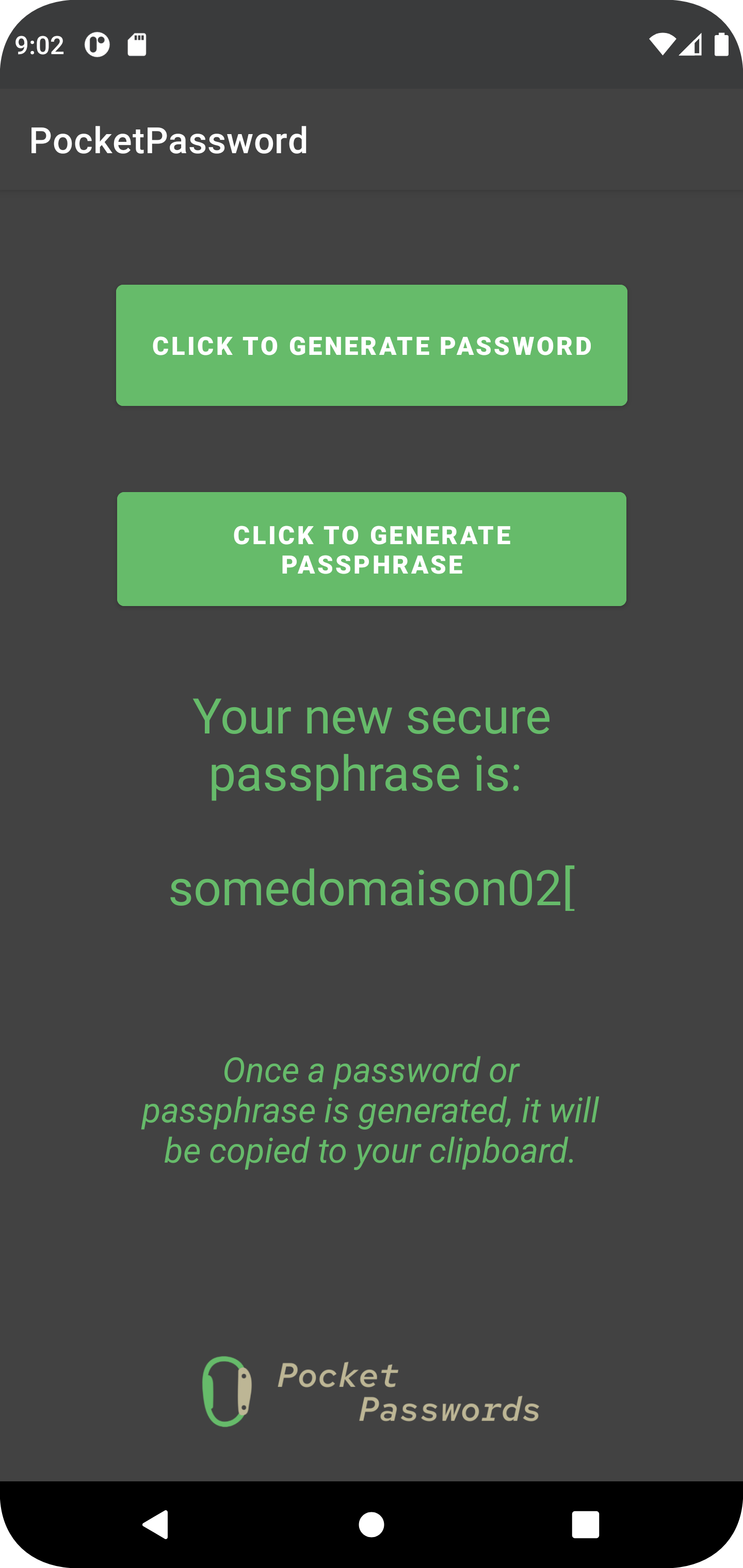
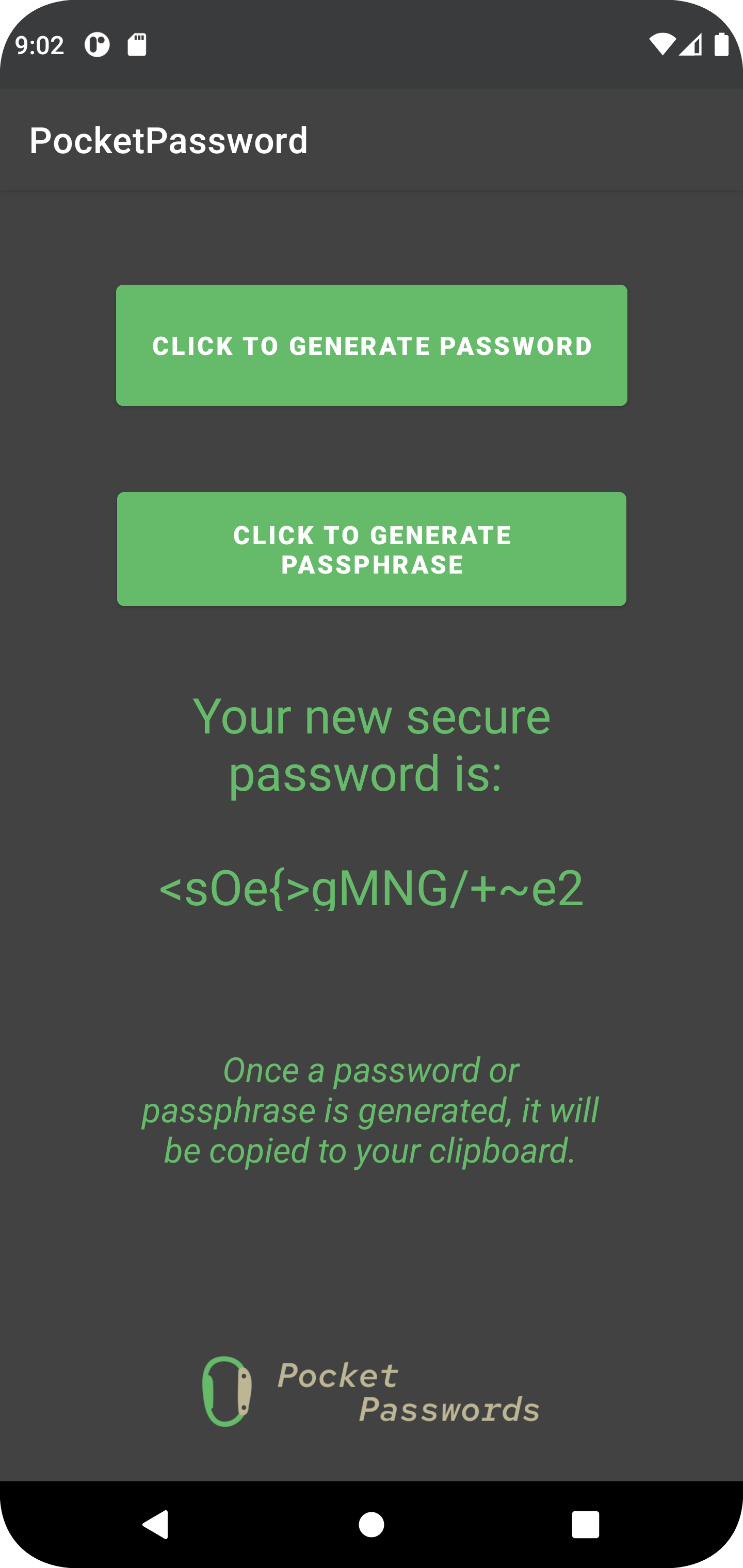
At it's core, the app provides, on user request, with a ~15 character alphanumeric string which they can use as a password. Specifically, users have the ability to request either a completely randomized password, or a passphrase, which trades off some security in order to be easier for users to recall. The app, upon receiving a request, uses cryptographically-secure random selection of a pool of alphanumeric and word data to compile a string which is returned as the password. In addition, the app automatically copies the new password directly to the user's clipboard, so they can quicky generate and implement new passwords with the push of a button.
How we built it
The app was built in Android Studio using Java, and features two separate classes - one generates a password using Java's SecureRandom library, and the other generates passphrases using the same library, but fed with a pool of alphanumeric and word data.
The passphrase constructor is fed by a selection of common English words, to improve the convenience of the passphrases for English-speaking users, but also features Latin and French words interspersed in the data set to add a degree of additional complexity to the passphrase. The strategy behind this feature is to increase the complexity of the passphrase while not entirely trading off convenience of recall, because people will still be able to recall individual words, even if they do not speak the language.
Otherwise, the app is built around a UI that is intended to be as simple and straightforward as possible. The user needs only to make one decision - do they want an easier to remember passphrase, or do they want to get some extra security and select a password? The two buttons in the UI will call either the password or passphrase constructor, and from there the new string is returned to the UI, and copied to the user's clipboard (which is accomplished using the Android Clipboard Manager library).
Challenges we ran into
Making this app featured a number of challenges, specifically in regards to making password generator functions that were cryptographically-secure. Initially, alot of work went into making generators that would have ended up being relatively unsecure, so upgrading these functions with the SecureRandom library was a huge boost!
Accomplishments that we're proud of
Building an app that people can use! The whole point of adding features such as automatic clipboard copying is to make this an app that people can use conveniently whenever they need more security. As well, being able to generate passwords and passphrases is something that we're proud of.
What we learned
We learned a great deal about passwords - what makes a good password? What makes one that is weak? What is the optimal tradeoff between ease of recall and complexity? As well, this was a real crash-course in Android development, and it's great to have learned so much about how to make apps.
What's next for Pocket Passwords
The main goal for Pocket Passwords is to refine the generation functions to produce even better passwords, and eventually to act as a password manager!

Log in or sign up for Devpost to join the conversation.