
Inspiration
This project was inspired by Notion. As a person who gets distracted a lot, I decided to create a chrome extension that promotes productivity in a way that is easily accessible, and visually pleasing.
What it does
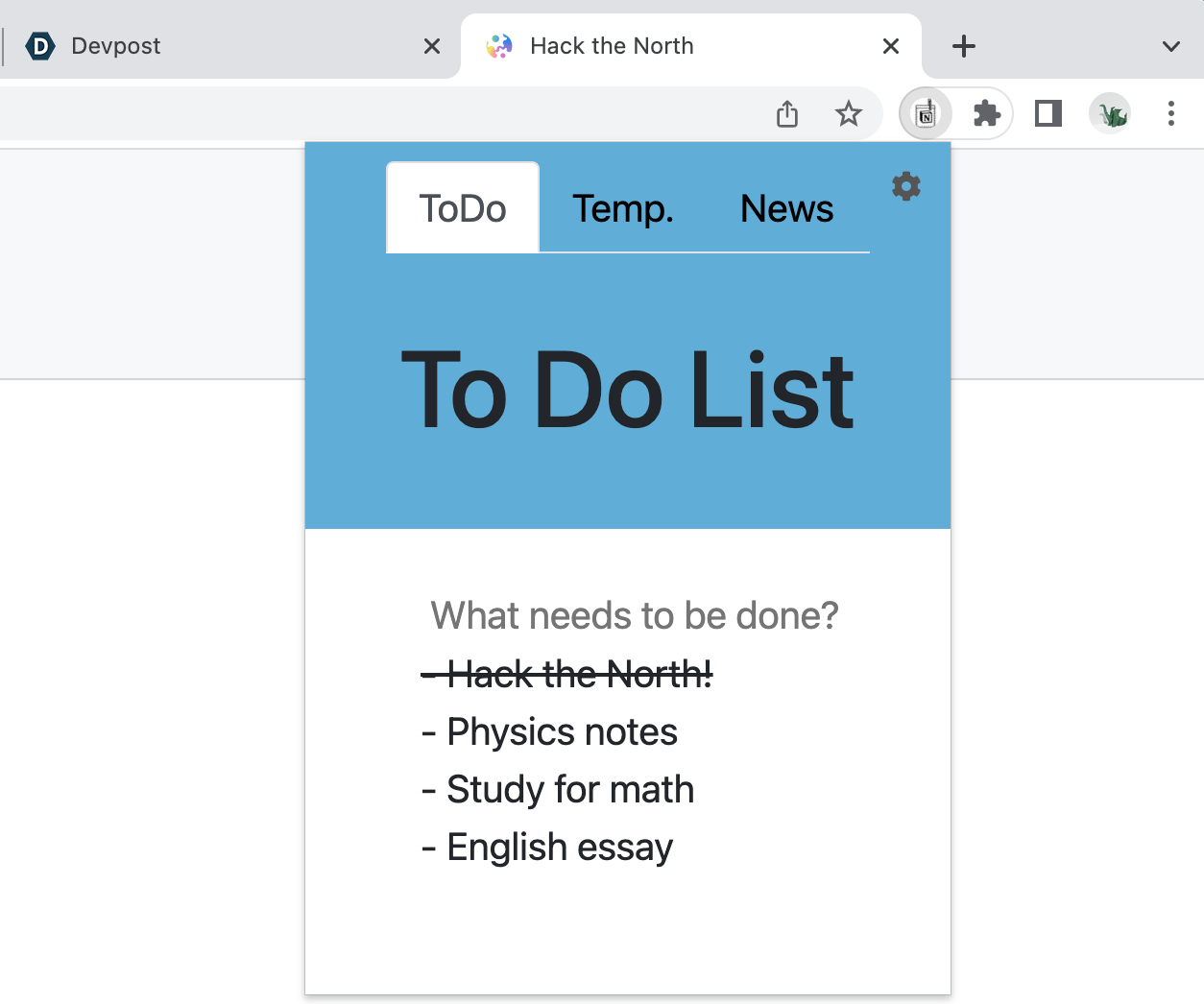
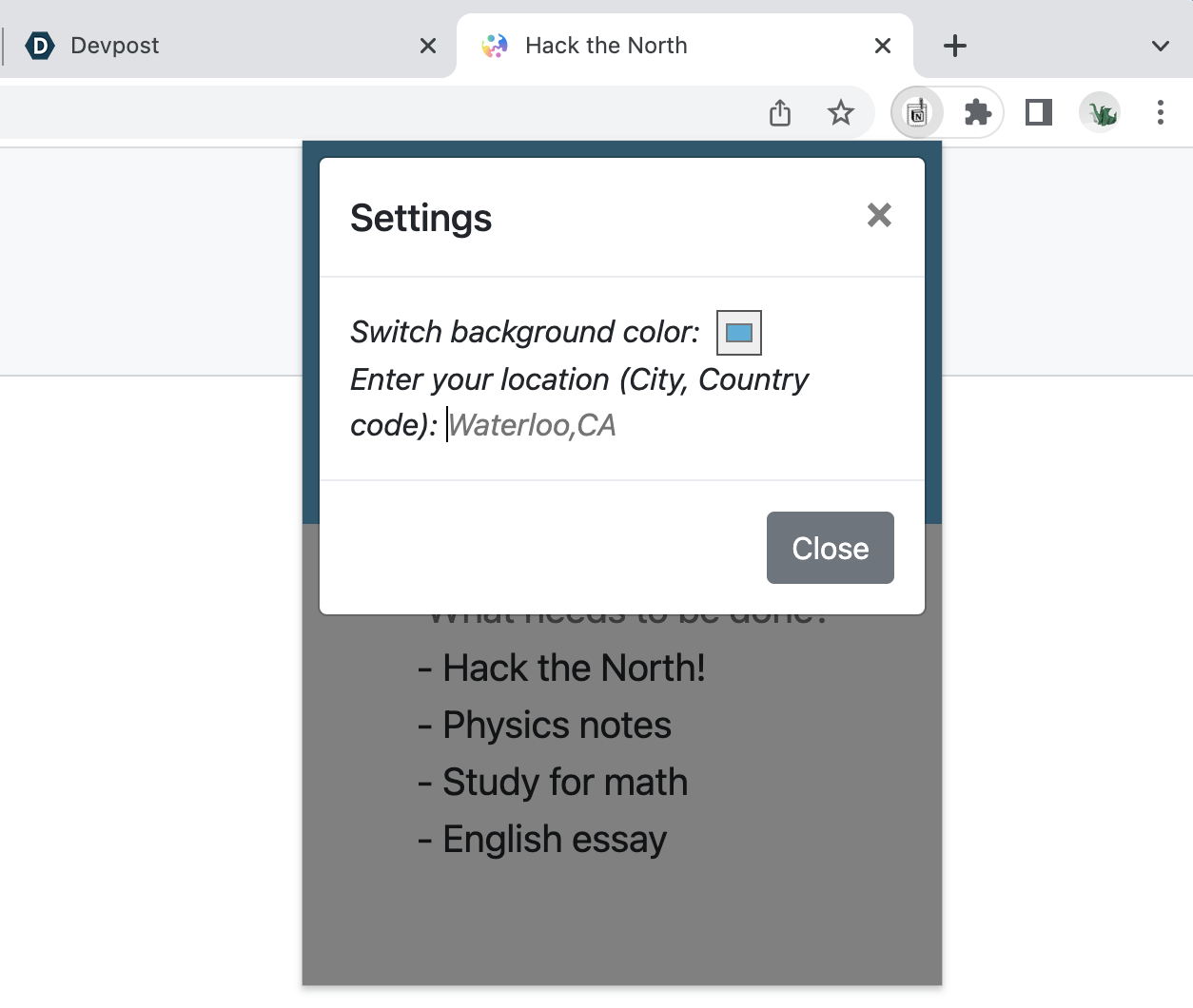
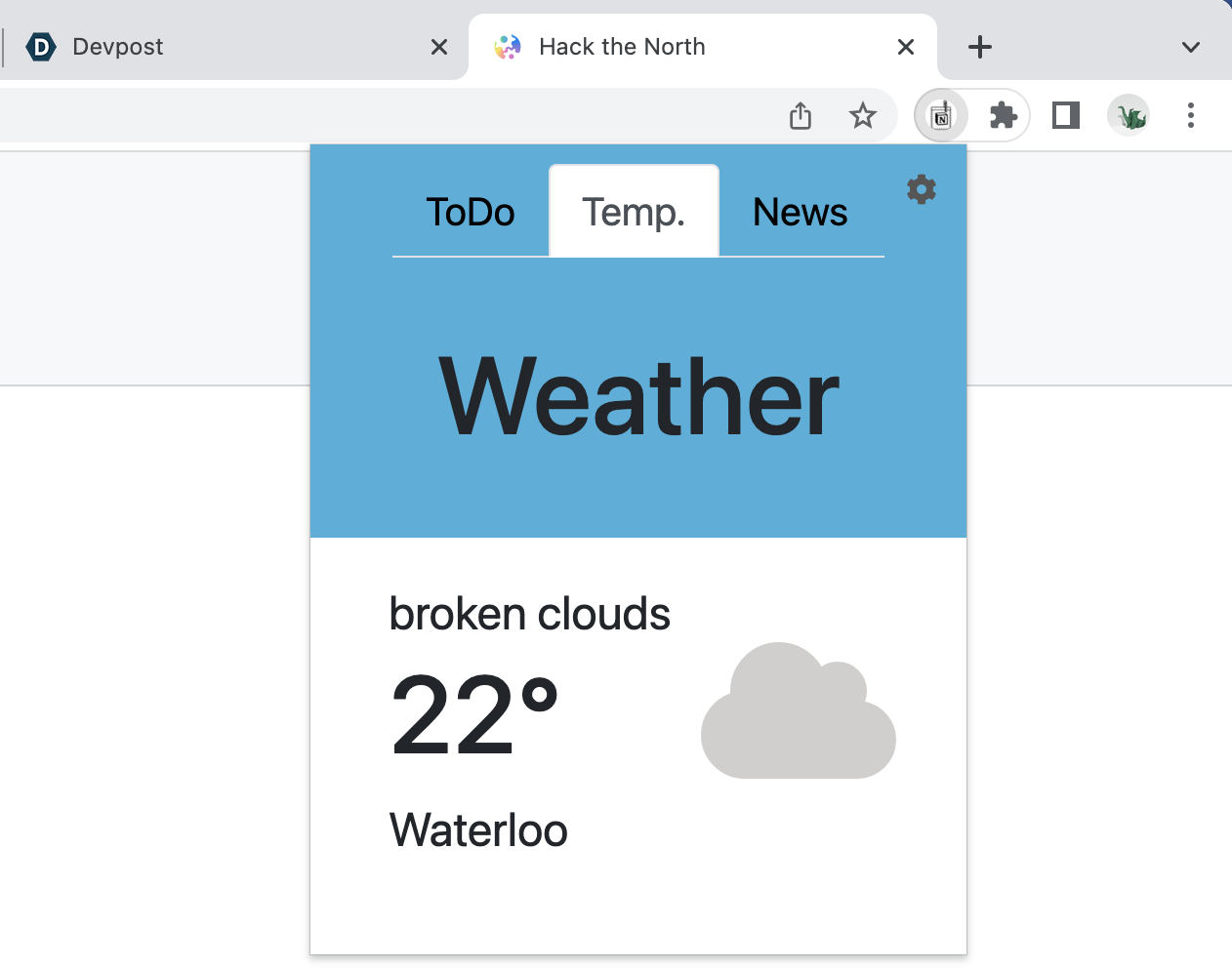
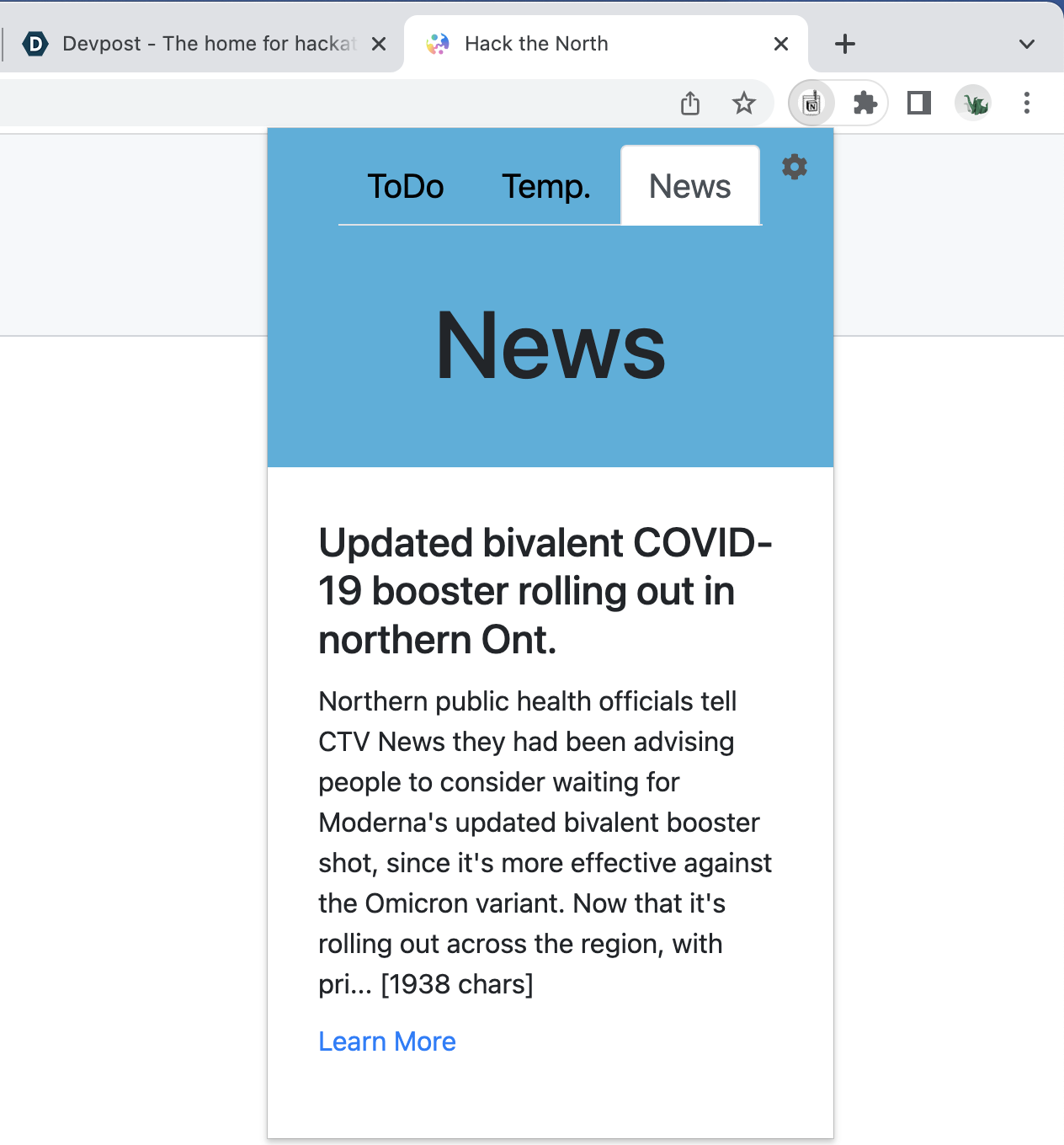
The chrome extension is named after Notion, a popular productivity website. In the extension, users can create to-do lists, and look at weather and news stories in the area. Additionally, the user can customize the way the extension looks on their screen to ensure optimal usage.
Challenges I ran into
An interesting new fact I learned about chrome extensions this weekend is that by default they do not store any data. This became difficult when programming the to-do list, what's the point of a to-do list if it's blank every time you open it? (seems counter-intuitive) This was the same for the settings to change the visuals as well as the location.
Accomplishments that I'm proud of
While I've used 1 API before, I decided to use two different API's to bring this project to life. Both API's were significantly harder to use than my first experience, but after figuring it out once it became almost like muscle memory.
What I learned
lots:
- chrome.storage
- git
- make sure the script you want is actually sourced before spending 3 hours debugging why it isn't working
What's next for Pocket Notion
SO MUCH!! With more time, I would've loved to implement more ways to customize the extension to each's own taste, and possibly add more productivity tabs such as calendars, or reminders. Productivity could be further encouraged by linking the todo list with notion itself, or linking to things like google calendar. Additionally, the location input could've been more fool-proof by using another API to auto-fill the locations in the right format, or using real-time location to default to the user's location (this would require more permissions).


Log in or sign up for Devpost to join the conversation.