-
-
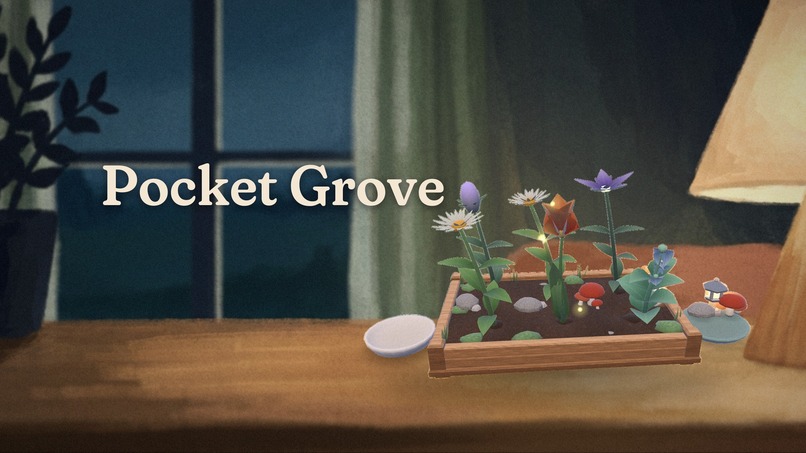
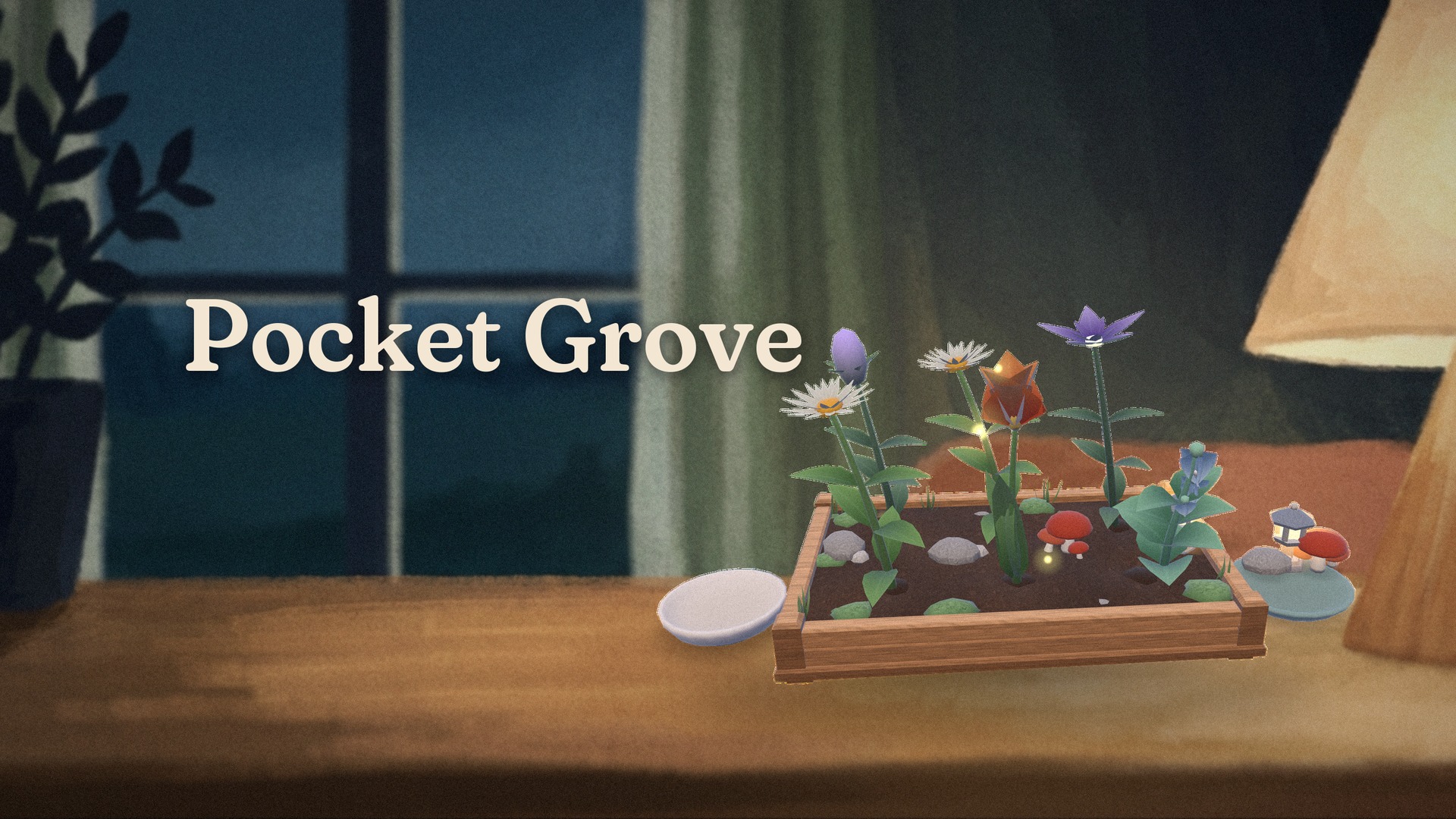
Key art: a real in-app render of the garden over a painted backdrop (the backdrop is AI-generated; see the AI note).
-
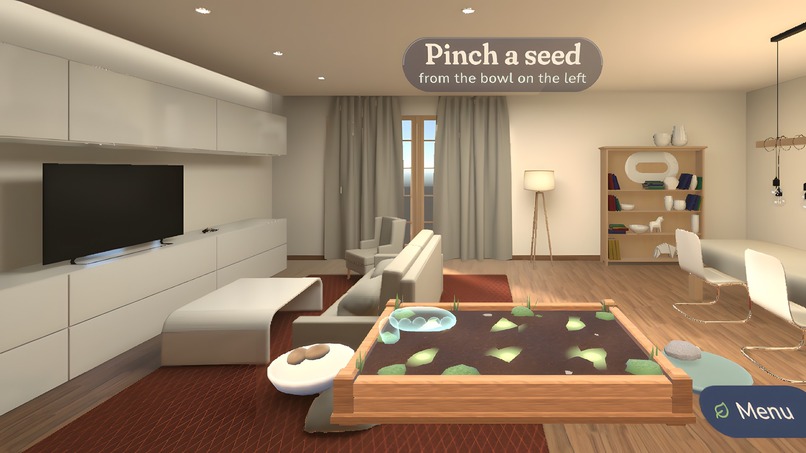
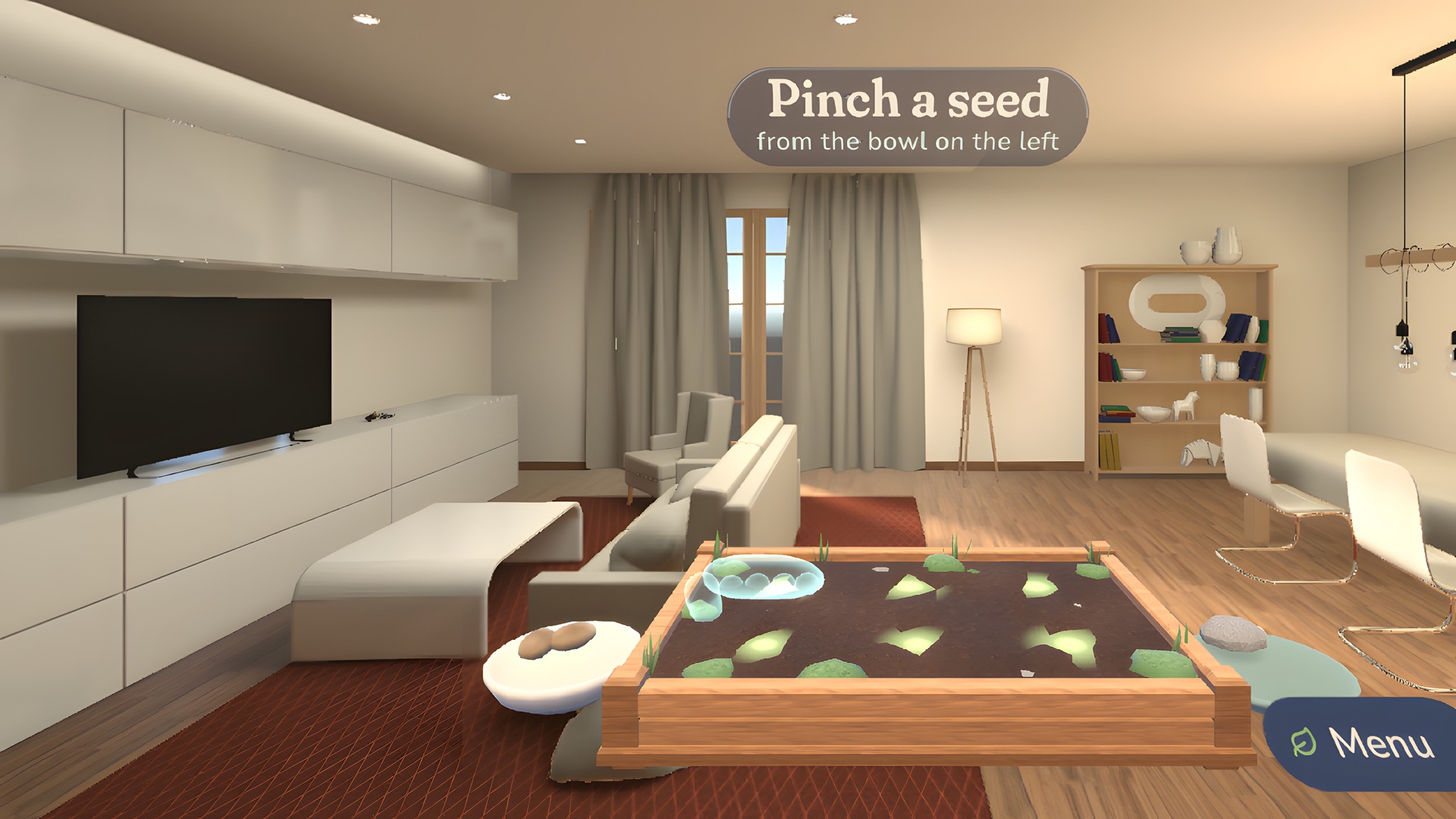
Meta XR Simulator capture: the hint hand shows how to pinch a seed from the bowl.
-
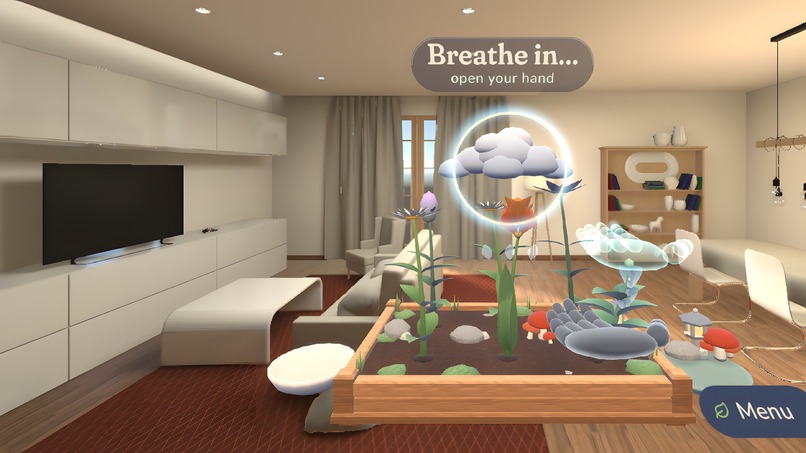
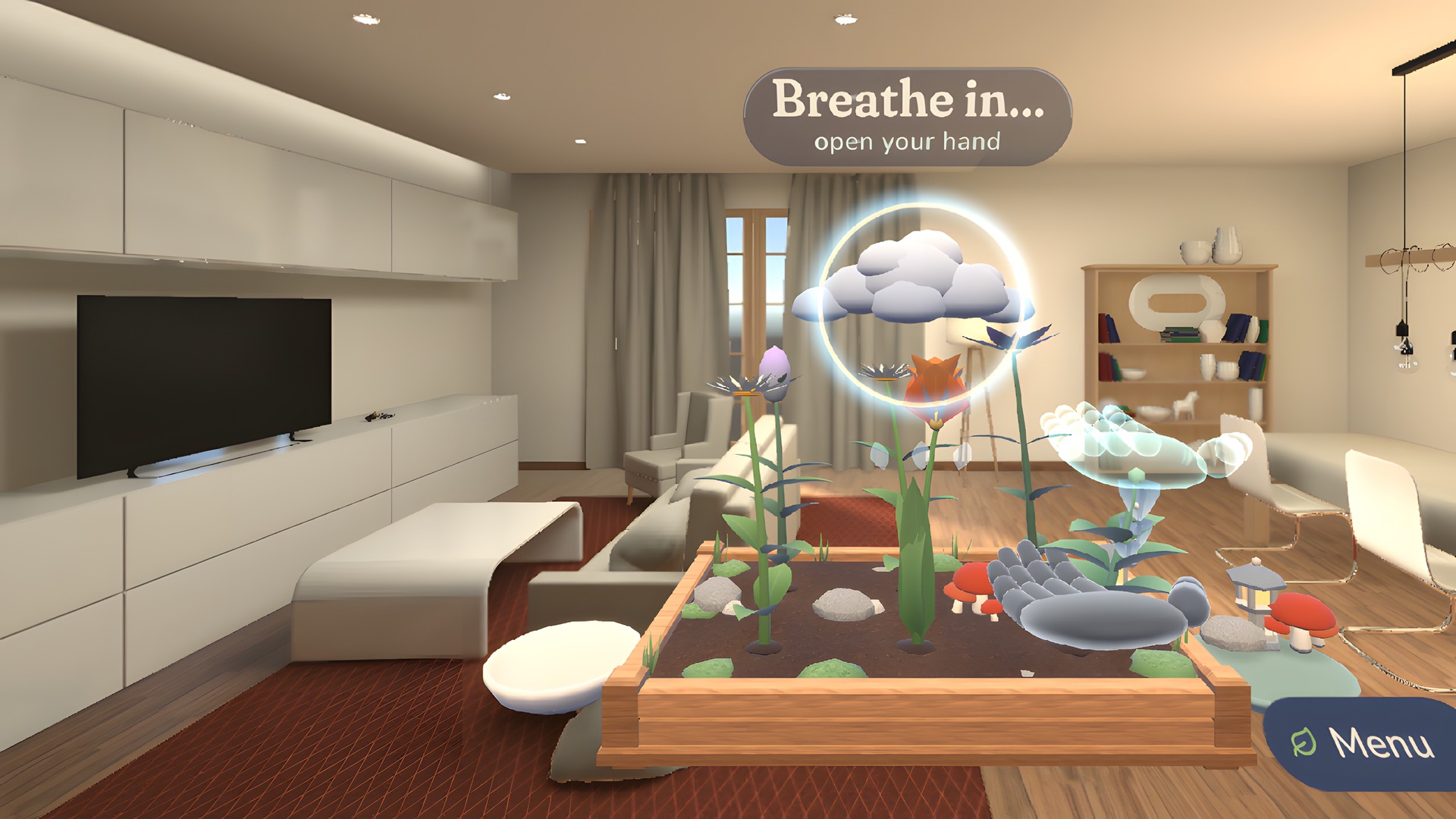
Meta XR Simulator capture: breathe with the ring; the cloud swells as you breathe in and rains as you breathe out.
-
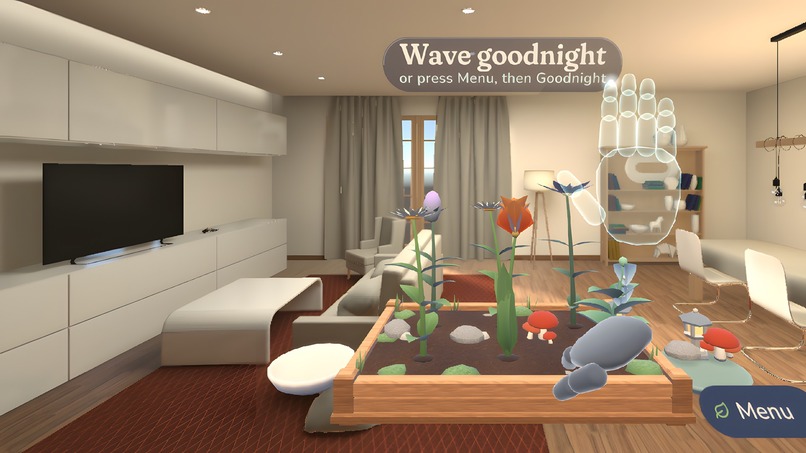
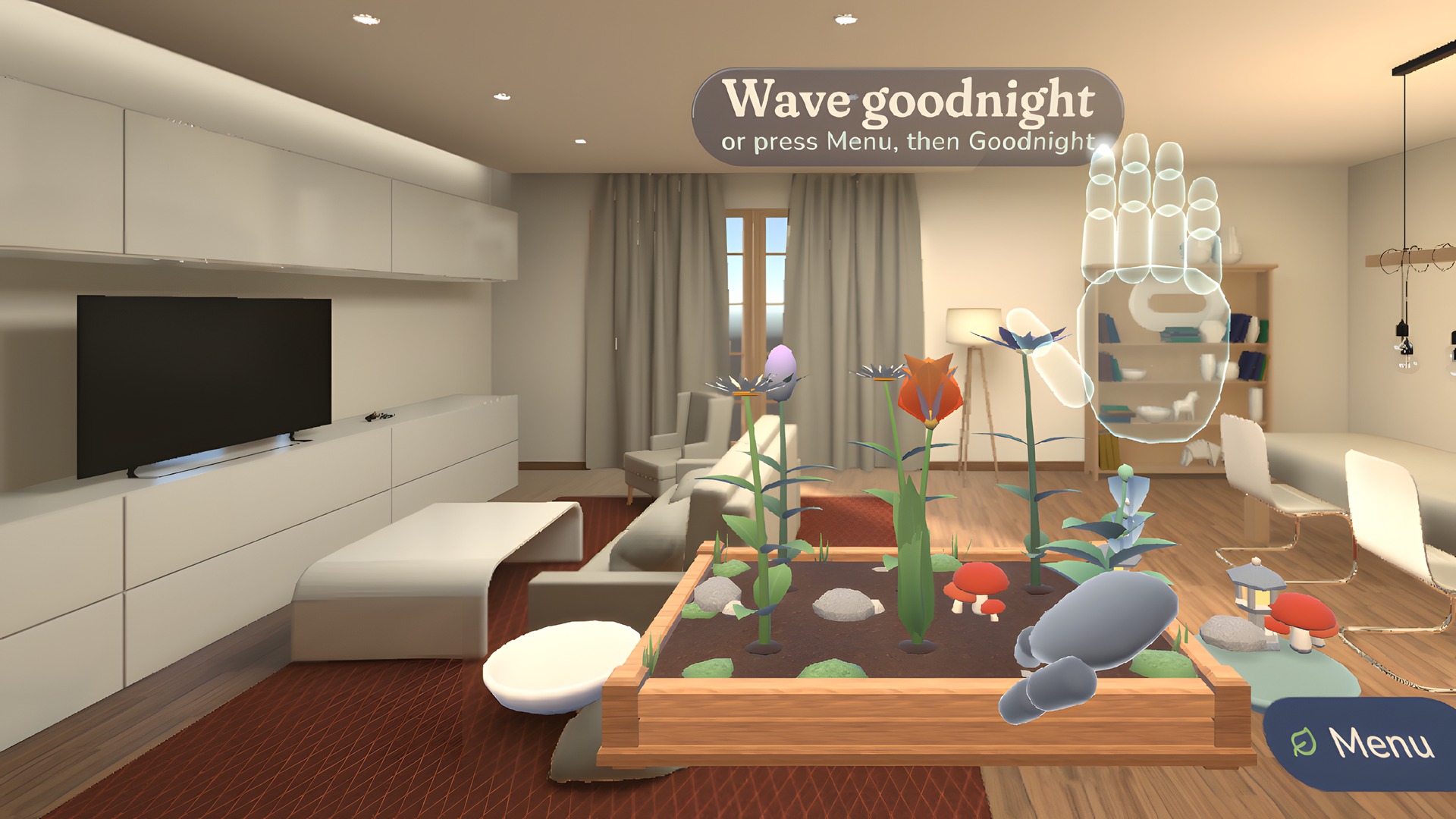
Meta XR Simulator capture: wave goodnight to end the session.
-
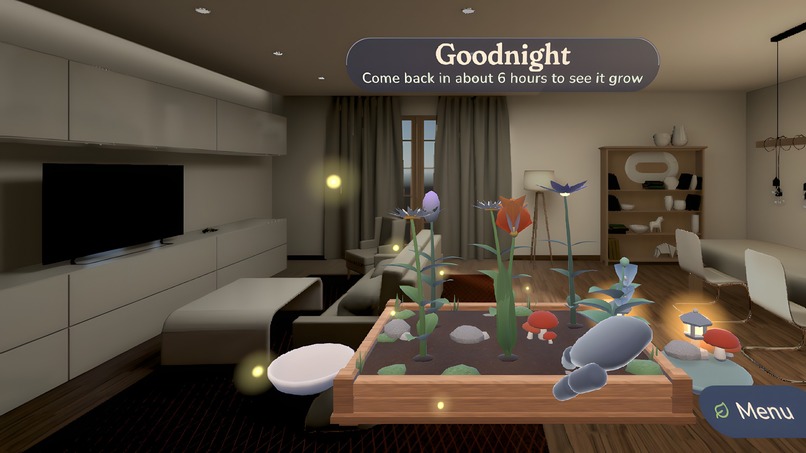
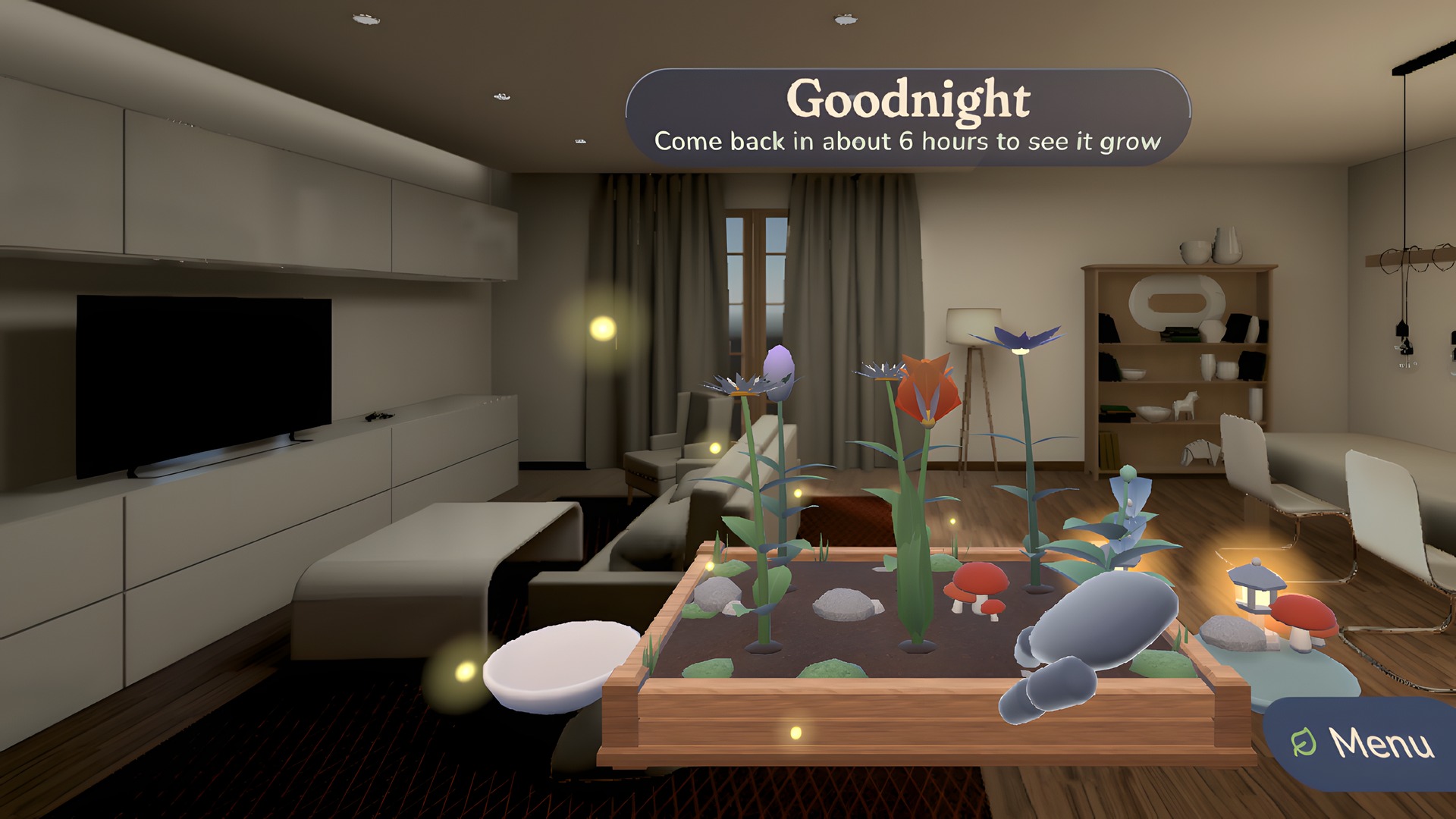
Meta XR Simulator capture: the real room dims, the lantern glows and fireflies drift out.
-
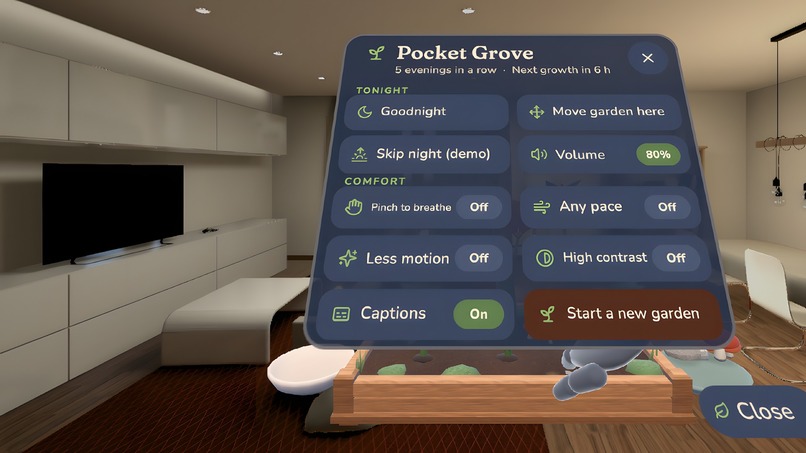
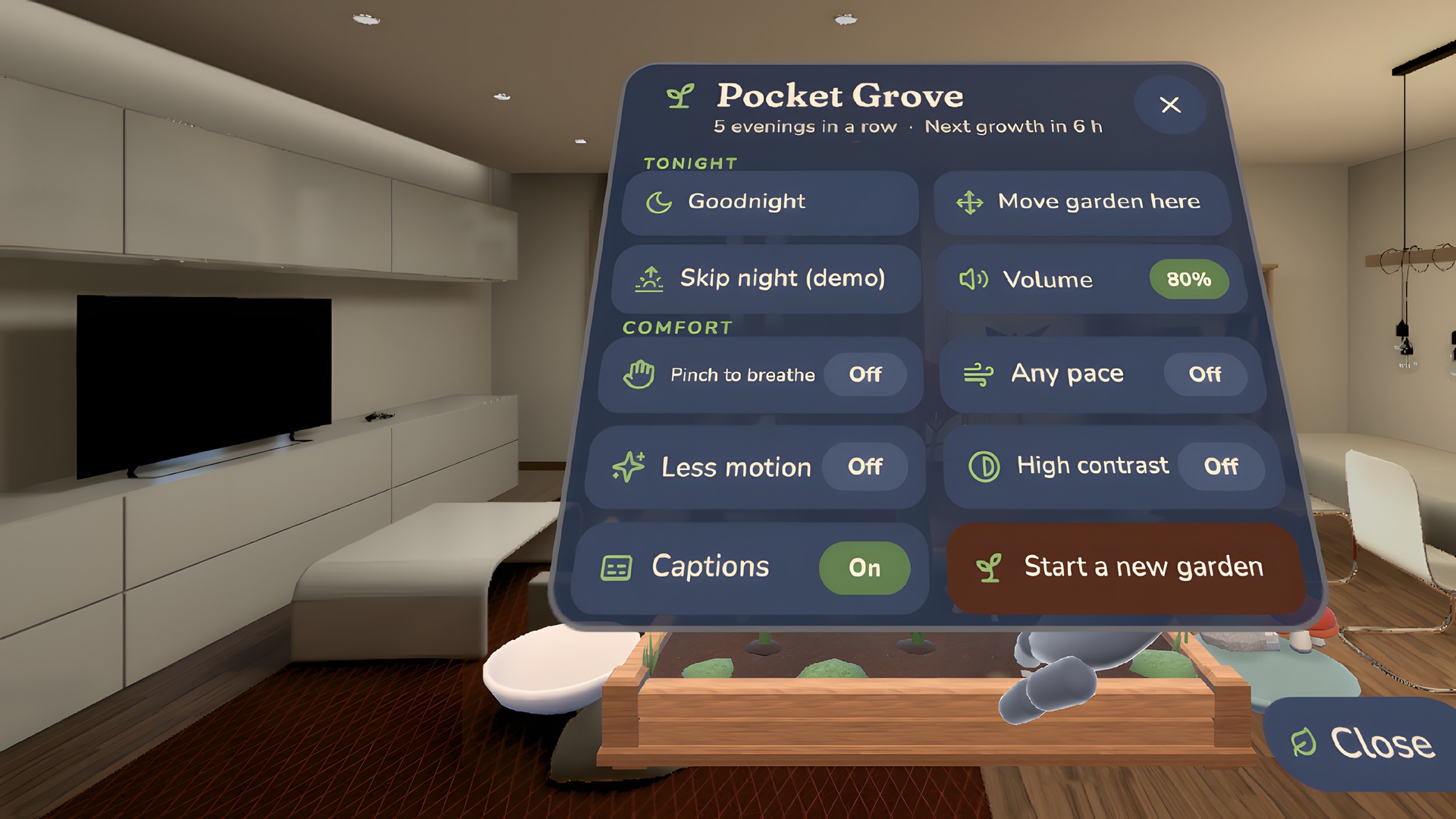
Meta XR Simulator capture: comfort menu with pinch-to-breathe, any pace, reduce motion, high contrast and captions.
Inspiration
Most of us end the day staring at a screen. We wanted the opposite in mixed reality: a two-minute ritual that slows you down, uses your hands, and lives in your real room instead of replacing it. Pocket Grove is a palm-sized garden that appears on your actual desk or coffee table. You tend it each evening, and it grows while you are away.
What it does
Sit down, put the headset on, and a small wooden planter settles onto the nearest real table. No controllers and no wall of text: a translucent hint hand shows each gesture and you copy it.
- Plant: pinch a seed from the bowl and drop it into a glowing spot in the soil.
- Call a cloud: turn a palm to the sky. A little cloud gathers above the garden.
- Water by breathing: follow the breathing ring, opening your hand as you breathe in for four seconds and closing it as you breathe out for six. The cloud swells as you inhale and rains as you exhale. Three calm breaths water the garden, and your first seed sprouts right away.
- Decorate: pick up pebbles, a stone lantern or toadstools and set them anywhere on the soil. They stay where you put them.
- Wave goodnight: your real room dims to dusk, the lantern glows, and fireflies drift towards your real window, lamp or houseplant.
Plants only grow after you have watered them and had a night's rest, so the garden changes between sessions: tomorrow you come back to new leaves, then a bud, then a flower. Evenings in a row earn new seeds and unlock new species. This works whether the app is started again or simply resumed after the headset slept overnight. A complete session takes three to six minutes, seated, within arm's reach.
Built to come back to
Pocket Grove is designed around tomorrow, not around a one-time demo.
- Visible growth between sessions. A watered plant grows exactly one stage after a six-hour rest, and the change is revealed when you return: "While you were away, your garden grew", then each plant animates to its new stage with a chime. A sprout on the first evening, leaves on the second, a bud on the third, a flower on the fourth.
- Something to work toward. The planter has six cells and four species: Moon Daisy, Ember Tulip, Mint Bell and Dusk Star. You start with one species and two seeds. Every flower that blooms unlocks another species, and three evenings in a row unlock one more.
- A gentle streak, never a punishment. The first ritual of each new day puts a fresh seed in the bowl (up to six), and the caption counts "3 evenings in a row". Missing a day only restarts the count: plants never wilt, and a watered plant simply waits for you.
- Your garden, where you left it. The planter comes back to the same spot on your real table through a persisted spatial anchor, and every pebble, lantern and toadstool stays exactly where you put it. The decoration dish adds toadstools from your second evening.
- A reason to return, said out loud. At goodnight the caption tells you when to come back ("Come back in about 6 hours to see it grow"). Growth is revealed on a fresh start and also when Quest simply resumes the app after the headset slept overnight.
- A payoff in the first five minutes. No wall of text: a translucent hint hand demonstrates each gesture and you copy it. The first watering sprouts your seed on the spot, so the first session ends with something alive on your desk and a reason to look again tomorrow.
The growth, streak and unlock rules live in one rendering-free class covered by 12 of the 30 unit tests. To see the overnight loop in a single sitting, use Menu -> Skip night (demo).
Mixed reality that depends on your room
- The garden is placed on a real table found by scene understanding (MR Utility Kit) and stays there between sessions through a persisted spatial anchor.
- Plants lean towards your real window, and the key light comes from its side.
- At goodnight the passthrough itself dims and desaturates, and the fireflies fly to the nearest real plant, lamp or window.
- Without a room scan the garden floats at a comfortable height in front of you, inside a narrow field of view, and "Move garden here" brings it back to you at any time.
Accessibility
Everything works seated in a two-foot radius and with either single hand. Options in the Menu: pinch-to-breathe (for people who cannot open and close the whole hand), any breathing pace, reduce motion, high contrast, captions, volume, move garden here, and a Goodnight button instead of waving. Every button is large enough to poke and can also be pointed at and pinched from a distance; seeds and decorations can be pulled to the hand from afar.
How we built it
Unity 6 (URP, OpenXR) with Meta XR Core SDK 207, the Interaction SDK (hand grab, distance grab, poke and ray canvases), MR Utility Kit and spatial anchors. Palm-up, breathing and waving are computed from hand joint positions, so they are robust across tracking backends. Every mesh is built in code and every sound is synthesised at runtime (kalimba plucks, rain, crickets). The look is a "painted diorama": low-poly models with a hand-painted gouache brush texture, soft wrap lighting that follows the real window, back-lit leaves, and soft contact shadows that darken the real table through passthrough so the garden sits on it. Type is Fraunces and Nunito with Lucide icons, baked into static atlases. The app needs no account and makes no network calls.
Testing: 30 unit tests cover the growth rules, the breathing detector and the gesture maths; a scripted end-to-end session (plant, breathe, decorate, goodnight, headset off and on seven hours later, a second evening with pinch-to-breathe, every comfort setting, skip night, new garden) runs both in the editor and in a real OpenXR session in the Meta XR Simulator.
Challenges
- Making breathing feel calm rather than like a test: the detector accepts any pace when you ask for it, pauses when tracking drops, and never traps you (after a long try with one calm breath it accepts the watering).
- Making growth wait for real time without the first evening feeling empty: a seed sprouts at once, and every later stage needs a watering and a night's rest.
- Testing a hands-first, passthrough experience without hardware in the loop: we built a scripted autopilot that drives the same code paths as tracked hands and ran it inside the Meta XR Simulator's synthetic living room.
What we learned
Small rituals beat long sessions. A clear payoff in the first two minutes (a sprout) plus a visible change tomorrow does more for "coming back" than any streak counter.
Testing instructions for judges
Install from the Competition release channel: https://www.meta.com/s/7YvwHQwji (Quest 3 / 3S, hands only).
- Sit at a desk or table (any seated spot works; without a table the garden floats in front of you). Put the controllers down.
- The planter appears within a few seconds. Copy the translucent hand: pinch a seed in the left bowl and drop it on a glowing spot.
- Turn a palm up to call the cloud, then follow the ring: open your hand as it grows, close it as it shrinks. Three slow breaths, and your seed sprouts.
- Optionally decorate from the dish on the right, then wave goodnight.
- To see the growth loop without waiting overnight: Menu -> Skip night (demo).
- Comfort options are in Menu: pinch to breathe, any pace, reduce motion, high contrast, captions, volume, move garden here, Goodnight button, start a new garden.
AI note
The demo video is real capture from the Meta XR Simulator (scripted hand input shown as a grey stand-in hand) plus motion graphics; no AI-generated video. Narration is neural text-to-speech; the music is original and synthesised by code. AI-generated images (Google Flow) are used only for the painted brush texture of five in-app materials and for the painted backgrounds of the store art and video title cards; the garden in all key art is a real in-app render.
What's next
Seasonal species, a morning variant for the start of the day, a shared "garden visit" for a friend in the same room, gaze-assisted selection for people with limited hand mobility, and audio cues for low-vision users.
Target launch date: February 2027 on the Meta Horizon Store (free).

Log in or sign up for Devpost to join the conversation.